
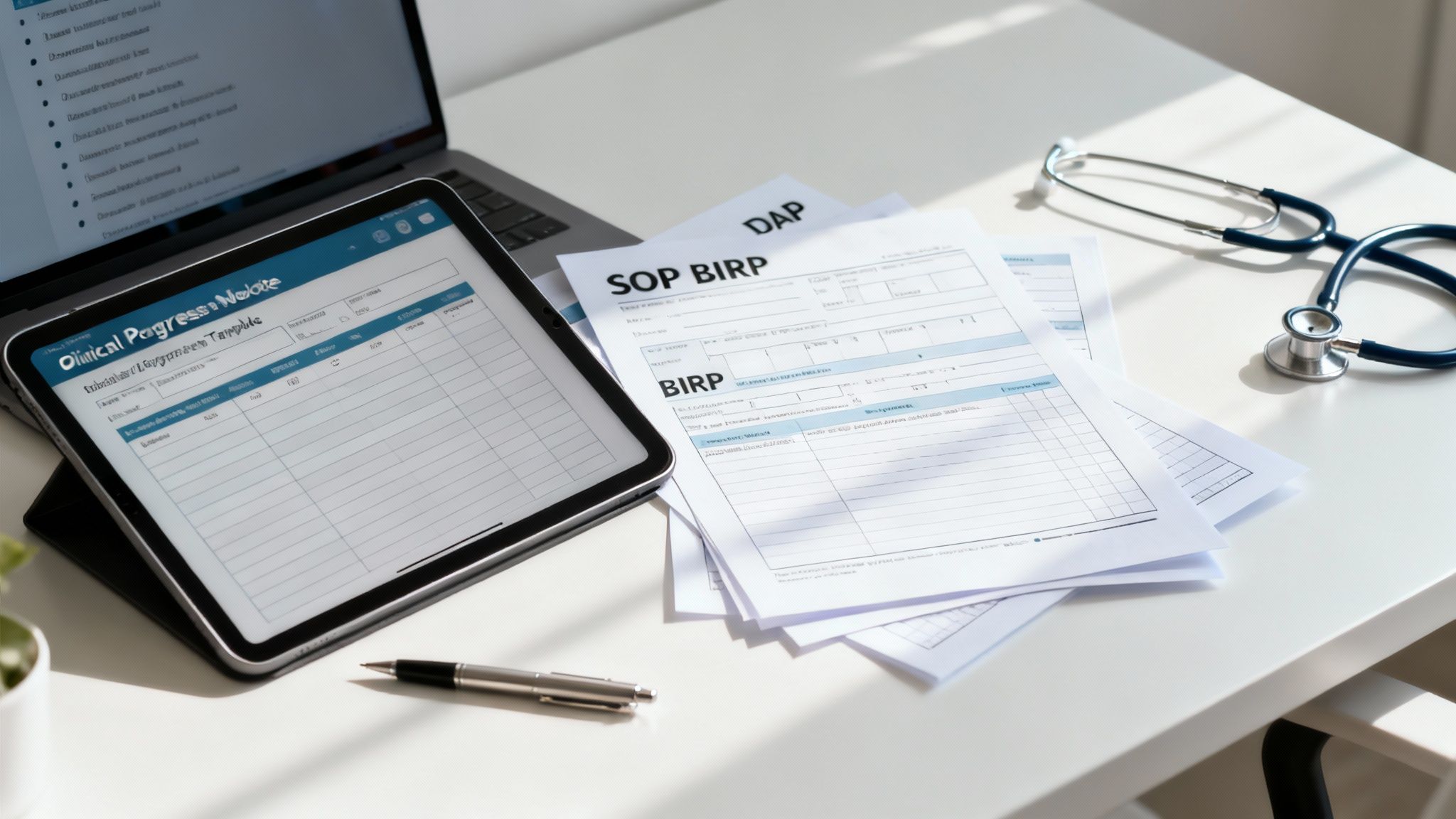
Clinical documentation is a critical, yet often time-consuming, part of patient care. Finding the right structure for your notes is essential for ensuring continuity of care, meeting compliance standards, and securing accurate billing. The right set of progress note templates can transform this daily task from a burden into a streamlined, efficient process that supports your workflow rather than disrupting it. A well-designed template ensures every crucial detail is captured consistently, whether you use SOAP, DAP, BIRP, or another format specific to your specialty. This comprehensive approach not only saves valuable time but also enhances the quality of care by providing clear, concise, and complete patient records. For practitioners in demanding fields, the difference between a generic form and a tailored template can mean hours saved each week—hours that can be reinvested into patient consultations.
This guide is built to solve that exact problem. We've curated a comprehensive list of the best resources for progress note templates, designed to help any practice—from solo practitioners to large healthcare systems—find the perfect fit. We move beyond simple lists and provide a detailed analysis of each option, covering everything from full-featured EHR platforms like SimplePractice and TherapyNotes to AI-driven automation with Simbie AI and simple, downloadable forms from marketplaces like Etsy. While templates provide structure, incorporating advanced tools like dictation software tailored for medical professionals can further streamline the process of creating clinical notes, bridging the gap between spoken consultation and written record. This guide aims to be your definitive resource, helping you navigate the diverse landscape of documentation tools and identify the one that will most effectively integrate into your practice, reduce administrative load, and ultimately elevate the standard of your clinical documentation.
Each entry includes screenshots, direct links, and a practical breakdown of its best use cases, key features, and potential limitations. Our goal is to give you the clear, straightforward information you need to choose a solution that saves you time, reduces administrative overhead, and lets you focus more on what truly matters: your patients. The right template or tool should feel like a natural extension of your clinical practice, empowering you to document with precision and ease. Let's dive into the options and discover the perfect solution to optimize your workflow and reclaim your valuable time.
1. Simbie AI
Simbie AI represents a significant leap forward, moving beyond static templates to active AI-driven documentation. While not a direct repository of downloadable files, it earns its top spot by automating the entire progress note creation process. This AI medical staff solution uses clinically-trained voice agents to handle patient interactions like intake, scheduling, and medication reconciliation. It then intelligently translates these conversations directly into structured clinical notes, populating your EMR with accurate, formatted data. This innovative approach redefines the concept of a template, transforming it from a passive form into a dynamic, AI-generated output tailored to each patient interaction.

This platform is a powerful choice for practices aiming to drastically reduce the administrative burden associated with documentation. By capturing information during real-time patient calls and pre-visit check-ins, Simbie AI ensures that the foundational data for progress note templates is gathered and structured before the clinician even sees the patient. This fundamentally changes the documentation workflow from manual data entry to a process of quick review and sign-off. The efficiency gains are substantial, allowing clinicians and their staff to reallocate their focus from clerical tasks to higher-value patient care activities. The system acts as a force multiplier for a clinical team, handling routine tasks with speed and precision.
Why Simbie AI Stands Out
What makes Simbie AI a game-changer is its deep integration with EMR systems and its focus on clinical accuracy. The platform is designed by physicians and researchers to understand clinical context, ensuring that the notes it generates are not just transcribed but are structured, relevant, and useful. This clinical intelligence sets it apart from generic AI scribes or transcription services. The system’s ability to handle hundreds of calls simultaneously with zero hold time also improves patient access and satisfaction, a critical operational benefit that directly impacts a practice's reputation and patient retention. This dual focus on both administrative efficiency and patient experience is a hallmark of its design.
"Simbie AI has been a game-changer for our practice. We never miss a call… my staff can finally focus on the patients walking in the door." – Dr. Marwaha
Key Features and Use Cases
- Automated Charting: Automatically converts patient conversations from phone calls into structured EMR entries, directly populating progress note fields. This eliminates the tedious task of manual charting after hours.
- Deep EMR Integration: Works seamlessly with existing electronic medical records, reducing manual data transfer and minimizing charting errors. It acts as an intelligent layer on top of your current system.
- 24/7 Voice Agents: Provides around-the-clock coverage for patient intake, scheduling, and prescription refill requests, ensuring no patient call is missed and improving operational continuity.
- Compliance and Security: The platform is HIPAA-compliant and SOC 2 Type 2 certified, with continuous human monitoring to ensure clinical safety and data integrity, giving practices peace of mind.
Considerations
The primary drawback is its pricing model, which is utilization-based and not publicly listed. Practices must use the provided savings calculator or contact Simbie for a direct quote to understand the potential return on investment. This requires a more consultative sales process. Furthermore, while the AI is highly advanced, human oversight remains essential for complex clinical decisions and sensitive patient encounters. The technology is designed to assist, not replace, clinical judgment, and successful implementation relies on a clear understanding of its role within the care team.
Best For: Practices seeking to automate documentation, eliminate administrative overhead, and integrate an AI layer directly into their clinical workflows to achieve significant efficiency gains and improve patient access.
2. TherapyNotes
TherapyNotes is a comprehensive Electronic Health Record (EHR) system designed specifically for behavioral health professionals. Rather than offering standalone downloadable files, it provides an integrated system where structured progress note templates are a core feature of the clinical workflow. This platform is ideal for clinicians and practices that need audit-ready, insurance-compliant documentation tied directly to patient appointments. Its entire architecture is built around the specific needs of therapists, counselors, and psychiatrists, making it a highly specialized and effective tool for this user base.
The platform excels at creating a streamlined documentation process. After a session is scheduled, a "To-Do" item automatically prompts the clinician to complete a progress note, ensuring notes are never missed. This built-in accountability is a simple but powerful feature for busy practitioners. The templates themselves auto-populate with essential data like client information, clinician details, CPT codes, and payer information, significantly reducing manual entry and the potential for clerical errors. This automation allows clinicians to focus on the narrative and clinical substance of the note.
Use Cases and Unique Features
TherapyNotes offers specialized templates tailored to different disciplines, including psychotherapy and psychiatry. The notes blend checkboxes, dropdown menus, and free-text fields, offering a balance between structured, quantifiable data and detailed narrative. This hybrid approach is valuable for capturing both objective metrics and the nuanced details of a therapeutic session. The platform’s design reflects a deep understanding of what is required for both clinical utility and insurance reimbursement.
Key Feature: The direct link between appointments, billing, and progress notes creates a robust, auditable trail. This is a critical advantage for practices that regularly deal with insurance payers and need to demonstrate medical necessity clearly and consistently. This integration minimizes revenue cycle friction.
A practical tip for new users is to explore the "Quick History Review" tool within the note-taking screen. This feature allows you to see past notes and treatment plan goals without leaving your current note, which helps maintain continuity of care and ensures your current note aligns with the overarching treatment plan. It’s an efficiency-booster that also enhances clinical quality.
Pros and Cons
| Strengths | Limitations |
|---|---|
| Payer-Focused Design: Built to meet insurance and audit requirements. | Subscription-Based: Not a free resource or one-time purchase. |
| Workflow Automation: Auto-prompts and data-filling reduce administrative tasks. | Less Flexible: Notes must be tied to a scheduled appointment. |
| Excellent Support: Strong documentation and regular platform updates. | EHR-Dependent: Templates cannot be used outside the TherapyNotes system. |
Access Requirements: TherapyNotes is a subscription-based service with pricing based on the number of users.
Website: https://www.therapynotes.com
3. SimplePractice
SimplePractice is a widely-used practice management platform known for its blend of comprehensive features and user-friendly design. It provides a robust library of pre-built and highly customizable progress note templates, making it a top choice for solo practitioners and group practices seeking flexibility. The system allows clinicians to manage everything from scheduling and billing to clinical documentation in one integrated place, creating a centralized hub for all practice operations.
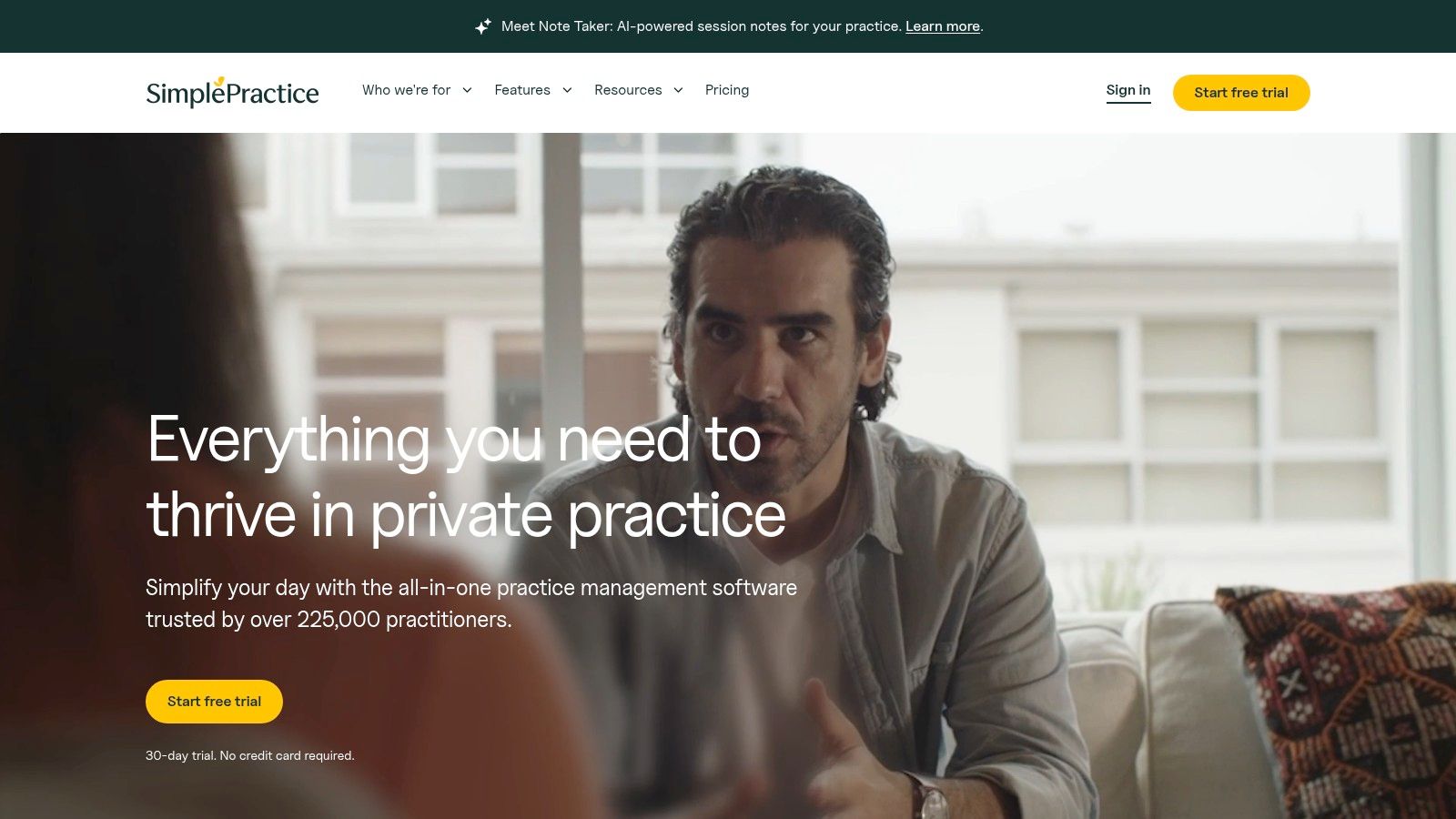
The platform stands out by empowering clinicians to select different note templates, such as SOAP or DAP, on a per-appointment basis. This adaptability is invaluable for providers who use various modalities or see clients with diverse documentation needs. Features like the "Load last note" function and the ability to create custom snippets or macros significantly accelerate the documentation workflow, saving valuable time after each session. The vast template library caters to numerous specializations within behavioral health, ensuring that most practitioners can find a solid starting point for their needs. This combination of breadth and depth in its template offerings is a key differentiator.
Use Cases and Unique Features
SimplePractice is ideal for clinicians who want to tailor their documentation to their specific therapeutic approach. The platform’s extensive template library means you can find a starting point for almost any need, from standard psychotherapy notes to more specialized assessments. The tiered plan structure allows practices to scale, adding more advanced customization and features as they grow, making it a solution that can evolve with a practice's needs.
Key Feature: The ability to create custom templates from scratch or modify existing ones provides unmatched flexibility. This allows a practice to standardize its documentation while still accommodating the unique needs of individual clinicians and clients. This balance between standardization and personalization is crucial for many group practices.
A practical tip is to heavily utilize the "Snippets" feature. By creating shortcuts for frequently used phrases (e.g., diagnoses, intervention descriptions, or standard observations), you can reduce repetitive typing and complete your progress note templates much faster. Investing a small amount of time to set up these snippets can yield significant time savings over the long run.
Pros and Cons
| Strengths | Limitations |
|---|---|
| High Customization: Extensive template library with strong modification options. | Tiered Features: Advanced customization is limited to higher-priced plans. |
| Workflow Efficiency: Features like "Load last note" and snippets speed up writing. | Subscription Cost: It is a recurring expense, not a one-time purchase. |
| All-in-One Platform: Integrates notes with scheduling, billing, and client portal. | Extra Fees: An annual AMA CPT® code license fee applies to all plans. |
Access Requirements: SimplePractice is a subscription-based service with tiered pricing. Plans are available for solo practitioners and group practices.
Website: https://www.simplepractice.com
4. ICANotes
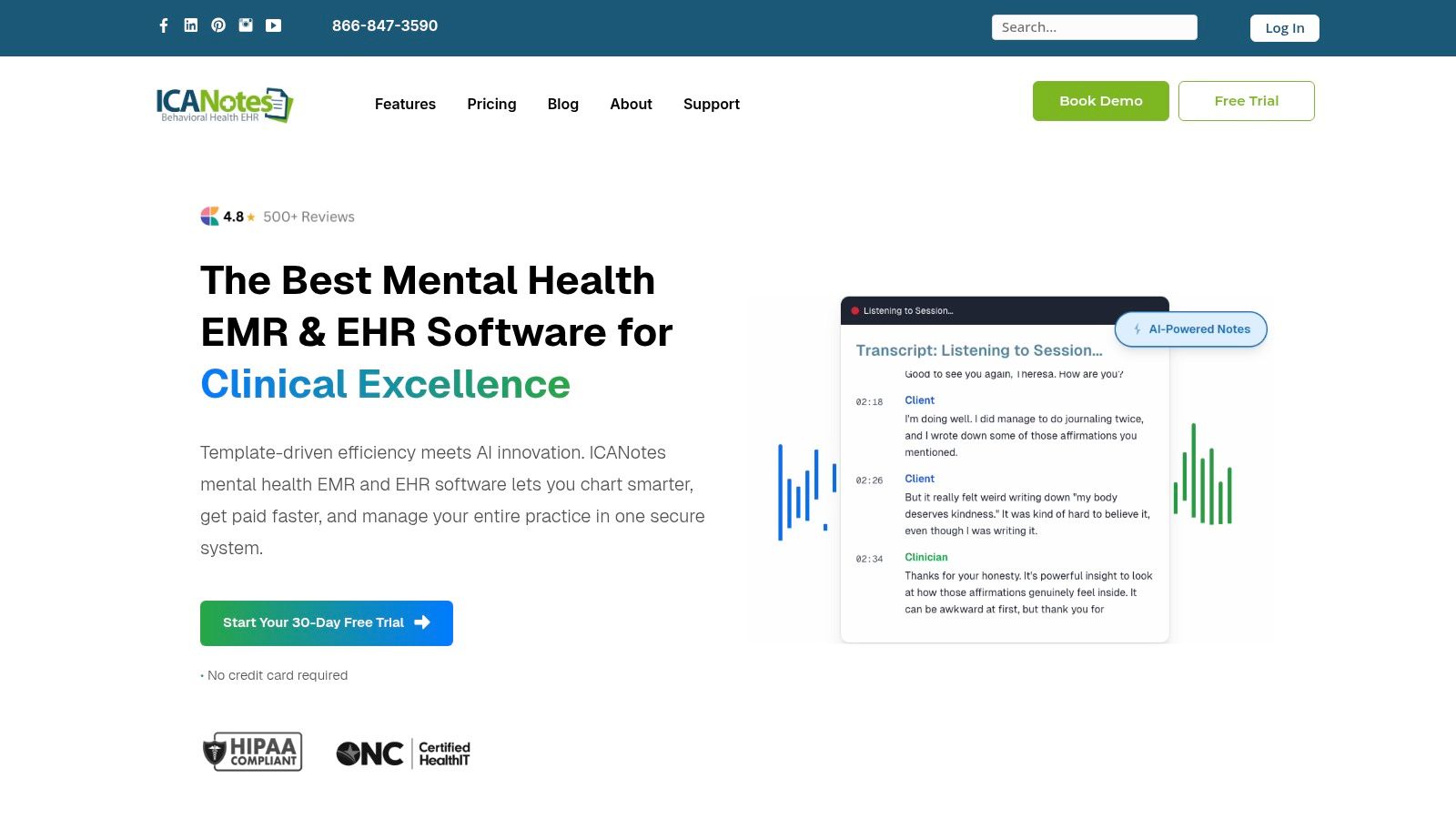
ICANotes is a behavioral health EHR platform known for its unique button-driven, menu-based approach to documentation. Instead of relying heavily on typing, clinicians can generate comprehensive narrative notes by clicking through a series of structured buttons and prompts. This system is designed for speed and compliance, making it an excellent choice for mental health professionals who prioritize rapid, audit-ready progress note templates. It's a system built from the ground up to solve the problem of time-consuming note-writing.
The platform's core strength lies in its ability to create grammatically correct, detailed notes with minimal free-text entry. This not only accelerates the documentation process but also ensures a high level of consistency and thoroughness across all clinicians in a practice. The templates are highly specialized for behavioral health, covering everything from initial assessments and treatment plans to standard SOAP, DAP, and BIRP progress notes. The structured nature of the system helps ensure that all necessary components for billing and compliance are included in every note.
Use Cases and Unique Features
ICANotes is particularly effective for clinicians who find traditional note-writing time-consuming or repetitive. Its menu-driven system guides users through the necessary components of a note, making it difficult to omit critical information required by insurance payers. The system offers specific templates for individual, group, and family therapy, as well as specialized psychiatric evaluations, demonstrating its deep focus on the behavioral health sector.
Key Feature: The button-based narrative generation is the standout feature. It allows clinicians to build robust, detailed progress notes in minutes, which is a significant advantage for busy practices needing to maintain compliance without sacrificing detail. For high-volume practices, this can translate into hours of saved time each day.
A practical tip for new users is to take advantage of the customization options. While the pre-built buttons cover most scenarios, you can create your own custom buttons for frequently used phrases or interventions specific to your practice. This allows you to blend the speed of the system with your own clinical language and style.
Pros and Cons
| Strengths | Limitations |
|---|---|
| Rapid Documentation: Button-driven system significantly reduces typing time. | Learning Curve: The interface can feel dated and may take time to master. |
| Compliance-Focused: Templates are designed to meet stringent audit requirements. | Additional Fees: Activation fees and add-ons for services like telehealth can apply. |
| Notes-Only Plan: Offers a lower-cost tier for users who only need documentation features. | Less Narrative Freedom: The structured format may feel restrictive for some clinicians. |
Access Requirements: ICANotes is a subscription-based service with transparent, tiered pricing, including options for solo practitioners and larger groups.
Website: https://www.icanotes.com
5. Ensora Health (formerly TheraNest)
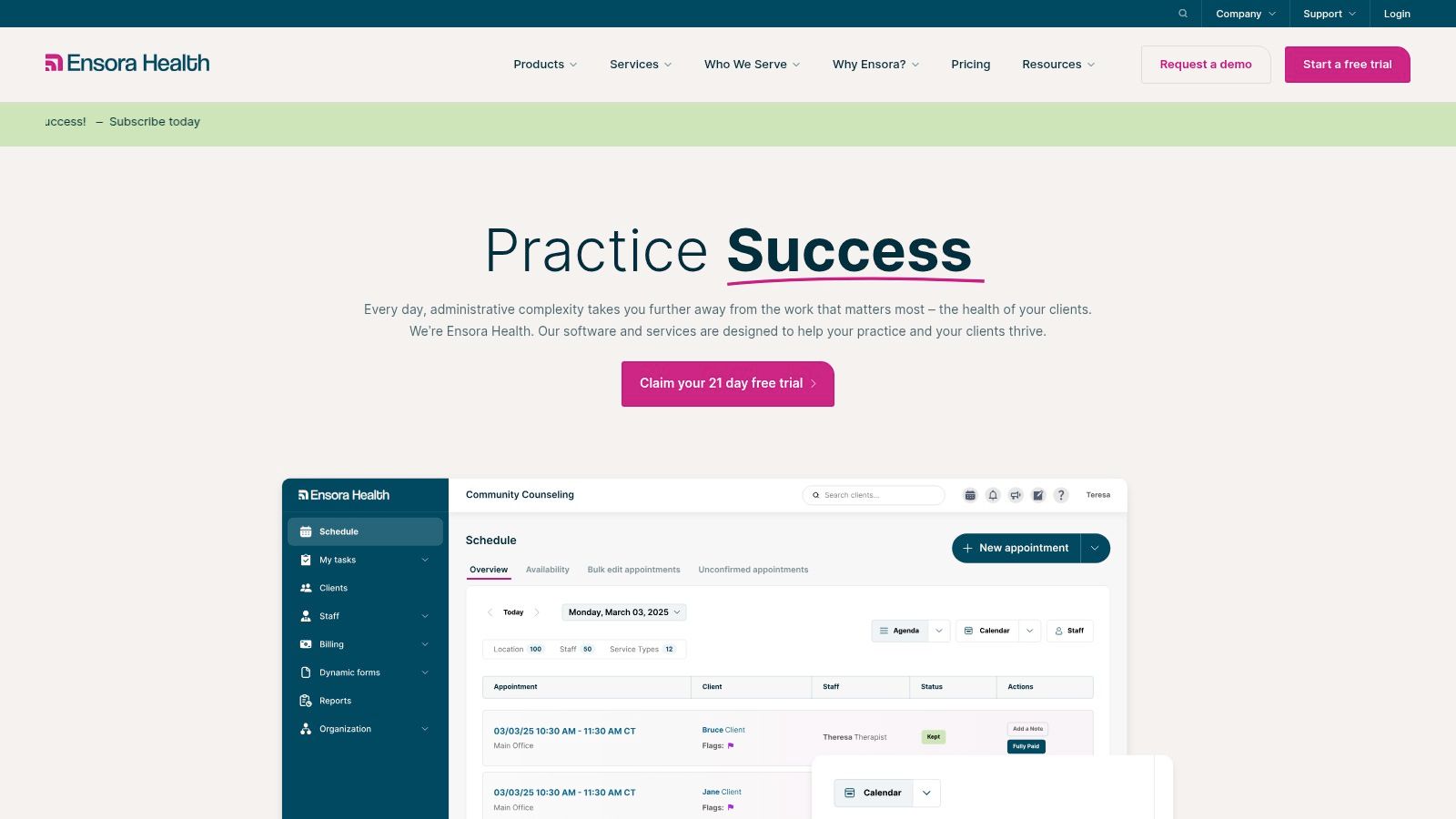
Ensora Health, the platform formerly known as TheraNest, is a robust EHR system designed for mental health practices that prioritize both standardized documentation and customization. Rather than just offering downloads, it integrates progress note templates directly into its practice management workflow. This makes it an excellent choice for solo practitioners and multi-clinician teams needing a unified system for scheduling, billing, and clinical notes. The platform has a long-standing reputation in the market, built upon its reliability and comprehensive feature set.
The platform provides a library of ready-made templates, including common formats like SOAP, DAP, and BIRP, alongside templates for initial assessments and group therapy. Its integrated approach ensures that notes are linked to client appointments, creating an organized and compliant documentation trail. The system also includes reminders for missing notes, helping busy practices stay on top of their administrative duties. This proactive approach to documentation management helps prevent backlogs and ensures timely billing.
Use Cases and Unique Features
Ensora Health stands out with its powerful custom form builder, which allows practices to create their own progress note templates from scratch or modify existing ones. This flexibility is ideal for specialized modalities or practices that have developed unique documentation methods that don't fit into standard formats. The platform also supports electronic co-signatures, which is essential for training environments and supervised practices where oversight and approval are part of the workflow.
Key Feature: The custom form builder empowers practices to design note templates that perfectly match their clinical approach, rather than forcing them to adapt their workflow to a rigid, pre-defined structure. This is a crucial feature for maintaining clinical integrity and efficiency.
For teams, a useful tip is to establish a library of custom forms and standardize their use across the practice. This ensures data consistency for reporting and quality assurance while still allowing for the clinical personalization each therapist needs. This strategy creates a balance between organizational standards and individual practitioner autonomy.
Pros and Cons
| Strengths | Limitations |
|---|---|
| High Customization: The form builder offers significant template flexibility. | Opaque Pricing: Requires contacting sales for a quote; no public pricing. |
| Team-Oriented Features: Co-signing and document workflows suit group practices. | Feature Variability: Some advanced features may be tied to higher-tier plans. |
| Established Platform: Has a long history and large user base from its TheraNest days. | EHR-Dependent: Templates are part of the system and not available for external use. |
Access Requirements: Ensora Health is a subscription-based service. Pricing details are available by requesting a quote from their sales team.
Website: https://ensorahealth.com
6. Jotform
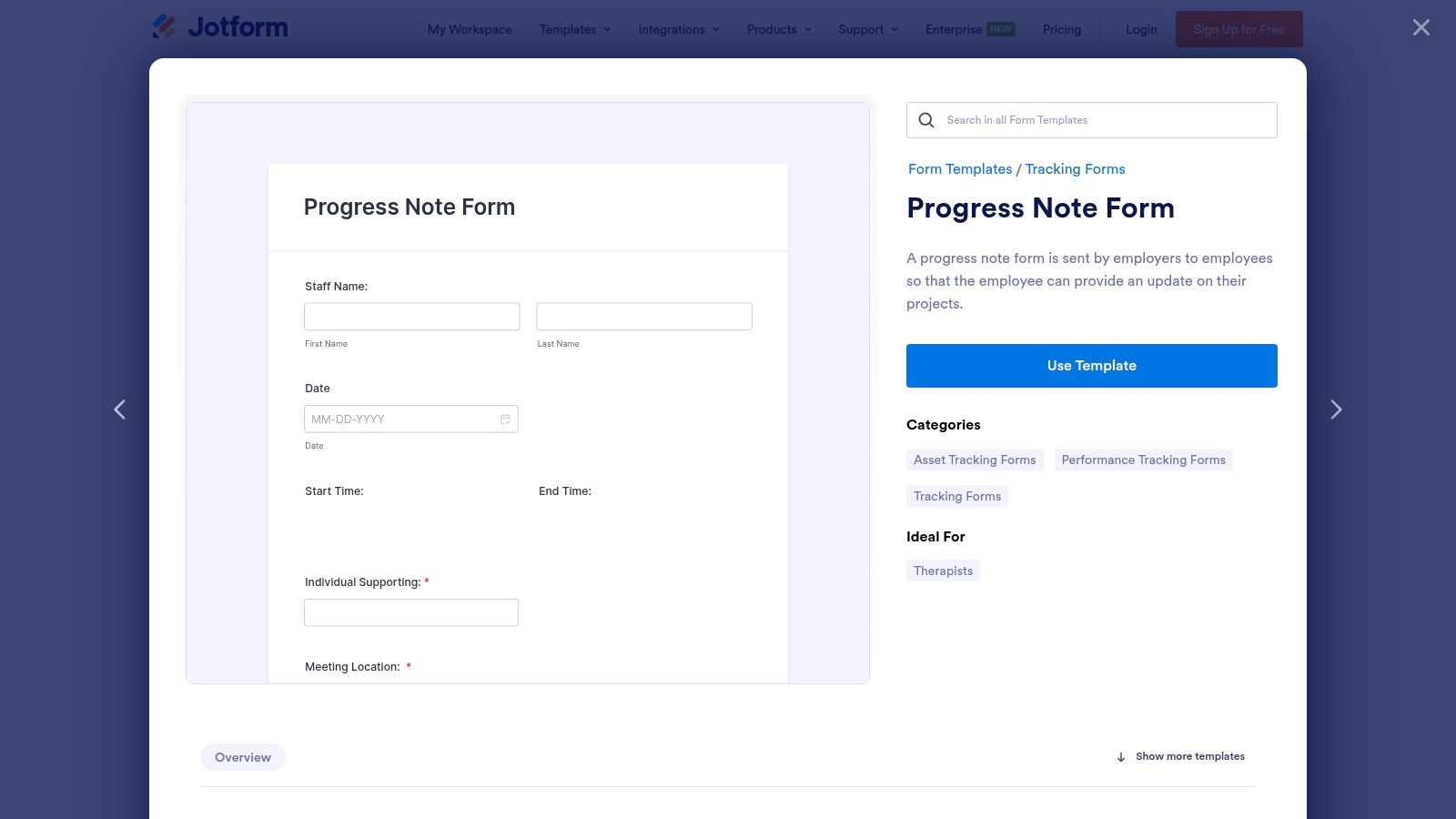
Jotform is a versatile online form builder that offers a wide range of ready-to-use healthcare templates, including various progress note templates. Unlike a dedicated EHR, Jotform excels at creating highly customizable, web-based forms that can be shared via a link, embedded on a website, or filled out on a mobile device. This makes it a great solution for solo practitioners, small clinics, or telehealth providers who need a flexible data collection tool without committing to a full practice management system. It serves as a powerful bridge for practices transitioning from paper to digital workflows.
The platform's strength lies in its simplicity and adaptability. Users can start with a pre-made progress note template and use the drag-and-drop editor to add or remove fields, integrate electronic signatures, and set up conditional logic (e.g., showing certain fields only if a specific answer is given). This allows for a tailored documentation experience that fits unique clinical workflows and can adapt to different types of sessions or patient needs.
Use Cases and Unique Features
Jotform is ideal for practices needing a quick way to digitize their paper notes or create specialized intake forms that clients can complete before their first session. Its templates can be used for SOAP notes, DAP notes, and general client check-ins. The forms can be easily converted into professional-looking PDFs, making them simple to download and upload into a separate patient record system or store securely in a cloud drive.
Key Feature: The platform's extensive integration capabilities are a significant advantage. You can automatically send completed progress note submissions to Google Drive, Dropbox, or a spreadsheet, creating a lightweight and automated documentation backup system. This automation saves administrative time and reduces the risk of manual data entry errors.
For a smoother workflow, connect your Jotform account to a cloud storage service like Google Drive or Dropbox. This ensures that every completed note is automatically archived in a secure, centralized location without any manual effort, creating a reliable and easily searchable record of your documentation.
Pros and Cons
| Strengths | Limitations |
|---|---|
| Highly Customizable: Drag-and-drop builder offers total control over form layout. | Not a Full EHR: Lacks integrated billing, scheduling, and patient portals. |
| Freemium Model: A free plan is available for basic use and testing. | HIPAA Compliance is Paid: Ensuring data security requires a specific paid plan. |
| Excellent Integrations: Connects with over 100 third-party applications. | Dependent on Internet: Requires a connection to create and submit forms. |
Access Requirements: Jotform offers a free starter plan with limitations. HIPAA compliance and increased submission limits require a paid subscription (Silver or Gold plans).
Website: https://www.jotform.com/form-templates/progress-note-form
7. Template.net
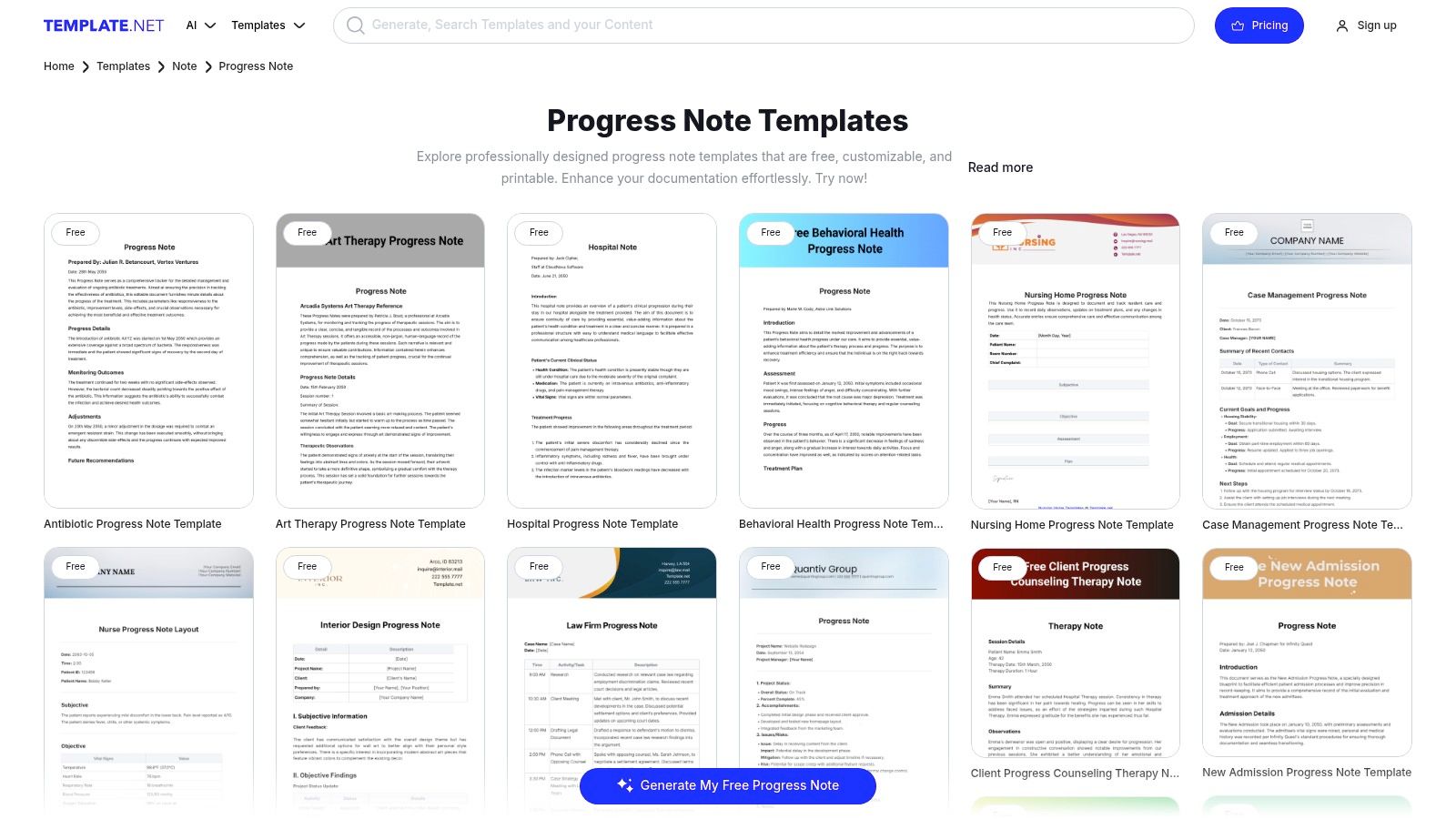
Template.net is a massive online library offering a wide variety of downloadable and editable progress note templates for nearly every specialty. Unlike integrated EHR systems, this platform provides standalone documents perfect for students, small practices, or clinicians needing a specific format quickly without committing to a software ecosystem. It serves as a go-to resource for one-off downloads when you need to standardize paperwork on the fly, offering a practical solution for immediate documentation needs.
The website organizes its extensive collection by category, making it simple to find templates for behavioral health, nursing, psychotherapy, or specific formats like SOAP and DAP. Users can browse, preview, and download documents in multiple formats, including Word and PDF. For those seeking quick edits, some templates can be customized directly online using the platform’s built-in editor before downloading. This flexibility in formats and editing options makes it a highly accessible tool for a broad range of users.
Use Cases and Unique Features
Template.net is ideal for training purposes, private practitioners developing their initial set of forms, or established clinics looking to supplement their existing documentation with a new form for a specific service. Its main strength lies in the sheer volume and diversity of its offerings, from simple primary care notes to complex hospital progress reports. The platform is particularly useful for those who prefer to work with familiar software like Microsoft Word, allowing for easy offline editing and customization.
Key Feature: The platform’s greatest asset is its accessibility and breadth. It provides immediate access to hundreds of progress note templates without requiring software installation or a long-term subscription, solving an immediate documentation need with minimal friction and cost.
A practical tip is to use the downloaded Word versions as a base. You can then add your practice’s logo, customize fields specific to your client population, and create a truly personalized document. This approach allows you to leverage the structure of a professionally designed template while tailoring it to your specific clinical context. For more detailed guidance on adapting these templates, you can explore our comprehensive resource on progress notes.
Pros and Cons
| Strengths | Limitations |
|---|---|
| Vast Selection: Huge library covering many specialties and formats. | Generic Content: Templates often require customization for compliance. |
| Multiple Formats: Downloadable in PDF, Word, and other common file types. | Subscription for Full Access: Premium templates and editable source files require a paid plan. |
| Instant Access: No need to sign up for a full EHR to get a template. | No Integration: Lacks the workflow automation of an EHR system. |
Access Requirements: Many templates are free to download as PDFs, but access to premium designs and editable source files (like DOCX) often requires a subscription.
Website: https://www.template.net/editable/progress-note
8. Practice Better
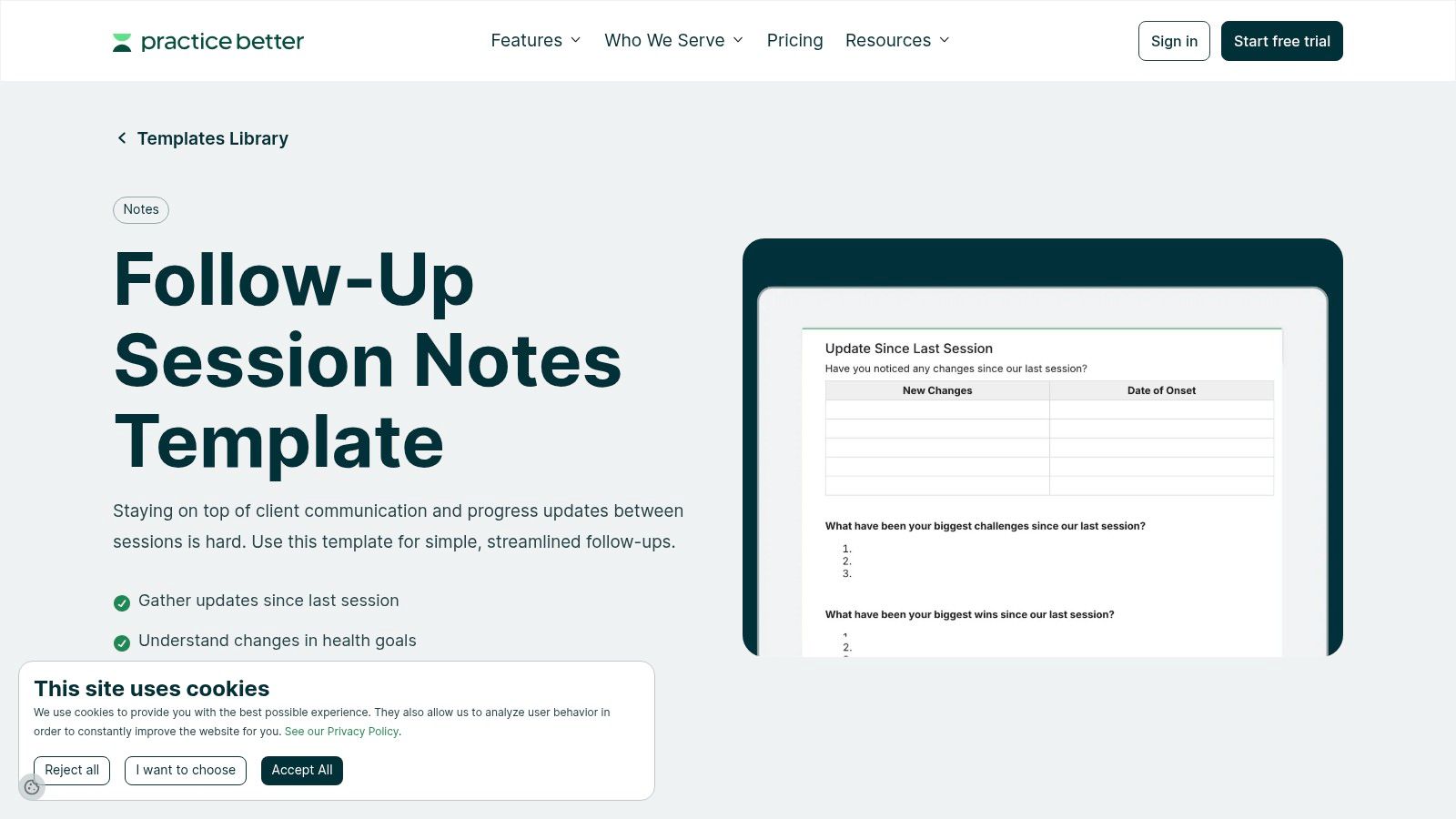
Practice Better is an all-in-one practice management platform designed primarily for health and wellness coaches, nutritionists, and integrative health professionals. It offers a suite of tools where progress note templates are deeply integrated into client management. The platform is excellent for practitioners who want structured, customizable notes that connect seamlessly with client portals, scheduling, and billing, providing a holistic view of the client relationship beyond just session notes.
The system provides pre-built templates for common session types, including initial consultations, follow-ups, and SOAP notes. Its strength lies in the rich-text template editor, which allows practitioners to use placeholders that automatically populate client data, saving significant time on repetitive data entry. This feature ensures each note is personalized and consistent without extra manual effort. The ability to create dynamic documents that pull in live data is a powerful efficiency tool.
Use Cases and Unique Features
Practice Better is ideal for wellness professionals managing client journeys that involve regular check-ins and goal tracking. The templates are highly customizable, supporting checklists, text fields, and even AI-powered dictation to capture detailed narratives efficiently. The platform maintains a version history of notes, which is useful for tracking changes over time and reviewing the evolution of a client's progress. This audit trail is valuable for long-term client management.
Key Feature: The integration of templates with a robust client portal is a standout benefit. Practitioners can securely share notes or summaries with clients, fostering engagement and transparency in the wellness plan. This collaborative approach can improve client adherence and outcomes.
For new users, a helpful tip is to explore the template gallery first. You can import and adapt existing templates rather than building from scratch, which provides a solid foundation for creating your own customized progress note templates quickly. This leverages the collective knowledge of the platform's user community.
Pros and Cons
| Strengths | Limitations |
|---|---|
| Wellness-Focused Workflow: Designed for nutrition and coaching. | Subscription-Based: Not a free resource; access requires a plan. |
| Client Portal Integration: Securely share notes directly with clients. | Niche Branding: May not be a perfect fit for all behavioral health disciplines. |
| High Customization: Rich-text editor with placeholders and AI dictation. | EHR-Dependent: Templates are designed for use within the platform. |
Access Requirements: Practice Better is a subscription-based service with various pricing tiers, including a limited free plan for getting started.
Website: https://practicebetter.io/templates/follow-up-session-notes
9. Carepatron
Carepatron is a practice management platform that stands out with its community-driven template library and powerful customization tools. Unlike platforms with rigid, built-in forms, Carepatron allows clinicians to create, share, and adapt progress note templates collaboratively. This approach is excellent for group practices or teams aiming to standardize documentation while retaining the flexibility to create custom forms for specific services. It fosters a culture of shared resources and best practices within a clinical team.
The platform streamlines the note-writing process with smart features designed for efficiency. Clinicians can build templates using "data chips" or smart fields that automatically populate client demographics, appointment details, and other key information, which drastically reduces repetitive data entry. This, combined with a library of community-sourced templates, provides a strong starting point for practices transitioning from paper records to a digital workflow. This feature makes documentation feel less like a chore and more like a dynamic process.
Use Cases and Unique Features
Carepatron is particularly useful for multidisciplinary teams that need to share and standardize various types of documentation, from intake forms to specialized progress note templates. Its template builder is intuitive, allowing users to drag and drop different fields, while AI-powered prompts can help overcome writer’s block and accelerate documentation. This assistive technology can be a significant benefit for clinicians who struggle with the narrative aspects of note-writing.
Key Feature: The Community Template Library allows you to copy and customize pre-built templates from other professionals. This feature saves significant time and effort, as you can adapt proven formats instead of starting from scratch. It's a powerful way to leverage the collective expertise of the user base.
A practical tip is to create a set of standardized team templates and save them with clear naming conventions. Then, use the data chips for client name, date of birth, and appointment date to ensure every note is populated quickly and accurately. This simple organizational step can greatly improve efficiency and consistency across a group practice.
Pros and Cons
| Strengths | Limitations |
|---|---|
| Flexible Template System: Build custom notes with smart fields and AI prompts. | Pricing Nuances: Advanced feature availability can vary by plan; confirm upon signup. |
| Team Collaboration: Easily create, edit, and share templates across a practice. | HIPAA Compliance: Users must verify that their selected plan tier meets HIPAA requirements for PHI. |
| Community Resources: Access a library of templates shared by other users. | EHR-Dependent: Templates are designed for use within the Carepatron system. |
Access Requirements: Carepatron operates on a subscription model. Specific features and HIPAA compliance are tied to different pricing tiers.
Website: https://www.carepatron.com
10. Etsy (marketplace for progress note templates)
Etsy is a global online marketplace known for handmade and vintage items, but it also hosts a vast digital ecosystem for professional templates. For clinicians, it serves as an instant-access hub for affordable, downloadable progress note templates created by other professionals and designers. This platform is perfect for students, interns, new practitioners, or small private practices that need simple, printable forms without the commitment of an EHR subscription. It democratizes access to well-designed clinical paperwork.
The primary advantage of Etsy is its sheer variety and low cost. You can find hundreds of SOAP, DAP, and BIRP note templates in various aesthetic styles and formats, including PDF, Microsoft Word, and editable Canva files. Since these are instant digital downloads, you can purchase a template and have it ready for printing or digital use within minutes. The seller rating and review system helps users gauge the quality and practicality of a template before buying, adding a layer of social proof to the purchasing decision.
Use Cases and Unique Features
Etsy's offerings are ideal for practitioners who prefer paper notes or use a simple, non-integrated digital system. The templates range from single-page basic forms to comprehensive client intake and progress note bundles. Many sellers also offer niche-specific templates, such as those for play therapy, couples counseling, or massage therapy, providing a level of specialization not always found in larger systems. This specialization allows clinicians to find forms that truly match their unique practice needs.
Key Feature: The platform’s strength is its unparalleled affordability and accessibility. For just a few dollars, clinicians can acquire well-designed, functional templates that can be immediately implemented into their workflow, making it a go-to for budget-conscious practitioners or those just starting out.
A useful tip when browsing is to look for "template bundles" from highly-rated sellers. These often include a suite of coordinated documents (intake forms, treatment plans, progress notes) for a single low price, ensuring a consistent look and feel across your client paperwork. This can elevate the professionalism of a small practice's administrative materials.
Pros and Cons
| Strengths | Limitations |
|---|---|
| Extremely Low Prices: Most single templates cost between $1 and $15. | Variable Quality: Completeness and professional quality differ from seller to seller. |
| Instant Access: Digital downloads are available immediately after purchase. | Not HIPAA-Compliant: The templates themselves are just files; compliance depends on your own secure storage and workflow. |
| Multiple Formats: Templates are often available in PDF, Word, and Canva formats for easy editing. | No Integration: These are standalone files with no link to billing, scheduling, or patient records. |
Access Requirements: Templates are available via one-time purchases through the Etsy marketplace.
Website: https://www.etsy.com/market/soap_progress_note_template
11. Medical Basics — PT Progress Notebook
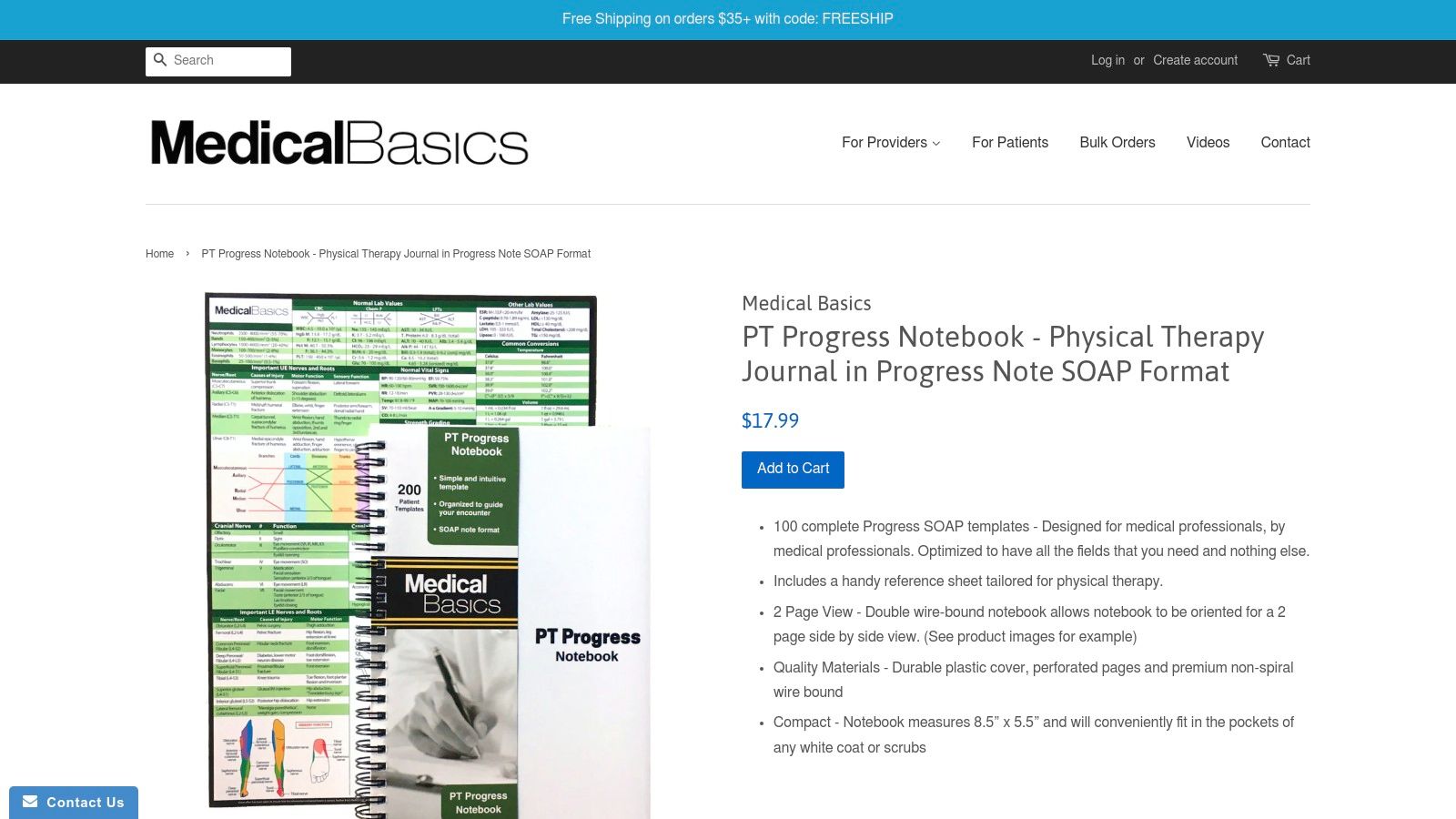
Medical Basics offers a unique, non-digital solution with its PT Progress Notebook, a physical product designed for physical therapists. Instead of a software platform or downloadable file, this is a compact, wire-bound notebook containing 100 pre-formatted SOAP progress note pages. It is ideal for clinicians who prefer the tactile nature of paper notes, work in settings without reliable device access, or need a dependable backup system for their digital records. It's a return to basics that can be surprisingly efficient.
This notebook is specifically tailored to the physical therapy workflow. Each page is a structured SOAP note template, guiding the user through the necessary sections for thorough documentation. Its portability makes it perfect for field-based therapists, such as those in home health, or for quick notes in a busy clinic that can be digitized later. The physical format eliminates distractions from electronic devices, allowing for focused note-taking. You can learn more about the structure of these notes from this free SOAP note template guide.
Use Cases and Unique Features
The PT Progress Notebook is designed for on-the-go documentation. Its durable cover and perforated pages allow for easy removal and scanning into an Electronic Health Record (EHR) system. The notebook also includes a handy, PT-specific reference sheet with anatomical diagrams and common medical abbreviations, adding practical value during patient assessments. This built-in reference material is a thoughtful addition that enhances its utility in clinical settings.
Key Feature: The notebook’s greatest strength is its simplicity and reliability. It requires no power, no internet, and no software, eliminating technical failures as a barrier to documentation. This makes it an excellent tool for students, new graduates, or as a failsafe in any practice. It is immune to system crashes or connectivity issues.
A practical tip is to establish a consistent workflow for digitizing the notes. Set aside time at the end of each day to scan the perforated pages into your EHR to ensure patient records remain current and secure. Using a mobile scanning app can make this process quick and efficient, bridging the gap between analog and digital records.
Pros and Cons
| Strengths | Limitations |
|---|---|
| Specialty-Focused Layout: Designed specifically for physical therapy documentation. | Requires Digitization: Paper notes must be manually scanned into an EHR. |
| Highly Portable & Reliable: No reliance on batteries or internet connectivity. | No E-Billing Integration: Not suitable for direct electronic billing workflows. |
| Tactile and Simple: Easy to use without any software or technical learning curve. | Potential for Loss/Damage: Physical notes carry a higher risk of being misplaced. |
Access Requirements: This is a physical product available for a one-time purchase directly from the Medical Basics website.
12. Knock Knock — Therapy Notes Pad
Knock Knock offers a unique, low-tech tool that serves as a useful companion to formal clinical documentation. Their Therapy Notes Pad is a physical, 60-sheet tear-off pad designed for jotting down session highlights, patient homework, or personal reminders. It is explicitly not a formal progress note template for clinical records, but rather an organizational aid for clinicians who appreciate a tangible way to track talking points and action items during a session. It fills the gap between formal EMR entry and a random sticky note.
This product is ideal for clinicians who want a quick, unstructured method for session prep or a simple way to give clients a physical takeaway. The pad's straightforward layout allows for jotting down key insights or next steps without the rigidity of a formal EHR system, making it a flexible addition to any documentation workflow. Its lighthearted design can also help in creating a more approachable and less clinical atmosphere during sessions.

Use Cases and Unique Features
The Therapy Notes Pad is best used as an informal scratchpad during sessions or for personal organization. Its simple, checkbox-style format helps structure thoughts on the fly, making it easy to remember key topics to address or to outline a client's "homework" before their next appointment. It perfectly complements digital systems by handling the ephemeral notes that don't belong in a permanent clinical record but are crucial for session-to-session continuity.
Key Feature: Its non-clinical, consumer-friendly design makes it an excellent tool for client-facing notes. A clinician can tear off a sheet with reminders or agreed-upon goals and hand it directly to the client, reinforcing the session's takeaways. This tangible reminder can significantly improve client engagement and follow-through.
A practical tip is to use one sheet per client for the week to keep track of emerging themes or questions you want to remember for their next session. This helps bridge the gap between formal documentation and in-the-moment clinical reflection, ensuring that subtle but important insights aren't lost between appointments.
Pros and Cons
| Strengths | Limitations |
|---|---|
| Very Low Cost: Highly accessible with no subscription or learning curve. | Not HIPAA-Compliant: Unsuitable for storing Protected Health Information (PHI). |
| Convenient Companion: Easily integrates with any existing documentation workflow. | Informal Record Only: Cannot be used for billing, audits, or formal charting. |
| Tangible and Simple: Perfect for those who prefer physical note-taking. | Paper-Based: Lacks the security and searchability of digital records. |
Access Requirements: This is a physical product available for a one-time purchase from the brand's website and various retailers.
Website: https://knockknockstuff.com/products/therapy-notes-pad-pastel-version
Top 12 Progress Note Templates Comparison
| Product | Core features ✨ | Quality & UX ★ | Value & Pricing 💰 | Target audience 👥 | Standout / USP 🏆 |
|---|---|---|---|---|---|
| Simbie AI 🏆 | 24/7 clinically-trained voice agents; EMR integration; intake, scheduling, refills, prior auth, charting | ★★★★★ zero missed calls; 0s hold; monitored handoffs for clinical safety | 💰 Utilization-based; ROI calculator; reported up to 60% admin cost reduction | 👥 Small–mid practices to large health systems | 🏆 Real-time simultaneous call handling; automatic chart translation; HIPAA & SOC2 Type II |
| TherapyNotes | SOAP/psychiatry templates; auto-filled headers; appointment-linked notes | ★★★★ audit-ready; strong help resources | 💰 Subscription (vendor pricing) | 👥 Behavioral health clinicians billing insurance | Designed for payer audits and compliant progress notes |
| SimplePractice | SOAP/DAP/custom templates; snippets/macros; extensive template library | ★★★★ flexible UI; “load last note” to speed charting | 💰 Tiered subscription; advanced features on higher plans | 👥 Solo clinicians & small groups | Template flexibility + integrations (AI assistants) |
| ICANotes | Menu-driven, highly structured templates (SOAP/DAP/BIRP); notes-only option | ★★★★ fast, audit-ready documentation | 💰 Transparent plans; lower-cost notes-only tier | 👥 Mental health clinicians needing speed & compliance | Fast, menu-driven charting optimized for volume note-writing |
| Ensora Health (TheraNest) | Ready-made templates; form builder; co-sign & reminders | ★★★★ practical team workflow; established product | 💰 Quote-based (contact sales) | 👥 Multi-clinician counseling practices | Built-in practice management + customizable forms |
| Jotform | Drag-and-drop form builder; healthcare note templates; 100+ app integrations | ★★★ easy, web-first UX; mobile data collection | 💰 Freemium; HIPAA plan requires paid plan | 👥 Teams needing quick shareable forms (non-EHR) | Rapid deployment & embed/share capabilities |
| Template.net | Large template library across specialties; online editor & AI assist | ★★★ quick access; generic templates | 💰 Some free; subscription for downloads/export formats | 👥 Students, clinics, one-off template needs | Wide specialty coverage and export options (PDF/Word) |
| Practice Better | Pre-built SOAP/follow-up templates; placeholders; AI dictation | ★★★★ wellness-focused UX; client portal integration | 💰 Subscription required | 👥 Nutritionists & integrative health pros | Auto-fill placeholders + client portal workflows |
| Carepatron | Team template sharing; data chips to auto-populate; AI prompts | ★★★★ collaborative; good for clinic transition | 💰 Plan-dependent; confirm HIPAA tier | 👥 Teams transitioning from paper to digital | Smart chips + community template library for teamwork |
| Etsy (templates marketplace) | Hundreds of SOAP/DAP/BIRP templates in PDF/Word/Canva | ★★★ variable quality by seller | 💰 Very low one-time prices ($1–$15 typical) | 👥 Students, interns, low-budget small practices | Fast, low-cost downloads with seller reviews |
| Medical Basics — PT Progress Notebook | 100 pre-formatted SOAP pages; PT reference sheet; portable notebook | ★★★ practical for field use | 💰 Low one-time physical purchase | 👥 Physical therapists needing paper notes | Specialty PT layout for on-the-go documentation |
| Knock Knock — Therapy Notes Pad | 6"×9" tear-off pad; 60 sheets for quick session notes | ★★ informal, simple | 💰 Very low one-time cost | 👥 Clinicians wanting quick jots or session prompts | Convenient tear-off companion (not a formal clinical record) |
Final Thoughts
Navigating the landscape of progress note templates can feel overwhelming, but as we've explored, the right template isn't just a document; it's a cornerstone of efficient, compliant, and high-quality patient care. We've journeyed through a wide array of options, from dedicated EMR platforms like TherapyNotes and SimplePractice, which embed note-taking directly into your practice management workflow, to highly specialized tools like ICANotes for behavioral health and versatile form builders like Jotform. This diverse market reflects the varied needs of modern healthcare practices, where one size rarely fits all. The evolution from simple downloadable PDFs to intelligent, integrated systems highlights a broader trend toward more dynamic and responsive documentation tools.
The key takeaway is that there is no single "best" solution. The ideal choice hinges entirely on your practice's unique context, workflow, and technological maturity. A solo practitioner might find the simplicity and affordability of a customizable template from Etsy or a physical notepad from Knock Knock perfectly sufficient. In contrast, a growing multi-provider clinic will benefit immensely from the integrated billing, scheduling, and compliance features of a comprehensive system like Carepatron or Ensora Health. The decision is a strategic one, directly impacting administrative efficiency, clinical quality, and even staff satisfaction. Choosing a system that aligns with your practice's philosophy and operational model is paramount to its successful adoption and long-term value.
Key Insights to Guide Your Decision
Your selection process should be a strategic one. Before committing to a system or a set of templates, take a moment to reflect on the core needs of your practice. This upfront investment in analysis will pay dividends by preventing the adoption of a mismatched or overly complex solution.
- Customization vs. Structure: How much flexibility do you need? Platforms like Practice Better and Jotform offer deep customization, allowing you to build templates from scratch. Conversely, systems like ICANotes provide highly structured, button-driven templates designed to maximize speed and compliance within a specific specialty. Understanding your team's preference for either creative freedom or guided efficiency is crucial.
- Integration and Workflow: Consider how a new tool will fit into your existing processes. Does it need to integrate with your current EMR or billing software? Or are you looking for an all-in-one solution? The goal is to reduce administrative friction, not add another layer of complexity. A seamless integration is often more valuable than a standalone tool with more features but a clunky workflow.
- The Rise of Automation: The most significant shift in clinical documentation is the move toward AI-powered assistance. Tools like Simbie AI represent the future, transforming the laborious task of manual note-taking into a streamlined, automated process. By capturing conversation and populating your chosen progress note templates automatically, these tools free up invaluable time for direct patient interaction. This isn't just about efficiency; it's about reducing burnout and restoring focus to what matters most—delivering exceptional care.
Actionable Next Steps for Implementation
Once you've narrowed down your options, the next step is implementation. Start small with a pilot test involving a few providers to gather feedback before rolling it out practice-wide. This iterative approach allows you to identify and resolve potential issues on a small scale. Prioritize training to ensure everyone understands the new workflow, compliance requirements, and any new software features. A well-executed training program is the key to successful adoption.
Remember to evaluate not just the creation of notes but also their storage, security, and transmission. Ensuring your documentation lifecycle is HIPAA-compliant is non-negotiable. This includes how you share records with other providers, specialists, or insurance companies. If you're still relying on traditional faxing, it might be time to compare online fax services to find a secure and efficient digital solution that complements your modern documentation strategy. Modernizing one part of your workflow often reveals opportunities for improvement in adjacent processes.
Ultimately, the goal is to find a system that feels less like a chore and more like a natural extension of your clinical work. The right progress note templates and tools will fade into the background, empowering you to document accurately, bill correctly, and, most importantly, provide the best possible care for your patients. This investment in your documentation infrastructure is an investment in the sustainability and quality of your practice.
Ready to eliminate the administrative burden of clinical documentation for good? Discover how Simbie AI can automatically listen to your patient conversations and generate accurate, compliant progress notes in your preferred format. Visit Simbie AI to see how you can save hours each week and refocus on your patients.