
Pre-op call automation usually becomes urgent at the worst possible moment. A nurse is trying to room patients, the front desk is backing up, and someone still has a stack of pre-op calls to finish before the end of the day. A few patients answer. Several go to voicemail. One needs medication clarification. Another says they never got the prep instructions.
For independent dermatology, gastroenterology, and internal medicine practices, this work is necessary, but the manual process is fragile. This guide is for practice owners and managers who want pre-op call automation to reduce phone burden without creating new clinical risk, especially around the patients who never respond in the first place.
Meta description: Pre-op call automation helps practices reduce staff burden, improve readiness, and prevent cancellations with smarter workflows and human escalation.
The Reality of Manual Pre-Operative Patient Calls
The manual version of pre-op outreach looks manageable on paper. In real clinics, it rarely stays that way.
A staff member starts calling through tomorrow's list between other tasks. One patient needs arrival time repeated twice. Another asks whether to hold a medication. A third doesn't answer, so the staff member leaves a voicemail and adds a callback note. By midafternoon, the nurse or scheduler is doing the same work again, only now under more pressure because the chart still needs to be updated.
Pre-operative phone calls often take 10 to 15 minutes per patient according to an IMO Health discussion on modern hospital workflow tools. That time estimate matters because it usually excludes the hidden work around the call, opening the chart, documenting what happened, trying again later, and chasing down clinical clarifications.
Where the process breaks down
The primary drain isn't only the call itself. It's the repeat handling.
- Missed first attempts: Staff leave voicemails and create follow-up work.
- Clinical interruptions: Nurses stop in-person tasks to answer simple pre-op questions.
- Fragmented documentation: Notes end up in scratch pads, inboxes, or delayed chart entries.
- Uneven execution: One team member gives complete prep guidance, another gives only the basics.
That variability is why generic call handling advice isn't enough. A broader look at Halo AI customer service automation is useful here, not because healthcare should copy retail support, but because it highlights a core operational truth. Repetitive communication work needs structure, routing, and escalation rules, not just more effort from already stretched staff.
Practical rule: If your pre-op process depends on whoever has a spare minute, it isn't a process yet.
Manual calls still have an important place. Some patients need a nurse. Some situations need judgment. The issue is that most practices are using skilled staff to do repetitive outreach that could be standardized, documented, and handed off only when human review is needed.
That's where automation starts to make sense. Not as a replacement for people, but as a way of Protecting Doctors' Time for Doctoring and protecting staff time for patient-facing work that shouldn't be buried under callbacks.
First Step Assessing Your Practice's Readiness
Before changing the workflow, measure what's happening. Most practices already feel the friction. Fewer have a clean baseline.
Healthcare practices miss 32% of inbound calls, and 85% of those callers never call back after a single unreturned attempt, according to this analysis of AI phone automation in medical practices. The same source notes that automating pre-op calls can capture 100% of these interactions and recover significant annualized revenue.
Start with a short operational audit
You don't need a consultant's spreadsheet to see whether the current model is holding up. Pull two recent weeks and look at the same points each time.
| What to review | What to look for |
|---|---|
| Incoming call logs | How many pre-op related calls were missed or sent to voicemail |
| Staff schedules | Which roles are spending time on calls instead of in-person tasks |
| Day-before prep lists | How many patients still need confirmation late in the day |
| Chart documentation | Whether call notes are entered consistently and on time |
The point isn't perfection. It's visibility.
A simple readiness checklist
If several of these are true, your practice is ready for pre-op call automation.
- Phones are a bottleneck: Your team misses calls during lunch, during rooming surges, or after hours.
- Clinical staff are doing clerical follow-up: Nurses spend time repeating arrival instructions, documenting basic confirmations, or chasing prep completion.
- Your process is personality-dependent: The workflow works well only when your most organized staff member is on shift.
- You already use structured systems: Practices running on eClinicalWorks, gGastro, EMA ModMed, Athenahealth, Epic, or DrChrono are often in a good position to support a cleaner automation layer because the downstream documentation rules are already defined.
If your staff says, "We get it done, but it's messy," that's usually the signal.
A readiness review should also separate administrative work from clinical exception handling. That's the dividing line that matters. Basic reminders, confirmations, intake prompts, and routine follow-up are strong candidates for automation. Medication exceptions, unclear prep compliance, and high-risk responses belong in an escalation path.
This is also where many administrators start seeing the broader opportunity. The same operational logic that helps with pre-op outreach often improves scheduling, intake, refills, prescription renewals, and other front-office tasks that are still being handled one call at a time.
Designing Your Automated Pre-Op Workflow
The best automated workflows are boring in the right way. They follow a clear sequence, ask the same core questions every time, and send patients to a person only when the situation requires judgment.
Automated closed-loop preoperative communication systems showed a 6.03x efficiency improvement over manual methods, reducing the time required to process 20 patients from 3 hours 13 minutes to 32 minutes, according to a published study on automated preoperative communication.
Build the sequence before you script the words
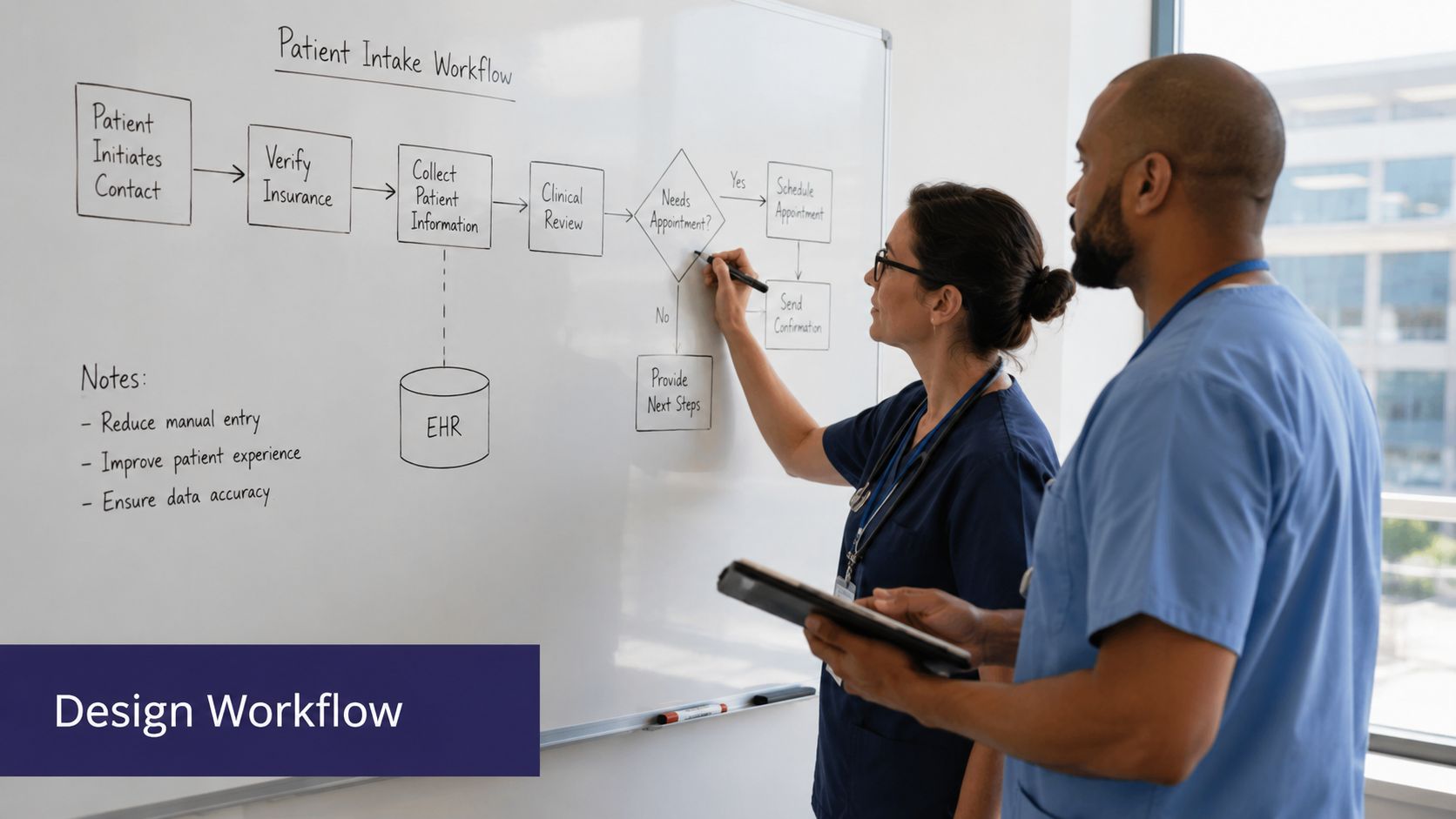
A workable pre-op automation flow usually follows five stages.
Patient identification and consent
Confirm identity, verify the best callback number, and establish whether the patient can continue by phone or should receive a text-based option.
Procedure-specific instructions
A GI practice may need bowel prep confirmation and timing review. A dermatology practice may focus on arrival instructions, medication pauses, transportation expectations, or wound care preparation for procedural visits.
Clinical checkpoints
These are the fields that determine whether the case stays on the routine path or moves to review. Typical examples include NPO status, medication questions, missing labs, transportation issues, or uncertainty about the scheduled procedure.
Confirmation and teach-back
A good workflow doesn't just deliver instructions. It checks whether the patient understood them.
Routing and documentation
Routine completions should close automatically. Exceptions should route with context, not just a generic note that someone "needs a call back."
Match the workflow to specialty reality
The automation should reflect the actual way your practice schedules and prepares patients.
- Gastroenterology: prep instructions, transportation requirements, anticoagulant questions, and arrival time confirmations often matter more than generic reminders.
- Dermatology: office-based procedures may need a lighter flow, but medication questions and skin prep still need clean documentation.
- Internal medicine: if the practice supports procedural prep or chronic disease follow-up tied to upcoming visits, the workflow should account for medication reconciliation and readiness barriers.
For patient-facing language, it helps to study communication models that make instructions easier to follow. Resources like understand your care with Patient Talker are useful because they reinforce a simple point. Patients act on instructions they fully understand.
A strong script sounds plain, not polished. If a patient has to decode it, it will fail in the real world.
Design for completion, not just outreach
A call placed is not a workflow completed. The system needs logic for what happens next.
That means defining:
- What counts as complete
- What triggers a follow-up attempt
- What requires staff review
- What gets documented automatically in the chart
Practices evaluating outbound workflows can see how this structure works in a healthcare-specific setting through automated outbound call workflows for medical practices. The important standard is simple. The workflow should reduce handoffs, not create a second inbox for staff to clean up later.
Integrating with Your EMR and Ensuring Compliance
A standalone call tool creates more work than it removes. If staff still have to copy notes from one screen into the chart, the practice has only moved the burden around.
That risk shows up in implementation quickly. The preoperative communication study cited earlier found that systems that fail to align with existing workflows can introduce data entry errors, while successful setups sync contact details and procedure data directly into operations. In practical terms, that means your process should connect cleanly with eClinicalWorks, gGastro, EMA ModMed, Athenahealth, Epic, or DrChrono, not sit beside them.
What good integration looks like
The right model is bidirectional.
- The system reads the schedule and patient context so the outreach is relevant.
- The system writes back structured outcomes so staff don't have to re-enter the same information.
- The chart shows what happened in a form the next team member can use immediately.
Research on clinical documentation automation found that AI can reduce clinician documentation time by 21–30%, saving nurses 95–134 hours per year, as summarized in this peer-reviewed review of AI and clinician documentation burden. For pre-op workflows, that time savings matters because phone documentation is often done by the same staff already juggling patient flow.
What to verify before go-live
A practice manager should ask direct questions.
- Where does the documentation land: Is it written into the visit note, task queue, telephone encounter, or a separate dashboard?
- Can staff intervene mid-workflow: Manual takeover should be available when a patient gives an unexpected answer.
- How are audit trails handled: You need a record of outreach attempts, responses, escalations, and completions.
- What security controls are in place: In healthcare, HIPAA compliance is table stakes. A stronger standard also includes SOC 2 Type 2 certification.
If you're also evaluating your core system choices, this overview on choosing the right EMR for your practice is a useful companion because workflow automation only works as well as the operational system beneath it.
For a healthcare-specific view of how these connections should function, see EMR integration for medical AI workflows. The standard to hold is straightforward. If the integration leaves your staff doing manual transcription, it's not finished.
Operational test: Ask a nurse to complete the workflow without opening a second note window. If they can't, the integration still needs work.
The Critical Human-in-the-Loop Process
Many automation projects often go wrong because they automate the happy path and ignore the patient who doesn't answer, doesn't confirm instructions, or gives a response that sounds incomplete but not clearly dangerous.
That gap is not small. A review focused on ASC pre-op communication found that non-responsive patients account for up to 75% of same-day cancellations in some surgery centers, and it argues that immediate staff flags for non-responders are essential in a proper human-in-the-loop process, as outlined in this analysis of AI and ASC pre-op communication gaps.

The myth of set-it-and-forget-it
No clinical workflow should depend on automation alone when silence itself can be a risk signal.
A patient who never responds may be fine. They may also be unclear on prep, unsure about medication instructions, lacking transportation, or planning to cancel without telling anyone. A system that leaves a voicemail and moves on has not solved the problem. It has documented the problem.
What escalation should actually look like
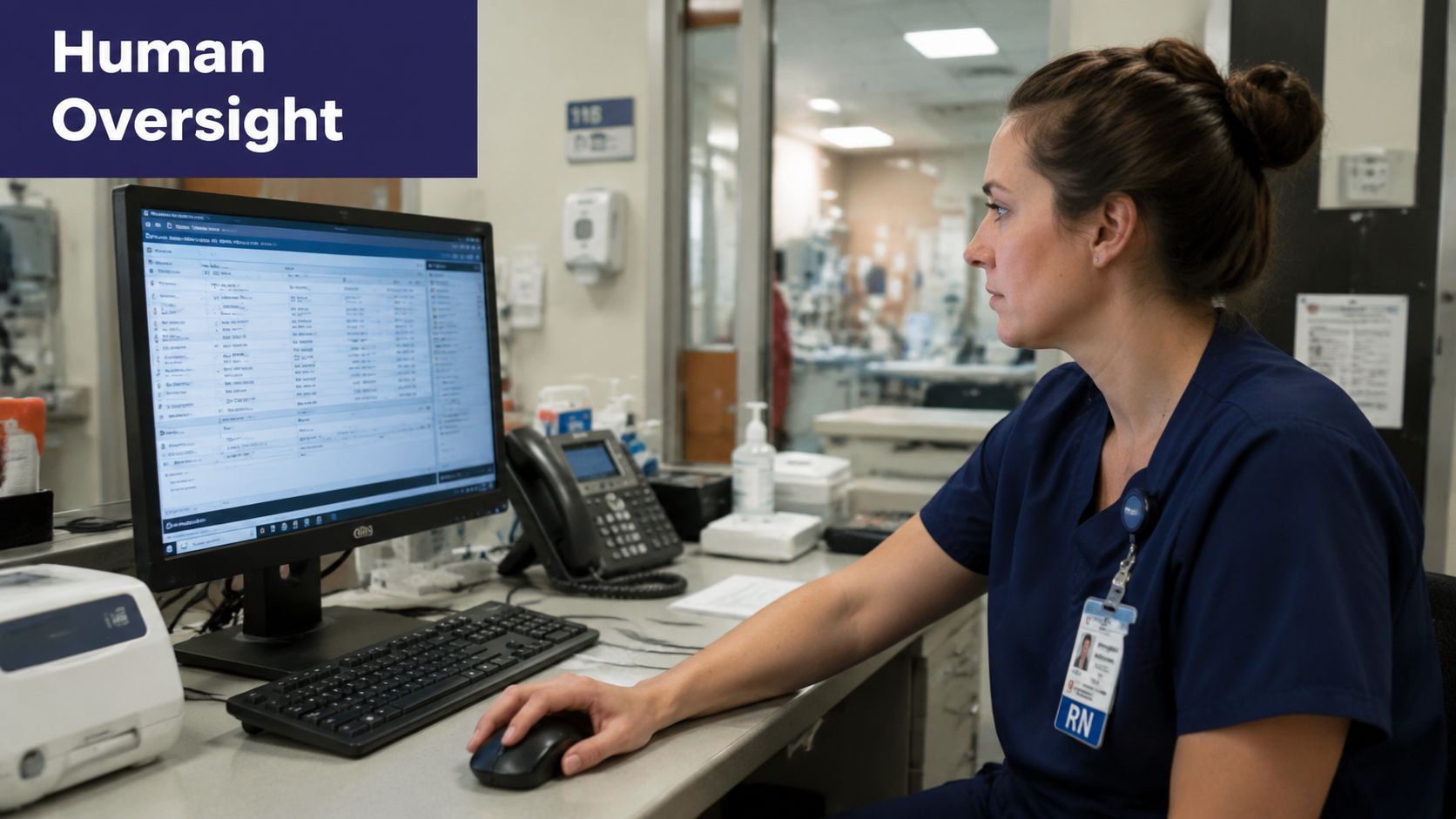
A sound human-in-the-loop model does three things well.
| Situation | Automated action | Human action |
|---|---|---|
| Patient completes workflow normally | Document, confirm, close | No intervention needed |
| Patient gives uncertain or conflicting answers | Flag chart and route with summary | Nurse or designated staff reviews and calls |
| Patient is non-responsive after defined attempts | Generate immediate work queue alert | Staff reaches out using escalation protocol |
The key is that the handoff should include context. Staff shouldn't receive a vague alert. They should see why the patient was flagged, what was attempted, what channel was used, and what remains unresolved.
Define your non-responder protocol in writing
This part should be operational, not informal.
- Name the owner: Someone must own the non-responder list each day.
- Set the trigger: Define when a patient moves from routine outreach to staff escalation.
- Separate clinical from clerical follow-up: Transportation issues may route differently than medication uncertainty.
- Create visible queues: The unresolved cases should appear in a dashboard or task view that people monitor.
A practical model often works like this: routine reminders and confirmations are automated, responses are documented directly, and unresolved patients move into a monitored exception queue that staff reviews before the risk becomes a same-day surprise.
For teams comparing support models, this discussion of a virtual assistant for medical practice workflows is helpful because it frames the difference between basic task handling and true monitored operations.
The safest automation is not the one that touches the most tasks. It's the one that knows when to stop and call for a person.
Keep clinical control where it belongs
This is the part skeptical physicians usually care about most, and they're right to care. Automation should never overrule clinical judgment. It should standardize the repetitive work and surface the exceptions faster.
That is the human-in-the-loop standard. Staff stay in control. The system handles the repetitive flow, watches for failure points, and hands off the cases that deserve attention before the schedule breaks down.
Measuring Success and Optimizing Performance
A pre-op automation project is only useful if the numbers and the daily experience both improve. Staff should feel the burden lighten. Patients should show up more prepared. The schedule should become more predictable.
Published research on virtual preoperative assessments found 92–100% success rates in diagnosing and managing patients, a pooled surgery cancellation rate of 2%, and patient satisfaction of 90%, while also saving time and cost per patient in the reviewed programs, according to this peer-reviewed review of virtual preoperative assessment models.
Track the KPIs that matter operationally
Don't overload the dashboard. Use a small set of measures that connect directly to work and outcomes.
- Completion rate of pre-op outreach: Are patients finishing the process?
- Escalation volume: How many cases require staff review, and are those clinically appropriate?
- Day-of disruptions: Look for fewer cancellations, fewer missing instructions, and fewer same-day surprises.
- Staff time returned: Ask whether nurses and front-desk staff are spending less time on repetitive outreach and more time on care delivery.
- Patient experience: Monitor whether patients understand what to do and where confusion tends to cluster.
Use failure points to improve the script
The analytics matter most when they reveal friction.
If patients repeatedly stall at medication questions, the wording may be too vague. If GI patients need live follow-up after the prep explanation, the script may need clearer sequencing. If dermatology procedure patients keep asking about arrival timing, the automated reminder may be landing too late or in the wrong format.
One good review habit: Listen to a small sample of completed and escalated calls every week. The script problems show up fast when you hear real conversations.
Judge the system by what staff no longer have to rescue
A useful optimization lens is simple. What manual cleanup still exists after go-live?
If staff are still rewriting notes, correcting patient identity errors, or chasing silent patients from a hidden list, the workflow needs adjustment. If the routine cases close cleanly and the exception cases surface early with context, the system is doing its job.
For smaller independent practices, that distinction matters more than flashy dashboards. The value isn't abstract. It's fewer avoidable disruptions, cleaner documentation, and a front office that isn't drowning by midafternoon.
The strongest implementations also think beyond pre-op. Once the workflow logic is working, the same operational model can support inbound call capture, scheduling, refill coordination, test result follow-up, patient education, adherence check-ins, and chronic disease outreach. That's where AI medical staff becomes more than an answering layer. It becomes part of how the practice runs.
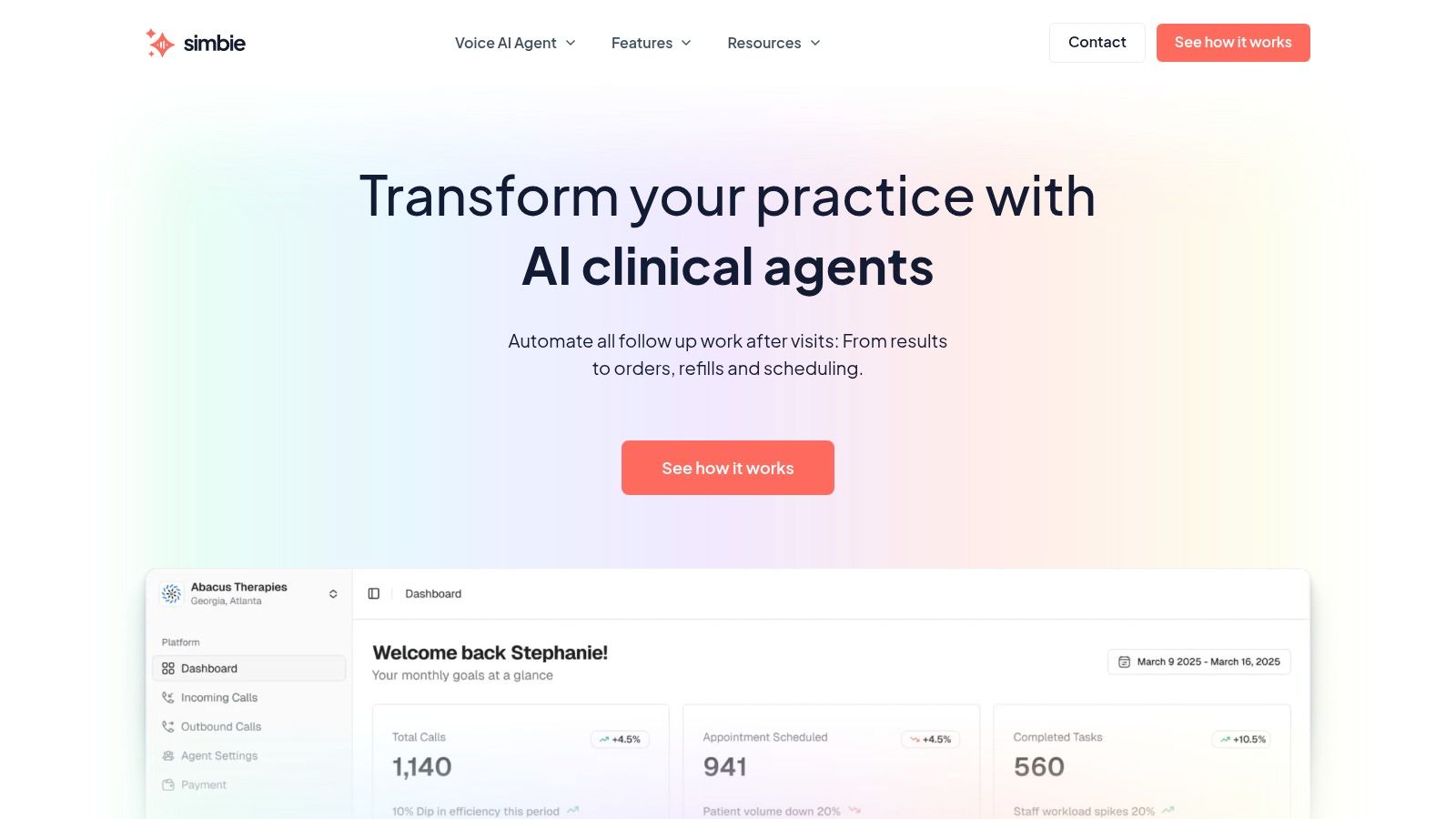
If you're evaluating an AI medical staff model for your practice, Simbie AI supports both front-office operations and clinical workflow follow-up, with HIPAA-compliant controls, SOC 2 Type 2 certification, 24/7 availability, zero hold times, and integrations with systems like eClinicalWorks, gGastro, EMA ModMed, Athenahealth, Epic, and DrChrono. Built by physicians from Stanford, Yale, Columbia, and Princeton, it was designed to help independent practices protect staff capacity and capture 100% of inbound calls while supporting scheduling, intake, refills, charting, pre and post-op outreach, and patient education. If you'd like to see it in action, you can book a demo.