
Standardized charting is the foundation of an efficient and safe medical practice. While saving time is a clear benefit, the true power of consistent patient charting templates lies in their ability to reduce clinical errors, improve data quality for analytics, and simplify the onboarding process for new staff. Inconsistent documentation creates information silos, increases compliance risks, and contributes to clinician burnout from endless, repetitive data entry. This guide moves beyond simply listing resources; it's a strategic roadmap to building a more accurate, scalable, and resilient documentation workflow.
This comprehensive listicle is designed to help you find the perfect charting solution for your specific needs. We cut through the noise to provide a detailed analysis of the best platforms and resources available. You will find a curated selection of downloadable templates and EMR-ready snippets for various specialties, including primary care, cardiology, behavioral health, and telemedicine. Each entry includes direct links, screenshots, and practical implementation guidance to help you make an informed decision quickly.
We will explore options from robust EMR systems like Practice Fusion and DrChrono to specialized platforms like TherapyNotes and versatile tools such as Jotform and IntakeQ. We'll also cover unique resources like SOAPassist and even customizable templates from marketplaces like Etsy. Our goal is to provide a clear, honest assessment of each tool’s strengths and limitations, so you can select the right templates to enhance your practice's efficiency. To truly leverage standardized charting, consider broader strategies on how to streamline business processes within your practice for maximum impact. Let's dive into the options that will transform your clinical documentation from a daily chore into a strategic asset.
1. Jotform
Jotform is an excellent starting point for practices needing to quickly create and deploy digital forms without any coding. It stands out with its massive library of over 500 medical-specific templates, covering everything from patient intake and consent forms to detailed SOAP notes. This makes it an ideal solution for clinics that need both patient-facing documents and internal charting aids.
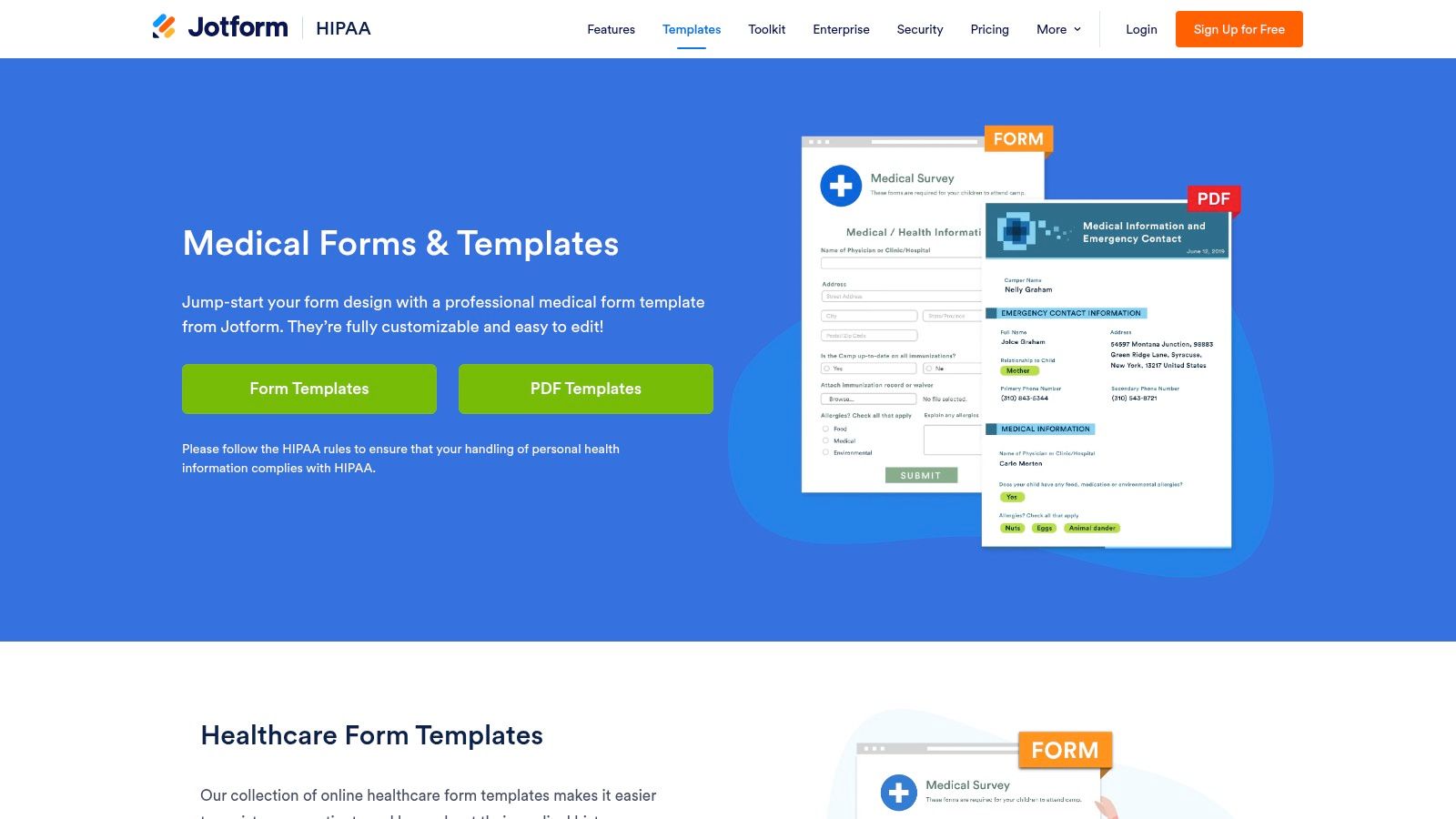
The platform’s strength lies in its simplicity. You can select a pre-made patient charting template, customize it with a drag-and-drop editor, and share it via a link or embed it directly on your website within minutes. The user experience is intuitive, allowing even non-technical staff to build professional-looking forms. For more insights on building effective digital forms, explore these patient intake form templates and best practices.
Key Features & Considerations
Jotform offers tiered pricing, including a free plan with limitations. However, to ensure patient data is protected, healthcare providers must upgrade to a HIPAA-compliant plan. This paid tier provides a signed Business Associate Agreement (BAA), end-to-end encryption, and secure data storage.
- Best For: Practices needing a fast, no-code way to create patient-facing intake forms, consent forms, and basic internal note templates.
- Pricing: Free plan available; HIPAA-compliant plans start at a higher tier (typically Gold or Enterprise).
- Pros:
- Extensive template library saves significant time.
- Extremely easy to use and deploy on any device.
- Features like e-signatures and appointment scheduling are built-in.
- Cons:
- Not a full Electronic Health Record (EHR) system; data often needs to be manually transferred or integrated.
- Full HIPAA compliance and advanced features are locked behind more expensive plans.
Website: Jotform HIPAA-Friendly Medical Templates
2. Practice Fusion
Practice Fusion offers a unique approach by integrating its patient charting templates directly within its cloud-based Electronic Health Record (EHR) system. It stands out due to its extensive, community-driven template library where clinicians can build, share, and import templates created by their peers across various specialties. This collaborative model means users gain access to a vast and practical collection of SOAP notes, intake forms, and flowsheets that have been tested in real-world clinical settings.
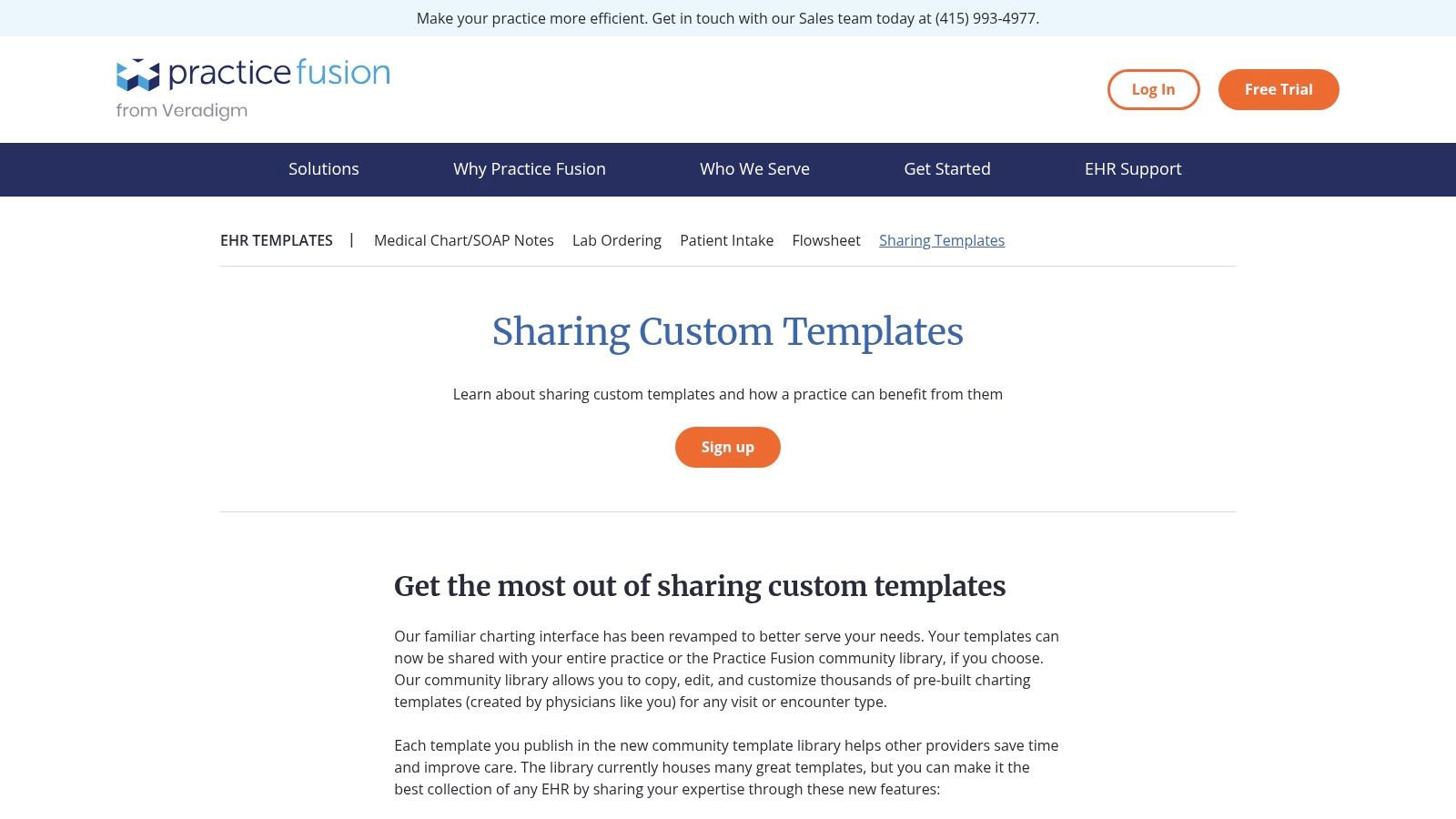
The platform’s key strength is its seamless integration. Unlike standalone template builders, Practice Fusion embeds templates directly into the charting workflow. Clinicians can use shortcuts and dynamic fields (like {dob} or {age}) to auto-populate patient data, significantly speeding up documentation. You can also customize any template from the library and share it practice-wide, ensuring consistent charting standards across your organization. For those evaluating EHRs, you can explore more about the best EHR systems for small practices to see how it compares.
Key Features & Considerations
Since the templates are part of a certified EHR, all data is managed within a HIPAA-compliant environment from the start. However, this means you must adopt the entire Practice Fusion EHR platform to access its template library; they are not available for individual download or use with other systems. Pricing is not publicly detailed, so practices must contact their sales team for a quote.
- Best For: Practices seeking a complete EHR solution with a built-in, collaborative library of customizable charting templates.
- Pricing: Not publicly listed; requires direct inquiry for a custom quote.
- Pros:
- Massive community-driven template library with specialty-specific options.
- Templates are fully integrated into the charting and ordering workflow.
- Dynamic fields and shortcuts automate data entry and save time.
- Cons:
- Requires adopting the entire Practice Fusion EHR, not a standalone template source.
- Lack of transparent pricing on the website can be a barrier.
Website: Practice Fusion Template Sharing
3. SimplePractice
SimplePractice is an all-in-one practice management solution where integrated documentation is a core component. It excels by providing a library of pre-built, discipline-specific note templates designed for behavioral health and allied health professionals, including SOAP, DAP, and BIRP notes. This makes it a powerful choice for clinicians who need their patient charting templates to work seamlessly with scheduling, billing, and telehealth features.
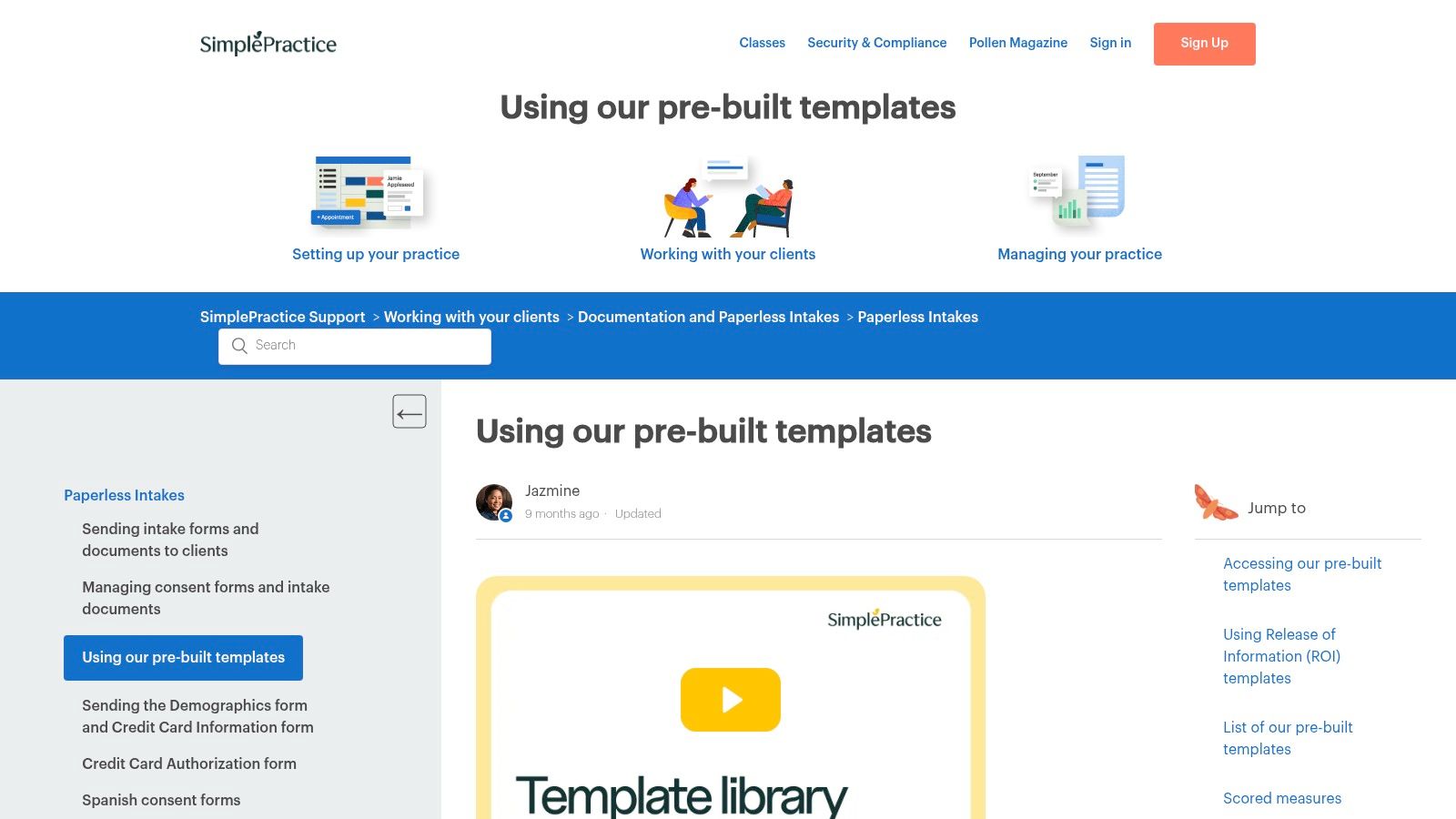
The platform’s real strength is its deep integration. Beyond its standard library, SimplePractice offers a custom template builder that allows you to create your own forms with unique fields, snippets, and macros. Features like "load last note" save tremendous time during documentation, allowing you to carry over information from previous sessions and focus only on updating what has changed.
Key Features & Considerations
SimplePractice is designed as a subscription-based service, and its full template and customization features are typically included in its Essential or Plus plans. While it is fully HIPAA-compliant, its value is maximized when a practice adopts its entire suite of tools, as the templates are not designed to be used as standalone downloads.
- Best For: Solo practitioners and group practices in behavioral health, physical therapy, and other allied health fields looking for an integrated practice management and EMR system.
- Pricing: Requires an Essential or Plus subscription plan for full template library and customization access.
- Pros:
- Strong focus on templates for mental health and wellness disciplines.
- Time-saving features like macros and "load last note" streamline charting.
- Fully integrated with scheduling, billing, and telehealth.
- Cons:
- Not ideal for those just looking for downloadable template files.
- The best template features are locked behind paid subscription tiers.
Website: SimplePractice Pre-Built Templates
4. TherapyNotes
TherapyNotes is an Electronic Health Record (EHR) system designed specifically for the behavioral health field. It excels by providing structured, compliant, and intuitive documentation workflows tailored to therapists, psychologists, and counselors. Unlike generic form builders, its patient charting templates are deeply integrated into the clinical process, covering everything from intake notes and treatment plans to SOAP and DAP progress notes.
The platform is built to streamline the entire charting lifecycle for mental health professionals. Its templates are not just static forms but are part of a system that includes a secure client portal, scheduling, and billing features. This integrated approach ensures that documentation is consistent, efficient, and aligned with industry standards, reducing administrative burdens and allowing practitioners to focus more on patient care.
Key Features & Considerations
TherapyNotes operates on a per-clinician monthly subscription model and offers a 30-day free trial for evaluation. The platform is inherently HIPAA-compliant, so there is no need to upgrade to a specific tier for security features. All plans include a signed BAA, unlimited notes, and secure data storage, making it a comprehensive solution right from the start.
- Best For: Solo practitioners and group practices in behavioral health needing a dedicated EHR with purpose-built charting workflows.
- Pricing: Subscription-based, charged per clinician per month. A free 30-day trial is available.
- Pros:
- Highly specialized templates and workflows for mental health documentation.
- Strong reputation and dedicated support for the behavioral health community.
- An all-in-one system that combines notes with scheduling and billing.
- Cons:
- Not suitable for medical specialties outside of behavioral health.
- The subscription cost can add up for larger practices with multiple clinicians.
Website: TherapyNotes
5. DrChrono (by EverHealth)
For practices seeking patient charting templates that are deeply integrated within a mobile-first Electronic Health Record (EHR), DrChrono is a formidable contender. The platform isn’t just a template library; it’s a comprehensive EHR system with a powerful, built-in Form Builder designed for creating dynamic, customized charting experiences. It excels at converting a practice's existing paper or digital forms into fully interactive templates for clinical use.
DrChrono's strength lies in its flexibility and mobile accessibility, particularly on the iPad. The Form Builder allows clinicians to create templates with various field types, including checkboxes, switches, anatomical diagrams for annotation, and even voice dictation. This makes it ideal for specialties that require highly visual or nuanced documentation, moving beyond simple text-based notes.
Key Features & Considerations
Unlike standalone form builders, DrChrono's templates are an intrinsic part of its EHR, meaning data captured flows directly into the patient's record. The platform offers hundreds of pre-built templates filterable by medical specialty, and their implementation team can assist in digitizing a practice’s unique forms. This hands-on support significantly lowers the barrier to adopting a more streamlined, digital workflow.
- Best For: Practices adopting a new EHR or existing DrChrono users who need highly customized, mobile-friendly charting templates.
- Pricing: Pricing is customized based on practice size and needs; templates are part of the overall EHR subscription.
- Pros:
- Fully integrated with a comprehensive EHR system.
- Flexible form builder supports diagrams, dictation, and various field types.
- Implementation support is available to convert existing templates into digital forms.
- Cons:
- Not a standalone template marketplace; requires adoption of the full DrChrono EHR.
- Advanced form-building features may have a learning curve or browser dependencies.
Website: DrChrono Medical Forms Features
6. Jane App
Jane App is a comprehensive practice management platform designed for allied health and wellness clinics, but its standout feature for charting is its community-driven template library. Instead of starting from scratch, practitioners can browse, import, and customize a vast collection of patient charting templates shared by other professionals in disciplines like physical therapy, massage, and chiropractic care. This collaborative approach provides a powerful and relevant starting point for building clinical notes.
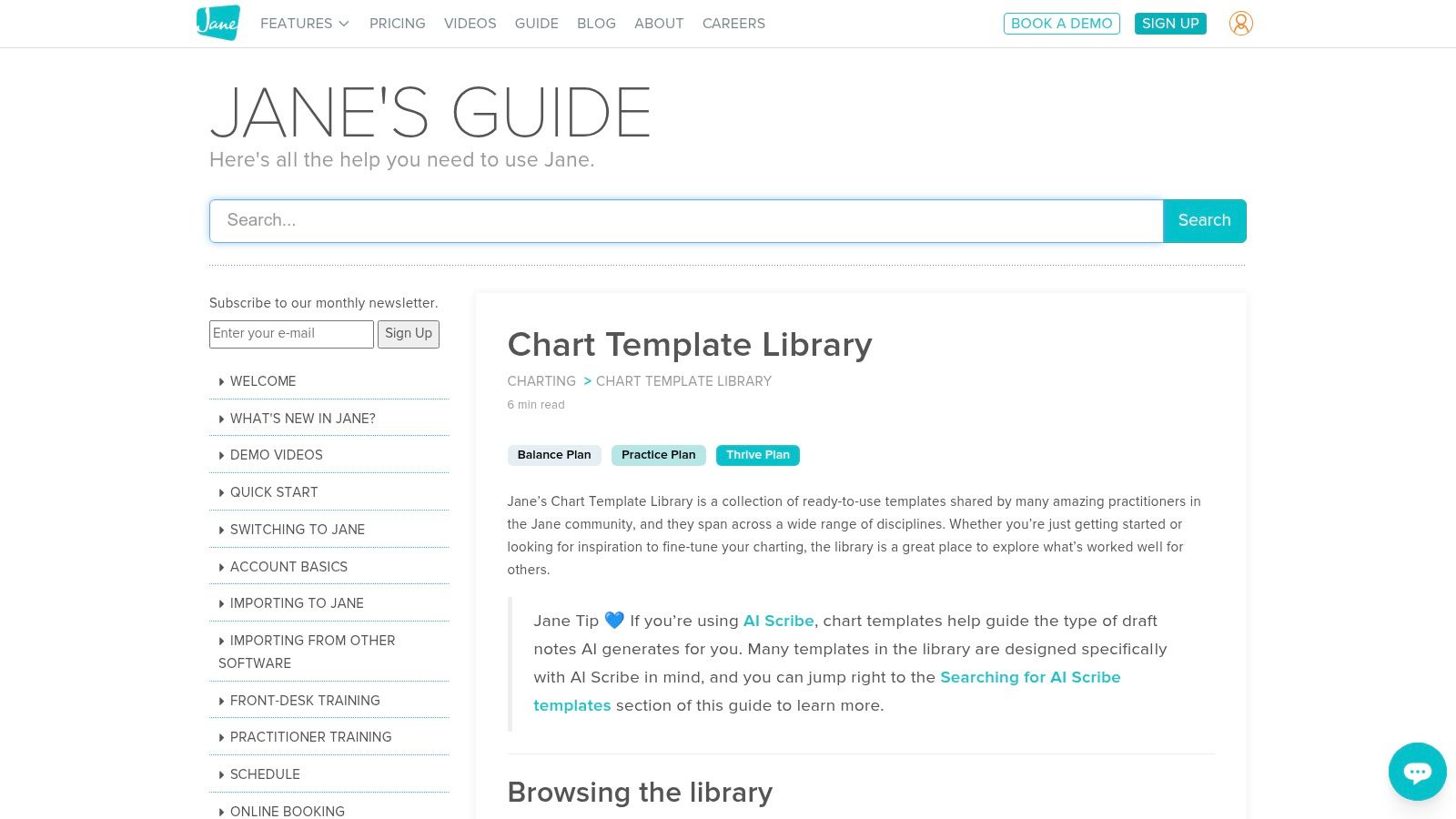
The platform allows for deep customization by combining different "chart parts" such as vitals, body charts, signatures, and quick-click options to build the perfect template for your workflow. A significant advantage is its integration with an AI Scribe add-on, which can generate draft clinical notes directly into these templates, streamlining the documentation process for busy practitioners. This makes Jane App a great choice for clinics already using or considering its ecosystem.
Key Features & Considerations
Access to the Chart Template Library is a key benefit for subscribers, offering a practical resource hub directly within the platform. The templates are designed to work seamlessly with Jane's other features, including its AI tools. While this integration is a major strength, it also means the charting features are best utilized as part of the complete Jane App experience.
- Best For: Allied health and wellness clinics (e.g., physical therapy, chiropractic, massage) that need a fully integrated practice management system with a robust, community-sourced charting template library.
- Pricing: Access is included with a Jane App subscription; the AI Scribe feature is a paid add-on.
- Pros:
- Extensive community library provides excellent, specialty-specific starting points.
- Highly customizable with various chart parts for tailored workflows.
- Seamless integration with Jane's scheduling, billing, and AI Scribe features.
- Cons:
- Template library is only accessible to paying Jane App customers.
- The AI Scribe, a key efficiency tool, comes at an additional cost.
Website: Jane App Chart Template Library
7. IntakeQ
IntakeQ is a comprehensive practice management suite that excels at connecting patient intake with clinical documentation. It offers robust tools for creating custom patient charting templates, including SOAP and progress notes, that are directly linked to the information gathered during intake. This seamless integration ensures continuity of care and reduces the administrative burden of manually transferring patient data.
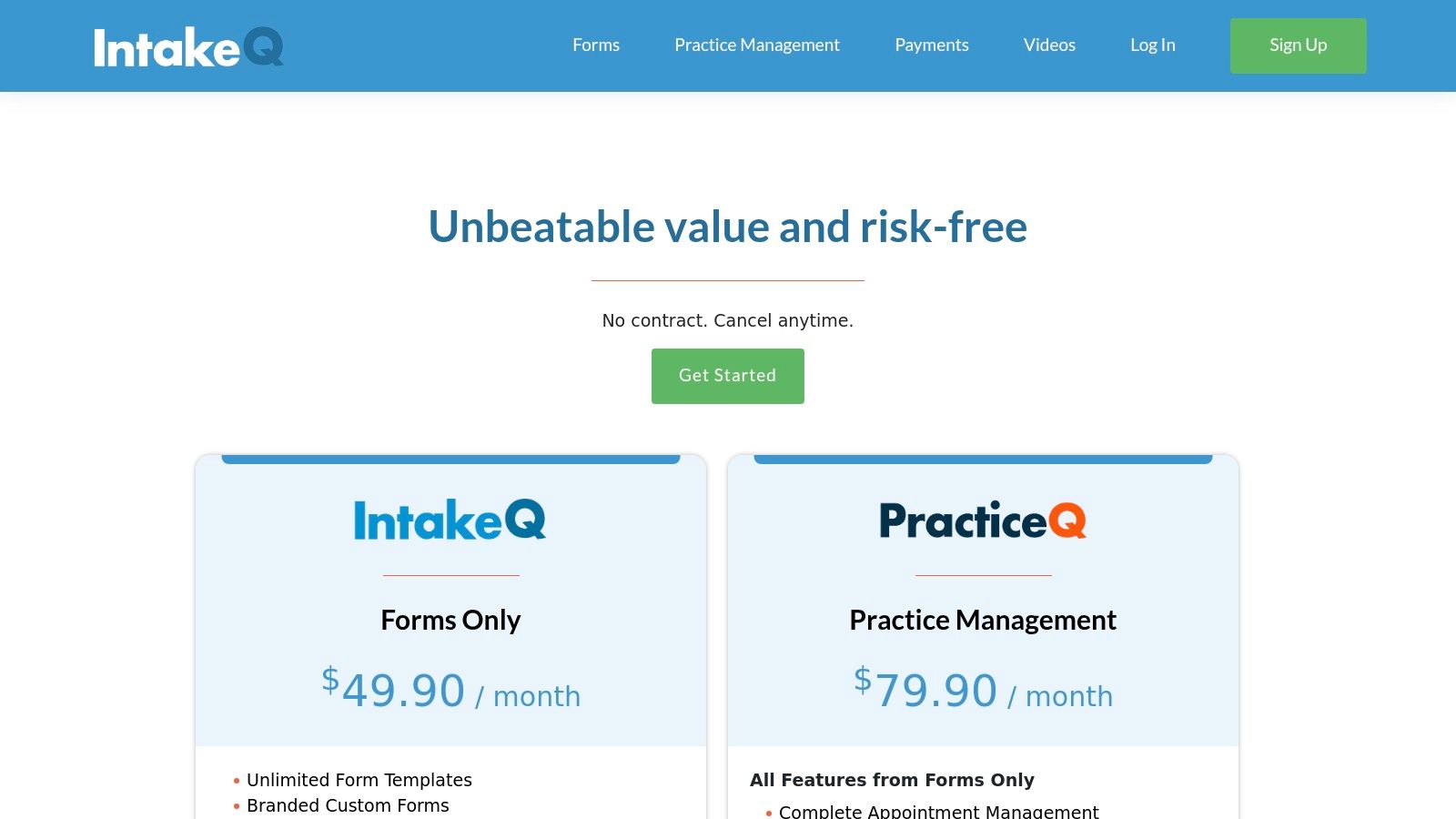
The platform is designed with the practitioner's workflow in mind, featuring auto-save functionality, version history for notes, and the ability to tag and export records to PDF or CSV formats. Unlike generic form builders, IntakeQ’s entire ecosystem, including scheduling and client portals on higher-tier plans, is built for healthcare environments. This makes it a strong contender for practices seeking an all-in-one solution rather than a standalone form tool.
Key Features & Considerations
A significant advantage of IntakeQ is that it includes a signed Business Associate Agreement (BAA) even on its base plan, confirming its commitment to HIPAA compliance from the start. This makes it a secure choice for handling Protected Health Information (PHI) without requiring an immediate upgrade to a costly enterprise-level subscription. The pricing is structured on a per-practitioner basis.
- Best For: Solo practitioners and small to mid-sized clinics looking for an integrated system that combines secure intake forms with powerful charting capabilities.
- Pricing: Paid plans are required, priced per practitioner, with a BAA included in the base tier.
- Pros:
- Strong continuity between intake forms and charting templates.
- HIPAA compliance with a BAA is standard, not a premium feature.
- Features like e-signatures, auto-save, and version history are built-in.
- Cons:
- Offers the best value when used as a full practice management suite, not just for templates.
- The per-practitioner pricing model can become expensive for larger teams.
Website: IntakeQ Pricing
8. ClinicSense
ClinicSense is a specialized resource aimed squarely at massage therapists, bodyworkers, and rehabilitation clinics. It provides a unique hybrid approach, offering free, immediately downloadable PDF SOAP note templates while also promoting its full-featured, lightweight practice management software. This makes it a great entry point for small or solo practitioners who need a simple, printable patient charting template today but may be considering a digital solution in the future.
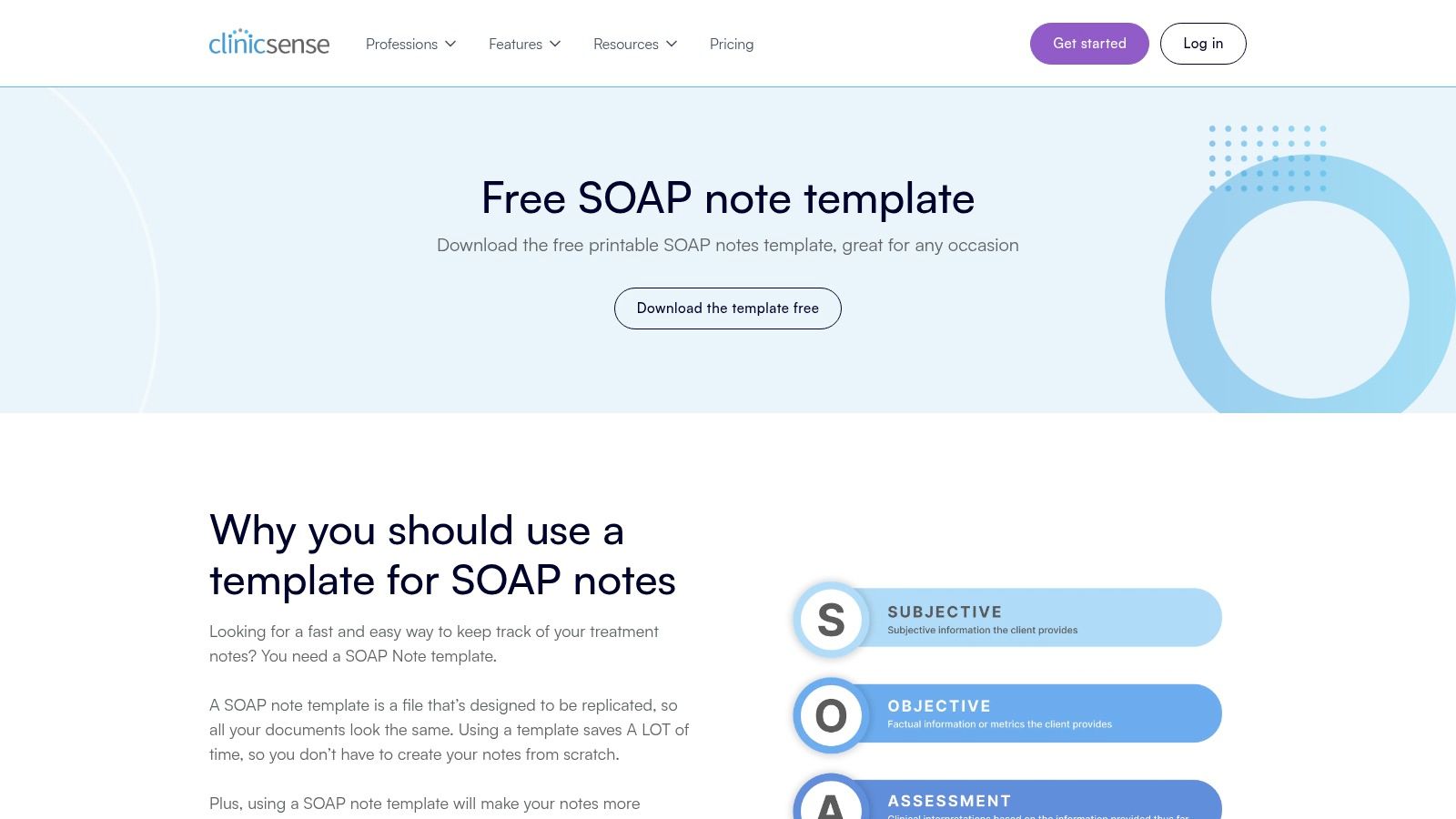
The platform’s strength is its directness. Users can visit the site and instantly download general, shorthand, or point-and-click style SOAP note templates without signing up. For those ready to go digital, ClinicSense offers a 14-day free trial of its software, which includes a customizable SOAP note builder. This allows clinics to test a digital charting workflow without any upfront commitment or credit card information.
Key Features & Considerations
While the free PDF templates are a major draw, they lack the security and integration of a proper EMR. The full ClinicSense software is where the real power lies, offering appointment scheduling, invoicing, and secure, cloud-based charting. The system is designed with the workflows of massage and physical therapy practices in mind, making it highly intuitive for its target audience.
- Best For: Solo practitioners and small clinics in massage therapy, physical therapy, and other bodywork fields needing quick access to printable templates or a simple, specialized EMR.
- Pricing: Free downloadable PDF templates; software has a 14-day free trial, with paid plans available after.
- Pros:
- Immediate, no-cost access to professionally designed SOAP note templates.
- Provides an easy transition from paper to digital charting with its free trial.
- The software is tailored specifically for the needs of rehab and bodywork clinics.
- Cons:
- Templates and software are highly specialized and may not be suitable for general medical practices.
- The most valuable features are locked behind the paid subscription software.
Website: ClinicSense Free SOAP Note Templates
9. OpenEMR
For healthcare organizations with technical resources seeking full control over their systems, OpenEMR provides a powerful, free, and open-source solution. Instead of offering a simple template library, OpenEMR allows users to build highly customized forms from the ground up using its XML Form Generator and Forms API. This makes it an ideal platform for practices with unique charting needs that commercial EHRs cannot easily accommodate.
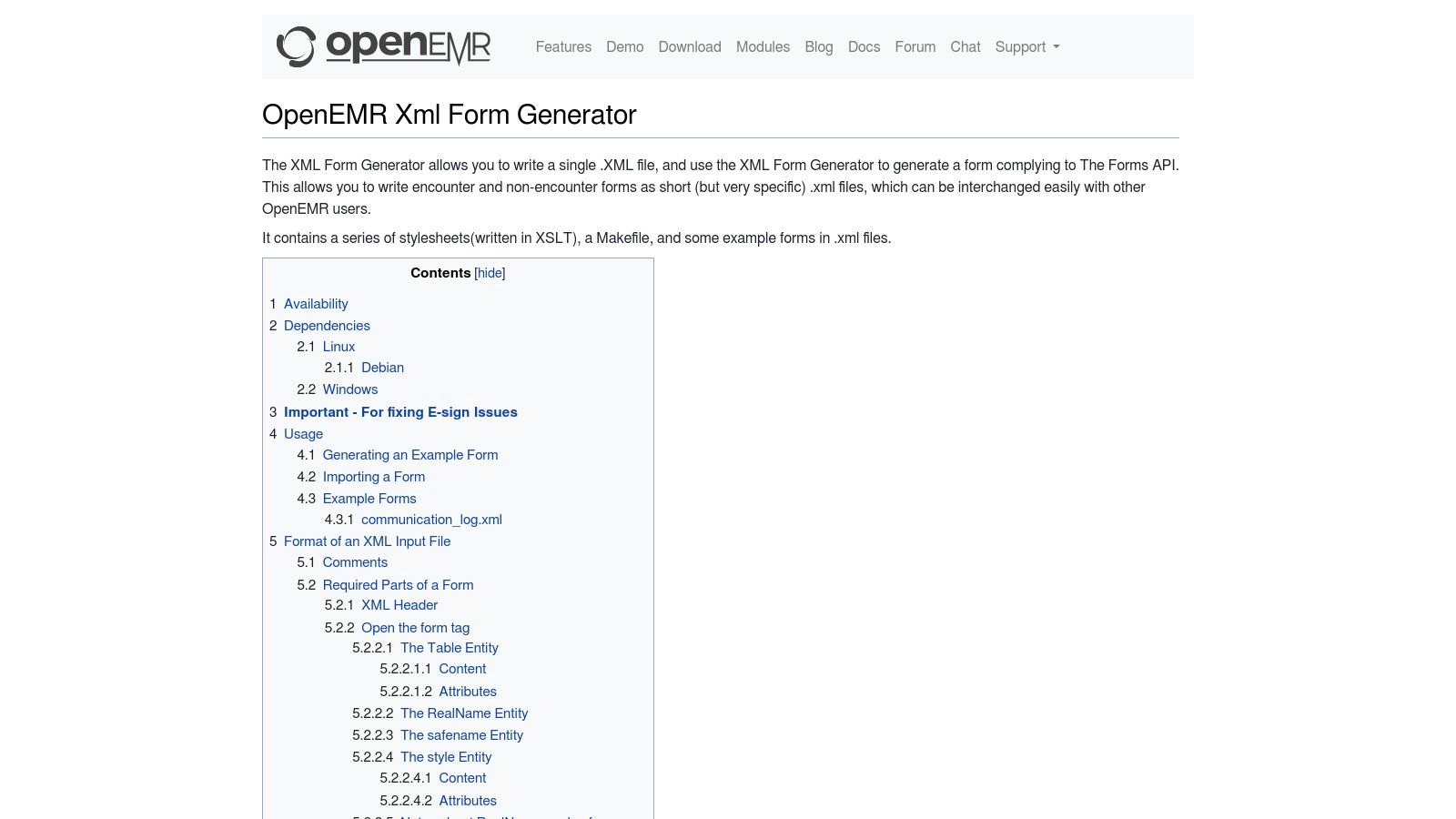
The platform’s strength lies in its complete customizability. A clinic can design complex, multi-page patient charting templates for specific encounters, integrating unique data fields, calculations, and workflow logic. While this requires a steeper learning curve, the result is a charting system perfectly tailored to a practice’s specific operational needs without any recurring license fees. The community-driven nature also means you can often find and import forms shared by other users.
Key Features & Considerations
OpenEMR is ONC-certified EHR software that is completely free to download and use. However, the costs come from implementation, which includes server hosting, IT support, and potentially developer time for template creation and system maintenance. It's a trade-off between paying for a commercial license versus investing in the technical infrastructure to run the system yourself.
- Best For: Technically-savvy practices, large clinics with IT departments, or organizations that need to build deeply customized patient charting templates for niche specialties.
- Pricing: Free (open-source software); costs are associated with hosting, support, and implementation.
- Pros:
- No license fees and full data control with self-hosting.
- Extremely customizable to support complex or specialized workflows.
- Active community for support and sharing custom forms.
- Cons:
- Requires significant technical expertise for setup, customization, and maintenance.
- Fewer ready-to-use, plug-and-play templates compared to commercial EHR vendors.
Website: OpenEMR XML Form Generator
10. Medical Basics
For clinicians, residents, and medical students who prefer the tactile and immediate nature of paper, Medical Basics offers a specialized solution. This retailer provides durable, pre-printed clinical charting notebooks designed for bedside use and quick, structured note-taking. Their templates, such as SOAP notes and History & Physical (H&P) forms, are tailored for fast-paced environments, allowing users to capture critical information before transcribing it into an EHR.
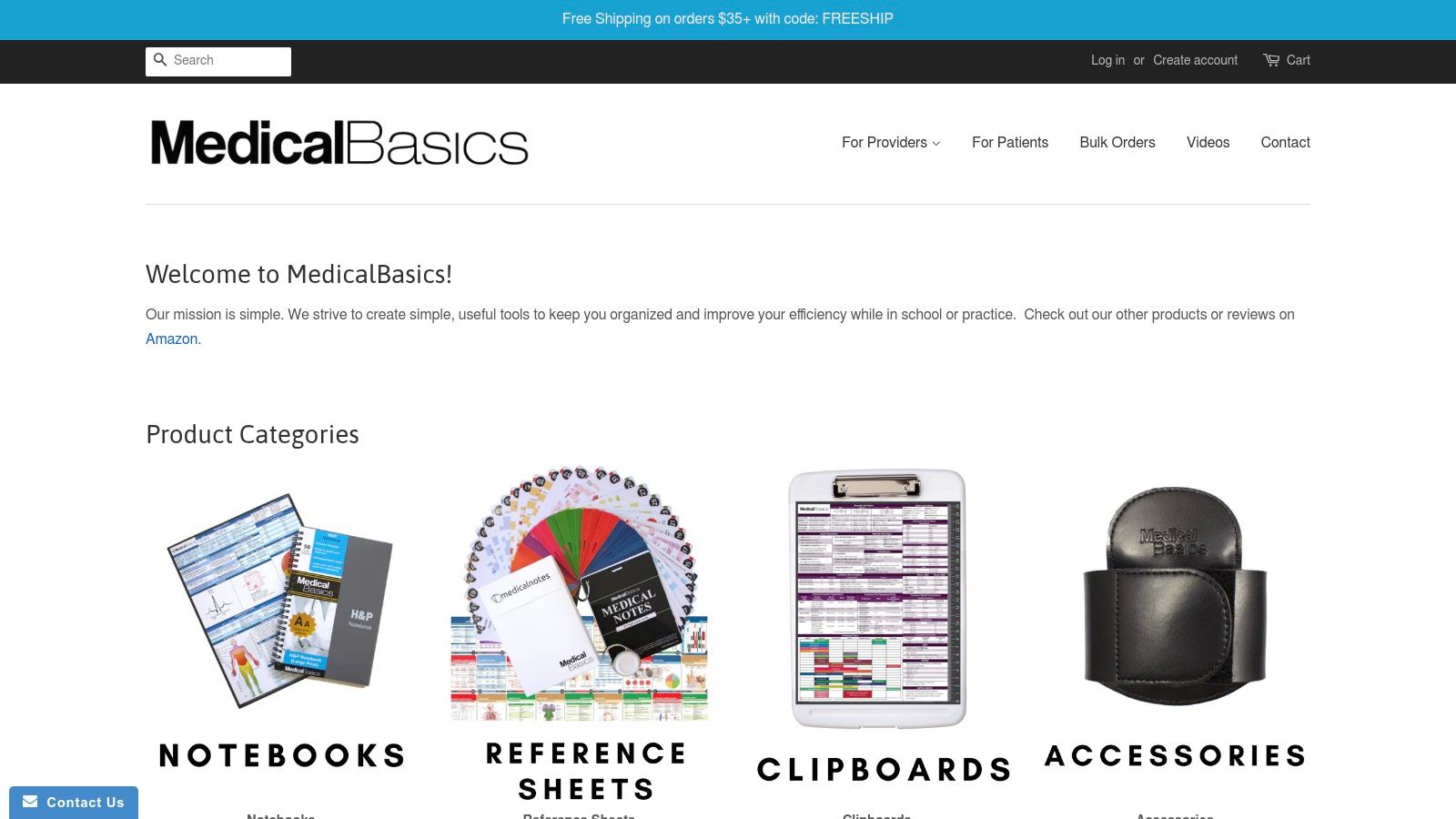
Medical Basics stands out by focusing exclusively on high-quality physical tools that complement digital workflows. The notebooks feature practical designs like perforated pages for easy removal and large print for readability in various clinical settings. This approach is especially beneficial for training purposes or for professionals who find that writing notes by hand enhances memory retention and organization during patient encounters.
Key Features & Considerations
These notebooks serve as excellent pre-charting aids, helping to structure thoughts and ensure all necessary data points are collected before facing the EHR interface. They offer various specialty-specific versions, including templates for ICU, pediatrics, and OB/GYN, making them relevant across different departments.
- Best For: Medical students, residents, and clinicians who prefer to pre-chart on paper or require a durable physical backup for note-taking during rounds.
- Pricing: Notebooks are sold individually, with prices typically ranging from $15 to $25 per notebook.
- Pros:
- Durable, portable, and designed for real-world clinical environments.
- Specialty-specific layouts provide relevant prompts for focused charting.
- Excellent learning tool for students mastering documentation structure.
- Cons:
- Not a digital solution; all notes require manual transcription into an EMR.
- The layout is fixed, offering no customization beyond the printed format.
- Creates a physical paper trail that requires secure handling and disposal.
Website: Medical Basics
11. Etsy
For an unconventional but surprisingly useful source, Etsy offers a vast marketplace of downloadable patient charting templates created by independent designers and fellow healthcare professionals. It stands out as a source for visually appealing, specialty-specific, and highly affordable templates that can be instantly downloaded and printed or used on a tablet. This makes it an excellent option for students, solo practitioners, or small clinics needing a quick, low-cost solution without a software subscription.
The platform's strength lies in its variety and accessibility. You can find everything from detailed SOAP notes and H&P templates to niche-specific forms for mental health, physical therapy, or pediatrics. These are typically provided as editable PDFs or Word documents, allowing for easy customization to fit your specific workflow. While not a clinical software tool, Etsy provides immediate access to well-designed charting aids that can be integrated into existing paper or digital annotation systems.
Key Features & Considerations
Etsy is a marketplace, not a healthcare software provider, so it is fundamentally not HIPAA-compliant for storing patient data. The templates themselves are simply documents; practitioners are responsible for using them within a secure, compliant environment. Always download templates to a secure device and never upload completed charts with Protected Health Information (PHI) back to the platform.
- Best For: Students, solo practitioners, and small practices looking for inexpensive, printable, or tablet-annotatable charting templates for immediate use.
- Pricing: Varies by seller, but most templates are a one-time purchase, often costing just a few dollars.
- Pros:
- Extremely budget-friendly with instant digital delivery.
- Wide selection of designs and specialty-specific templates.
- Multiple formats are available (PDF, Word) suitable for printing or digital annotation.
- Cons:
- Quality and clinical accuracy can vary significantly between sellers.
- Not a HIPAA-compliant platform; users must handle PHI securely on their own systems.
- Lacks integration with any EHR or practice management software.
Website: Etsy Medical & SOAP Note Templates
12. SOAPassist
SOAPassist is a dedicated web application designed to streamline the creation and use of SOAP notes. It offers a purpose-built environment for clinicians who want to compose high-quality, text-based notes quickly and efficiently. The platform focuses exclusively on the SOAP note format, providing a curated template library and a generator that allows users to build comprehensive notes by selecting pre-written text blocks.
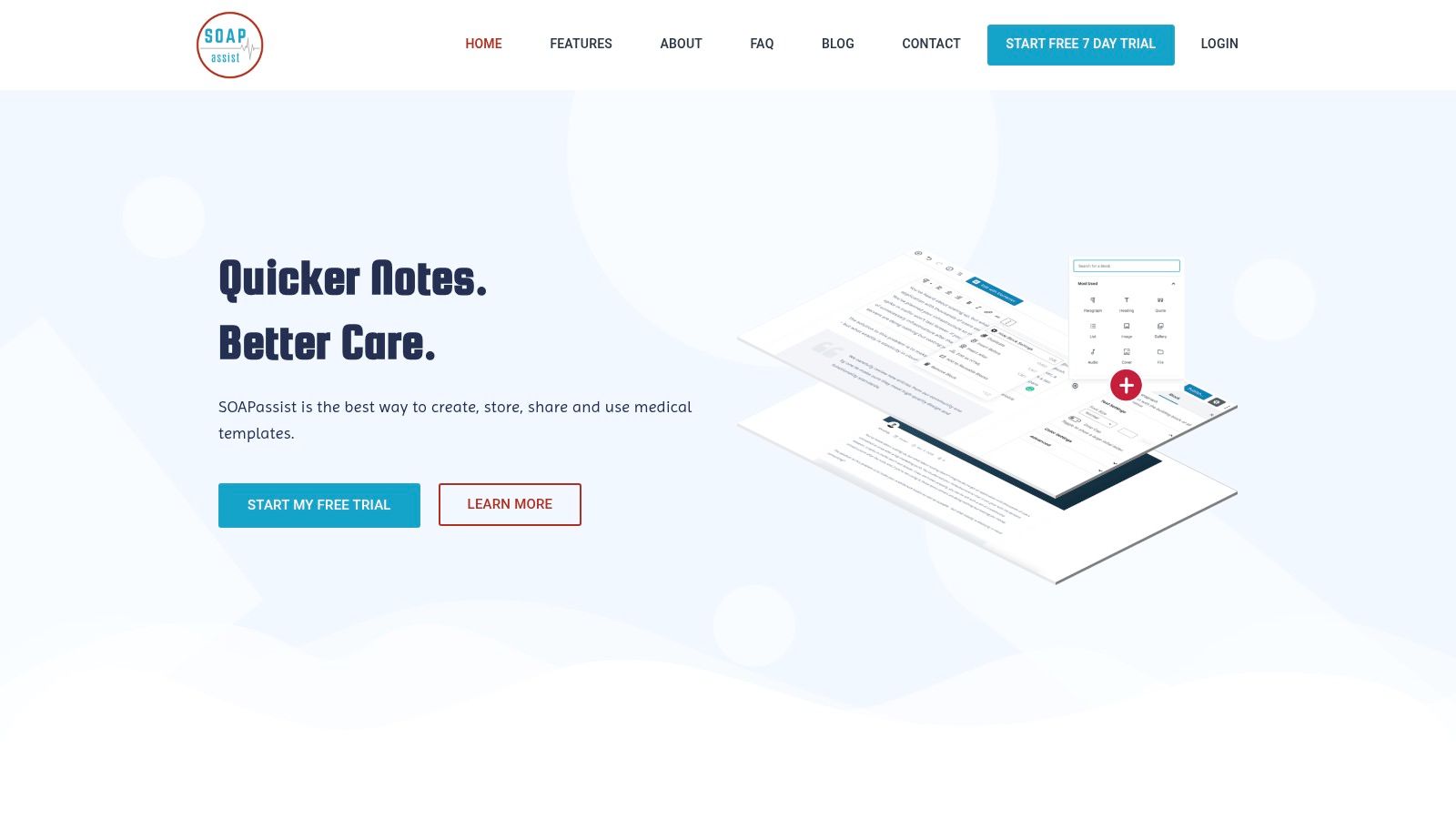
The core strength of SOAPassist is its simplicity and speed, making it an excellent companion tool for nearly any EMR system. Instead of fighting with cumbersome EMR text editors, providers can compose their notes in SOAPassist and then copy-paste the finished text directly into the patient's chart. This workflow is ideal for practitioners who value speed and consistency in their documentation. To better understand the structure it champions, you can explore this free SOAP note template and guide.
Key Features & Considerations
SOAPassist is a highly focused tool, not a complete charting solution. It operates as a separate system that enhances, rather than replaces, your existing EMR. The platform allows for unlimited template creation and note generation, with features for team collaboration, such as sharing and curating a centralized template library. A short free trial is available to test the service before committing.
- Best For: Clinicians and teams looking for a fast, text-based method to generate consistent SOAP notes for easy transfer into an EMR.
- Pricing: Low-cost subscription model with a free trial available.
- Pros:
- Purpose-built for optimizing SOAP note workflows.
- Simple copy-and-paste integration with most EMRs.
- Team features allow for standardized documentation across a practice.
- Cons:
- Not an EMR; lacks deep integration and full patient record management.
- Primarily useful for text-based note compilation, not structured data entry.
Website: SOAPassist
Patient Charting Templates: Top 12 Comparison
| Product | Key features | Integration & UX | 💰 Value (Price) | 👥 Target audience | ✨ Unique / Rating |
|---|---|---|---|---|---|
| Jotform | 500+ medical templates, drag‑drop editor, e‑sign | Device‑agnostic, easy share/embed, copy/paste to EMR | Free tier; paid HIPAA plans/BAA 💰 | 👥 Clinics needing patient‑facing forms | ✨ Fast no‑code deployment 🏆 ★★★★ |
| Practice Fusion | Community template library, dynamic fields, versioning | Templates embedded in EHR charting & orders | EHR subscription required; variable pricing 💰 | 👥 Practices on Practice Fusion EHR | ✨ Templates inside certified EHR 🏆 ★★★★ |
| SimplePractice | Discipline-specific templates, custom builder, macros | Integrated scheduling & billing; "load last note" | Subscription (Essential/Plus) 💰 | 👥 Behavioral & allied health clinicians | ✨ Time‑saving macros & snippets 🏆 ★★★★ |
| TherapyNotes | MH‑focused note types, client portal, unlimited storage | Purpose‑built workflows for therapists; 30‑day trial | Per‑clinician monthly subscription 💰 | 👥 Therapists, psychologists, counselors | ✨ Dedicated behavioral workflows 🏆 ★★★★ |
| DrChrono | Form Builder, hundreds of templates, diagrams & dictation | Mobile/iPad friendly; check‑in forms & required fields | EHR subscription; implementation support 💰 | 👥 Mobile‑first practices | ✨ Flexible mobile form tools 🏆 ★★★★ |
| Jane App | Community chart library, customizable chart parts, AI Scribe‑ready | In‑product editing; integrates with scheduling/billing | Subscription; AI Scribe add‑on 💰 | 👥 Allied health & wellness clinics | ✨ AI scribe integration option 🏆 ★★★★ |
| IntakeQ | Prebuilt/custom SOAP tied to intake, e‑sign, version history | Strong intake→chart continuity; client portal & payments | BAA included; tiered pricing 💰 | 👥 Practices needing intake continuity | ✨ HIPAA‑ready base tier 🏆 ★★★★ |
| ClinicSense | Free printable SOAP PDFs, customizable note builder | Printable templates + 14‑day trial of charting software | Free templates; subscription after trial 💰 | 👥 Small massage & rehab clinics | ✨ Instant printable templates 🏆 ★★★ |
| OpenEMR | XML Form Generator, Forms API, import/share templates | Self‑hosted control; requires IT support | No license fees; hosting/IT costs 💰 | 👥 Tech‑savvy orgs wanting control | ✨ Fully customizable open‑source 🏆 ★★★★ |
| Medical Basics | Pre‑printed SOAP, H&P, specialty notebooks (perforated) | Durable bedside paper tools; no digital integration | One‑time purchase per notebook 💰 | 👥 Clinicians & students preferring paper | ✨ Bedside‑ready printed templates 🏆 ★★★ |
| Etsy | Editable PDFs/Word/tablet templates; instant downloads | Instant digital delivery; quality varies by seller | Low‑cost one‑off downloads 💰 | 👥 Budget‑conscious students/clinicians | ✨ Cheap & immediate options 🏆 ★★★ |
| SOAPassist | SOAP generator, unlimited templates, team sharing | Fast text workflows; copy/paste into most EMRs | Very low cost; short free trial 💰 | 👥 Teams needing quick SOAP drafting | ✨ Purpose‑built SOAP tool 🏆 ★★★ |
Automating Your Charting: The Next Step with AI
Throughout this guide, we've explored the diverse landscape of patient charting templates, from specialty-specific downloadable forms to highly customizable EMR snippets. We’ve analyzed tools like Practice Fusion and DrChrono for their integrated EMR capabilities, SimplePractice and TherapyNotes for their behavioral health focus, and even creative resources like Etsy for niche practice needs. The core lesson is clear: a well-structured template is not just a document; it is the fundamental building block of efficient, consistent, and high-quality patient care.
These templates create a standardized framework that reduces variability, minimizes errors, and ensures that critical information is captured every single time. By establishing a solid foundation with the right templates, you are already taking a massive step toward mitigating administrative burden and improving your clinical workflow. However, this foundation is just the beginning. The next evolutionary step is to automate the process of populating these templates, transforming them from static forms into dynamic, self-filling documents.
Bridging the Gap: From Templates to True Automation
The most significant drain on a clinician's time isn't just charting itself, but the manual data entry that precedes it. Staff spend countless hours on the phone collecting patient intake information, scheduling appointments, and processing refill requests, only to then manually type that same data into the very templates we've discussed. This is where the true potential for optimization lies.
Imagine your meticulously designed new patient intake template, with its specific fields for demographics, insurance details, and medical history, being filled out automatically during the initial scheduling call. This is no longer a futuristic concept; it is the practical application of AI in modern healthcare. AI-powered voice agents can now handle these routine patient interactions, understand the context of the conversation, and populate your chosen patient charting templates with structured, accurate data.
This automated workflow ensures that by the time a patient arrives for their appointment, their chart is already primed with essential information, directly within your EMR. The data is clean, standardized according to your template's rules, and ready for clinical review. This proactive approach eliminates the redundancy of manual data transfer and significantly reduces the risk of human error.
Implementing an AI-Driven Workflow
Integrating this level of automation is more accessible than you might think. It builds directly upon the work you’ve already done in selecting and refining your templates. The process generally involves:
- Template Integration: Your chosen AI system, like Simbie AI, is configured to understand the specific fields and structure of your key patient charting templates (e.g., new patient forms, appointment notes, prescription refill requests).
- Workflow Deployment: The AI voice agent is deployed on your phone lines to manage specific tasks, such as handling calls for appointment scheduling or patient registration.
- Automated Data Population: As the AI interacts with the patient, it extracts the relevant information and uses it to populate the appropriate template fields in real-time.
- EMR Synchronization: The completed or partially completed chart is then pushed directly into your EMR, creating a seamless and touchless data pipeline from the first point of contact.
This strategy doesn't replace your templates; it empowers them. It transforms them from passive data containers into active participants in an efficient, automated system. The broader implications of using intelligent systems to manage and structure information are vast. To further understand the broader implications of AI in data handling, consider how Artificial Intelligence in Knowledge Management is transforming various industries.
Ultimately, the goal is to liberate your clinical and administrative teams from the repetitive tasks that consume their day. By combining strategic template design with intelligent automation, you can create a practice environment where technology handles the administrative load, allowing your staff to dedicate their time, energy, and focus to what truly matters: providing exceptional patient care. Your journey starts with choosing the right patient charting templates, but it culminates in building a smarter, more efficient practice for the future.
Ready to see how AI can automatically populate your patient charting templates? Simbie AI deploys intelligent voice agents that handle routine patient calls for intake, scheduling, and more, feeding structured data directly into your EMR. Discover how Simbie AI can eliminate manual data entry and reclaim hours for your staff.