
Improving patient flow in GI clinics comes down to fixing a handful of predictable choke points, not throwing more staff at the problem. Intake delays, mismatched scheduling, overwhelmed phones, and late documentation are where clinics quietly lose capacity and patient trust. This guide is for practice owners and administrators in independent GI practices looking for practical ways to fix these issues.
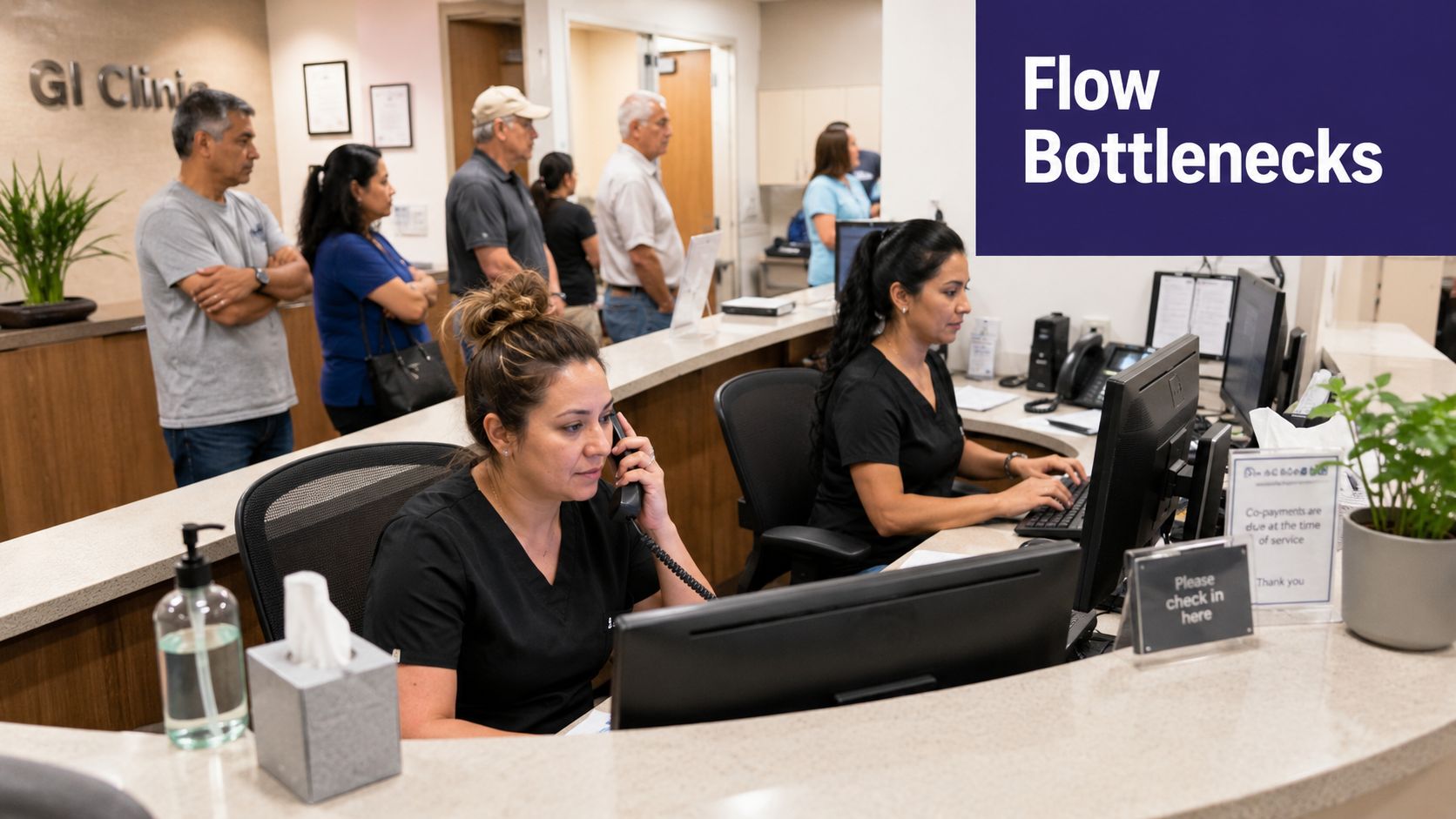
Where Patient Flow Breaks Down in GI Clinics
Picture the typical Monday morning crush. Three lines are ringing, a group of IBD patients is checking in, two pre-op calls are due before noon, and a new rectal bleeding referral is waiting in triage. These moments expose four repeatable pressure points that show up in almost every GI practice.
- Intake Bottlenecks: The symptom you see is long check-in queues and incomplete forms. The fix is to shift structured intake and HPI collection to automated reminders that capture information by voice or text before the visit.
- Mismatched Scheduling: New patient consults are squeezed into 15-minute slots, and procedures overrun their time. You can fix this by segmenting schedule templates by visit type with realistic time slots and built-in buffers.
- Phone Volume Overload: The front desk gets buried by refill requests, scheduling calls, and result callbacks. The solution is to route routine tasks to automated queues, freeing up staff for clinical exceptions.
- Delayed Documentation: Notes get posted hours later and medication reconciliation is missed. Using EMR-integrated tools to draft structured notes from intake and call interactions in real time solves this.
Patients experience these issues as access problems, not staffing problems. When you can see where demand is and measure how long each step takes, you can act sooner.
A Practical Framework for GI Patient Flow
Here's a quick reference that maps each operational pressure point to the symptom it causes and the fix that resolves it.
| Pressure Point | Symptom You See | Operational Fix |
|---|---|---|
| Intake | Incomplete forms on arrival | Automated pre-visit HPI, EMR field mapping |
| Scheduling | Wrong slot lengths | Visit-type templates, late-cancel fill logic |
| Calls | Long queues and missed callbacks | EMR-aware call routing, batched refills |
| Documentation | Notes delayed or inconsistent | Chart-writing from call transcripts |
This table gives you a starting framework, but the real value comes from applying it to your clinic's data. Every practice has its own variation of these pressure points. The fixes need to match your specific workflow.
For a practical next step, map one full clinic morning and time each touchpoint for two weeks. Address the single longest delay first. Pilot the fix for one provider, then measure its impact on the third-next-available appointment and no-show rates. Addressing inefficiencies requires a systematic approach. You can see 5 steps to process efficiency for a concise method you can adapt.
Automating Intake and Pre-Visit Tasks
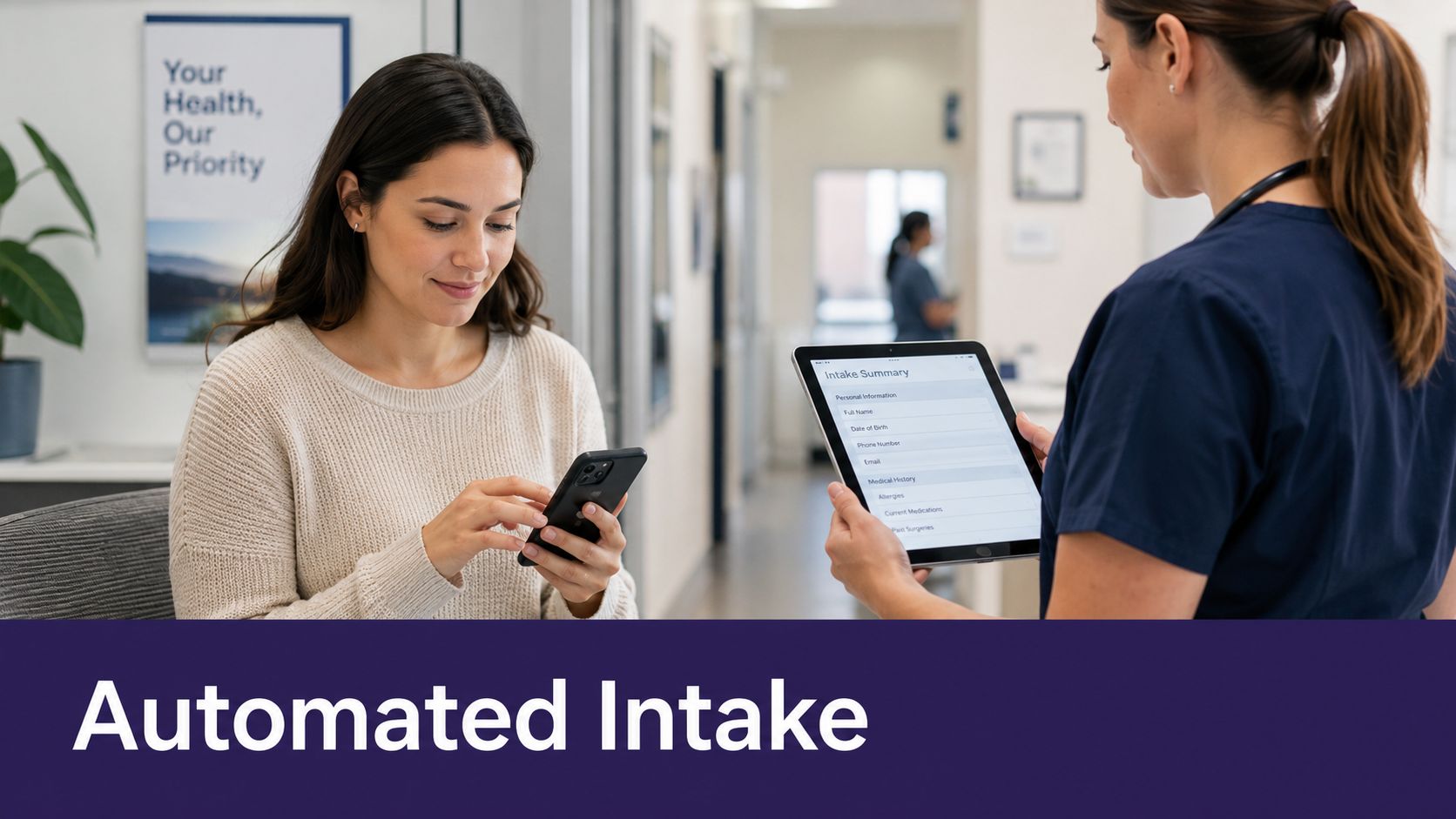
The biggest gains in patient flow happen before the patient walks through the door. Automated reminders sent 48 hours before an appointment can prompt patients for symptom updates, medication reconciliation, and procedure prep confirmation. This way, your staff isn't scrambling on the morning of the clinic.
An established IBD patient, for instance, gets a two-day reminder. They can complete a brief symptom and medication update through voice or text. That information then lands in the chart as structured fields a clinician can scan in seconds. This integration with your EMR is where this approach either works or falls apart. When questionnaire responses map directly into gGastro, eClinicalWorks, or EMA ModMed chart fields, you eliminate duplicate entry and reduce transcription errors. Clinicians get a reliable pre-visit snapshot, and staff spend less time chasing down missing information.
Simbie AI, built by physicians from Stanford, Yale, and Princeton, provides this kind of clinical and administrative support. It's 'AI Medical Staff' designed for independent practices.
Intake Workflows for Real Clinics
- Build short, targeted questionnaires that feed straight into the problem list, medication list, and recent symptoms.
- Offer voice capture for patients who prefer a phone call and SMS for younger patients. Both paths should write the same structured note to the chart.
- Automate confirmation calls but keep a quick override option so staff only step in for exceptions.
A pre-visit interaction that captures HPI, medications, and prep status reduces same-day cancellations and shortens rooming time.
Small Pilot Example
Pick one provider and one day of the week for a two-week trial. Send automated reminders 48 and 24 hours out with a 5-question symptom check and medication list confirmation. Track completion rate, staff time spent on follow-up, and the time it takes the clinician to scan incoming notes. If completion exceeds 70%, expand to additional providers. If the EMR mapping breaks, fix the field mappings before you scale further. You can learn more about AI Patient Intake Automation on our site.
Creating Schedules That Fit GI Visit Types
Many GI clinics still use schedules based on primary care templates. This means a complex new-patient consult gets the same 15 minutes as a simple medication check. That mismatch causes overruns, rushed exams, and a backlog that gets worse throughout the day. Segmenting your schedule by visit type fixes most of that by aligning time and prep with actual clinical needs.
You should build distinct templates for common GI visit types, with clear lengths and prep rules.
- New-patient consults: 45–60 minutes, with HPI and medication reconciliation completed before the visit.
- Procedure pre-op calls: 10–15 minutes, to confirm bowel prep, NPO status, and transportation.
- Surveillance colonoscopy: 30–45 minutes, with dedicated blocks and protected turnover time.
- Infusion or biologic visits: 30–60 minutes, noting infusion room and nursing availability.
- Quick med-checks: 10–15 minutes, routed to same-day slots or telehealth when appropriate.
Once templates are in place, implement late-cancellation fill logic. This offers open slots to waitlisted patients within hours, not days. This can boost utilization without overbooking. A schedule aware of visit types makes capacity visible and actionable.
Here's how the two approaches compare:
| Schedule Element | Flat Template | Visit-Type-Aware Template |
|---|---|---|
| Slot Length | Uniform 15 min | Varied 10–60 min by visit type |
| Prep Required | Often unspecified | Explicit prep fields with reminders |
| Cancellation Fill | Manual | Automated waitlist offers within hours |
One approach treats every appointment as interchangeable. The other builds the schedule around what each visit actually requires. Referral triage rules should fast-track urgent cases like anemia or rectal bleeding into expedited slots.
Test Before You Change Everything
Before rolling anything out clinic-wide, start small. Run a one-week audit of who actually uses each slot type and how long visits run. Then, pilot new templates with one provider or on one clinic day. Measure your third-next-available and no-show rates by visit type, and then iterate.
For example, a clinic shifted 20% of routine med-checks to 10-minute telehealth slots and created two protected colonoscopy blocks per week. Within four weeks, their third-next-available improved, and staff reported fewer afternoon overruns.

Managing Calls, Refills, and Messages Without the Bottleneck
Phone traffic is where GI patient flow often breaks down. Morning calls mix scheduling, prior authorization follow-ups, biopsy callbacks, and refill requests, all while staff are rooming patients.
The fix isn’t more phone lines. It’s sorting the traffic by intent and urgency so staff only handle calls that need clinical judgment. Automate scheduling calls with EMR-aware logic that recognizes visit types and available templates in systems like gGastro, eClinicalWorks, and Athenahealth. Queue refill requests and process them in batches.
Take a simple PPI refill call. An AI system can capture it, match it to the patient’s most recent visit, attach it to their medication list, route it to the clinician for one-click approval, and notify the pharmacy. This happens without putting the caller on hold, freeing up staff for more complex conversations. Simbie AI is designed for exactly this, capturing 100% of calls with 24/7 availability and zero hold times, reducing front-office costs by up to 60%.
Triage That Reduces Interruptions
- Create three inbound lanes: Scheduling, Medication/Pharmacy, and Results/Clinical. Each should have clear routing and an override path for urgent exceptions.
- Use templated result calls that populate discrete EMR fields, so callbacks produce immediate chart documentation.
- Batch refills into set windows, with a clear service level agreement for clinician review.
The key is to capture all inbound calls, route them correctly, and measure what gets escalated to humans. This reduces unnecessary interruptions. For more detail, read our guide on Inbound Call Automation for Healthcare.
The Right KPIs to Predict Flow Problems
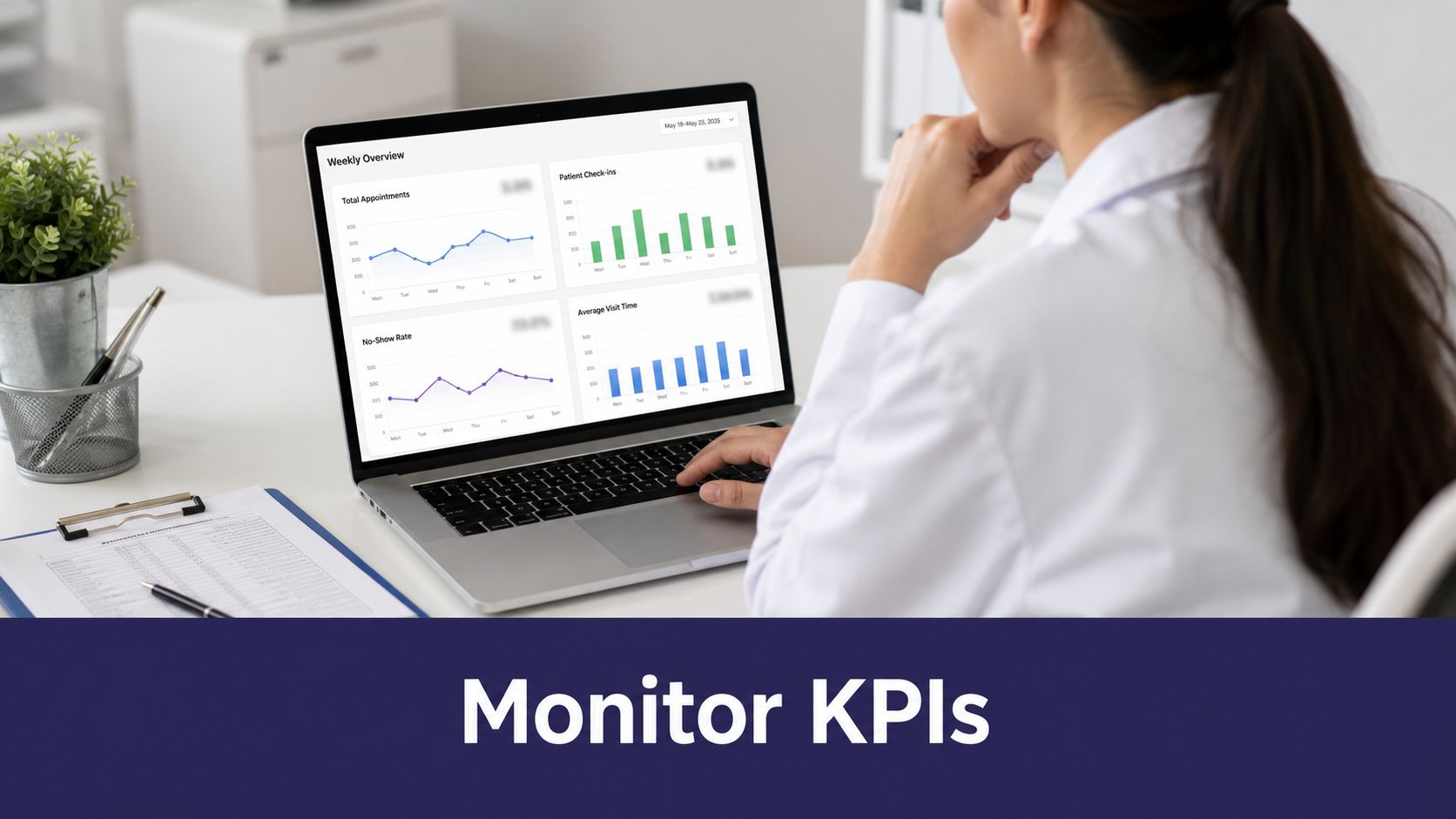
What gets measured in a clinic gets improved. In GI practices, four metrics act as early warnings for access and intake breakdowns.
- Third-next-available appointment is a critical measure of true access. When it creeps past 30 days, it’s time to review your scheduling templates.
- Percentage of new referrals seen within 10 days shows how responsive your intake process is. If this number slips, the problem is usually in triage or intake.
- Average time from referral to triage complete exposes delays. Anything over 48 hours needs an audit.
- No-show rate by visit type highlights where reminder systems are failing and where telehealth could recapture capacity.
Building a Weekly Dashboard
Pull all four KPIs into one weekly view with trend lines. Filter by provider, visit type, and referral source to find where failures are clustering. A dashboard without action thresholds and a named owner is just a pretty chart.
Modern EMRs like gGastro, eClinicalWorks, EMA ModMed, Athenahealth, and Epic already support this kind of real-time visibility. Print a one-page weekly dashboard for two weeks. Assign each KPI to a specific person and track how long it takes to close flagged items. If this improves response time, make it part of your daily huddles.
A 30-Day Rollout Plan for Your GI Practice
Week One: Map What’s Happening
Grab a pen and shadow one clinic morning. Time every touchpoint, from handoff to check-in, call hold times, and refill request triage. The goal is to see the real workflow, not the one in the policy manual. In most GI practices, one bottleneck usually dominates. That baseline number becomes your north star for measuring every change you make.
Week Two: Run One Small Pilot
Pick one provider or a single clinic day and test one change. Just one. Quick wins often come from:
- Automated intake reminders that fire 72 hours before the visit.
- A refined new-patient slot template.
- Batching refills on two fixed afternoons.
Keeping the pilot narrow helps staff learn the new process without feeling overwhelmed. Before you go live, agree on what success looks like. Pick measurable metrics like third-next-available appointment. Train staff on the manual override path upfront. Automation should handle routine tasks, but human judgment is still needed for exceptions.
Week Three: Measure and Iterate
Now, compare what changed. Look at completion rates, staff time on phone tasks, and clinician note turnaround. Adjust based on what the numbers say, not what you hoped they’d say. Tweak scripts or rethink routing logic. Let the data drive your next move.
Pick one metric to trigger action. For example, when third-next-available exceeds 30 days, review your templates. Having clear thresholds removes the guesswork.
Week Four: Expand and Document
Roll the change out across the full schedule and publish a one-page playbook. It should include who owns each queue, how to override automation, and SLAs for clinician review. When everyone knows the rules, you stop losing time to confusion.
This systematic approach, focused on small, data-driven tests, is the most effective way to improve patient flow. If you’re evaluating AI tools to support this kind of workflow improvement, you can see them in action at Simbie Health.
Frequently Asked Questions About GI Patient Flow
How quickly will workflow changes show results?
Most small GI practices see real movement within 2 to 6 weeks if the changes are narrow and data-driven. The fastest wins come from a focused pilot on one variable, like intake completion rates. Keep an eye on your third-next-available appointment weekly to see if you’re moving the needle.
Which single metric should a small team prioritize first?
Start with your third-next-available appointment. This number reveals where access is genuinely constrained. If that metric goes past 30 days, it’s a clear signal to review your scheduling templates.
Can automation handle the clinical judgment in GI triage?
Automation is excellent for managing routine triage and surfacing red flags, but clinical judgment must stay with clinicians. Let AI handle symptom capture and routing, but always have a clear override path for urgent cases. Technology should support decisions, not replace them.
How do we keep staff informed when AI handles calls and refills?
Transparency is key. Set up a daily exception list and a twice-weekly clinician brief. Route approvals directly into the clinician’s inbox within EMRs like gGastro, eClinicalWorks, or EMA ModMed. This preserves oversight. Automation should increase visibility, not hide work.
Our mission is ‘Protecting Doctors’ Time for Doctoring.’ If you’re exploring AI options for your practice, Simbie AI’s platform is HIPAA-compliant and SOC 2 Type 2 certified. You can see how it works by booking a demo here: Simbie AI Demo.