
Most practices don’t have an intake problem on paper. They have a front-desk pileup that starts at the phones, spills into the waiting room, and ends in the chart with missing data, duplicate work, and tired staff.
That was the breaking point for us. Patients were repeating information they’d already given us. Staff were retyping details into the EMR, chasing insurance issues after the visit, and trying to keep the day on track while calls kept coming in. None of that work improved care. It just ate time and created errors.
What changed things wasn’t “going digital” in the loose sense. It was putting ai patient intake automation into the actual workflow, especially voice intake tied directly to the EMR. That’s a different category from online forms. It changes how information is captured, checked, and handed to the clinical team before the visit starts.
Your front desk is overwhelmed and patients are waiting
The pattern is easy to recognize. The phone rings while a patient at the desk asks whether their insurance card was scanned. A medical assistant needs help finding a registration detail. Someone in the waiting room is filling out a history form they already completed last year. Meanwhile, the schedule is slipping because the chart still isn’t clean enough for the visit to start.
That kind of day wears people down fast. Front-desk teams don’t burn out because they dislike patient contact. They burn out because they spend too much of the day doing repeat admin work under time pressure, with no room for mistakes.
I’ve found that many practice leaders first look for relief in staffing, more tablets, or better reminder texts. Those can help a little. They don’t fix the intake choke point if your team still has to collect, interpret, re-enter, and correct the same information manually.
Practical rule: If your staff still touches the same patient data more than once before the visit, your intake process is still doing manual work under a digital wrapper.
That’s why I stopped thinking about intake as a forms problem and started treating it as an operations problem. We needed something that could answer routine calls, gather patient details in a natural way, route exceptions to a person, and write usable data back into the chart. That’s the gap a voice-first front desk tool is meant to fill. If you’re looking at what that operational model looks like in practice, this overview of an AI front desk for healthcare practices is a good reference point.
The other lesson is more basic. Teams need their time back. If you want a broader workflow view, this guide on how to reclaim your valuable time is useful because it frames efficiency as a workflow design issue, not just a staffing issue.
What the chaos actually causes
The visible problem is the line at the desk. The less visible problems are worse:
- Data gets entered twice. That creates mismatch risk between what the patient said, what the staff heard, and what landed in the chart.
- Insurance issues surface late. By then, your front office is fixing preventable problems instead of getting the next patient ready.
- Clinicians walk in cold. They spend the first minutes of the visit collecting basics instead of acting on them.
- Billing problems start upstream. Intake mistakes don’t stay at intake. They show up later in claims, callbacks, and rework.
Once you see intake this way, automation stops sounding optional. It starts looking like overdue cleanup.
What AI patient intake automation really means
Most vendors blur two very different things. One is digitization. The other is automation. They are not the same, and if you mix them up, you’ll buy software that looks modern but still leaves your staff doing the hard part.

Digitization is not automation
A fillable form is still a form. A patient can complete it on a phone or tablet, but if your staff still has to read it, fix it, and type it into the EMR, you’ve only changed the format.
True ai patient intake automation does more than collect answers. It extracts information from forms, uploaded documents, and spoken conversations, validates that information, flags anything uncertain, and routes clean data into downstream systems without manual re-entry. That distinction is what deep integration vendors keep stressing in practice guidance on intake architecture, especially around real-time capture, validation, and handoff into the EHR or practice management system.
I usually explain it this way. Digitization is like asking a patient to send you a neat note. Automation is like having an experienced coordinator read that note, ask follow-up questions, check what matters, and place the final answer in the right field in the chart.
Why patients are pushing this forward
Patient expectations have shifted faster than a lot of clinic operations have. 77% of patients want to complete digital questionnaires about demographics, insurance, and medical history prior to their visit, and that demand is tied to 20x year-over-year growth in patient engagement AI use cases as of 2025 according to Kyruus Health’s review of digital patient intake software.
That tracks with what we see on the ground. Patients don’t want to arrive early to rewrite history, medication, and insurance information. Returning patients especially expect confirmation workflows, not memory tests.
Patients will tolerate a lot in healthcare. Repeating the same intake steps over and over is one of the things they’re increasingly unwilling to tolerate.
There’s also a practical document side to this. If your intake process still depends on staff pulling fields out of uploads, referrals, and scanned paperwork, tools that automate healthcare document workflows can help close that gap, but only if the extracted data has somewhere structured to go.
Why voice changes the equation
Voice matters because not every patient wants to tap through forms, and not every intake issue starts online. Many begin on the phone, often with unstructured information. Symptoms are described casually. Medication names are half remembered. Insurance details arrive in fragments.
A voice-based system can capture that raw conversation, turn it into structured information, and prepare it for the EMR. That’s where automation starts doing work that front-desk teams usually carry by hand.
The clinical and technical workflows explained
The patient experience should feel simple. The back-end process is not simple at all, and that’s exactly why the system has to be designed well.
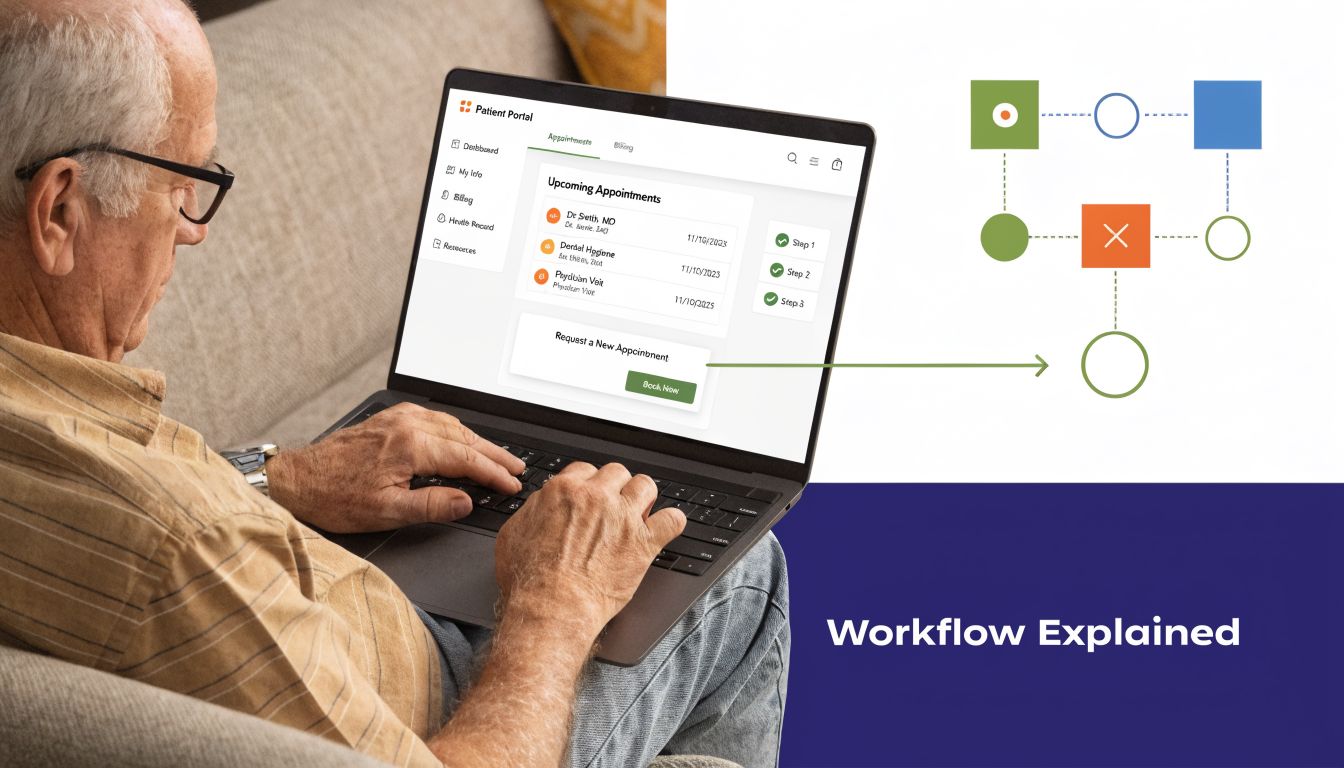
What the patient experiences
For a new patient, the process may start with a call, text, or link before the appointment. For a returning patient, the system should pre-fill what’s already known and ask only what changed. That one design choice matters a lot. Patients are more accurate when they confirm existing information than when they have to recreate everything from scratch.
In a voice workflow, the agent can confirm demographics, ask about insurance, gather symptoms, and collect updates to medications or history. If the patient says something outside the expected path, the system should either ask a clarifying question or route the interaction for review.
The best flows don’t sound like a script read by a machine. They sound like a competent intake coordinator who knows what matters and doesn’t waste the patient’s time.
What happens behind the scenes
On the technical side, a good system takes unstructured answers and converts them into structured, chart-ready data. That means identifying entities like symptoms, allergies, medications, past conditions, and coverage details. It also means deciding what is reliable enough to write directly into the chart and what needs human review.
Large language models prove useful, though with guardrails. According to Infermedica’s intake workflow description, next-generation intake automation combines large language models with context-aware processing to summarize patient responses, flag clinical risks, and deliver actionable guidance such as “Patient reports worsening shortness of breath, schedule pulmonary function test.”
That output is much more useful than a transcript dump. Clinicians don’t need a wall of raw patient language. They need organized signals they can act on.
Why integration makes or breaks the rollout
The hardest part is not the conversation. It’s writing the result into the right place in the EMR without breaking workflow or creating chart noise.
That’s why I push teams to look hard at the integration layer. The system should read what it needs from the EMR, respect the EMR as the system of record, and write back in a structured, traceable way. This is also where practices run into reality with custom templates, specialty workflows, and odd field mappings. If the vendor treats every clinic like the same build, the rollout will stall.
A practical place to assess this is the vendor’s approach to EMR system integration for healthcare AI workflows. You want specifics on field mapping, exception handling, audit trails, and how the system behaves when data is incomplete.
A transcript is not an intake workflow. The workflow starts when the patient speaks and ends only when the chart is usable.
A typical end-to-end flow
Here’s what a working sequence usually looks like:
- Outreach starts before the visit. The patient receives a call or digital prompt to complete intake.
- The system gathers and checks information. It captures demographics, insurance, symptoms, medication updates, and history changes.
- Clinical and admin logic run in the background. The software flags missing fields, risk language, and inconsistencies.
- Structured data moves into the EMR. Clean fields write back directly. Uncertain items go to a queue for staff review.
- The care team starts with context. The provider sees a prepared chart instead of a blank intake screen.
That is the difference between collecting information and operationalizing it.
Calculating the real ROI for your practice
Monday at 8:05 a.m., three patients are waiting, one caller is asking why their insurance was rejected, and your front desk is trying to update medications while answering the phone. That is the ROI conversation in plain terms. If AI intake does not reduce that pressure, clean up what reaches the chart, and prevent avoidable billing rework, it is just another software bill.
Start with labor and admin overhead
The first place I measure value is the front desk. Voice AI and EMR-connected intake can remove a surprising amount of repetitive work, but only if you count the right tasks. Look at call handling, demographic updates, insurance capture, medication reconciliation prompts, missing-field follow-up, and the time staff spend fixing partial intakes before the patient is roomed.
McKinsey estimates that administrative activities in healthcare have substantial automation potential, which is why labor savings show up so quickly when intake is redesigned well (McKinsey on automation in healthcare). That does not mean every minute disappears. In a good rollout, the work shifts from manual entry to exception handling, patient coaching, and higher-value coordination.
Use a simple practice-level model:
- List every intake task your staff performs today
- Mark which steps the AI can complete through voice or digital outreach
- Separate straight-through cases from cases that still need human review
- Estimate minutes saved per visit, then multiply by daily visit volume
- Track where that recovered time goes, phone coverage, eligibility follow-up, prior auth prep, or fewer overtime hours
That last line matters because saved time is not always payroll reduction. In many clinics, the gain shows up as less chaos, fewer same-day bottlenecks, and fewer rushed handoffs between the front desk, MA, and billers.
Count revenue protection, not just labor savings
Practices often undercount the value of getting clean data at the start. Denials tied to eligibility, demographics, authorization status, or subscriber information are expensive because the billing team has to correct work that should never have reached a claim.
The Healthcare Financial Management Association has documented how patient access errors drive a large share of denials and rework in revenue cycle operations (HFMA coverage of patient access and denials). That aligns with what many practice managers see every week. A bad intake creates downstream labor in billing, follow-up delays, and slower cash collection.
If your team collects the same information twice, once at intake and again during denial recovery, the first process failed.
Voice is a critical element. A patient may answer spoken prompts more completely than they fill out a mobile form, especially when medications, recent symptoms, or insurance details are involved. But voice also creates new failure points. Background noise, accent handling, poor prompt design, and weak escalation rules can produce confident-looking errors. ROI goes up when the system writes clean, structured fields into the EMR and routes uncertain responses to staff before they become claim problems.
Think beyond software price
Subscription cost is the easy number. The harder and more useful question is what work disappears, what work becomes faster, and what errors stop reaching the back office.
I have found that finance discussions improve when buyers compare pricing to workflow impact instead of treating software as a flat overhead line. That is why even general SaaS buying frameworks can be helpful, including this post on understanding competitive intelligence pricing. The category is different, but the budgeting discipline is the same. Tie spend to replaced labor, avoided rework, and capacity gained.
A solid ROI review usually fits on one page:
- Current cost per completed intake
- Current denial and rework volume linked to front-end data quality
- Average staff minutes spent per intake, including callbacks and corrections
- Expected exception rate after automation
- Implementation costs, training time, and integration support
- Time to break even under conservative adoption assumptions
Be conservative. Assume some patients will still need staff help. Assume your first workflow will miss edge cases. Assume the human handoff queue will be busier than the sales demo suggested. If the numbers still work under those conditions, the business case is usually real.
Your implementation playbook
Most failed rollouts don’t fail because the idea is wrong. They fail because the practice tries to turn on too much at once, with too little workflow design, and no clear owner for edge cases.
Pick a narrow starting point
Start with one appointment type, one clinic location, or one provider group. Don’t launch across every specialty on day one. A narrow pilot gives you room to catch field-mapping issues, awkward prompts, and handoff errors before they spread.
Good pilot candidates usually have these traits:
- Predictable intake questions. Annual visits, follow-ups, and routine consults are easier than highly variable acute calls.
- A team that wants the change. Enthusiastic staff forgive early friction and give better feedback.
- Clear intake pain. If the current workflow already causes delays, the before-and-after will be easier to see.
- Manageable exceptions. You want enough complexity to test the system, but not so much that every case breaks the first week.
Map the workflow before you turn anything on
This is the step teams skip. They assume the vendor will adapt to the practice automatically. That rarely happens.
Write out the current intake path in plain language. How does a patient enter the system, what information gets collected, who touches it, where does it live, and what happens if something is missing? Then design the future path with the same level of detail.
I’d document at least these handoff points:
- Patient to AI agent
- AI agent to verification logic
- Verification logic to EMR write-back
- Exception queue to staff review
- Staff review to final chart readiness
That map will show you where your real risk sits. In many practices, it isn’t the conversation itself. It’s the point where uncertain information gets accepted too easily or routed too late.
Give every team a stake in the rollout
Admin, clinical staff, and IT should all have input, but for different reasons. Front-desk staff know where patients get confused. Clinicians know what intake details matter before the visit starts. IT knows what the EMR will tolerate.
When we’ve done this well, the project owner wasn’t just the practice administrator. It was a small operating group with one person responsible for daily decisions and others responsible for workflow, chart quality, and technical issues.
The fastest way to lose staff trust is to launch a system that creates new cleanup work and call it progress.
Measure what actually changes
You don’t need an elaborate analytics stack to know if the rollout is working. Track operational signals that staff can feel and managers can verify.
Use a short scorecard:
- Check-in speed
- Chart readiness before the visit
- Volume of manual corrections
- Exception queue size
- Staff sentiment after the first few weeks
I’d also listen to provider complaints very closely. If clinicians say the summaries are noisy, the medication data is unreliable, or the chart feels cluttered, fix that before expanding.
How to choose the right automation partner
The wrong vendor will sell you a polished demo and leave you with a digital intake island that never becomes part of your real workflow. The right vendor will talk less about “AI” and more about data movement, exception handling, and chart usability.

The first filter is integration depth
According to DoctorConnect’s patient intake FAQ, leading platforms support 150+ EHR/PMS integrations because deep integration is what allows practices to reduce check-in time from 15+ minutes to under two minutes while automating data capture, insurance verification, and symptom validation in real time.
That’s the benchmark mindset I’d bring to vendor calls. If a product can’t explain exactly how it reads from and writes to your EHR or PMS, it isn’t an automation platform for your practice. It’s a detached intake tool.
The second filter is how it handles voice and exceptions
Voice AI sounds impressive in demos because straight-line conversations are easy. Real patients are not straight-line conversations. They interrupt themselves, use vague language, forget medication names, and ask side questions.
That’s why I’d ask vendors to show what happens when the input is messy. Ask for examples of unclear medication histories, mixed-language calls, specialty-specific symptom descriptions, and insurance details that don’t match what’s on file.
One option in this category is Simbie AI, which focuses on voice-based healthcare admin workflows and monitored handoffs rather than form-only intake. That matters if a large share of your intake volume still arrives by phone.
The third filter is security and traceability
You need HIPAA compliance, and many buyers also look for implementations that support SOC 2 Type II, ISO 27001, and GDPR claims where relevant to deployment. But security review shouldn’t stop at certifications. Ask how the system logs changes, shows source context, and supports audit review when staff question a charted field.
Vendor evaluation checklist
| Criterion | Why It Matters | Questions to Ask |
|---|---|---|
| EMR write-back | Intake data has to land in usable chart fields, not just a note or transcript | Which fields do you write to directly, and how do you handle custom templates? |
| Voice workflow quality | Many practices still rely on phone intake, so voice can’t be an afterthought | How do you handle interruptions, accents, jargon, and partial answers? |
| Exception handling | Edge cases are where unsafe automation starts | What gets flagged for human review, and how is that queue managed? |
| Security and audit trail | Staff need to trust what was captured and where it came from | Can we see source traces, edit history, and access controls? |
| Rollout support | Intake changes touch operations, not just software | Who helps map workflows, train staff, and tune the prompts after launch? |
The best buying question is still the simplest one. “Show me exactly what happens from patient answer to chart field.”
Avoiding common pitfalls and ensuring quality
The first quality problem usually shows up after go-live, not during the demo. A patient calls with chest tightness, a refill question, and a request to reschedule. The voice agent catches two of the three correctly, writes part of the intake into the EMR, and sends the rest into a generic queue. If no one owns that exception path, the front desk loses time, the nurse has incomplete context, and the patient experiences the practice as disorganized.
That is why intake automation needs active supervision. Voice-based AI is especially sensitive to ambiguity, interruptions, background noise, accent variation, and patients who answer in stories instead of short fields. Deep EMR integration raises the stakes further. Once intake data writes back into chart fields, insurance sections, or task queues, a small classification error can turn into rework across scheduling, billing, and clinical review.
The common failure is not that the AI misses everything. It is that it gets most of the encounter right and mishandles the one detail that changes routing. NetFor’s discussion of AI patient intake notes misrouting in complex edge cases, which lines up with what operational teams see in practice. The fix is a monitored handoff model, not blind trust and not full manual fallback.
Set the handoff rules before launch. Do not wait for staff to invent them under pressure.
A good review workflow gives staff a short exception summary, the source audio or transcript snippet, the fields the system planned to write, and one clear next step. “Review medication dose.” “Confirm symptom urgency.” “Send caller to live scheduling.” That is faster than asking staff to read a full transcript and reconstruct the encounter from scratch.
I look for four controls:
- Confidence-based routing. Low-confidence captures should pause before EMR write-back or enter a review queue with the questionable field highlighted.
- Preserved context in live transfers. If a patient needs a person, the front desk or triage nurse should receive the reason for transfer, what the system already captured, and what still needs confirmation.
- Routine chart audits. Compare a sample of calls and completed intakes against what landed in the EMR. Watch for pattern errors, not just one-off misses.
- Named operational ownership. One person should review exceptions, spot recurring failures, and adjust prompts, routing logic, or field mappings with the vendor.
Security and quality control overlap here. Staff need to see who changed a field, what source content supported it, and whether protected data stayed inside approved systems. A HIPAA-compliant AI setup for healthcare operations should support that level of traceability, not just basic access controls.
The goal is straightforward. Let the AI handle repetitive intake work, then route uncertain cases to a human early enough that the chart, the schedule, and the patient experience stay intact.
If your staff is buried in calls, repeat paperwork, and avoidable intake cleanup, Simbie AI is one option to evaluate for voice-based patient intake, EMR-connected admin workflows, and monitored handoffs that keep a human in the loop where it matters.