
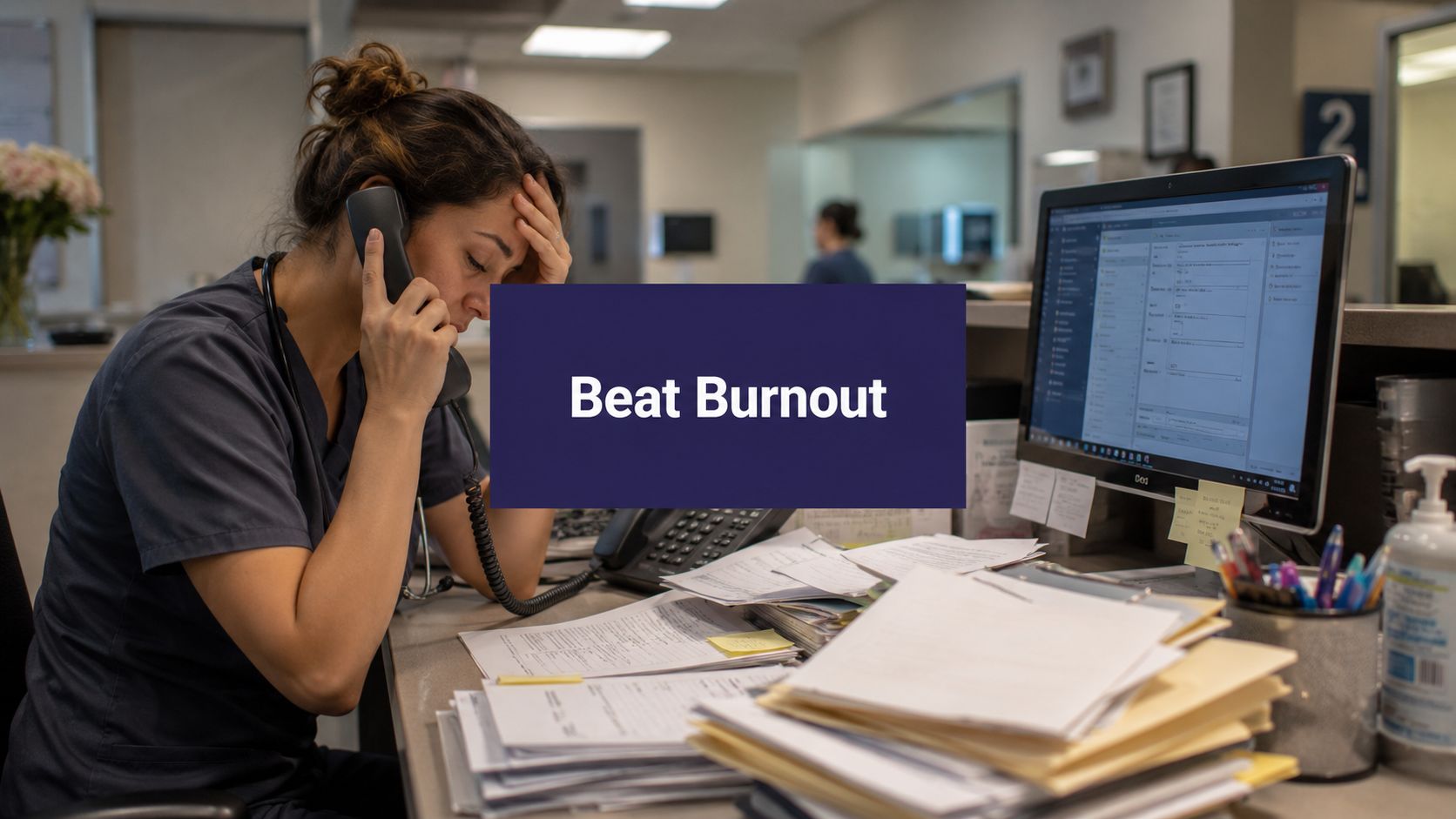
Administrative work is eating clinical capacity long before most practices hit a true medical limit. That's why “healthcare provider challenges” can't be treated as a loose list of industry problems. They show up as missed calls, chart cleanup, refill backlogs, overtime, and staff who spend the day switching between systems instead of helping patients.
The staffing picture makes that reality hard to ignore. In the U.S., about 92 million people live in a primary care Health Professional Shortage Area, and staffing pressure keeps building with a gap of just under 80,000 full-time registered nurses and 41% of nurses saying they intended to leave their jobs within two years, according to HRSA's 2025 workforce brief. If you run a practice, you already know what those numbers feel like on the ground. Every shortage lands as workflow strain somewhere.
What helps is a playbook. Not another article that says healthcare is under pressure. A real operating approach that starts with fixing admin friction, then uses automation where it reduces work.
The six core challenges draining modern practices
A modern practice can look stable on paper and still run in a constant state of operational strain. The schedule is full, clinicians are working, and revenue is still coming in. But underneath that surface, the day is getting chewed up by preventable friction.
That friction usually shows up in six places. Each one hits a different workflow. Together, they drain capacity faster than many leaders expect.

Administrative overload
Administrative overload is not just “too much paperwork.” It is a workflow design problem. Front-desk and support teams are asked to switch constantly between phones, scheduling, registration, prior auth questions, refill requests, portal messages, referrals, and forms. Very little of that work can be completed in one clean pass.
The cost is not only time. It is fragmentation. A registrar starts intake, gets interrupted by a call, returns to the chart, notices missing insurance, sends a message, then gets pulled into a walk-in question. By noon, the team has touched dozens of tasks but finished far fewer than expected.
That is how a full day turns into rework.
Staffing shortages and burnout
Staffing pressure changes how every workflow performs. A practice does not need a formal vacancy crisis to feel it. One medical assistant out, one receptionist in training, one biller covering eligibility, and the whole system slows down.
Burnout follows the work pattern before it shows up in an engagement survey. People stop taking breaks. Charting slips later into the evening. Experienced staff become the default backup for every exception because they know where the workarounds are. Managers then face a hard trade-off. They can protect the schedule in the short term, or they can reduce overload before more people leave.
If the plan for callouts is always extra effort from the same reliable employees, the practice is borrowing capacity from next month.
Regulatory and compliance pressure
Compliance failures rarely begin with a dramatic mistake. They begin with ordinary inconsistency. An outdated consent form at check-in, incomplete documentation, missed directory updates, sloppy diagnosis support, or weak privacy habits around messages can all create downstream exposure.
What makes this challenge hard in real operations is timing. Compliance work is mixed into busy clinical and administrative steps, so staff are expected to get it right while handling interruptions and patient volume. That is why practices that rely on memory usually struggle. Required fields, scripted checkpoints, and clear ownership hold up better than reminders alone.
Revenue cycle friction
Revenue cycle problems often start long before claim submission. I see this repeatedly. Leaders focus on denials, aging A/R, or payer behavior, while the root issue sits at the front end. Bad demographics, missed eligibility checks, weak referral capture, incomplete authorizations, and inconsistent documentation all create downstream fallout.
By the time billing sees the problem, the original error is harder to trace and more expensive to fix. Staff then spend time chasing corrections instead of preventing them. That is a poor trade-off, especially for smaller practices where the same few people are covering intake, authorizations, and payment follow-up.
Patient access and experience
Patients experience operations as care. If they cannot reach the office, wait too long for an appointment, repeat the same information across channels, or leave without clear next steps, trust drops quickly.
Access problems also compound unevenly. Patients with transportation issues, language barriers, limited digital comfort, or complicated coverage feel the breakdown first and hardest. Practices sometimes respond by asking staff to “be more responsive,” but responsiveness without workflow changes usually means more interruptions, not better access.
A better approach is to remove repeat touches. Fewer calls for the same issue. Fewer forms completed twice. Fewer handoffs without ownership.
Data insecurity and poor interoperability
Disconnected systems create hidden labor. Teams re-enter demographics, copy details from faxes into the EHR, check separate portals for labs or payer updates, and track exceptions in spreadsheets because the core systems do not talk to each other well enough. Every manual handoff adds delay and creates another opportunity for an error.
This is not only an IT headache. It affects patient safety, staff time, claim quality, and audit readiness. It also creates a common management mistake. Practices buy another tool to patch the gap, then add one more login and one more process step. In some cases, the fix increases the burden.
These six challenges rarely stay in their lane. Administrative overload feeds burnout. Burnout increases mistakes. Mistakes create compliance exposure and billing delays. Access gets worse, and staff spend even more time recovering. That is why the right response is not a list of disconnected fixes. It is a workflow plan that starts where the burden is highest and removes work in the order it is being created.
Understanding the root causes and their real costs
These problems didn't appear all at once. They built up as healthcare organizations were asked to absorb more complexity with very little slack in labor, budget, or process design.
One signal matters because it ties the operational story together. For the third year in a row, labor was the top-mentioned short-term and long-term concern for healthcare providers, followed by inflationary pressures, payor relationships, and the cost of technology infrastructure in PNC's 2025 provider outlook. That mix tells you this isn't just a recruiting issue. It's an operating model issue.
Why labor pressure spreads into everything else
When labor stays tight for years, managers stop making clean process decisions. They start making survival decisions. They keep weak workflows because nobody has time to redesign them. They delay training because the schedule is already full. They add one more manual step because it feels safer than changing a form or system setting.
That works for a week. It hurts for a year.
Here's the trade-off I see most often. Practices try to protect staff from change, so they avoid workflow redesign. But avoiding redesign usually protects bad work, not people.
The hidden costs are often bigger than the visible ones
Everyone sees overtime, vacancies, and delayed payments. Fewer teams measure the softer but very real costs:
- Turnover drag: Every departure takes local knowledge with it. The replacement may be capable, but they won't know the payer quirks, physician preferences, or scheduling workarounds on day one.
- Productivity loss from interruption: Staff can be present all day and still finish less if they're forced into constant context switching.
- Patient trust erosion: Long hold times, repeated questions, and unclear follow-up don't always show up in a finance report, but they affect retention and reputation.
- Tool fatigue: A new system that adds clicks or duplicate entry can make morale worse even if leadership bought it to help.
The expensive part of a broken workflow usually isn't the task itself. It's the rework, delay, and confusion that spread from it.
Why reactive fixes keep failing
Reactive fixes tend to pile on because each one addresses a symptom. Add another inbox. Create another callback sheet. Ask one experienced employee to catch all exceptions. Those moves can keep the day moving, but they also make the operation more dependent on memory and heroics.
That's why some practices feel busy all the time and still don't feel in control. The work is getting done, but the system isn't getting better.
The cost of healthcare provider challenges is that they push skilled people into low-value tasks. Once that happens, every shortage feels worse than it would in a cleaner workflow.
Practical mitigation workflows you can start today
Before buying new software, fix the work that keeps bouncing around the office. The fastest gains usually come from reducing handoff confusion, making task ownership visible, and removing avoidable variation.
Map the patient journey the way staff actually live it
Don't map the ideal workflow from your policy manual. Map the actual one. Start with a common visit type and walk it from first call through check-in, rooming, visit, checkout, claim submission, and follow-up. Ask staff where they have to leave one system to finish work in another. Ask where they re-enter data. Ask where they wait on someone else.
You'll usually find the same kinds of friction:
- Phone bottlenecks: Calls pile up at predictable times, but coverage doesn't.
- Intake duplication: Patients repeat information on the phone, on paper, and again at the desk.
- Referral confusion: Staff lose time chasing missing documents or authorizations.
- Checkout inconsistency: Follow-up steps depend too much on who is working that shift.
Once you see the actual flow, weak spots become less abstract and easier to fix.
Use short daily huddles with a strict format
A good huddle isn't a motivational speech. It's an operating tool. Keep it brief and practical. Review staffing gaps, high-needs patients, provider schedule changes, prior auth issues, and any work likely to spill into the day.
I prefer a standing huddle with a repeatable order because it lowers noise. People know when their part is coming and what they need to say.
Field note: If your huddle turns into problem-solving for one difficult case, stop it and take that issue offline. The huddle should clear the runway, not trap the team at the gate.
Cross-train for coverage, not perfection
Cross-training fails when managers try to teach every employee every task. That takes too long and often creates anxiety. Train for practical coverage instead. Pick the few workflows that break the day when one person is out. Scheduling. registration. refill routing. referral intake. Teach backup competence in those first.
That gives you breathing room without pretending every role is interchangeable.
Tighten handoffs with simple rules
Small process rules can remove a surprising amount of churn. For example:
- One owner per task: If three people “watch” the same queue, nobody owns it.
- One source of truth: If the spreadsheet and EHR disagree, staff will trust whichever is easier, not whichever is right.
- One escalation path: Staff should know exactly when to solve, when to ask, and who decides.
None of this is glamorous. It works because it lowers decision fatigue. Once the team has a steadier base, then it makes sense to add technology that fits the workflow instead of fighting it.
Using technology to actually reduce the burden
Healthcare teams are right to be skeptical about technology pitches. Plenty of tools promise efficiency and then create another login, another screen, and another queue. Good technology removes work. Bad technology relocates it.
The place to start is the burden created by disconnected data. Healthcare data is often fragmented across EHRs, labs, and claims systems, which creates data-sharing barriers. The root cause is data heterogeneity and record mismatches, which raises the burden on staff who have to manually reconcile information before it can be used for care or analytics, as described in this analysis of interoperability barriers in healthcare data.

What good automation should handle
The best first targets are repetitive tasks with clear rules and high volume. In many practices, that means:
- Scheduling requests with standard visit types and routing rules
- Patient intake where demographics, insurance, and history need structured capture
- Prescription refill requests that follow defined review paths
- Billing and referral questions that consume front-desk time but don't need a clinician first
These workflows tend to create the most interruption, and they're also where consistency matters most.
Why voice tools can work better than another portal push
A lot of patients still call. Some prefer it. Some need it. Some can't use a portal easily, or they call because the portal didn't answer the question. For those cases, voice-based automation can reduce burden without asking patients to change behavior first.
I like voice tools when they do two things well. They collect information in a structured way, and they know when to hand off to a person. If either piece is weak, staff end up cleaning up after the tool.
One example is Simbie AI's approach to healthcare administration automation, which uses voice agents for routine administrative tasks such as scheduling, intake, and refill workflows inside healthcare operations. That kind of setup is useful when it fits the practice's real call patterns and routing rules, not just a generic script.
What doesn't work
Technology usually fails in one of four ways:
- It automates a broken process: The same mistakes happen, just faster.
- It ignores exception handling: The tool manages the easy cases and dumps the messy ones back on staff with less context.
- It captures unstructured data: Staff still have to read notes and translate them into the chart.
- It launches without ownership: Nobody monitors performance, so problems linger until staff stop trusting the tool.
Automation should remove keystrokes, callback loops, and duplicate entry. If it only changes where those tasks happen, it hasn't helped.
The right use of technology is narrow at first. Pick one painful workflow. Get the handoffs right. Make sure the data lands where staff need it. Then expand.
A mini-roadmap for automating patient intake
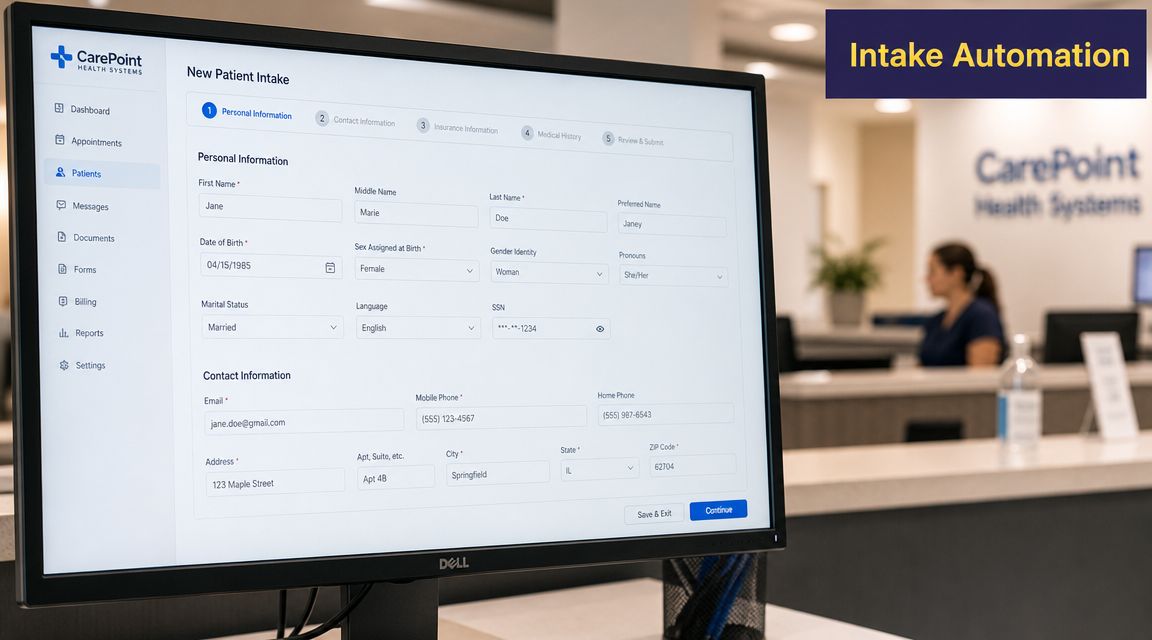
Patient intake is a smart place to start because it affects access, documentation, billing, and staff workload all at once. It's also where bad data first enters the system.
Poor data quality, such as incomplete or inaccurate patient information, creates downstream risk. One analysis found that teams can spend over 100 hours per month on manual data cleanup, while also facing regulatory exposure tied to issues like directory accuracy, which is why structured data capture at the point of entry matters, according to this healthcare data quality analysis.
Phase one, define the job clearly
Don't start with “we want AI.” Start with a narrower operational problem. Maybe new patient calls are getting missed. Maybe registration is incomplete before the visit. Maybe staff spend too much time calling back for insurance details or medical history.
Write down the intake tasks you want automated and the ones you don't. Include edge cases. Workers' comp. language needs. urgent symptoms. referral-required visits. If you skip this step, the tool will look worse than it is because the scope was never clear.
Phase two, connect the workflow to your actual systems
At this stage, many projects get soft. A demo may sound good, but intake only helps if the information lands in the right fields, in the right order, with clear handoffs. You need to know:
- Which fields must be captured every time
- Which data can write back automatically
- Which requests need human review before completion
- Which staff member owns exceptions on go-live week
If you're evaluating tools for this kind of setup, AI patient intake automation options are easiest to compare when you use your own scripts, forms, and scheduling rules during review.
Phase three, train staff before launch
This part gets skipped too often. Teams need to know what the tool is doing, what it is not doing, and how handoff works. If staff think they're being replaced, adoption drops. If they think the tool is perfect, they stop checking important edge cases.
I usually recommend a controlled launch with one visit type or one provider group first. That gives you cleaner feedback and keeps trust intact while the system learns real-world variation.
“The fastest way to lose staff confidence is to launch automation without a clear rescue path.”
Phase four, tune the workflow after real calls
The first version is never the finished version. Listen for repeated failures. Patients using unexpected wording. insurance details that don't map cleanly. scheduling logic that sounds obvious on paper but confuses callers.
The point isn't to chase perfection. It's to reduce predictable burden while keeping staff in control of exceptions. When intake automation works, the front desk spends less time collecting the same facts repeatedly and more time resolving the cases that need judgment.
How to measure improvement with the right KPIs
If you don't measure the operational effects, every workflow change turns into an argument based on anecdotes. Some people will say the new process is helping. Others will say it's slower. The fix is a small dashboard that ties your metrics to the challenge you're trying to reduce.
This doesn't need to be fancy. It needs to be consistent. Pull the same measures at the same cadence, and review them with the managers who own the workflows.
Use a practical dashboard, not a vanity dashboard
A good KPI tells you whether work is getting easier, cleaner, or faster. A weak KPI just tells you activity happened. For example, “number of calls handled” matters less than how many calls were abandoned, how long patients waited, and how much staff time was consumed.
For a stronger benchmark set, I'd compare your local dashboard against the kinds of operational categories covered in medical practice metrics that matter, then narrow the list to the few numbers your team will review every month.
KPIs for tracking improvement
| Core Challenge | KPI to Track | What to Measure |
|---|---|---|
| Administrative overload | Staff time spent on phone calls | Hours staff spend answering, returning, and documenting routine calls |
| Administrative overload | Intake form error rate | Frequency of missing, inconsistent, or corrected intake fields |
| Staffing strain | Staff turnover rate | Departures by role and the operational effect on coverage |
| Staffing strain | Employee pulse feedback | Simple internal check on workload, clarity, and frustration points |
| Compliance pressure | Registration accuracy | Whether required demographic, insurance, and consent data is complete at entry |
| Revenue cycle friction | Front-end denial drivers | Common claim issues traced back to intake, eligibility, or authorization gaps |
| Patient access | Call abandonment rate | How often callers hang up before reaching help |
| Patient access | Time-to-next-available-appointment | How long patients wait for a suitable appointment slot |
| Data quality and interoperability | Manual chart correction volume | How often staff must fix, merge, or reconcile records after intake |
| Data quality and interoperability | Task handoff failure rate | Cases that bounce between teams because information was incomplete or unclear |
How to keep KPI review useful
I'd keep the review simple:
- Look for trend direction, not one bad week: Operations are noisy. Don't overreact to a single spike.
- Pair one metric with one workflow owner: Shared dashboards fail when nobody feels responsible.
- Review exceptions with examples: If error rates rise, inspect a handful of actual cases and find the pattern.
- Stop tracking what you won't act on: Dead metrics waste attention.
Measurement rule: Every KPI should answer one management question. If it doesn't change a decision, cut it.
The point of measurement isn't to prove that change was worth trying. It's to show where the next fix belongs. Start with the metrics closest to daily pain, then use them to decide what to standardize, what to automate, and what to leave in human hands.
If your practice is dealing with missed calls, intake bottlenecks, refill backlogs, or front-desk overload, Simbie AI is one option to evaluate for voice-based healthcare workflow automation. The platform is built for routine administrative tasks such as patient intake, scheduling, and refill workflows, so teams can reduce repetitive phone work and keep structured information moving into the right systems.