
Picture this: a perfect medical scribe who never needs a break, flawlessly understands complex medical jargon, and instantly logs every word into the right patient chart. That's the essence of voice recognition medical software—a tool built to turn spoken language into structured clinical notes in real time, ultimately giving clinicians back their most valuable asset: time.
What Is Voice Recognition Medical Software?
At its core, voice recognition medical software is a smart application that listens to a conversation between a doctor and a patient and converts it into structured, usable text. But this is worlds away from the simple voice-to-text feature on your smartphone. It’s less like a microphone and more like an intelligent clinical assistant who’s always on duty, trained specifically for the complex language of medicine.
This technology runs on a powerful mix of artificial intelligence (AI), machine learning, and specialized algorithms fine-tuned for the healthcare world. The main goal is simple: get the keyboard out of the way so clinicians can focus entirely on their patients. Instead of typing away during a consultation, doctors can speak naturally, letting the software do the heavy lifting of capturing the dialogue with unparalleled precision. This shift is not just about convenience; it's about restoring the human connection at the heart of medicine.
The Technology Behind the Voice
The engine making it all possible is a branch of AI that teaches computers to understand human language in context. To really get it, it helps to understand What is Natural Language Processing, which is the bedrock of how these systems interpret clinical conversations. The software is trained on massive libraries of medical dialogue, textbooks, and terminology, which allows it to:
- Understand Clinical Context: It knows the difference between "write" a prescription and the "right" leg. It can distinguish between a patient describing chest pain and a physician dictating findings of a cardiac exam.
- Recognize Complex Terminology: It can accurately spell out complex terms like "myocardial infarction" or "cholecystectomy" without missing a beat, including brand names for medications and specific anatomical references.
- Adapt to Individual Accents and Cadences: Over time, it learns the unique speech patterns, dialects, and accents of different clinicians for even better accuracy, becoming more personalized with each use.
This ability to understand context is what makes the technology so powerful. It doesn't just hear words; it understands what they mean during a patient visit. For a deeper dive, our guide on voice technology in healthcare explores how these systems are fundamentally changing patient interactions from the ground up.
By picking up on the nuances of a doctor-patient conversation, the software can correctly structure notes, pull out key symptoms, identify diagnoses, and even suggest relevant billing codes—all from the natural back-and-forth of the dialogue.
Ultimately, the entire point is to automate clinical documentation, one of the most draining and time-consuming tasks for any clinician and a leading contributor to burnout. This simple shift frees up hours in the day, cuts down on administrative burden, and lets medical professionals get back to what they trained for: taking care of people.
How This Technology Changes Clinical Workflows
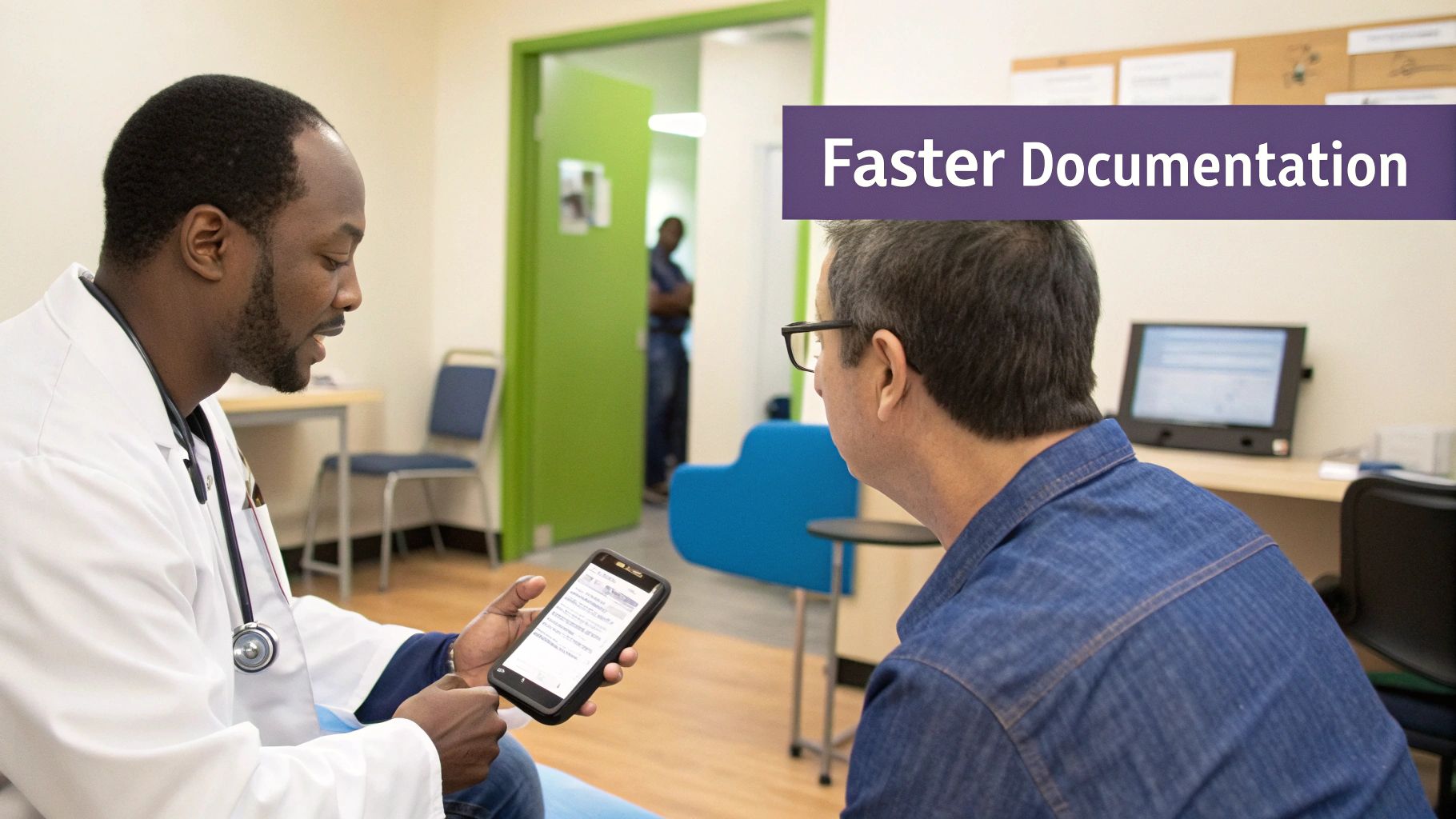
Let's move from theory to practice. Voice recognition medical software isn't just a futuristic idea; it's actively changing the day-to-day rhythm of a clinic. The biggest shift? It untethers doctors from their keyboards and the burden of the EMR. Instead of typing away, they can actually look at and engage with their patients, creating a more natural, focused, and empathetic connection.
Think about how a patient visit usually starts. The moment the conversation begins, the software is already listening—not just recording, but intelligently sorting the dialogue. It knows the difference between a patient's medical history, their chief complaint, the review of systems, and the physical exam findings. It organizes this information on the fly into the appropriate sections of a SOAP note.
This quiet, background work sends a ripple effect through the entire clinical workflow, taking tasks that once ate up hours and making them nearly instant. The administrative drag on a physician's time starts to disappear, giving them back precious minutes for direct patient care, collaboration with colleagues, or even just a moment to breathe.
A Better Way to Handle Patient Intake and Consultations
The old way of checking in a patient involves clipboards, endless forms, and a staff member painstakingly keying everything into a computer, often introducing errors along the way. With voice recognition, this process becomes a simple, guided conversation. A medical assistant or doctor can talk with the patient naturally, and the software populates the electronic health record (EHR) fields as they speak.
During the actual consultation, the magic really happens. The physician can dictate their observations, the patient’s history, and symptoms directly into the chart without breaking the flow of conversation. This ends the awkward, distracting dance of splitting attention between the patient and the computer screen. The result is a more accurate, detailed initial record that sets the stage for the rest of their care, capturing nuances that might be missed with manual typing.
Instead of pausing to type, a doctor can maintain eye contact and listen actively, making the patient feel heard, understood, and valued. This single change can dramatically improve patient satisfaction and the quality of the doctor-patient relationship.
Making Documentation and Orders Effortless
The documentation grind used to start the moment a patient walked out the door, leading to hours of "pajama time" charting at home. Now, with voice recognition, the clinical note is already 80-90% complete before the visit even ends. The physician just needs to give the auto-generated text a quick review, make a few minor tweaks, and sign off. Done.
This newfound efficiency applies to other critical tasks, too. A doctor can use simple voice commands to get things done, turning speech into immediate action:
- Ordering Prescriptions: "Prescribe 500 milligrams of amoxicillin twice daily for ten days and send to CVS on Main Street."
- Creating Referral Letters: "Draft a referral to Dr. Jane Smith in cardiology for a suspected arrhythmia, including the last EKG results."
- Scheduling Follow-ups and Labs: "Schedule a follow-up appointment in two weeks and order a complete blood count."
Each command is instantly turned into an action in the EHR, saving clicks and the frustration of navigating through complex menus. Those saved minutes add up fast over a long clinic day. This move away from manual transcription is why the global medical transcription software market was valued at USD 2.55 billion in 2024 and is expected to hit USD 8.41 billion by 2032—with voice recognition leading the charge. You can dig deeper into this trend by checking out the latest market reports.
Choosing The Right Medical Voice Software
Not all voice recognition tools are created equal, especially when you're talking about a high-stakes clinical setting. Picking the right voice recognition medical software isn’t just about finding a dictation tool; it's about bringing on a new clinical partner that will directly shape your workflow, data security, and even the quality of patient care. A poor choice can lead to frustration, workflow disruptions, and inaccurate records.
Making a smart decision means you have to look past the flashy marketing claims and focus on what truly matters for a medical environment. The best systems are built from the ground up for healthcare, loaded with specialized features that your average consumer-grade software just can't touch. This guide will walk you through what really matters when you're evaluating your options.
Core Features That Are Non-Negotiable
When you start comparing different platforms, there are a few features that are absolutely essential for any medical practice. Think of these as the foundation of any good clinical voice software. If these are missing, the system will probably cause more headaches than it solves, negating any potential benefits.
Here’s what you should be looking for:
- Specialized Medical Vocabulary: The software has to understand the language of your specialty, whether that's cardiology, orthopedics, dermatology, or something else. A generic vocabulary will leave you making constant, frustrating corrections.
- High Accuracy and Adaptation: Look for systems that can prove an accuracy rate of 98% or higher out of the box. Critically, the software should also get smarter over time, using machine learning to adapt to different accents, dialects, and speech patterns for continuous improvement.
- Mobile Accessibility: Doctors and nurses are always on the move. The software needs to work just as well on a smartphone or tablet as it does on a desktop, so you can dictate notes during rounds, in between patient rooms, or even on a house call.
- Ambient Listening Capability: The most advanced solutions operate in "ambient mode," meaning they listen to the natural conversation between a doctor and patient without requiring the doctor to actively dictate. This is the gold standard for a truly seamless experience.
The ultimate goal is to find a system that feels like a natural extension of the clinician. It should understand the unique language of medicine and adapt to the provider, not the other way around.
Before you get too deep into your search, it helps to have a clear picture of what "must-have" features look like. This table breaks down the essentials.
Essential Features of Voice Recognition Medical Software
| Feature | Why It Matters | Example Application |
|---|---|---|
| Medical Specialty Vocabularies | Ensures accurate transcription of complex medical terms without constant manual correction. | An orthopedic surgeon dictates a post-operative note using specific terms like "arthroscopic debridement" and "subacromial decompression," and the software transcribes them perfectly. |
| High-Fidelity Accuracy | Reduces the time spent editing notes and minimizes the risk of critical clinical documentation errors. | A primary care physician dictates a patient encounter with 99% accuracy, capturing nuanced symptoms and diagnoses correctly on the first pass. |
| Real-Time Adaptation | The software learns individual speech patterns and accents, improving its accuracy with every use. | A physician with a distinct regional accent finds the system becomes more accurate and personalized within the first week of use. |
| Seamless EMR Integration | Allows voice-captured data to flow directly into the correct fields in the patient’s chart, eliminating manual data entry. | A nurse uses voice commands to document vital signs directly into the patient's EMR flowsheet without touching a keyboard. |
| HIPAA Compliance & Security | Protects sensitive patient information with robust security measures like encryption, preventing data breaches and legal penalties. | All dictated audio and transcribed text are encrypted both during transmission and while stored on secure, BAA-covered servers. |
| Mobile Device Support | Enables clinicians to document on-the-go using their preferred devices, improving flexibility and timeliness. | A hospitalist dictates notes on their smartphone while walking between patient rooms, then signs off on them from a desktop later. |
Having these features in place is a great start, but there are a couple of other factors that can make or break your implementation.
Integration and Security: The Make-or-Break Factors
A powerful voice tool is completely useless if it can't talk to your other systems or if it puts patient data at risk. Honestly, these two points are probably the most important things to consider when making a final decision.
First, seamless EMR integration is everything. The software has to be able to drop information directly and accurately into the right fields in your Electronic Medical Record. This is what lets you skip the clunky, error-prone process of copying and pasting text all day. To get a better handle on this, you can learn more about how to assess EMR integration and AI voice agent compatibility in our guide. A solution that offers bidirectional integration is even better, allowing it to pull patient data from the EMR to provide context.
Second, the software must have ironclad HIPAA compliance. Any tool that handles Protected Health Information (PHI) needs serious security, like end-to-end data encryption and secure cloud storage. Always ask a vendor for their compliance certifications and a signed Business Associate Agreement (BAA) to make sure you’re protecting patient privacy and steering clear of massive regulatory fines.
As you begin your search, it often helps to look beyond the biggest names by exploring alternatives to prominent dictation solutions like Dragon Dictation Software. Doing this kind of careful evaluation will help you find a tool that truly fits your practice's specific security and workflow needs, ensuring a successful adoption.
Navigating Implementation and Compliance Hurdles
Getting voice recognition medical software up and running is about more than just hitting "install." The real work begins when you start tackling the technical and regulatory knots that are part of any healthcare technology. We're talking about systems that handle incredibly sensitive patient data and have to play nice with the patchwork of software you already use.
One of the first—and often biggest—headaches is getting the new tool to integrate with your practice’s existing Electronic Health Record (EHR) system. This can be especially tricky with older, legacy EHRs that were never designed to connect with modern apps. A clunky or non-existent integration is a dealbreaker; if the systems don't talk, you're just creating another information island for your staff to manage, adding to their workload instead of reducing it.
This is where a solid API (Application Programming Interface) becomes your best friend. Think of an API as a secure translator, letting the voice software and the EHR communicate smoothly and automatically. It’s what ensures dictated notes, lab orders, and patient demographics land exactly where they need to in the patient’s chart, all without a single extra click.
Securing Patient Data: On-Premise vs. The Cloud
The second you start handling Protected Health Information (PHI) with a new tool, data security and HIPAA compliance jump to the top of the list. One of the first big decisions is deciding where your voice data will live.
You really have two main paths to choose from:
- On-Premise Solutions: In this setup, the software and all its data are stored on your own local servers inside your clinic. This gives you complete physical control over your data, which many practices prefer for peace of mind and perceived security. However, it also means your team is responsible for maintenance, updates, and security patches.
- Cloud-Based Solutions: Here, a vendor hosts the software and stores your data on their secure, remote servers (often through platforms like AWS or Google Cloud). This gives you more flexibility, automatic updates, and makes it easier to scale, but it means you need to have total confidence in their security protocols and a signed Business Associate Agreement (BAA) in place.
You can see this debate playing out in the market trends. The EHR speech-recognition market is projected to hit USD 62.9 billion by 2035. Interestingly, on-premise solutions are expected to account for about 58.4% of that revenue in 2025, largely because providers are still cautious about data privacy in the cloud. You can dig into more of these numbers by reviewing industry forecasts on EHR speech-recognition solutions.
Building Your Data Governance Framework
No matter which path you take, you need to create clear, internal rules for data governance. This is basically your playbook for who can access patient data, how it can be used, how it is stored, and how you're going to protect it. Good governance ensures you're not just using the technology effectively but also staying on the right side of regulations and maintaining patient trust.
HIPAA compliance for AI voice agents is not just a technical checklist; it's a fundamental part of building patient trust. Your policies should clearly define security measures, employee training protocols, access controls, and a response plan for any potential data breaches.
Your team needs to know the rules of the road. This includes training on best practices, such as not dictating sensitive information in public spaces and ensuring devices are secure. For a deeper dive into what’s required, you can check out our guide on HIPAA compliance for AI voice agents. When you get these technical and regulatory pieces right, your voice recognition software goes from being just another tool to a secure and indispensable part of your clinical workflow.
Your Playbook for a Smooth Rollout

Bringing new technology into a clinical setting is about more than just flipping a switch. It takes a solid strategy. A successful launch of voice recognition medical software hinges on a clear, step-by-step plan that gets your team ready, proves the tool’s worth, and handles the human element of change. Without that roadmap, even the best software can fall flat, leading to poor adoption and wasted investment.
Your first move is to assemble a project team. This isn't just an IT job; you need a mix of voices at the table—an IT pro to handle the technical side, a clinical champion (like a well-respected physician or nurse) to advocate for the change, and an administrator to manage the budget and timeline. Their first task? Figure out what a "win" actually looks like by setting clear, measurable goals.
These goals need to be about more than just how well the software transcribes. They should hit on real-world outcomes for your practice.
Defining What Success Looks Like
Before you start looking at different vendors, your team has to agree on the key performance indicators (KPIs) that will show the software is actually making a difference. This gets everyone on the same page and gives you a solid way to measure your return on investment (ROI) later on.
Here are a few metrics worth tracking:
- Reduced Documentation Time: How many minutes are clinicians saving per patient visit? Aim for a specific target, like a 50% reduction.
- Faster Chart Closure: What's the new turnaround time from patient visit to a signed-off note? Track this in your EHR.
- Lower Transcription Costs: How much money are you saving each month by cutting back on outside transcription services? This is a direct financial win.
- Clinician Satisfaction: Are your doctors and nurses happier? Use simple surveys to gauge their feelings on ease of use and reduced administrative burnout.
Once you have your goals, it's time for a needs assessment. Map out your current documentation process, pinpoint the biggest headaches and bottlenecks, and talk to your clinicians to find out what they really need. This groundwork is essential for picking a solution that actually solves your problems.
Running a Pilot Program to Kick the Tires
A pilot program is your chance to test-drive the software in a controlled, real-world environment before you commit to a practice-wide deployment. Think of it as a clinical trial for your new tech. This step is crucial for ironing out the wrinkles, getting honest feedback from users, and building some early excitement and buy-in.
A great pilot program does more than just test features. It creates a core group of early adopters who can become advocates for the technology, helping to win over skeptical colleagues when it’s time to go live everywhere.
Your pilot should include a small, eager group of clinicians from a few different specialties to test various use cases. Give them solid training and a clear timeline—say, 30 to 60 days—to use the software for all their documentation. During this time, you'll want to collect both hard data (those KPIs you defined) and anecdotal feedback on how it feels to use, where it excels, and how it fits into their day.
The final—and arguably most important—piece of the puzzle is managing the change. People can be resistant, so you need to communicate the benefits clearly and often: less "pajama time" spent charting, more face-to-face time with patients, and higher-quality, more detailed notes. Offer plenty of training options, create handy cheat sheets for voice commands, and be ready to provide one-on-one help. Listening to concerns and celebrating small victories along the way is the key to getting everyone on board and seeing the software’s true value.
Measuring The True Impact On Your Practice
So, you’ve invested in voice recognition medical software. It’s a big move, but how can you be sure it’s actually paying off? The real proof isn't just about turning spoken words into text; it's about seeing real, measurable improvements in your practice's day-to-day operations, financial stability, and even your team's happiness and well-being.
Tracking success means looking at both the hard numbers (quantitative data) and the human element (qualitative feedback). The quantitative data gives you concrete proof for your return on investment (ROI), which is crucial for showing the value to any stakeholders, from practice partners to hospital administrators.
Key Metrics For Quantifying Success
Here are a few of the most important numbers to keep an eye on:
- Reduced Documentation Time: This is a huge one. Time your clinicians before and after the rollout. Seeing the average time for notes drop from 15 minutes to just 3 minutes per patient is a powerful indicator that you're on the right track.
- Lower Transcription Costs: If you were outsourcing transcription, this is easy math. Add up your monthly savings. Many practices slash these costs by 50-70%, sometimes eliminating them entirely.
- Faster Billing Cycles: How long does it take to get a claim out the door after a patient visit? When charts are finished faster, bills go out sooner, improving cash flow. That’s a direct boost to your revenue cycle.
- Increased Patient Throughput: With less time spent on paperwork, clinicians may be able to see one or two additional patients per day without feeling rushed, directly increasing practice revenue.
Beyond the balance sheet, the most profound impact is often felt in the clinic's culture. The goal is not just to be more efficient but to create a more sustainable and fulfilling work environment for your clinical team.
This is where you start to see the qualitative benefits shine. They might be harder to put a number on, but they're absolutely essential for long-term success. Think about tracking clinician burnout with simple, regular surveys (e.g., using the Maslach Burnout Inventory). A noticeable drop in stress levels or a decrease in "pajama time" (the hours spent catching up on charts at home) is a massive win for retention and morale.
Don't forget to look at patient satisfaction scores, either. When doctors can make eye contact and have a real conversation instead of staring at a screen, patients feel seen and heard. This improved engagement often translates to better reviews and stronger patient loyalty. It's no surprise this technology is catching on—the medical speech recognition market was valued at USD 1.68 billion in 2024 and is expected to hit USD 5.32 billion by 2035. You can dig into more of this data by reviewing the latest market projections.
Got Questions? We’ve Got Answers.
Jumping into any new technology brings up a lot of questions. That’s completely normal. When it’s a tool as important as voice recognition medical software, getting straight answers is the first step to feeling confident and making a smooth transition for your entire team.
Let’s tackle some of the most common questions we hear from doctors, nurses, and practice managers, covering everything from performance and security to daily usability and privacy.
How Accurate Is This Stuff, Really?
Modern medical voice recognition software is remarkably accurate, often hitting over 98% right out of the box. That’s because these systems are trained on massive datasets of real-world clinical conversations and a deep vocabulary of medical terms, acronyms, and drug names.
But the best part? The software gets smarter the more you use it. It leverages machine learning to learn your unique voice, accent, and phrasing, fine-tuning its accuracy every time you dictate. It quickly adapts to your personal style, becoming an even more reliable assistant.
Can It Understand Different Accents and Languages?
Yes, and this is a huge benefit for today's diverse clinical teams. The leading platforms are built to understand a wide variety of regional and international accents, from a fast-talking New Yorker to a clinician for whom English is a second language.
Many also support multiple languages, which is a game-changer in multicultural communities. This feature helps ensure that a language barrier never gets in the way of accurate, high-quality documentation and can even assist in real-time translation during a patient visit.
Is Our Patient Data Actually Secure?
Absolutely. Any reputable vendor in this space builds their software with HIPAA compliance as a non-negotiable foundation. Protecting patient data is the top priority, and security is a core design principle, not an afterthought.
These systems use heavy-duty security measures to keep Protected Health Information (PHI) safe. Think end-to-end encryption for every piece of data (both in transit and at rest), secure cloud hosting with signed Business Associate Agreements (BAAs), and strict user access controls. This locks down dictated notes and patient details, keeping them confidential and compliant.
What’s the Learning Curve Like for My Team?
It’s surprisingly quick. Most clinicians get the hang of basic dictation within just a few hours. The whole point is to make life easier, so the user experience is designed to be intuitive—often just a simple click to start and stop recording or even operating ambiently in the background.
Getting the hang of advanced voice commands to navigate the EMR or build custom templates might take a little more practice, but the core functionality is easy to pick up. Most teams start seeing a real drop in their documentation time and an increase in their confidence with the system within the first week.
Ready to cut administrative overhead by up to 60% and eliminate after-hours charting? Discover how Simbie AI can automate your clinic's administrative tasks, from patient intake to prescription refills, allowing your team to focus on what matters most—patient care.