
If you run a small practice, you already know where the day gets lost. It’s seldom in the exam room. It’s in the phones, the refill requests, the prior auth follow-up, the intake paperwork that still needs to land in the chart, and the front desk team trying to sound calm while five things break at once.
That’s why the conversation around a virtual health assistant for small practices matters now. I’ve worked with clinics that first looked at this as “maybe we need a remote admin.” In practice, the bigger shift comes when the assistant isn’t just a person working offsite. It’s a voice system tied to your EMR, your scheduling rules, your refill workflow, and your escalation process.
That difference changes what the tool can do, what your staff needs to oversee, and whether the rollout helps or creates more work.
What we mean by a virtual health assistant
Most practice owners hear “virtual assistant” and picture a remote human answering calls, working claims, or helping with scheduling. That model can work. I’ve seen it help practices that mainly need extra hands and already have stable workflows.
But that’s not what I mean here.
A modern virtual health assistant for small practices is usually an AI voice agent that answers patient calls, understands why the patient is calling, follows your office rules, and pushes information into the EMR instead of leaving it in a message queue for someone else to clean up later.

Human remote support and AI voice agents are not the same thing
A human VA is still one person handling one interaction at a time. They can be excellent in situations requiring heavy judgment, but they still have limits. They work shifts. They get backlogs. They hand-key data. They need coverage.
An AI voice assistant is closer to an automated front desk layer with rules, memory, and integration. It can answer multiple calls at once, capture structured details during the call, and route the result where it belongs.
That changes the operating model.
| Model | Best for | Main limit |
|---|---|---|
| Human virtual assistant | Exceptions, payer follow-up, nuanced patient conversations | Capacity depends on staffing |
| AI voice assistant | High call volume, repetitive intake, scheduling, refills, routing | Needs careful setup and oversight |
The part most practices miss
Its value isn’t just “AI answers the phone.” Value comes from the system sitting inside the workflow you already run.
That means it can:
- Collect intake data: Symptoms, medication lists, allergies, and basic history before staff picks up the chart
- Handle scheduling rules: New vs returning patient logic, provider templates, visit types, and reschedule rules
- Queue refill requests: So staff reviews a cleaner request instead of deciphering voicemail
- Trigger handoffs: If the call is clinically sensitive, emotionally charged, or outside confidence thresholds
Practical rule: If a vendor can answer calls but can’t write cleanly into your workflow, you’re buying another inbox, not relief.
I also tell managers to separate “AI assistant” from “general office AI.” Tools built for drafting, summarizing, or document help can be useful in admin work. If your team is already testing broader AI assistant solutions like Microsoft AI Copilot, that can be a good parallel track. Just don’t confuse a knowledge or productivity assistant with a patient-facing voice system.
For practices evaluating healthcare-specific options, I usually look first at whether the tool can sit inside intake, scheduling, and charting flows. Here, something like an automated medical assistant becomes a workflow decision, not just a staffing one.
What works and what doesn’t
What works is using AI voice for the repeatable, rules-based parts of your day.
What doesn’t work is asking it to behave like a fully autonomous employee with no boundaries.
I’ve seen clinics get into trouble when they expect the system to handle every patient conversation the same way a seasoned MA or front desk lead would. That’s the wrong test. The right test is simpler. Can it take a large block of repetitive work off your staff, document it correctly, and hand off cleanly when a human should step in? If yes, then it’s doing the job.
Understanding Return on Investment for Your Practice
The easiest mistake in this category is to talk about ROI like it’s only a staffing line item. In a small practice, the return is broader than payroll. It touches call coverage, schedule fill rate, chart prep, staff stress, and provider capacity.
The market is growing because practices are feeling that pressure hard. The healthcare virtual assistants market is projected to reach USD 19.5 billion by 2035, growing at a 30.1% CAGR, according to Research Nester’s healthcare virtual assistants market report. The same source says virtual assistants can reduce administrative overhead by up to 70%, help providers see 20-30% more patients daily without additional hires, and deliver up to 60% cost savings on overhead when AI voice assistants integrate with EMR systems.

Where the return shows up first
In real implementations, the first gains are usually boring. That’s good news.
They tend to show up in places like:
- Phones getting answered: Fewer abandoned calls and less front desk chaos
- Less message cleanup: Staff stops re-listening to voicemail and re-entering obvious details
- Cleaner scheduling flow: Patients get routed into the right appointment types faster
- Less drag on providers: Fewer interruptions for routine refill and admin questions
That’s often enough to justify the project, because small practices don’t have much slack. One broken intake process can spill into rooming delays, billing delays, and an irritated schedule by noon.
The hidden return is staff stability
A lot of owners focus on cost and miss the turnover piece.
If your front desk spends the day juggling ringing phones, late patients, insurance questions, and refill messages, they’re doing triage under pressure. Even when they’re good at it, it wears them down. Taking repetitive phone work off that role changes the job from constant interruption to actual coordination.
The clinics that get the most value aren’t always the ones with the highest call volume. They’re the ones where staff attention is getting shredded by repetitive work.
That matters because replacing a burned-out team member is rarely a clean swap. The knowledge leaves with them. The rest of the team absorbs the mess. Training starts over.
Better capacity without adding headcount
The strongest business case I make to partners is simple. If you can remove enough admin drag, the same staff can support more clinical work.
That doesn’t mean rushing visits or cramming the schedule. It means the practice stops leaking time into avoidable tasks.
For a small office, that can look like:
- A provider getting a fuller schedule because calls are no longer missed
- Fewer appointment slots lost to scheduling friction
- Faster intake before the patient arrives
- Staff staying focused on patients in front of them, not phone overflow
If you’re comparing categories, I’d keep the discussion anchored in operational fit, not marketing language. Here, an AI medical assistant becomes useful as a frame. You’re not buying “AI.” You’re deciding which part of the practice should stop depending on manual phone and message handling.
What weak ROI looks like
I’ve also seen weak rollouts. The pattern is familiar.
The practice buys the tool, but never defines which call types it owns. Staff keeps doing the same work “just in case.” No one sets handoff rules. Leadership expects instant relief, but the system has no real authority inside the workflow.
That setup gives you cost without real change.
Good ROI comes from narrowing scope first, then expanding. Start with a painful workflow that is repetitive, high volume, and easy to measure. Scheduling is often the cleanest start. Refills and intake are next. Prior auth can work too, but only after you’ve nailed routing and oversight.
Key clinical and administrative tasks you can automate
The fastest way to judge a virtual health assistant is to stop thinking in features and start thinking in call types. What lands on your phones and inbox every day, and which of those interactions follow a repeatable path?
That lens makes the technology much easier to evaluate.
A useful benchmark comes from iFive Global’s discussion of virtual health assistants. It notes that virtual health assistants can drive up to 25% improvement in medication adherence through personalized reminders, and that in small practices administrative tasks consume 40-50% of staff time. The same source points to the WHO launch of S.A.R.A.H. in April 2024, a generative AI health promoter available in 8 languages, which shows how far patient-facing health support has moved beyond simple scripts.
Patient intake before the visit
Before automation, intake often looks like this. A patient calls. Staff asks basic questions while another line rings. Some details go into the PM system, some into a note, some into memory. Later, someone still has to fix the chart.
With a voice assistant, the better version is more structured. The system asks the same intake questions every time, captures the data in a set order, and places it where staff can review it before the visit.
That matters because intake quality falls apart when the office is busy.
A good intake flow can gather:
- Reason for visit: Not just “needs appointment,” but enough detail to route correctly
- History basics: Existing conditions, recent symptoms, prior care, and timing
- Medication and allergy details: So the chart starts cleaner
- Insurance and demographic updates: Which staff can verify instead of retyping
Scheduling and rescheduling
This is still the easiest win for most small practices.
Before automation, scheduling calls stack up, patients hit voicemail, and staff squeezes callback work between check-ins. The office loses time and patients lose patience.
After automation, the system can handle the routine path. It checks availability, applies scheduling rules, offers the right visit types, and routes edge cases to a person.
The important detail is rule design. If your templates are messy, the assistant will expose that quickly. That’s not a failure of the tool. It’s a sign your scheduling logic was living in staff memory instead of in a process.
If your front desk says, “Only Maria knows how to book those visits correctly,” fix that before rollout.
Prescription refill requests
Refills create a lot of low-grade friction. Patients call after hours. They leave partial information. Staff has to call back for the pharmacy, the medication name, or the dose. Then the refill request still needs chart review.
A voice assistant can clean up the front half of that work by collecting the request consistently and queuing it for staff review. It won’t replace clinical judgment, and it shouldn’t. It does remove the scavenger hunt.
That’s where medication adherence matters too. Reminder and follow-up workflows can support patients between visits, and that’s one of the few places where patient convenience and practice efficiency point in the same direction.
Prior authorizations and follow-up work
Prior auth is where many practices get ambitious too early. I understand why. It’s painful work.
But prior auth usually works best after the practice has already proven the assistant can gather data correctly and trigger the right handoff. Once that foundation is there, the system can take on the intake side of authorization requests, route documentation steps, and reduce repetitive back-and-forth.
What to automate first and what to leave alone
I use a simple split.
Start with tasks that are high volume, rules-based, and easy to verify. Be careful with tasks that are emotionally sensitive, clinically ambiguous, or likely to change based on a provider’s judgment.
| Good first automations | Keep human-led for now |
|---|---|
| Appointment scheduling | Escalated symptom calls |
| Intake collection | Complex clinical questions |
| Refill request capture | Sensitive complaints |
| Reminder and follow-up outreach | Conversations needing reassurance or negotiation |
That’s also why I don’t advise practices to “automate everything.” The right model is selective automation with reliable handoff.
Making it work with your existing EMR and workflows
Integration anxiety is justified. Most small practices have been burned at least once by software that promised an easy setup and then forced the team into manual workarounds.
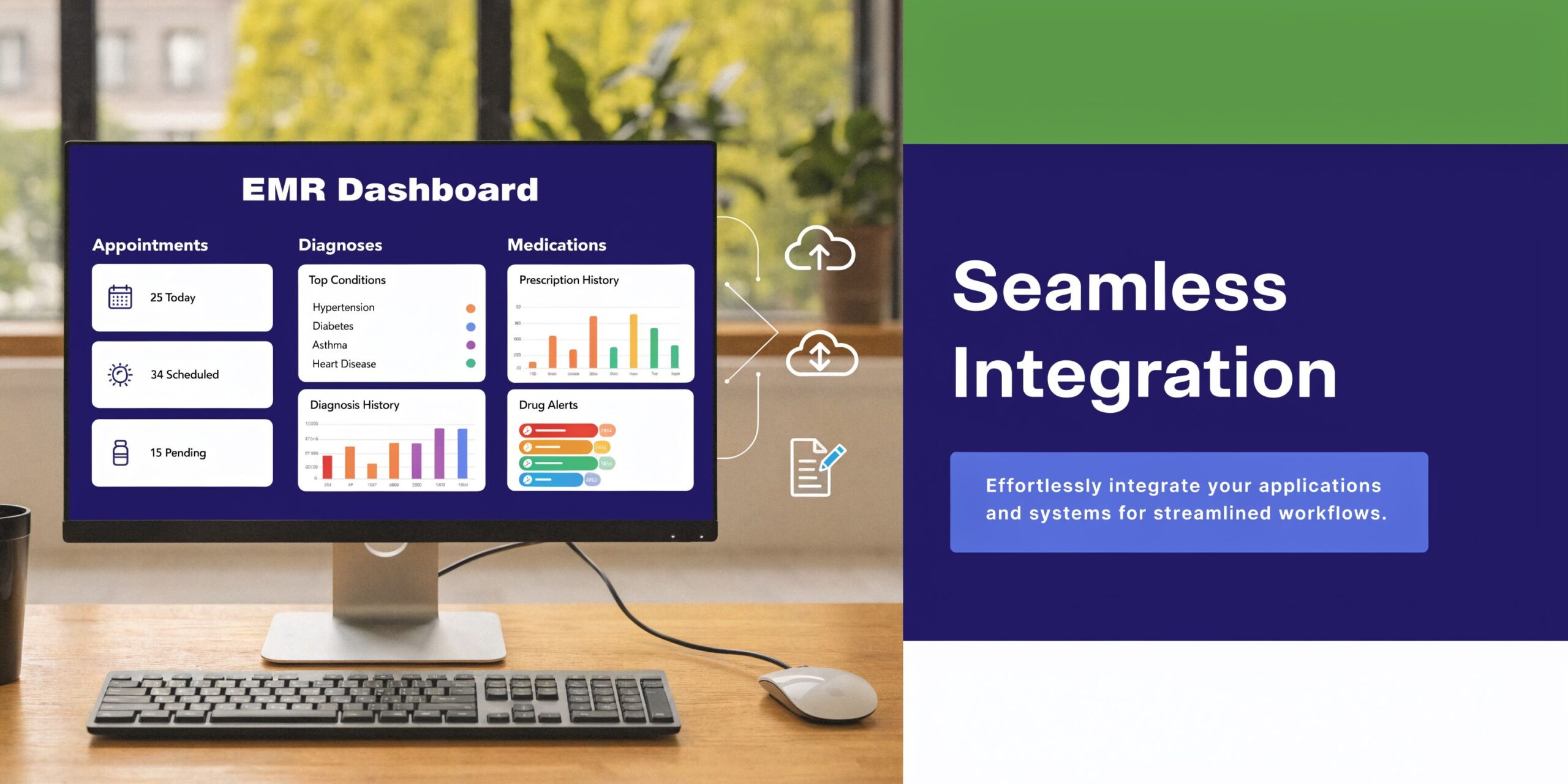
The good news is that the core integration problem is narrower than many managers think. You usually don’t need to rip out your workflow. You need the assistant to read the schedule, write back cleanly, and move information into the right place for review.
What a real integration should do
According to Medical Staff Relief’s guide on virtual assistants for medical billing in small practices, HIPAA-compliant virtual health assistants integrated with major EHR systems like Epic, Athenahealth, and eClinicalWorks can achieve up to 60% reduction in administrative overhead, minimize manual entry errors by 40-50%, and improve claims accuracy to 98% by automating billing and insurance verification.
Those are strong numbers, but the workflow point matters even more to me. The assistant should not dump free-text notes into a black hole. It should capture structured patient data, support direct chart documentation where appropriate, and make human review easy.
The practical integration sequence
In smaller clinics, I don’t start with every workflow at once. I start at the point of heaviest friction.
Usually that’s one of these:
- Inbound phone traffic: Because missed calls and hold times spread pain across the day
- Scheduling logic: Because template confusion creates downstream errors
- Intake documentation: Because manual re-entry wastes staff time
- Billing and eligibility checks: Because dirty front-end data causes claim problems later
If the practice uses Epic, Athenahealth, eClinicalWorks, Kareo, or Nextech, the question isn’t just “does it integrate?” It’s “what gets read, what gets written, and where does a human approve?”
That’s also where broader reading on healthcare interoperability solutions helps. A lot of implementation pain comes from mismatched systems and inconsistent data flow, not from AI itself.
Staff adoption matters as much as the API
A technically connected system can still fail if the office doesn’t trust it.
I’ve seen one common mistake. Leadership introduces the assistant as a replacement for front desk pain, but never tells staff what control they keep. That creates resistance fast.
A better rollout answers four questions early:
- Which call types belong to the assistant?
- When does it hand off to a person?
- Who reviews exceptions?
- What feedback path exists when staff sees a bad outcome?
Don’t ask staff to “trust the system.” Ask them to test a narrow workflow, flag misses, and help tune it.
That turns the rollout from threat to process improvement.
If you want a concrete example of the integration side, a page like integration with EMR is the kind of thing I’d review during vendor evaluation. Not because marketing pages prove implementation quality, but because they reveal whether the vendor understands actual workflow touchpoints.
What usually breaks
Three things tend to break first.
The first is messy scheduling logic. The second is unclear ownership of handoffs. The third is over-customizing too early before the base workflow is stable.
Practices that do well keep the first version boring. One specialty, one call category, one review process. Then they expand.
Security, HIPAA, and staying compliant
Security concerns are not a side issue here. They’re one of the main filters that should decide whether you move forward at all.
I’ve had practice leaders say, “We’ll look at compliance after we see if the tool works.” That’s backwards. In healthcare, the compliance design is part of whether the tool works.
A useful reference point comes from Virtual Medical Assistant’s write-up for small practices. It says virtual health assistants can boost practice efficiency by 30-50%, and that when they’re properly trained on HIPAA protocols, they help practices avoid penalties that can exceed $50,000 per violation. The same source also notes prior authorizations can be secured 3x faster than manual processes on PHI-secure platforms.
What HIPAA-compliant should mean in practice
I don’t treat “HIPAA-compliant” as a marketing phrase. I treat it as a checklist.
At minimum, a vendor should be ready to discuss:
- Business Associate Agreement: If they handle PHI, this isn’t optional
- Access controls: Who can see what, and how permissions are managed
- Data handling rules: What gets stored, for how long, and where
- Auditability: Whether you can review actions, changes, and exceptions
- Handoff safeguards: How the system routes calls that should not stay automated
If the vendor gets vague on any of that, I stop the process.
The harder compliance question is conversation design
Most security talk focuses on servers and storage. That matters. But in real use, I worry just as much about how the assistant behaves during a call.
For example:
- Does it ask only for the information needed for that workflow?
- Does it avoid drifting into unsupported clinical advice?
- Does it route urgent or uncertain situations quickly?
- Can your team review what happened in enough detail to catch patterns?
Those design choices affect compliance as much as infrastructure does.
Good compliance is not just data protection. It’s scope control.
Don’t outsource judgment you still need to own
This particular point can lead small practices into trouble. A vendor says the assistant can handle refill intake, prior auth intake, insurance verification, and patient questions. The practice hears “great, that’s all covered.”
It isn’t.
Your practice still owns policy decisions, escalation thresholds, staff permissions, and oversight. The assistant can follow rules. It cannot decide what your compliance posture should be.
Questions I’d ask every vendor
I’d want direct answers to these:
| Question | Why it matters |
|---|---|
| Do you sign a BAA? | Basic legal and operational requirement |
| What PHI is stored from calls? | Defines your data exposure |
| How are urgent calls escalated? | Patient safety and liability |
| Can we review transcripts or call summaries securely? | Oversight and quality control |
| How do you handle role-based access for staff? | Limits unnecessary exposure |
If a vendor can answer those clearly, that’s a good sign. If they dodge with broad claims about security, move on.
A practical checklist for implementation
A lot of articles stop at “choose a vendor and get started.” That’s where practices get stuck.
The problem isn’t deciding that AI voice sounds useful. The practical problem is getting from interest to a stable, low-drama rollout. That matters even more now because content on this topic still leaves a gap around AI-powered voice agents, despite the pressure on small practices and the 62.8% physician burnout rate in 2024 noted in the AMA-related source referenced in the brief.
Weeks 1 and 2, vetting and workflow selection
Don’t start with a feature demo. Start with your own operational pain.
I ask practices to list the call types and admin tasks that cause the most interruption, delay, or rework. Then we narrow that list to one initial workflow.
Your first-pass checklist:
- Rank top bottlenecks: Scheduling overflow, intake backlog, refill calls, prior auth intake, or after-hours phone coverage
- Choose one workflow first: Pick the one that is repetitive and low ambiguity
- Map the current path: Who answers, what gets asked, where it gets documented, and where it usually breaks
- Define essential requirements: BAA, EMR fit, escalation control, and reporting visibility
Weeks 3 and 4, scoping and handoff design
Much of the work happens here.
You need clear call ownership rules. Not vague ones. Specific ones. Which appointment types can the assistant book? Which refill requests can it capture? Which patient statements trigger immediate transfer or urgent callback?
I also push practices to write down handoff language. If the AI needs to transfer, the transfer should feel planned, not abrupt.
A solid scoping pass includes:
- Allowed actions: What the assistant can complete without staff intervention
- Blocked actions: What always routes to a person
- Exception logic: What happens when a patient is unclear, upset, or medically complex
- Review path: Which team member audits the first batch of interactions
Month 2, pilot with staff in the loop
Do not launch office-wide on day one. Pilot it.
Use a narrow patient group, one location, or one workflow. Let staff listen back to interactions, mark errors, and suggest wording changes. This phase is where confidence gets built.
The pilot is not a formality. It is where you learn whether your written workflow matches reality.
I also recommend naming one operational owner. Not a committee. One person. If no one owns the tuning process, issues linger and trust drops.
Month 3, go live and tune
The go-live phase should still feel controlled.
That means the team should already know what success looks like, what gets reviewed daily at first, and how feedback gets turned into rule changes. If patients are confused by a phrasing choice, fix it. If staff keeps overriding one scheduling branch, rewrite it.
A practical live checklist looks like this:
- Review exceptions daily: Especially in the first stretch
- Track failed handoffs: Those usually point to workflow gaps
- Refine scripts and routing: Based on actual patient language
- Expand only after stability: Don’t pile on a second workflow too early
- Keep human ownership visible: Staff should know they can intervene and improve the process
The clinics that succeed don’t chase a perfect launch. They run a disciplined one.
FAQs from practice managers
The questions that matter most usually show up after the polished demo. They come from the manager thinking about Monday morning, not the executive thinking about strategy. That’s the right instinct.

What happens if the AI can’t understand the patient?
This will happen sometimes. Accents, background noise, bad phone connections, fragmented stories, and emotional callers all make voice intake harder.
The answer is not to pretend the system will understand everyone equally well. The answer is to design the fallback well. The assistant should confirm what it heard, avoid bluffing, and hand off quickly when confidence drops or the caller sounds distressed or confused.
If a vendor talks as if misunderstanding is rare enough to ignore, I’d be skeptical. Good systems aren’t defined by never missing. They’re defined by knowing when to stop and transfer.
How should the handoff to staff work?
A bad handoff feels like the patient has to start over. That’s the main thing to avoid.
A better handoff passes along the captured context so the staff member can pick up where the call left off. The patient should hear a short transition, then talk to a person who already knows the reason for the call, the key details gathered so far, and why the transfer happened.
That means your workflow needs more than a transfer button. It needs data continuity.
Can we tailor the assistant to our practice style?
Yes, and you should. But don’t overdo it at the start.
You want the assistant to reflect your scheduling rules, visit types, refill boundaries, and escalation paths. You may also want the language to fit your patient population. A pediatrics office, psych practice, and multispecialty clinic should not sound identical.
What I wouldn’t do is spend weeks polishing tone before you’ve proven the workflow. First get the logic right. Then refine the phrasing.
Will staff need to babysit it all day?
Not if the implementation is done well. But yes, the system still needs oversight.
In the early phase, staff should review exceptions, listen to edge cases, and tighten rules. Once the workflow settles, the day-to-day burden should drop. The goal is not constant supervision. The goal is controlled automation.
What causes babysitting is weak scoping. If the assistant owns unclear tasks, staff ends up chasing preventable errors.
Is this replacing front desk staff?
In the small practices I’ve worked with, the better use case is not replacement. It’s relief.
The front desk still matters because healthcare isn’t just transactions. Patients get anxious, frustrated, embarrassed, and confused. Human judgment still matters a lot. What changes is that staff spends less time drowning in repetitive phone work and more time handling the interactions that need a person.
What if our EMR is older or our workflows are messy?
That’s common. It doesn’t automatically kill the project.
What it does mean is you should narrow the first rollout and clean up one process at a time. Older systems can still support useful automation if the workflow is tightly defined. Messy workflows are the bigger risk, because the assistant can only follow the logic you give it.
If you’re unsure whether your current intake, scheduling, or refill process is ready, start by documenting it. If your team can’t explain the workflow consistently, the software won’t fix that by itself.
How much control should the practice keep?
A lot.
You should control the boundaries, the escalation rules, the review process, and the pace of expansion. The vendors that earn trust are usually the ones that make those controls obvious rather than hiding them behind “automation.”
That’s the model I trust most in production. Give the system repetitive work. Keep human review where judgment matters. Tighten the loop based on what happens on live calls.
If your practice is buried in phone work, refill requests, intake delays, or prior auth backlog, it’s worth looking at a voice-first option built for healthcare workflows. Simbie AI is one example. It focuses on patient-facing administrative tasks like intake, scheduling, refills, and EMR-connected call handling. The right next step isn’t a broad tech overhaul. It’s a narrow workflow review to see where automation can take real load off your team without creating new risk.