
If you've ever worked in a medical practice, you know the drill. One software for patient charts, another for scheduling, and a completely different one for billing. It's a clumsy, disconnected system that creates more problems than it solves, leading to administrative drag and staff burnout. Modern Medicine, or Mod Med, was built to fix that fundamental problem by creating a unified, intelligent platform that streamlines daily operations.
Think of it as the central nervous system for a clinic. It’s an all-in-one, cloud-based platform that brings a practice's most critical functions—patient records, billing, and scheduling—under a single, cohesive roof. The goal is simple but profound: cut through the administrative clutter that plagues healthcare and let doctors focus on what they were trained to do—care for their patients. This shift is not just about efficiency; it's about restoring the human element to medicine.
What Is Mod Med and How Does It Work?
The real magic of Mod Med lies in its unified ecosystem. Instead of forcing staff to juggle a patchwork of different, often incompatible, applications, it provides one cohesive system where every component talks to everything else. This integrated approach ensures that patient information flows smoothly and securely from the front desk to the exam room to the billing office, eliminating redundant data entry and reducing the risk of costly errors. This seamless integration is critical for any practice aiming for operational excellence.
This isn't just about convenience; it's a fundamental part of the wider digital transformation in healthcare, where smart, user-centric technology is leveraged to make practices more efficient, improve financial performance, and ultimately elevate the standard of patient care. A well-designed system can be a powerful catalyst for positive change.
A Platform Built By Doctors, For Doctors
Here’s what truly makes Mod Med different from many of its competitors: it was designed by physicians, not just for them. This isn't a mere marketing line; it’s baked into the software's DNA and evident in its design philosophy. The workflows, the clinical terminology, and the specialized tools all reflect a deep, intrinsic understanding of what a clinician actually needs during a hectic, demanding day. The entire user interface is built to be intuitive, reducing the number of clicks required for common tasks and making clinical documentation faster and less of a chore.
The platform presents complex patient data in a clean, accessible, and clinically relevant format, which is exactly what you need when time is short and decisions are critical. This doctor-first approach has a direct, tangible impact on the quality of patient care. Recent industry data shows that nearly 60% of patients are on board with their doctors using advanced software if it means more face-to-face time during their appointment. This is a clear signal that patients want efficient systems that don't become a digital barrier between them and their physician.
Mod Med’s core purpose is to place doctors and patients at the center of care through an intelligent, specialty-specific cloud platform.
This guiding principle ensures the technology actually serves the practice's mission, rather than becoming another administrative burden that contributes to staff fatigue and detracts from the patient experience. The platform aims to be an enabler, not an obstacle.
Mod Med Core Platform Components
At its heart, the Mod Med system bundles several crucial functions into one neat, integrated package. This approach eliminates the need for multiple vendors and complex, often fragile, integrations. Here’s a quick look at the main pillars that make up the platform and deliver its value.
Mod Med Core Platform Components
| Component | Primary Function | Key Benefit |
|---|---|---|
| Electronic Health Record (EHR) | Digital charting for patient visits, diagnoses, treatment plans, and medical history. | Faster, more accurate documentation designed with built-in intelligence for specific specialties. |
| Practice Management (PM) | The operational hub for scheduling, patient check-in, insurance verification, and reporting. | A smoother, more automated front-office workflow with fewer administrative headaches and improved efficiency. |
| Revenue Cycle Management (RCM) | Tools and services for medical billing, coding, claims processing, and payment collection. | Optimized billing cycles, reduced claim denials, and improved overall financial performance for the practice. |
By weaving these essential services together, Mod Med helps practices run better on both the clinical and business fronts, creating a virtuous cycle of efficiency and quality. To truly unlock its potential, clinics should focus on electronic health record optimization to ensure every workflow is as lean and effective as possible. After all, the end game is always the same: more time with patients, less time wrestling with software, and a healthier bottom line.
A Look Under the Hood: ModMed’s Core Features
To really get what makes ModMed tick, you have to go beyond the "all-in-one" buzzword and look at the engines driving the platform. The system is built on three core pillars, each one meticulously designed to tackle a different set of headaches that modern medical practices deal with every single day. These aren't just separate tools thrown into a box; they're designed from the ground up to work together in harmony, letting information flow seamlessly from one part of the practice to the next without friction.
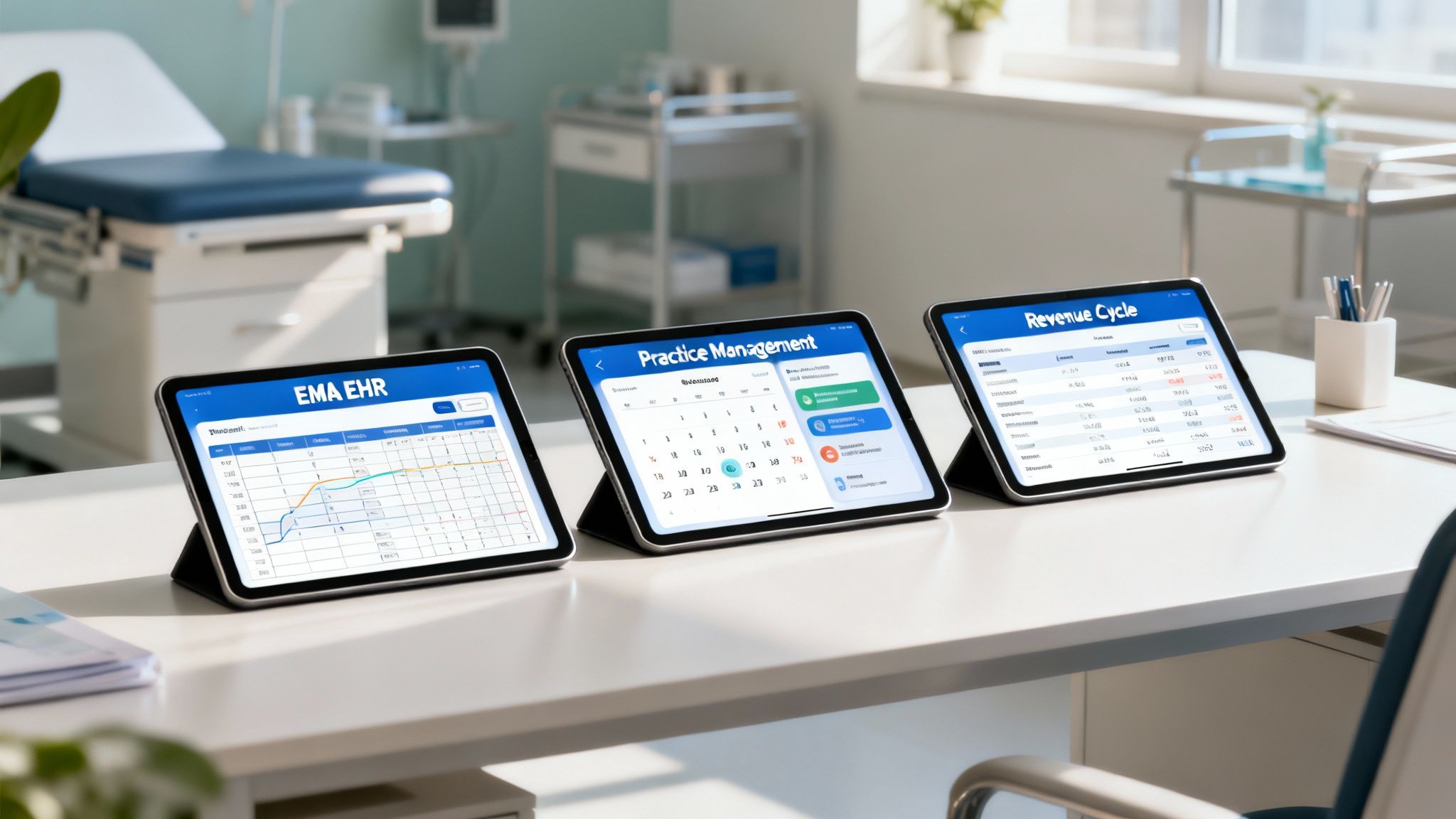
That's the synergy that turns a bunch of features into a real, transformative solution. It's the difference between a collection of tools and a fully integrated system. Let's break down each of these critical components.
The EMA Electronic Health Record
At the very center of the ModMed platform is its Electronic Health Record (EHR), which they call EMA (Electronic Medical Assistant). This is where the platform's unwavering focus on physicians and their unique workflows really comes to life. Instead of a clunky, text-heavy interface that feels like it was designed in the 90s, EMA is built for the modern clinical environment with an intuitive, touch-based system optimized for the iPad.
This wasn't an accident or a gimmick; it was a deliberate design choice. This approach lets doctors document patient visits as they happen, tapping on anatomical diagrams and choosing from pre-populated, specialty-specific options instead of spending hours typing up notes after their last patient has gone home. The goal is to make documentation feel like a natural, integrated part of the clinical workflow, not a separate, time-consuming task.
One of its most talked-about features is its adaptive learning technology. The system actually learns a doctor’s individual preferences, common diagnoses, and go-to treatment plans over time. The more you use it, the smarter it gets, anticipating what you're going to do next and seriously cutting down on documentation time. That’s a huge deal when studies show almost a third of patients say their doctors spend way too much of their short visit staring at a screen instead of engaging with them.
The Practice Management System
The second pillar of the platform is the Practice Management (PM) system, which is basically the command center for the entire clinic's operations. While the EHR is all about the clinical side of the encounter, the PM system handles the administrative and operational grunt work that keeps the practice running smoothly. It’s the engine that keeps the front office from descending into chaos and ensures a positive patient journey from start to finish.
Think of it as the clinic’s air traffic controller. It manages everything from the moment an appointment is booked until the patient walks out the door. The core idea is to automate the repetitive, time-consuming tasks, cut down on human error, and just make the whole experience better for both staff and patients alike.
A few key things the PM system does:
- Intelligent Appointment Scheduling: Fills the calendar efficiently to minimize gaps and avoid dead time, and can handle complex booking rules for different procedures or providers.
- Automated Patient Reminders: Shoots out customized texts or emails to patients to significantly reduce no-shows, which are a major drain on any practice's revenue.
- Streamlined Check-In: Offers digital check-in capabilities to slash patient wait times and get rid of the classic clipboard full of redundant paperwork.
- Insurance Eligibility Verification: Automatically checks a patient’s insurance coverage before they even arrive, preventing those awkward and costly billing conversations later on.
These aren't just nice-to-haves; they're critical components for running an efficient and profitable modern practice. You can learn more about what to look for by checking out the key practice management software features that set successful clinics apart from the competition.
The ultimate measure of a healthcare platform's success is its ability to give clinicians more time for what matters most: direct patient interaction. An integrated system is the foundation for achieving this critical goal.
This focus on smooth, automated operations frees up your administrative team to focus on patients who need real, human help, not just processing paperwork.
Revenue Cycle Management Solutions
Last but certainly not least is the third pillar: Revenue Cycle Management (RCM). This component is all about ensuring the financial health of the practice, which is often the most complicated and frustrating part of the business of medicine. ModMed’s RCM isn't just a billing tool; it's a complete, end-to-end system for managing the entire financial lifecycle of a patient visit, from pre-authorization to final payment.
The RCM system gets to work the second an appointment is scheduled. It helps ensure coding is accurate, claims go out clean the first time, and payments are tracked down efficiently and tenaciously. This helps practices get paid faster and reduces the frustratingly high rate of claim denials that can sink a clinic's cash flow. It’s no surprise that a recent survey found that 57% of patients are in favor of any technology that can simplify and speed up the often-confusing claims and billing process.
As you explore what ModMed can do for your practice's finances, it’s also important to remember how it secures all this sensitive data. For a deeper dive on crucial security standards in healthcare, this essential guide to HIPAA-compliant email encryption is a great resource. By tying billing directly to the clinical information captured in the EHR, ModMed slashes the coding errors that inevitably happen when staff have to re-enter data into separate, disconnected systems. It creates a straight, clean line from patient care to payment, keeping the practice on solid financial ground and allowing it to thrive.
Which Medical Specialties Benefit Most from ModMed?
Not all medical software is created equal, and this is where the market has seen significant evolution. While plenty of platforms attempt to be a one-size-fits-all solution for any type of practice, ModMed has built its entire reputation and product strategy on deep, meaningful specialization. Its real power isn't just that it’s an all-in-one system, but that it's an all-in-one system designed from the ground up for the unique, complex demands of specific medical fields.
This focused, specialist-first approach is a game-changer for practices that have grown tired of fighting with generic software that doesn't understand their world. Think of a general EHR as a Swiss Army knife—it has a lot of tools, but none of them are perfect for a highly specialized job. A specialty-specific platform like ModMed, on the other hand, is like a surgeon’s scalpel: precisely designed, perfectly weighted, and engineered for a single, critical purpose.
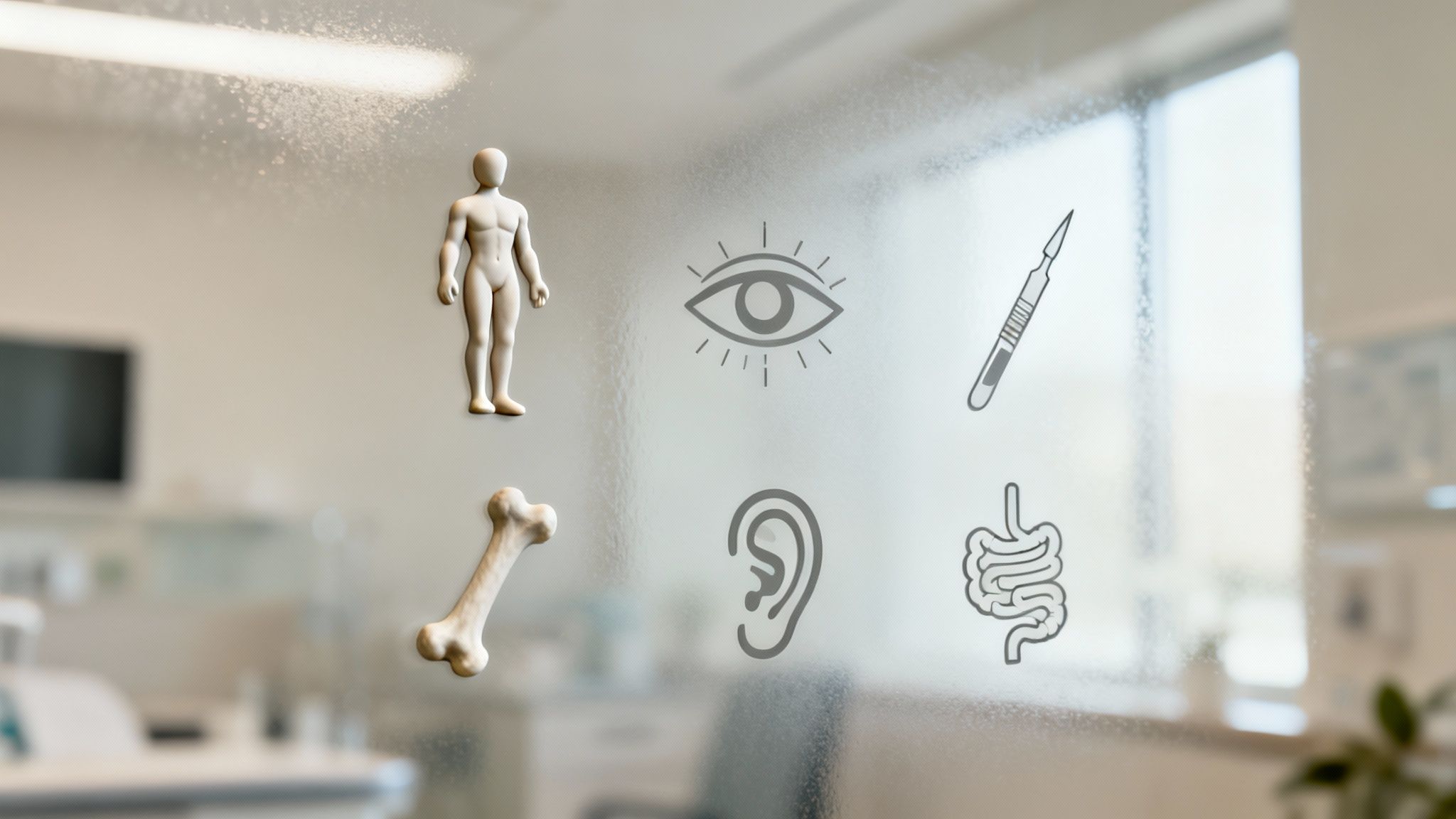
This kind of targeted design means the software already speaks the doctor’s language right out of the box. It comes pre-loaded with the specific workflows, clinical terminology, and billing codes that are an integral part of their daily reality. The result of this built-in intelligence is faster, more efficient documentation, fewer frustrating clicks, and more accurate, detailed patient records.
Tailored Tools for Complex Fields
ModMed strategically zeroes in on high-touch, visually-oriented specialties where generic, form-based systems often fall flat and create friction. The platform provides built-in tools that make clinical documentation feel intuitive and seamless, not clunky and obstructive. This unwavering dedication to specific fields is what really sets the ModMed experience apart and drives its high user satisfaction rates.
Here are the key specialties where the platform truly shines and delivers exceptional value:
- Dermatology: Clinicians get interactive 3D body maps for tracking lesions and moles, tools for documenting biopsies with incredible precision, and automated coding suggestions for common dermatological procedures.
- Ophthalmology: The system integrates directly with a wide range of ophthalmic devices, pulling diagnostic data right into the patient's chart, eliminating manual entry. It also includes built-in eye diagrams and specialized drawing tools for documenting exams with clarity.
- Plastic Surgery: ModMed provides specialized tools for managing cosmetic consultations, creating visual treatment plans with before-and-after photo management, and handling the unique billing complexities of both aesthetic and reconstructive procedures.
- Orthopedics: You'll find features like detailed anatomical diagrams for marking injuries and surgical plans, integrated physical therapy protocols, and specific workflows for documenting surgical plans and post-operative care pathways.
- Gastroenterology: The software helps manage chronic conditions with specialized charting templates and includes tools for efficiently documenting colonoscopies and other endoscopic procedures, complete with image capture.
- Otolaryngology (ENT): It comes with specific, pre-built templates for head and neck exams, audiology data integration capabilities, and anatomical diagrams for documenting sinus or laryngeal issues.
By focusing on these specialties, ModMed ensures its features aren't just superficial add-ons but are core, indispensable components of the clinical workflow, making the technology feel like a natural extension of the physician's expertise.
This kind of deep specialization has a massive impact on day-to-day efficiency and provider satisfaction. A dermatologist doesn't have to wade through irrelevant obstetrics fields, and an orthopedist isn’t slowed down by ophthalmology templates they'll never use. Every single screen is relevant, purposeful, and designed to save time.
The Impact of Purpose-Built Technology
The benefits of this specialized approach go way beyond simple convenience or a slick user interface. It directly tackles the pervasive problem of physician burnout by slashing the administrative burden that comes with clunky, ill-fitting software. When a system is actually designed for your workflow, you spend less time fighting with it and more time focused on your patients, which is the reason most doctors went into medicine in the first place.
This evolution in medical software mirrors other great leaps forward in the history of healthcare. Just as the discovery of penicillin transformed the treatment of bacterial infections, purpose-built technology is fundamentally changing how medical practices operate. The impact of penicillin was staggering, helping to reduce the U.S. death rate from bacterial pneumonia from about 30% in the 1930s to less than 5% just two decades later. You can discover more insights about medical advancements at Medical News Today.
Similarly, while it's not a miracle drug, a well-designed, specialty-specific EHR can dramatically improve a clinic's operational and financial health by preventing documentation errors, improving billing accuracy, and giving doctors back their most valuable asset: their time. The core idea is the same: using a powerful, targeted tool to solve a specific, pressing problem. For practices in its supported specialties, ModMed offers a solution that understands their world from day one.
Understanding ModMed Pricing and Implementation
Bringing a new healthcare platform into your practice is a significant decision, not just in terms of the financial cost but also for the impact it will have on your day-to-day operations and team morale. Before you make a move, you need a clear, comprehensive picture of the investment required and what the transition will actually look like for your staff. ModMed ditches the old-school, capital-intensive model of a massive, one-time software purchase for a more modern, flexible Software-as-a-Service (SaaS) approach.
Think of it like a subscription for your clinic's core technology stack. Instead of a huge upfront capital expense that can strain your budget, you pay a predictable monthly fee. This model makes budgeting a whole lot simpler and removes the steep financial hurdle that once kept advanced, integrated systems out of reach for many independent practices. The fee is typically based on the number of providers on your team and the specific services you choose.
Decoding the SaaS Subscription Model
So, what does that monthly subscription fee actually cover, and what factors influence the final price? There’s no single price tag; the cost is scaled and customized to fit what your practice really needs, ensuring you don't pay for features you won't use. Knowing the variables that go into the final number will help you understand your potential investment and evaluate the return on that investment.
Here are the main factors that shape your ModMed pricing:
- Number of Providers: The foundation of the cost is typically based on how many physicians, Physician Assistants (PAs), Nurse Practitioners (NPs), and other licensed providers will be using the system to document and bill for patient encounters.
- Solutions Selected: The price changes based on the modules you choose. You might only need the EHR, or you could bundle it with the Practice Management (PM) system and their full-service Revenue Cycle Management (RCM) offerings for a complete, all-in-one solution.
- Practice Size and Complexity: The total number of staff you have, the number of locations, and the intricacy of your daily operations can also influence the final quote, as these factors impact the scope of training and support required.
- Support and Training Tiers: ModMed typically offers different levels of ongoing support and initial training packages, allowing you to pick the one that best fits your team's tech-savviness, budget, and long-term needs.
A SaaS model turns a large, unpredictable capital expense into a manageable, recurring operational cost. This strategic shift gives practices access to powerful, enterprise-grade technology without having to drain their cash reserves on a single, massive purchase.
This flexible, scalable approach means that both a small, single-provider clinic and a large multi-specialty group can find a configuration that makes sound financial sense. The key is to work directly with their team to get a custom quote built around your practice's specific footprint and strategic goals.
Mapping the Implementation Journey
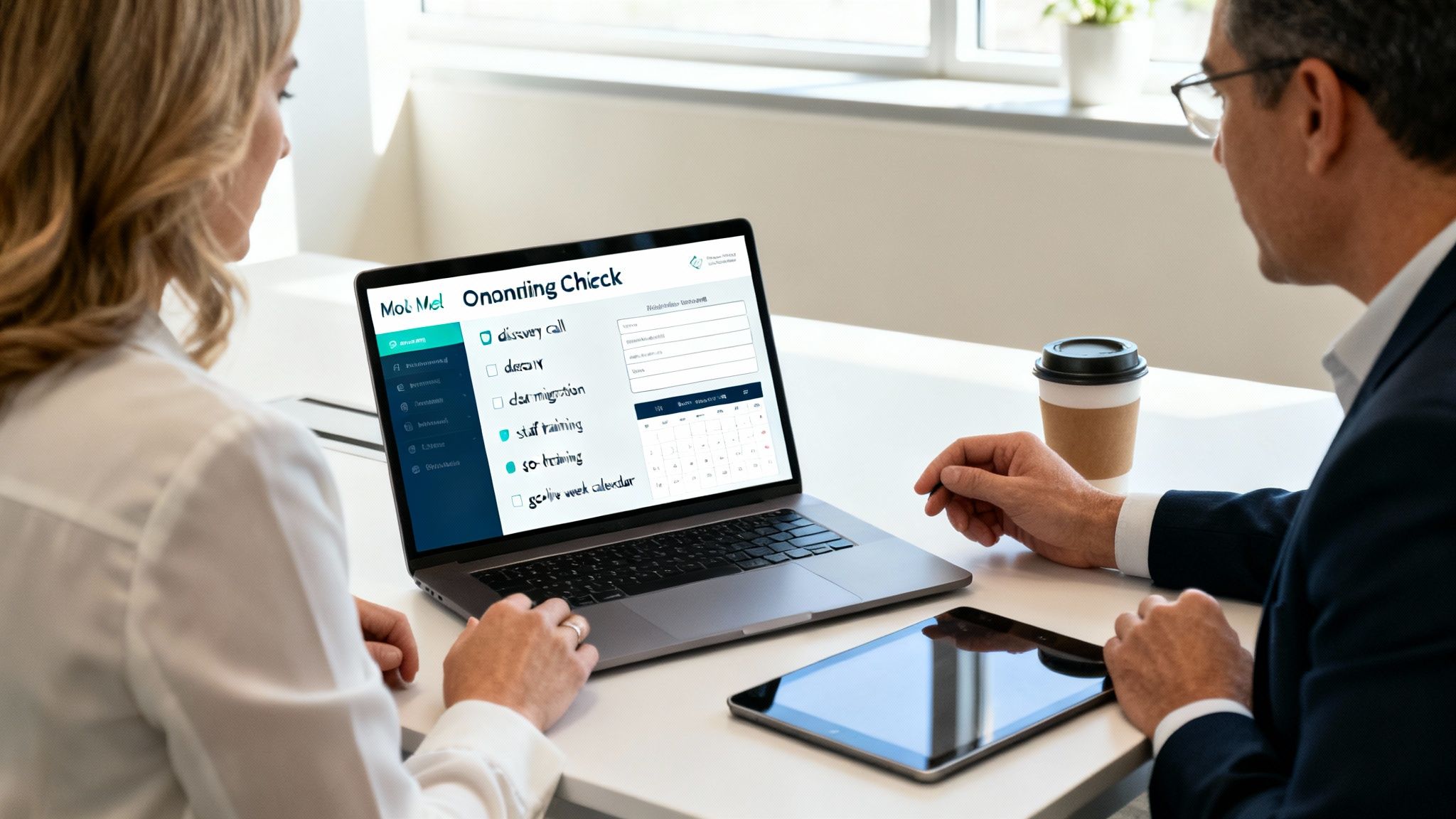
Let's be honest: switching the core software that runs your entire practice is a major project that should not be underestimated. It demands careful, detailed planning and a commitment from your entire team. The ModMed implementation process is a structured, step-by-step journey designed to get your practice moved over smoothly, with as little disruption to patient care as possible, and to help your team get comfortable and proficient with the new tools quickly. It’s a true partnership from day one.
The rollout usually follows a few key, well-defined phases:
- Discovery and Planning: It all starts with a deep dive into your current workflows—what works, what doesn't, and what you hope to achieve with the new system. The ModMed implementation team collaborates with your key stakeholders to build a detailed project plan that’s tailored to your clinic's specific needs.
- Data Migration: This is arguably the most critical and delicate step. All of your existing patient demographics, and often historical clinical data, are carefully extracted from your old system and securely mapped and loaded into your new ModMed environment.
- System Configuration: Here, the platform is customized for your specialty and unique workflow preferences. This includes setting up provider preferences, building out scheduling templates, customizing forms, and dialing in your specific billing rules and fee schedules.
- Team Training: Your entire staff gets comprehensive, role-based training, from the front desk team to the clinicians and billers. This is usually a blended approach, combining online learning modules with live, hands-on sessions to ensure everyone is confident.
- Go-Live and Support: When it’s time to flip the switch, a dedicated support specialist is typically on-site (or virtually present) during that first critical "go-live" week. They’re there to provide instant help, squash any bugs, answer questions, and ensure a smooth transition for both your team and your patients.
How Does ModMed Stack Up Against the Competition?
Choosing an EHR platform is a monumental decision for any medical practice. It’s not just about buying software; it’s about finding a technology partner whose system fits the very pulse and rhythm of your practice. To figure out if ModMed is the right choice, you have to see how it compares to the other big names and established players in the healthcare technology landscape.
This isn’t about finding a single “best” system that works for everyone, because such a thing doesn't exist. It’s about asking the right strategic questions. Is this platform built for a small, independent specialty clinic or a massive, multi-state hospital system? Is the user interface designed for speed and simplicity, or is it a complex powerhouse that requires extensive training? The answers will tell you which solution truly fits your practice's unique DNA.
ModMed vs. Epic Systems
Let’s start with the elephant in the room: Epic. The difference here is night and day, and it's a crucial distinction to understand. Think of Epic as an aircraft carrier—it's a massive, incredibly powerful, and comprehensive system built to run entire hospital networks and sprawling academic health systems. Its whole purpose is enterprise-level connectivity and interoperability, tying dozens of departments and facilities together under one unified digital roof.
Epic’s greatest strength is its sheer scale and breadth. But for a private specialty practice, that’s also its biggest weakness. The system is notoriously complex and resource-intensive. It often requires a dedicated, in-house IT team just to manage and maintain it, and a significant, lengthy training period for staff to become proficient.
ModMed’s approach couldn't be more different, focusing on depth over breadth.
- Who It's For: ModMed is a surgeon's scalpel, meticulously designed for a specific job in a specialty setting. Epic is the hospital's command center, built to do a little bit of everything across the entire care continuum.
- The User Experience: ModMed is all about its intuitive, iPad-first interface that minimizes clicks and streamlines clinical workflows. Epic is dense and feature-packed—incredibly powerful for power users, but often overwhelming for the average clinician.
- Getting Started: A ModMed rollout is a structured, hands-on process tailored for private practices. An Epic implementation is a multi-year, multi-million-dollar undertaking for a large healthcare institution.
For a dermatology or ophthalmology clinic, choosing Epic would be like using a sledgehammer to hang a picture. It’s complete overkill, financially impractical, and simply not the right tool for the job.
The real difference is one of philosophy. ModMed is built for depth and excellence within a specialty. Epic is built for breadth and connectivity across an entire healthcare enterprise. Knowing the scale and focus of your own practice is the first step toward making the right choice.
ModMed vs. athenahealth
A more direct and relevant comparison for many practices is with athenahealth. Both are modern, cloud-based platforms that offer an all-in-one package for private practices, bundling the EHR with practice management and billing services. But when you look closer at their target markets and product design, you see they’re designed with different end-users in mind.
athenahealth is well-regarded for its network-driven insights and its very strong, tech-enabled revenue cycle management (RCM) services. It casts a much wider net than ModMed, serving a broad range of specialties, including the large primary care and family medicine market that ModMed deliberately avoids. This makes it a solid, versatile choice for multi-specialty groups or general practices that need a robust, all-purpose platform.
The tradeoff, however, is often felt in the day-to-day clinical user experience. While athenahealth is perfectly functional and powerful, it doesn't have that deep, tailored, "built-for-me" feel for visually-driven fields like plastic surgery or orthopedics. ModMed’s specialty-specific workflows, with their built-in anatomical charts, device integrations, and intelligent automation, just feel more natural and purpose-built for its target doctors.
If you’re running a small independent clinic, you might want to look at a broader list of the best EHR systems available to see what features matter most in that specific context.
ModMed vs. Kareo
For smaller, independent practices, Kareo (which is now part of the larger Tebra platform) is a very familiar and respected name. Kareo made its mark by being an affordable, easy-to-use, and highly flexible option for small clinics that don't necessarily need—or want—a single, monolithic system from one vendor.
The comparison here really comes down to scope and integration philosophy. Kareo often feels more like a menu, where a practice can pick and choose different modules (like billing, scheduling, or marketing) and even integrate them with a third-party EHR if they choose. ModMed, on the other hand, is a true all-in-one suite. Everything is built by one company to work together seamlessly from day one, with no complex integrations to manage.
That integrated, single-vendor design gets rid of the technical headaches and finger-pointing that can pop up when you're trying to stitch different systems together. For a practice that just wants a single point of contact and a platform where the EHR, practice management, and billing are perfectly in sync and share the same data model, ModMed makes a very strong argument. The choice really boils down to whether you prefer the à la carte flexibility of a modular, mix-and-match system or the clean, cohesive efficiency of a fully unified platform.
Weighing the Pros and Cons of ModMed
No software platform is a silver bullet, and ModMed is no different. It’s a fantastic, transformative tool for the right kind of practice, but it's not the perfect fit for everyone. To figure out if it makes sense for your specific practice, you have to take a clear-eyed look at both its undeniable strengths and its potential downsides or limitations.
Getting a clear picture of these tradeoffs is the only way to know if ModMed's focused approach lines up with how your clinic works, what you can afford from a budget perspective, and where you want to go in the future. Let’s break down the key considerations.
Where ModMed Really Shines
The biggest win for ModMed, and what its users consistently rave about, is its specialty-specific design. This isn't a generic, one-size-fits-all EHR that you have to bend, break, and customize extensively to fit your needs. It was built from the ground up by specialists for specialties like dermatology, ophthalmology, and orthopedics. That means the clinical workflows, the charting templates, and even the language used in the system feel right and intuitive from day one, which saves a massive amount of time on setup and reduces daily administrative headaches for your providers and staff.
Another huge plus that contributes to high adoption rates is the intuitive, iPad-native interface. Doctors genuinely love it. The touch-first, visual design makes charting and documentation quick, efficient, and natural, often letting them finish notes right in the exam room with the patient. This kind of thoughtful, user-centric design goes a long way toward getting physicians to actually use and embrace the software, which helps cut down on the physician burnout that comes from fighting with clunky, outdated systems.
Finally, having everything in an all-in-one integrated ecosystem is a true game-changer for practice efficiency.
- Everything in One Place: With the EHR, practice management, and billing tools all living under the same roof and built on the same database, you get rid of the clunky, error-prone bridges between different systems from different companies.
- Smooth Information Flow: Data moves cleanly and automatically from the moment a patient checks in, through the clinical exam, and all the way to billing and collections. This means fewer data entry errors and a faster, healthier revenue cycle.
- One Throat to Choke: When something goes wrong or you need support, you have a single, accountable support team to call. No more frustrating finger-pointing between different software vendors.
This all-in-one setup makes the entire practice run more smoothly, reduces operational friction, and helps keep the financials on solid ground.
The real magic of a good specialty-specific platform is that the technology just fades into the background. It lets doctors be doctors, focusing on the patient in front of them instead of the screen.
Potential Downsides to Keep in Mind
Now for the other side of the coin. The most common hurdle for many practices considering ModMed is the subscription cost. ModMed is a premium, highly specialized tool, and its price tag reflects the significant R&D and specialized knowledge built into the platform. It can definitely be more expensive than some of the more generic or modular EHRs out there. While many users will tell you the efficiency boost and improved collections provide a strong ROI, it’s a significant line item on the annual budget that needs a hard, careful look.
Also, the very thing that makes ModMed great for its target users—its focused, structured design—can feel a bit rigid if you require heavy, non-standard customization. The system is built to work beautifully for its target specialties using its own proven, best-practice workflows. If your clinic has a truly unique or non-standard way of doing things that falls far outside the norm, you might find it less flexible than a more modular or open-source system.
Lastly, its greatest strength is also its biggest limitation: specialization. The platform is not built for primary care or dozens of other medical fields. If your practice falls outside of its core list of supported specialties, ModMed simply isn't an option for you. They’ve made a deliberate strategic choice to be the best for a select group of specialists, which by definition means they can’t be everything to everyone.
Got Questions About ModMed? We’ve Got Answers.
When you're seriously thinking about switching to a new core system like ModMed, a lot of practical, real-world questions inevitably come up. It's a big move, and you need clarity before you commit. Let's tackle some of the most common ones that practice managers, physicians, and IT staff ask during the evaluation process.
Is ModMed a Certified EHR?
Yes, it absolutely is. ModMed's EMA (Electronic Medical Assistant) platform is a fully ONC-ATCB certified Electronic Health Record. Think of this certification as a seal of approval from the U.S. government's Office of the National Coordinator for Health Information Technology. It confirms that the platform meets high, stringent standards for security, functionality, and its ability to talk to other certified systems (interoperability).
For your practice, this isn't just a technical detail. It's your assurance that the system is compliant with federal regulations like the 21st Century Cures Act, is eligible for participation in certain value-based care incentive programs, and is built to safely and securely share patient information with other providers and healthcare entities.
Certification is more than a checkbox; it’s a fundamental guarantee that the system is built to protect patient data, support coordinated care, and meet national healthcare IT standards. It gives you confidence in your daily operations and compliance posture.
How Does ModMed Keep Our Data Secure?
Security, especially HIPAA compliance, is not an afterthought; it is baked right into the core architecture of the platform. ModMed is a cloud-based system, which means your sensitive protected health information (PHI) isn't sitting on a vulnerable server in a back-office closet. Instead, it's housed in highly secure, redundant data centers with multiple layers of physical and digital protection, including advanced firewalls, intrusion detection systems, and 24/7 monitoring.
Every piece of information is locked down with end-to-end encryption, both when it's in transit (being sent) and at rest (just stored). The system also gives you granular control with features like role-based access—so only the right staff members can see the right information—and detailed audit logs to track who did what and when. It’s all designed to make demonstrating and maintaining HIPAA compliance as straightforward as possible.
Does ModMed Play Well With Other Tools?
Absolutely. While ModMed offers a powerful all-in-one experience, it doesn't operate in a silo. It's built on a modern architecture that's designed to connect with the other essential tools and services your practice relies on every day through what's known as an Application Programming Interface, or API. This allows for secure, automated data exchange between different systems.
This means you can easily set up and maintain connections with:
- Laboratories: Get patient lab results sent directly and discreetly into their chart automatically. No more manual data entry or misplaced faxes.
- Pharmacies: E-prescribe medications and manage refills electronically, which significantly cuts down on errors, phone calls, and administrative work for your staff.
- Imaging Centers: Pull in patient scans, X-rays, and diagnostic reports without having to manually chase them down, making them instantly available within the patient's record.
This kind of robust connectivity ensures ModMed can serve as the central nervous system for your practice's entire technology ecosystem, keeping everything linked up for smoother, safer, and more efficient patient care.
Ready to see how intelligent automation can transform your practice? Simbie AI offers clinically-trained voice agents that handle patient intake, scheduling, and more, freeing up your staff to focus on what matters most. Discover a smarter way to manage your clinic.