
A mammogram screening reminder service matters because missed callbacks don't stay missed for long, they turn into empty slots, extra rescheduling work, and patients who assume someone else was watching the calendar. In independent practices, that usually lands on the front desk first. A good workflow catches the right patients, reaches them through the right channel, and gets them booked without making staff chase every reminder by hand.
It's also where a lot of practices get the design wrong. They send broad preventive-care messages when they really need due-date-driven outreach for a specific screening, tied to the last mammogram date and the patient's preferred contact path. That difference sounds small. Operationally, it isn't.
What a Mammogram Screening Reminder Service Does
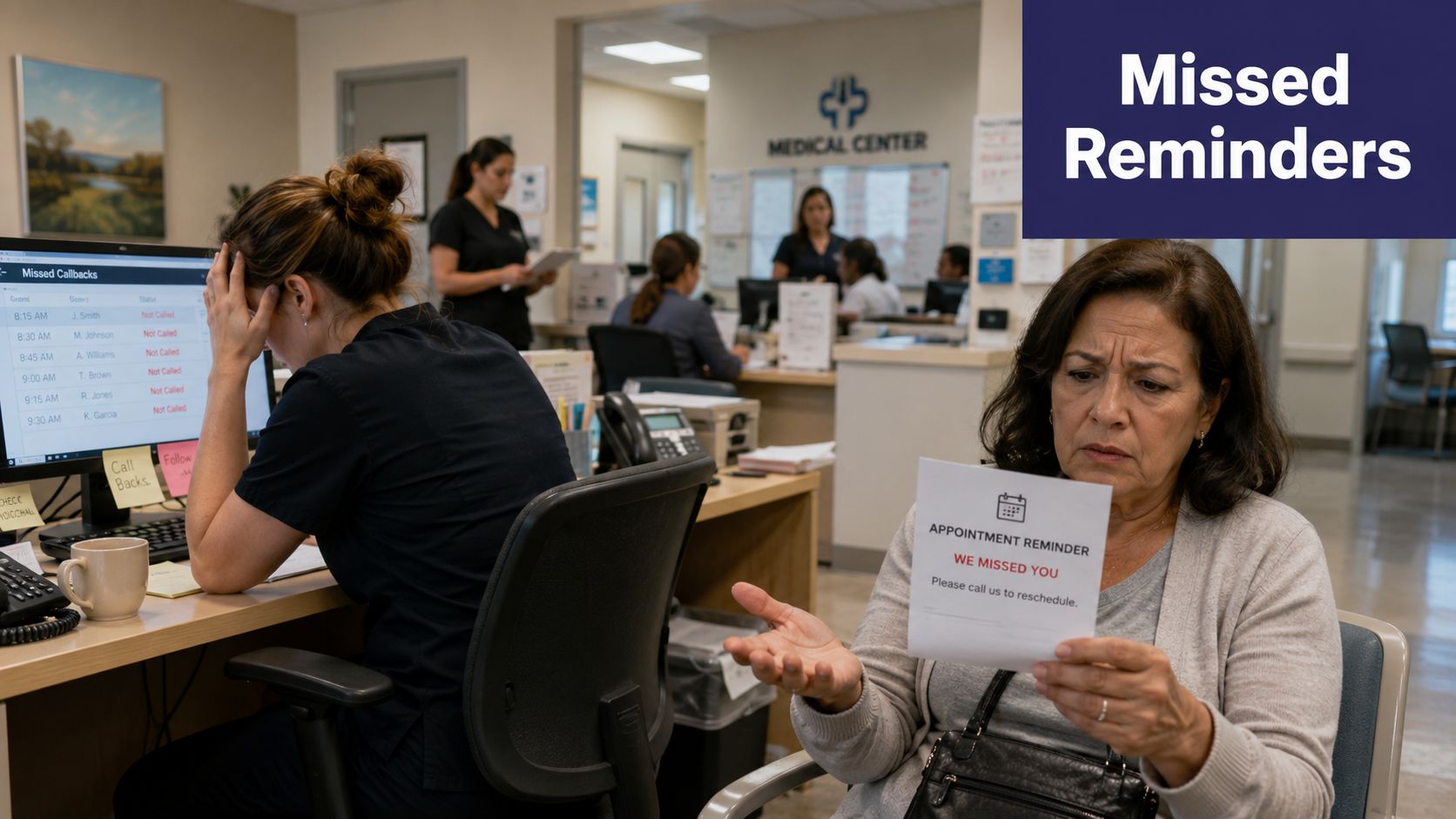
Monday morning usually starts with the same kind of mess. Three callbacks were missed before 9 a.m., the scheduler is trying to refill a last-minute cancellation, and one patient says she never knew she was due. That's the point where a mammogram screening reminder service stops sounding like a marketing phrase and starts functioning as a front-office tool.
The service works as a coordinated outreach layer. It identifies patients who are due or overdue based on age, risk, and last mammogram date, then prompts them to schedule through the channel they already use. That may be a letter, postcard, email, text, or telephone call, including an automated call, which the CDC includes as a valid reminder modality for patient reminder systems CDC planning guide.
A reminder workflow is not a newsletter
A newsletter says, “remember preventive care matters.” A reminder workflow says, “you are due, here's how to book.” That difference matters because mammogram-specific outreach has historically outperformed generic preventive reminders. In one comparative analysis, 51% of mammogram-specific letters were followed by a mammogram, compared with 44% of birthday letters overall, and follow-up fell to 36% when 4 to 8 preventive services were listed in the birthday reminder study.
Practices should think in terms of recall logic, not campaign logic. A patient does not need a general nudge to stay healthy. She needs a timely prompt that matches when she is due.
Practical rule: if the message would not help a scheduler place the patient on the calendar today, it is too generic for screening recall.
For a practice team, the value is straightforward. The service reduces manual lookups, captures patients who would otherwise drift, and gives the front desk a repeatable way to turn due patients into booked visits. It also fits the same kind of structured outreach used in other screening programs, including colorectal cancer screening outreach, where timing, patient selection, and follow-up all have to line up. If you are comparing workflow options for outreach and documentation, a related example of operational design is GPT built for law, which shows how structured automation can fit a professional workflow without replacing the people doing the work.
Why Specificity Beats Generic Preventive Reminders
A mammogram reminder works best when it is aimed at a due patient, not a broad preventive mailer list. In practice, that means the front office needs a reminder rule that matches screening status and timing, because a birthday message often lands when nothing needs to be scheduled yet. The older study behind this point found that mammogram-specific reminders outperformed birthday-based preventive reminders, with the biggest decline in adherence among women aged 70 to 74, so the operational takeaway is simple, use the screening logic, not the generic wellness logic.
Timing near the due date changes the outcome
A reminder service should query the last mammogram date and trigger inside a 30 to 60 day due window, not once a year on a birthday cycle. That keeps the outreach close to the scheduling decision. The Community Guide found that client reminder systems for breast cancer screening improve mammography screening, and that reminders add value both on their own and when they are paired with other interventions.
That fits the way real front desks work. Staff do not need more outreach volume. They need a narrower worklist that reaches patients when booking is likely to happen. A generic blast spends time on people who are not due, already scheduled, or no longer connected to the practice.
The same pattern shows up in other screening outreach programs, including colorectal cancer screening outreach, where timing, patient selection, and follow-up all have to line up before the workflow pays off.
Channel and content both matter
The message has to name the task clearly. A mammogram reminder that says exactly what the patient is due for is easier for staff to act on than a general preventive nudge that could apply to several services at once.
Practices that get this right usually build one clean registry query, then segment by due date and response channel. The front desk gets a shorter list, the follow-up work is more predictable, and the scheduling team spends less time sorting through patients who were never ready for outreach. Practices that skip that step tend to create a noisy list that staff stop trusting.
Building the Reminder Workflow in Your EMR
A reminder workflow should start with eligibility, not with copy. For average-risk patients, the U.S. Preventive Services Task Force recommends biennial screening mammography for women ages 40 to 74 USPSTF. CDC guidance also says most health insurance plans must cover screening mammograms every 1 to 2 years for women beginning at age 40, with no out-of-pocket cost such as a copay, deductible, or coinsurance. That gives the front desk a clean rule set before anyone starts sending messages.
Start with the list, not the script
In a real practice, the first job is pulling the due or overdue cohort from the EMR, then building a rule set around the last completed mammogram date, age, and any documented exceptions. In Athenahealth, that often means rules-based patient lists. In eClinicalWorks, registry filters can do the same work. In ModMed EMA, specialty templates help keep the workflow aligned with the practice's usual visit patterns. The point is not the brand name. The point is whether the system can query, segment, and write back cleanly without adding manual cleanup for staff.
The best reminder system is the one that knows who should not be called yet.
The scheduling module has to be part of the design from the beginning. If a patient confirms, the system should offer a slot right away, not push the task into a second follow-up queue. Independent practices feel that difference quickly, because every extra handoff creates another abandoned task and another chance for the reminder to stall.
Tie the outreach to the calendar
A useful EMR-connected workflow does three things in sequence. It identifies eligible patients, sends the first reminder through the preferred channel, and writes the response back to the chart so the next call does not start from scratch. In practices that already rely on eClinicalWorks, Athenahealth, gGastro, EMA ModMed, Epic, or DrChrono, the reminder layer should sit on top of existing scheduling logic rather than beside it.
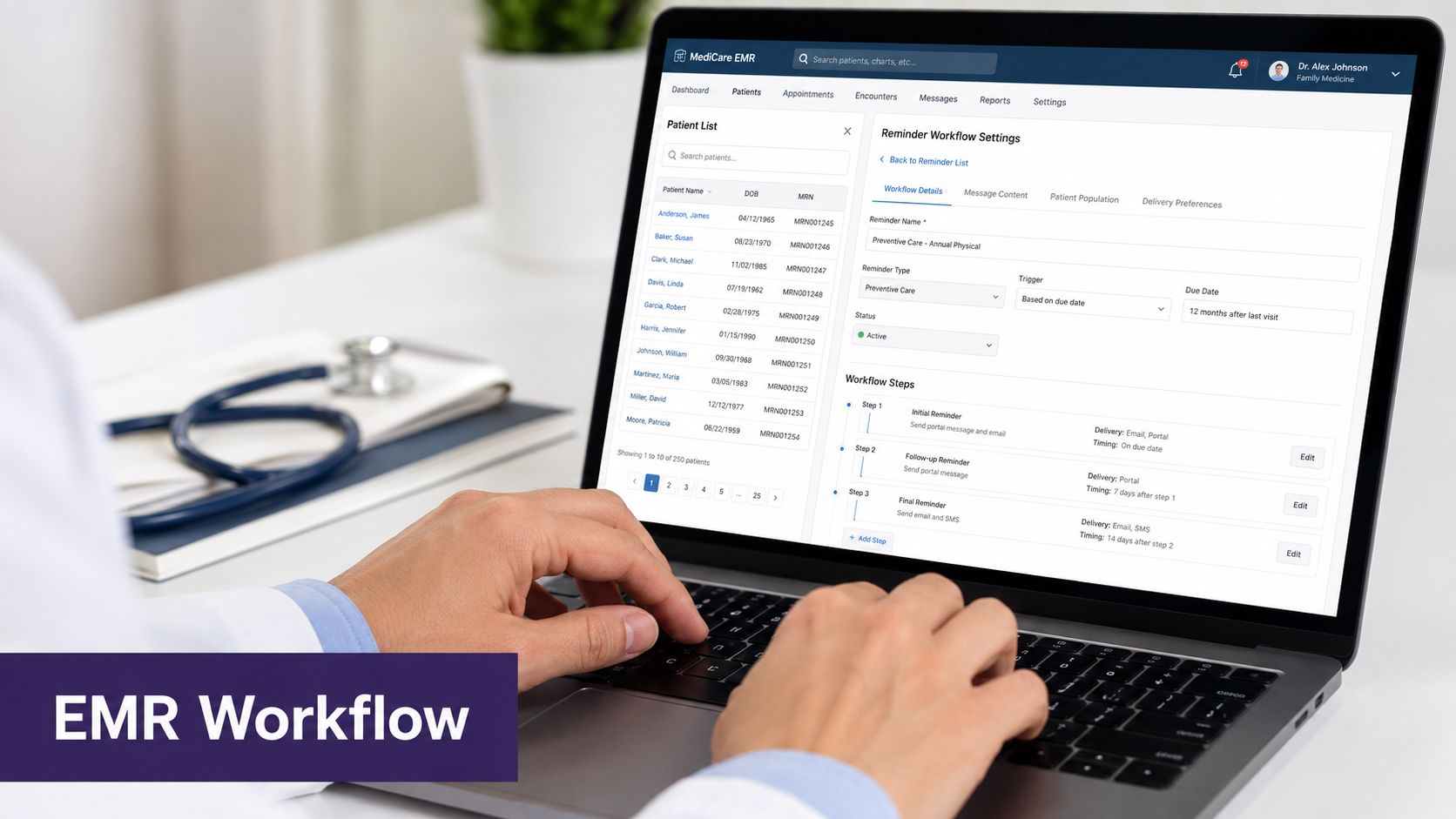
That integration matters most for small practices. If the front desk has to re-key dates, confirm eligibility by hand, and then document the result in a separate tool, the reminder program turns into another admin burden instead of a release valve. For privacy review and vendor setup, a practical healthcare analytics and HIPAA compliance checklist helps staff check what data is stored, who can see it, and how opt-outs are handled. A separate HIPAA compliance checklist for healthcare outreach workflows can also keep the operational review grounded in the actual workflow, not just the vendor demo.
HIPAA and Patient Privacy in Screening Outreach
Reminder messages are simple to patients and sensitive to everyone else. They reference a screening recommendation tied to a named patient, which means the content, storage, and delivery path all need HIPAA discipline. Any vendor that handles PHI needs a Business Associate Agreement, and the practice should keep the message content to the minimum necessary disclosure.
Keep the message short and specific
A compliant text does not need to name a diagnosis code or expose the procedure in the subject line. It can identify the practice, say the patient is due for a screening, and direct them to schedule or call back. The cleaner the message, the lower the privacy risk. The broader the detail, the more likely someone sees something they shouldn't.
For voice outreach, identity verification comes first. A compliant call confirms the patient before discussing appointment details, then offers scheduling or transfer to staff if the patient wants a human. That keeps the interaction useful without oversharing.
Ask vendors about storage, logging, and opt-outs
Opt-out preferences should be stored securely and honored across every channel. Audit logging should show who was contacted, when the message went out, what channel was used, and whether the patient responded. That's basic operational hygiene, not a nice-to-have.
If you want a practical privacy checklist for vendor review, the healthcare analytics and HIPAA compliance discussion is a useful reminder that privacy controls need to be designed into the workflow, not patched on later.
For a practice manager, the right vendor questions are blunt ones. Do they sign a BAA? Can they suppress opted-out patients across every campaign? Can staff see the audit trail without hunting through multiple screens? If the answer to any of those is fuzzy, the workflow isn't ready.
Use this HIPAA checklist when reviewing a reminder workflow
Choosing Between Text, Voice, and Live Outreach
A mammogram reminder program gets harder to manage when every patient is pushed through the same channel. In independent practices, the better setup usually starts with the EMR schedule logic, then assigns text, voice, or live outreach based on who is likely to respond and what the front desk can support without creating extra work. A 2025 review found that reminders improved mammography uptake overall, and telephonic interventions, navigation services, and culturally sensitive approaches also showed value.
Match the channel to the barrier
Text works best when the patient already uses mobile communication, the number is current, and the barrier is mainly recall or convenience. Voice is better when text goes unanswered, the patient needs after-hours contact, or scheduling details need a live back-and-forth. Live navigation or care coordination fits where the barrier is broader, especially for Medicaid patients, rural patients, or patients with limited English proficiency.
The same review found that reminder calls outperformed letters alone across age groups, and text-based interventions helped close screening gaps for Medicaid patients. The practical point is simple. Start with the least expensive channel that is likely to work, then move up only when the patient does not respond or the workflow calls for more help.
| Patient Subgroup | Primary Channel | Escalation Path | Why |
|---|---|---|---|
| Commercially insured, mobile-responsive patients | Text | Voice if no response | Fast, low-friction, easy to schedule |
| Patients who ignore text | Voice | Live staff if scheduling gets complicated | Voice can confirm identity and offer slots |
| Medicaid or other underserved populations | Voice plus navigation | Live coordinator | Access barriers often go beyond awareness |
| Rural patients with transport issues | Voice | Human follow-up | Scheduling needs may depend on logistics |
| Limited-English-proficiency patients | Customized voice or live outreach | Interpreter-supported staff | Clarity matters more than automation alone |
For practices that want a broader reminder stack, the same channel logic shows up in patient appointment reminders, where text, voice, and staff follow-up each handle a different part of the job.
Email still plays a role in some practices, especially for patient portals and pre-visit notices. Teams that use it should also check delivery, since inbox placement can be the weak link. A practical guide on how to check if emails are going to spam is a useful companion to any outreach program that includes email communication.
A Sample Mammogram Reminder Workflow With AI Voice
A typical due list returns 180 patients on a Tuesday morning after the EMR query runs. By 10 a.m., the system sends a text to all 180 with a self-scheduling link. By the end of the day, 60 have booked, 40 have clicked but not booked, and 80 have not engaged. That split is where a voice layer earns its keep in an independent practice, because the front desk should not spend the afternoon chasing every non-responder by hand.
How the handoff works
The 120 non-bookers receive an automated voice call that evening. The AI agent verifies identity, confirms that the patient is due, and offers three appointment slots pulled live from the EMR. If the patient confirms, the appointment books directly into Athenahealth or eClinicalWorks without staff intervention.
If the patient asks for a person, has a clinical question, or needs help with timing, the call routes to staff with full context already on screen. The front desk does not restart the conversation. It sees what the patient already received, what they clicked, and where the handoff happened.
The trade-off is straightforward. Text is fast and low friction, but it can stall when a patient needs reassurance, timing help, or a live explanation of available slots. Voice takes more system setup, yet it can move the patient to a decision without waiting for staff to call back. Live staff still matter for exceptions, but they should receive a warm handoff, not an empty task.
A reminder workflow gets much easier to manage when the chart already shows who was reached, who booked, and who still needs a call.
What gets written back
The chart should record the outreach attempt, the response, the scheduled slot, and any exception. That matters because the reminder program is part of the schedule operation, not a separate campaign. When the writeback is clean, staff can work from one source of truth instead of juggling notes in a separate spreadsheet.
The practical benefit is not abstract. A scheduler can open the chart, see the reminder status, and make the next move without rechecking text logs or call notes. That is the difference between a reminder stack that adds work and one that supports the front office.
For independent practices, AI can behave like medical staff rather than a single-purpose answering tool. The same voice layer that captures screening reminders can also support inbound calls, intake, refills, patient education, and post-visit follow-up in the background. Simbie AI is one example of that broader model, combining administrative call handling with clinical workflow support in a single system.
Measuring What Matters After Launch
After launch, call volume is the wrong headline metric. What matters is whether the eligible cohort is getting screened and whether the front desk has stopped repeating the same outbound work. A useful dashboard starts with mammography completion rate, then adds time from reminder to scheduled appointment, no-show rate for booked screenings, and staff hours saved on outbound calls.
The reimbursement piece matters too. As noted earlier, these screenings are typically covered without patient cost-sharing, so each completed slot represents both patient access and recovered schedule capacity. That matters in small practices where every opening has to do real work.
A 90-day review cadence usually gives enough time to see whether the due window, channel mix, and message wording are working. If text messages open but bookings lag, voice may need to escalate sooner. If staff are still spending too much time on manual callbacks, the writeback and scheduling logic need another pass. The point is to measure whether the reminder service is improving schedule fill and reducing front-office drag, not just generating more contacts.
Common Questions From Practice Managers
Can we send mammogram reminders by SMS without violating HIPAA? Yes, if the vendor has a BAA, the content stays minimal, and opt-outs are respected. The safest message is short, identifies the practice, says the patient is due, and gives a scheduling path without extra detail.
What do we do when someone already scheduled elsewhere or opted out? Suppress them immediately from future outreach lists and keep that status in the chart or reminder registry. If they booked elsewhere, the workflow should stop the reminder sequence. No one wants duplicate calls from a system that didn't check the schedule.
What should we look for in a vendor's BAA and audit logging? The BAA should cover PHI handling across every channel you plan to use. Audit logs should show delivery, response, opt-out status, and staff review if a handoff occurred.
How long until we see a measurable change? Most practices should review the first meaningful readout after a 90-day cycle, once the due list, channel mix, and staff handoffs have had time to settle. That's usually enough to see whether the reminder service is helping patients book instead of just adding more notifications.
If you're evaluating this for your practice, the next step is to see how the workflow fits your EMR, your front desk, and the way patients answer the phone. Protecting Doctors' Time for Doctoring.
If you're evaluating AI for your practice, you can see it in action at Simbie AI.