
Most practices don’t start looking for a hipaa baa compliant ai phone system because they love new software. They start because the phones won’t stop, the front desk is triaging five things at once, and patients are hearing hold music when they need a refill, an appointment change, or a real answer.
I’ve seen the pattern enough times to be blunt about it. The phone problem is usually not just a phone problem. It’s a staffing problem, a patient access problem, a documentation problem, and eventually a revenue problem. AI can help. It can also create a compliance mess if you buy on the demo and ignore the contract.
That’s the part vendor pages tend to skip. They’ll talk about automation and voice agents. They say they’re “HIPAA compliant.” Then you ask for the BAA, ask what happens if the AI gives the wrong refill instruction, ask how the system writes back to an older EMR, and the room gets quiet.
The endless call cycle and the AI promise
The daily failure mode is familiar. Staff answer what they can, voicemail piles up, and routine calls crowd out the ones that need a person. Patients call back because no one called back the first time, which means the volume feeds itself.
The operational case for AI is real. One example from Dialzara reports call answer rates moving from 38% to 100% through 24/7 AI coverage, and phone costs dropping by up to 90% compared with traditional live answering services, according to Dialzara’s healthcare AI phone data. That matters because missed appointments alone cost the U.S. healthcare system an estimated $150 billion annually, from the same source.
For a practice manager, those numbers translate into something very plain. Fewer abandoned calls. Fewer manual callbacks. Less pressure on the front desk during lunch, late afternoons, and after-hours spillover.
A modern AI phone answering service for healthcare can handle routine scheduling, refill intake, basic FAQs, and after-hours call capture. That’s the promise, and for the right workflows it’s a good one.
What AI actually fixes
Some call types are a bad use of staff time if they follow the same script every day:
- Appointment requests: The patient needs an open slot, confirmation, and follow-up.
- Prescription refill intake: Staff need complete, legible information in the right queue.
- Basic office questions: Hours, location, prep instructions, insurance basics.
- After-hours routing: The call needs sorting, not a full conversation from your clinical staff.
Where the risk starts
The trouble starts the minute the system hears, stores, transcribes, routes, or writes protected health information. At that point, you are no longer shopping for a nice phone feature. You are buying a regulated workflow.
Practical rule: If the vendor touches patient information in any usable form, treat the purchase as a compliance decision first and a phone decision second.
That’s why evaluation starts with HIPAA, the BAA, data handling, and liability. Better call handling is the upside. A preventable compliance failure is the downside, and it can cost far more than the software ever saves.
Understanding the HIPAA and BAA foundation

A hipaa baa compliant ai phone system has to meet two tests at the same time. It has to work for operations, and it has to hold up under HIPAA’s privacy and security rules. If it fails the second test, the first one doesn’t matter.
The basic legal point is simple. If the vendor handles protected health information on your behalf, that vendor is not just a software seller. It is a business associate, which means a signed Business Associate Agreement, or BAA, is not optional.
Under HIPAA, vendors must sign BAAs that spell out security controls such as end-to-end encryption and multi-factor authentication. If there’s a breach, the vendor must notify the covered entity within 24-48 hours, which helps the practice meet HIPAA’s 60-day patient notification rule. Non-compliance can bring fines of up to $2.1 million per incident, according to this HIPAA compliance FAQ for AI phone systems.
What the BAA is really doing
A lot of teams treat the BAA like a PDF you collect during procurement. That’s a mistake. The BAA is the document that tells you what the vendor is allowed to do with patient data, how they must protect it, who else they can share it with, and what they owe you if something goes wrong.
A useful BAA should make these points clear:
- Permitted data use: The vendor can use PHI only to perform the service you hired them for.
- Security requirements: The agreement should name controls like encryption, MFA, access limits, and logging.
- Breach process: You need a defined notice window and a named response process.
- End-of-contract handling: The vendor should return or destroy PHI within the required timeframe.
If you want a broader primer on vendor obligations and handling sensitive records, this piece on data security compliance is a good outside reference for teams building their review process.
Conduit versus business associate
Often, people become careless. Some vendors try to act like they’re just passing data through, as if they were a neutral carrier. An AI phone system usually doesn’t fit that argument. If it records calls, creates transcripts, pulls scheduling data, routes tasks, or writes anything back into your systems, it is actively handling PHI.
That means you should expect the full compliance conversation. You should also expect the vendor to explain its controls in plain English, not hide behind a security one-pager.
For healthcare teams reviewing tools in this category, a list of HIPAA compliant AI tools can help frame what compliant deployment should look like across vendors and use cases.
If a sales rep says, “We’re HIPAA ready,” but can’t send the BAA for review before legal, I stop the process there.
The essential compliance checklist
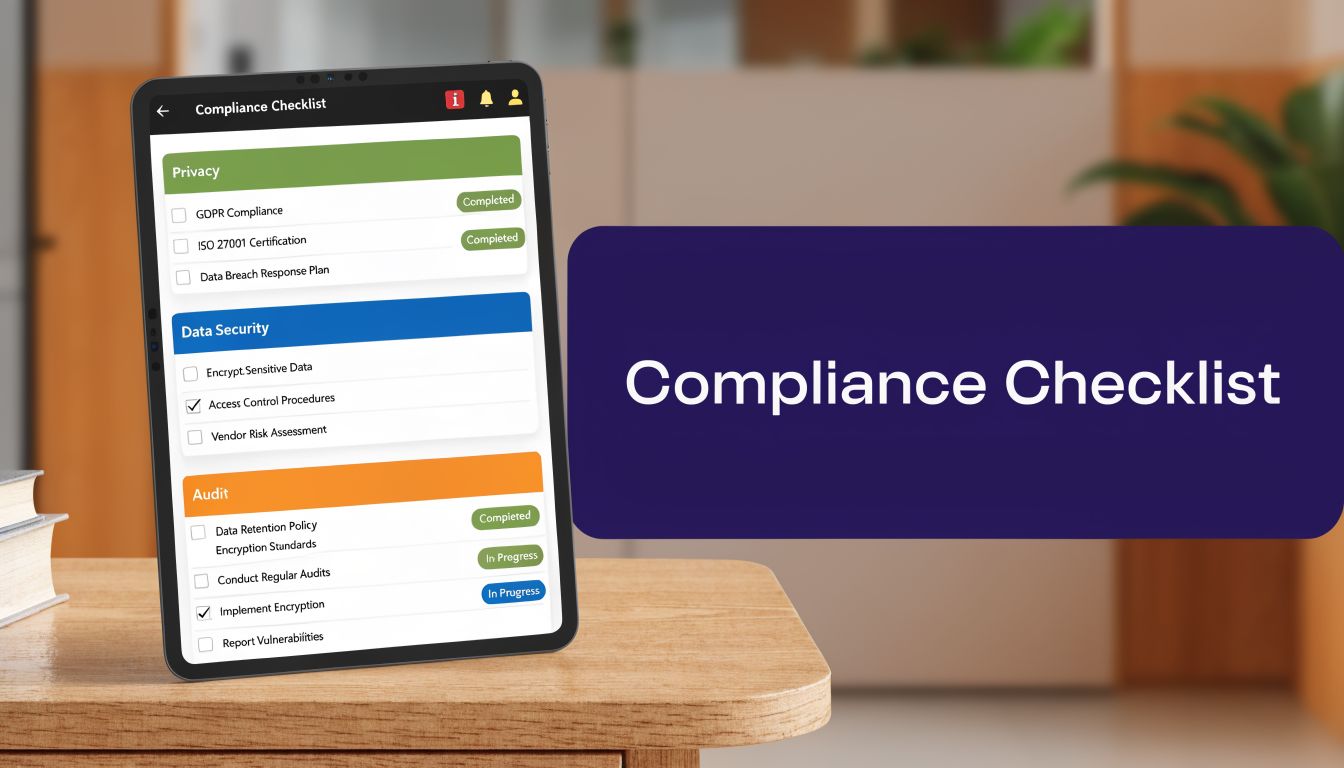
A vendor can sound polished and still miss basics. I prefer a short checklist that forces clear yes or no answers before anyone gets impressed by the demo.
For voice data, the technical floor matters. Voice recordings should use AES-256 encryption with unique per-file keys. Real-time audio streams should use SRTP with AES-256-GCM, and signaling should use at least TLS 1.2, based on Arini’s HIPAA guidance for AI phone systems. If a vendor can’t name those controls, I assume they haven’t built for healthcare.
Security controls to verify first
- Encryption at rest: Ask how recordings, transcripts, and metadata are encrypted after storage. “Encrypted” by itself isn’t enough.
- Encryption in transit: Confirm that live calls and signaling traffic are protected separately.
- Access controls: Staff should only see what they need for their role. Front desk, billing, and clinical users should not all have the same visibility.
- Authentication: MFA should be standard for admin access and any user touching PHI.
- Audit logs: You need a record of access, edits, exports, and administrative actions.
Administrative controls that often get skipped
The technical stack gets the attention. The failure point is often process.
Here’s what I look for next:
- Breach workflow: The vendor should describe who contacts your team, how fast, and what evidence they provide.
- Subcontractor controls: If they use outside transcription, cloud, or support vendors, those parties need the same contractual and security standards.
- Data destruction policy: The end of the relationship should not leave orphaned PHI sitting in an archive.
- Training and internal policy: The vendor’s own staff need documented handling rules for PHI.
A lot of practices underestimate the operational cost of getting this wrong. This overview of the risks of HIPAA non-compliance is useful because it puts the legal and operational exposure in one place.
A quick red-flag screen
Use this before you schedule a second call with any vendor.
| Checkpoint | What you want to hear | What should worry you |
|---|---|---|
| Encryption | Specific standards for recordings, streams, and signaling | “We use industry-standard security” |
| BAA | They send it early and will discuss edits | “Legal handles that after purchase” |
| Access | They can explain role-based access in practice | “Admins can see everything by default” |
| Retention | They have a defined retention and deletion workflow | “We keep data as needed” |
| Logging | They can show audit trail fields and retention policy | “We can probably pull logs if needed” |
If you need a structured worksheet for internal review, a HIPAA compliance checklist for healthcare AI workflows is a useful way to keep procurement, IT, and compliance on the same page.
Critical questions to ask every AI phone vendor
Marketing claims are cheap. The right questions force specifics, and specifics are what keep you out of trouble later.
I don’t ask vendors if they’re HIPAA compliant. I ask them to describe the exact path a patient call takes through their system, who can touch the data, whether any subcontractor touches it, what gets stored, and what happens if the AI produces a bad output. That usually tells me more than the pitch deck.
Start with the parts vendors avoid
Ask these live, not just by email. You want to hear whether the answer is practiced, clear, and consistent.
“Walk me through a breach notification from the moment you detect it to the moment my team gets the first call.”
Then ask where the transcripts live, whether support staff can see call content, whether PHI is ever used for model training, and how the system handles uncertain or risky patient requests. If the vendor’s answer relies on broad assurances instead of defined controls, keep digging.
A lot of healthcare buyers have started borrowing procurement habits from adjacent regulated industries. That’s one reason I sometimes point teams to resources on legal tech tools, not because they solve healthcare compliance, but because legal buyers tend to be disciplined about auditability, access control, and vendor accountability.
Vendor vetting questions for HIPAA compliance
| Question Category | Key Question to Ask | What a good answer sounds like |
|---|---|---|
| Security | How do you encrypt recordings, live audio, and signaling traffic? | They name the standards, explain where each one applies, and can provide documentation. |
| Security | How do you control staff access to PHI inside your platform? | They describe role-based access, MFA, admin restrictions, and logging. |
| BAA | Will you send your BAA before procurement is final? | “Yes, and we’ll review redlines with your legal or compliance team.” |
| BAA | Do your subcontractors sign agreements that match your HIPAA duties? | They can explain which subcontractors exist and how those parties are bound. |
| Data handling | Do you use our PHI to train models? | A good answer is a direct no unless explicit consent and contract language say otherwise. |
| Operations | What happens when the AI is unsure or the caller needs clinical judgment? | They describe escalation rules, human handoff, and hard limits on what the agent can say. |
| Incident response | What do we receive if there is a suspected breach? | They describe notice timing, forensic details, contacts, and support for your response process. |
| Retention | What happens to recordings, transcripts, and metadata when the contract ends? | They describe return or destruction steps with a clear timeline. |
What a weak answer sounds like
Weak vendors hide behind phrases like “enterprise-grade,” “bank-level security,” or “our system is fully automated.” None of that tells you whether the product fits healthcare.
The worst answer of all is the one that treats liability as your problem alone. If the AI captures, stores, routes, or writes patient information on the vendor’s system, the vendor needs obligations that go beyond “we provide software.”
Sample BAA clauses you cannot ignore
The standard BAA most vendors send over is usually too generic for AI voice workflows. It may cover disclosure, storage, and breach notice. It often says very little about model behavior, AI-specific risk review, or responsibility for bad outputs.
That gap matters. One report says 17 practices were fined $2.1M in 2025 for AI misdocumentation, and 70% of vendors lacked specific clauses for AI-specific risk assessments in their BAAs, according to Insight Health’s review of AI phone liability and BAAs.
Clauses legal should press for
You’ll want counsel to draft the final language, but these are the issues worth putting on paper.
- No PHI for model training: State that the vendor may not use your PHI, recordings, transcripts, prompts, or derived outputs for model training unless your organization gives explicit written approval.
- Defined AI use boundaries: State what the agent may handle, what it must escalate, and which clinical topics are out of scope.
- AI-specific risk assessment duty: Require periodic review of failure modes such as wrong intent classification, wrong routing, or incorrect documentation.
- Indemnity and allocation of fault: If a vendor’s system or guardrails fail, the contract should not leave your practice carrying all downstream risk.
- Audit and evidence rights: If there is an incident, you need access to logs, transcripts, decision traces where available, and response records.
Example language themes
I’m not giving legal advice here, but I’ve found that plain language works better than vague legal comfort words.
“Vendor shall not use Customer PHI for foundation model training, tuning, or product improvement except where Customer provides prior written consent.”
“Vendor shall maintain documented escalation rules for uncertain, urgent, or clinically sensitive interactions and shall not permit automated responses beyond the approved workflow scope.”
What to watch for in negotiations
If the vendor resists any clause that limits PHI use for training, that’s not a small issue. It tells you how they think about customer data.
If they resist language around AI-specific risk assessment, they may be using a generic healthcare contract for a product that behaves very differently from a static software tool. That’s not always disqualifying, but it does mean your legal review needs to slow down and get sharper.
Best practices for integration and deployment

Monday at 8:05 a.m., your front desk is already behind, the phones are stacked, and the new AI line is supposed to be reducing pressure. Instead, the first real problem shows up in the EMR. Appointments are not writing back correctly, a refill request lands in the wrong queue, and staff start working around the system before the rollout is even stable.
That is how many deployments fail. Not because the voice experience sounds bad, but because the integration, exception handling, and ownership model were never tight enough for live healthcare operations.
The sales demo usually looks clean. Production does not. EMR integration is where vendor claims meet your actual version, your API limits, your scheduler rules, and your internal workflows. If the vendor cannot explain exactly how data is read, written, stored, retried, and escalated, the deployment risk is still too high.
Start with a narrow pilot
A limited pilot protects the practice. It also gives legal, operations, and clinical leadership something concrete to review before the system touches a wider call set.
Pick workflows that are repetitive, low ambiguity, and easy to audit after the call:
- New appointment requests: Clear intake path and simple outcome checks.
- Reschedules and cancellations: High volume with lower clinical exposure.
- Refill intake only: Capture the request, then route approval to staff.
- Office FAQs: Keep the scope informational and administrative.
Keep the pilot small enough that staff can review every exception for the first few weeks. That review matters more than the vendor's accuracy claims.
Test the integration first
Voice quality gets attention, but deployment problems usually come from system boundaries. I look for failure points before I look for polish.
Confirm these items before go-live:
- Read and write permissions: Document exactly what the system can pull from the EMR and what fields it is allowed to create or update.
- Downtime behavior: Define what happens when the EMR, scheduler, or telephony connection is unavailable.
- Escalation routing: Set hard rules for transfers to staff, nurses, or on-call coverage.
- Work queue ownership: Assign a named team to review transcripts, failed tasks, refill intake, and unresolved callbacks every day.
- Data reconciliation: Check how the vendor identifies duplicate charts, mismatched demographics, and partial writes.
One hard lesson from implementation work. A failed handoff is not just an IT issue. It can become a patient safety issue, a documentation issue, and a liability issue if no one notices it quickly.
Build the workflow around limits
An AI phone system should not be deployed as a general-purpose front desk replacement. It needs a defined scope, written fallback rules, and clear boundaries that staff can follow under pressure.
That usually means keeping the system out of symptom triage, medication advice, urgent clinical judgment, and any conversation where context changes the meaning of the request. If the caller sounds confused, distressed, angry, medically unstable, or inconsistent with the chart, the call should move to a person.
Those limits belong in the workflow documents, not just in training slides.
Treat implementation as a contract and operations project
Vendor marketing tends to frame deployment as a configuration exercise. In practice, it is also a responsibility and evidence exercise.
Before launch, require written confirmation of who owns each part of the process:
- interface setup and testing
- prompt or workflow changes
- transcript review
- after-hours escalation logic
- incident response
- correction of bad writes or failed tasks
If ownership is vague, problems sit in limbo. Then your staff fixes them manually, the audit trail gets messy, and the vendor still says the system is functioning as designed.
Train staff on exception handling
Staff do not need a long explanation of how AI works. They need operating rules they can use during a busy day.
Give them a short list of triggers for manual intervention. Chart mismatch. Medication discrepancy. Caller confusion. Urgent symptoms. Repeated failed authentication. Scheduling conflicts the system cannot resolve. Keep it simple enough that supervisors can coach to it in real time.
Good deployment feels controlled, not flashy. If the pilot stays within scope, handoffs are tested, and exception ownership is clear, the system has a real chance to reduce call burden without creating new legal and operational problems.
A guide to ongoing monitoring and documentation
Going live is the easy part. Staying compliant is the work.
A hipaa baa compliant ai phone system needs regular review because permissions drift, workflows change, and staff start using tools in ways no one documented during rollout. If you don’t review access, logs, and exceptions on a routine basis, small issues become audit problems.
What to review on a schedule
I like simple routines that people will follow.
- Daily review: Check failed tasks, odd escalations, and any call that triggered a complaint or a manual correction.
- Weekly review: Look at user access changes, transcript spot checks, and open integration issues.
- Monthly review: Confirm that role permissions still match job duties, then document what changed and why.
- Incident drills: Run a tabletop drill so the vendor and your internal team know who does what if a breach is suspected.
Documentation that matters
If OCR ever asks questions, you want a record that shows your team was paying attention.
Keep these materials organized:
- Signed contracts and BAAs
- Risk assessments and vendor reviews
- Access review logs
- Incident reports and follow-up actions
- Policy updates tied to workflow changes
“We trusted the vendor” is not documentation. Keep records that show what you checked, when you checked it, and who approved it.
Keep the workflow honest
The other monitoring job is operational, not legal. Listen for where the AI is overreaching or where staff are relying on it too casually. If a workflow creates repeated confusion, rewrite the script, tighten the handoff rule, or remove that use case from automation.
Good compliance management is not about treating the system as dangerous. It’s about treating it as active clinical infrastructure. That means someone owns it after launch, someone reviews exceptions, and someone has authority to slow it down when the workflow stops being safe.
If your practice is evaluating AI call handling and you want a healthcare-focused option to review, Simbie AI is built for patient phone workflows such as intake, scheduling, refills, and documentation support. The right next step isn’t a blind demo. It’s a real compliance and operations review with your admin, legal, IT, and clinical leads in the room.