
Care coordination usually breaks down in boring places. A refill request sits in a voicemail box. A referral note lands as a faxed PDF. A follow-up reminder lives in someone’s memory instead of the chart. Staff work hard, but the system still leaks small failures all day.
I’ve seen practices blame themselves for problems that are really product and workflow problems. If your team is chasing lab results, calling patients twice, copying details from one screen into another, and hoping the right alert fires at the right time, you do not have an effort problem. You have an integration problem. That’s where ehr integrated care coordination ai starts to matter.
The endless chase of modern care coordination
A typical morning in a busy clinic looks organized from the outside. Phones ring, front-desk staff check patients in, MAs room patients, and clinicians move fast. Underneath that surface, care coordination often runs on scraps. One person has a spreadsheet of open referrals. Another keeps sticky notes for prior auth follow-up. The EHR has alerts, but they’re mixed in with everything else, so staff click past them to keep the day moving.
That’s how gaps stay open.
A patient says the specialist never called. The specialist says the referral packet was incomplete. The chart has part of the story, the fax inbox has another part, and the phone log has the rest. Nobody is lazy. The tools just don’t keep context together.
The problem gets worse once you add remote monitoring, patient messages, text reminders, and intake forms from outside systems. If you want a useful primer on how connected devices feed this mess, this founder's guide to medical IoT is worth reading because it frames the data side clearly, especially for operators who are trying to connect patient signals back to actual workflow.
Where most practices get stuck
Most small and mid-sized practices don’t need more dashboards. They need fewer handoffs and less re-entry. They need the software to carry context from one step to the next.
That matters because care coordination in healthcare isn’t a single task. It’s the chain of scheduling, outreach, documentation, follow-up, refills, referrals, and patient education. Break one link and the staff does manual repair work all day.
The pain point is rarely “we lack data.” It’s “the right person doesn’t see the right next action inside the workflow they already use.”
Technology can help, but only if it lives where the work already happens. A bolt-on tool with its own login often adds one more inbox, one more alert feed, and one more thing nobody owns by month two.
What is EHR-integrated care coordination AI?
EHR-integrated care coordination AI is software that works inside, or tightly with, the electronic health record so it can read the patient context, recognize what needs to happen next, and trigger work without forcing staff into a separate operating system.
It’s easiest to think of it as a smart assistant for the whole care team, not just a chatbot and not just an alert engine. It sees the chart, the schedule, the task queue, orders, messages, and sometimes patient-generated inputs. Then it turns that information into action.

What it is and what it isn’t
What it is:
- Context-aware workflow support. The system can connect data already in the chart to a next step, like routing a refill request, flagging a missed follow-up, or preparing documentation support.
- Operational automation. It can draft, queue, route, summarize, or classify work that staff used to do by hand.
- Clinical assistance inside the record. It can use current patient data to prompt timely action without making staff hunt through multiple tabs.
What it isn’t:
- Another portal nobody opens. If the team has to leave the EHR to get value, adoption usually drops.
- Just a smarter pop-up. Alert spam isn’t care coordination.
- A replacement for judgment. Good systems tee up work and surface risk. Clinicians still decide.
Why integration matters more than clever features
The strongest signal in the market is not “AI is popular.” It’s that adoption moves faster when practices already have AI tied to the record. In U.S. hospitals, 31.5% were early adopters of generative AI integrated with EHRs, and adoption was 47.7% among hospitals already using ML-based predictive AI from their EHR developer, compared with 12.1% among those without it, according to this hospital adoption analysis.
That tracks with what I’ve seen in practice. Teams trust AI more when it acts like part of the chart, not a sidecar. If data has to be copied over, reconciled manually, or reviewed in a second screen, the “AI” becomes one more clerical step.
Buy the workflow, not the demo. A beautiful model with weak chart integration creates work. A less flashy model with tight chart integration usually gets used.
For small and mid-sized groups, that difference is everything. The tool has to fit the workday that already exists, then improve it in places where the team feels friction every hour.
Key capabilities that transform clinical workflows
The best systems don’t try to do everything at once. They fix a few expensive, repetitive coordination jobs and do them inside normal clinical operations.

Proactive risk stratification
Before AI integration, staff often discover risk late. A patient misses a follow-up, labs come back abnormal, or deterioration shows up after the window for easy intervention has narrowed. The chart has the clues, but nobody has time to scan every signal across every patient.
With integrated AI, the system can watch the chart continuously and push likely issues into a work queue. That may mean surfacing patients who need outreach, identifying people likely to fall out of follow-up, or pulling together signals that should prompt review.
Standards and live data are important. If vitals, labs, and history are available in structured form, the system can act on them instead of just storing them.
Patient-generated health data and pre-visit prep
Patient-generated health data is one of the most useful and most underused inputs in care coordination. Wearables, home readings, patient questionnaires, and symptom reports can add real value, but only if they don’t arrive as a mess.
Research on AI-driven PGHD integration shows AI can use NLP and deep learning to analyze data from wearables and patient reports, normalize it through FHIR servers, and sync it with the EHR. That work can reduce clinical visit time and costs by 20% to 40%, according to this review on AI-enabled PGHD integration.
In practice, that changes the visit prep process. Instead of a clinician opening five tabs and a scanned PDF to figure out what changed since the last encounter, the chart can present a cleaner summary with the latest relevant trends.
Good coordination AI doesn’t drown the clinician in more data. It filters, structures, and places the useful signal where a decision gets made.
Closing care gaps without another spreadsheet
A lot of care-gap work still lives outside the EHR because teams don’t trust the EHR queues to reflect reality. That creates shadow systems.
Integrated AI can reduce that shadow work by checking for incomplete referrals, unresolved orders, missing paperwork, overdue outreach, or forms that need review. The practical gain isn’t just speed. It’s ownership. The task lands with the right person, with enough context to act.
Administrative work that actually leaves the plate
Many practices first experience relief in the following areas. Refill requests, intake capture, message classification, scheduling logic, and prior auth prep are repetitive and rule-based enough for AI assistance, but annoying enough that staff lose hours to them.
What works well is simple:
| Workflow area | Before integration | After good integration |
|---|---|---|
| Refills | Staff listen to voicemail, transcribe details, check chart, route manually | System captures request, structures details, and queues chart-ready work |
| Follow-up outreach | Team runs lists and calls manually | System identifies who needs contact and prepares outreach tasks |
| Referral tracking | Spreadsheet plus phone tag | Chart-linked status and exception handling |
| Intake and history updates | Re-keying from calls or forms | Data captured once, then routed into the record |
The pattern is consistent. If the AI takes unstructured work and turns it into structured EHR-ready work, staff feels the change quickly. If it merely generates suggestions in another dashboard, people stop using it.
How AI connects with your existing EHR system
Most practice leaders don’t need to become interface engineers, but they do need enough technical fluency to spot weak integration claims.

The plain-English version of APIs and FHIR
An API is the connection point that lets one system ask another system for data or send data back. In healthcare, HL7 FHIR R4 is one of the standards that helps software exchange structured patient data in a consistent way.
That matters because real-time structured exchange lets AI read current chart data, not stale exports. According to this technical overview of AI and EHR interoperability, HL7 FHIR R4 supports real-time data exchange so AI models can analyze vitals, labs, and history directly from the EHR. The same foundation makes inline CDS hooks possible, and those have been shown to reduce manual errors in care coordination by 30% to 50%.
Deep integration versus overlay integration
You’ll usually see two models.
Deep vendor integration comes from your EHR vendor or a tightly approved partner. It often gives better access to in-workflow actions, cleaner write-back, and less brittle maintenance. The downside is that feature depth may be narrower than the marketing suggests, and you may be limited to the vendor’s roadmap.
Overlay integration comes from a third-party tool connecting through APIs. It can move faster, cover gaps your EHR vendor ignores, and sometimes handle voice, document, or messaging workflows better. The downside is that quality varies a lot. Some “integrations” are little more than read-only views plus a few exports.
A practical way to sanity-check a vendor is to ask them to show a live workflow, not a slide. If they can’t show bi-directional behavior in your EHR, be careful. For teams comparing different medical record analysis approaches, tools like PDF AI's healthcare agent can be useful to understand how document interpretation differs from true record integration.
What to ask your EHR team first
Before vendor demos, review your current EHR integration options and confirm what your system allows. Not what the rep says on a call. What your contract, API program, and interface support team will permit.
Ask these questions internally first:
- Which data can a partner read in real time? Problem lists, meds, labs, schedules, messages, referrals, and documents don’t always have the same access path.
- Can a partner write back into the chart? Read-only systems create hidden clerical work.
- Where will users see the output? Inbox, encounter note, task queue, orders, patient message, or scanned attachment all create very different workflows.
- Who owns support when something breaks? If the EHR blames the AI vendor and the AI vendor blames the EHR, your staff pays the price.
If you understand those four points, vendor meetings get much more honest.
Avoiding the common pitfalls of AI implementation
The sales story is usually simple. Turn it on, connect the EHR, and watch the workflow improve. Real clinics know better.
For smaller practices, the friction is real. A 2025 report cited in this discussion of care-gap technology challenges says 70% of smaller practices struggle with data exchange, only 40% of mid-sized clinics achieved full AI-EHR sync within 6 months, and 55% of administrators reported 2 to 4 weeks of disruptive downtime during implementation.
Mistake one is buying without the people who do the work
If the MA team, refill staff, referral coordinators, or front desk aren’t in the selection process, you’re likely buying for a demo environment, not a clinic. Administrators often focus on reporting and leadership often focuses on promise. Staff focuses on clicks, exceptions, and where work goes to die. Staff is usually right.
A simple test works well. Ask the vendor to walk through one ugly, common workflow from your clinic, using your terminology. Not the clean textbook version. The messy one with missing information, repeat callers, and payer weirdness.
If a vendor only shines on the ideal path, they won’t hold up on Tuesday afternoon.
Mistake two is keeping the old workflow and adding AI on top
AI doesn’t fix a broken route map by adding more stops. If your current process already has duplicate intake, unnecessary review steps, or split ownership, the tool will just accelerate confusion.
I usually tell teams to redesign the workflow before launch day. Decide what the AI should handle, where human review starts, what exceptions need escalation, and what should never be automated.
Mistake three is treating security review like a procurement form
A lot of practices ask, “Are you HIPAA compliant?” and stop there. That’s not enough. You need to know how access is controlled, how audit logs work, how data is retained, and what happens during escalation or manual review. If you’re evaluating AI tools, use a practical HIPAA-compliant AI checklist mindset rather than accepting a one-line answer.
Mistake four is comparing subscription price instead of operational cost
The cheapest tool can be the most expensive one in six months. I’ve seen practices save on software fees and then lose that savings in staff frustration, rework, and adoption failure.
Look for these warning signs:
- The output lands as a PDF. That often means staff will re-key data.
- The vendor talks more about the model than the workflow. Good AI in healthcare is operational first.
- Training is treated as a one-time webinar. Real adoption needs role-based practice.
- Exception handling is vague. Every clinic has edge cases. If the handoff path isn’t clear, staff will bypass the tool.
The hard truth is that implementation pain usually comes from process neglect, not model quality.
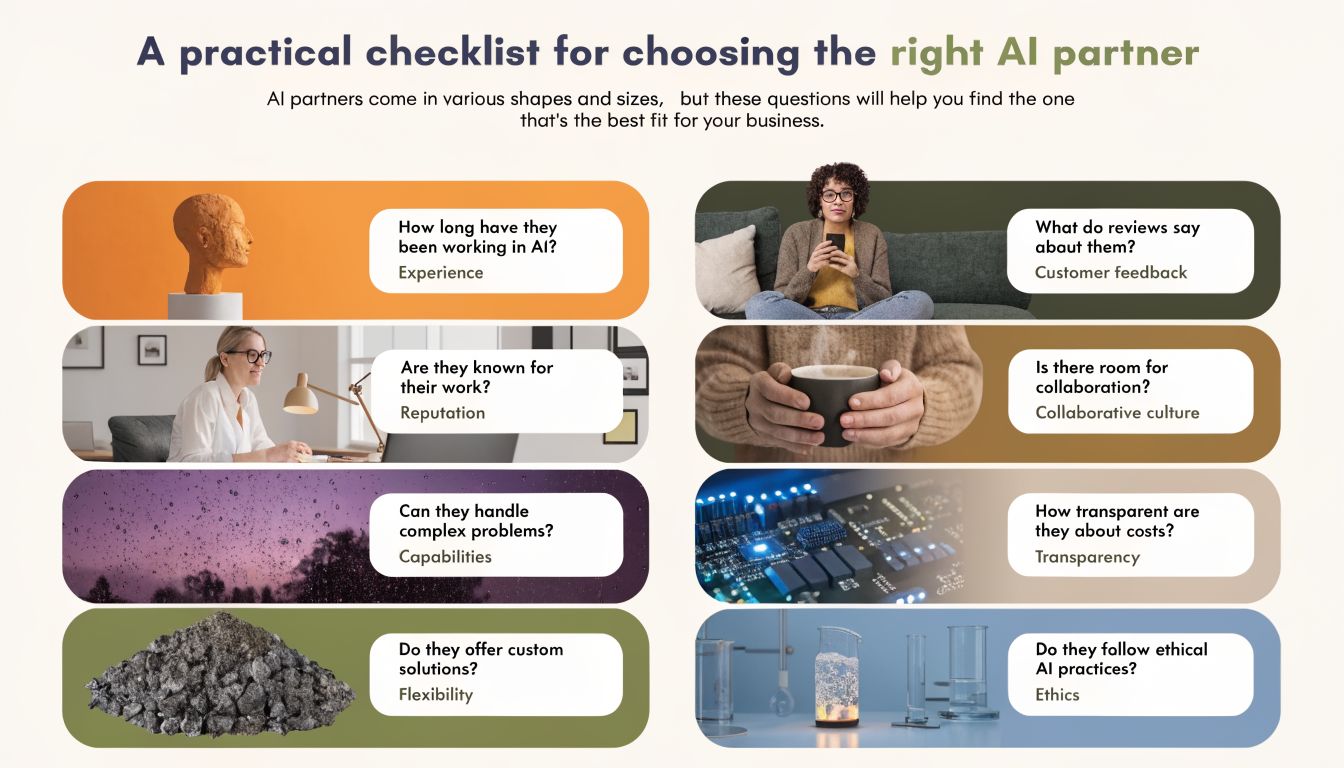
A practical checklist for choosing the right AI partner
Vendor selection gets easier once you stop asking, “Does this tool have AI?” and start asking, “Can this vendor prove they can remove work from my staff without breaking the chart?”
The questions I’d ask in every demo
Use these as direct questions, not conversation starters.
- Show me a live bi-directional workflow in our EHR. I want to see data come in, get structured, land in the right place, and trigger the next action. Screenshots don’t count.
- How do you handle unstructured inputs? Voice calls, voicemail, portal messages, scanned forms, and patient language rarely arrive in neat fields.
- Where exactly does the output appear for each role? A scheduler, MA, nurse, and physician need different outputs.
- What are your failure modes? Ask what happens when the system is uncertain, missing context, or hits a policy exception.
- How long does role-based onboarding take, and who owns it? A real answer includes training, support, and post-launch tuning.
A short scoring table for practical buyers
You don’t need a giant procurement matrix. A one-page scorecard usually works better.
| Evaluation area | What good looks like | Red flag |
|---|---|---|
| EHR write-back | Structured data lands in chart-ready fields or queues | Output becomes attachments or manual copy-paste |
| Workflow fit | Vendor maps to your existing referral, refill, intake, and message flows | Vendor asks staff to work from a separate dashboard |
| Exception handling | Clear human review path with auditability | “The AI handles that” with no escalation detail |
| Training | Role-specific onboarding and post-launch tuning | Generic training for everyone |
| Security and governance | Clear controls, permissions, retention, and logging | Broad assurances with little detail |
How to think about ROI without fooling yourself
A lot of ROI math is too clean. Real ROI starts with staff time, because that’s where the waste is most visible. 41% of clinicians report spending more than 4 hours daily on administrative tasks. AI scribes and documentation tools can save over 2 hours per physician daily, and generative AI is projected to cut clinical documentation time by 50% by 2027. At the same time, 84% of physicians prioritize strong EHR integration to get those gains, according to this healthcare AI statistics roundup.
That doesn’t mean every tool will produce those gains in your clinic. It means your ROI model should include:
- Hours returned to staff
- Reduction in missed or delayed coordination tasks
- Lower rework from bad handoffs
- Adoption risk during the first weeks
One practical example is a voice-based platform like Simbie AI, which is built to capture patient requests from conversations, turn them into structured administrative work, and sync that work into the EHR. That matters if your biggest bottlenecks live on the phone, in refill requests, intake capture, or other front-office coordination tasks.
Buy for your top two bottlenecks first. If a vendor claims to solve ten workflows, ask them to prove the two that drain the most staff time in your clinic.
What actually predicts a good fit
I trust vendors more when they talk openly about trade-offs. If they tell you some workflows are easy and others need tighter review, that’s usually a better sign than a polished “frictionless” pitch.
A good partner should be able to answer these plainly:
- What part of our workflow should remain human-led?
- What chart actions can your system take directly, and which require review?
- How do you measure whether staff is using it after launch?
- What does week three look like after the initial excitement wears off?
Those answers tell you more than any feature sheet.
Your next step preparing your practice for AI
Don’t start with vendors. Start with your own workflow audit.
Pick the three coordination problems that waste the most staff time or create the most patient friction. For one clinic, that may be referral tracking. For another, it’s refills and voicemail. For a third, it’s follow-up after visits, labs, or hospital discharge. Write those three down and map how each one moves today, step by step, from first signal to final closeout.
A simple readiness audit
Use a short worksheet with four prompts for each workflow:
- Trigger. What starts the work?
- Handoffs. Which roles touch it?
- Break points. Where does it stall, duplicate, or get lost?
- Chart impact. What must land in the EHR, and in what format?
Then mark which steps are rule-based, repetitive, and safe for automation support. That gives you a realistic buying lens.
If billing is part of your bottleneck map, this piece on AI's impact on medical billing is useful because it shows how administrative automation affects downstream operations, not just front-desk speed.
Your team doesn’t need AI for everything. It needs AI where repetition, delay, and fragmented context keep stealing time from patient care. Do the audit first, and vendor conversations get shorter, sharper, and much more useful.
If your practice wants to explore voice-first automation that works with existing EHR workflows, Simbie AI is one option to review. Start with a narrow use case like intake, refills, scheduling, or prior authorizations, then test whether the output lands in the chart the way your staff works.