
Often, teams start AI healthcare app development in the wrong place. They start with the model, the demo, or the investor story, when the core issue is usually much smaller and much messier: staff are buried in intake calls, nurses are re-entering the same data twice, or physicians don't trust another screen that interrupts the visit.
I've seen teams build something technically impressive that never earned a place in daily care. The failure usually isn't the AI itself. It's the lack of fit with clinical work, the weak handoff between prototype and operations, and the assumption that launch means adoption.
That gap between hype and operational reality is where most healthcare AI projects live or die. A working app is not enough. The app has to fit the workflow, protect patient data, give staff a reason to use it, and fail safely when the model gets something wrong.
First, map the clinical problem, not the tech solution
The fastest way to waste a budget is to start with a feature list. In healthcare, that usually sounds like “we need an AI scribe,” “we need a chatbot,” or “we need a prediction tool.” None of those are real problem statements.
A real problem statement sounds more like this: front-desk staff spend too much time on repetitive calls, nurses re-check intake details because the first capture is unreliable, or prior auth work piles up because information is scattered across systems. Those are workflow failures. AI might help, but only after the team agrees on what is broken.

A peer-reviewed review on mHealth apps argues for a co-creation loop that includes clinicians and target users, shared objectives, iteration on UX and clinical workflows, and ongoing evaluation because that approach is the best way to address adoption challenges in practice (peer-reviewed review of mHealth co-creation methods).
Start with the people who live in the workflow
I don't begin requirement gathering with a product brief. I begin with the people carrying the operational pain.
That means sitting with:
- Physicians: Ask where they ignore alerts, where documentation slows them down, and which recommendations they'd never trust without context.
- Nurses and MAs: Find the duplicate work, the handoffs that break, and the steps they've built to compensate for weak software.
- Front-desk and call staff: These teams often show you the cleanest AI opportunities because their work is repetitive, rules-based, and measurable.
- Practice managers and IT: They know what has to connect to the EMR, who owns support, and which “simple ideas” will break the current process.
If everyone describes the problem differently, you're not ready to build.
Practical rule: If the end users can't explain the problem in the same plain language, the product team is still too early.
Map the current state before you design the future state
Most workflow maps in healthcare are too clean. Real clinics run on interruptions, exceptions, and workarounds. You need to capture those, because AI will run into them on day one.
I use a short set of prompts during discovery:
- Where does work start? A patient call, referral, portal message, discharge notice, or physician order.
- Who touches it next? Name the role, not just the department.
- What information is missing most often? Missing data is where AI projects often fail subtly.
- What happens when the system is wrong or incomplete? That fallback path matters as much as the primary path.
Then define success in operational terms. Not “better patient experience.” Instead, use direct language that your staff can test in real life: fewer manual handoffs, fewer repeat calls, less copy-paste into the chart, faster completion of intake, clearer documentation review.
Write one problem statement and hold the line
By the end of this stage, you want one page, not twenty. It should name the user, the workflow, the current friction, the desired change, and what a safe fallback looks like.
Bad projects stay vague because vagueness keeps everyone comfortable. Good projects get specific enough that someone can disagree.
That matters because a lot of AI healthcare app development fails long before engineering gets involved. The team never reached real agreement on which job the app was supposed to do.
Build your data strategy and security model for HIPAA from day one
Healthcare teams often treat compliance as the legal review that happens near launch. That's one of the most expensive mistakes in this field.
If protected health information moves through your app, your data model, user permissions, audit trail, vendor choices, and hosting setup all need to make sense from the start. If you delay those decisions, you usually end up rebuilding core parts of the product after design and engineering have already moved ahead.

Industry guidance for healthcare app development recommends a sequence that combines role-based access control, secure APIs, encryption, continuous usability, security, and interoperability testing, and short pilot-driven development cycles. It also notes that AI features work best on HIPAA-compliant cloud infrastructure (healthcare app development guidance for 2026).
Build the security model around real user roles
A lot of teams say they have access controls. In practice, they have broad permissions and good intentions.
Role-based access control only works if roles reflect the clinic's actual work. The scheduler doesn't need the same view as the physician. The biller doesn't need every clinical note. The QA reviewer may need visibility into an AI transcript, but not full control over downstream actions.
Use a simple matrix early:
| Role | Needs to see | Needs to edit | Needs approval rights |
|---|---|---|---|
| Front-desk staff | Scheduling and intake data | Appointment and intake fields | No |
| Clinical staff | Relevant patient context and task outputs | Clinical review fields | Sometimes |
| Physicians | Full clinical context for assigned workflows | Final clinical documentation | Yes |
| Admin or compliance | Audit logs and system status | Operational settings | Limited |
That table will change. That's fine. What's not fine is pretending you can “sort permissions later.”
Don't train or test with sloppy data handling
The AI part gets the attention, but your data handling will decide whether the app is usable and safe.
Focus on these from the beginning:
- Data minimization: Keep only what the workflow needs. If the feature doesn't need a field, don't collect it.
- Separation of environments: Keep development, testing, and production clearly separated so test work doesn't bleed into live operations.
- Secure API design: Every connection to the EMR, patient messaging system, or internal tool should have clear authentication and access rules.
- Testing discipline: Use repeated security and interoperability checks, not one late-stage review.
A practical outside check helps here. If you're building for regulated environments, a focused review like penetration testing for HIPAA compliance can catch weak points that internal teams miss.
For teams comparing deployment approaches, this guide to HIPAA-compliant AI is a useful reference for thinking through cloud controls, protected data handling, and operational safeguards.
Security isn't a tax on product speed. In healthcare, it's part of product design.
Trust starts before the first user logs in
Patients won't inspect your architecture diagram, but providers will feel the effects of a poor one. Slow permissions, unclear auditability, and uncertain data boundaries make people stop trusting the tool.
And once trust drops, usage drops with it.
That's why I treat security, privacy, and compliance as part of workflow design, not an isolated legal task. The right question isn't “how do we avoid trouble later?” It's “how do we build a system that clinicians are willing to rely on?”
Select and validate your AI model for clinical safety
The model should fit the task, not the other way around. That's obvious in theory and often ignored in real projects.
A simple classification model, retrieval system, rules layer, or narrow NLP workflow is often safer than a broad generative model with too much freedom. If you're extracting medication refill intent from calls, you don't need a model that writes eloquent paragraphs. You need consistent parsing, clear confidence handling, and a human review path.
Match model type to workflow risk
I usually sort healthcare AI app work into a few buckets.
- Language extraction tasks: Intake parsing, call summarization, documentation support, referral routing.
- Prediction tasks: No-show risk, scheduling demand, operational prioritization.
- Recommendation tasks: Suggested next actions, coding support, draft documentation.
- Conversation tasks: Voice or chat systems handling routine patient questions and admin flows.
Each bucket has a different safety profile. The more open-ended the output, the more review and guardrails you need. That's why many teams should resist the urge to start with a general-purpose model for everything.
If your use case is clinical support rather than pure administration, this overview of clinical AI is a good framing tool because it separates assistive use cases from workflows that need tighter oversight.
Validate for clinical use, not just model performance
A model can look good in testing and still fail in practice. In healthcare, validation has to include the context around the output.
I look for these questions:
- Does the model behave differently on incomplete or messy inputs?
- What happens when it doesn't know the answer?
- Can a clinician or staff member quickly verify the output?
- Does the workflow make it easy to override or correct the model?
Those questions matter more than leaderboard bragging.
If a clinician has to stop and decode what the AI meant, the model is not helping. It's creating new work.
Put a human in the loop where the risk is real
Human-in-the-loop design isn't a slogan. It's a routing decision.
For low-risk administrative tasks, the system may act automatically within clear rules. For anything that touches chart accuracy, patient instructions, or decision support, the product needs obvious review steps and clean escalation paths. The model should assist judgment, not replace it.
I've seen teams obsess over which foundation model to choose while ignoring the review interface. That's backwards. In clinical settings, the review interface often matters more than the model itself.
Design for the workflow because integration is everything
A healthcare app that sits outside the EMR usually becomes one more tab, one more login, and one more place where data goes to die.
The projects that survive are the ones that disappear into existing work. Staff shouldn't have to wonder where to find the AI output, whether it synced, or who owns the next step. If they have to think that hard, they'll fall back to phone calls, sticky notes, and the EMR screen they already trust.

One app adds work, another removes it
I've watched two versions of the same idea play out.
The first looked good in a demo. It captured patient intake through an AI front end, produced a summary, and asked staff to copy the important pieces into the chart. It wasn't broken. It was just annoying. The extra review step, separate login, and manual transfer made staff treat it as optional. Optional tools don't last in clinics.
The second version fed the intake into the right place in the existing workflow, flagged missing items, and let staff verify the summary inside the systems they were already using. Same broad concept. Very different outcome.
That's why integration work is not secondary work. It is the product.
Start with administrative workflows that have visible payback
Much AI healthcare app development becomes more practical. Instead of chasing broad diagnostic claims, start with jobs that are repetitive, rule-bound, and expensive in staff time.
Accenture estimates language-based AI could assist or enhance 40% of healthcare worker hours by removing low-value work, which supports the case for targeted automation of intake, scheduling, documentation, and call handling (discussion of language-based AI in healthcare operations).
That aligns with what I see on the ground. The highest-return projects are often not flashy. They're tools that:
- Handle intake cleanly: Gather and structure information before staff touch the case.
- Route scheduling work: Answer common questions, place patients correctly, and reduce phone backlog.
- Support prior auth prep: Collect missing details before a human has to chase them.
- Manage call volume: Resolve repeat administrative requests without forcing staff into endless callbacks.
For clinics evaluating vendors, EMR system integration should be one of the first filters because weak integration will erase almost any AI advantage.
This is also where a platform like Simbie AI can fit. It focuses on voice-based administrative workflows such as intake, scheduling, refill requests, and chart-ready documentation tied to EMR-connected operations. That's a more grounded use case than trying to make a general chatbot solve every problem in the practice.
The most common failure mode isn't weak AI. It's AI that adds one more step to a team that's already overloaded.
Reduce clicks, handoffs, and uncertainty
Every workflow decision should pass a simple test. Does this remove effort from the current process, or does it just move the effort?
If the app asks staff to review everything, fix formatting, and manually post results, you've built a helper for the product team, not for the clinic. Good integration reduces clicks, keeps context inside the core system, and makes responsibility obvious at each handoff.
De-risk your launch with phased pilots and continuous monitoring
A successful demo proves almost nothing in healthcare. Production is where security issues, dirty data, role confusion, and workflow gaps finally show up.
That's one reason so many projects stall. Bessemer Venture Partners reports that only 30% of AI pilots in healthcare reach production because of security, data readiness, and integration costs (Bessemer healthcare AI adoption index).
Why the big-bang launch usually fails
Teams get impatient once a pilot seems functional. They want to roll it out across departments, locations, or specialties all at once.
That creates three problems fast:
- Workflow variation appears late: The process that worked in one clinic or specialty breaks in another.
- Support demand spikes: Users hit edge cases at the same time, and the team can't sort signal from noise.
- Risk gets harder to contain: A bad output or sync issue spreads before anyone has a clean fix.
A phased launch is slower at the start and faster in the long run because it contains mistakes while they're still cheap.
Structure the pilot like an operational test
A good pilot is not “let's see what happens.” It needs boundaries.
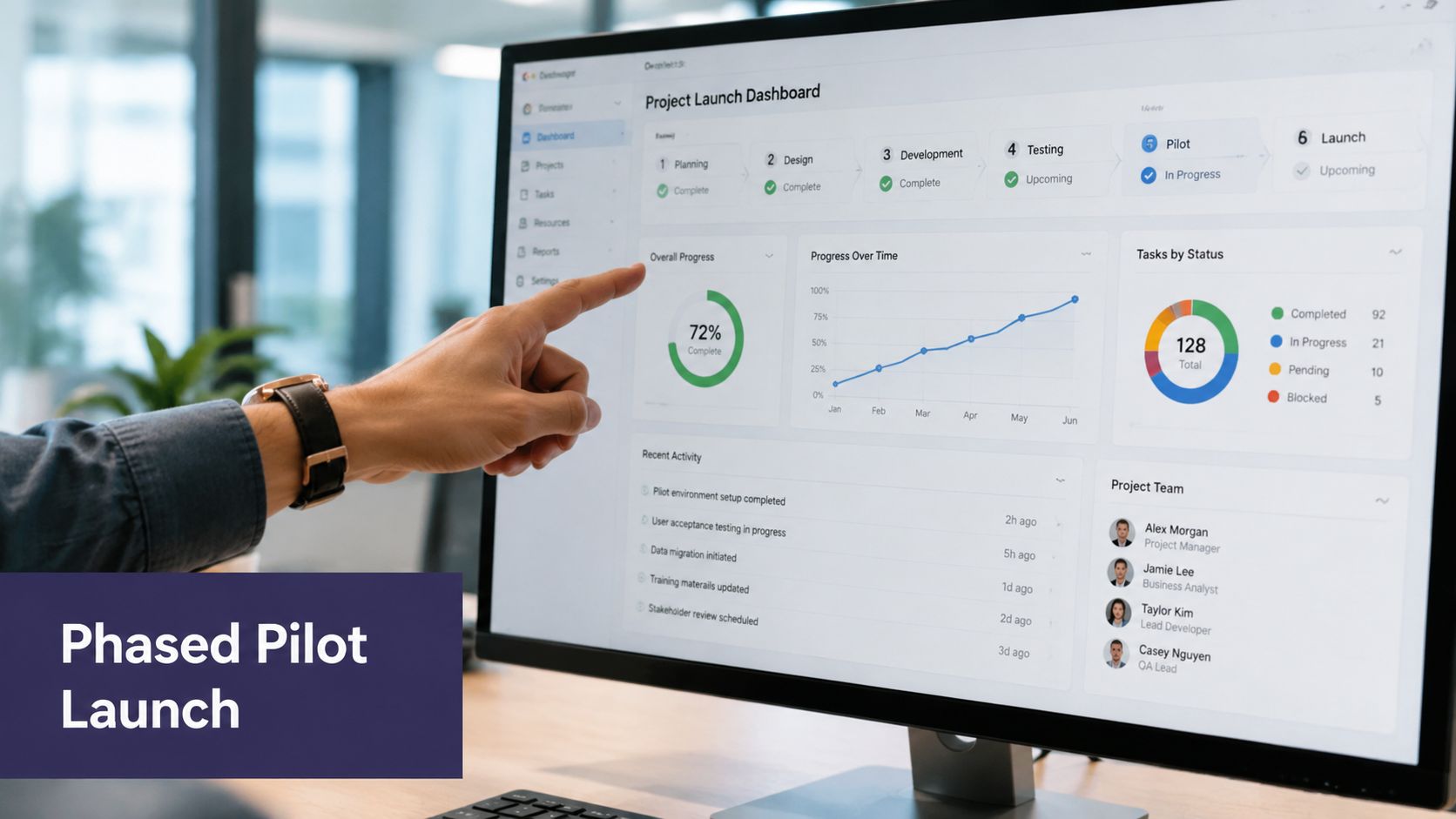
I prefer a pilot plan with four parts:
- Narrow scope: One workflow, one user group, one clear operating environment.
- Named owners: Someone owns clinical review, someone owns technical fixes, and someone owns user feedback.
- Go or no-go criteria: Define what must be true before expansion.
- Fallback path: Users need a safe manual path when the AI output is wrong, delayed, or unavailable.
A pilot should also include direct observation. Don't rely only on dashboards. Sit with staff, watch what they skip, and ask where the tool slows them down.
Production readiness is less about “does it work?” and more about “what happens when it doesn't?”
Monitor the system after launch
Once the app is live, the real work starts. You need to watch not just uptime, but behavior.
Track things like:
- Usage patterns: Are the intended users using the feature?
- Override behavior: Are humans correcting the same kind of output over and over?
- Operational impact: Is the app removing work or pushing it downstream?
- Failure modes: Which edge cases break routing, summaries, or handoffs?
Many AI teams act like a normal software team and stop too early. Clinical and operational monitoring should continue after launch because the model, the data, and the workflow all change over time.
Plan for adoption and the operational handoff
Launch day is not the finish line. In healthcare, it's often the point where the project finally becomes real enough to fail.
The common assumption is that if the software is live and the users got a training session, adoption will sort itself out. It won't. Staff need role-specific guidance, clear escalation paths, and confidence about when to trust the system and when to override it.
A review of research from 2015 to 2024 found that studies on apps with AI increased at an average annual rate of 45%, compared with 16% for apps without AI, which suggests AI is becoming the dominant path for healthcare app work and that practices need long-term adoption strategies, not one-time launches (review of AI and non-AI healthcare app research trends).
Train by role, not by product screen
Physicians, nurses, front-desk staff, and managers don't need the same training.
What works better is role-based adoption:
- Clinicians need boundaries: What the app drafts, what they must review, and where clinical judgment takes over.
- Administrative staff need confidence: What the system can complete on its own, what exceptions require escalation, and how to recover from errors.
- Managers need visibility: How to spot usage problems, how to handle support issues, and when a workflow needs revision.
One of the best habits is naming a small group of super users inside the practice. Not formal champions with a fancy title. Just trusted staff who know the workflow, like the tool, and can help peers without turning every question into a vendor ticket.
Write the handoff before you go live
The support model needs to exist before launch.
That means documenting:
- Who owns incidents
- Who reviews questionable outputs
- Who updates workflow rules
- Who decides whether a feature expands, pauses, or rolls back
If those decisions aren't assigned, they don't happen cleanly. The clinic ends up with a live tool and no shared operating model.
Adoption also depends on honesty. Tell users where the app is strong, where it needs review, and what kinds of mistakes they should expect. Clinical trust grows when the team feels informed, not marketed to.
The practices that do this well treat AI as an operational capability. They keep tuning prompts, workflows, permissions, training, and review rules after go-live because that's what the work requires.
If your practice is trying to automate high-volume administrative work without adding another disconnected tool, Simbie AI is worth a look. It focuses on voice-based healthcare workflows like intake, scheduling, refill requests, and follow-up tasks, with EMR-connected operations designed for real clinical environments.