
Monday at 8:05 a.m. is where most clinics tell the truth about their front desk. Two lines are ringing, the first patient is already at the window, someone wants a refill, someone else needs to reschedule, and the receptionist is trying to sound calm while deciding which problem to drop first.
I’ve sat in that seat from the operations side, and the pattern is always the same. The team isn’t failing. The system is. If your phones only work well when call volume is low and staff coverage is perfect, you don’t have a phone process. You have a daily gamble.
That’s why interest in the 24/7 ai receptionist for clinics has moved from curiosity to actual buying decisions. Practices are tired of losing after-hours calls, burning out front-desk staff, and paying people to do repetitive work that software can now handle well. The shift isn’t theoretical anymore. It’s operational.
The endless front desk fire drill is finally over
The front desk fire drill usually starts as a staffing problem, but it turns into a patient access problem fast. A missed call isn’t just a missed call. It can be a new patient who never calls back, an existing patient who gets frustrated, or a refill request that sits longer than it should because the message chain broke somewhere between voicemail and the EHR task list.
What changed for many clinics is simple. The market for virtual receptionists reached $3.85 billion in 2024 and is projected to reach $9 billion by 2033, with a 9.8% CAGR, according to Resonate’s AI receptionist statistics. Healthcare is a major part of that growth because medical offices deal with exactly the call patterns that expose weak front-desk workflows: high volume, complex scheduling, and after-hours patient questions.
Healthcare also accounted for 13.3% of AI receptionist usage across more than 17 industries in a dataset covering 347,609 business calls, which tells me this isn’t just hype from software vendors. Clinics are adopting these tools because the phone burden is real and persistent, not because they want to experiment with trendy tech.
Why clinics are paying attention now
The old approach was to hire more front-desk help, outsource overflow, or accept that some calls would go to voicemail. All three can work for a while. None fixes the root problem, which is that demand doesn’t arrive in a neat line.
A good AI receptionist gives you constant coverage without asking your staff to be available at all hours. It handles the repetitive work first, catches what used to be lost after closing, and gives the in-person team room to do the parts of the job that require judgment and empathy.
The main win isn’t “AI answered the phone.” The main win is that your human staff stop getting pulled away from patients every thirty seconds.
What this changes day to day
Once clinics stop relying on voicemail as a pressure valve, the day feels different. The phones still ring. The workload just stops crashing into one or two people at the desk.
That shift matters because front-desk burnout has a direct effect on patient experience. Tired teams make more mistakes, callbacks get delayed, and everyone starts working in a defensive mode. A 24/7 system won’t fix a broken clinic, but it can remove one of the most common operational bottlenecks.
What a 24/7 AI receptionist is and how it actually works
A 24/7 AI receptionist is not a fancy voicemail tree and it’s not a generic chatbot with a voice. In practice, it’s software trained to answer clinic calls, understand what the patient wants, and take the next action based on your workflows. That usually means scheduling, cancellations, refill requests, intake questions, directions, insurance basics, and routing urgent issues to a human path.
The simple version
The easiest way to explain it to physicians is this. Consider it a highly trained call handler that can listen, classify intent, follow policy, and document what happened, but it can do that for many callers at once.
The technology behind it is natural language processing and machine learning. For clinics, the practical part is what matters. AI receptionists can reach 95% to 98% accuracy in recognizing patient intent for tasks like scheduling or refills, according to Voiceoc’s review of 24/7 reception for modern clinics. That means the system can tell the difference between “I need to book a follow-up,” “I’m out of my medication,” and “I’m calling about my insurance card.”
They can also handle more than 1,000 simultaneous calls, which is why abandoned call rates can drop from a typical 30% to 40% to almost zero in the right setup, with hold times removed from the process described in that same Voiceoc analysis.
What it looks like inside a clinic workflow
Here’s what that means in real life:
- A patient calls after hours. The AI answers immediately, verifies who they are, and offers available appointment slots based on your scheduling rules.
- A refill request comes in. The AI gathers the medication details and prepares the handoff so staff or a clinician can review it in the right queue.
- The caller has a question the AI shouldn’t handle. The system routes the issue, flags the transcript, and follows the escalation path you set.
I’d strongly suggest reading about broader practical AI solutions for healthcare before you choose any vendor, because the phone agent works best when it fits the rest of your administrative stack instead of sitting off to the side.
If you want a concrete example of a healthcare-specific voice workflow, a tool like Simbie’s AI voice agent for clinics shows the kind of tasks these systems are built to manage inside medical practices.
Buy based on workflow fit, not demo polish. A smooth demo call means very little if the tool can’t follow your scheduling rules or your refill process.
The real benefits for your clinic and your staff
The obvious benefit is better call coverage. The more important benefits show up a few weeks later, after the chaos starts to settle.
Clinics using AI receptionists see no-show rates drop by 22% to 25%, administrative efficiency improve by 30%, and appointment bookings increase by 15% to 25% by capturing after-hours demand, according to Arini’s comparison of call centers and AI receptionists. Those are not abstract gains. They change staffing pressure, physician schedules, and revenue stability.
What changes for the front desk team
The first thing staff notice is not speed. It’s relief. The phone stops controlling every minute of the day, which means the person at the desk can finish a check-in, answer a billing question, or calm an anxious family member without staring at a blinking call queue.
The second thing is consistency. The AI doesn’t forget to offer scheduling options after hours, and it doesn’t lose a request on a sticky note because the lunch rush hit at the wrong time.
Clinic performance before and after AI receptionist
| Metric | Traditional front desk | With AI receptionist |
|---|---|---|
| No-shows | Higher baseline | 22% to 25% lower |
| Administrative efficiency | More manual handling | 30% better |
| Appointment capture after hours | Often missed or delayed | 15% to 25% more bookings |
Where the gains really come from
Not every task should be automated, but many should. In my experience, these are the jobs that produce the fastest operational return:
- Appointment management: New bookings, cancellations, and reschedules are repetitive, rule-based, and easy to standardize.
- Routine refill intake: The AI can collect the request cleanly so staff review the exception cases instead of every single call.
- Basic operational questions: Office hours, directions, documents to bring, and insurance prompts are exactly the sort of calls that interrupt staff all day.
- After-hours capture: This one matters more than many practices think. Patients who can book now often won’t wait until tomorrow.
Staff usually stop resisting the tool once they see that it removes the worst part of the job, not the meaningful part.
One caution. If leadership treats AI as a staffing cut exercise only, adoption gets ugly fast. The best rollouts reposition staff toward patient-facing work and exception handling. If your team thinks the project is just a disguised layoff plan, they won’t help you make it work.
Navigating HIPAA compliance and security risks
“HIPAA-compliant” on a vendor website doesn’t tell you much. In healthcare operations, I assume the opposite until the vendor proves it in writing and in process.
A useful baseline starts with a signed Business Associate Agreement, clear answers on encryption, storage, access controls, audit trails, retention rules, and how call recordings or transcripts are handled. If the salesperson keeps the conversation at a slogan level, that’s a problem.
The clinical risk is real
A lot of clinicians are uneasy about voice AI, and they’re not wrong to be cautious. A 2025 HIMSS report found that 68% of clinicians worry about diagnostic errors from voice AI, and a NEJM Catalyst study found that 22% of AI-handled calls required human override for clinical accuracy, as summarized in Call Agent AI’s clinic-focused review.
That means your buying process has to go beyond “Can it answer calls?” You need to ask:
- What happens when confidence is low? There should be a defined fallback path.
- How does the system handle urgent symptoms? “Chest pain” and “shortness of breath” cannot be treated like scheduling intent.
- Who reviews failure cases? Good vendors should support monitoring and tuning, not just launch and leave.
- Can you audit transcripts and escalations? If you can’t inspect what happened, you can’t manage risk.
Security isn’t just about the AI vendor
Clinic leaders also need to think about the wider threat environment around endpoints, browsers, and staff credentials. If your team is evaluating cloud tools and remote workflows, this overview of the rising threat of infostealer malware is worth reading because phone automation still sits inside a larger security picture.
For a practical buyer checklist, I’d also review guidance on HIPAA compliant AI tools so your internal review covers operational controls, not just a vendor’s marketing language.
If the AI can’t safely say “I’m routing this now” when a call turns clinically risky, it isn’t ready for your clinic.
How the AI connects with your EMR and workflow
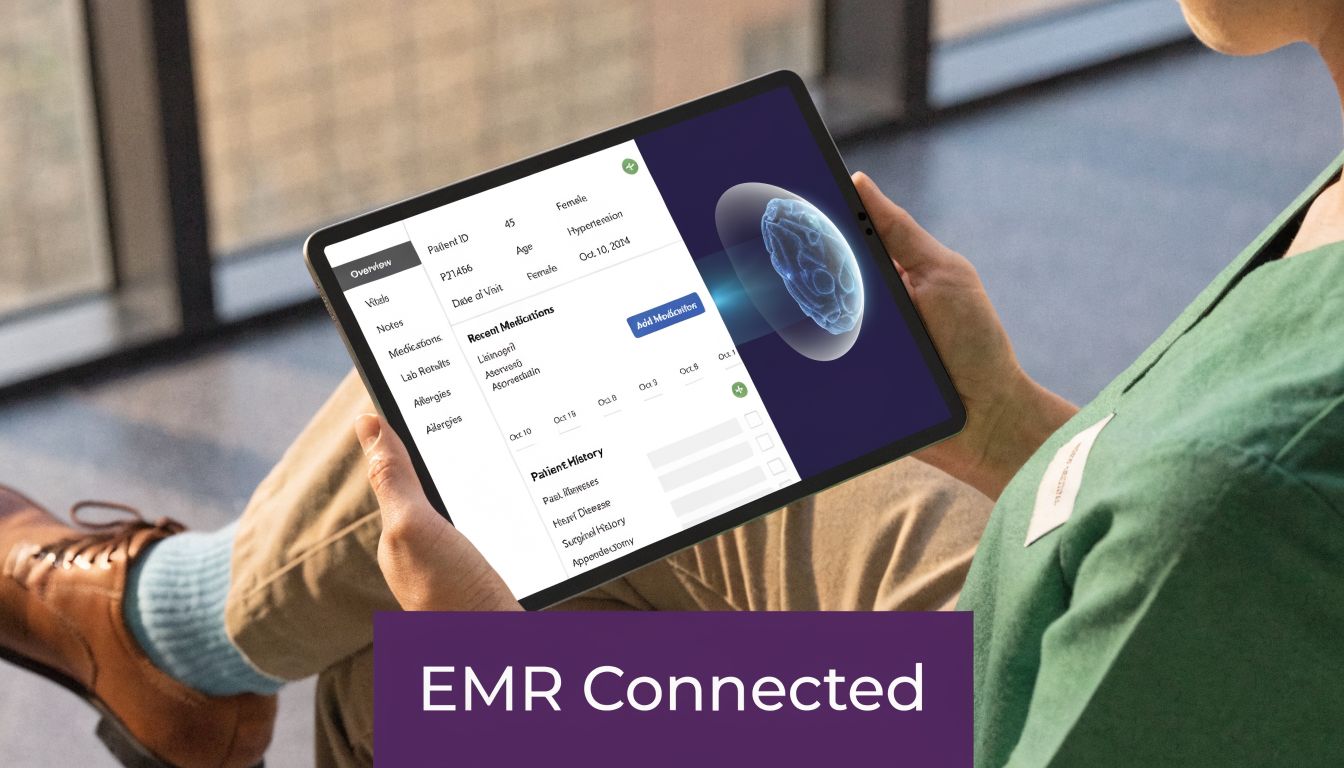
Most projects either work or fail depending on their system integration. The call experience can sound great, but if the AI receptionist can’t write cleanly into your EMR, push tasks to the right queue, or respect your scheduling logic, your staff will end up doing rework. Then the tool becomes one more inbox to manage.
What good integration looks like
Modern AI receptionists use secured APIs and HL7 FHIR standards to sync with EMRs. In that setup, they can reach 98% first-pass accuracy on data entry, cut prior authorization delays from days to hours, and produce administrative cost savings of up to 60%, based on the benchmarks in Klinic’s review of 24/7 AI front desk systems.
That sounds technical, but the workflow is simple:
- A patient calls and states the need.
- The AI gathers the required fields.
- The system sends structured data into the EMR or practice management system.
- The correct record, task, or schedule action updates without someone retyping it.
A refill request is a good example. The AI can capture the medication request, verify the basics, and queue it for clinician review. That’s very different from sending staff a voicemail transcript and asking them to do the rest manually.
Where clinics get burned
Legacy systems are the hard part. Some older EMRs have weak APIs, partial vendor support, or odd rules around scheduling and write-back permissions. That doesn’t mean you should avoid automation. It means you should test the exact workflows that matter before signing a long contract.
These are the questions I ask now:
- Which actions are true write-back actions and which are only read access?
- Can it create new patient records, or only update existing ones?
- How are duplicates handled?
- What breaks if the EMR times out or the webhook fails?
- Who owns integration support when your EMR vendor blames the AI vendor and vice versa?
If your intake still starts on paper or scattered PDFs, improving your forms process first can make the phone rollout much cleaner. Resources on HIPAA compliant online forms can help you tighten that upstream workflow before calls start feeding directly into records.
For clinics comparing integration depth, EMR integration details here are the kind of specifics you want from any vendor, especially around bidirectional sync and task creation.
Don’t ask “Does it integrate with our EMR?” Ask “Can it complete our five most common workflows without staff rework?”
Calculating the ROI and building your business case
Most leadership teams don’t approve a new phone system because it sounds interesting. They approve it because the operational math is hard to ignore.

Start with the costs you already know
I build the business case in two buckets. First, direct labor friction. That includes overtime, callback backlog, front-desk overload, and the hidden cost of having skilled staff spend their day on repetitive phone work instead of patient-facing tasks.
Second, I look at revenue leakage. Missed after-hours demand, abandoned calls, delayed scheduling, and no-shows all hit the schedule in different ways. The exact dollar impact will vary by specialty, so plug in your own clinic numbers rather than using generic assumptions.
A simple worksheet that works in board meetings
Use a one-page model with these lines:
- Current phone burden: How many routine calls eat staff time every day?
- Overtime and overflow handling: What are you paying now to keep up?
- Missed opportunity after hours: How often does demand arrive when no one can answer?
- No-show impact: What does an empty slot cost in your practice?
- Implementation costs: Software, setup, integration, and staff training.
Then pair that with operational evidence from your pilot. If the AI is taking routine work off the desk, catching after-hours scheduling, and reducing callback pileups, the business case gets easier because leadership can see the workflow shift, not just hear a pitch.
What wins over skeptical physicians
Physicians usually care about three things. Patient access, clinical safety, and whether staff will hate the change.
So frame the case that way. Show how the system protects access, keeps humans in the loop for exceptions, and reduces front-desk stress. The financial return matters, but for many medical groups the approval comes once they believe the tool won’t damage patient trust or create charting messes.
An implementation checklist for a smooth rollout
The clinics that get value quickly don’t start with every possible use case. They start narrow, test hard, and expand only after the team trusts the workflow.
Pick a vendor like an operator, not a shopper
A strong demo matters less than strong answers. I’d ask every vendor to walk through your actual call types, not their sample script.
Use this short screen:
- Clinical boundaries: Can the system identify calls it shouldn’t handle and move them to a person fast?
- Workflow fit: Does it support your scheduling rules, refill process, and front-desk policies?
- Integration depth: Can it write into the systems you already use, or does it only send summaries elsewhere?
- Support model: Who tunes prompts, call flows, and escalation logic after go-live?
Start with low-risk call types
Don’t begin with symptom triage if your team is still learning the system. Start where the process is repetitive and rules-based. Appointment scheduling, rescheduling, office questions, and refill intake are common places to begin.
Then listen to real calls. You’ll find edge cases quickly. Every clinic has them. The point of the first phase is not perfection. It’s finding where your policies are vague and where the AI needs a cleaner rule.
Roll out the AI where your staff already says the same thing twenty times a day.
Train the staff who will live with it
This step gets skipped all the time. The front desk needs to know what the AI handles, what gets escalated, where transcripts land, and how to correct errors without opening an IT ticket every time.
I’d run the launch in stages:
- Map the call types you want the AI to own first.
- Pilot on a slice of call volume instead of flipping the whole practice at once.
- Review transcripts and escalations daily during the first stretch.
- Adjust scripts and rules based on what patients say.
- Tell patients clearly that they can still reach a human when needed.
That last point matters. Patients don’t need a speech about the technology. They just need a clear, calm experience and an obvious path to a person for sensitive issues.
Frequently asked questions from practice managers
What happens when the AI doesn’t understand the caller
This will happen, so plan for it. The right setup doesn’t pretend it understood. It asks a clarifying question or routes the call to staff based on the escalation rules you approved. If a vendor can’t explain that fallback path clearly, I’d keep looking.
What about emergencies or urgent symptoms
The AI should not try to act like a clinician. It should recognize urgent language, stop the routine workflow, and follow the emergency script and escalation path your clinic has defined. In practice, that means fast routing and clear instructions, not improvisation.
How do older patients react
Usually better than people expect if the voice is clear and the task is simple. Patients care more about getting help quickly than whether the first voice is human. Resistance tends to rise when the system sounds robotic, traps them in loops, or hides the path to a person.
Can we customize the script and tone
You need that option. Every practice has its own scheduling rules, service lines, wording preferences, and risk points. If you can’t tailor those, the system will feel generic and staff will end up working around it.
Will it replace my reception team
Not if you implement it well. It should remove repetitive call handling and free the team for exception work, in-person patient support, and tasks that need judgment. Clinics get into trouble when they treat the system like a total replacement instead of a front-door filter.
If your clinic is weighing a 24/7 phone workflow, Simbie AI is one option to review. It’s built for healthcare voice workflows, including scheduling, intake, refills, and EMR-connected administrative tasks. The smartest next step is not a broad software search. It’s a short workflow review of your top call types, your escalation rules, and the systems the tool has to connect to before you pilot anything.