
Most clinics already use clinical decision support, even if nobody on the floor calls it that. It shows up when a refill request triggers a safety check, when an order set nudges a clinician toward the standard pathway, or when the chart warns that a medication combination could harm the patient.
That’s the practical answer to what is clinical decision support. It’s the layer of logic that helps clinicians make safer choices inside real workflow, not after the fact.
I’ve worked around CDS long enough to know the split reality. Good CDS catches mistakes people are very capable of making on a busy day. Bad CDS fills the screen with noise, gets overridden, and teaches staff to ignore the next alert. That tension matters more than the textbook definition.
Clinical decision support is the invisible co-pilot in modern healthcare
A packed clinic day creates hundreds of small decisions that don’t look dramatic in isolation. A refill seems routine until renal function changed. A cough visit seems simple until the medication list creates an interaction problem. A patient intake call sounds straightforward until the history reveals something that should change the next step.
That’s where CDS earns its keep. It works in the background, using patient data, rules, and clinical logic to put the right prompt in front of the right person at the right moment. In practice, that can mean a drug interaction alert, a reminder tied to a screening gap, a documentation cue, or an order suggestion that keeps care on the usual path instead of drifting.
The idea isn’t new. Clinical decision support gained real momentum in the 1970s with Stanford’s MYCIN system, which used logic-based rules for treatment recommendations, and adoption accelerated after the 1999 “To Err is Human” report focused attention on preventable medical errors. CDS later became part of Meaningful Use criteria by 2011. That history matters because it explains why CDS is now woven into routine care instead of treated like an academic project.
Good CDS is quiet until it matters. If staff notice it all day long, it’s usually a design problem.
In operational terms, CDS is one of the things that turns an EHR from a storage system into an active safety system. That’s also why newer tools matter. A lot of teams are looking beyond screen-only prompts toward workflow-native systems, including voice tools tied to clinical AI workflows, because the old model of “more pop-ups equals safer care” has not aged well.
The two main types of clinical decision support
Most CDS falls into two buckets. If you understand the difference, it gets much easier to judge whether a tool will fit your practice.
Knowledge-based CDS
This is the older and still very common model. A knowledge-based system uses explicit rules. Think “if this, then that.”
If a patient takes two medications with a known interaction, the system fires an alert. If a diagnosis is entered, the system may suggest an order set. If a lab value crosses a threshold, the system may prompt follow-up. These systems are easier to audit because the logic is visible. Clinicians and administrators can ask why the alert fired and usually get a clear answer.
That transparency is a real strength. The trade-off is rigidity. Rule sets age. They also multiply. What starts as a sensible safety net can become a pile of overlapping logic that no one fully owns.
Non-knowledge-based CDS
This category uses AI or machine learning to find patterns in data rather than relying only on fixed rules. Instead of a hand-built checklist, it acts more like a system trained on many prior examples. It can spot risk, rank priorities, or reduce noise by deciding which signal deserves attention now.
These tools can be more adaptive, especially when the data environment is messy. They’re also harder to evaluate if the output isn’t explained well enough for clinical use. That’s where many buyers get burned. Accuracy by itself isn’t enough. If a clinician can’t understand why the system is making a suggestion, trust drops fast.
A useful technical frame comes from a review of CDSS architecture. Clinical Decision Support Systems use a three-layer architecture made up of a data management layer, a processing layer with the inference engine, and a communication mechanism. The same review notes that implementations have a 68% success rate in improving clinical practice when they fit naturally into workflow and provide real-time support at the point of care, according to this CDSS architecture review.
A practical comparison
| Characteristic | Knowledge-Based CDS | Non-Knowledge-Based (AI/ML) CDS |
|---|---|---|
| Core logic | Explicit “if-then” rules | Pattern detection from data |
| Transparency | Usually high | Varies by model and interface |
| Maintenance | Needs rule upkeep and governance | Needs model monitoring and validation |
| Best use case | Clear safety checks and standard protocols | Prioritization, prediction, and noise reduction |
| Common weakness | Too many rigid alerts | Harder to explain if poorly designed |
If you can’t tell who owns the rules, who tunes the thresholds, and who reviews bad outputs, the CDS isn’t ready for production.
What CDS actually does in a clinic
CDS makes the most sense when you watch it inside an ordinary patient encounter. It isn’t one feature. It’s a collection of assists that show up at different points in care.

It catches medication problems early
The most familiar example is medication safety. A clinician signs a refill, and the system flags a drug-drug interaction or a mismatch with the current chart. On a good day, that saves time. On a bad day, it prevents harm.
This function traces back to the early rule-based systems. MYCIN helped establish the idea that software could apply clinical rules to treatment choices. That old idea is still alive in modern prescribing workflows, just buried inside the EHR.
It standardizes common care paths
Order sets are another everyday form of CDS. For a common condition, the system can present a prebuilt path so the clinician doesn’t have to rebuild the visit from memory every time.
That matters more than people admit. Standardization reduces variation, and variation is where errors and omissions creep in. In telehealth and remote triage settings, this becomes even more useful, especially in services similar to XO Medical online consultations, where structured digital workflows help keep decision steps consistent.
It supports diagnosis and follow-up
Some CDS tools assist with differential diagnosis, reminders, and next-step prompts. A chart review may trigger a reminder for screening, chronic disease follow-up, or missing history that changes the plan.
That only works if systems can talk to each other. If medication history sits in one place, visit notes in another, and labs arrive late, the recommendation arrives half-blind. That’s why interoperability in healthcare isn’t a side topic. It’s the difference between useful support and false reassurance.
It improves documentation and handoffs
A lot of administrators think of CDS as only clinical alerts. In reality, it also appears in intake flows, refill routing, documentation prompts, and chart completion. Those functions don’t sound glamorous, but they shape safety because they shape what information is available at the point of care.
You can think of the common clinic uses like this:
- Medication review: checks interactions, duplications, and missing context before the order goes through
- Order guidance: presents standard order sets for recurring conditions and visit types
- Preventive care prompts: reminds teams about screenings, monitoring, or follow-up care gaps
- Diagnostic support: suggests possibilities or raises caution when entered data doesn’t fit the usual pattern
- Documentation support: nudges the team to capture needed history, reconcile meds, and close loops in the chart
The real-world benefits for patients and practices
The value of CDS is not theoretical anymore. The strongest case for it is still patient safety, but the operational case is just as real.

The patient safety case is strong
A systematic review found that CDS systems reduced inappropriate medication ordering by 57.3%, and in the U.S. CDS alerts are estimated to prevent 500,000 adverse drug events annually, based on the verified data provided in the brief.
That lines up with what many of us see in practice. The biggest wins often come from catching ordinary mistakes before they become chart corrections, callbacks, or hospital problems. CDS doesn’t make clinicians perfect. It lowers the odds that a preventable miss slips through during a rushed encounter.
The best return from CDS often comes from preventing the problem nobody has time to investigate later.
For teams that want to keep up with evidence without reading every paper in full, curated references still matter. I often prefer short, clinically useful overviews such as these expert-curated research summaries, then I look at whether the workflow can turn that knowledge into a practical prompt or order path.
The practice case is just as persuasive
CDS also affects staffing, throughput, and waste. Verified data shows $5.80 to $9.00 ROI per $1 invested, with gains tied to reduced length of stay and fewer lab tests. For practice leaders, that matters because safety projects survive longer when they also remove friction.
The operational upside usually shows up in a few places:
- Less rework: fewer callbacks, corrections, and chart cleanups after the visit
- More consistent ordering: less unnecessary variation between clinicians handling similar cases
- Cleaner documentation: better information flow for refills, handoffs, and billing support
- Lower admin burden: for smaller practices, CDS through platforms like Simbie AI can cut administrative burdens by up to 60%, based on the verified data in the brief
The mistake I see most often is treating CDS like a compliance checkbox. It works better when the practice sees it as an error-prevention and labor-allocation tool. Once you frame it that way, the buying questions change. You stop asking, “Does it have alerts?” and start asking, “Which part of our workflow breaks most often, and will this reduce that breakage?”
Common risks and limitations to manage
The case for CDS gets weak fast when the system annoys clinicians more than it helps them. That’s not a side issue. It’s the main implementation risk.
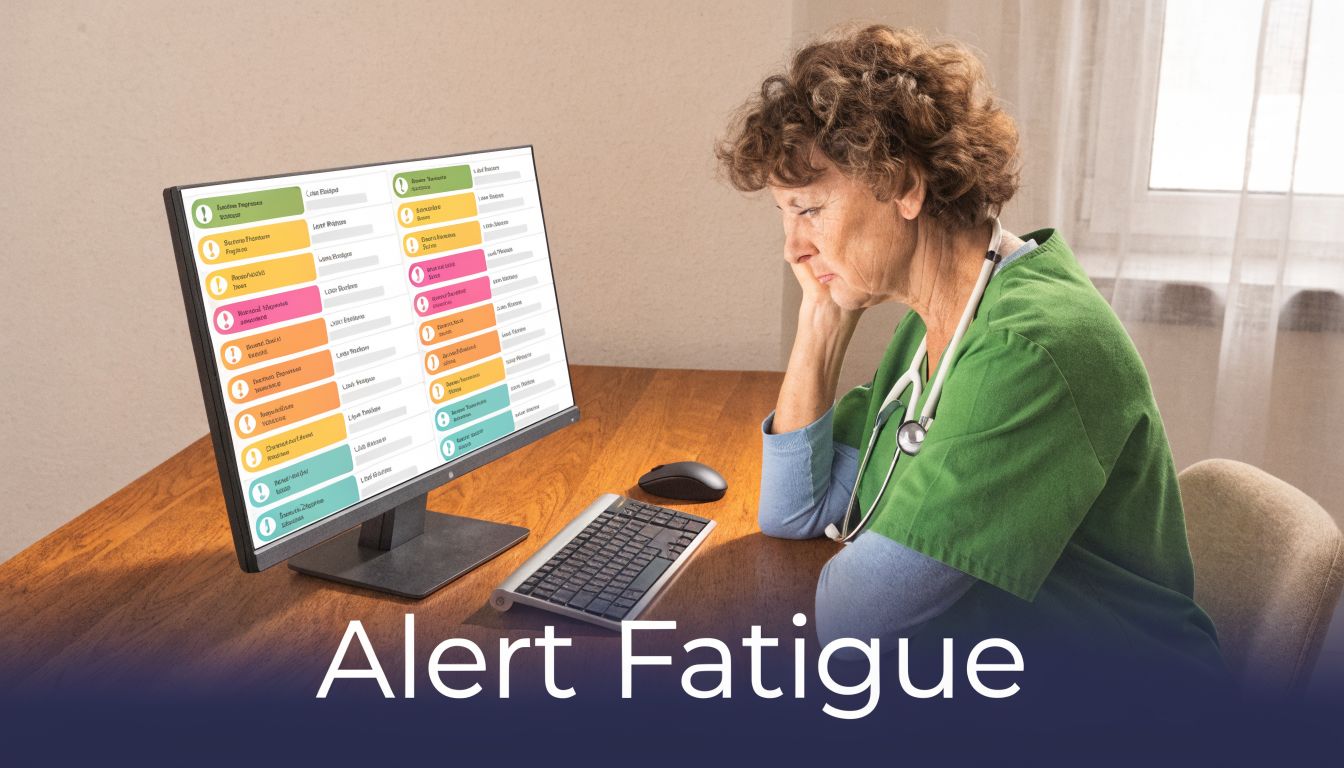
Alert fatigue is the failure mode everyone knows
Clinicians can receive 45 to 96 alerts daily, with override rates as high as 90%, according to this overview of clinical decision support and alert fatigue. Once that happens, the system has trained users to click past danger along with noise.
I’ve seen this in medication workflows and inbox management. Teams start by trusting the alerts. Then they discover half of them are obvious, low-value, or poorly timed. Soon the response pattern becomes automatic. That’s how a safety tool turns into background static.
Burnout sits right behind that problem. The same verified data notes that 70% of admins in understaffed clinics report burnout tied to this issue. Administrators feel it because they hear both sides. Clinicians complain about the clicks. Managers still expect the software to reduce risk. Both are right.
Poor fit causes its own harm
A CDS tool can also fail without flooding anyone with alerts. It can interrupt workflow, arrive too late, or ask for data the team doesn’t have time to enter correctly.
The usual weak points are predictable:
- Bad timing: the prompt appears after the decision is effectively already made
- Low specificity: the system warns about too many things that don’t need action
- No local tuning: generic rules ignore your specialty mix, staffing model, or patient population
- Weak governance: nobody reviews overrides, broken rules, or outdated content
Newer AI tools can reduce noise, but they need oversight
The verified data says non-knowledge-based AI CDS can reduce fatigue by 35% through better prioritization, and voice-AI integrations have shown 50% reductions in fatigue in trials, again from the same verified source above. That’s promising, but it doesn’t mean “buy AI and the problem disappears.”
If your CDS strategy is just adding another alert channel, you haven’t fixed fatigue. You’ve moved it.
The practical standard is simple. A recommendation should be timely, specific, and tied to an action someone can take now. If it fails any of those three tests, it probably shouldn’t interrupt care.
Integrating CDS into your practice the right way
Most CDS rollouts go wrong before the software even turns on. They start too broad, with too many rules, too little local input, and no owner once the launch meeting ends.
Start with one painful workflow
Pick one process that reliably causes waste, delay, or risk. Medication refills are a good example. So are intake, prior authorizations, and chronic follow-up gaps. Narrow scope forces better design because the team can define what “working” means.
I’d rather see a practice solve one refill bottleneck well than buy a giant CDS package and spend months muting alerts.
Build with clinicians, not around them
A CDS committee made up only of IT and operations almost always misses the point of care reality. Front-desk staff, nurses, MAs, and physicians each see different failure points. Bring them in before build, during testing, and after go-live.
A simple rollout sequence works better than a grand launch:
- Choose one use case: not “improve quality,” but “reduce refill back-and-forth.”
- Map the current path: find where information goes missing or gets re-entered.
- Decide what the tool should do: warn, suggest, draft, route, or document.
- Measure one or two outcomes: fewer callbacks, fewer manual touches, fewer inappropriate escalations.
- Review overrides and misses: if staff keep ignoring the prompt, assume the design may be wrong.
Use newer interfaces where screens already feel overloaded
Voice tools frequently offer greater utility than many buyers realize. If the clinic already runs on screens, adding one more pop-up rarely helps. A voice-first layer can collect intake details, support refill routing, capture history, and pass structured information into the chart without forcing more clicks.
One example is Simbie’s AI clinical agent, which is designed for healthcare workflows such as intake, refills, and patient communication while integrating with existing EMR systems. The reason that model is worth considering is practical, not flashy. It shifts support into the interaction itself instead of adding another screen interruption.
That matters because AI still misses things in narrow clinical tasks when it isn’t built and validated for the use case. A good reminder is this review of what ChatGPT missed in ECGs. General AI can be helpful, but clinical support needs task-specific guardrails.
Don’t ignore patient-facing CDS
This is the part many teams skip. Verified data notes that only 25% of CDS implementations include patient-facing features, even though such tools can cut readmissions by 15% in mid-sized clinics, based on the AHRQ overview of clinical decision support resources.
That makes sense from the ground level. If a patient understands the refill process, follow-up steps, medication instructions, or warning signs, the clinic gets fewer avoidable calls and fewer confused handoffs. Patient-centered CDS isn’t a nice extra. In many workflows, it closes the loop that clinician-facing alerts alone can’t close.
Your first step toward smarter clinical support
Don’t start by shopping for “a CDS platform.” Start by naming the one workflow your staff complain about every week.
If refill requests pile up because history is incomplete, fix that. If intake calls consume hours and still leave chart gaps, fix that. If preventive follow-up gets missed because the reminder system is buried inside the EHR, fix that. The right first move is smaller than most leadership teams think.
A lot of practices get stuck because they frame CDS as a major transformation project. That usually leads to long buying cycles, vague goals, and too much software. A narrower approach works better. Take one recurring decision point, look at where information breaks down, and choose a tool that reduces errors without adding more screen burden.
For many small and mid-sized practices, the easiest starting point is administrative-clinical crossover work. Intake, refills, scheduling, prior auth, and patient education all affect care quality, but they also create heavy manual load. They’re easier to measure, easier to redesign, and less likely to trigger the kind of alert fatigue that clinicians already hate.
If you want a useful test, ask one blunt question at your next operations meeting: “Where do we still rely on memory, inbox cleanup, or callbacks to keep patients safe?” That’s the workflow where smarter clinical support should start.
If your practice wants to test a more practical form of CDS, Simbie AI is one option to look at for voice-based intake, refill workflows, patient communication, and EMR-connected administrative support that reduces manual chart work instead of adding another pop-up layer.