
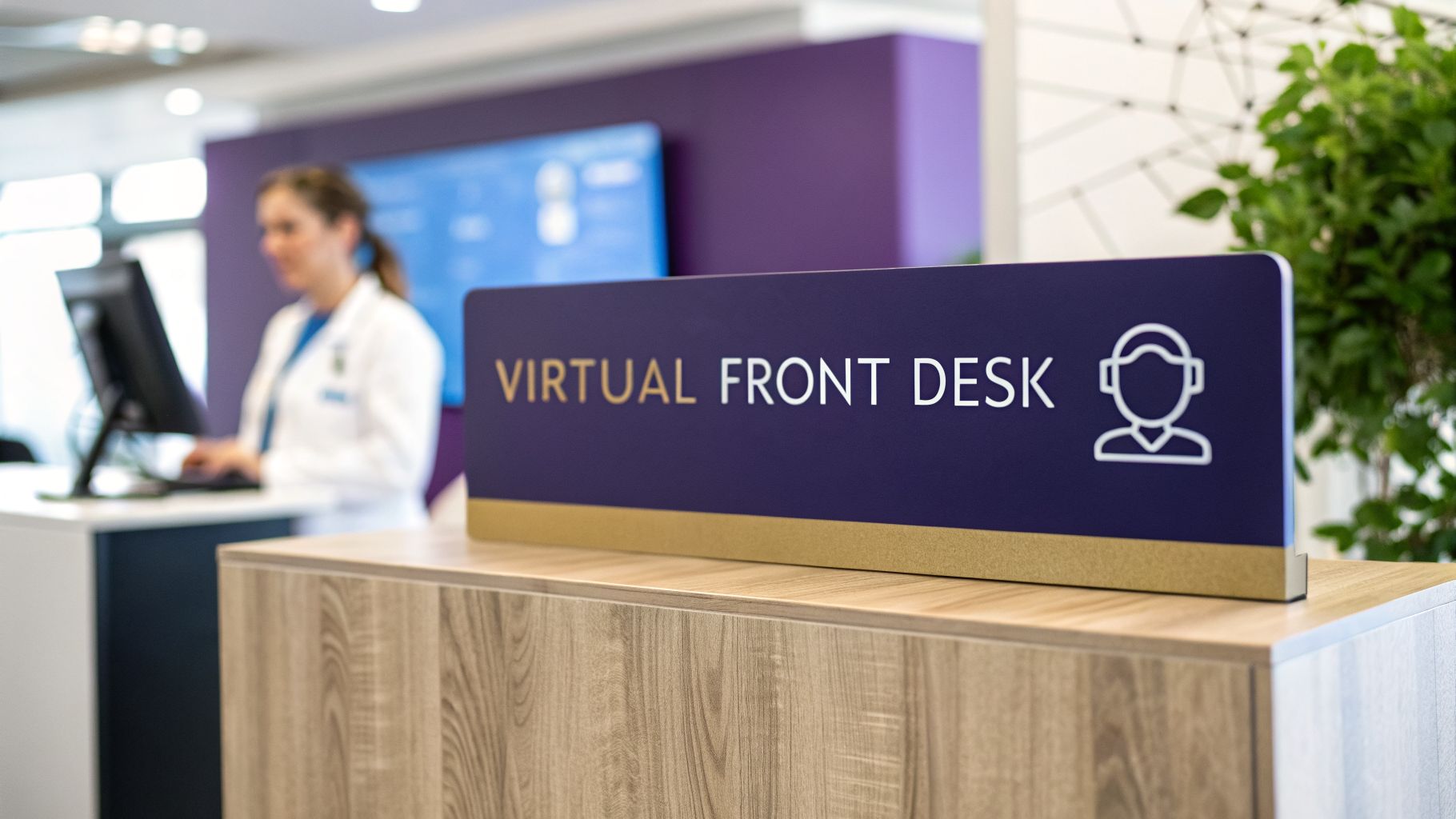
Picture this: a typical front desk at a busy clinic. The phone is ringing off the hook, a stack of paperwork is threatening to topple over, and a line of patients is forming in the waiting area. It’s a scene of organized chaos, where the sheer volume of administrative work steals time and energy that should be dedicated to patient care.
This constant pressure cooker environment doesn't just affect staff morale; it directly impacts the patient experience. Long hold times, scheduling errors, and a rushed, impersonal check-in process create a cascade of frustrations that can erode patient trust before they even see a clinician.
Why Your Front Desk Is Overwhelmed

The front desk is the nerve center of any medical practice, but it's often stretched to its absolute limit. We expect our staff to be master multitaskers, juggling a non-stop flood of phone calls, scheduling appointments, verifying insurance, and checking patients in and out. It’s a relentless pace that creates serious bottlenecks for the entire clinic.
When your team is buried in phone calls, the patient standing right in front of them feels invisible. And when they’re focused on processing paperwork, incoming calls get sent to voicemail—each one a missed opportunity to help someone or book a new visit. This isn't a knock on your staff; it's a clear sign that the system itself is cracking under the weight of modern healthcare demands. The traditional, manual model of front office management is no longer sustainable in a world where patients expect instant access and digital convenience.
The True Cost of Administrative Inefficiency
The fallout from an overloaded front desk goes way beyond long hold times. These inefficiencies create real financial and operational headaches that can threaten your practice's stability. Every minute your team spends on a repetitive, low-value task is a minute they can't spend on meaningful patient interaction, complex billing questions, or coordinating follow-up care.
This constant strain snowballs into several critical problems:
- Increased Staff Burnout: The endless pressure and monotonous work lead to high stress and employee turnover. This puts your practice in a costly, disruptive cycle of hiring and training new people. The cost to replace an employee can be as high as 50-60% of their annual salary.
- Negative Patient Experiences: Frustratingly long hold times, scheduling mix-ups, and rushed interactions chip away at patient satisfaction and trust. In the end, it can drive them to look for care somewhere else. Unhappy patients are not only less likely to return but are also more likely to leave negative online reviews.
- Lost Revenue Opportunities: A missed call is often a missed appointment. On top of that, no-shows—which are often the result of a flimsy reminder system—can be financially devastating. Each empty slot on the calendar is a direct financial loss.
The financial hit is staggering. Industry data reveals that no-show rates can wipe out roughly 14% of a medical group's daily revenue. That can add up to about $150,000 in lost income per physician, per year.
This is exactly where a virtual front desk comes in. It provides a direct solution by automating the very tasks that create the most friction. A smart system helps you claw back that lost revenue with intelligent reminders and real-time scheduling. In fact, 73% of practices report that their no-show rates either stayed the same or got better after making the switch to more modern patient engagement tools.
To dig deeper, you can explore more stats on the future of virtual care) and see how technology is already reshaping clinic operations. Adopting this approach is the first step toward building a more resilient, profitable, and truly patient-focused practice.
Understanding the Virtual Front Desk

So, what exactly is a virtual front desk? The best way to think about it isn't as a single piece of software, but more like an intelligent hub for your entire practice. It's a digital ecosystem that works behind the scenes, managing all those patient communications and administrative tasks without being tied to a physical desk. It acts as the digital counterpart to your physical front office, automating repetitive processes and providing patients with multiple channels for self-service.
Instead of your staff having to manually answer every single call, a virtual system triages them instantly. It can route urgent clinical questions to the right nurse, schedule routine appointments on its own, and handle refill requests—all at once. This isn't about replacing your team; it's about freeing them up to focus on higher-value work and the patients right in front of them.
Moving Beyond the Traditional Model
The old way of doing things constantly forces your staff to divide their attention. The phone rings, the computer pings, and a patient is standing at the counter. It's a manual juggling act that’s as inefficient as it is stressful. A virtual front desk, on the other hand, creates a single, organized channel for all these interactions, allowing for parallel processing of tasks that would overwhelm a human team.
The shift to this modern approach is already happening. Telehealth usage has stabilized at 38 times what it was before the pandemic, cementing its role as the new digital front door in healthcare. And patients love it—a full 90% of those who tried a virtual visit said they would do it again. This wide-scale adoption proves that patients are not just ready for, but actively prefer, digital and virtual interactions with their healthcare providers.
This is more than just a tech upgrade; it's a fundamental change in how your practice operates. A virtual front desk allows you to be available 24/7, offering the consistent, high-quality service that patients now expect.
To see just how different the workflows are, let's compare them side-by-side.
Comparing Traditional vs Virtual Front Desk Tasks
| Administrative Task | Traditional Front Desk | AI-Powered Virtual Front Desk |
|---|---|---|
| Answering Calls | Manual, one at a time. Puts callers on hold. | Instant, simultaneous answers. No hold times. |
| Appointment Scheduling | Staff manually checks calendars and books slots. | Patients self-schedule via phone or web, 24/7. |
| Appointment Reminders | Manual calls or basic, one-way text reminders. | Automated, interactive reminders (confirm/reschedule). |
| New Patient Intake | Paper forms filled out in the waiting room. | Digital forms sent and completed before the visit. |
| Answering FAQs | Staff repeatedly answers the same questions. | AI handles common questions instantly. |
| Insurance Verification | Manual lookups, often causing delays at check-in. | Automated verification ahead of the appointment. |
| Prescription Refills | Staff takes messages and relays them to clinical team. | Automated intake and routing to the correct clinical queue. |
As you can see, the virtual model doesn't just do the same tasks faster—it fundamentally changes how work gets done, shifting the burden from your staff to an automated system.
An AI-Powered Ally for Your Practice
A truly effective virtual front desk is powered by specialized AI. For healthcare practices, a core part of this is an advanced virtual assistant in healthcare that acts as the primary point of contact. This is not a generic customer service bot; it's a sophisticated tool designed for the unique demands of a medical environment.
Systems like Simbie AI aren't generic chatbots. They are clinically-trained voice agents built from the ground up to understand the specific language and needs of a medical practice. They operate around the clock to answer every call, book appointments, and even collect patient intake information before a visit ever happens. They can discern urgency, understand medical terminology, and navigate complex scheduling rules specific to different providers and appointment types.
This 24/7 availability means you never miss a patient call or an opportunity to book an appointment. Your practice is always "open," ready to provide support or schedule care, turning your front desk from a potential bottleneck into a welcoming and incredibly efficient gateway to your practice.
The Key Features That Modernize Your Practice

A modern virtual front desk isn't just a fancy call-forwarding setup. Think of it as a complete toolkit designed to handle the repetitive, time-consuming tasks that bog down your front office, all while making things smoother for patients and staff alike. These integrated features work in concert to streamline operations from the first point of contact to post-visit follow-up.
Understanding the core features shows you exactly how this technology can change the rhythm of your practice's day. These aren't just standalone bells and whistles; they work together to create a smarter, more responsive system.
AI-Powered Call Management
The first thing you—and your patients—will notice is how every single call gets answered instantly. No more hold music. No more sending patients to voicemail during the lunch rush. That’s the magic of AI-powered call management.
An AI voice agent can juggle dozens of calls simultaneously, 24/7. It quickly figures out what each patient needs—answering common questions about office hours or locations, booking an appointment, or flagging an urgent clinical issue for a real person. This means every patient gets an immediate, helpful response, which is a huge step up in patient access and a significant reduction in call abandonment rates.
Automated Scheduling and Reminders
Every empty appointment slot is money walking out the door. That's why a robust automated scheduling and reminder system is a game-changer. Patients can book, change, or cancel their appointments over the phone or online whenever it's convenient for them, even in the middle of the night.
The system is smart enough to manage your calendar, preventing double-bookings and optimizing the schedule based on provider availability, appointment type, and other custom rules. It also sends out interactive reminders via text or a quick call, letting patients confirm or reschedule with a simple tap. This kind of proactive communication is proven to slash no-shows and keep your schedule packed.
A virtual front desk doesn’t just manage tasks; it actively drives practice efficiency. By automating scheduling and minimizing no-shows, it directly protects your clinic's most valuable asset: your clinicians' time.
Digital Patient Intake and Paperwork
The days of the clipboard and pen in a crowded waiting room are numbered. A virtual front desk moves the entire intake process online, creating a better experience for patients and ensuring you get more accurate information. This shift not only saves time but also significantly reduces the risk of human error during manual data entry.
Before their visit, patients receive a link to fill out all the necessary forms on their own phone or computer. This includes:
- Demographic information that pipes directly into their patient file.
- Insurance details, which can be verified before they even arrive.
- Medical history and consent forms, making sure everything is done ahead of time.
This simple workflow means patients have zero wait time filling out forms, and your staff spends zero time on manual data entry. That alone cuts down on costly clerical errors.
Seamless EMR Integration
For any of this to be truly effective, the virtual front desk has to talk to your existing Electronic Medical Record (EMR) system without a hitch. Seamless EMR integration is the glue that holds everything together, ensuring patient information is always consistent and current. This isn't just a one-way data push; it's a bi-directional sync that creates a single source of truth for patient data.
When a patient books an appointment or updates their address, that information is automatically and securely pushed to your EMR. When a provider's schedule changes in the EMR, the virtual front desk knows instantly. This two-way street of data eliminates manual chart updates and gives your clinical team confidence that they're always looking at the right information. If you're curious about the bigger picture, our guide to healthcare workflow automation dives deeper into how connected systems work.
Automated Prescription Refill Management
Finally, let’s talk about one of the biggest time-sinks for any front office: prescription refill requests. A virtual front desk can put this entire process on autopilot, creating a structured, auditable workflow that is both faster and safer.
The AI agent securely gathers all the required details from the patient—name, date of birth, medication, and pharmacy—and then tees up the request for the right clinical staff member to approve within the EMR. This frees your team from the endless phone tag and lets them focus on patients who are in the office right now.
What This Actually Means for Your Clinic and Patients
Let's move past the features and talk about what a virtual front desk really does for your practice day-in and day-out. The results aren't just small tweaks; they represent a major shift in how you operate and how patients experience your care.
Think about it: by automating the never-ending stream of administrative tasks, you’re hitting the root cause of staff burnout and high turnover. This isn’t just a nice-to-have tool; it's a strategic move to solve one of healthcare's biggest headaches. It allows you to reallocate your most valuable resource—your people—to tasks that require empathy, critical thinking, and a human touch.
Boosting Your Operational Health
Running a front office is expensive and logistically draining. A virtual front desk tackles this problem head-on, creating efficiencies you’ll see right on your bottom line.
For example, every call that hits voicemail is a lost appointment and lost revenue. An AI-powered system that answers 100% of calls immediately turns those missed opportunities into scheduled visits. That simple change can boost your practice's revenue without needing a single new patient.
- Slash Administrative Costs: Automation cuts down the hours your staff spends on tedious work like appointment reminders and data entry. This frees them up for higher-value, patient-focused tasks, letting you do more with the team you have.
- Reduce Staff Burnout and Turnover: When your team isn't drowning in phone calls and paperwork, job satisfaction goes way up. A virtual front desk is like a tireless assistant, handling the repetitive work that burns people out and making their jobs more sustainable.
- Capture Revenue You’re Currently Missing: What about calls that come in after hours or during a hectic lunch break? A 24/7 virtual system is always on, capturing appointments that would otherwise have slipped through the cracks.
Staffing shortages have made the virtual front desk a go-to solution for practices dealing with high turnover and rising payroll. The data doesn't lie: patient engagement is the #1 priority (55%) for providers, but delivering it consistently is a huge struggle.
Elevating the Patient Experience
The operational wins are huge, but the impact on your patients is just as important. A smooth, responsive front-end experience sets the stage for their entire journey with you. It tells them you respect their time and are serious about providing modern, convenient care.
A virtual front desk gets rid of the frustrating hurdles that annoy patients before they even set foot in your clinic. That first positive interaction is where trust and satisfaction begin. To see how this technology transforms the patient journey, you can explore these powerful patient access solutions.
A Win-Win for Care and Efficiency
Ultimately, a virtual front desk creates a virtuous cycle. When your administrative tasks are running smoothly in the background, your in-office staff can give their full attention to the patients right in front of them.
This has real clinical benefits. For instance, when a patient completes their intake digitally, their information is more accurate and ready to go before the appointment starts. Your clinicians get the right information at the right time, leading to more productive consultations and better-coordinated care.
Just think about these patient-focused advantages:
- Immediate 24/7 Access: Patients can book appointments or get quick answers anytime, day or night, without having to wait for you to open.
- Better Data Accuracy: Digital forms eliminate the typos and errors from manual data entry that can cause billing nightmares or even clinical mistakes.
- A More Focused In-Office Team: Without phones ringing off the hook, your staff can give a warmer welcome, handle co-pays without feeling rushed, and manage follow-up care more effectively.
This is why a virtual front desk is so powerful. It shores up your practice’s finances while making healthcare feel easier and more personal for the people you serve.
How to Implement a Virtual Front Desk

Making the move to a virtual front desk doesn't have to be a massive headache. It's really about taking a step-by-step approach. You’re not trying to overhaul your entire practice overnight; you're just thoughtfully adding a new tool to help your team and your patients. The key to getting it right is good planning and a clear idea of what you want to fix.
Think of the first step as a simple "pre-flight check." Before you even start looking at vendors, take a hard look at your own clinic. Get a whiteboard and map out exactly how your front desk operates right now. Where are the biggest bottlenecks and frustrations? Are you drowning in missed calls? Is the appointment schedule a constant source of chaos? Pinpointing these issues first ensures you'll pick a solution that actually solves your problems.
Your Pre-Flight Implementation Checklist
Before you start taking sales calls, it's worth doing a quick internal audit. This gives you a solid foundation and a clear list of "must-haves" for any potential vendor.
- Define Your Primary Goals: What’s the number one thing you want to accomplish? Maybe it's slashing patient hold times, getting a handle on no-shows, or just bringing down your administrative costs. Be specific and, if possible, attach metrics to these goals (e.g., "Reduce no-show rate from 15% to 5%").
- Map Your Current Workflows: Write down, step-by-step, how your team handles scheduling, patient intake, and answering calls. This map will show you exactly which repetitive tasks a virtual front desk can take off their plate. Identify the biggest time-wasters.
- Assess Your Technical Infrastructure: What EMR are you using? What about other practice management software? You need a clear picture of your current tech to make sure any new tool will play nicely with what you already have. Confirm API capabilities and integration points.
- Involve Your Team Early: This is a big one. Go talk to your front desk staff. They're in the trenches every day and know better than anyone what's working and what's not. Their input is gold, and their buy-in is critical for a smooth transition.
A successful implementation isn’t just about technology; it’s about people. Bringing your team into the conversation from day one creates buy-in and ensures the tool you pick actually makes their lives easier, not harder.
Choosing the Right Technology Partner
Once you've got your needs figured out, it's time to find the right partner. In healthcare, not all virtual front desk solutions are built the same. You need a vendor that actually gets the complexities of a clinical setting, from HIPAA compliance to the nuances of different medical specialties.
Your top priority should be finding a partner that offers deep, bi-directional EMR integration. This is an absolute deal-breaker. The system has to be able to pull information from and push updates back to your patient records without a hitch. For example, platforms like Simbie AI were built from the ground up for healthcare, designed to sync perfectly with the major EMR systems.
And of course, double-check their security and compliance. Any potential partner must be fully HIPAA-compliant and show you they take protecting patient data as seriously as you do. Ask for their compliance certifications and data security protocols.
Navigating Training and Change Management
The last piece of the puzzle—and honestly, the most important one—is managing the change with your team. A virtual front desk will change daily routines, and you can't just drop it in their laps and expect it to work.
Your partner should provide thorough training and onboarding for your staff. This isn't just about learning software; it’s about understanding how their roles will shift for the better. I always suggest framing it as giving them a powerful assistant. The virtual agent handles the boring, repetitive tasks, which frees them up to focus on the patients who need a human touch and to handle more complex, value-added responsibilities.
Keep the lines of communication wide open during the transition and ask for feedback. And don't forget to celebrate the small victories, like the first day you hit zero missed calls or see your no-show rate finally dip. That kind of positive reinforcement helps everyone see the real-world value, turning what could be resistance into genuine excitement.
How to Measure Your Return on Investment
Bringing a virtual front desk into your practice is a big decision, and you need to know it's money well spent. So, how do you prove it’s actually paying off? Measuring the return on investment (ROI) isn't about guesswork; it's about tracking specific, concrete improvements across your practice, from financial gains to happier, more loyal patients.
By focusing on the right key performance indicators (KPIs), you can move from feeling the benefits to proving them with hard data. This is what helps justify the initial cost and shows everyone—from stakeholders to your staff—how this technology is making the practice stronger for the long run.
Let's break down what to track into three key areas.
Financial Metrics
This is where you'll see the most direct impact on your bottom line. A good virtual front desk should immediately start plugging financial leaks and capturing revenue you might have been missing.
Start by tracking these numbers:
- Reduced Administrative Overhead: Think about all the time your staff used to spend on repetitive tasks like appointment reminders, basic scheduling calls, or data entry. Calculate those hours, multiply them by the hourly wage, and you've got a clear picture of your direct labor cost savings.
- Increased Revenue from Captured Calls: Look at your call logs. How many appointments are now being booked after hours or during those chaotic peak times when you used to miss calls? Every single one of those is new revenue your virtual system caught for you.
- Lower Staff Turnover Costs: A burnt-out front desk team leads to high turnover, and hiring and training new people is incredibly expensive. While this one takes a bit longer to measure, tracking a drop in turnover rates over six to twelve months points to huge savings.
Operational Metrics
Beyond the dollars and cents, a virtual front desk should make the day-to-day rhythm of your practice run much more smoothly. These operational KPIs show you just how much more efficient your clinic has become.
The goal is to transform your front office from a bottleneck into a smooth, efficient hub. Operational metrics reveal how effectively your virtual assistant removes friction for both staff and patients.
Keep a close eye on these key indicators:
- Call Abandonment Rate: What percentage of callers used to hang up before ever reaching a real person? A successful virtual front desk should get this number down to nearly zero. Every call gets an answer, instantly.
- Reduced No-Show Rates: Pull your no-show percentages from before and after you made the switch. The automated, interactive reminders sent by the virtual system should cause a significant, measurable drop in missed appointments.
- Time Saved Per Employee: This is a simple but powerful one. Just ask your front-office staff. A quick survey asking how much time they feel they're saving each day can provide some of the most compelling evidence you have.
Patient Experience Metrics
Finally, let’s look at the impact on the most important people: your patients. A great front-end experience is often the first impression you make, and it sets the tone for everything else.
Look for improvements in these areas:
- Patient Satisfaction Scores (CSAT): If you already send out post-visit surveys, add a question about how easy it was to schedule and communicate with your office. A rising score here is a direct reflection of the new system working well.
- Positive Online Reviews: Keep an eye on Google, Healthgrades, and other review sites. When you start seeing more comments that specifically mention "easy appointment booking" or "quick responses," you know you have a clear win.
- Reduced Patient Hold Times: This one is easy to track and hard to argue with. Your phone system analytics will show a dramatic drop from minutes to mere seconds. That’s a powerful metric to share with anyone questioning the investment.
Answering Your Top Questions About Virtual Front Desks
Bringing any new system into your practice raises questions. It’s only natural. When it comes to a virtual front desk, we hear a few key concerns from practice managers time and time again. They’re worried about security, the patient experience, and what it really takes to get started.
Let’s tackle those head-on so you can feel confident about what this shift could mean for your clinic.
How Secure Is Our Patients' Data?
This is, without a doubt, the most important question and often the very first one we get. Patient privacy is everything. Any tool that touches protected health information (PHI) has to be bulletproof.
A virtual front desk designed specifically for healthcare will be 100% HIPAA-compliant. That’s the baseline. This isn’t just a promise; it’s baked into the technology through serious security measures.
- End-to-End Encryption: Think of this as a sealed, unreadable envelope for all your data. From phone calls to submitted forms, everything is scrambled and secure from prying eyes.
- Secure Cloud Infrastructure: Your data isn't just sitting on some random server. It's stored in highly secure, HIPAA-compliant cloud environments that have fortress-like access controls.
- Regular Security Audits: The best platforms don’t just set it and forget it. They bring in outside experts to constantly test their own defenses, making sure everything is locked down tight.
When you work with a healthcare-first provider like Simbie AI, you’re partnering with a team that built their entire system on a foundation of HIPAA compliance, not one that added it as a feature later.
Will This Feel Cold and Robotic to Our Patients?
We hear this concern a lot—that automation will strip away the warmth from your patient interactions. In reality, we see the opposite happen. A well-designed virtual front desk takes over the repetitive, transactional stuff, which frees up your in-person staff to be more human.
A virtual front desk doesn't replace the human touch; it makes more room for it. By handling the administrative grind, it lets your team focus completely on the patients right in front of them.
Imagine this: instead of your front desk staff trying to check in a patient while a phone is ringing off the hook, they can now make eye contact, patiently answer detailed questions, and provide a genuinely welcoming presence. The AI answers, "What time do you close?" so your team can focus on, "I'm a little nervous about this procedure."
What Kind of Help Will We Get During Setup?
You’re not just handed a login and wished good luck. Any worthwhile partner knows that a smooth rollout is key, and they’ll be with you every step of the way. The whole point is to weave the virtual front desk into your clinic’s daily rhythm without causing chaos.
For instance, a partner like Simbie AI provides dedicated, hands-on support.
- Getting to Know You: First, they’ll dig into your current workflows. The goal is to understand how you operate so the system can be tailored to your clinic's unique needs.
- Connecting to Your EMR: A technical team handles the integration with your existing EMR, making sure patient information flows exactly where it needs to from day one.
- Training Your Team: They’ll provide real training for your staff, showing them not just how to use the tools, but how it’s going to make their jobs less stressful.
- Long-Term Partnership: After you go live, you’re not alone. You’ll have a support team ready to help you solve problems and find new ways to get the most out of the system.
The goal is always to make the transition feel simple and seamless, so you can start seeing the benefits almost immediately.
Ready to see how a clinically-trained AI can transform your front office, slash administrative costs by up to 60%, and give patients the 24/7 convenience they expect? Discover Simbie AI and learn how our platform was built by physicians to solve the real-world challenges your practice faces every day.