
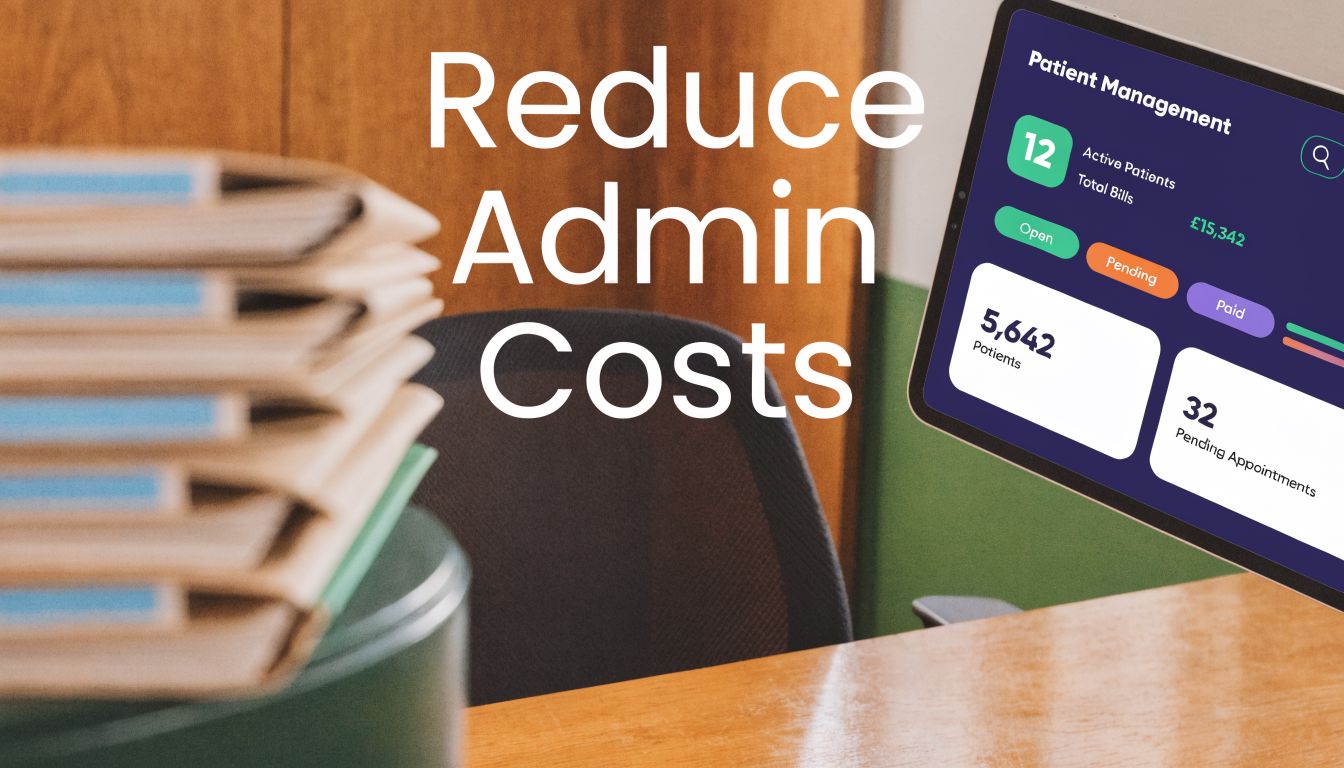
Administrative waste is one of the few cost problems in healthcare that almost every practice can see every day, even before looking at a P&L. Nationally, administrative costs account for 25 to 33% of total health-care spending, and McKinsey identified about 30 interventions that could save up to $265 billion annually, or $1,300 per American adult, through automation and simplification according to the Hamilton Project analysis.
I’ve worked with clinics that went hunting for savings in supply costs, visit mix, and staffing ratios, only to find that the actual drag sat in the same places it usually does. Rework. Denials. Intake errors. Prior auth back-and-forth. Calls that nobody answers in time. Staff doing copy-paste work across systems that don’t talk to each other.
Reducing administrative costs in healthcare is not a single project. It’s a sequence. You fix the processes that create waste, then you decide which work needs better training, which needs better software, and which shouldn’t be done by a person in the first place.
The $265 billion problem why admin costs are so high
Analysts at the Hamilton Project estimate that administrative simplification and automation could remove up to $265 billion a year from U.S. healthcare spending. For a small practice, that number matters because the same waste shows up in a much smaller budget, with far less room for error.

Where the money actually goes
Administrative cost is spread across hundreds of small actions. Eligibility checks. Prior authorization follow-up. Claim edits. Scanning. Data entry. Portal logins. Patient calls that should have been resolved on the first touch. None of these look catastrophic on their own. Together, they drain margin and staff time.
The most expensive parts are rarely the obvious ones. A two-minute insurance correction at check-in can trigger a denied claim, a rebill, a patient statement, and a collection delay. A referral entered into the wrong field can create 20 minutes of cleanup across the front desk, nursing, and billing. I see this pattern in smaller groups all the time. The cost sits in rework and handoffs, not in one dramatic failure.
That distinction matters because many cost-reduction plans start in the wrong place. Owners look for a cheaper vendor, cut overtime, or add one more billing rule. Those steps can help, but they rarely fix the process that keeps creating the waste.
Administrative waste grows at the points where information is re-entered, checked twice, or handed to another team without a clear owner.
Why complexity hits smaller practices harder
Large systems can absorb bad processes longer. They have specialized staff, more management layers, and enough volume to hide inefficiency for a while. Independent clinics and small groups feel the impact faster. One open authorization queue or one absent front-desk lead can affect scheduling, charge capture, and patient communication in the same week.
That is why smaller practices need a different playbook than hospital systems. They usually cannot fund a large replacement project or wait 18 months for enterprise IT. They need targeted changes with a short payback period, clear ownership, and measurable results. In practice, that often means fixing one workflow at a time, then adding healthcare workflow automation tools only where the numbers justify it.
I use the same test in nearly every engagement. If a task is high-volume, rule-based, and easy to measure, it is a candidate for automation. If it requires judgment, exception handling, or clinical context, the first move is usually process redesign and training.
The hidden tax of fragmentation
Fragmentation is what turns ordinary admin work into excess cost. Staff move between the EHR, payer portals, fax inboxes, spreadsheets, phone messages, and paper forms because the systems do not share clean data. Every extra handoff increases the chance of delay, duplication, or error.
This problem is not limited to patient-facing work. Back-office functions break the same way. A clinic that still routes invoices by email and paper signatures often creates the same approval delays and duplicate effort seen in manual revenue-cycle work. The logic behind automate accounts payable is familiar to any practice manager. Standardize the inputs, remove avoidable touches, and track cycle time before adding more headcount.
For clinics trying to reduce administrative costs in healthcare, the takeaway is practical. Do not start with national policy debates or broad technology wish lists. Start with the workflows that create repeat work every day, quantify the labor and delay involved, and build the business case from there. That is how small practices adopt advanced automation without a large capital bet, and it is also how you avoid buying software that only makes a broken process run faster.
Proven strategies to cut administrative waste
Administrative savings usually come from a short list of decisions made in the right order. In small and mid-sized practices, the biggest gains rarely come from a full platform replacement. They come from fixing high-friction workflows, tightening ownership, and automating the tasks that are repetitive enough to justify it.
I rank options using three filters. How much labor does the workflow consume today. How difficult is the change for staff. How quickly can the practice verify savings in hours, denials, call volume, or turnaround time. That framework keeps clinics from chasing software demos instead of operating results.
Comparison of administrative cost-reduction strategies
| Strategy | Implementation Effort | Typical Cost | Impact Potential |
|---|---|---|---|
| Workflow redesign | Medium | Low to medium | High when rework, queue confusion, and duplicate entry drive waste |
| Strategic staffing changes | Medium | Medium | Moderate to high when roles overlap or high-cost staff cover clerical work |
| Targeted outsourcing | Low to medium | Variable | Useful for narrow, rules-based tasks. Weak for workflows that need context or quick judgment |
| EMR optimization | Medium to high | Low to medium if done within the current system | High when templates, routing rules, and integrations are underused |
| Billing and coding improvements | Medium | Low to medium | High for practices with persistent denials, edits, or slow claim correction |
| Automation and voice AI | Medium | Medium | High for clinics with heavy call volume, repetitive intake, refill routing, or authorization work |
Where I would start in a real clinic
Start where waste is visible and measurable. New patient intake, referral processing, prior authorization prep, and denial follow-up usually expose the biggest gaps because they involve multiple systems and too many handoffs. If staff are re-entering demographics, insurance details, or appointment data, the practice is paying for the same work more than once.
Role design comes next. I have seen medical assistants spend part of the day cleaning up inboxes and callback queues because nobody owns them clearly. That drives up labor cost and slows patient flow at the same time. A simple responsibility map often saves more than an additional hire.
Then fix the current EMR build. Many clinics have workable tools already sitting idle. Template standardization, better task routing, cleaner scheduling rules, and fewer one-off workarounds can cut friction fast without a major capital project.
Billing should be early on the list for one reason. It produces hard numbers. A practice can track denial rate, first-pass resolution, days in A/R, and staff hours spent on rework. That makes it easier to calculate return and keep leadership committed when the project moves from planning into weekly execution.
Where outsourcing helps, and where it creates new waste
Outsourcing works best for narrow processes with stable rules and clear audit points. Insurance eligibility checks, statement processing, or selected revenue cycle tasks can fit that model. Patient-facing work is different. If the workflow depends on local knowledge, clinical context, or quick follow-up, a vendor often adds lag and creates more exceptions for your internal team.
That is the trade-off clinics underestimate.
Labor may look cheaper on a vendor proposal, but the true measure is total handling time. If outsourced work comes back incomplete, late, or disconnected from the chart, your staff still absorb the cleanup. Cost did not go away. It shifted.
The same principle applies in support functions outside the clinic floor. Practices that still route invoices, approvals, and vendor paperwork through email chains usually have the same bottlenecks seen in manual patient operations. The finance playbook is familiar. Standardize inputs, reduce touches, and shorten approval cycles. That is why many healthcare groups study how other teams automate accounts payable before they redesign broader administrative operations.
Add automation after the workflow is stable
Automation pays off when the process is consistent enough to hand to software. Good targets include appointment reminders, intake collection, eligibility verification, refill routing, call triage, and status updates. Poor targets include workflows with unclear rules, frequent exceptions, or heavy clinical judgment.
For smaller practices, the practical path is narrow deployment with a defined KPI set. Pick one workflow. Measure current labor hours, error rate, turnaround time, and downstream rework. Then compare those numbers 30, 60, and 90 days after go-live. That is how smaller groups adopt advanced tools without a large upfront bet.
A healthcare workflow automation platform for repetitive administrative tasks is useful only if it reduces touches on a specific process and hands exceptions to the right person. If it adds another inbox, another dashboard, or another training burden, it will not hold. The clinics that succeed treat automation as an operating change with ownership, KPIs, and review dates, not as a software purchase.
Automating the front office with voice AI
Front office automation gets attention because everyone feels the pain quickly. Phones ring. Patients wait. Staff get interrupted. Messages pile up. By noon, half the day is gone and the hard work hasn’t even started.
That’s why voice AI has become one of the more practical paths for reducing administrative costs in healthcare. It targets work that is repetitive, high-volume, and time-sensitive. Those are exactly the conditions where manual teams struggle.

The tasks voice AI should own
A voice system earns its keep when it handles routine work consistently and hands off exceptions cleanly. In practice, that usually means:
- Scheduling and rescheduling calls. The system gathers intent, confirms slots, and records the outcome without tying up staff.
- Patient intake. It collects demographics, symptoms, medication lists, and reason for visit in a structured format.
- Refill requests. It captures the request, checks routing rules, and puts the task in the right queue.
- Basic patient communication. Reminders, follow-ups, and common status questions fit well if the escalation path is clear.
The mistake I see most often is trying to make voice AI sound magical. It isn’t. It’s very good at predictable interactions. It’s less useful when policies are fuzzy, staff disagree on next steps, or the practice hasn’t defined who owns exceptions.
Prior authorization is where the ROI becomes obvious
The strongest use case is often prior authorization. Providers spend an average of 14 hours weekly per physician on prior auth tasks, and AI-powered EHR-payer API integrations using HL7 FHIR standards can reduce manual effort by 40 to 50%, achieve 90% first-pass approval rates, and drop per-PA costs from $15 to $20 down to $5 to $8, according to Oliver Wyman.
Those numbers matter, but the operational effect matters just as much. When an automated system pulls structured information from the chart, checks for missing items, and routes the submission correctly, staff stop wasting time on avoidable back-and-forth. Clinicians also get fewer interruptions for paperwork rescue.
I’ve seen practices miss the point here. They focus on getting a bot to “submit the auth” but ignore the prep work. If diagnosis coding is inconsistent, if medication history is messy, or if imaging notes sit in free text only, the technology has nothing reliable to work with.
The best prior auth automation projects start with data cleanup, not software demos.
Choosing a voice AI setup that won’t create new work
If you’re evaluating vendors, ask practical questions. Can the system write back to your EMR? Can it distinguish a refill request from a clinical complaint? Can it route urgent calls to a human without making the patient repeat everything? If not, staff will end up doing double work.
For teams comparing architectures and security expectations, this piece on Frontline AI Voice Agents is useful context. The issue isn’t whether voice AI can answer calls. Many tools can do that. The issue is whether the call outcome lands in the right system, in the right format, with enough context to be useful.
One option in this category is Simbie’s healthcare voice AI agents, which are designed to handle intake, scheduling, refills, and prior auth-related workflows with EMR integration. That type of setup is most helpful in practices where the phone system, front desk, and clinical inbox are all feeding the same bottlenecks.
Your implementation roadmap from plan to practice
Most admin improvement projects fail before launch because the team hears “new system” and assumes “more clicks.” If you want adoption, start with relief, not technology. Show people which tasks you’re taking off their plate.
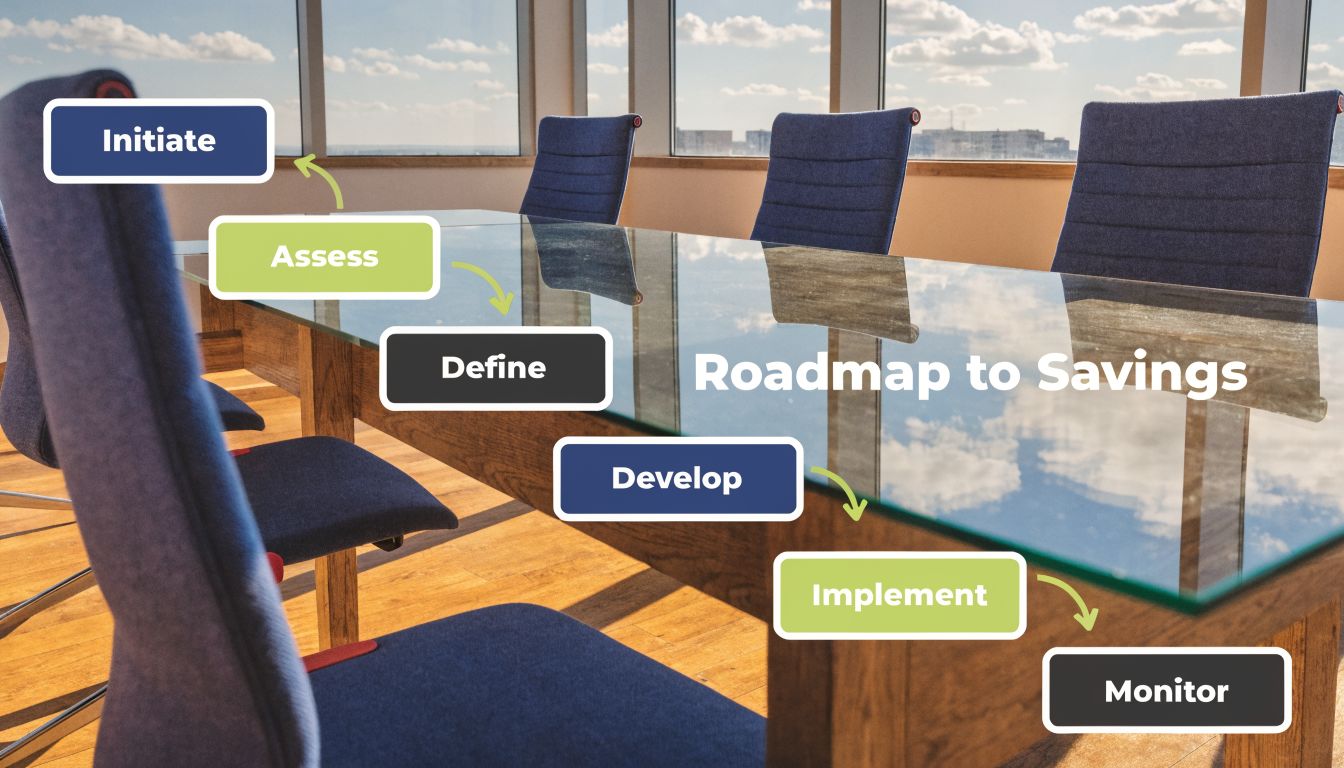
Phase one, find the expensive friction
Begin with a short operational review. Not a strategy retreat. A real walk-through of calls, intake, scheduling, authorizations, billing edits, and inbox work.
I usually ask managers to look for four things:
- Repeated touchpoints. The same task keeps bouncing between front desk, MA, biller, and provider.
- Queue aging. Work sits because nobody knows who owns it.
- Rework. The task gets done, then corrected, then done again.
- Interruptions. Staff can’t finish anything because the phone and portal keep pulling them off task.
Pick one workflow with obvious pain. Don’t launch across the whole practice at once.
Phase two, get buy-in without sugarcoating it
Staff know when leadership is pretending. Don’t say, “This will be easy.” It won’t be easy for the first few weeks. Say what’s true. Some steps will change. Some habits will need to change too. But the point is to remove avoidable admin work, not pile on another dashboard.
Use language that lowers fear. “Digital assistant” works better than “replacement.” So does naming the exact burden you’re trying to remove. Missed calls. Refill backlog. Prior auth packet prep. Insurance verification delays. Be specific.
“We are not asking you to trust the tool first. We are asking you to test one workflow and judge it by the time it gives back.”
Phase three, roll out in layers
A phased rollout protects both patients and staff. Start with one narrow use case, then expand only after the handoffs are stable.
A practical rollout often looks like this:
- Pilot one workflow. Scheduling or refill intake usually works well because the rules are clear.
- Audit outcomes daily. Check transcripts, routing, task creation, and handoff failures.
- Add one adjacent workflow. Once the first lane is stable, move to intake or authorization prep.
- Train by scenario. Don’t train staff on menus. Train them on “what happens when the AI gets this kind of call.”
- Set escalation rules in writing. If a patient mentions urgent symptoms, medication confusion, or a complaint, everyone should know what happens next.
Phase four, keep tuning the process
A good automation launch is not “set it and forget it.” It needs reviews. Listen to call outcomes. Watch where humans still have to fix things. Tighten templates and routing rules. Remove edge cases from automation if they create risk.
The practices that do this well treat implementation as operations work, not IT work. The technical setup matters, but the bigger win comes from rewriting the daily flow so the right work reaches the right person at the right time.
Measuring what matters KPIs and ROI for admin efficiency
If you can’t show the financial effect, your project will be treated as an experiment forever. That’s why I push practices to measure fewer things, but measure them well.
The cleanest metrics are the ones tied to labor, rework, and cash flow. They are easier to defend than vague claims about “efficiency.”
The KPIs worth tracking
I’d keep the scorecard short:
- Cost per claim transaction. The average healthcare claim transaction costs $12 to $19, according to this analysis of financial transaction reform.
- First-pass claim acceptance. You want to know how often work clears without correction.
- Staff time spent on admin tasks. Measure by workflow, not by job title alone.
- Call abandonment and missed-call follow-up. Front office waste often starts here.
- Prior auth turnaround by payer and service line. This shows where the friction sits.
- Days from service to clean claim submission. Delays here usually mean process gaps upstream.
The same transaction analysis found that an automated clearinghouse model with standardized data formats can reduce manual errors by up to 30% and cut transaction costs by 10 to 12%, producing $10 to $15 billion annually in national savings. For a practice manager, the lesson is direct. Measure the unit cost of repetitive transactions before and after a process change.
A practical ROI model
You don’t need a finance team to build a usable model. A spreadsheet with a few rows is enough.
Start with these buckets:
| ROI input | What to capture |
|---|---|
| Labor time saved | Hours no longer spent on calls, corrections, eligibility checks, or auth prep |
| Rework avoided | Fewer denied, incomplete, or resubmitted transactions |
| Faster cash movement | Cleaner submissions and fewer stalled claims |
| Technology cost | Subscription, implementation, training, and internal admin time |
| Residual human work | Escalations and exceptions that still need staff |
Then calculate monthly net benefit as labor value saved plus rework avoided, minus the monthly cost of the tool and support time. Keep it simple. If the model depends on ten assumptions, nobody will trust it.
A useful companion lens is workflow-level revenue cycle impact. This healthcare revenue cycle optimization guide is worth reviewing if your admin-cost project also affects claims, denials, and collections.
One rule I won’t bend on: build your baseline before the rollout. If you don’t know your current state, every post-launch claim turns into an argument.
Why cost-reduction plans fail and how to succeed
Most failed cost-reduction efforts have the same flaw. They chase labor savings while ignoring the lived experience of the people doing the work. That always comes back to bite the practice.

Burnout wipes out paper savings
Physicians spend twice as much time on paperwork as with patients, which is a major driver of burnout, and turnover costs for one departing physician can run 1 to 2x annual salary, as discussed by Brookings. If your efficiency plan lowers payroll on one line while pushing more inbox work, chart review, or auth cleanup onto clinicians, you haven’t solved anything. You’ve moved cost into turnover risk and patient access problems.
I’ve seen this happen after “lean” staffing changes. The front desk gets thinner, billers get stricter about routing incomplete work back upstream, and providers end up doing clerical patchwork after hours. On paper, admin expense looks lower. In practice, morale drops, charts lag, and nobody trusts the project anymore.
Small-practice math is different
The second reason plans fail is that they’re copied from health systems that have very different economics. Small practices face capital constraints, EMR lock-in, and limited bargaining power. They can’t build the same integration stack as a large enterprise, and they shouldn’t try.
That doesn’t mean smaller groups are stuck. It means they need a narrower playbook:
- Buy focused tools, not platforms with ten modules you won’t use.
- Choose workflows with visible pain first. Phones, intake, refills, and auth prep usually beat enterprise data projects.
- Demand simple implementation. If a vendor needs months of internal IT time, many small groups should walk away.
- Keep a human fallback. Patients and staff both need a safety valve.
What success looks like in the real world
The practices that succeed are rarely the ones with the biggest budget. They are the ones that stay disciplined. They define one problem clearly, set a baseline, assign an owner, and review results weekly.
They also accept trade-offs. Automation works well for high-volume routine tasks. It won’t fix bad payer policy, weak documentation habits, or a culture where nobody owns the queue. You still need process discipline.
Cost reduction works when staff feel less buried after the change, not more monitored.
If you’re leading this effort, judge every proposed fix by one standard. Does it remove work, or does it just move work? That single question eliminates a lot of bad projects.
Building the zero-admin medical practice
The phrase “zero-admin” is aspirational, but the direction is real. The strongest clinics are not trying to turn every employee into a faster data-entry worker. They are trying to reserve human attention for the moments that need judgment, empathy, and clinical context.
That changes how you design the practice. Phones stop being a constant interruption. Intake becomes structured before the visit. Refills move through a defined path. Prior auth prep starts with clean data, not scavenger hunts. Billing teams spend less time correcting avoidable errors. Clinicians spend less of the evening catching up on work that should never have reached them.
This is also where cost and care finally stop fighting each other. A lower-admin practice is usually easier for patients to deal with and easier for staff to work in. Those gains matter even when they’re not the easiest thing to put into a spreadsheet.
The first step to take this week
Don’t start with a full transformation plan. Start with a stopwatch and one workflow.
Pick the process your staff complain about most often. New patient calls. Refill requests. Prior auth packet assembly. Measure who touches it, where it stalls, and how often it gets redone. Then ask a blunt question: which of these steps requires a person?
That exercise usually tells you more than a month of vendor demos. It also gives you the one thing most practices lack at the start. A clear target.
If you want to see what that kind of targeted automation looks like in practice, Simbie AI focuses on healthcare voice workflows such as intake, scheduling, refills, and prior authorizations. The best place to start is a single high-friction workflow with a measurable baseline, then expand only after the team sees the work come off their plate.