

Meta description: Post-op follow up call service helps practices catch issues early, reduce staff burden, and improve recovery workflows with safer follow-up.
Patients leave with printed instructions, a few verbal reminders, and every intention to follow the plan. Then real life starts. They get home, miss part of the medication guidance, forget which number to call, or realize they never booked the follow-up visit.
That gap is where a post-op follow up call service earns its keep.
For independent practices in dermatology, gastroenterology, and internal medicine, this isn't just a courtesy workflow. It's a clinical safety net, an administrative cleanup tool, and a measurable way to protect staff time. Done well, it catches recovery concerns early, resolves scheduling problems before they turn into no-shows, and gives the practice a cleaner, more consistent process than ad hoc callback lists scribbled on paper or buried in the EMR.
Why a Post-Op Follow Up Call Service Is Now Essential
A post-op follow up call service is the structured outreach that happens after discharge, usually within the first few days, to check recovery status, confirm medications, reinforce instructions, and close administrative gaps. In practice, that sounds simple. It rarely is.
Most practices already know the weak point. The patient encounter ends, but the clinical responsibility doesn't. Questions surface later. Symptoms change at home. Family members get involved. Front-desk teams spend time chasing voicemail, and nurses get pulled into preventable callback loops that mix triage, scheduling, and reassurance in one thread.

The clinical case is stronger than most practices assume
Standardized follow-up calls are not just a patient experience gesture. A University of Maryland review of post-discharge follow-up evidence reported that 20% of patients identified a new or unresolved concern during the call, and over 90% of those issues were resolved over the phone or with an outpatient visit, avoiding emergency care. The same evidence summary also noted a 13% reduction in postoperative readmissions tied to these calls.
That changes the conversation. You're not calling to be polite. You're creating a structured checkpoint that can catch medication confusion, wound concerns, uncontrolled symptoms, and follow-up failures before they become avoidable utilization.
Practical rule: If your current post-op outreach cannot reliably identify who needs a same-day callback, who needs a scheduling fix, and who can safely continue home recovery, it isn't a real follow-up system.
The operational value shows up fast
A lot of the work after surgery isn't strictly medical. It is coordination. It is making sure the patient knows what happens next and can complete it.
That matters because patient satisfaction and retention often break down at those exact friction points. Practices that improve communication after discharge usually see better continuity and fewer preventable frustrations. If you're thinking about the broader access side of this, these strategies to improve patient satisfaction connect directly to what happens after a procedure, not just before it.
A good post-op service also pulls repetitive work off the daily plate of your staff. Instead of asking a medical assistant or nurse to manually call every patient, leave voicemails, document conversations, and route follow-up tasks by hand, the process becomes standardized and auditable. The team can focus on exceptions, not routine outreach.
That is the shift that makes this essential. It improves patient safety, yes. It also turns a messy manual obligation into a dependable part of practice operations.
Typical Workflows and EMR Integration Points
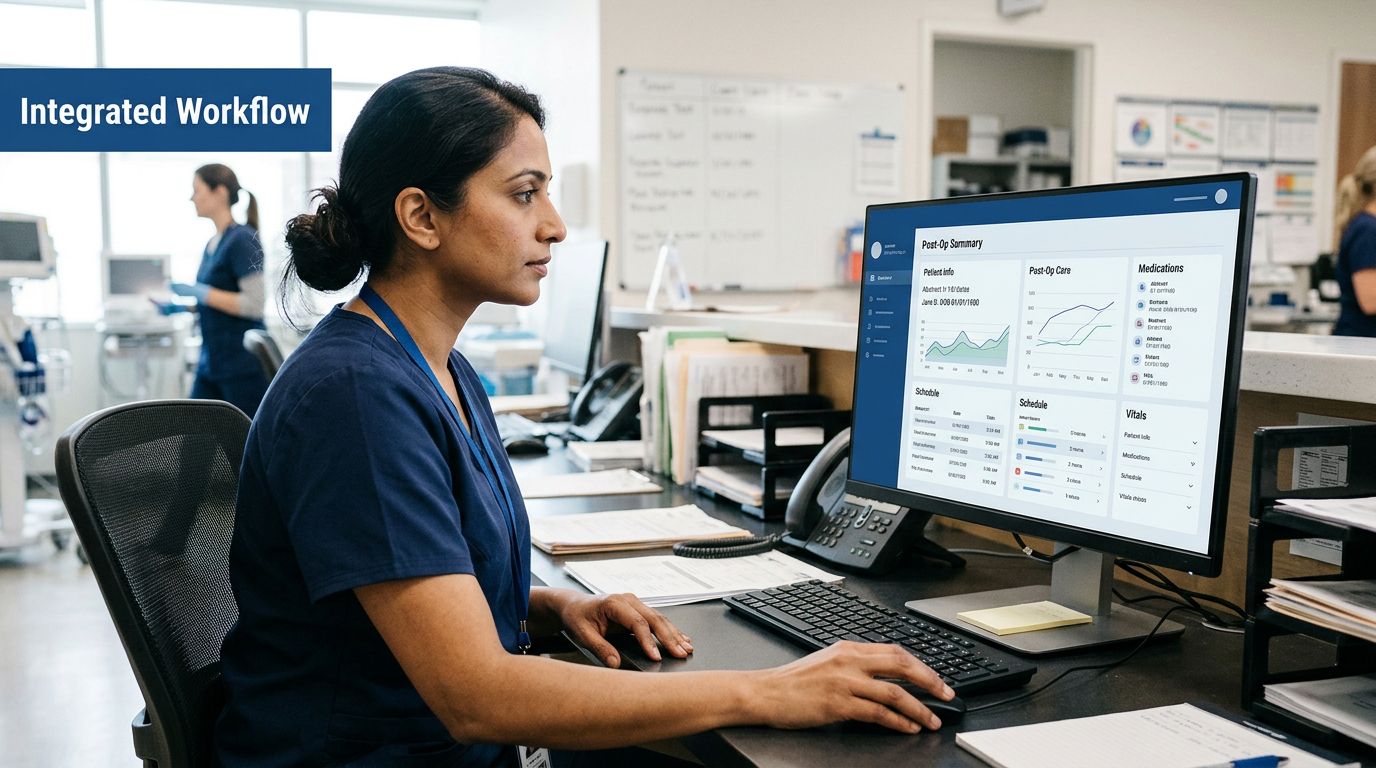
Most post-op programs fail for a boring reason. They live outside the normal workflow. The calls happen, but documentation lands in the wrong place, follow-up tasks don't get assigned cleanly, and the team ends up doing double work.
A working service starts inside the system your staff already uses, whether that's eClinicalWorks, gGastro, EMA ModMed, Athenahealth, Epic, or DrChrono. The trigger should come from the documented procedure or discharge event, not from someone remembering to export a list as a separate, manual task.
What the patient-facing workflow should look like
From the patient's side, the process should feel simple.
- The call is timed appropriately. Usually that means shortly after discharge, based on the procedure and your protocol.
- Identity is verified. No shortcuts here.
- The script follows a clinical structure. Recovery status, medication use, follow-up plan, support needs, and red flags.
- The patient gets routed based on answers. Reassurance for normal recovery, administrative help for appointment issues, escalation for clinical concerns.
The critical mistake is assuming symptoms are the only reason outreach matters. In one study of automated text and phone follow-up, 48.11% of flagged patients said "difficulty making follow-up appointments" was the main problem. For many practices, that finding should feel familiar. The breakdown after discharge is often not dramatic deterioration. It's that the next step never got scheduled correctly.
The best follow-up workflows bridge the handoff between discharge instructions and actual next care. They do not stop at "How are you feeling today?"
What the practice-side workflow should look like
Inside the practice, the data path matters as much as the call itself. A clean workflow usually includes:
- Automatic trigger logic: Procedure codes, discharge status, or visit completion starts the follow-up sequence.
- Structured documentation: The call writes back to the chart as a usable note, not a blob of text.
- Escalation routing: Concerning answers create tasks for the right staff member.
- Administrative closure: Scheduling barriers create actionable work queues for the front office.
If you're evaluating how this should connect with your existing systems, look at an approach built around actual EMR system integration for healthcare workflows, not a bolt-on call tool that leaves your team copying notes from one screen to another.
Where integration usually breaks
The weak spots are predictable. Escalation rules are vague. Documentation doesn't map to the right fields. Appointment tasks get buried in generic inboxes. The vendor says it "integrates," but really means a basic export.
For dermatology, gastroenterology, and internal medicine groups, the practical standard is higher. The service should document the conversation, queue the next action, and preserve an audit trail. If staff still have to re-enter answers manually, the workflow isn't integrated. It's just outsourced friction.
Compliance and Patient Safety Considerations
Skepticism is healthy in this context. Any practice handing patient communication to an automated service should be strict about compliance, script safety, and human oversight.
Start with the basics. The service should operate under a Business Associate Agreement. It should have clearly documented security controls. If a vendor cannot explain how protected health information is stored, transmitted, and audited, stop there. For administrators building an evaluation checklist, this HIPAA compliance checklist for healthcare AI workflows is a useful place to pressure-test vendor claims.
Security is table stakes, not a differentiator
Independent practices don't need enterprise theater. They need clear answers. A compliant platform should support encrypted handling of patient data, role-based access, and a reliable audit trail. If the vendor also states that it is HIPAA-compliant and SOC 2 Type 2 certified, that gives you a stronger governance baseline, but certification should never substitute for asking how the workflow behaves in production.
For a broader outside perspective, this guide to HIPAA compliant AI in healthcare is worth reviewing alongside any vendor demo.
Safe scripts matter more than clever scripts
The service should not improvise medical advice. That is the line.
A safe post-op workflow gathers information, reinforces pre-approved guidance, and escalates when needed. It should recognize symptom patterns and trigger paths for urgent review, but it should not freelance. Practices get into trouble when they confuse conversational fluency with clinical reliability.
Patient safety standard: The system should know when to stop talking and route the issue to a clinician or trained staff member.
That is why scripted structure, clear escalation thresholds, and chart-level documentation are essential. The better systems behave like disciplined clinical support staff. They do not act like a general chatbot.
For smaller practices, this distinction matters even more. You need support that covers both front-office and clinical-adjacent communication, not just an answering service that can pick up the phone. True AI medical staff should handle scheduling, intake, refills, renewals, and post-visit communication while still respecting the boundary between triage support and physician decision-making.
Measuring KPIs and Calculating ROI
If you cannot measure the service, it turns into a nice idea that nobody trusts. The right scorecard should track both clinical impact and operational efficiency.
That means looking beyond call volume. A high completion count sounds good, but it doesn't tell you whether the calls prevented work later, improved follow-up adherence, or reduced downstream disruptions.

The KPIs that actually matter
A practical dashboard usually includes:
- Call completion rate: Did the patient engage?
- Issue identification rate: How often did the outreach surface a problem worth action?
- Escalation resolution time: How fast did the practice respond once the system flagged something?
- Scheduling closure rate: Were pending follow-ups booked?
- Staff time redirected: How much manual callback work came off the team?
Then there is the higher-stakes outcome layer. A same-day surgery review on post-op follow-up and transitional care found that transitional care including post-discharge phone calls reduces adverse events and readmissions in high-risk groups. The same source notes that nearly 20% of older Medicare patients are readmitted within 30 days, which is exactly why targeted follow-up matters more in vulnerable populations than in low-risk routine cases.
ROI is not one number
Some procedures will show stronger returns than others. That's normal. The literature is mixed for lower-risk groups when strong discharge teaching is already in place, and practices should be honest about that. A blanket program for every patient may not be the best use of resources.
The stronger ROI case usually comes from three places:
| ROI Area | What improves |
|---|---|
| Clinical containment | Issues get addressed before they become urgent visits or readmissions |
| Staff efficiency | Outbound calls, voicemail tag, and repetitive charting move out of manual workflows |
| Patient retention | Patients feel supported, complete follow-up, and stay connected to the practice |
For smaller practices, there is also the staffing math. Platforms positioned as AI medical staff can reduce front-office strain through up to 60% reduction in front-office staff costs, while also maintaining 100% of inbound calls captured, 24/7 availability, and zero hold times. That matters because post-op follow-up is rarely the only communication bottleneck. The same operational layer that handles discharge calls often also supports scheduling, intake, refills, and education outreach.
Good ROI comes from reallocating human effort, not pretending every patient needs the same level of live follow-up.
That is how the model supports the broader mission of Protecting Doctors' Time for Doctoring.
How to Select the Right Vendor
A lot of vendors can place an outbound call. That is not the bar.
The right partner needs to handle structured patient communication in a way that fits an independent practice, documents cleanly, and escalates safely. If the product only works well as a voice blast tool, you'll still end up relying on staff to clean up the hard parts.
Standardization is the first screening question
One of the persistent gaps in post-discharge outreach is deciding who should make the call in the first place. AHRQ notes that "little data exist to guide provider selection" in post-discharge follow-up, which means practices often rely on habit rather than evidence when deciding whether a nurse, pharmacist, case manager, or MA should handle the workflow, as discussed in this AHRQ PSNet review of postdischarge follow-up phone calls.
That variability creates inconsistent outcomes. A standardized, clinically trained system can help by ensuring the same protocol is followed every time, while still escalating to the appropriate human when needed.
Vendor Selection Checklist
| Criterion | What to Look For |
|---|---|
| Clinical protocol quality | Structured post-op scripts, clear escalation thresholds, and physician-informed logic |
| Workflow fit | Designed for smaller specialty practices, not only large hospital systems |
| EMR depth | Real integration with Athenahealth, DrChrono, eClinicalWorks, gGastro, EMA ModMed, Epic, or similar systems |
| Documentation | Automatic chart notes, task creation, and auditable interaction history |
| Administrative coverage | Ability to handle scheduling, intake, refills, and renewals in addition to post-op calls |
| Human oversight | Staff can monitor activity and take over when the case needs a person |
| Security posture | HIPAA-compliant workflows, BAA support, and clear security controls |
| Availability | 24/7 coverage with no hold-time bottlenecks for inbound and outbound workflows |
| Build credibility | Clinically grounded product development, not generic contact-center tooling |
What strong answers sound like
The better vendors describe workflows in plain operational terms. They can explain how a post-op script routes a medication concern, how appointment problems become tasks, and how documentation lands in the chart. They also understand that independent groups need one system to cover both administrative front-office work and clinical support workflows.
That is the difference between an AI receptionist and AI medical staff.
For practices that want that broader coverage, the strongest options are built by clinicians and informed by real care delivery. When a platform comes from teams with medical training backgrounds, including physicians connected to Stanford, Yale, Columbia, and Princeton, it usually shows up in the workflow design, not just the branding.
Your Implementation Checklist
Most rollout problems happen before the first patient ever gets a call. The protocol is too broad, the escalation rules are fuzzy, or staff are told a new system is coming without knowing what changes on Monday morning.
A better launch starts small and gets specific.
Start with one workflow you can control
Choose one or two post-op pathways first. In a dermatology practice, that might be higher-volume procedural follow-up. In gastroenterology, it may be a targeted discharge cohort where medication confusion and appointment coordination create extra phone traffic. In internal medicine, it may sit inside a broader transitional care workflow.
Don't start with every procedure. Start where your staff already feels the burden.
Build the operating rules before go-live
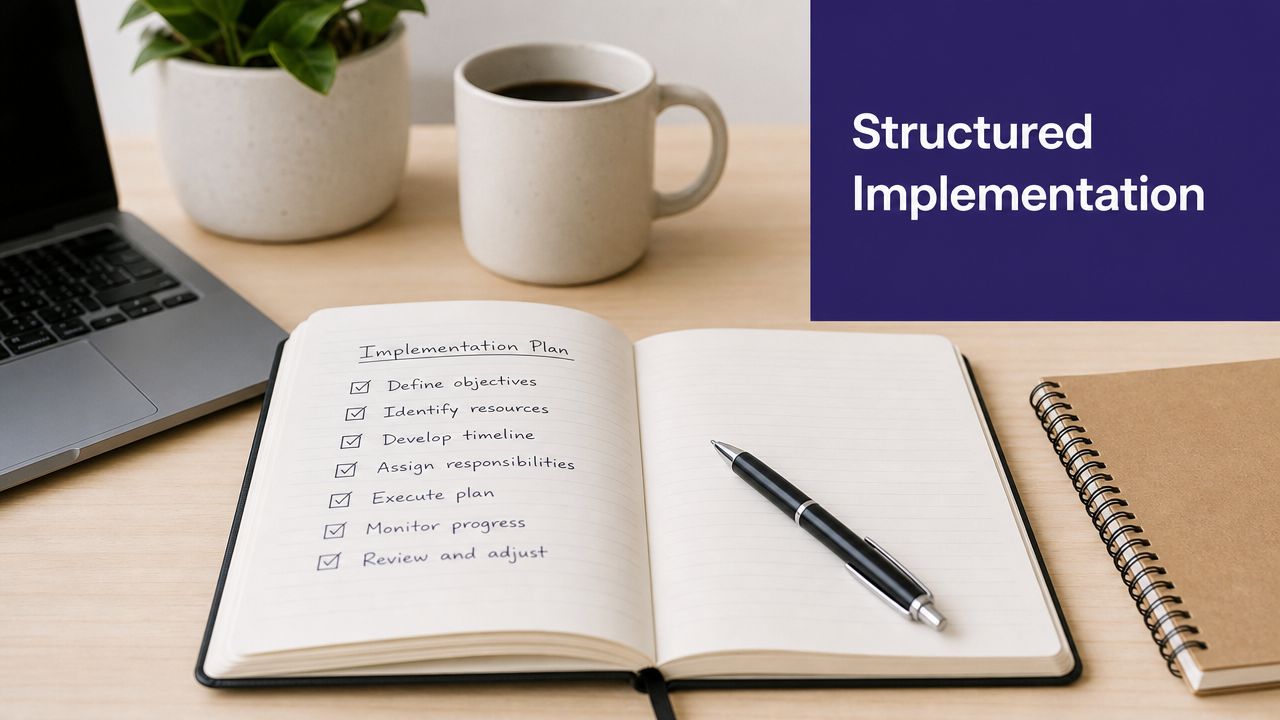
Use this checklist:
- Define inclusion criteria: Decide which patients enter the program and when the call should occur.
- Customize the script: Match language to your actual discharge instructions, not a generic template.
- Map escalation routes: Clinical symptom concern goes one direction. Scheduling failure goes another.
- Set charting rules: Determine exactly where call outcomes should write back in the record.
- Train the staff: Front desk, MAs, nurses, and providers all need to know what they will see and what they own.
- Pilot first: Run a limited launch, inspect the edge cases, then expand.
If you want a practical sense of what deeper systems work looks like, review these healthcare integration options for connected practice workflows. The point is not just to turn on a calling feature. It is to embed the service into everyday operations.
A smooth implementation depends less on the script itself and more on who gets notified, where the documentation lands, and how quickly the team can act on a flagged issue.
Keep one owner accountable
Even with automation, one person should own the rollout. Usually that is the practice administrator, operations lead, or clinical manager. Someone needs to monitor whether the calls are completed, whether escalations are handled, and whether staff are informally creating workarounds outside the intended process.
That oversight is what turns a pilot into a stable workflow instead of another abandoned tool.
Sample Call Scripts and Best Practices
The most effective call scripts sound calm and conversational, but underneath they are tightly structured. That structure matters because post-op follow-up has to balance empathy, safety, and documentation.
A strong framework comes from AHRQ's RED-5 model. According to the AHRQ RED toolkit follow-up guidance, the clinically validated script requires five core elements: assessment of health status, precise medicine check, confirmation of appointments, coordination of home services, and review of emergency indicators. That format improves early identification of patient needs because it reduces the chance that staff skip a critical area.
A sample opening that works
Here is the kind of opening a structured system should use:
Hello, this is the follow-up team calling from your medical practice after your recent procedure. Before we continue, please confirm your name and date of birth. We're checking on your recovery, your medications, and your next appointment, and if anything needs attention we'll route it to the right member of the care team.
That opening does three things well. It verifies identity, sets expectations, and frames the call as part of ongoing care rather than a random check-in.
A practical script flow
A sound script usually moves in this order:
Recovery status
- How have you been feeling since the procedure?
- Are you feeling better, worse, or about the same?
- Have any new symptoms come up?
Medication review
- Are you taking the medications listed in your discharge instructions?
- Have you missed any doses or had trouble getting them?
- Do you have questions about how to take them?
Follow-up confirmation
- Do you have your next appointment scheduled?
- Do you know the date, time, and location?
- Do you need help scheduling or rescheduling?
Home support check
- Do you have the help or services you were told to arrange?
- Is there anything making recovery at home difficult right now?
Emergency guidance
- If certain warning signs appear, do you know when to call the practice and when to seek urgent care?
- Do you know how to reach the office after hours?
That is also where operational discipline matters. Teams thinking about scale may find these strategies for boosting call center efficiency useful, but healthcare scripts need an extra layer of clinical safety that generic call-center playbooks do not cover.
Best practices that keep scripts useful
- Use plain language: Patients do better with direct wording than clinical jargon.
- Document discrete answers: Free-text summaries are harder to route and measure.
- Separate education from triage: Reinforce approved instructions, then escalate when answers cross your threshold.
- Keep the handoff visible: If the patient needs a person, create a task the team can see and close.
Consistency is the primary benefit. Every patient gets the same safety structure. Every call creates a usable record. Every flagged issue has a route back into the practice.
If you're evaluating AI for your practice and want to see how clinically trained voice automation can support post-op calls, scheduling, refills, and documentation, you can see Simbie AI in action at book a demo.