
Most advice on healthcare AI is written from the viewpoint of a large health system with an IT team, a compliance department, and room for a long rollout. That advice breaks fast in a small or mid-sized practice.
We’ve seen the same pattern over and over. A clinic likes the idea of automation, then the first real questions show up. Who signs the BAA? Where does the audio go? Will the staff trust it? What happens when the AI mishears a medication? Those are the questions that decide whether phi workflow ai for clinical practices works in daily operations or dies in procurement.
The truth about bringing AI into your practice
The popular line is that AI is easy now. For independent practices, that’s only half true.
Small practices serve 70% of U.S. primary care patients, and the perceived initial setup cost of $50K-$150K causes 40% adoption hesitation, even though new FHIR API integrations are projected to reduce those costs by up to 30% in 2026 according to this analysis of AI adoption barriers in smaller practices. The technology is getting easier to plug in. The buying decision still feels hard because the risk lands on a small group of people who already have too much to manage.

What breaks the first plan
The first mistake is buying a tool before naming the exact task it should handle. “We want AI” is not a project plan. “We want to reduce refill call backlog” is.
The second mistake is underestimating staff resistance. Front desk staff and nurses don’t push back because they hate technology. They push back because they know where the ugly edge cases live. They know which patients mumble, which insurance plans trigger odd prior auth rules, and which providers document in ways that don’t fit neat templates.
A third mistake is assuming HIPAA review is just paperwork. It isn’t. If a vendor touches PHI, your practice needs clear answers on access, storage, logging, subcontractors, retention, and handoff rules. A slick demo doesn’t answer those questions.
Practical rule: Start with one workflow that already hurts. If the pain is real, the staff will tolerate a learning curve. If the pain is vague, they won’t.
Where the real opening is
The path forward is narrower than vendors admit, but it’s real. Practices do better when they start with bounded workflows such as intake calls, scheduling, documentation support, or prior authorization prep. Those jobs are repetitive, easy to audit, and painful enough that staff immediately notice the difference.
If you want a grounded view of how conversational systems fit patient-facing operations, this complete guide to conversational AI for healthcare is useful because it frames automation around actual clinic workflows instead of abstract model talk.
What works is boring in the best way. Pick one workflow. Map the data path. Limit access. Train staff on escalation. Review the logs. Then expand.
What a PHI-aware AI workflow actually looks like
A PHI-aware workflow is not a magic bot. It’s a tightly controlled process that happens to use AI at a few steps.
The market moved this way fast because the operational need is real. AI adoption for managing clinical workflows and PHI surged by nearly 73% from 2023 to 2024, with 66% of organizations now using these tools to automate PHI discovery, classification, and protection, according to the AMA summary discussed in this review of AI and PHI risk management.
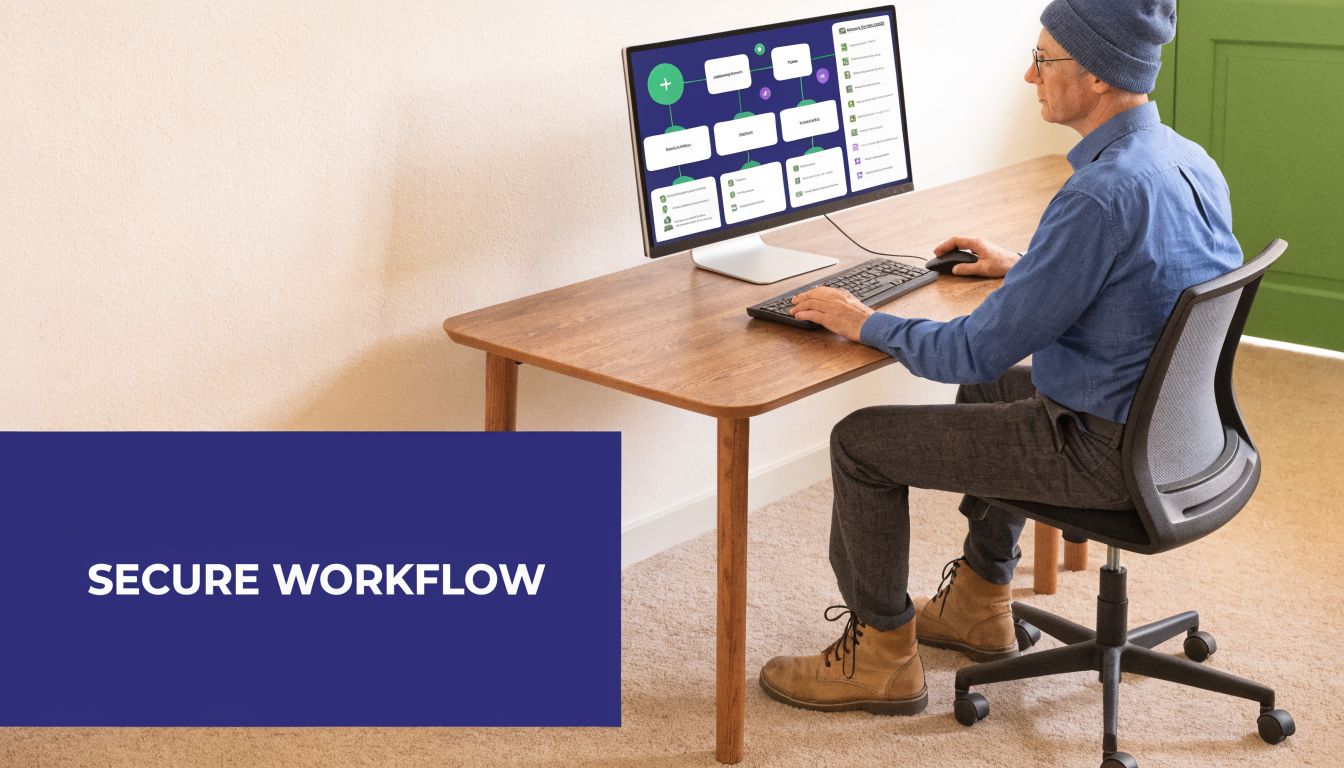
A simple call flow
Take a basic scheduling call.
A patient calls the practice. The voice agent answers, asks why they’re calling, and identifies whether the request is scheduling, refill-related, billing, or something clinical that needs staff review. That first sorting step matters because not every call should continue in automation.
If the request is schedulable, the system verifies the patient using the rules the practice approved. It captures the minimum needed information, then checks the schedule and returns appropriate options. If the workflow touches the chart, it should write to structured fields, not dump a loose transcript into the record.
Here’s what that usually looks like in practice:
- Intent capture: The system identifies the reason for the call and decides whether the request belongs in automation or needs a human.
- Identity check: The workflow confirms patient identity before reading or writing anything tied to the chart.
- PHI handling: The system identifies sensitive content in the conversation, protects it in storage and transit, and limits what downstream tools can see.
- Task completion: The workflow schedules the visit, queues a task, or prepares a draft for staff review.
- Audit trail: Every important action is logged so the practice can reconstruct what happened.
Why this is different from a chatbot
Basic chatbots follow scripts. PHI-aware systems need context.
A patient might say, “I need the same doctor as last time, after my cardiology follow-up, and please don’t book me on the day I get my infusion.” That request mixes scheduling preferences, clinical context, and sensitive details. A usable system has to separate what matters for the booking task from what should not flow farther than necessary.
If the tool can’t tell the difference between “useful for this workflow” and “too much PHI for this step,” it isn’t ready for your practice.
The strongest setups behave like a careful medical assistant. They collect only what they need, send uncertain cases to staff, and leave an audit trail clear enough that a practice manager can follow it later.
Meeting the legal and compliance essentials
HIPAA compliance starts before the first patient interaction. If the vendor handles PHI, the legal and technical structure must already be in place.
The first document to check is the Business Associate Agreement. We still see practices assume a vendor’s general terms are enough. They aren’t. If a company creates, receives, maintains, or transmits PHI for you, the BAA is the document that matters. Without it, stop the rollout.
What we look for in vendor review
We want plain answers to plain questions:
- What data do you touch: Audio, transcripts, scheduling data, chart notes, messages, attachments, and logs all count if they contain PHI.
- Who can access it: The vendor should explain role-based access clearly, including internal staff, subcontractors, and support teams.
- Where does it go: If the answer is fuzzy on storage location, retention, or backup copies, the review isn’t done.
- What gets logged: Audit logs should record actions without exposing more PHI than needed.
- How do you handle incidents: Breach reporting and security response should be spelled out, not implied.
A short privacy page is not enough. We prefer vendors that can walk through the whole data path and explain why each step exists.
For broader thinking on data handling, these privacy principles are a useful gut check because they push you to ask whether the system is collecting only what it needs.
Why architecture matters for compliance
A lot of smaller groups still assume cloud-centralized processing is the default. Sometimes it is. Sometimes it’s the wrong choice.
For multi-site practices, federated learning is a strong model because local systems process data inside each clinic’s security perimeter instead of pooling all PHI into one central repository, as described in this overview of federated learning for PHI processing. That matters for compliance because it reduces exposure and keeps data sovereignty closer to the point of care.
If your group is evaluating vendors, it helps to compare their claims against actual product categories. This list of HIPAA-compliant AI tools is a decent starting point because it frames evaluation around covered use rather than vague AI branding.
Audit mindset: A HIPAA reviewer usually wants evidence of control, not a promise of good intentions.
What auditors tend to ask
In real audits and internal reviews, the questions are repetitive. That’s a good thing because you can prepare for them.
| Audit area | What the auditor wants to see | What usually causes trouble |
|---|---|---|
| BAA status | Signed agreement and scope clarity | Vendor says “HIPAA-ready” but won’t sign |
| Access control | Named roles and permission boundaries | Shared logins or broad admin access |
| Logging | Action history tied to users and workflows | Logs exist but can’t be interpreted |
| Data flow | Clear map of where PHI enters, moves, and rests | Hidden copies in transcripts, exports, or support tools |
| Oversight | Human review rules for high-impact tasks | Full automation with no escalation path |
What works is disciplined, even a little dull. That’s fine. Dull systems pass audits.
Key integration points and technical guardrails
Most failed AI projects in clinics don’t fail because the model is weak. They fail because the system can’t work inside the tools the practice already uses.
Two integration points matter more than the rest. Your phone system and your EMR have to cooperate with the workflow. If either one is shaky, the staff will end up doing cleanup work, which defeats the point.
EMR integration that actually helps
An EMR integration should do more than attach a transcript.
Good integrations read the right schedule data, patient context, and task queues. They also write back into the right place. That might mean discrete fields, task objects, note drafts, or refill queues depending on the workflow. If the AI can only dump text into a generic comment box, staff still have to re-enter the data manually.
We usually tell practices to ask for a live demonstration of field-level writeback in their own environment. Marketing screenshots don’t count. If a vendor says they integrate with many systems, ask what that means in your specific chart.
For teams comparing options, EMR system integration is where a significant operational difference emerges. The question isn’t whether a tool can connect. The question is whether it can complete the task without adding cleanup work.
Voice systems need stricter rules
Voice automation has extra failure points. Medical language is full of sound-alike terms, accents, phone noise, and half-finished sentences. That’s why ASR systems must measure accuracy for clinical terms and sound-alike medications, and confidence thresholds with real-time PHI masking should be in place before any AI action that accesses or modifies an EHR record, as explained in this guide to PHI-safe voice workflows.
That requirement changes how you should evaluate a voice vendor. Ask what happens when the transcript confidence drops. Ask whether low-confidence calls escalate automatically. Ask how the system verifies identity before touching the chart.
A few practical guardrails matter a lot:
- Confidence thresholds: The system should know when it isn’t sure and stop short of writing back.
- Real-time masking: Sensitive details should be protected before transcripts move farther into the workflow.
- Read and write separation: Looking up a record and changing a record should not share the same permission path.
- Action limits: The workflow should have clear boundaries on what it can finish alone.
A lot of teams still assume “anonymized” AI is good enough. It usually isn’t. This piece on the myth of AI anonymization and protecting PII in LLMs) is worth reading because it explains why casual de-identification claims often fall apart under real scrutiny.
Real-world use cases and their measured impact
The easiest way to judge phi workflow ai for clinical practices is to look at the jobs it can take off your team’s plate right now.
The most reliable wins are not exotic. They are the tasks that repeat every day, create bottlenecks, and force trained staff to do clerical work. Clinics using HIPAA-compliant AI for documentation and administrative tasks see time savings of 50-70%, and the biggest gains show up in ambient scribing, clinical summarization, and automated prior authorizations, according to this review of HIPAA-compliant AI in healthcare workflows.
A better before and after
Before rollout, the phones stack up in the morning. Staff spend time repeating the same scheduling questions, collecting the same intake details, and chasing prior auth details that already exist somewhere in the chart. Providers finish clinic and then start charting.
After a good rollout, the front desk handles more exceptions and fewer routine calls. Providers review note drafts instead of building them from scratch. Staff spend less time copying information from one system to another.
The difference is not magic. It’s removal of repeated hand entry.
Common AI use cases and their ROI for a clinical practice
| Use Case | Manual Task Replaced | Primary Benefit | Typical Time Saved |
|---|---|---|---|
| Appointment intake and scheduling | Repetitive phone intake, insurance capture, basic routing | Fewer missed calls and less front desk interruption | 50-70% time savings in administrative workflows |
| Ambient scribing | Manual note creation after or during the visit | Less physician documentation burden | 50-70% time savings in documentation workflows |
| Prior authorization drafting | Manual compilation of chart details into payer forms or letters | Faster prep work and fewer omissions | 50-70% time savings in administrative workflows |
| Clinical summarization | Manual chart review before visits and handoffs | Faster precharting and cleaner handoffs | 50-70% time savings in documentation workflows |
Where we’ve seen the cleanest fit
Some tools fit small and mid-sized practices better than others. Voice agents work well at the front desk layer if escalation is tight. Ambient scribes work well when providers agree on review standards. Prior auth automation works best when the payer mix is annoying enough that staff already feel the pain.
One example in this category is Simbie AI, which focuses on voice-based administrative workflows and EMR-connected tasks for practices that want help with scheduling, intake, refills, and related documentation. That kind of setup makes sense if the clinic’s biggest problem is phone volume and repetitive front-office work. It makes less sense if the underlying issue is poor internal workflow design.
The best use case is the one your staff already complains about by name.
Managing operational risks beyond HIPAA
A system can be HIPAA-compliant and still create patient safety, fairness, or liability problems. That’s the part many buyers miss.
Once the tool is live, your job shifts from approval to supervision. You need to watch how the system behaves with real patients, real accents, real payer rules, and real exceptions. The risk is not just a privacy failure. The risk is quiet operational drift that nobody notices until trust is gone.
Bias shows up in ordinary workflows
Bias isn’t limited to diagnostic models. It can appear in transcription quality, triage routing, refill handling, or how confidently a system acts on incomplete information.
That matters because a Penn State study found that deeper reliance on AI increased error attribution by 25% for minority patients, and equity audits show that 35% of AI outputs can be biased against low-resource settings if not actively monitored, as noted in this discussion of AI integration and clinical equity risks.
If you run a practice that serves multilingual, rural, older, or medically complex populations, ask vendors how they test edge cases. If they answer with generic fairness language, keep asking.
The controls that matter after go-live
Operational safety comes from boring habits:
- Review exceptions: Staff should sample failed calls, escalated transcripts, and corrected outputs every week.
- Watch who gets routed where: If one patient group gets pushed to fallback paths more often, you need to know that.
- Keep human signoff for high-impact steps: Anything tied to diagnosis, medication changes, or sensitive communication needs review.
- Document permitted use: A written data usage agreement helps keep internal use from drifting beyond what the practice approved.
Trust comes from watching the system closely enough to catch it being wrong.
There’s also a staff management angle. If employees think the AI is untouchable, they stop correcting it. If they think it’s useless, they bypass it. You want the middle ground. The tool is helpful, but it still needs supervision.
Your implementation checklist for PHI workflow AI
Most practices don’t need a massive AI strategy. They need a disciplined first project.
Phase one is scope and pain
Write down the single workflow you want to change first. Pick one that is repetitive, easy to audit, and tied to visible staff frustration.
Use a short filter:
- Pick a workflow with daily volume: Scheduling, intake, documentation support, and prior auth prep are common starting points.
- Choose a clear owner: Someone in the practice has to own the rollout, even if the vendor does the technical work.
- Define success in plain language: Less manual entry, fewer callbacks, cleaner notes, or faster queue handling all work.
Phase two is vendor vetting
Sales demos hide the hard parts, so ask hard questions early.
- Ask for the BAA first: If the vendor stalls, end the conversation.
- Map the data flow: Where does PHI enter, where is it stored, who can see it, and what is retained.
- Test low-confidence behavior: Make the system handle poor audio, odd requests, and incomplete identity checks.
- Verify the integration: Don’t settle for “we connect with major EMRs.”
Phase three is rollout and staff training
Keep the launch narrow. Limit the workflow, set escalation rules, and tell staff exactly when to step in.
A short pilot with clear review is better than a broad launch nobody can monitor. Staff need scripts for handoff, correction, and exception handling. If they don’t know how to fix the AI’s mistakes, they’ll stop using it.
Phase four is monitoring and revision
After go-live, review transcripts, task completion, and staff feedback on a set schedule. Don’t wait for complaints to pile up.
Keep a short list of what counts as failure. Wrong routing. Incomplete note drafts. Identity verification gaps. Writeback errors. Those are operational issues, not annoyances, and they deserve a process.
The right first step is simple. Pick one painful workflow and force every vendor conversation to stay tied to that job.
Simbie AI is one option for practices that want voice-based automation tied to front-desk and documentation workflows. If you’re evaluating tools for scheduling, intake, refills, or EMR-connected call handling, you can review Simbie AI and compare its workflow fit, oversight model, and integration approach against your current process before making a broader rollout decision.