

New patient intake forms are the first official handshake between your practice and a new patient. They're where you gather all the essential demographic, insurance, and medical history information you need before that first appointment. But honestly, they're much more than just paperwork. This first interaction sets the stage for the entire patient relationship. It's a critical touchpoint that can either create a smooth, positive start or a frustrating, clunky one. In today's competitive healthcare landscape, getting this right isn't just a matter of convenience—it's a strategic necessity. A well-designed intake process can improve data accuracy, reduce administrative burden, and significantly enhance patient satisfaction from the moment they decide to trust you with their care.
Your First Impression: The Power of Modern Intake Forms

Let's face it: the old clipboard stacked with paper forms is on its way out. It’s a relic of a bygone era, increasingly out of step with patient expectations and modern operational efficiencies. Digital solutions are completely changing the game, turning a once-dreaded task into a real opportunity for your practice. This isn't just about going paperless; it’s about meeting patients where they are—on their phones, tablets, and computers, long before they step into your waiting room.
Patients today expect convenience. The numbers don't lie—a whopping 77% of patients would rather fill out their demographic and insurance information online before they even step into the office. This isn't a small preference; it's a clear signal that it's time to ditch the paper for good. Ignoring this trend means ignoring a fundamental patient need, which can lead to perceptions of an outdated or inefficient practice. Adopting modern intake methods demonstrates that your clinic is forward-thinking, respects patient time, and is committed to providing a superior experience from the very first interaction.
Benefits Beyond the Clipboard
Making the switch to digital intake forms brings immediate and noticeable improvements for everyone—your staff, your patients, and your bottom line. The ripple effects of this single change can be felt across your entire practice, from front-office efficiency to clinical data quality.
Here’s what you stand to gain:
- Less Admin Work: Digital forms can automatically sync with your EMR. This simple change saves your front-desk staff from hours of mind-numbing data entry, freeing them up to focus on what really matters: the patients right in front of them. This allows for more meaningful, high-value interactions like answering complex questions or providing a warmer welcome.
- Fewer Errors: Manually typing information from paper to screen is a recipe for mistakes. Illegible handwriting, transposed numbers, and simple typos can lead to big problems, from denied insurance claims and billing delays to critical clinical errors. Digital forms capture accurate, legible data from the get-go, preserving data integrity.
- A Better Patient Experience: Imagine your new patients filling out forms from the comfort of their couch instead of juggling a clipboard in a crowded waiting room while feeling anxious or unwell. It’s a simple change that drastically cuts down on wait times and makes a fantastic first impression, showing them you value their comfort and time.
- Faster Reimbursements: When patient data is accurate and complete from the start, your billing cycle accelerates. Clean claims are submitted faster, rejections due to demographic or insurance errors are minimized, and your practice’s revenue cycle becomes healthier and more predictable.
Think of the intake process as your first chance to prove you value your patients' time. It’s a fundamental piece of building patient satisfaction and keeping them coming back.
Modernizing your intake is a smart, strategic decision. It's an investment in operational excellence and patient-centric care. For more ideas on creating a great first touchpoint, check out these customer onboarding best practices—the core principles apply just as well in healthcare.
Paper vs. Digital Intake Forms: A Quick Comparison
If you're still on the fence, a side-by-side comparison makes the choice pretty clear. The contrast highlights not just minor conveniences but fundamental operational advantages. Here’s a quick breakdown of how traditional paper forms stack up against modern digital solutions.
| Feature | Paper Forms | Digital Forms |
|---|---|---|
| Data Entry | Manual, time-consuming, and prone to errors. | Automated, syncing directly with the EMR. |
| Accuracy | High risk of typos and illegible handwriting. | High, with required fields and validation rules. |
| Patient Time | Requires arriving early; adds to waiting room time. | Can be completed anytime, anywhere before the visit. |
| Staff Time | Spent on data entry, scanning, and filing. | Freed up for patient-facing tasks and support. |
| Costs | Ongoing expenses for paper, printing, and storage. | Initial setup cost, but lower long-term expenses. |
| Updates | Requires reprinting and distributing all new forms. | Instantaneous and easy to deploy across all systems. |
| Data Security | Vulnerable to physical theft, loss, or damage. | Secured with encryption and access controls. |
| Accessibility | Difficult for patients with visual or motor impairments. | Can offer features like larger text and voice input. |
The takeaway is simple: while paper might feel familiar, digital forms offer undeniable advantages in efficiency, accuracy, and overall experience for both your practice and your patients. The move to digital is not just an upgrade; it's a transformation of a core business process.
Designing an Intake Form That Patients Won’t Hate
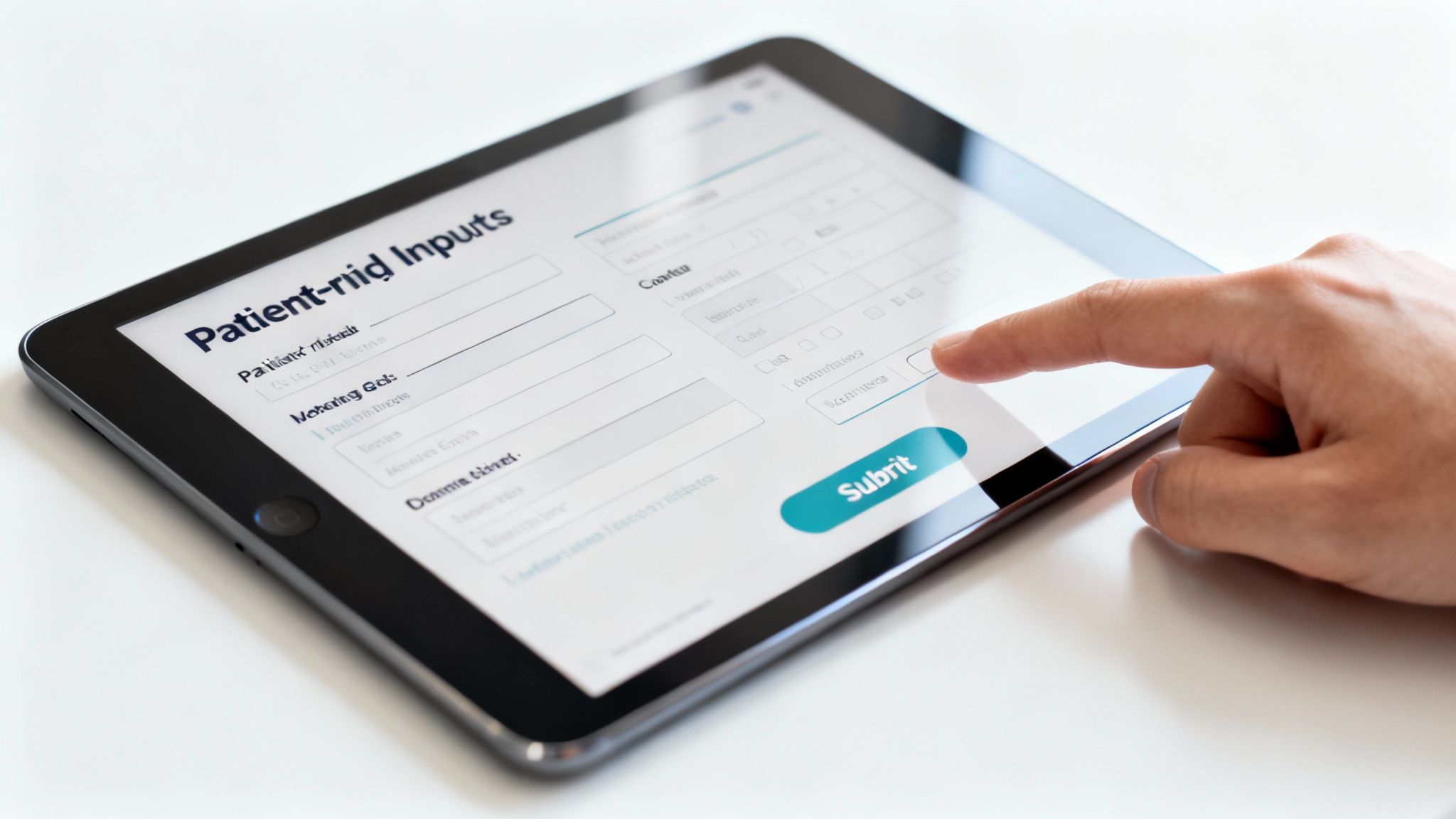
Let's be honest: nobody enjoys filling out paperwork, especially when they're not feeling well. A truly effective new patient intake form is an art. It needs to be thorough enough for your clinical team but simple enough for a tired, anxious, or busy patient to complete without wanting to give up. The best forms feel less like an interrogation and more like a guided conversation.
The goal is to gather what you need while making the entire process feel as painless as possible for them. Think of your form less like a rigid questionnaire and more like a guided conversation. The first step is breaking it down into logical, bite-sized sections. This simple structure helps patients tackle the task without feeling completely overwhelmed by a single, monolithic page of questions. A well-organized form improves user experience, which in turn leads to higher completion rates and more accurate data.
The Core Building Blocks of Your Intake Form
A well-organized form isn't just about looking good—it prevents confusion and ensures you get all the critical data right the first time. Every intake form I've seen that works well includes these core components, typically presented as distinct steps or pages:
- Patient Demographics: This is your foundational data. Think name, date of birth, address, phone number, email, and emergency contacts. Keep it clean and straight to the point. Use validation for fields like email addresses and phone numbers to catch typos in real-time.
- Insurance Details: Create a clear space for primary and secondary insurance information, including policy and group numbers. A game-changer here is allowing patients to upload images of their cards; it virtually eliminates typos and saves your staff a ton of time verifying information.
- Medical History: This is usually the longest part. It should cover past surgeries, hospitalizations, current medications, allergies, and a review of systems. It’s crucial to use simple, everyday language and steer clear of overly technical medical jargon that patients might not recognize.
- Social and Family History: This section can provide valuable context for patient care. Include questions about tobacco use, alcohol consumption, and relevant family medical history (e.g., history of heart disease or cancer).
- Consent and Policies: Group all the signature-based items together. This includes HIPAA acknowledgments, financial policies, cancellation policies, and consent for treatment. It’s much easier for patients to handle all the "legal stuff" at once, often as the final step.
Organizing the information this way creates a much smoother path for patients to follow. It’s a small change that can dramatically improve your form completion rates. For a deeper look at how to structure these, our guide to the modern medical intake form has some great templates.
Pro Tip: Use conditional logic to make the form feel smarter. If a patient is male, they shouldn't have to scroll past questions about pregnancy. If they indicate no known allergies, the field for listing specific allergens can be hidden. This small touch makes the process feel more personal and respectful of their time.
How to Ask Questions That Get Clear Answers
The way you word a question is just as important as what you're asking. Confusing, ambiguous, or overly broad questions lead to vague or incomplete answers, which just means more follow-up work for your front desk staff later. Clarity is paramount.
Instead of a broad command like, "List all previous hospitalizations," try a more guided approach. Something like, "Have you been hospitalized in the last five years? If yes, please tell us the reason and approximate date." It's much easier for someone to process and recall that specific information. This structured questioning yields structured data.
When it comes to the medical history section, checklists and multiple-choice options are your best friend. They reduce the cognitive load on the patient and standardize the data you receive.
Sample Medical History Checklist
Please check any of the following conditions you have been diagnosed with:
- High Blood Pressure
- Diabetes (Type 1 or Type 2)
- Asthma
- Heart Disease
- Cancer (please specify type)
- Arthritis
- Other (please specify)
This format is quick to scan and much faster for a patient to complete than asking them to write out a long list of conditions from memory. It also reduces the chance of spelling errors, making the data cleaner for your EMR.
Weaving in Consents Seamlessly
Your intake process isn't complete without getting the proper consents signed and documented. Building these directly into your digital form is the most efficient and compliant way to handle it. A signed HIPAA acknowledgment, for instance, is absolutely non-negotiable, and a digital trail is far more robust than a paper one.
Here’s a great example of how a HIPAA-compliant intake form structures its consent section to make sure all the necessary permissions are captured correctly.
Notice the dedicated fields for electronic signatures and the crystal-clear acknowledgment statements. By presenting a summary of the policy with a link to the full document, you make the information accessible without overwhelming the patient. This creates a legally sound, auditable record of patient consent—complete with a timestamp—right from the very first interaction.
Choosing the Right Digital Intake Tools
Once you’ve mapped out your perfect new patient intake form, it’s time to pick the technology to make it a reality. The software you choose is the engine that drives your entire intake process, so this decision will directly shape your staff's daily workflow and your patients' first impression of the practice. A poor choice can lead to frustration and low adoption, while the right tool can be a catalyst for profound efficiency gains.
The market for these tools is booming. Valued at roughly $1.8 billion in 2023, the global patient intake software space is expected to hit nearly $2.5 billion by 2025. All this growth means you have more options than ever, from basic form builders to powerful, fully integrated platforms. It’s worth exploring the top digital patient intake software trends to see what’s possible, including features like AI-driven data extraction and real-time insurance verification.
Standalone Form Builders vs. Integrated Systems
One of the first forks in the road is deciding between a standalone tool and a system that syncs directly with your Electronic Medical Record (EMR). This is a critical strategic decision.
Standalone form builders (like JotForm or Typeform with HIPAA-compliant plans) are often less expensive and can be implemented quickly. They’re a decent option if your practice is just starting to move away from paper and wants to test the waters. However, they create a new data silo. The information is collected digitally, but it still requires a staff member to manually transfer it into the EMR.
But the real magic happens with integration. A system that’s woven into your EMR automatically transfers patient data from the intake form right into their chart. This isn't just a convenience; it's a massive operational upgrade that eliminates an entire step in your workflow.
An integrated solution doesn't just digitize your form; it transforms your entire workflow. By eliminating manual data entry, you dramatically reduce the risk of transcription errors that can lead to claim denials or even clinical safety issues. It turns data collection into data intelligence.
Think of it this way: a standalone tool gives you a digital piece of paper. An integrated system gives you an automated assistant that works around the clock without ever making a typo, ensuring the data is where it needs to be, when it needs to be there, with perfect accuracy.
Must-Have Features in Any Intake Tool
Whether you go with a standalone or integrated solution, some features are simply non-negotiable for a modern medical practice. As you vet different software, make sure your pick checks these essential boxes to ensure security, usability, and flexibility.
- Rock-Solid HIPAA Compliance: This is your top priority. The platform must provide end-to-end encryption for all data, both in transit and at rest, and a signed Business Associate Agreement (BAA). No exceptions. Ask potential vendors about their security audits and compliance certifications.
- An Intuitive Patient Interface: The forms have to be easy for everyone to use—including older patients or those who aren't comfortable with technology. Look for large fonts, clear buttons, a progress bar, and a simple, mobile-first design that works beautifully on a smartphone.
- Customizable Form Fields: Every practice is different. You need the freedom to add, remove, and rephrase questions to match your specialty and workflow, not be stuck with a one-size-fits-all template. Look for a drag-and-drop form builder and support for conditional logic.
- Reliable Customer Support: When you run into an issue, you need to know you can get help quickly. Evaluate the vendor's support options—do they offer phone, email, or chat support? What are their typical response times? Good support can be the difference between a minor hiccup and a major operational disruption.
The Power of Direct EMR Integration
I can't stress this enough: the single most impactful feature is a deep, seamless EMR integration. When your intake software and your EMR are in constant communication, the benefits compound quickly. It saves an incredible amount of staff time, yes, but it also drastically improves your data accuracy and clinical preparedness.
Picture this: a new patient completes their forms from their couch the night before their appointment. The second they click "submit," all their information—demographics, insurance card photo, medical history, medications—flows directly into the right fields in their EMR chart. Your front desk team doesn't have to touch a thing. The provider can review the patient’s complete history before even walking into the exam room.
That direct sync is what turns a good digital form into the cornerstone of an efficient, patient-friendly practice. It’s how you unlock the true potential of your new patient intake forms, transforming them from a static administrative task into a dynamic clinical asset.
Using Voice AI for a Better Patient Experience

Digital forms are a huge improvement over paper, but they aren't the end of the story. The next real jump forward in patient intake moves away from tapping and clicking toward something much more natural: conversation. Voice AI is starting to completely reshape the new patient intake form process, making it faster, easier, and just more human. It represents the frontier of accessibility and data richness in healthcare administration.
This technology lets a patient or even a staff member fill out all the necessary forms simply by talking. Picture a patient answering questions in their own words during a phone call or through a web interface, while an AI agent listens, transcribes everything, and puts the structured data right into the EMR. For accessibility, it's a total game-changer, and for data quality, it opens up a new dimension of patient narrative.
Making Intake Accessible to Everyone
Let's be honest, a good chunk of the patient population struggles with standard digital forms. Whether it's complex navigation, small text, or the physical act of typing, these roadblocks cause a lot of frustration and, worse, often lead to incomplete or inaccurate information getting into your system. This digital divide is a real barrier to care for many.
A voice-powered intake process can solve these problems for a lot of people. It's a huge help for:
- Patients with visual impairments who can't easily read tiny text on a screen.
- Individuals with low digital literacy who get overwhelmed by navigating online portals.
- People with physical limitations, like arthritis or tremors, that make typing a painful chore.
- Patients experiencing multitasking challenges, such as a parent trying to complete forms while caring for a child.
By giving patients a conversational option, you’re creating a more inclusive and welcoming experience from the moment they connect with your practice. It’s about making sure every single patient can give you their information easily, no matter their physical ability or comfort with technology.
When you remove these kinds of barriers, you're not just fixing a workflow—you're building trust. A patient who feels accommodated and understood from day one is far more likely to stay engaged with their own care.
Capturing Richer Patient Stories
One of the best things about using voice is the sheer quality of the information you get. People naturally share more details and context when they’re just talking, often mentioning things they would never think to type into a small box on a form. A question like "Do you have any allergies?" might get a typed "Yes," but a spoken response could be, "Yes, I'm allergic to penicillin, it gives me a terrible rash, and I also avoid sulfa drugs just in case."
This conversational approach gives your clinical team a much richer, more complete patient story before the appointment even starts. The AI is smart enough to listen to the conversation, pull out the important clinical terms (like "penicillin" and "rash"), and then neatly populate the EMR with structured, usable data. You get the rich detail of a human conversation combined with the speed and accuracy of automation.
It also frees up your front-desk staff from the soul-crushing task of data entry. Instead of trying to read messy handwriting or manually keying in form data, they can focus on what they do best—preparing for the patient’s visit and handling more complex needs. Digging into the role of voice AI in healthcare reveals just how much administrative weight this can lift off your team.
Ultimately, adding voice AI changes the intake form from a static checklist into a dynamic tool that helps you provide better care from the get-go. It's a move toward a more compassionate, intelligent, and efficient front office.
Launching Your New Digital Intake System
Rolling out new technology is about more than just flipping a switch. A smooth launch of your digital new patient intake forms depends entirely on preparing your team and your patients for the change. Success here comes from a thoughtful strategy that focuses on people just as much as the software itself. Change management is not an afterthought; it is central to achieving the ROI on your technology investment.
It always starts with your team. Think of your front-desk staff as the champions of this new process—if they aren't confident, your patients won't be either. Your training needs to go beyond just showing them which buttons to click. You have to explain the why behind the change. Show them how this new system will slash their manual data entry, cut down on errors, and free them up to focus on what matters most: the patients standing in front of them. Connect the new tool directly to the problems they face every day.
Preparing Your Team for Success
Effective training isn't a one-and-done meeting. It's an ongoing process of building confidence and competence. Start with a hands-on session where everyone gets to play around with test patient profiles. This is where they can make mistakes, ask questions, and build the muscle memory needed to handle a busy check-in rush without breaking a sweat.
After that initial session, make sure you have ongoing support in place to reinforce learning and address real-world challenges.
- Create Quick-Reference Guides: A simple, one-page cheat sheet with screenshots and key steps for common scenarios (e.g., handling a patient who didn't complete the form, editing submitted information) is a lifesaver when things get hectic.
- Designate a Super-User: Pick one person on your team to be the go-to expert. This empowers a team member and gives everyone a clear point person for quick questions, reducing reliance on external support for minor issues.
- Schedule Follow-Up Sessions: Plan a quick check-in meeting a week or two after launch. This is the perfect time to tackle any recurring snags, share successes, and refine workflows based on early experiences.
For a great real-world example of setting up digital systems in a clinic, check out this complete implementation guide for clinics; it offers some really practical insights you can adapt.
Guiding Your Patients Through the Change
Once your team is prepped and ready, it's time to let your patients know what's coming. The key is to frame this as an upgrade to their experience, not a new chore they have to complete. Communication should be proactive, clear, and focused on patient benefits.
Start communicating the change early and often. Put a banner on your website, add a note to your appointment reminder emails, and maybe even put up a small, friendly sign at the check-in desk. Make it feel like a positive improvement with messaging like, "Save time at your next visit! Complete your forms online."
The entire healthcare market is moving in this direction. In 2024, huge investments were made in cybersecurity for patient platforms. By mid-2025, integrated telehealth and subscription software became the norm. Patients are starting to expect a seamless digital experience from their providers, and positioning your practice as a leader in this area can be a competitive advantage.
A Phased Rollout and Continuous Improvement
Don't feel like you have to switch everyone over at once. A phased approach can be your best friend here. Maybe you start with just one doctor's new patients, or you only use the new system on Mondays. This lets you work out any kinks in the process on a smaller scale, preventing widespread headaches for your staff and patients. This iterative approach allows for adjustments before a full-scale deployment.
A successful launch isn't the finish line—it's the starting line for optimization. The real value comes from continuously listening, analyzing, and refining your process.
Feedback is your most valuable asset now. Use simple, anonymous surveys to ask both patients and staff what’s working and what isn’t. Dig into the data. If you see a high drop-off rate on a particular page of the form, it's a huge red flag that a question is probably confusing or too time-consuming. Look at form completion rates—are they higher for text message links versus email links?
Your EMR is a goldmine for this kind of information, and understanding how EMR system integration works is crucial for tapping into these insights. By making small, data-driven tweaks, you can turn a good intake system into a great one over time, ensuring it continues to meet the evolving needs of your practice and your patients.
Your Top Questions About Digital Intake Forms, Answered
Switching your practice to digital intake forms is a smart move, but it's bound to bring up a few questions. It’s a change for your staff and your patients, so having a solid plan and clear answers to common concerns is key. Here are some of the most common things we hear from practices making the transition, along with practical, straightforward advice.
How Do We Get Patients to Actually Use the Digital Forms?
It all comes down to good communication and making the process incredibly easy. The secret is to show patients what’s in it for them—things like less time in the waiting room and a check-in process that takes seconds, not minutes. You need to make the digital path the path of least resistance.
The easiest way to do this is by putting the form link right in your appointment confirmation emails and text reminders. Make it impossible to miss with clear, action-oriented language like "Click here to complete your forms and save time."
Of course, not everyone will fill it out beforehand. You need a game plan for when they walk through the door.
- Keep tablets ready to go. Have a few charged up and open to the form. Your staff can just hand one over, making the digital option immediate and accessible.
- Offer a helping hand. Train your front desk team to be guides, not gatekeepers. A warm, "Can I help you get started with this? It only takes a few minutes," goes a long way.
- Talk up the time savings. A quick, friendly remark like, "This should save you about 15 minutes of paperwork today," is a great motivator for everyone involved.
- Set clear expectations. When scheduling the appointment, let patients know they will receive a link to complete their forms and that doing so in advance will expedite their visit.
Are Electronic Signatures Legally Binding?
Yes, absolutely. Thanks to the federal Electronic Signatures in Global and National Commerce (ESIGN) Act of 2000, electronic signatures carry the same legal weight in the United States as handwritten ones. So, when a patient signs a consent form on a tablet or their phone, you can be confident it's legally valid, provided certain conditions are met.
The real key isn't just the signature itself, but the platform you use. It must be HIPAA-compliant and create a secure, auditable trail for every signature. This digital paper trail, which includes timestamps, IP addresses, and a record of the document version signed, is what makes your consent forms defensible and enforceable.
What About Patients Who Aren't Comfortable with Technology?
Making sure everyone feels welcome is non-negotiable. While the goal is to get forms done before the visit, you always need a reliable in-office digital option. Tablets with big, clear fonts and simple instructions work wonders for most people. Offering a choice between a tablet and using their own smartphone can also be helpful.
This is where your front-desk staff becomes so important. They need to be trained to spot anyone who looks hesitant and proactively offer assistance with empathy and patience. For the very small number of patients who truly can't use a device, have a staff member ready to go through the questions with them and enter the information manually on their behalf. This "scribe" approach ensures no one gets left behind and every patient starts their visit feeling respected and cared for, regardless of their technological proficiency.
Ready to eliminate administrative bottlenecks and give every patient a seamless first impression? Simbie AI uses clinically-trained voice agents to handle patient intake, scheduling, and more, integrating directly with your EMR to save your staff time and reduce errors. See how you can transform your practice at https://www.simbie.ai.