

A new patient intake form isn't just another piece of paperwork. It’s the very first official step a patient takes with your practice, a crucial tool for collecting everything from demographic details to complex medical and insurance information. This initial touchpoint really sets the stage for the entire relationship. Getting it right from the beginning is key to making a great first impression.
A well-crafted form not only streamlines administrative tasks but also lays the clinical groundwork for effective treatment. It’s an investment in efficiency, accuracy, and patient satisfaction that pays dividends from the moment a new patient decides to book an appointment.
Why Your Intake Form Is Your Most Important First Impression
Let's face it—nobody enjoys filling out forms, especially when they aren't feeling their best. But what if your intake form could be more than just a data-gathering exercise? This document is your first real chance to show patients you’re efficient, professional, and respectful of their time. A clunky, confusing, or ridiculously long form can create instant frustration. It sends a message that your practice might be just as disorganized.

That first impression sticks. When a new patient has to wrestle with poorly worded questions or fill out the same information in three different places, they're more likely to make mistakes or leave things blank. Those small errors can snowball into bigger problems, impacting everything from billing and insurance claims to critical clinical decisions.
Setting the Tone for the Patient Relationship
Think of your intake process as the handshake that begins the patient journey. A smooth, thoughtful experience shows patients you value them from the start. On the other hand, a frustrating administrative hurdle suggests that the rest of their experience might be just as challenging. A well-designed form does more than just collect information; it actively works for you.
- Builds Trust: A professional, clear, and secure form tells patients their sensitive information is in good hands.
- Improves Data Accuracy: An intuitive layout with a logical flow minimizes errors, ensuring your clinical team has reliable information to work with.
- Enhances Patient Satisfaction: A hassle-free process kicks off the relationship on a positive note, which is great for patient retention and loyalty.
- Increases Staff Efficiency: When forms are clear and complete, your administrative team spends less time playing detective with bad handwriting or chasing down missing details.
This is your chance to turn a necessary chore into a seamless, welcoming experience that reflects the high standard of care you provide.
A patient's perception of your practice begins long before they see a clinician. The intake form is the first tangible piece of your brand they interact with, making it a critical tool for shaping their overall experience.
The Clinical Importance of a Great Form
Beyond making your front office run smoother, a high-quality intake form is a vital clinical tool. The information you gather lays the groundwork for that first consultation and the patient's entire treatment plan. A missed allergy, an incorrect medication list, or a misunderstood family history can have serious consequences. A form designed with clinical clarity in mind helps your practitioners make safer, more informed decisions from day one. It’s not just paperwork; it’s the foundation of effective, personalized healthcare.
Putting Together the Key Pieces of Your Intake Form
Building a great new patient intake form isn't about throwing every possible question at your patients. It's about asking the right questions, the right way. A truly effective form is more than a checklist; it’s a strategic tool designed to gather the precise information your clinical and administrative teams need to do their jobs well.
Let's walk through the essential building blocks that make up a rock-solid intake document. Each part has a specific job to do, and when you get the flow right, the entire process feels intuitive and easy for the patient.
Patient Demographics and Contact Info
This is the bedrock of any patient file. It might seem basic, but simple mistakes here can snowball into major headaches—think billing delays, missed appointment reminders, or even patient safety issues. Getting this right from the very beginning is absolutely non-negotiable.
Make sure your form has clear, distinct fields for:
- Full Legal Name and Preferred Name: Using a patient's preferred name is a small touch that shows a huge amount of respect.
- Date of Birth: Critical for proper identification and clinical accuracy.
- Contact Details: You'll need their phone number, email, and physical address. It's also smart to ask which method they prefer for communication.
- Emergency Contact Information: Always get the name, relationship, and phone number of someone you can call if needed.
This information is the administrative core of the patient’s record, ensuring you can always get in touch for follow-ups, reminders, and billing.
Insurance and Billing Details
Nothing causes claim denials and revenue cycle friction faster than bad insurance information. Accuracy is everything, and the way you design your form can either be a huge help or a major hindrance.
Instead of a generic "Insurance Info" box, break it down. You’ll save your staff so much time.
- Primary Insurance Provider: The full name of the insurance company.
- Policy or Member ID Number: This is the unique identifier for their plan.
- Group Number: Crucial for most employer-sponsored plans.
- Policyholder's Name and Date of Birth: Don't forget this! It's vital if the patient isn't the primary subscriber, like a spouse or a child.
Here's a pro tip: If you're using a digital form, add an option for patients to upload a picture of their insurance card. This one feature can almost completely eliminate typos and transcription errors.
A well-designed billing section doesn't just benefit your admin team—it also reduces patient stress. When people are confident you have their correct insurance details, they feel much more secure about the financial side of their care.
Comprehensive Medical History
Now we get to the clinical heart of the form. The details you collect here are what the clinician will use to build their initial assessment, diagnosis, and treatment plan. Vague or incomplete answers can seriously compromise patient care.
When crafting your new patient intake form, it's essential to organize the fields in a logical way that helps patients provide thorough and accurate information. The table below outlines the must-have sections and fields for gathering a complete medical history.
| Section Category | Essential Fields | Best Practice Tip |
|---|---|---|
| Current Medications | Name, dosage, and frequency of all prescriptions, OTC drugs, and supplements. | Provide separate, clearly labeled fields for each to avoid confusion. |
| Allergies | Medication, food, and environmental allergies, including the type of reaction. | Use checkboxes for common allergens and an "Other" field for specifics. |
| Surgical History | Type of procedure and approximate date of past surgeries and hospitalizations. | A simple text box is often best here, allowing patients to list what they recall. |
| Family History | History of relevant conditions (heart disease, cancer, diabetes) in immediate family. | Focus on first-degree relatives (parents, siblings, children) for the most relevant data. |
| Medical Conditions | Checklist of common conditions (hypertension, asthma) plus a field for others. | A checklist speeds up the process and standardizes the data you collect. |
This structured approach not only makes it easier for patients but also ensures your clinical team receives clear, standardized data. If you're starting from scratch, looking at a good patient intake form template can give you a fantastic, customizable foundation to build upon.
Social and Lifestyle Factors
A person’s health isn’t just about their medical chart. Their daily life, habits, and environment provide crucial context that can affect their condition and how well they stick to a treatment plan. This section helps you see the whole person, not just the patient.
Consider asking about:
- Occupation: Does their job involve heavy lifting, chemical exposure, or high stress?
- Tobacco, Alcohol, and Substance Use: Frame these questions in a non-judgmental way to get honest answers about frequency and quantity.
- Diet and Exercise Habits: A quick overview can highlight opportunities for positive lifestyle changes.
The way you word these questions makes all the difference. For instance, instead of asking "Do you smoke?" you could try "Have you used tobacco products in the last 12 months?" It’s a subtle shift that often encourages more truthful responses.
Critical Consents and Authorizations
Last but certainly not least, your form absolutely must include all the necessary legal and privacy consents. This is non-negotiable for protecting both the patient and your practice. These aren't just formalities; they are legally binding agreements.
Every intake form needs clear, easy-to-read statements covering:
- Consent to Treat: This confirms the patient agrees to receive medical care from you.
- Financial Responsibility: An acknowledgment that they're responsible for costs not covered by their insurance.
- HIPAA Acknowledgment: A simple statement confirming the patient received (or was offered) a copy of your Notice of Privacy Practices.
By structuring your intake form around these core pillars, you're not just collecting data—you're creating a powerful tool that's efficient for patients, straightforward for staff, and clinically invaluable for your providers.
Let's Talk HIPAA: Protecting Patient Data in Your Intake Process
When you're building a new patient intake form, it's easy to get caught up in the questions you need to ask. But there's a much bigger piece of the puzzle: protecting patient privacy. This isn't just about following rules; it's about building trust from the very first interaction. The Health Insurance Portability and Accountability Act (HIPAA) is the bedrock of that trust, and getting it right is non-negotiable.
Your intake process is the front door for collecting Protected Health Information (PHI). We're talking about everything from a patient's name and address to their most sensitive medical details. Every single step, from how the form is designed to where it’s stored, has to be secure.

Privacy vs. Security: What's the Difference?
HIPAA’s guidelines boil down to two main ideas that directly affect your intake forms: the Privacy Rule and the Security Rule.
Think of it this way: The Privacy Rule is about who can see PHI. The Security Rule is about how you protect that information, especially when it’s in a digital format. For your intake process, this means you have to secure both the physical and digital sides of things. A paper form sitting on the reception desk is just as much a violation as an unencrypted digital form filled out over public Wi-Fi.
Writing Consent Forms That People Actually Understand
Getting a patient's consent is a must. Your intake form needs to include a clear, simple acknowledgment that the patient has received your Notice of Privacy Practices (NPP). This is not the time for dense legal jargon that no one can understand.
Let's look at a real-world example.
- Weak Consent (The Legalese Version): "I hereby acknowledge receipt of the Notice of Privacy Practices pursuant to 45 C.F.R. § 164.520 and consent to the use and disclosure of my PHI for TPO."
- Strong Consent (The Human Version): "I have received a copy of this practice's Notice of Privacy Practices. I understand how my health information will be used for my treatment, payment, and other healthcare operations."
See the difference? Clear, simple language builds confidence and shows you respect your patients.
Your HIPAA acknowledgment isn't just a box to check. It's an opportunity to be transparent. When patients understand how you protect their information, they feel more secure and confident in your care from day one.
Common Compliance Traps and How to Avoid Them
Even practices with the best intentions can slip up. Knowing where the common pitfalls are is the first step to avoiding them.
Here are a few frequent mistakes I've seen in intake processes:
- Sending Forms Through Unsecured Email: Never just attach a blank intake form to a standard email. Regular email isn't encrypted, making it a huge security risk. Instead, use a secure patient portal or a HIPAA-compliant online forms tool.
- Leaving Paperwork Exposed: This one is so common. Clipboards on the counter, completed forms in an open tray, or a patient list visible on a computer screen are all serious violations.
- Skipping Staff Training: Your team is your first line of defense. If they don't know the proper way to handle PHI, your whole practice is vulnerable. Make regular training a priority.
- Ignoring Digital Security: When using online forms, the data has to be encrypted both in transit (as the patient fills it out) and at rest (when it's stored in your system). This is a non-negotiable part of the Security Rule.
Being transparent with patients about how their data is handled is a core part of HIPAA. Every practice needs to have a comprehensive privacy policy that lays all of this out for patients to see.
Building a compliant process from scratch can feel overwhelming, which is why a good guide is invaluable. For a step-by-step breakdown, check out our HIPAA compliance checklist. It provides a clear roadmap to make sure you've covered all your bases.
Making the Move From Paper to Digital Intake
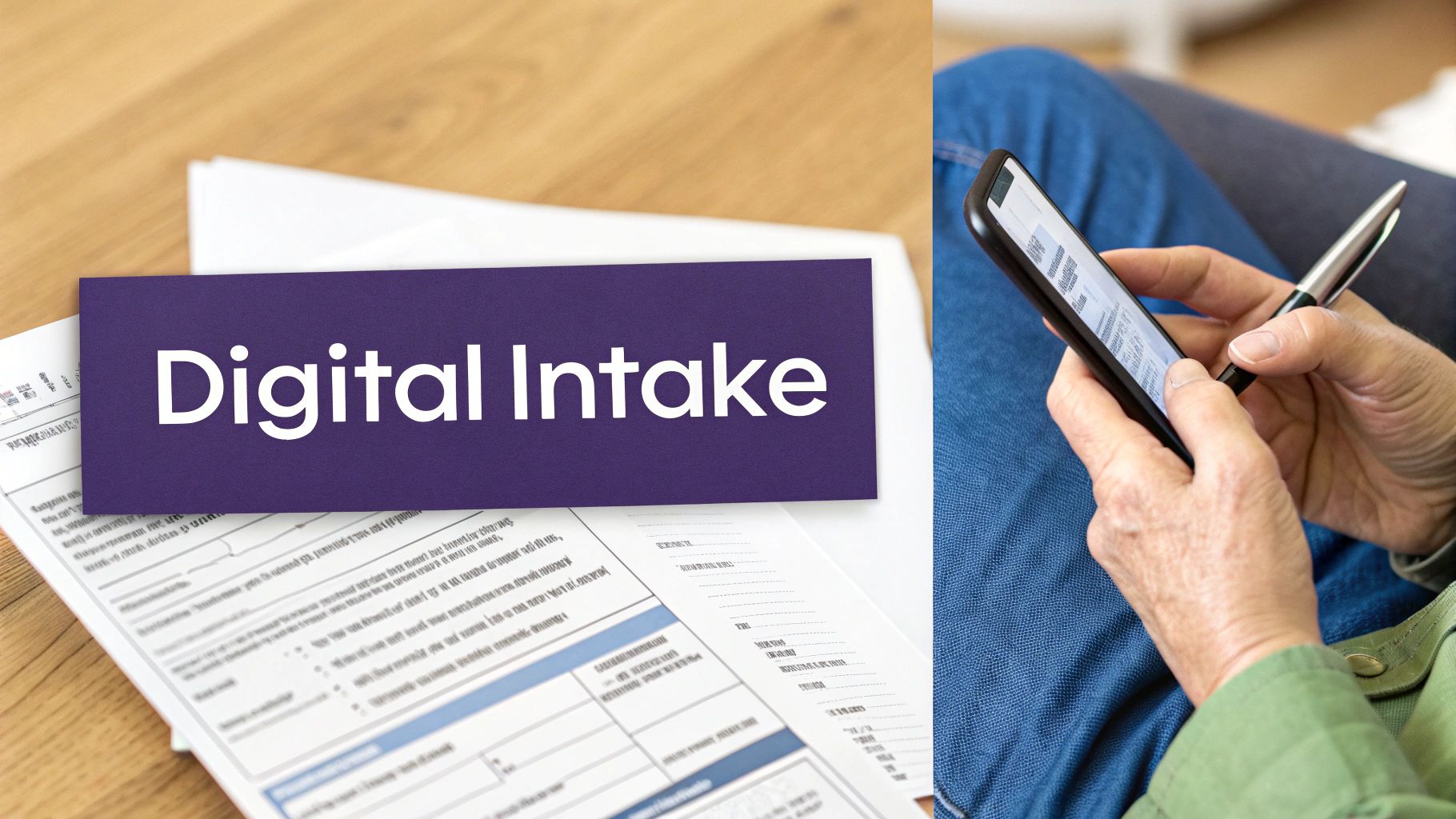
Is your front desk still drowning in a sea of clipboards and trying to decipher illegible handwriting? If that sounds familiar, it's probably time for a change. The old-school paper intake process, once a fixture in every clinic, is now a major bottleneck for both your patients and your staff. It’s a tedious cycle of manual data entry, transcription mistakes, and bulky physical files.
Switching to a digital new patient intake form isn't just about looking modern—it's a serious upgrade for your practice's health. It completely transforms that first touchpoint with a new patient, turning a chore into a smooth, welcoming experience.
The Daily Reality of Paper Forms
Let's get real about the hidden costs of paper. Every single form kicks off a multi-step headache that eats up staff time and opens the door to all kinds of errors. The path from that clipboard to the patient's actual chart is rarely a smooth one.
- Illegible Handwriting: We've all seen it. A simple misread of a medication or an allergy can have serious consequences.
- Manual Data Entry: Your admin team has to painstakingly type every single detail into the EMR. It's repetitive work that's practically begging for typos and mistakes.
- Physical Storage Demands: All those paper forms need a secure place to live, which makes finding old records a pain and complicates record-keeping compliance.
- Patient Inconvenience: Asking patients to show up 15-20 minutes early just for paperwork starts their visit off on a rushed, stressful note.
This outdated system puts a massive administrative strain on your team, pulling them away from what they should be doing: helping the patients right in front of them.
Boosting Data Accuracy and Efficiency
The single biggest win with a digital system is getting clean, accurate data right from the source. Digital forms can be set up with validation rules that stop common mistakes before they happen—like a patient typing "N/A" in the phone number field or accidentally skipping a required consent. Paper simply can't compete with that kind of instant quality control.
When patients fill out their new patient intake form on their own phone or computer before their visit, they tend to be more careful. They can easily grab their medication bottles or insurance card, which means the information you get is far more precise.
By getting rid of manual transcription, digital intake forms can slash data entry errors. This not only makes things safer for the patient but also cuts down on rejected insurance claims that happen because of simple clerical mistakes.
Better data directly translates to a more efficient practice. When you have complete and correct info before the patient even walks in, your team can get a head start on verifying insurance and prepping the chart. Check-in becomes a quick, welcoming confirmation instead of a drawn-out data-gathering session.
Revolutionizing the Waiting Room Experience
Picture a waiting room where patients are relaxing, not frantically scribbling on a clipboard balanced on their knee. Going digital makes that a reality by letting patients handle paperwork when and where it's convenient for them.
Sending a secure link to the form via email or text before the appointment puts the patient in control.
- Reduced Patient Stress: Completing forms at home, without feeling rushed, creates a much better first impression.
- Shorter Wait Times: With the paperwork already done, your schedule runs on time, which is a win for everyone.
- Freed-Up Staff: Your front desk team can actually focus on greeting patients and managing the flow of the clinic instead of chasing down forms.
This small change makes a huge impact on patient satisfaction and shows that you truly respect their time.
The Power of Direct EMR Integration
The real magic happens when your digital intake system talks directly to your Electronic Medical Record (EMR) system. This seamless connection is where you'll see the biggest jumps in productivity.
Instead of a staff member manually copying information from a form into the EMR, the data a patient submits flows automatically into the right fields in their chart. It’s a total game-changer. This automation practically eliminates the risk of human error during data transfer and frees up countless hours for your admin staff each week. The time they used to spend on mind-numbing data entry can now be spent on high-value tasks, like improving the patient experience and building relationships. Ultimately, adopting a digital new patient intake form is a foundational step toward a more efficient, accurate, and patient-focused practice.
Designing a Patient-Friendly Intake Experience
Think of your new patient intake form as your practice's first real conversation with a patient. It's more than just a data collection tool—it's your first impression. The goal is to make it feel less like a mountain of paperwork and more like the start of a helpful, supportive relationship.
A clunky, confusing form can cause real friction. Patients get frustrated, leave fields blank, or rush through and provide inaccurate information. But with a few thoughtful touches, you can create a smooth process that not only makes patients happier but also gives your clinical team better, more reliable data from day one.

Embrace a Mobile-First Design
Let's be realistic: most of your patients are going to fill out this form on their phone. They might be in their car before an appointment or squeezing it in during a lunch break. Designing for a desktop and just hoping it works on mobile is a recipe for disaster.
You have to think from the smallest screen up. This means:
- Large, Tappable Buttons: No one wants to pinch and zoom just to hit a "Next" button.
- Simple, Single-Column Layouts: Forget complex grids that look jumbled on a phone.
- Readable Fonts: Use clean, clear fonts that are easy on the eyes.
If the form is a pain to use on a phone, it's likely to be abandoned. A seamless mobile experience is a clear signal that you respect your patients' time and how they live their lives today.
Break Down Long Forms into Manageable Steps
Nobody likes staring at a single, endless page of questions. It's visually intimidating and can make people feel overwhelmed before they even start.
Instead of one giant document, break the form into smaller, logical chunks. It's a simple psychological trick that works wonders.
- Start with Patient Information.
- Then move to Insurance Details.
- Follow with Medical History.
- Finish with Consents & Signature.
This "chunking" method makes the entire process feel less like a chore. Add a simple progress bar—like "Step 2 of 4"—and you give patients a sense of forward momentum, which dramatically increases completion rates.
A patient-friendly design isn't just about looks; it's about reducing the mental effort required. By breaking a big task into small, simple steps, you make it far easier for patients to give you the accurate information you need.
Provide Clear Instructions and Support
Never assume a field is self-explanatory. Things that are second nature to your staff, like "Insurance Group Number," can be confusing for patients.
A little bit of guidance goes a long way. Add a small pop-up or a line of help text right next to the field: "You can usually find this labeled 'Group #' or 'Grp No.' on your insurance card." Simple clarifications like this prevent countless errors that your team would otherwise have to track down and fix.
Making your practice more accessible and welcoming can also be as simple as a language selector at the top of the form. This is a powerful gesture that shows you're ready to care for a diverse community.
Patient preferences are shifting decisively. Recent data shows that a massive 77% of patients would rather complete digital forms for demographics, insurance, and medical history before their visit.
Ultimately, designing a better experience comes down to empathy. Looking at best practices for driving customer experience outside of healthcare can offer fresh ideas. These small optimizations prove to patients that you value them and are committed to great care from the very first click.
Your Top Patient Intake Form Questions, Answered
Even the most seasoned practice managers run into questions when creating a new patient intake form. It’s natural. You’re trying to balance getting the information you need with making the process easy for your new patients.
Let's walk through some of the most common questions I hear and get you some clear, practical answers.
How Long Should a New Patient Intake Form Be?
Forget about the number of pages. The real measure of a form’s length is how long it takes to fill out. Aim for a completion time between 10 to 15 minutes. Any longer, and you risk patient fatigue, which is a surefire way to get rushed, inaccurate answers.
So, how do you keep it concise but still thorough?
- Group similar questions. Keep demographics in one spot, insurance in another, and medical history in its own section. Clear labels are your friend here.
- Use conditional logic (for digital forms). This is a game-changer. It means the form intelligently hides questions that don't apply. For instance, if a patient says they don't smoke, they won't be bothered with follow-up questions about their smoking habits.
- Be ruthless about what's essential. What do you truly need for their very first visit? Stick to that. You can always gather more details face-to-face or during their next appointment.
When you respect your patient's time, they'll give you better information. It's a simple, powerful trade-off.
What Are the Biggest Mistakes to Avoid?
I’ve seen a lot of intake forms over the years, and the biggest mistakes almost always come from forgetting who is filling it out: the patient. When you build the form from their perspective, you sidestep most of the common frustrations.
Keep an eye out for these frequent slip-ups:
- Too much medical jargon. You live and breathe clinical terms, but your patients don't. Swap them out for simple, everyday language.
- Asking for the same info twice (or three times!). Nothing annoys a patient more than writing their date of birth on three different pages. Make sure your form isn't asking for details you should already have.
- A terrible mobile experience. Let's be real—most patients are completing these forms on their phones. If they have to pinch, zoom, and scroll endlessly, the design has failed.
- A confusing HIPAA consent. Your consent statement can't be an afterthought buried in fine print. It needs to be crystal clear and easy to understand, so patients know exactly what they're agreeing to.
The absolute worst mistake? Creating a giant, intimidating wall of text. Breaking the form into small, digestible chunks is the single best thing you can do to make it feel less overwhelming and boost your completion rates.
Should We Use a Template for Our Patient Intake Form?
Absolutely. A template is a fantastic starting point, but it should never be the final version.
Think of a template as the basic blueprint. It saves you from having to reinvent the wheel and ensures you’ve covered the essential categories. But the real value comes from tailoring that blueprint to fit your specific practice. A one-size-fits-all form just doesn't cut it in healthcare.
- Bring in your clinical team. Your doctors and nurses know what specialty-specific information is crucial. A pediatrician needs to know about developmental milestones; an orthopedic surgeon needs details on joint pain. Their input is invaluable.
- Cut out what you don't need. If a question doesn't directly impact patient care or your administrative workflow, get rid of it. Every single field should serve a purpose.
- Get a final compliance check. Before you roll it out, have someone review the form to ensure it meets all current HIPAA and legal standards for your specialty and state.
A template gets you in the game, but smart customization is what helps you win.
Ready to eliminate administrative burdens and create a seamless intake experience for your patients? Simbie AI offers a clinically-trained voice AI that automates patient intake, scheduling, and more, integrating directly with your EMR to ensure accuracy and efficiency. Discover how you can reduce staff burnout and improve patient satisfaction by visiting https://www.simbie.ai.