
Accurate medication reconciliation is a cornerstone of patient safety, yet it remains one of the most time-consuming and error-prone clinical tasks. A poorly structured process can lead to incomplete data, patient confusion, and critical documentation gaps. Implementing the right medication history form templates can standardize this process, ensuring you capture complete and accurate information consistently across your practice or health system.
This guide eliminates the guesswork by providing a curated collection of the best medication history form templates available in 2026. We’ve gathered and analyzed a variety of options to suit different clinical needs, from simple, patient-facing lists to EMR-ready documents for complex care environments. As you begin to explore these templates, it is crucial to first understand the principles of HIPAA Compliant Document Sharing to protect patient privacy.
Here, you will find a detailed breakdown of each resource, including:
- Direct download links for PDF and Word documents.
- Screenshots and filled-in examples to show the forms in action.
- Practical use cases for specific settings, like primary care, specialty clinics, or hospital admissions.
- Implementation guidance, including customization tips and best practices.
We will also cover how to import these forms into your EMR and explore how modern tools can auto-document medication histories, saving valuable clinical time. Whether you need a simple checklist for patients or a detailed form for your clinical team, this resource will help you find the right solution to improve your medication reconciliation workflow, reduce errors, and enhance patient care.
1. Jotform — Medication List Form Template
Jotform offers a ready-to-use, web-based medication list template that is ideal for practices needing to deploy a digital intake solution quickly. Its primary strength lies in its drag-and-drop form builder, allowing even non-technical staff to customize fields, add conditional logic, and embed the form on a clinic website or share it via a direct link. This makes it a great starting point for capturing patient-entered medication history before an appointment.
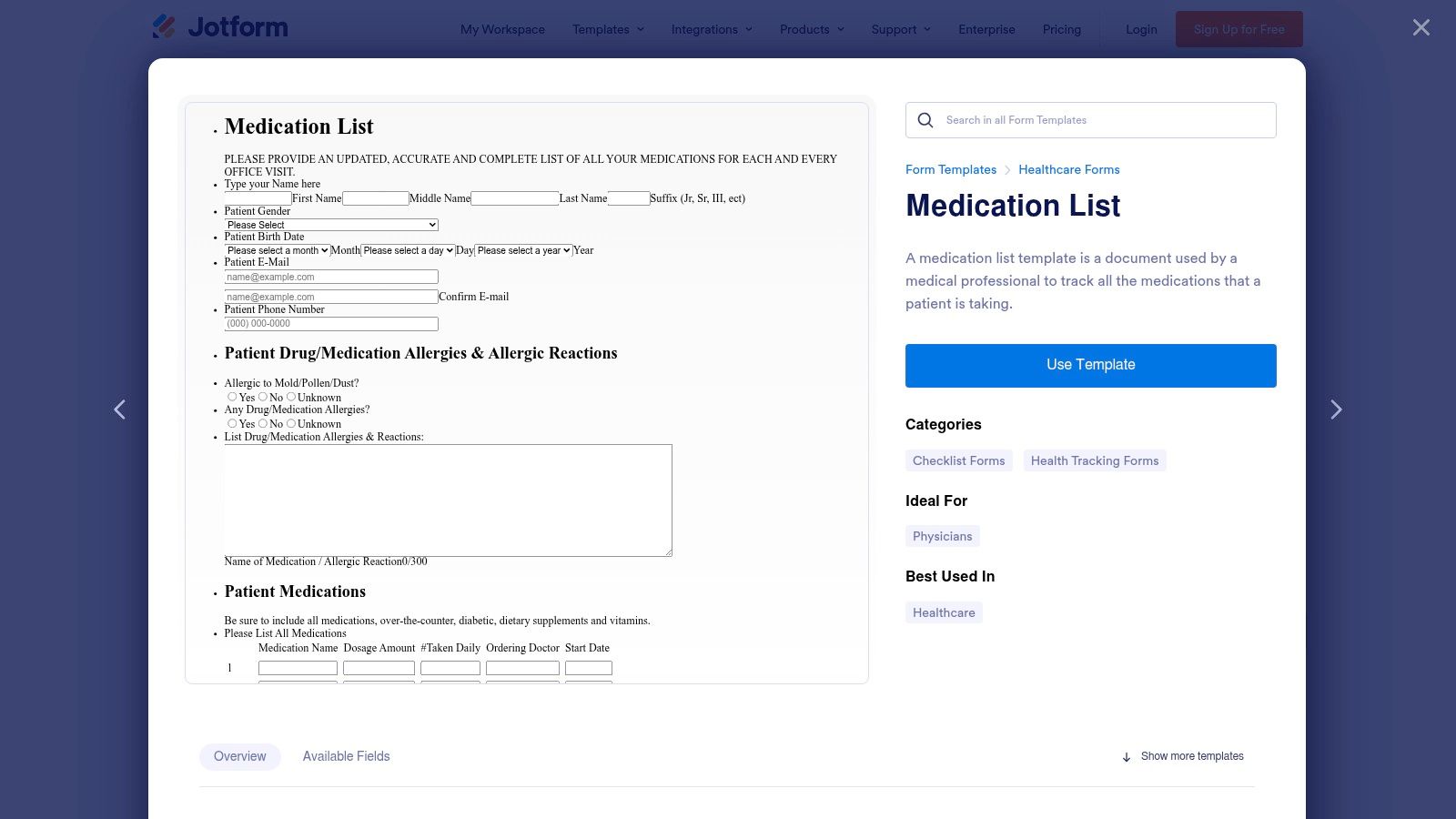
The platform supports workflow automations, such as sending email notifications to staff upon submission or generating a PDF copy for the patient’s file. These features help bridge the gap between patient data entry and clinical review. For clinics handling protected health information (PHI), Jotform provides HIPAA-compliant features and will sign a Business Associate Agreement (BAA), though this is restricted to their higher-cost Gold and Enterprise plans.
Key Considerations
- Ease of Use: Extremely user-friendly. You can have a functional, branded medication history form live in under an hour.
- HIPAA Compliance: Available, but requires a significant investment in their Gold or Enterprise tiers. Practices using free or lower-tier plans must avoid collecting PHI.
- Integration: Connects with hundreds of third-party apps, but direct EMR integration often requires a connector like Zapier, adding complexity to the setup. This contrasts with tools that automate documentation directly from conversations, a key step in an efficient medication reconciliation process.
| Pros | Cons |
|---|---|
| Very fast deployment with an intuitive form builder | HIPAA features are only available on expensive plans |
| E-signature and file upload capabilities are built-in | Data must be manually transferred or integrated into an EMR |
| Enterprise plans offer robust support for larger clinics | Online forms require strict administrative process controls for PHI |
Website: Jotform Medication List Template
2. Formstack — Healthcare Form Templates
Formstack is a powerful option for healthcare organizations that need more than a simple form builder. It excels at creating complex digital workflows around data collection. While it doesn't offer a standalone "medication list" template, its healthcare gallery provides numerous intake and health history forms that can be easily customized to create a robust, multi-step medication history form template. This makes it ideal for practices that need to route submissions for approvals, trigger document generation, or integrate data into systems like Salesforce.
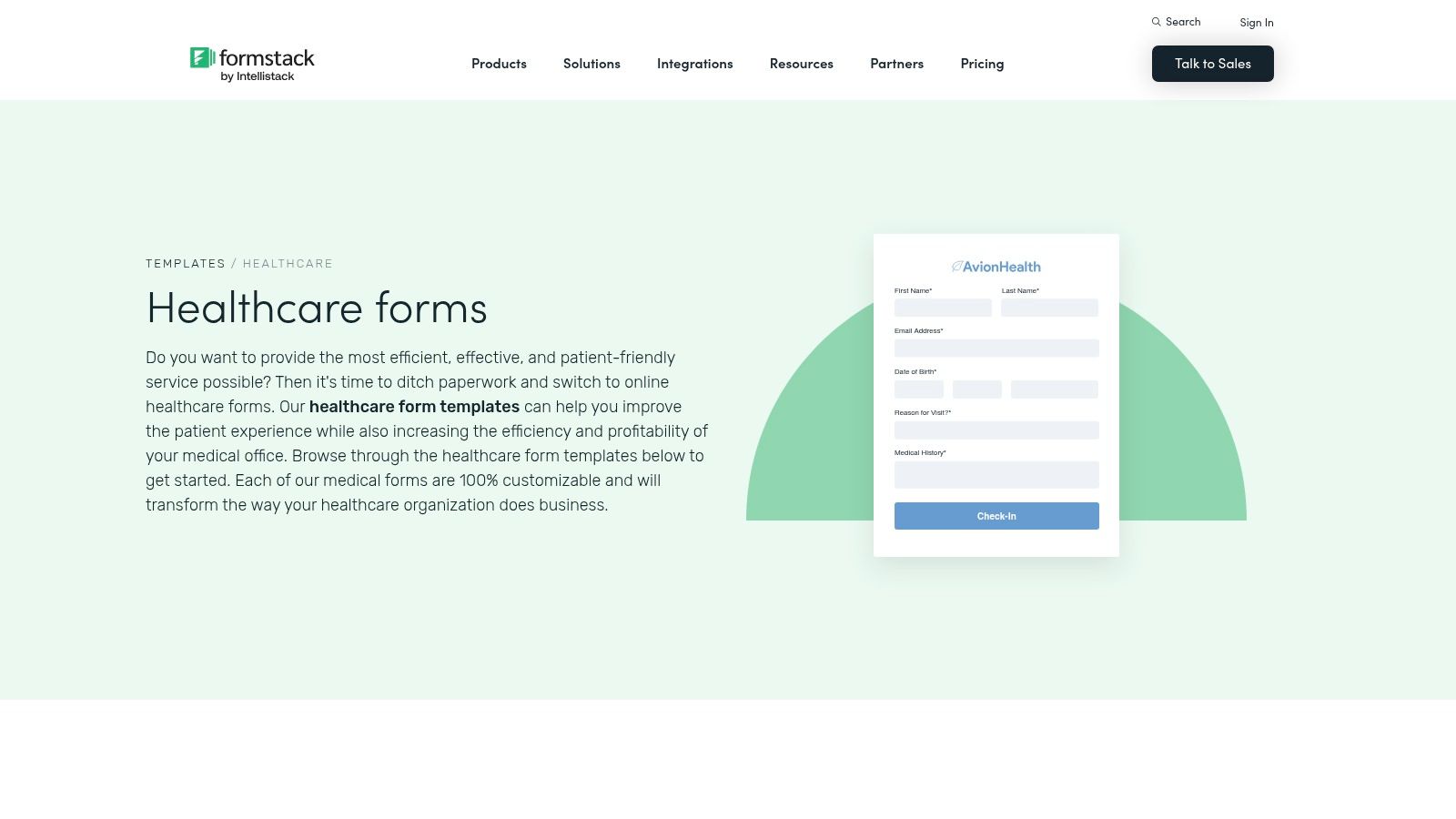
The platform's key distinction is its ecosystem of workflow automation tools. You can use conditional logic to show or hide fields based on patient answers, automatically route completed forms to specific clinical staff, and generate polished PDF documents for archival. Formstack provides HIPAA-eligible plans and will sign a Business Associate Agreement (BAA), positioning it as a compliant solution for handling protected health information. This enterprise focus is reflected in its pricing, which is generally higher and often requires custom quotes.
Key Considerations
- Ease of Use: More complex than basic form builders. Configuring advanced workflows and integrations requires some technical comfort, though the template gallery provides a solid starting point for various medical intake forms.
- HIPAA Compliance: Readily available on specific healthcare plans, with a signed BAA included. This is a core part of their offering for the medical sector, not an expensive add-on.
- Integration: Offers strong native integrations, particularly with CRMs like Salesforce. This facilitates a more connected data environment but may still require manual steps to move information into a specific EMR.
| Pros | Cons |
|---|---|
| Strong workflow, routing, and document generation features | HIPAA-compliant plans have custom, enterprise-leaning pricing |
| Scales well for multi-site clinics and complex approval needs | Requires configuration from a general health template to create a form |
| HIPAA-eligible plans with a BAA are a primary offering | Less of a quick-start solution compared to dedicated form builders |
Website: Formstack Healthcare Templates
3. American Heart Association — My Medicine List
The American Heart Association (AHA) offers a simple, consumer-facing "My Medicine List" worksheet, designed as a free, printable tool for patients. Its strength is its credibility and straightforward layout, making it an excellent resource for practices to standardize how patients track their own medications. It serves as a practical handout to give patients at check-in or discharge, empowering them to maintain an accurate list of their prescription and over-the-counter drugs, doses, and schedules. This is a foundational paper-based medication history form template.
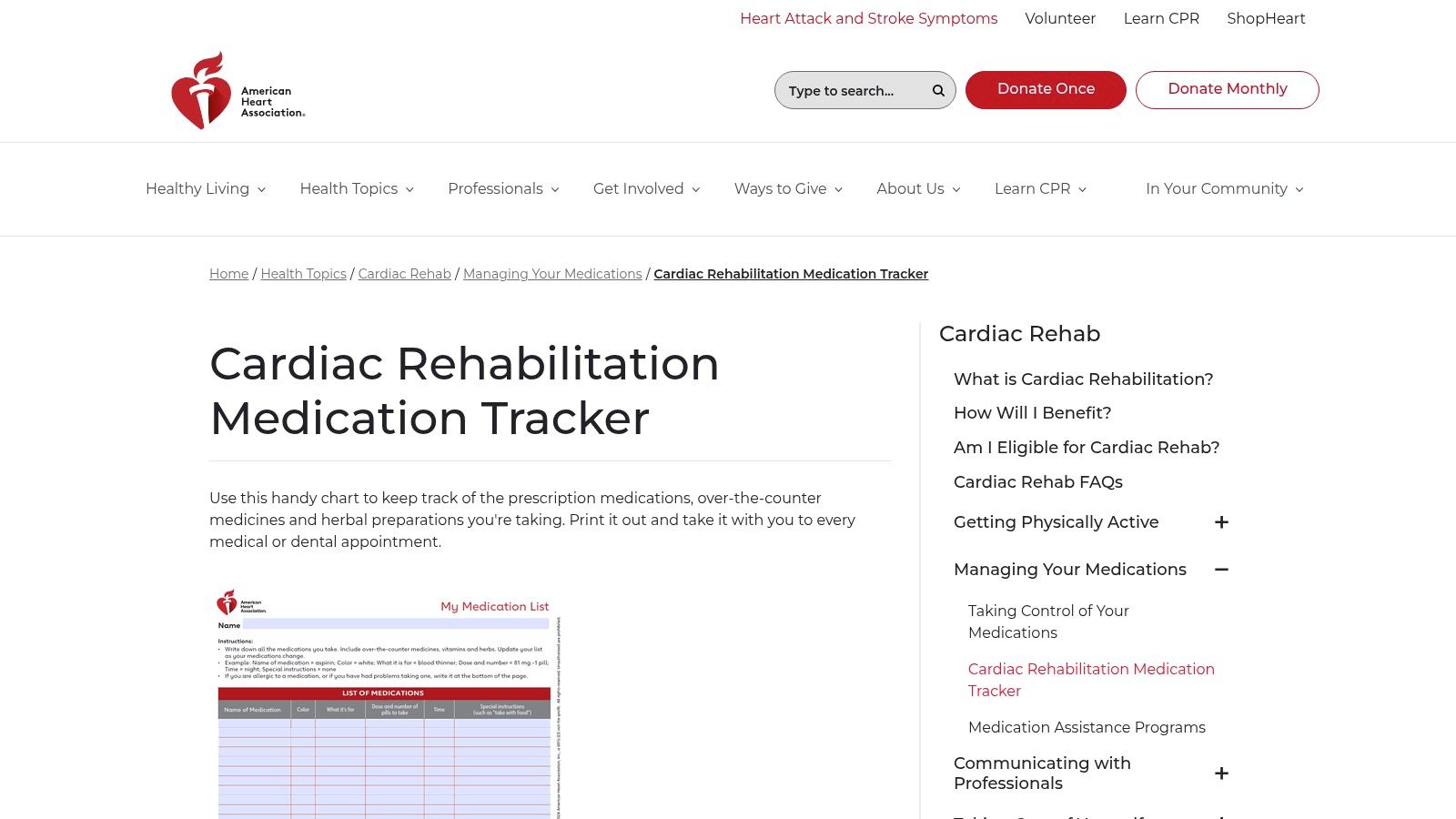
Available in both English and Spanish, this worksheet facilitates better patient-provider communication and supports medication adherence discussions. While it lacks digital functionality, its value lies in its simplicity and authority. For clinics, especially in primary care or cardiology, providing patients with this familiar and trusted format can improve the quality of medication information brought to appointments. The form is a patient engagement tool first and a data collection instrument second, placing the responsibility on the patient to keep it updated.
Key Considerations
- Ease of Use: Extremely simple. It is a print-ready PDF that requires no setup, making it easy for any staff member to distribute.
- HIPAA Compliance: Not applicable in the same way as digital tools. Since it is a paper form filled out by the patient, the responsibility for protecting the physical document falls on the patient and the clinic's internal paper-handling procedures.
- Integration: None. This is a manual, paper-based system. Information must be physically reviewed by a clinician and then manually transcribed into the EMR, a time-consuming but necessary step for documentation.
| Pros | Cons |
|---|---|
| Free to download, print, and distribute to patients | Completely paper-based with no digital data capture |
| Clinically trusted format from a reputable organization | Data requires manual entry into the EMR, increasing staff workload |
| Available in English and Spanish for broader accessibility | Generic template may not capture specialty-specific details |
Website: AHA Cardiac Rehabilitation Medicine Tracker
4. AHRQ — Medicine Wallet Card / Personal Medication Form
Provided by the Agency for Healthcare Research and Quality (AHRQ), this resource shifts the focus from clinical intake to patient empowerment. The Medicine Wallet Card is a compact, printable medication history form template designed for patients to carry with them. Its primary purpose is to help individuals maintain an accurate, accessible list of their medications, which is invaluable during emergency department visits, specialist consultations, or any transition of care.
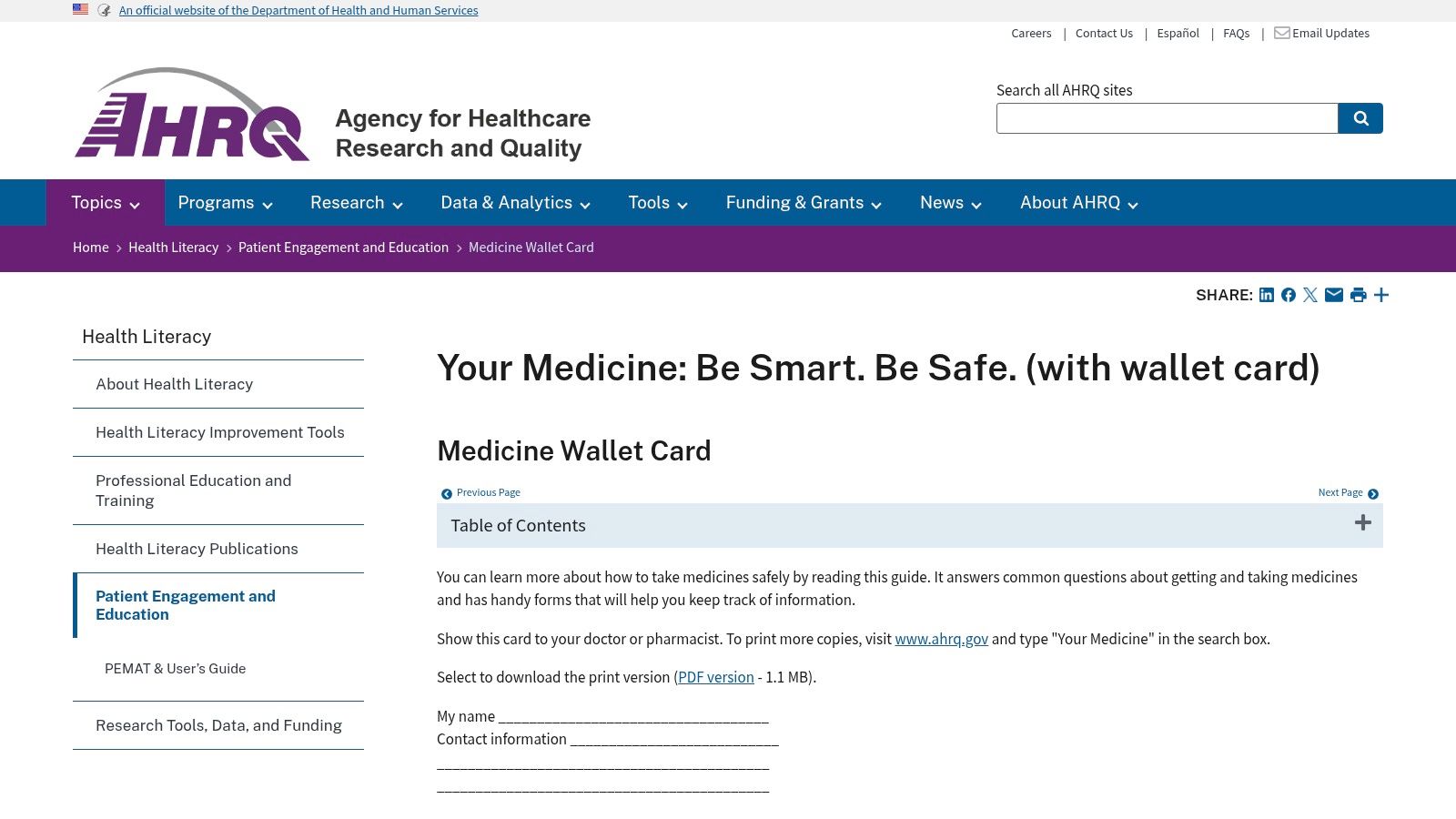
This tool is grounded in health literacy principles, using simple language and a clear layout to encourage patient engagement in their own medication safety. Instead of a complex digital system, it provides a straightforward, tangible solution that clinics can give to patients at discharge. While not an electronic form, it serves as an excellent complement to digital workflows, giving patients a reliable backup that does not depend on a device or internet access.
Key Considerations
- Ease of Use: Extremely simple for patients to understand and fill out. It is a free, downloadable PDF from a trusted government source.
- HIPAA Compliance: As a patient-held document, HIPAA compliance is not a direct concern for the form itself. The responsibility for protecting the information lies with the patient.
- Integration: There is no electronic integration. The information must be manually transcribed into an EMR by clinical staff. Its value is in providing accurate source data, not in automating data entry.
| Pros | Cons |
|---|---|
| Trusted federal source designed for health literacy | Static PDF requires manual entry and updates by the patient or caregiver |
| Easy to pair with discharge instructions and transition-of-care plans | Not designed for direct electronic integration into EMR systems |
| Empowers patients to manage their own medication information | Prone to being lost, damaged, or becoming outdated if not maintained |
Website: AHRQ Medicine Wallet Card
5. CMS — MTM Personal Medication List (PML)
For organizations that serve Medicare populations, the Centers for Medicare & Medicaid Services (CMS) provides a standardized Personal Medication List (PML) format. This resource isn't a dynamic web form but rather a foundational template designed for Medication Therapy Management (MTM) programs. Its value lies in providing a government-approved structure that ensures all critical medication details are captured consistently, which is essential for compliance and interoperability between providers.
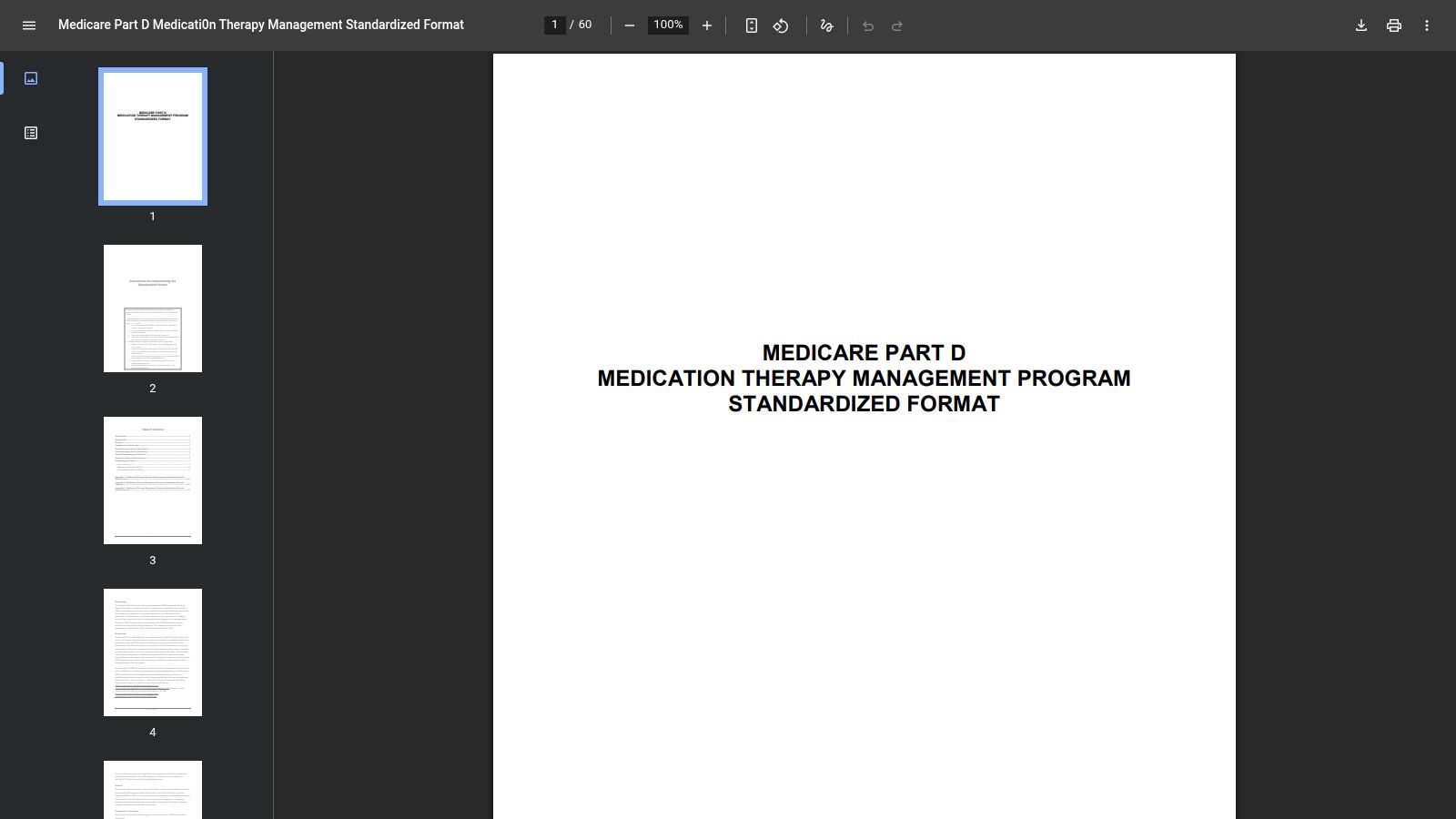
This template, available in both English and Spanish, outlines the specific fields required for documenting a patient's prescriptions, over-the-counter drugs, and herbal supplements. Practices can use this official PDF as a blueprint to build their own digital or paper-based medication history form templates, confident they are aligning with Medicare standards. It is particularly useful for standardizing medication reconciliation during transitions of care, such as hospital discharge, to prevent adverse drug events.
Key Considerations
- Ease of Use: As a static PDF, it requires manual adaptation. Clinics must transfer its structure into their EMR, a word processor, or a form-building tool.
- HIPAA Compliance: The template itself is just a document structure. Any system you build using it to collect, store, or transmit PHI must be HIPAA-compliant.
- Integration: It does not offer direct integration. The layout serves as a reference for configuring fields within your existing EMR or practice management software.
| Pros | Cons |
|---|---|
| Aligns with Medicare expectations for MTM documentation | More formal and structured than typical clinic intake sheets |
| Supports consistent reconciliation at care transitions | Requires adaptation for routine clinic use or EMR integration |
| Standardized format available in English and Spanish for free | Lacks the dynamic features of dedicated form-building software |
Website: CMS MTM Personal Medication List
6. American College of Cardiology (CardioSmart) — Your Medication List
The American College of Cardiology's CardioSmart initiative provides a straightforward, patient-facing worksheet designed for tracking medications. This one-page PDF is a classic, printable resource ideal for cardiology practices but equally useful in primary care. It serves as an excellent handout for patients to fill out at home or in the waiting room, encouraging them to take an active role in managing their own medication list. Its strength is its simplicity and credibility, coming from a major U.S. specialty society.
This template is structured with clean columns for the medication name, dose, frequency, and the reason for taking it. The uncluttered layout makes it easy for patients, especially older adults, to understand and complete. For clinical staff, it provides a standardized document that can be quickly reviewed during a check-in and then scanned into the patient’s digital chart. It functions best as a take-home tool to improve medication adherence and facilitate a more accurate review during appointments.
Key Considerations
- Ease of Use: Extremely simple for both patients and staff. As a printable PDF, it requires no technical setup and can be implemented immediately.
- HIPAA Compliance: Because it's a paper form, HIPAA compliance depends entirely on the clinic's internal processes for handling, storing, and disposing of physical documents containing PHI.
- Integration: There is no direct integration. The information on this medication history form template must be manually entered into an EMR or scanned as a document, making it a paper-centric workflow.
| Pros | Cons |
|---|---|
| From a trusted source (ACC), lending it clinical credibility | Paper-based, requiring manual data entry or scanning for EMRs |
| Works well as a patient adherence and take-home review tool | A generic format that is not specialized beyond basic information |
| Simple, clean format is easy for patients to fill out | Lacks digital features like e-signatures or automated submission |
Website: CardioSmart Your Medication List
7. University of Washington AIMS Center — Medication History Template
For practices specializing in behavioral health or chronic disease management, the University of Washington AIMS Center provides a structured medication history form template that goes beyond a simple list. This resource is designed for collaborative care settings where a detailed understanding of past medication trials, side effects, and patient adherence is critical. It is a printable PDF, making it immediately usable for in-office intake without any digital setup.
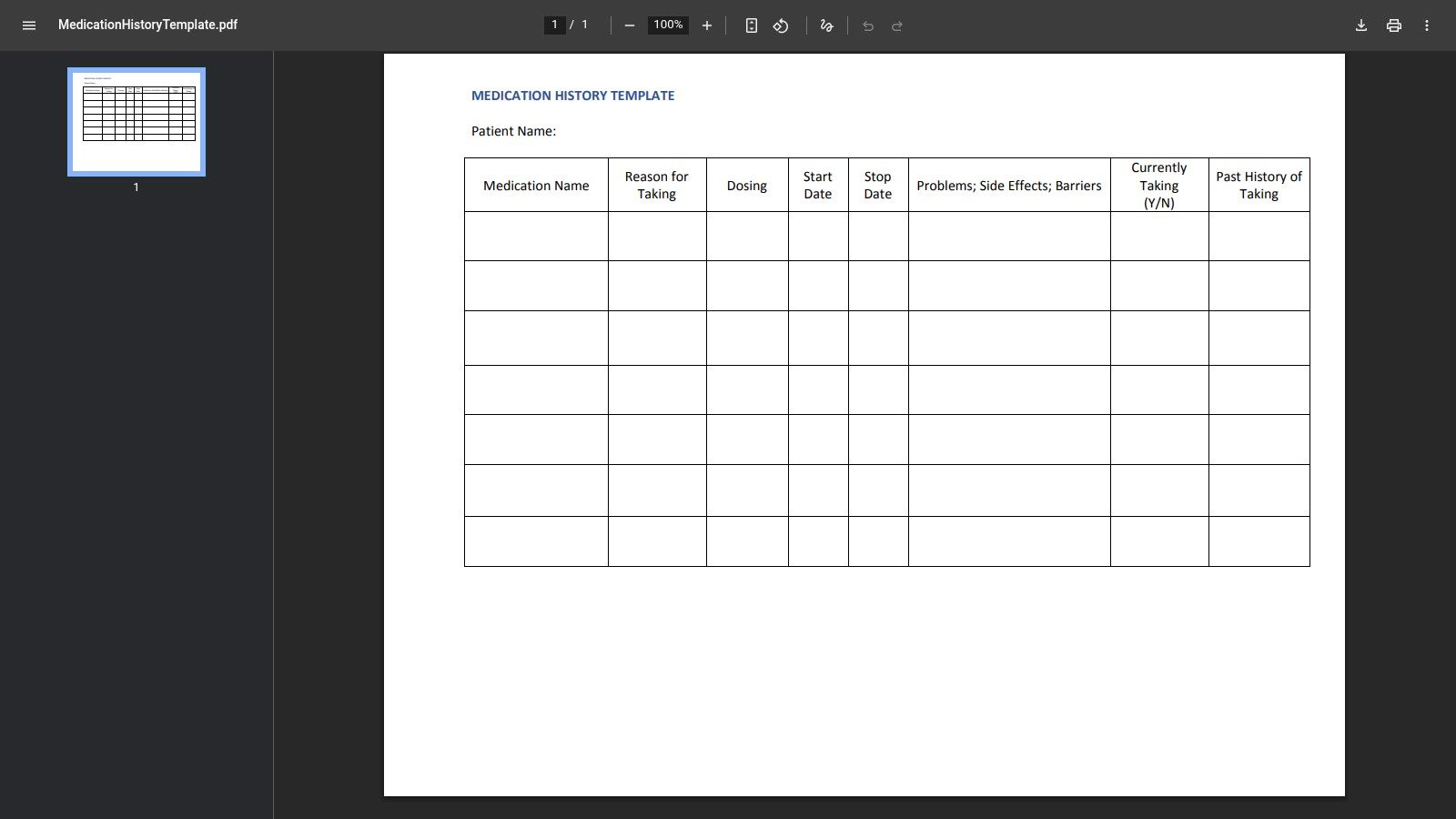
The template’s strength is its granularity. It includes fields for start/stop dates, reasons for discontinuation, observed side effects, and adherence barriers. This level of detail supports complex clinical decision-making, particularly in psychiatry where tracking the effectiveness and tolerability of past treatments is essential. Because it’s a static PDF, it requires no technical configuration and is free to access and use, though all captured data must be manually entered into the EMR.
Key Considerations
- Ease of Use: Simple to access and print. Clinicians can hand it to patients or use it as a guide during interviews. No technical skills are needed.
- HIPAA Compliance: As a printable document, compliance depends entirely on the clinic's internal processes for handling and storing paper records containing PHI.
- Integration: There is no direct integration. Information must be transcribed into the EMR, which can be time-consuming and introduces the risk of data entry errors.
| Pros | Cons |
|---|---|
| Granular history is ideal for psychiatry and chronic disease care | Requires manual data transfer into the EMR |
| Ready-to-print PDF is usable immediately without redesign | May be too detailed for routine, quick intake scenarios |
| Free to download and use for any practice | Not offered as an editable or electronic form |
Website: University of Washington AIMS Center — Medication History Template
8. Nationwide Children’s Hospital — New Patient Medication List
Nationwide Children’s Hospital offers a free, downloadable PDF medication list template tailored specifically for pediatric patients. Its design is parent-friendly, making it an excellent resource for family practices or children’s clinics to hand out at check-in. The form prompts for essential information, including over-the-counter (OTC) drugs and herbal supplements, which are often overlooked but are critical in a pediatric medication history. This print-ready document provides a clear, standardized format for parents to complete.
The primary advantage of this template is its source. Coming from a reputable children's hospital, its content is well-suited for pediatric care and provides a level of trust. It serves as a solid paper-based foundation for capturing medication data in a waiting room setting before it is manually entered into an EMR. While not a digital solution, it solves the immediate need for a structured and comprehensive paper form.
Key Considerations
- Ease of Use: As a simple PDF, it is exceptionally easy to download, print, and distribute to patients and their families. No technical setup is required.
- HIPAA Compliance: The form itself is just a static document. Compliance depends entirely on the clinic's internal processes for handling, storing, and destroying the completed paper forms.
- Integration: There is no digital integration. Information must be manually transcribed from the paper form into the patient's electronic health record, a process that introduces the risk of human error.
| Pros | Cons |
|---|---|
| Pediatric-specific layout is familiar and easy for parents to complete | Static PDF that cannot be customized or rebranded without editing software |
| Includes fields for OTC medications, herbals, and supplements | Lacks any digital capture, requiring manual data entry into the EMR |
| Free to download and print for immediate use in a clinical waiting room | Paper-based workflow can be inefficient and prone to transcription errors |
Website: Nationwide Children’s Hospital New Patient Medication Form
9. OU Health — Medication Record (Adult) Form
OU Health provides a clean, hospital-grade medication record sheet designed for adult patients. This downloadable PDF is a straightforward tool for front-desk or nursing staff to quickly document current medications, over-the-counter drugs, supplements, and allergies. Its single-purpose design makes it an effective paper-based solution for intake, providing a clear baseline for medication reconciliation before a clinician even enters the room.
The form’s layout is its primary strength. It organizes information into logical columns for the medication name, dose, route, frequency, and time last taken. This format is immediately familiar to clinical staff and requires minimal training to use. While it is a static PDF, clinics can easily add their logo and contact information to brand it for their own use, making it a highly adaptable starting point for practices that still rely on paper intake processes or need a reliable backup form.
Key Considerations
- Ease of Use: Exceptionally simple. As a printable PDF, it can be deployed instantly with no technical setup. It is ideal for patient waiting rooms or triage stations.
- HIPAA Compliance: Because it's a paper form, compliance depends entirely on the clinic's internal administrative controls for handling, storing, and destroying physical documents containing PHI.
- Integration: There is no direct integration. Information captured on this form must be manually transcribed into the EMR. This workflow can be time-consuming and introduces a risk of data entry errors.
| Pros | Cons |
|---|---|
| Clean, simple format is great for quick reconciliation | Paper-only PDF with no digital or EHR integration features |
| Easy to download, print, and modify for local branding | Requires manual data entry into electronic records, risking errors |
| No cost to download and use | Lacks advanced fields for adherence or side effect tracking |
Website: OU Health Medication Record (Adult) Form
10. Smartsheet — Medical Forms (Medication List and Medical History templates)
Smartsheet provides a practical resource hub for clinics that prefer using standard office software for their documentation. Instead of a web-based form builder, it offers a collection of downloadable and editable medication history form templates in familiar formats like Word, Excel, and PDF. This approach is well-suited for practices transitioning from paper to digital files or those with low-tech workflows that rely on local document management.
The primary advantage is flexibility. A clinic can download a template, add its logo, adjust fields, and print it for in-office use or save it as a fillable PDF to email to patients. While the templates themselves are free, Smartsheet's core product is a work management platform. These templates serve as a gateway to that platform, but they can be used independently without any subscription. For those interested in a deeper dive, Smartsheet's collection is a good starting point for structuring a complete medical history form.
Key Considerations
- Ease of Use: Very straightforward for anyone familiar with Microsoft Office or Adobe Acrobat. Just download, edit, and use.
- HIPAA Compliance: This is a crucial distinction. The templates are not inherently HIPAA-compliant. Compliance depends entirely on how a clinic stores, transmits, and manages the completed documents containing PHI. Smartsheet’s platform can be configured for HIPAA compliance, but the downloadable files are just standalone documents.
- Integration: There is no direct integration. Data from these forms must be manually entered into an EMR. This workflow is simple but can be time-consuming and prone to transcription errors.
| Pros | Cons |
|---|---|
| Free templates in common, easily editable formats (Word, Excel, PDF) | Not a hosted or secure form solution on its own |
| Flexible for local branding and customization | Requires manual data transfer into the EMR |
| Good for clinics with minimal tech infrastructure or budget | Security and HIPAA compliance depend entirely on the clinic’s processes |
Website: Smartsheet Medical Forms Templates
11. Carepatron — Medication List Template
Carepatron offers a patient-centric printable medication list template designed for simplicity and ease of use. This resource is not a digital form but a straightforward PDF handout that clinics can brand and provide to patients. Its main purpose is to empower patients to maintain their own medication records, which they can then bring to appointments. The design uses plain language and includes clear instructions, making it accessible for individuals who may not be digitally savvy.
This template is ideal for clinics that want to provide a take-home resource or need a simple, non-technical tool for in-office data collection. It serves as a great physical document that can be scanned into a patient's chart. Because it is a static document, it bypasses the need for complex digital systems or HIPAA-compliant platforms for simple information gathering, placing the responsibility on administrative workflows to handle the completed paper forms securely.
Key Considerations
- Ease of Use: The template is extremely simple. It’s a downloadable PDF that requires no technical setup, only a printer and a process for distribution and collection.
- HIPAA Compliance: As a printable document, HIPAA compliance depends entirely on the clinic's internal processes for handling, storing, and destroying paper-based PHI. There are no built-in digital security features.
- Integration: There is no direct integration. The information from the completed form must be manually entered into an EMR. This manual step can introduce transcription errors, unlike automated documentation tools that capture data directly.
| Pros | Cons |
|---|---|
| Plain-language design is easy for patients to understand | Not a HIPAA-enabled web form; relies on manual security protocols |
| Simple to adapt and add clinic branding before printing | No built-in electronic capture or EMR/EHR integration |
| Free and immediately accessible for any practice | Requires manual data entry, which is time-consuming and error-prone |
Website: Carepatron Medication List Template
12. SingleCare — Free Medication List Templates
SingleCare offers a collection of free, printable medication list charts designed for patients and their caregivers. Rather than being clinical intake forms, these templates act as supplemental handouts that a practice can provide to patients. Their purpose is to help individuals organize their medication information-including dosages, schedules, and side effects-before they arrive for an appointment. This approach helps standardize the quality of patient-provided data, making the medication reconciliation process smoother for clinical staff.
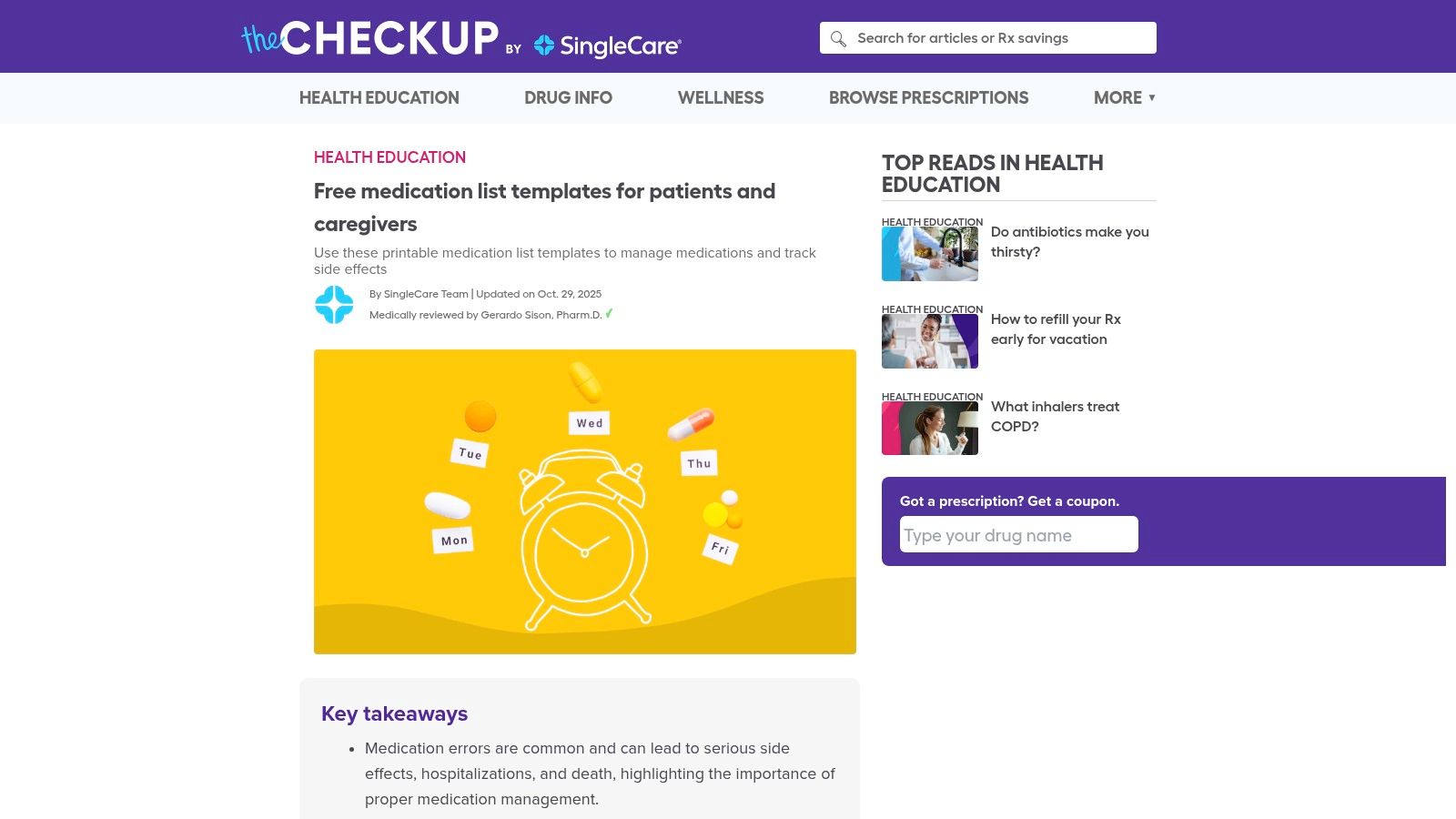
The templates are available in multiple layouts to suit different tracking needs, such as organizing medications by time of day or by specific dose. Because these are simple, downloadable PDFs, they are immediately accessible and can be distributed without any technical setup. However, they are not intended for direct digital data capture and do not come with any HIPAA-compliant collection methods. The data on these forms must be manually transcribed into the patient's electronic medical record (EMR) by a staff member.
Key Considerations
- Ease of Use: The charts are extremely simple. Patients can print them at home or receive them from the clinic to fill out by hand, making them accessible to all demographics.
- HIPAA Compliance: This is not applicable, as these are patient-facing organizational tools. No protected health information is collected or stored digitally by the platform.
- Integration: There is no digital integration. The value comes from improved patient preparedness, not from automated data entry. Information from these sheets must be manually entered into the EMR.
| Pros | Cons |
|---|---|
| Completely free and instantly printable | Templates are not clinical documents |
| Helps standardize patient-provided medication information | Requires manual data transfer into the EMR |
| Consumer-friendly design is easy for patients to use | No digital capture or HIPAA-enabled features are provided |
Website: SingleCare Free Medication List Templates
Medication History Form Templates — 12-Resource Comparison
| Solution | Core features ✨ | Digital integration & usability ★ | Best for 👥 | Price / Value 💰🏆 |
|---|---|---|---|---|
| Jotform — Medication List Form Template | Prebuilt med fields; drag‑drop builder; e‑sign & automations ✨ | Web forms with 3rd‑party integrations; HIPAA on Gold/Enterprise ★★★★ | Clinics needing fast web intake 👥 | Tiered; HIPAA on higher plans 💰; 🏆 quick deployment |
| Formstack — Healthcare Form Templates | Template gallery; conditional logic & routing; doc gen ✨ | Integrates with EHR/CRM; BAA on healthcare plans ★★★★ | Multi‑site workflows & complex routing 👥 | Custom/enterprise pricing 💰; 🏆 strong workflow tools |
| American Heart Association — My Medicine List | Printable tracker; EN/ES; simple layout ✨ | Paper/PDF only; no native digital capture ★★ | Patient handouts at visits/discharge 👥 | Free 💰; 🏆 trusted patient resource |
| AHRQ — Medicine Wallet Card / Personal Medication Form | Wallet‑sized card; health‑literacy focused ✨ | Static PDF for printing; manual updates ★★ | ED & transitions of care; emergency use 👥 | Free 💰; 🏆 federal, literacy‑focused |
| CMS — MTM Personal Medication List (PML) | Standardized CMS fields & structure ✨ | Formal template for MTM; may need adaptation for clinics ★★★ | Medicare/MTM programs & compliance 👥 | Free 💰; 🏆 regulatory alignment |
| ACC (CardioSmart) — Your Medication List | Clean one‑page; columns for dose & indication ✨ | Printable; simple for staff use; manual entry ★★ | Cardiology & primary care check‑ins 👥 | Free 💰; 🏆 specialty society endorsement |
| University of Washington AIMS — Medication History Template | Granular history: prior trials, dates, side effects ✨ | Printable PDF; manual transfer to EHR ★★★ | Psychiatry & chronic disease management 👥 | Free 💰; 🏆 detailed clinical capture |
| Nationwide Children’s — New Patient Medication List | Pediatric‑focused; OTC & herbals fields ✨ | Static PDF; parent‑friendly layout ★★ | Pediatric clinics & family distribution 👥 | Free 💰; 🏆 pediatric‑specific |
| OU Health — Medication Record (Adult) Form | Intake‑ready med list + allergy fields; simple ✨ | Paper/PDF only; manual EHR entry ★★ | Adult front‑desk / nursing reconciliation 👥 | Free 💰; 🏆 easy to adapt locally |
| Smartsheet — Medical Forms (Templates) | Word/Excel/PDF editable templates; brandable ✨ | Downloadable files for local use; security depends on handling ★★★ | Low‑tech clinics preferring office formats 👥 | Free downloads; storage risk—not HIPAA host 💰 |
| Carepatron — Medication List Template | Plain‑language printable with instructions ✨ | PDF share/print; no built‑in EHR integration ★★ | Patient‑centric handouts & small clinics 👥 | Free 💰; 🏆 user‑friendly design |
| SingleCare — Free Medication List Templates | Multiple printable layouts; scheduling aids ✨ | Paper/PDF only; no electronic capture ★★ | Patients & caregivers standardizing lists 👥 | Free 💰; 🏆 easy patient adoption |
Final Thoughts
Navigating the landscape of medication history form templates can feel overwhelming, but as we've explored, the right tool can fundamentally improve patient safety and clinical efficiency. This guide has walked you through a curated selection of resources, from simple, printable PDFs like the American Heart Association's My Medicine List to dynamic, EMR-ready solutions offered by platforms such as Jotform and Smartsheet. The core objective remains the same across all these options: to create a single, accurate source of truth for a patient's medication regimen.
The journey from a blank page to a fully implemented medication reconciliation process is a critical one. Your choice of template is the first, and perhaps most important, step. It sets the foundation for data quality, patient engagement, and workflow integration.
Choosing Your Starting Point
Selecting the best medication history form template depends entirely on your practice's specific context. There is no one-size-fits-all answer. To make the right decision, consider these key factors:
- For Patient-Facing Simplicity: If your primary goal is to empower patients to manage their own records, templates from organizations like the AHRQ (
Medicine Wallet Card) or the American College of Cardiology (Your Medication List) are excellent. They are designed for clarity and portability, encouraging patient ownership of their health information. - For Clinical Detail and Standardization: For internal use by clinicians, templates like the one from the University of Washington's AIMS Center provide the structured detail needed for thorough chart reviews and handoffs. These forms prioritize clinical accuracy over patient-friendliness.
- For Digital Integration and Customization: Practices seeking to digitize and automate their intake process should look at platforms like Formstack, Jotform, or Smartsheet. These tools offer robust customization, conditional logic, and the ability to integrate with other practice management systems, reducing manual data entry.
- For Compliance and Formal Programs: If your practice participates in specific federal programs, using official templates like the CMS
Personal Medication List (PML)for Medication Therapy Management ensures you meet all reporting and documentation requirements from the start.
Beyond the Template: Implementation is Key
Simply downloading a PDF is not a solution. The true value comes from how you integrate these tools into your daily operations. A successful implementation plan involves training your staff on the importance of each field, establishing a clear process for updating the form at every patient encounter, and deciding how the collected data will be verified and stored in your EMR.
For organizations seeking to integrate medication history management into a larger, more comprehensive digital system, exploring custom software development for the healthcare sector might be the next step beyond templates. A custom solution can be built to your exact workflow specifications, ensuring seamless data flow between patient intake, clinical documentation, and billing systems. This approach moves beyond static forms to create a truly connected healthcare environment.
Ultimately, the best medication history form template is the one that gets used consistently and correctly. Start with a tool that aligns with your immediate needs and technical capabilities, but always keep an eye on the future. As your practice grows and technology advances, your processes for gathering this vital information will need to adapt. By prioritizing accuracy and consistency today, you are building a safer, more efficient practice for tomorrow.
Tired of manual data entry from medication history forms? Simbie AI listens to your patient conversations and automatically drafts accurate medication lists, visit notes, and more. See how you can eliminate documentation headaches by visiting Simbie AI.