

Imagine your clinic's front desk running like a well-oiled machine, 24/7. No missed calls, no scheduling mix-ups—just seamless, professional service for every patient, every time. This isn't science fiction; it's the reality a medical virtual receptionist brings to your practice. This comprehensive guide will walk you through what these systems are, the tangible benefits they deliver, how they ensure HIPAA compliance, and a step-by-step plan for successful implementation.
What Is a Medical Virtual Receptionist Anyway?
Forget the idea of a simple answering service. A medical virtual receptionist is a sophisticated, AI-driven system built from the ground up to handle the specific needs of a healthcare environment. It’s designed to manage patient communications and front-desk tasks automatically, giving patients instant, accurate information whenever they need it. This technology acts as a digital extension of your team, ensuring operational continuity and enhancing the patient experience.
Think of it like a digital air traffic controller for your clinic. Just as a controller expertly guides dozens of planes, a virtual receptionist directs the constant flow of patient calls, emails, and messages. It ensures every communication is received and logged, every appointment is scheduled correctly, and every patient feels acknowledged, even when your office is closed for the night. This system doesn't just answer phones; it manages the entire patient communication workflow.
More Than Just Answering Calls
At its core, a medical virtual receptionist is a highly specialized AI answering service designed to free up your human staff from the constant barrage of phone calls and repetitive questions. This technology shoulders a wide range of duties, allowing your team to focus on higher-value interactions and the patients standing right in front of them. The system handles everything from routine inquiries to complex scheduling, acting as the first line of support for your practice.
Here's a quick look at what these systems handle:
Virtual Receptionist Tasks at a Glance
This table breaks down the core responsibilities a medical virtual receptionist manages to benefit both your practice and your patients. The impact is felt across the board, from operational efficiency to patient satisfaction.
| Core Function | How It Helps Your Practice | How It Helps Your Patients |
|---|---|---|
| 24/7 Call Handling | Captures every patient call, eliminating lost opportunities and reducing staff workload. Ensures no revenue is lost due to missed calls after hours. | Provides immediate answers and support, day or night, without frustrating hold times. Patients can get help on their own schedule. |
| Appointment Scheduling | Books, reschedules, and confirms appointments directly in your EMR/EHR calendar, reducing errors and optimizing provider schedules. | Offers a convenient, self-service way to schedule visits anytime, from anywhere, using their preferred device. |
| Answering FAQs | Instantly handles common questions about hours, location, insurance, and pre-visit instructions, freeing up staff time for complex issues. | Delivers quick, accurate information so they don't have to wait for a callback. This reduces patient anxiety and improves their experience. |
| New Patient Intake | Collects essential demographic and insurance information and guides new patients through registration before their first visit. | Simplifies the onboarding process, making it faster and more convenient to join your practice. Reduces paperwork and time spent in the waiting room. |
This technology helps your practice run more smoothly and provides the modern, responsive experience that patients now expect. By automating these key functions, clinics can see a dramatic improvement in their daily workflow and overall efficiency.
The demand for this kind of automation is exploding. The global health intelligent virtual assistant market was valued at USD 736.35 million in 2025 and is on track to hit USD 5,643.4 million by 2034. That's not just a trend; it's a clear signal that AI is becoming an essential tool in modern healthcare. This growth reflects the urgent need for practices to become more efficient and patient-centric.
Creating a Seamless First Impression
That first phone call often sets the tone for a patient's entire experience with your clinic. A poor initial interaction can lead to patient churn before they even step through the door. And here’s a startling fact: one study found that 74% of patients hang up after being put on hold. Each of those abandoned calls represents a lost appointment, lost revenue, and a potential long-term patient relationship gone.
A virtual receptionist solves this problem by engaging every caller immediately and professionally. You can learn more about how a https://www.simbie.ai/healthcare-virtual-assistant/ transforms this critical first touchpoint. This instant engagement shows patients that their time is valued, starting the relationship on a positive note.
By automating routine calls and scheduling, a medical virtual receptionist allows your on-site team to dedicate their full attention to the patients who are physically present in your clinic. This creates a calmer, more focused environment and elevates the quality of in-person care.
This isn't about replacing your valued team members. It’s about empowering them. By taking over the repetitive, high-volume tasks that cause burnout, a virtual receptionist lets your staff focus on the complex work that truly requires a human touch—like providing compassionate care, handling sensitive financial conversations, and building real relationships with patients. It's a strategic tool for workforce optimization.
The Real-World Wins of a Medical Virtual Receptionist
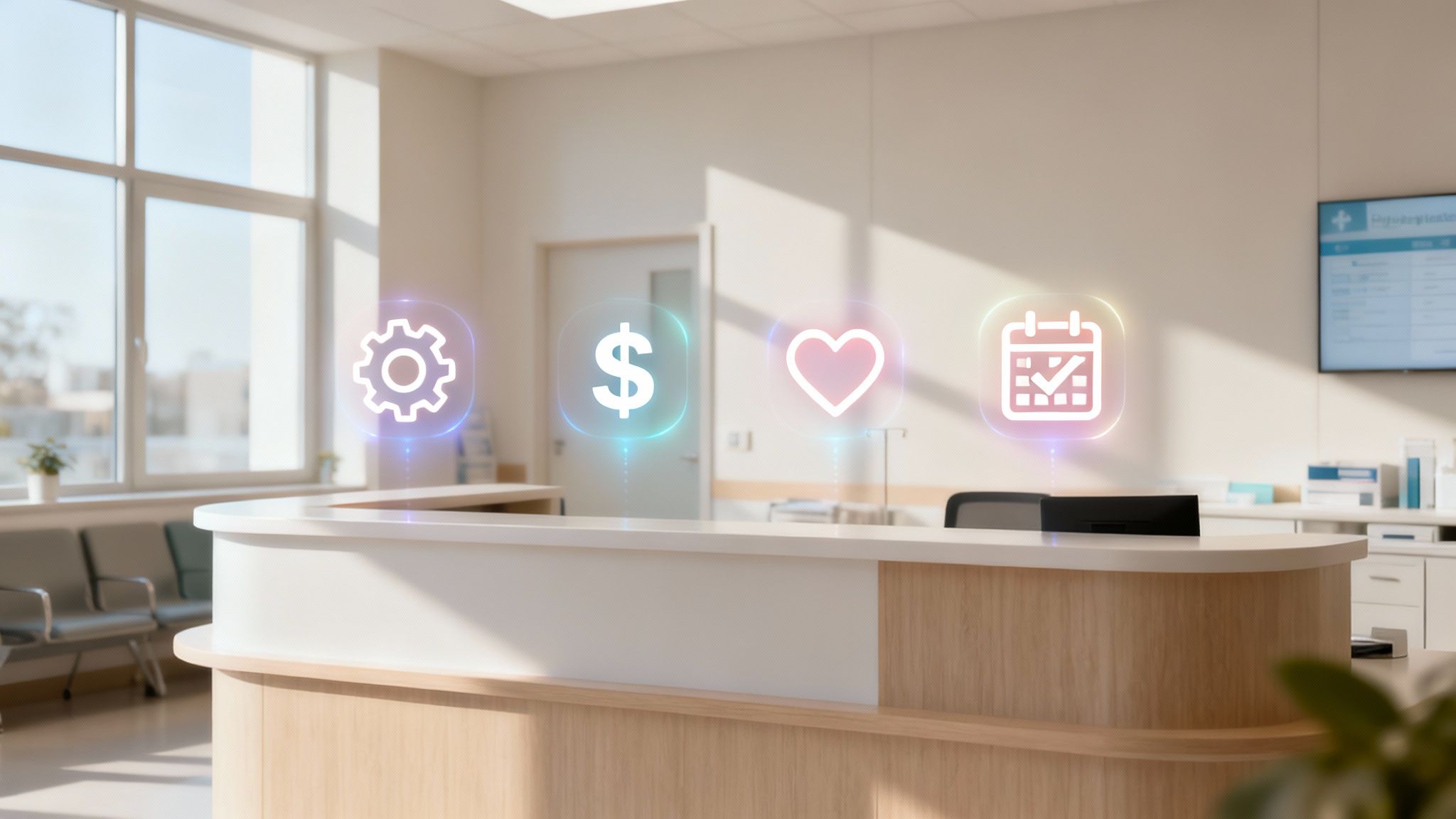
Bringing a medical virtual receptionist into your practice isn't just a tech upgrade; it's a strategic move with powerful, real-world results. When you automate those front-desk tasks, you unlock four key benefits that ripple across your entire operation—impacting everything from your bottom line and staff morale to how patients feel about your practice. The return on investment is often seen in both quantitative and qualitative improvements.
This shift is more than a trend; it's a fundamental change in how healthcare is delivered. The healthcare chatbot market—the tech that powers these virtual receptionists—shot past USD 1 billion in 2025 and is on track to hit USD 10 billion in the next decade. Big players are already on board: 45% of outpatient clinics are using these tools for call management, and 30% of telehealth providers have adopted them to better connect with patients. You can discover more insights on how this market is reshaping patient communication.
Get Your Practice Running Like Clockwork
Think about your front desk staff's day. It's filled with repetitive, time-consuming tasks: answering calls about office hours, confirming appointments, and fielding basic scheduling requests. While necessary, every minute spent on these duties is a minute they can't spend with a patient standing right in front of them or handling a complex billing inquiry. This constant multitasking leads to errors and burnout.
A medical virtual receptionist takes this entire layer of communication off their plate. It works like a tireless administrative assistant, handling hundreds of calls and inquiries at once without ever getting flustered or needing a break. This consistent performance ensures that no task falls through the cracks.
This frees up your highly-skilled team to focus on what really matters: navigating complex insurance questions, helping patients with check-in, managing difficult patient situations, and providing a warm, human touch in your clinic. The result is a more productive staff, improved morale, and a practice that runs smoothly and efficiently.
Make a Real Dent in Your Overhead
Staffing a front desk is expensive. It's not just about the salary. You also have to factor in benefits, payroll taxes, training, sick days, and the hidden costs of staff turnover. And if you want to provide coverage after hours, on weekends, or even just during a lunch break? That often means hiring more people, which significantly increases your operational costs.
A virtual receptionist flips the script with a much more predictable, budget-friendly model. You stop paying for idle time and instead pay for a service that flexes with your practice's needs. The subscription-based pricing is typically a fraction of the cost of a full-time employee.
By managing the constant stream of inbound calls and scheduling tasks, a virtual receptionist can eliminate the need for an additional hire. For most practices, the cost of the service is just a fraction of what it takes to employ one full-time person.
This financial breathing room lets you reinvest that money where it counts—in better patient care, new equipment, staff development, or other critical parts of your practice. It's a smarter way to manage your budget without cutting corners on service, leading to a healthier bottom line.
Give Your Patients an Experience They'll Love
Patients today expect things to be easy and instant, just like in other areas of their lives, such as retail and banking. Putting them on hold or sending them to voicemail is a quick way to create frustration and maybe even lose them to another practice that offers more modern conveniences. A virtual receptionist guarantees that every single call gets answered right away, 24/7/365.
That means a busy parent can book an appointment at 10 PM after the kids are asleep, or someone can reschedule on a Sunday morning without any hassle. No more phone trees. No more waiting. This on-demand access meets the expectations of the modern patient.
That kind of responsiveness shows patients you respect their time, which is a huge step in building trust and loyalty. A great first interaction sets the tone for a positive, long-term relationship. When patients feel heard and valued from the very beginning, they are more likely to be engaged in their own care and remain with your practice.
Stop Costly Scheduling Headaches for Good
Let's be honest, manual scheduling is an open invitation for human error. One simple mistake—a double-booking, the wrong time slot, or an incorrect provider—can throw the entire day into chaos, leading to long waits for patients and costly no-shows. It's a nightmare for everyone involved and a significant drain on revenue.
A medical virtual receptionist puts an end to these errors. It plugs directly into your EMR or practice management system, so it always has a real-time view of your calendar. This deep integration is the key to its accuracy.
Every appointment is booked correctly based on your specific rules, provider availability, and appointment types. The system can also send automated, intelligent reminders that allow patients to confirm or reschedule with a single click. This kind of precision keeps your schedule full, reduces no-shows, and helps your entire clinic run on time, maximizing productivity and revenue.
Mastering HIPAA Compliance and Data Security
In healthcare, nothing is more important than patient trust. It’s the foundation of your practice, and it all comes down to how you handle their private information. So, when you think about bringing on a medical virtual receptionist, the first question on your mind shouldn't be about efficiency—it should be about protecting Protected Health Information (PHI). And that's exactly as it should be. A single data breach can wreck your reputation, result in massive fines, and harm your patients.

The good news is that reputable services are built with security at their core. They aren't just aware of HIPAA; they live and breathe it. Think of it like a digital fortress, with multiple layers of defense built specifically to guard every single piece of patient data that passes through. These vendors understand that their entire business model depends on their ability to maintain the highest levels of security and compliance.
The Cornerstones of Data Protection
Protecting patient data takes more than just a promise on a website. The best medical virtual receptionist providers have a multi-layered security strategy that anticipates threats from all angles. These aren't just nice-to-haves; they're absolute musts for any healthcare technology partner.
Here are the key security measures you should expect:
- End-to-End Encryption: This is non-negotiable. It means every conversation and piece of data is scrambled from the moment a patient speaks until it's securely logged in your system. It's like sending a message in a locked box that only you and your authorized systems have the key to.
- Secure, Monitored Data Centers: Your patients' information should be stored in highly protected, SOC 2-compliant facilities with tight physical and digital access controls, 24/7 surveillance, and robust backup and disaster recovery plans to prevent any data loss.
- Regular Security Audits and Penetration Testing: The best services are always trying to find their own weaknesses. They conduct constant internal and third-party testing to find and fix potential security gaps before malicious actors can exploit them.
- Strict Access Controls: The system should enforce role-based access, ensuring that only authorized personnel within your practice can view specific patient information, with a full audit trail of every access event.
These measures all work in concert to create a secure bubble where patient information stays confidential and protected.
A critical part of this whole equation is the Business Associate Agreement (BAA). This is a legally binding contract that spells out exactly how the vendor will protect PHI on your behalf. It’s a mandatory requirement under HIPAA. If a vendor won't sign a BAA, that’s your cue to walk away. No exceptions.
Your Vendor Vetting Checklist for Security
Choosing the right partner means doing your homework. You have to be absolutely sure their security meets the highest standards. Beyond just HIPAA, understanding broader privacy frameworks, like those needed for GDPR-compliant AI integration, can give you even more confidence in your choice, especially if you serve a diverse patient population.
Use this quick checklist to vet potential vendors. For a deeper dive, check out our complete guide: https://www.simbie.ai/hipaa-compliance-checklist/
- Do they offer a Business Associate Agreement (BAA) upfront? This is question number one. If they hesitate or say no, they're not a viable partner for a healthcare practice.
- Is all data encrypted, both in transit and at rest? Ask specifically about their use of protocols like SSL/TLS and AES-256 to protect data as it moves between systems and while it is stored.
- Where and how is our data stored? Get details on their data centers, who can access them, what their backup procedures look like, and their data retention policies.
- What kind of training do their employees receive? Anyone who might come into contact with PHI needs to be thoroughly and regularly trained on HIPAA rules and security best practices.
- How do they respond to a security incident? A professional vendor will have a clear, transparent, and well-documented incident response plan ready to go.
Asking these direct questions helps you cut through the marketing fluff and see how serious a vendor truly is about security. Ultimately, choosing a secure medical virtual receptionist means you can improve your practice's efficiency without ever gambling with the trust your patients have placed in you.
Getting Your New Receptionist to Talk to Your Existing Clinic Software
A medical virtual receptionist should make your life easier, not add another layer of complexity. The real magic isn't just that it answers calls; it's how it plugs into the software you already rely on every day—your Electronic Medical Record (EMR) and practice management system. If it doesn't connect seamlessly, you’re just creating more data entry for your staff, defeating the purpose of automation.
Think of it like hiring a new team member who can't access your shared calendar or patient files. They'd be pretty limited, right? Integration is what gives your virtual receptionist a key to your digital office, allowing it to work with your systems, not just alongside them. This turns a standalone tool into an integral part of your clinical workflow.
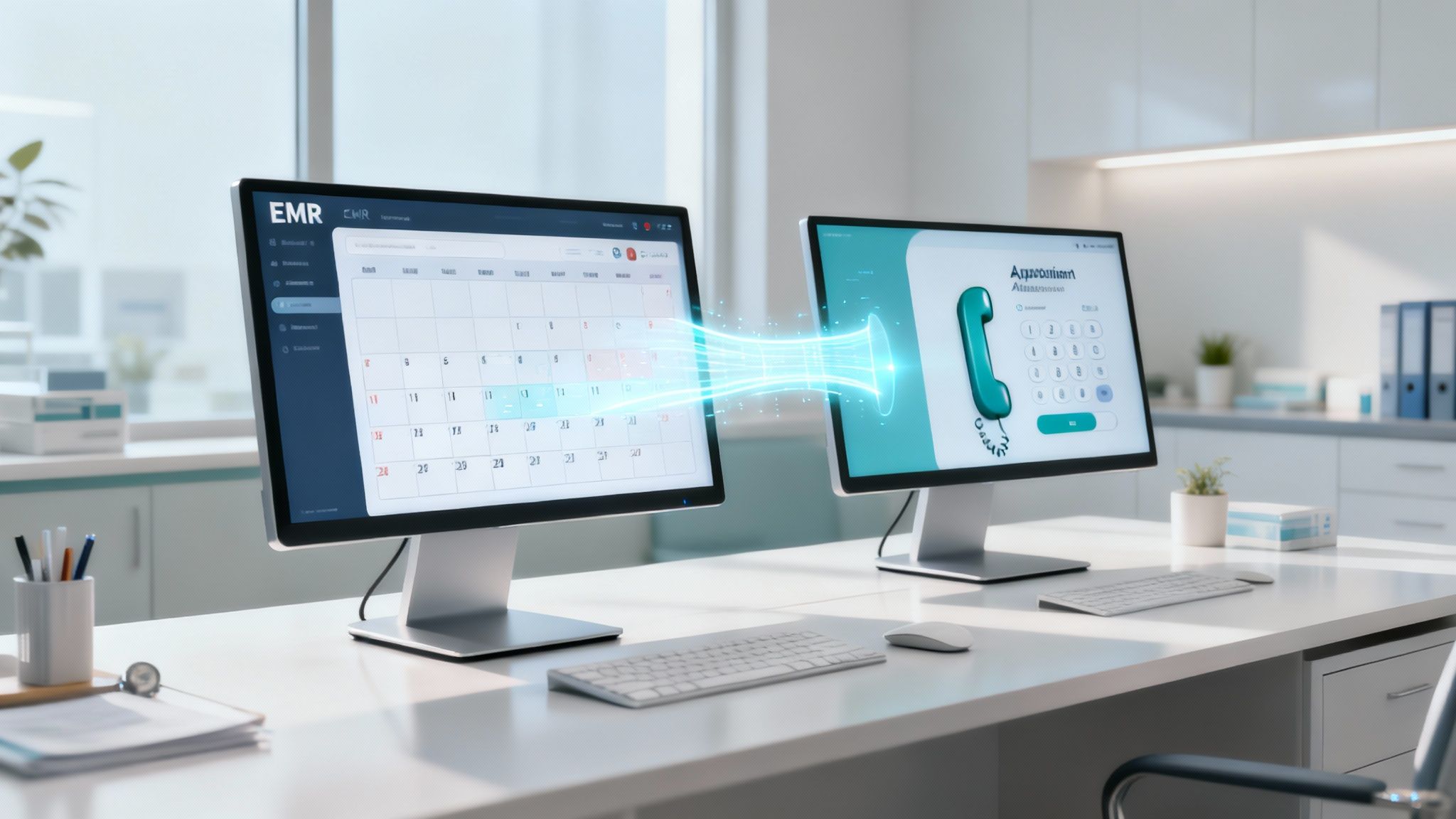
When this connection is working properly, the annoying little tasks that eat up your day just disappear. Double-booking becomes a thing of the past. Your appointment schedule is always up-to-date, and every patient call or message is logged right where it belongs in their file. This creates a single source of truth for all patient communications.
Why a Unified System is a Game-Changer
A virtual receptionist that operates on its own island can take messages, but an integrated one becomes a true extension of your front office. It’s the difference between a simple answering service and a fully trained team member who knows your clinic's workflow, provider preferences, and scheduling rules inside and out.
This direct link means that when the virtual receptionist schedules a visit, it pops up in your EMR calendar instantly. No delays, no manual updates. When it collects details from a new patient, that information flows straight into a new patient chart. This kind of automation is your best defense against the small human errors that snowball into major scheduling mix-ups and compromised data integrity.
A study on healthcare admin tasks revealed a startling fact: physicians spend nearly two hours on desk work and EMR tasks for every one hour of direct patient care. An integrated virtual receptionist is designed to attack that administrative overload head-on, giving time back to everyone in your clinic.
This connected system doesn't just make you more efficient; it also improves clinical accuracy and patient safety. With information moving seamlessly, the risk of a message getting lost, a critical detail being entered incorrectly, or a follow-up task being missed drops dramatically.
Key Questions to Ask About Integration
Here’s the thing: not all integrations are built the same. Before you sign on with any virtual receptionist service, you need to get into the weeds of how their tech will actually connect with yours. Asking the right questions now will save you a world of headaches later. For a closer look at what makes this work, it's worth understanding the nuts and bolts of a successful EMR system integration.
Here are the must-ask questions for any potential vendor:
- Which EMR and Practice Management Systems do you directly integrate with? Get a specific list. If your software isn't on it, ask if they have experience building a custom connection and what that process entails.
- Is the integration bi-directional? This is non-negotiable. It means data flows both ways—from the receptionist to your EMR, and from your EMR back to the receptionist. This is what keeps your schedule and patient info perfectly in sync.
- What does the setup process look like, and who is responsible for it? A quality provider should handle the heavy lifting, working with your IT team to make the transition as painless as possible for your staff.
- How do you secure patient data when it's transferred? Make sure they use strong, HIPAA-compliant encryption methods like VPN tunnels or secure APIs to protect sensitive information as it moves between systems.
- What is the ongoing maintenance and support for the integration? Will they proactively monitor the connection and provide support if an issue arises with an EMR software update?
Choosing a service with solid, reliable integration capabilities is what turns a virtual receptionist from just another tool into the central hub of your clinic's communication.
Your Step-by-Step Implementation Checklist
Bringing a medical virtual receptionist into your practice is a big move. To get it right, you need a clear, practical roadmap. Think of this checklist as your guide from the "what if" stage all the way to a smooth launch, making sure you pick the right partner and set them up for success from the get-go.
This isn't just about ticking off boxes. It’s a game plan for managing the change with confidence, sidestepping common mistakes, and making sure your new system delivers on its promise right away. A structured approach will maximize your return on investment and minimize disruption.
First, Define Your Clinic’s Goals and Pain Points
Before you even start looking at vendors, you have to get crystal clear on what problem you're actually trying to solve. Are you bleeding revenue from missed calls? Is your front desk team overwhelmed by administrative tasks, leading to high turnover? It’s a real issue—in fact, 53% of practice managers say burnout is a major source of stress.
Start by digging into your biggest operational headaches.
- Pinpoint the Real Issues: Are patients stuck on hold forever? Is your no-show rate costing you a fortune? Is the new patient intake process a frustrating bottleneck that delays care? Quantify these problems where possible (e.g., average hold time, percentage of abandoned calls).
- Set Measurable Goals: Figure out what a "win" looks like for your practice. These should be specific and time-bound. Maybe it's to "cut patient hold times by 90%" or "slash our no-show rate by 25% in the next three months."
- Talk to Your Team: Your front-desk staff are in the trenches every day. Their insights into workflow bottlenecks and patient frustrations are gold. Involve them in the process to ensure the solution addresses their real-world challenges.
Nailing down these goals gives you a compass to follow for the rest of the process and a benchmark to measure success against.
Vet Potential Vendors Like a Pro
Once you know what you need, it's time to find the right partner. The market is full of options, but not all services are created equal—especially in healthcare. You need to be incredibly thorough here, focusing on HIPAA compliance, EMR integration capabilities, and the quality of their training and ongoing support.
Take a structured approach when comparing your top choices. Treat it like a job interview; you have to ask the right questions to find the perfect fit for your team. Look for case studies and testimonials from practices similar to yours.
Don't get distracted by shiny features alone. Look at the service behind the technology. The best providers act like true partners, offering dedicated implementation specialists and ongoing support to make sure everything goes off without a hitch.
A great way to stay organized is to create a checklist to systematically compare each vendor on the criteria that matter most to your practice.
The Vendor Comparison Checklist
Use this checklist to systematically compare potential vendors on the features and compliance standards that matter most to your practice. This tool will help you make an objective, data-driven decision.
| Evaluation Criteria | Vendor A | Vendor B | Vendor C |
|---|---|---|---|
| HIPAA Compliance & BAA | |||
| EMR/PM Integration | |||
| Customizable Call Scripts | |||
| 24/7 Live Answering | |||
| Appointment Scheduling | |||
| Patient Intake/Registration | |||
| Secure Messaging | |||
| Implementation Support | |||
| Staff Training Provided | |||
| Pricing Structure | |||
| Contract Terms & Length | |||
| Client References |
By filling this out for each candidate, you create a clear, at-a-glance comparison that makes your final decision much easier and more data-driven.
Plan Your Software Integration
Let's be honest: a virtual receptionist that can't talk to your EMR is just a fancy answering service. Seamless integration is the secret sauce that turns it into a powerful tool for efficiency. This part is the technical heart of the project, and it needs careful planning and collaboration.
Work hand-in-hand with your chosen vendor’s tech team to map everything out.
- Confirm Compatibility: First things first, double-check that the service has a solid, two-way integration with your specific EMR and practice management software. Get technical details and references if possible.
- Outline the Data Flow: Get a clear picture of what information will sync between the systems. This usually includes appointment details, new patient information, insurance data, and call records. Map out the entire workflow.
- Establish a Timeline: A good vendor will give you a clear project plan with milestones for the integration, testing, and go-live phases. This helps minimize any disruption to your clinic's daily workflow.
A well-planned integration is what gives your virtual receptionist real-time access to your schedules and patient charts, which is absolutely critical for accuracy.
Customize Scripts and Train Your Team
Your clinic has its own personality—a unique voice and a specific way you talk to patients. Your virtual receptionist needs to reflect that. Work with your vendor to customize call scripts, greetings, and common responses so they match the professional and compassionate tone your patients expect.
At the same time, you need to get your in-house team ready for the new reality. Change management is crucial for adoption.
- Explain the "Why": Help your staff see how this tool will make their jobs easier, not replace them. Frame it as a new assistant that will handle the repetitive tasks, freeing them up to focus on the more rewarding and challenging parts of their roles.
- Provide Hands-On Training: Walk them through the new system. They need to feel comfortable with the dashboard, know how to find call information, listen to recordings for quality assurance, and understand exactly how urgent calls are handed off.
A team that feels informed, prepared, and involved is the key to a smooth transition. When your staff views the virtual receptionist as a helpful sidekick, they'll be much more likely to embrace it and leverage its full potential.
Real-World Examples of Virtual Receptionists in Action
It's one thing to talk about the theory, but what does a virtual receptionist actually look like in a real clinic? These aren't just futuristic concepts; they are practical tools solving everyday problems for practices right now, making things run smoother, improving financial performance, and keeping patients happier.
Let’s look at a few stories from the trenches. These examples show the specific headaches different practices were dealing with, how a virtual receptionist helped, and the tangible results they saw.
A Busy Primary Care Office Cuts Patient Wait Times
Imagine a classic, bustling primary care clinic. The front desk was constantly underwater. Phones rang off the hook, leading to long hold times, frustrated patients, and a high volume of missed calls that represented lost revenue. The staff were doing their best, but they couldn't juggle ringing phones while also checking patients in, managing paperwork, and handling billing questions.
The clinic brought in a medical virtual receptionist to take over all incoming calls for appointments, prescription refills, and general inquiries.
- The Result: It was a game-changer. Within just three months, the practice cut its average phone wait time by 75% and reduced abandoned calls to near zero. Patient satisfaction scores shot up, and the front desk staff could finally breathe, giving more focused attention to the patients standing right in front of them, which improved the in-office experience.
A Specialty Clinic Automates Its Referral Intake
A cardiology practice was struggling with a clunky, manual referral process. Other doctors’ offices would fax over patient documents, and the staff would then spend hours keying everything into the EMR. This bottleneck meant new patients had to wait way too long for their first appointment, and data entry errors were common.
By automating the intake process, the clinic could process new referrals in minutes instead of days. This allowed them to schedule new patients faster, improving relationships with referring physicians and capturing revenue that might have been lost to competitors.
Their solution was a virtual receptionist that plugged right into their EMR. It gave referring offices a secure portal to upload information, which then automatically created new patient charts. The system even handled the first outbound call to get the new patient on the schedule, ensuring a seamless handoff.
A Dental Practice Slashes Its No-Show Rate
A growing dental office had a serious no-show problem. It was killing their revenue and throwing the daily schedule into chaos. They tried making manual reminder calls, but it took too much time, and most calls just went to voicemail anyway, with no way to track confirmations.
They switched to a virtual receptionist that sent out smart, automated appointment reminders via text and phone. Patients could easily confirm, cancel, or ask to reschedule with a simple reply, which was then updated directly in the practice management system.
This proactive, multi-channel communication system made a huge difference. The practice’s no-show rate dropped by over 40% in the first six months. That meant a more predictable daily schedule, maximized chair time, and a welcome bump in their monthly revenue.
These success stories are part of a much bigger picture. The global market for healthcare virtual assistants is expected to hit USD 19.2 billion by 2035—a clear sign that practices are embracing this technology to better manage patient communication and streamline operations. If you're curious about the numbers driving this trend, you can explore detailed market projections here. These real-world wins show exactly why so many clinics are making the switch.
Common Questions About Virtual Receptionists
It’s completely normal to have a few questions before bringing any new system into your practice, no matter how many benefits it offers. Thinking through these common concerns can give you the confidence that a medical virtual receptionist is the right move for your clinic.
Let's walk through some of the questions we hear most often from practice managers and physicians.
How Does It Handle Urgent or Emergency Calls?
This is, understandably, a top concern. Patient safety is non-negotiable, and any automated system must have a foolproof plan for emergencies.
A well-designed virtual receptionist is built to recognize keywords (like "chest pain," "bleeding," "can't breathe"), phrases, or even a sense of urgency in a caller's voice that might signal an emergency. Once it flags a potential crisis, the system instantly follows a pre-defined protocol you set. That could mean immediately routing the call to a nurse on staff, the on-call provider, or a designated emergency line. The transfer is seamless, ensuring a human handles critical situations without a moment's delay.
What Is the Typical Cost and Is It Worth It?
Most services operate on a predictable monthly subscription, often based on your call volume or the specific features you need. This model avoids large upfront capital expenditures. When you put that monthly fee next to the fully-loaded cost of a full-time employee—salary, benefits, payroll taxes, training, and overhead—the math usually works out in favor of the virtual receptionist.
The ROI isn't just about saving on salary. It's also about the captured revenue from calls you were previously missing, the money you get back from fewer no-shows, and the immense value of giving your team time back to focus on the patients right in front of them.
For most clinics looking to run a smarter, leaner operation, it’s a financially sound decision with a clear and often rapid return on investment.
Will Patients Feel Like They Are Talking to a Robot?
This is a big one. Nobody wants their patients to have a cold, impersonal experience, which can reflect poorly on the quality of care. The good news is that modern systems use sophisticated AI and Natural Language Processing (NLP) that make conversations feel surprisingly human and natural. The goal is helpful and efficient, not robotic.
Even better, you can completely customize the voice, the tone, and the exact words it uses to match your practice's brand and patient demographic. This means the first impression your patients get is always professional, empathetic, and welcoming, reflecting the high standard of care you provide in person.
Ready to see how an AI-powered voice agent can give your clinic a boost in efficiency and patient satisfaction? Simbie AI offers a clinically-trained platform that automates front-desk tasks, helps reduce staff burnout, and makes sure you never miss another patient call.
Discover the future of practice management at https://www.simbie.ai.