
Let’s be honest, running a medical practice involves a mountain of repetitive, administrative work. Medical practice automation is simply using smart technology to take over those tedious but necessary tasks. Think of it as a digital assistant for your clinic.
Software can handle jobs like patient scheduling, billing, and data entry, which frees up your incredible human team to focus on what they do best: providing direct patient care and solving complex problems that a machine can't.
Understanding Medical Practice Automation

Picture your practice as a symphony orchestra. You have skilled musicians—your front-desk staff, clinicians, and billers—all playing a crucial part. But without a conductor, the timing is off, notes get missed, and the whole thing descends into chaos. Medical practice automation is that conductor, making sure every task is coordinated for a smooth, harmonious performance.
It's not about replacing your talented staff; it's about empowering them. This technology gives your clinic a digital nervous system that takes over the time-sucking administrative burdens that lead to burnout and bottlenecks. Essentially, it tackles the exact pain points that keep practice managers up at night.
Why Clinics Are Adopting Automation
The move toward automation is a direct response to some of the most stubborn challenges in healthcare today. Let's face it, manual processes are not just slow—they’re a magnet for human error, which can have serious consequences in a medical environment.
Just think about the daily grind in a typical clinic:
- Administrative Overload: Your front-desk team spends hours on the phone scheduling appointments, sending reminders, and verifying insurance. That leaves very little time for the actual patients standing right in front of them.
- Billing Inaccuracies: Manual data entry and confusing coding rules often lead to claim denials and delayed payments, which directly hurts your practice's bottom line. In fact, medical billing errors cost the U.S. healthcare system over $300 billion every single year.
- Patient Experience Gaps: Long hold times, filling out the same paperwork at every visit, and scheduling mix-ups create a frustrating experience before a patient even sees their doctor.
Automation tackles these issues head-on by building workflows that are consistent, accurate, and always on—24/7. It makes sure the right information gets to the right person at the right time, every single time.
By automating these core processes, you create a workplace where your staff can perform at the top of their game. To see how this looks in practice, you can learn more about healthcare business process automation and its real-world impact. This change lets your team redirect their skills toward what really matters: delivering exceptional and compassionate care. An automated practice isn't just more efficient; it's more resilient and better prepared for the demands of modern healthcare.
The Core Technologies Driving Clinic Automation
To really get a feel for medical practice automation, you have to look under the hood at the technologies that make it all happen. These aren't far-off concepts from a sci-fi movie; they're practical tools working together right now to build a smarter, more connected clinic. Think of them as a highly efficient digital team, each with a specific job.
This combination of tools is driving some massive changes. The global healthcare automation market is ballooning, expected to grow from USD 43.29 billion to a whopping USD 117.5 billion by 2035. This isn't just about chasing trends; it's a response to a real need for better data management and cost control. In fact, some of these tools have been shown to cut administrative processing times by up to 50%. You can discover more insights about healthcare automation trends to see just how big this shift is.
To make sense of it all, let’s break down the main players in this digital team.
Robotic Process Automation: The Digital Employee
One of the cornerstones of clinic automation is Robotic Process Automation (RPA). The easiest way to think about it is as a "digital employee" that you can teach to handle repetitive, rules-based computer tasks. This software bot can log into systems, copy and paste data, fill out forms, and move files just like a person would—only it works around the clock, never gets tired, and doesn't make typos.
RPA is the perfect fit for predictable, high-volume work. For example, it can automatically pull information from a patient’s digital intake form and plug it into the right fields in your EHR. Or it can process hundreds of routine billing claims without breaking a sweat. It's the tireless workhorse that takes care of the mundane, freeing up your team for more meaningful, patient-facing work.
Artificial Intelligence: The Smart Assistant
If RPA is the workhorse, then Artificial Intelligence (AI)—and its close cousin, Machine Learning (ML)—is the brain of the operation. Unlike RPA, which just follows a script, AI can analyze data, spot patterns, and even make predictions. It’s like having a smart assistant that actually learns and gets better at its job over time.
In a clinic, AI’s impact is huge.
- Predictive Analytics: AI can sift through historical data to predict patient no-shows, giving your staff a chance to proactively fill those empty appointment slots.
- Natural Language Processing (NLP): This allows software to actually understand human language. An AI tool with NLP can scan a clinician's notes and suggest the most accurate billing codes, which cuts down on costly errors.
- Intelligent Call Routing: An advanced AI can understand what a patient is saying over the phone and either route them to the right person or handle their request directly.
And that's just scratching the surface. As AI gets more sophisticated, platforms are emerging that offer specialized healthcare AI agents that manage complex workflows. This layer of intelligence is what turns basic automation into a system that can think and adapt.
The real magic happens when RPA and AI work together. RPA handles the "doing"—the data entry and form filling—while AI provides the "thinking," making decisions and predictions to guide the process.
To see how these technologies come together, here's a quick breakdown:
Key Automation Technologies and Their Functions
| Technology | Primary Function | Example in Practice |
|---|---|---|
| Robotic Process Automation (RPA) | Executes repetitive, rule-based digital tasks. | An RPA bot logs into the insurance portal, checks a patient's eligibility, and updates the EHR with the coverage details. |
| Artificial Intelligence (AI) / Machine Learning (ML) | Analyzes data, recognizes patterns, and makes predictions. | An AI system analyzes patient no-show patterns to flag appointments at high risk of cancellation, prompting staff to send an extra reminder. |
| Natural Language Processing (NLP) | Understands and processes human language (text and speech). | NLP software transcribes a doctor's dictated notes and automatically suggests relevant CPT and ICD-10 codes for billing. |
| Integrated EHRs & Patient Portals | Acts as the central database and patient-facing interface. | A patient portal allows someone to schedule their own appointment, which is then automatically written to the EHR without any staff involvement. |
As you can see, each piece of technology has a distinct role, but they are most powerful when they work in concert.
The Central Hub: EHRs and Patient Portals
Finally, none of this automation would work if it were all happening in different silos. Integrated Electronic Health Record (EHR) systems and secure patient portals are the central hub that connects all these processes. They are the single source of truth where patient data lives, is accessed, and gets updated.
A tightly integrated EHR ensures that when an automated tool does something—like book an appointment or update insurance info—that change is instantly and accurately reflected everywhere. Patient portals push that connectivity out to the patients themselves, letting them handle tasks like booking appointments or filling out forms on their own time. This not only empowers patients but also takes even more administrative weight off your staff's shoulders.
Together, these platforms create the seamless digital environment where automation can truly shine.
How Automation Changes the Game in Your Clinic
To really get a feel for what automation can do, let's walk through the day-to-day grind. We’ll look at how things used to be done—the old manual way—and compare it to a modern, automated clinic. The difference is more than just a little convenient; it's a total overhaul of how your practice runs, saving time and cutting down on stress at every turn.
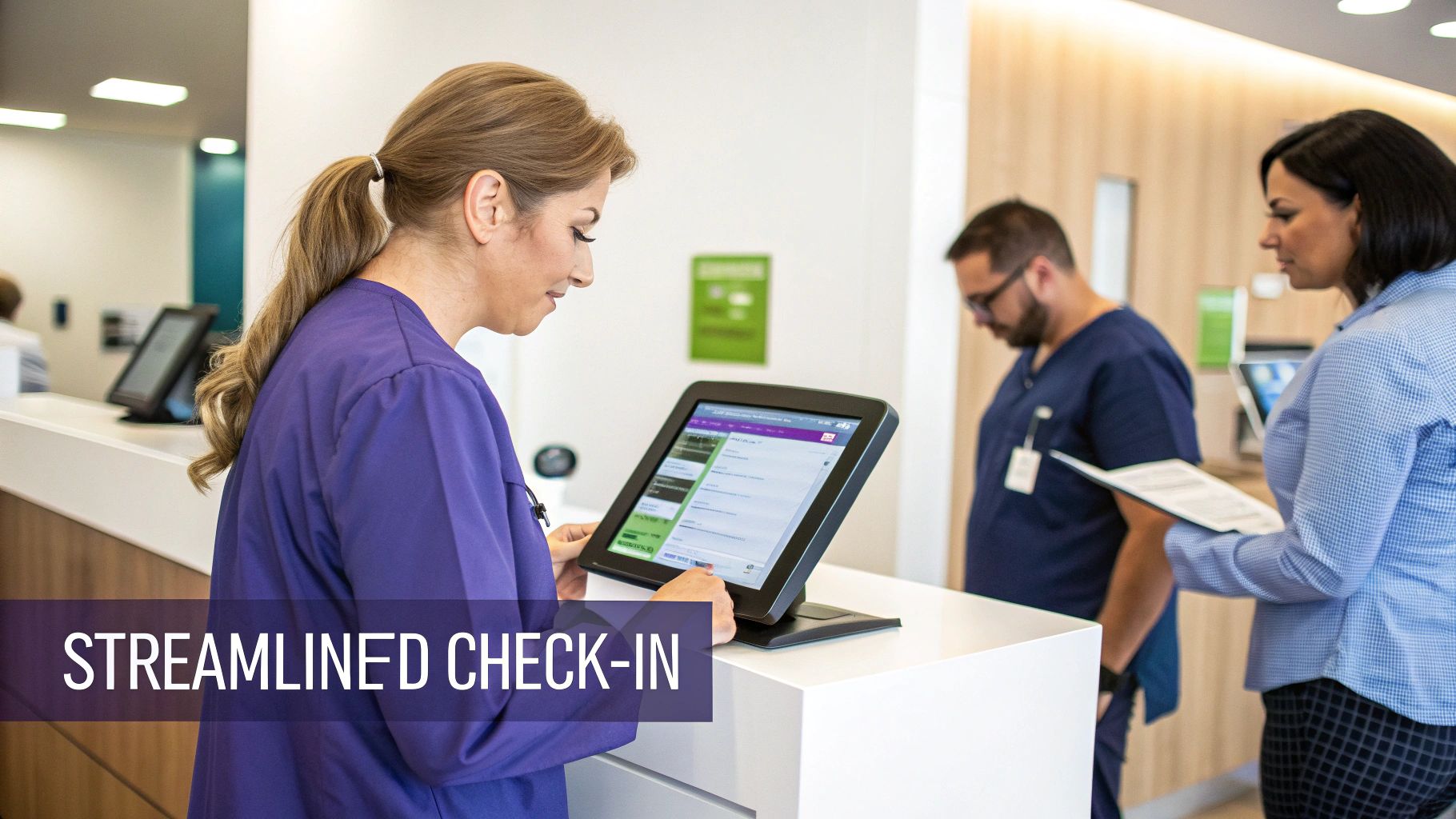
Think of automation as a digital assistant that handles all the repetitive, thankless tasks, creating a better experience for your patients and your staff.
The Front-Office First Impression
The patient experience starts the moment they contact your office. Unfortunately, this is also where most of the administrative headaches begin. Automation completely transforms these initial touchpoints from a source of frustration into a model of efficiency.
The Old Way: A patient calls to book a visit. They get put on hold, then play phone tag with the receptionist to find a slot. The day before, a staff member spends hours making reminder calls, mostly leaving voicemails. When the patient arrives, they're handed a clipboard with the same forms they’ve filled out a dozen times before.
The New Way: The patient books their own appointment online through a patient portal, whenever it's convenient for them. Two days before their visit, they get an automated text reminder with a link to confirm. This simple change alone can slash no-show rates by up to 20%.
When they arrive, there's no clipboard in sight. Instead, they check in on a tablet, and their information flows directly into the EHR—no more tedious data entry for your staff. At the same time, an automated system runs an instant insurance eligibility check, flagging any issues right away. This prevents surprise denials and lets you have a clear conversation about financial responsibility upfront.
Taking the Administrative Burden Off Your Clinical Team
Automation’s reach extends well past the waiting room, directly supporting your medical team by cutting down on the "paperwork" that pulls them away from patient care.
A perfect example is managing prescription refills.
The Old Way: A patient calls for a refill. A staff member takes down the message, pulls up the patient’s chart, checks the last prescription, and leaves a note for the doctor. The whole back-and-forth can take hours, sometimes days, and is ripe for miscommunication.
The New Way: A patient requests a refill through the secure patient portal or an automated phone system like Simbie AI. The system instantly checks the patient’s records against pre-set rules you define. If it’s a standard request, it’s sent to the pharmacy and the doctor gets a notification for a simple one-click approval. The whole transaction is logged in the EHR. Only complex requests that actually need a physician's review get flagged for manual attention.
This doesn't just speed things up; it creates a clean, auditable trail for every single request, which is great for both patient safety and compliance.
Then there's the dreaded prior authorization process. We all know it's a major source of delays and frustration. Automation tools can pull data from the EHR to pre-fill authorization forms and submit them electronically. The system keeps tabs on the request's status, only alerting your staff when something actually needs their attention. What used to be a week-long manual chase becomes a much faster, automated workflow.
Making Your Back Office a Well-Oiled Machine
Finally, automation brings incredible value to the back office, the financial engine of your practice. Medical billing and coding are notoriously complex and one tiny human error can have a big impact on your bottom line.
The Old Way: A medical coder has to manually read through a clinician’s notes, figure out the right CPT and ICD-10 codes, and key them into the billing system. It's a slow process that often leads to mistakes and claim denials.
The New Way: An AI-powered tool uses Natural Language Processing (NLP) to scan the physician's notes and suggest the most accurate codes. Before the claim even goes out the door, another system "scrubs" it, checking it against thousands of payer rules to catch errors. This one step can reduce claim denials by up to 40%.
When the insurance payment comes in, automated software takes over payment posting, matching every dollar to the right claim. This gets rid of hours of mind-numbing reconciliation work and gives you a real-time, accurate picture of your practice’s financial health.
The Real-World Benefits of an Automated Practice
Let's move past the theory. What can automation actually do for your clinic? The benefits aren't just ideas on a whiteboard—they're tangible, measurable improvements that transform both the clinical and operational sides of your practice. It’s about creating a healthier, more efficient environment for everyone involved.

Automation acts as a powerful safeguard, directly improving patient outcomes. At the same time, it starts chipping away at the administrative overload that causes so much staff burnout, building a more resilient and profitable practice in the process.
Let’s dig into what that really looks like.
Elevating Clinical Excellence and Patient Safety
At its core, any practice exists to provide top-tier care. Automation is one of the best tools you can have to make that happen. By taking over routine data checks and management, it builds a critical safety net that catches the kinds of human errors that can slip through the cracks on a busy day.
One of the biggest clinical wins is the reduction of medical errors. Think about it: an automated system can instantly flag a potential drug interaction when a new prescription is entered. It can double-check a patient’s known allergies before a refill gets approved. This constant, vigilant oversight helps prevent mistakes that could have serious consequences.
This frees up your team for what truly matters: patient interaction. When your clinicians aren't swamped with administrative work—like manually keying in lab results or spending hours on hold for a prior authorization—they can give their complete attention to the person in the exam room. That means more time for genuine listening, careful diagnosis, and building the trust that underpins great healthcare.
A study found that physicians spend nearly two hours on desk work and EHR tasks for every one hour of direct patient care. Automation gives that valuable time back to where it belongs—with the patient.
This shift doesn't just improve care quality. It boosts professional satisfaction and creates a more focused, less frantic work environment for your providers.
Boosting Operational Health and Financial Strength
On the business side of things, medical practice automation delivers a clear and compelling return. In fact, the financial and administrative gains are often the first things you'll notice, making a strong case for bringing these tools on board.
The most immediate benefit is significant cost savings. When you automate tasks like appointment scheduling, insurance verification, and payment posting, you slash the number of hours your staff spends on manual busywork. This lets a smaller team manage the workload or frees up your current staff to focus on more complex, high-value responsibilities that require a human touch.
There's a reason the global medical automation market is projected to hit USD 88.11 billion by 2030. Administrative automation is a massive driver, with some estimates suggesting it can cut 10-20% of total healthcare costs while helping clinics cope with the staffing shortages that now affect over half of all providers. You can read the full research about medical automation's impact to grasp the scale of this shift.
Here’s a quick rundown of the key operational wins:
- Improved Staff Morale: Nothing burns people out faster than repetitive, mind-numbing tasks. Letting automation handle that work leads to higher job satisfaction and lower staff turnover.
- Increased Patient Satisfaction: Patients notice a smooth, modern experience. Easy online booking and clear, timely communication go a long way in building loyalty and encouraging referrals.
- Faster Revenue Cycle: Automated claim scrubbing and denial management mean fewer rejections and faster payments from insurers. This directly improves your cash flow and financial stability.
- Enhanced Data Accuracy: Automation gets rid of the typos and small data entry mistakes that creep into manual processes, giving you cleaner records and more reliable data for decision-making.
Ultimately, platforms like Simbie AI are designed to weave these benefits together. By handling the routine calls and administrative workflows, they create an operational backbone that isn't just more efficient but far more reliable, giving your practice the foundation it needs to grow.
Navigating HIPAA Compliance in an Automated World
Bringing any new tech into a medical practice immediately sparks conversations about security and patient privacy. And when you're talking about medical practice automation, the stakes couldn't be higher. The great news is that modern automation tools aren't a compliance afterthought; they're built from the ground up with the Health Insurance Portability and Accountability Act (HIPAA) in mind.

Far from being a liability, the right automation system can actually make your practice more secure. It does this by minimizing the chance of human error—one of the biggest culprits behind data breaches—and creating a digital paper trail where every touchpoint with patient data is logged and traceable.
Core Security Features in Automation Tools
Any reputable automation vendor knows that protecting patient health information (PHI) is a deal-breaker. They bake multiple layers of security right into their platforms to keep data safe and private, from the moment it's entered to the moment it's archived.
Here are a few key security measures you should expect to see:
- End-to-End Data Encryption: This is table stakes. It means all data is scrambled and unreadable to unauthorized parties, both when it's moving across a network and when it's sitting on a server.
- Role-Based Access Controls (RBAC): This is all about giving people access only to what they need. Your billing specialist, for instance, has no reason to see a patient's clinical notes, and RBAC ensures they can't.
- Comprehensive Audit Trails: Think of this as a detailed logbook. Every single action—from a receptionist viewing a patient's file to a doctor updating a prescription—is recorded. This creates an unchangeable record that’s vital for accountability and security audits.
Together, these features create a fortified environment for your practice's sensitive information. Getting familiar with the range of available HIPAA-compliant AI tools can give you a better feel for how seriously vendors are taking security.
Choosing a HIPAA-Compliant Partner
Here's the thing: your compliance duties don't just stop once you’ve picked some software. The vendor you choose is essentially an extension of your practice, and they need to be held to the same strict standards. The single most important step here is making sure they will sign a Business Associate Agreement (BAA).
A BAA is a legally required contract that clearly defines the vendor's role and responsibilities in safeguarding PHI. If a vendor won't sign one, walk away. It's that simple.
Beyond the BAA, look for vendors who are open about their security practices and have proof to back them up, like third-party certifications. As you bring in new systems, you also have to think about the old ones. It's crucial for your practice to have a solid grasp of understanding HIPAA compliance requirements for IT asset disposition to ensure security even when you're getting rid of old computers and devices.
A truly trustworthy partner will be proactive about security, helping you demonstrate that your automated practice doesn't just meet HIPAA standards—it sets a new benchmark for them.
Your Roadmap to Clinic Automation
Thinking about bringing automation into your practice can feel overwhelming, but it doesn't have to be a massive headache. The key is to break it down into a clear, manageable roadmap. Don't think of it as one giant leap; see it as a series of well-planned, deliberate steps.
A structured approach takes the mystery out of the process, turning a complex project into something your team can actually achieve. Success comes down to smart planning, picking the right tools, and getting your team on board from the very beginning.
Step 1: Assess and Prioritize Your Needs
Before you even glance at a single piece of software, you have to look inward. Start by mapping out your current day-to-day operations to find the biggest bottlenecks. Where is your team wasting the most time? Which tasks are constantly causing frustrating (and costly) human errors?
Get your team in a room—front desk staff, nurses, clinicians, billers—and just ask them. They’re on the front lines, and they know exactly where the real pain points are.
You’ll likely find common culprits ripe for automation:
- Patient Scheduling and Reminders: How many hours are burned just playing phone tag to book appointments and chase down confirmations?
- Insurance Verification: Are you seeing too many claim denials simply because of eligibility issues?
- Prior Authorizations: Is this nightmare process causing unacceptable delays in patient care?
- Prescription Refills: How much staff time is eaten up by managing routine refill requests day in and day out?
Once you have this list, rank it. If you could automate just one or two of these areas, which would have the biggest, most immediate impact on your practice’s efficiency and your team's sanity? This sharp focus keeps you from trying to boil the ocean.
Step 2: Choose the Right Automation Partner
Now that you know your priorities, you can start looking for the right vendor. This isn't just about buying software; it's about finding a long-term partner. Not all automation platforms are built the same, and the best one for you will be the one that actually solves your specific problems.
Look for a partner who can show you, point-blank, how their solution fixes the bottlenecks you’ve prioritized.
Your selection criteria should be a checklist for success. A great tool that doesn't integrate with your existing systems or comes with poor support will only create new headaches.
When you're evaluating partners like Simbie AI, keep these non-negotiables in mind:
- EHR Integration: Does the platform truly integrate with your current Electronic Health Record system, allowing data to flow both ways seamlessly?
- Scalability: Can this solution grow with you? Or will you be looking for a new one in a year?
- Support and Training: What kind of help will you get? Ask about their onboarding process, training, and what happens when you need ongoing technical support.
- HIPAA Compliance: Does the vendor immediately offer a Business Associate Agreement (BAA)? Are their security protocols clear and transparent?
Step 3: Implement in Phases
Trying to launch everything at once—a "big bang" approach—is almost always a recipe for disaster. Instead, roll out your new tools in phases, starting with that high-impact area you identified in step one. For most clinics, that’s usually patient scheduling or insurance verification, because the return on investment is fast and easy to see.
This gradual approach lets your staff get comfortable with one new system at a time, which builds their confidence and cuts down on resistance to change. A phased implementation also gives you the space to fix kinks and fine-tune the process in one area before moving on to the next.
Step 4: Measure and Optimize for Success
Getting the system up and running isn't the finish line. To know if your investment is actually paying off, you have to track the right metrics and be ready to make adjustments. The trick is to define your key performance indicators (KPIs) before you go live, so you have a clear baseline to compare against.
Helpful metrics to track include:
- Patient no-show rates
- Staff time spent on specific admin tasks (e.g., prior auths)
- Claim denial rates
- Patient wait times
- Average time to collect payment
The proof is in the numbers from practices that have already made the switch. Healthcare AI adoption is surging, and success stories point to a powerful return on investment. For example, some facilities see a significant increase in digital appointments with AI that also slashes no-shows by 15-20%. This points to a powerful ROI—often estimated at over three dollars for every dollar spent. Looking at your own data regularly won't just prove the value of automation; it will show you exactly where to focus next.
Got Questions About Medical Practice Automation? We’ve Got Answers.
Jumping into practice automation can feel like a big step, and it’s natural to have questions. We hear a lot of the same concerns from practice managers, so we’ve gathered the most common ones here to give you clear, straightforward answers.
Think of this as your starting point for getting comfortable with the idea and seeing what’s possible.
What’s This Going to Cost?
This is usually the first thing everyone wants to know, and the honest answer is: it depends. The cost really varies depending on the size of your practice, what you want to automate, and which partner you choose.
Some platforms charge a monthly subscription, maybe per user or based on your patient volume. Others might have a one-time setup fee and then ongoing support costs. The real goal isn't to find the cheapest option, but to find one that delivers a clear return on investment by cutting down your admin costs and helping you collect revenue more efficiently.
Will This Work with Our Current EHR?
It absolutely has to. Any worthwhile automation platform is built to integrate with major Electronic Health Record (EHR) systems. They use secure connections (called APIs) to let data flow smoothly between the systems, so you’re not stuck with staff manually entering patient info or appointments in two different places.
Before you sign anything, get confirmation that the vendor has a proven, solid integration with your specific EHR. This is non-negotiable. You need a single source of truth, otherwise, you're just creating more headaches for your team.
How Much Training Does My Staff Need?
The best tools are the ones your team can actually use without a ton of training. A good automation platform should feel intuitive, almost like a natural extension of your existing workflows. Most vendors offer solid onboarding and training to get everyone up to speed.
The point is to find a tool that helps your team, not one that requires a PhD to operate. A good partner will walk you through a phased rollout—maybe starting with just one task like appointment reminders—to make the transition painless.
How Do I Know If It's Actually Working?
You need to be able to measure success—it’s the only way to know if your investment is paying off. You can track this with both hard numbers and the overall vibe in the practice.
Here are a few key things to watch:
- Fewer No-Shows: Are your automated reminders actually keeping your schedule full?
- Cleaner Claims: Watch your claim denial rate. A good system should get that number way down.
- Time Saved: Calculate the hours your staff gets back from not being stuck on the phone or doing data entry.
- Happier Patients: Use simple surveys to see if patients appreciate the easier, more modern experience.
These aren't just vanity metrics. They’re concrete proof that automation is making your practice financially stronger and a better place to work.
Ready to see how a dedicated AI assistant can give your team their time back? Simbie AI provides clinically-trained voice agents to handle the administrative grind—from scheduling to prior authorizations. Discover how Simbie AI can cut your administrative overhead by up to 60% and let your staff get back to what they do best: patient care.