
In a busy healthcare practice, efficiency starts long before a patient sees a provider. Outdated or incomplete intake processes create administrative bottlenecks, lead to data entry errors, and waste valuable clinical time. A well-designed medical history form is the foundation of quality care, providing a comprehensive snapshot of a patient’s health. However, finding the right format is a critical decision. Do you need a simple printable PDF, an editable Word document, a secure and fillable online form, or a template that integrates directly with your EMR?
This guide solves that problem by breaking down the 12 best sources for medical history forms templates. We've analyzed each platform's strengths, weaknesses, and ideal use cases to help you find the perfect fit for your workflow, whether you run a solo practice, a multi-specialty clinic, or a virtual care service. Each entry includes direct links and practical insights to streamline your selection process, ensuring your choice supports both administrative efficiency and patient care. While these forms cover patient history, a fully equipped practice needs more. To ensure all your operational needs are met, consider exploring diverse medical agreement templates that go beyond initial intake.
Our goal is to provide a clear, comprehensive resource that helps you move beyond basic paperwork. We’ll explore general and specialty-specific templates, customization tips, and even how these forms can map to modern data capture tools. This is your definitive resource for upgrading one of the most crucial documents in your practice.
1. Jotform
Jotform stands out for its vast library of customizable medical history forms templates, making it an excellent starting point for practices needing a fast, digital solution. Its drag-and-drop editor allows for quick modifications without any coding, enabling you to add or remove fields, insert your clinic's logo, and set up conditional logic. For example, if a patient selects "yes" for a specific condition, a new section can appear asking for more details. This flexibility is ideal for creating both general intake forms and specialized questionnaires, like a family history or a pre-operative assessment.
The platform is particularly useful for clinics aiming to create professional, branded, and mobile-friendly forms that patients can complete on any device. Once a form is submitted, Jotform can automatically generate a secure PDF copy, which is essential for record-keeping and EMR integration.
Key Considerations
A significant advantage is the optional HIPAA-compliant plan, which includes features like data encryption and a signed Business Associate Agreement (BAA). This is crucial for handling protected health information (PHI) securely. However, this compliance level is only available on their paid Silver or Gold plans, so free or lower-tier plans are not suitable for collecting sensitive patient data. While the basic templates are a great foundation, more complex integrations or advanced branding may require a higher-tier subscription, increasing the overall cost. For practices evaluating digital intake solutions, you can explore more about Jotform's capabilities and how they compare.
- Best For: Clinics needing a quick-to-deploy, customizable, and mobile-responsive form builder.
- Compliance: HIPAA compliance is available on specific paid plans.
- Website: Jotform Medical History Form Templates
2. Formstack
Formstack is a robust choice for healthcare organizations that prioritize secure data handling and automated workflows. The platform provides a solid collection of medical history forms templates, including detailed health questionnaires and patient intake forms designed for compliance. Its primary strength lies in its security features, making it ideal for practices that need to manage sensitive patient information with confidence. The form builder includes powerful tools like conditional logic, allowing forms to adapt based on patient answers, and features like save-and-resume, which is helpful for longer, more complex histories.
What sets Formstack apart is its mature focus on healthcare workflows beyond simple data collection. It allows practices to create secure patient portals where multiple intake documents can be bundled together, streamlining the onboarding process. After a patient completes a form, the data can be securely routed into various systems, including EMRs, or used to trigger other administrative tasks automatically.
Key Considerations
Formstack’s HIPAA-compliant plan is a core offering, featuring end-to-end data encryption, access controls, and detailed audit logs to ensure PHI is protected. This level of security, along with features like electronic signatures, makes it a reliable tool for official record-keeping. However, these essential compliance and workflow features are part of their paid plans, so the free or basic tiers are unsuitable for clinical use. While powerful, mastering the more advanced workflow and routing tools can present a steeper learning curve compared to simpler form builders.
- Best For: Practices requiring secure, compliant data capture with advanced workflow automation.
- Compliance: A dedicated HIPAA-compliant plan with a BAA is available.
- Website: Formstack Medical History Templates
3. Cognito Forms (HIPAA)
Cognito Forms strikes a balance between user-friendly design and powerful workflow capabilities, offering a solid option for clinics seeking medical history forms templates with built-in automation. The platform excels at handling complex data collection with features like conditional logic and repeating sections, which are perfect for itemizing medications or allergies without cluttering the main form. Its intuitive editor allows for easy customization, so a practice can quickly adapt a template to its specific intake process, from patient registration to consent.
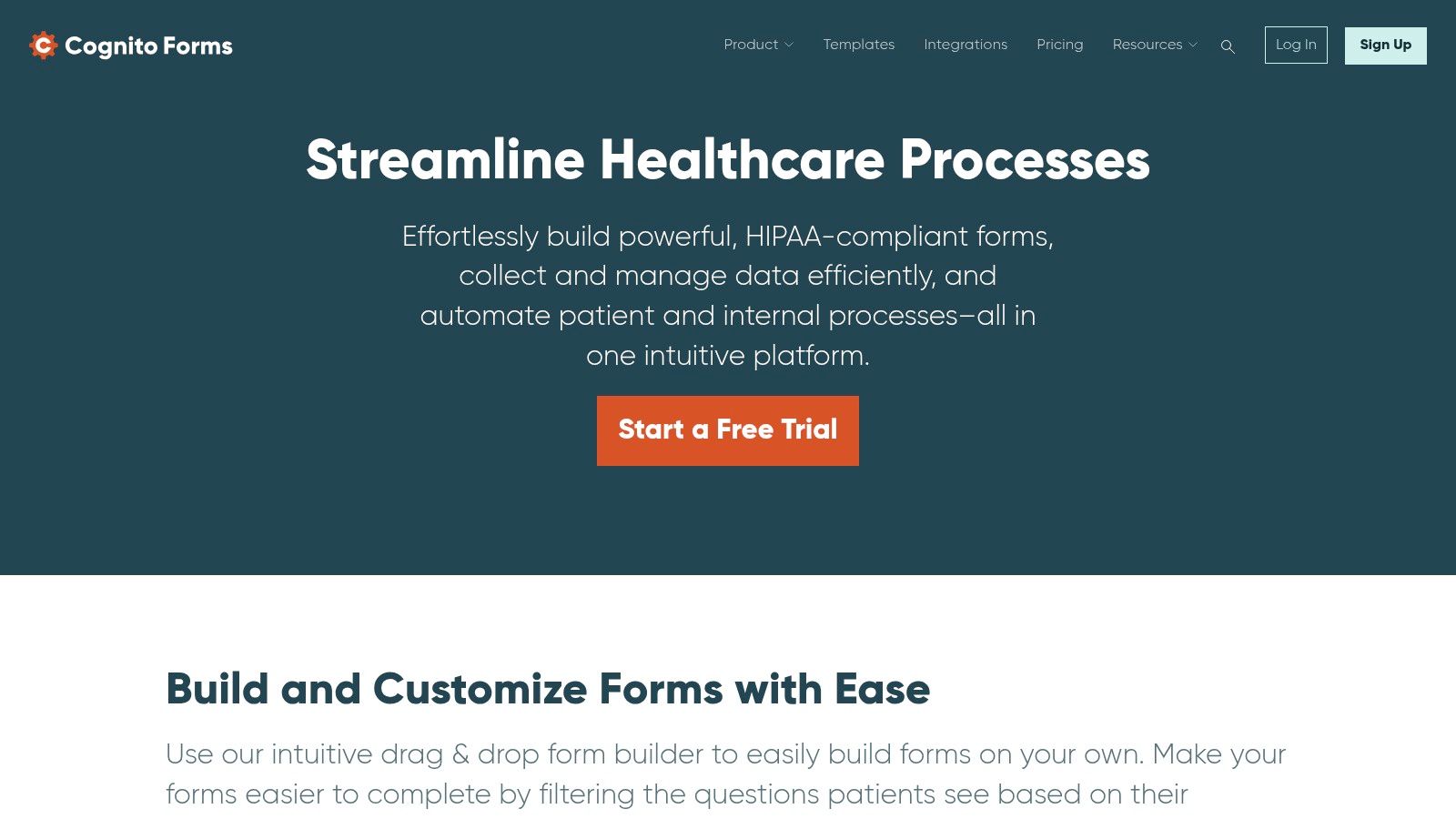
The platform is designed to streamline administrative tasks by automating document generation and sending email notifications upon submission. For instance, a completed patient history form can automatically be converted into a formatted PDF and emailed to both the patient and the front desk, ensuring records are consistent and immediately available. This makes it an efficient tool for small to mid-sized practices looking to improve their patient intake workflow.
Key Considerations
A key differentiator for Cognito Forms is its dedicated HIPAA-compliant plans, which come with a signed Business Associate Agreement (BAA) to ensure the secure handling of protected health information (PHI). This compliance is essential for any healthcare provider, and Cognito Forms makes it an accessible feature. To understand the full scope of requirements, practices can explore this detailed HIPAA compliance checklist. However, HIPAA features are only available on the Enterprise plan, which may be a significant cost consideration. Additionally, while it offers robust workflow tools, its library of native EHR integrations is less extensive than some larger competitors.
- Best For: Small to mid-sized clinics that need powerful logic and workflow automation.
- Compliance: HIPAA compliance and a BAA are available on the Enterprise plan.
- Website: Cognito Forms HIPAA-Compliant Forms
4. IntakeQ / PracticeQ
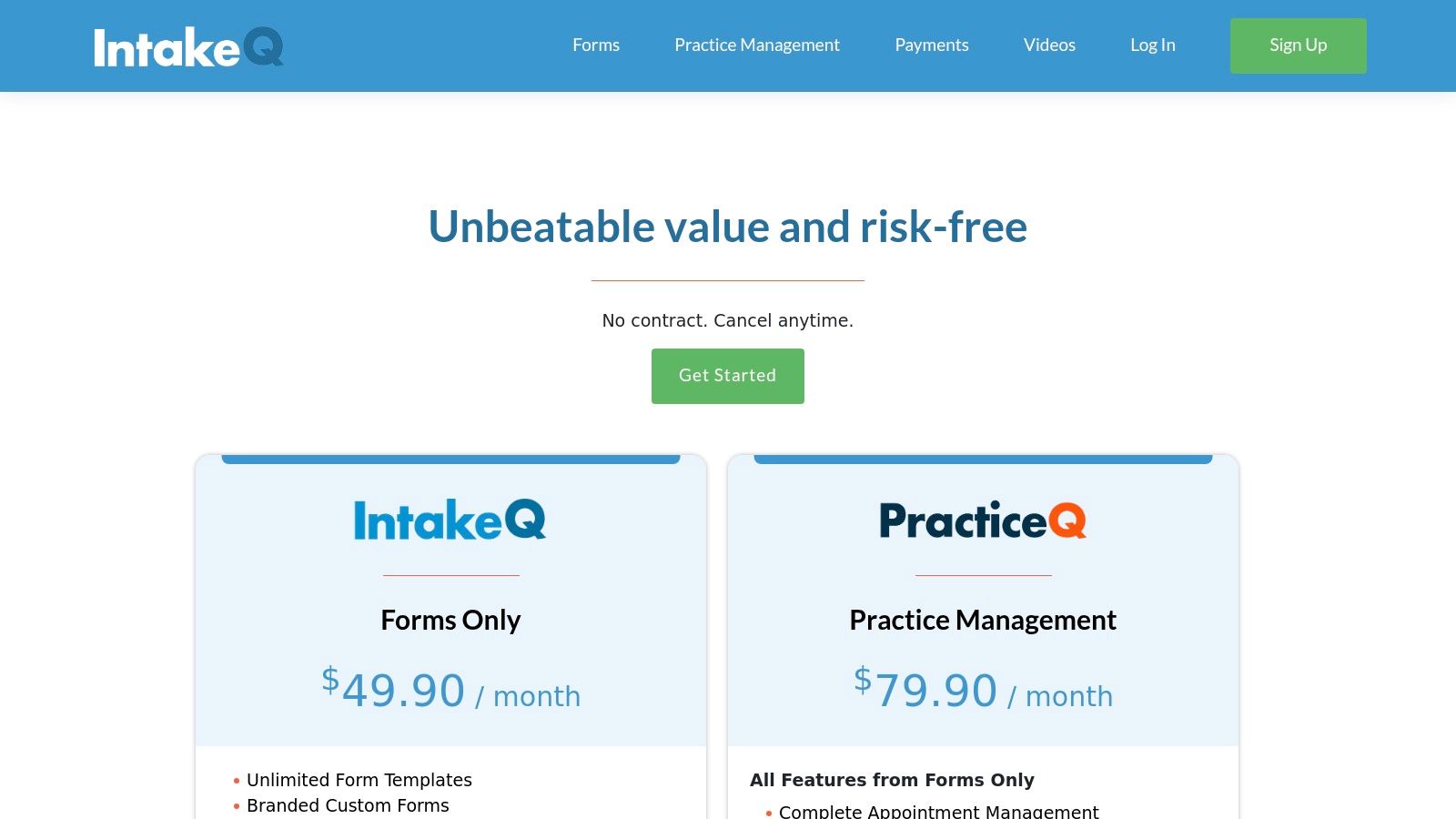
IntakeQ (now part of PracticeQ) is a purpose-built platform designed specifically for healthcare practices, offering robust and secure medical history forms templates. Unlike general form builders, its features are tailored to clinical workflows. The platform allows for unlimited custom template creation with an intuitive editor that supports conditional logic, e-signatures, and a secure client portal. This makes it ideal for developing comprehensive patient histories, consent forms, and specialized pre-appointment questionnaires that adapt to patient responses.
A standout feature is their form conversion service, where they will take your existing paper or PDF forms and convert them into digital, fillable formats for you. This saves significant administrative time and ensures a seamless transition to a digital intake process. The platform also includes a Business Associate Agreement (BAA) with all plans, ensuring HIPAA compliance from the start.
Key Considerations
IntakeQ’s healthcare focus is its greatest strength, providing built-in compliance and clinical features without requiring expensive add-ons. They offer a "Forms Only" plan, which is a competitively priced option for practices that already have an EMR but need a better intake solution. Data can be easily exported as a PDF, CSV, or sent via secure eFax, offering practical integration pathways. While the platform is powerful, its depth of customization can present a learning curve for new users, and some plans have per-practitioner fees that can increase costs for larger teams. You can learn more about how IntakeQ fits into a modern digital intake strategy.
- Best For: Healthcare practices looking for a dedicated, HIPAA-compliant intake solution with a form conversion service.
- Compliance: HIPAA compliance and a BAA are included in all plans.
- Website: IntakeQ Pricing
5. SimplePractice
SimplePractice is an all-in-one practice management solution that excels in providing curated and integrated medical history forms templates, particularly for behavioral and allied health professionals. Rather than just offering a standalone form builder, it embeds intake paperwork directly into its client portal, creating a seamless onboarding experience. The platform features a library of pre-built templates, including comprehensive patient health histories, which can be easily customized to fit specific clinical needs. This integration means that once a patient completes their forms, the data is automatically filed within their secure client record.
The primary advantage is its unified system that connects intake forms with scheduling, billing, telehealth, and e-signatures. This makes it an ideal choice for practices looking to streamline their entire administrative workflow, not just digitize their intake process. Its curated templates are designed with specific disciplines like therapy, counseling, and dietetics in mind, ensuring the questions are relevant and thorough from the start.
Key Considerations
SimplePractice is inherently HIPAA-compliant, as the entire platform is designed for handling protected health information securely. This built-in compliance is a major benefit for private practitioners and small group practices. However, its strength as an all-encompassing system can also be a drawback; if you only need a simple form builder, the platform may offer more features than necessary. Access to the full template library and advanced customization tools often requires subscribing to their higher-tier plans, so practices should evaluate their overall needs before committing.
- Best For: Behavioral and allied health practices seeking an integrated practice management solution with built-in, customizable intake forms.
- Compliance: HIPAA compliance is a core feature of the platform.
- Website: SimplePractice Pre-Built Templates
6. Practice Better
Practice Better is an all-in-one practice management platform designed specifically for wellness professionals, including nutritionists, health coaches, and functional medicine practitioners. Its medical history forms templates are built directly into its client intake workflow, allowing for seamless data collection. The platform excels at creating detailed intake questionnaires that cover personal and family medical history, lifestyle factors, and specific wellness concerns. What makes it unique is that submitted information automatically populates the client’s record, eliminating manual data entry.
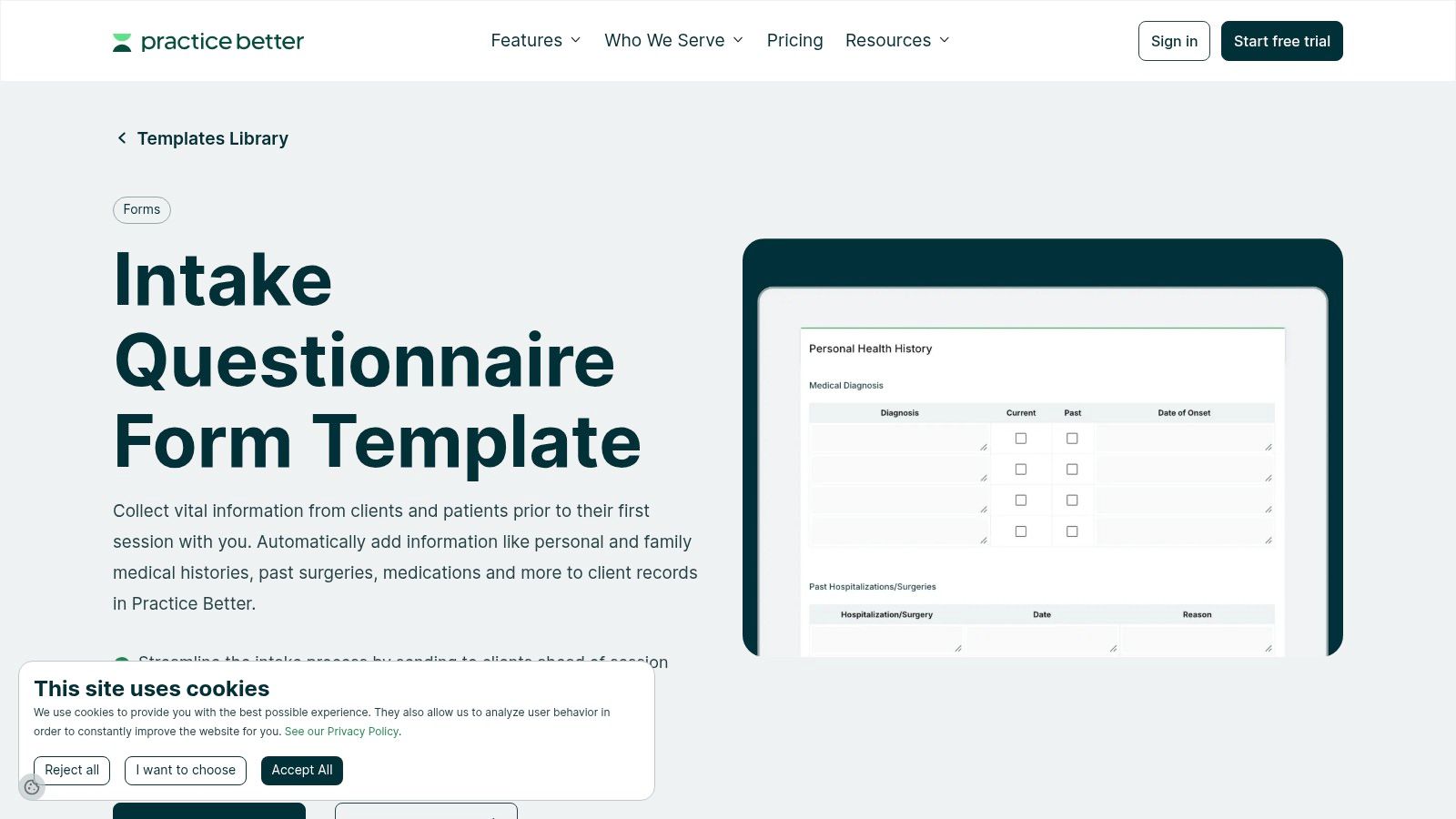
This integration is ideal for solo practitioners or small wellness clinics that need an efficient, automated system. For example, a nutritionist can create a form that not only asks about medical history but also tracks medications and supplements, with the data flowing directly into the client’s profile. The platform provides a secure, HIPAA-compliant client portal where patients can fill out forms, schedule appointments, and communicate securely.
Key Considerations
A key advantage is the deep integration within the Practice Better ecosystem; the forms are not just standalone documents but a core part of the client management process. This streamlines the entire workflow from onboarding to ongoing care. However, its specialization is also a limitation. The platform is less suited for general medical practices or specialties outside of nutrition and wellness, as the templates and features are tailored to that niche. Furthermore, the templates are not downloadable as standalone files and can only be used within the platform, which requires a subscription.
- Best For: Solo and small group wellness, nutrition, and functional medicine practices.
- Compliance: HIPAA compliance is included in all paid plans.
- Website: Practice Better Intake Questionnaire Templates
7. Formsite
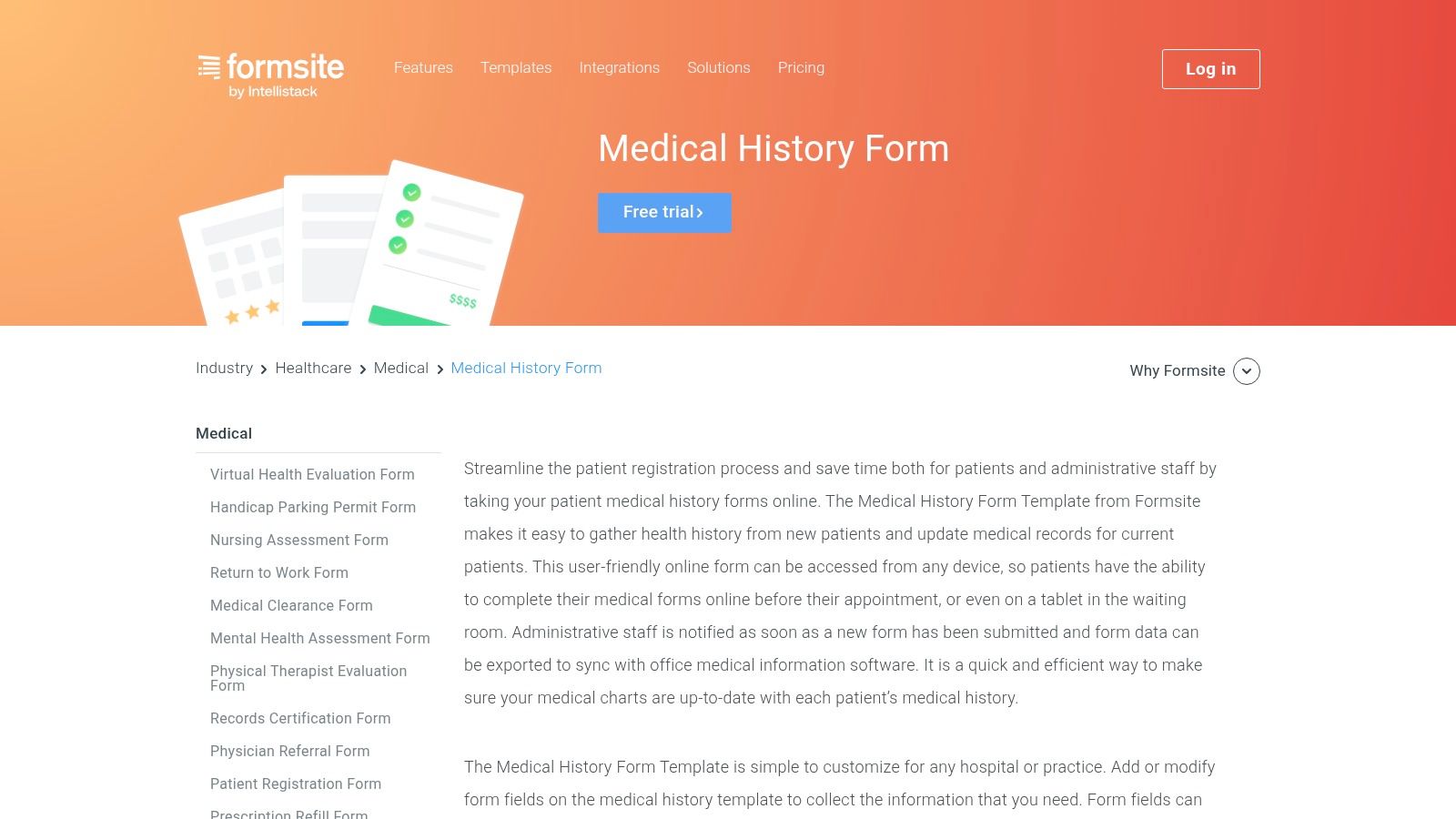
Formsite offers a straightforward and reliable platform for creating medical history forms templates and other essential healthcare documents. It is a solid choice for practices that need functional, no-fuss web forms with dependable data collection and export capabilities. Its editor allows for customization of fields, enabling clinics to tailor the standard medical history template to include specific questions related to patient symptoms, lifestyle, or past treatments. You can also apply your clinic’s branding for a professional look.
The platform is designed for ease of use, making it accessible even for staff without technical expertise. Forms created with Formsite are mobile-friendly, ensuring patients can complete their paperwork on any device. Upon submission, the system can send automated email notifications to both the patient and the clinic, and the collected data can be easily exported into formats like Excel or integrated with other applications, simplifying the process of transferring information into a patient's file.
Key Considerations
A primary advantage of Formsite is its powerful data export functionality, which gives practices flexibility in how they manage and store patient information outside of an EMR. The platform also supports conditional logic, which helps create a more dynamic and less repetitive experience for patients filling out their forms. However, a significant limitation for healthcare providers is that HIPAA compliance is only available through a high-tier Enterprise service level. This means its standard plans are not suitable for handling protected health information (PHI). While Formsite is a competent general form builder, it lacks some of the specialized, healthcare-specific features found in dedicated medical form platforms.
- Best For: Practices needing a simple, reliable form builder with strong data export options for non-sensitive information or internal use.
- Compliance: HIPAA compliance is available but requires a specific Enterprise-level agreement.
- Website: Formsite Medical History Form
8. Smartsheet
Smartsheet offers a unique, hybrid approach by providing a free library of downloadable medical history forms templates in familiar formats like MS Word, Excel, and PDF. This makes it an ideal choice for practices that still rely on paper forms or prefer a simple, printable option that can be easily edited. The templates cover basic medical history, patient sign-in sheets, and charting, offering a solid foundation for clinics managing both paper and digital records.
Beyond static downloads, Smartsheet allows practices to create online forms to collect data directly within its powerful spreadsheet-like interface. This dual functionality supports a gradual transition to digital workflows, where a clinic might use printable forms in the waiting room but track patient data centrally online. The platform excels at organizing information, allowing for easy tracking, status updates, and automation.
Key Considerations
A primary advantage is the collection of free, easily customizable downloads that don't require any platform commitment. However, it's crucial to understand that these standard templates are not inherently HIPAA-secure. Achieving compliance for patient data collected through Smartsheet's online forms requires their enterprise-level plan, which includes necessary security controls and a willingness to sign a BAA. This makes the free downloads best for internal organization or non-PHI use, while secure patient data collection is a premium feature.
- Best For: Practices seeking free, printable templates and those using Smartsheet for operational tracking.
- Compliance: HIPAA compliance is available on their enterprise plan with proper configuration.
- Website: Smartsheet Medical Forms Templates
9. pdfFiller (airSlate)
pdfFiller specializes in PDF-based workflows, offering a vast library of ready-to-fill medical history forms templates that can be edited directly in a browser. This platform is an excellent solution for practices that still rely heavily on PDF documents but want to introduce digital convenience. Users can quickly search for specific forms, such as dermatology or general past medical history, and modify them on the fly. Its core strength lies in its intuitive editing tools, which allow staff or patients to type directly into fields, add checkmarks, and provide legally binding e-signatures.
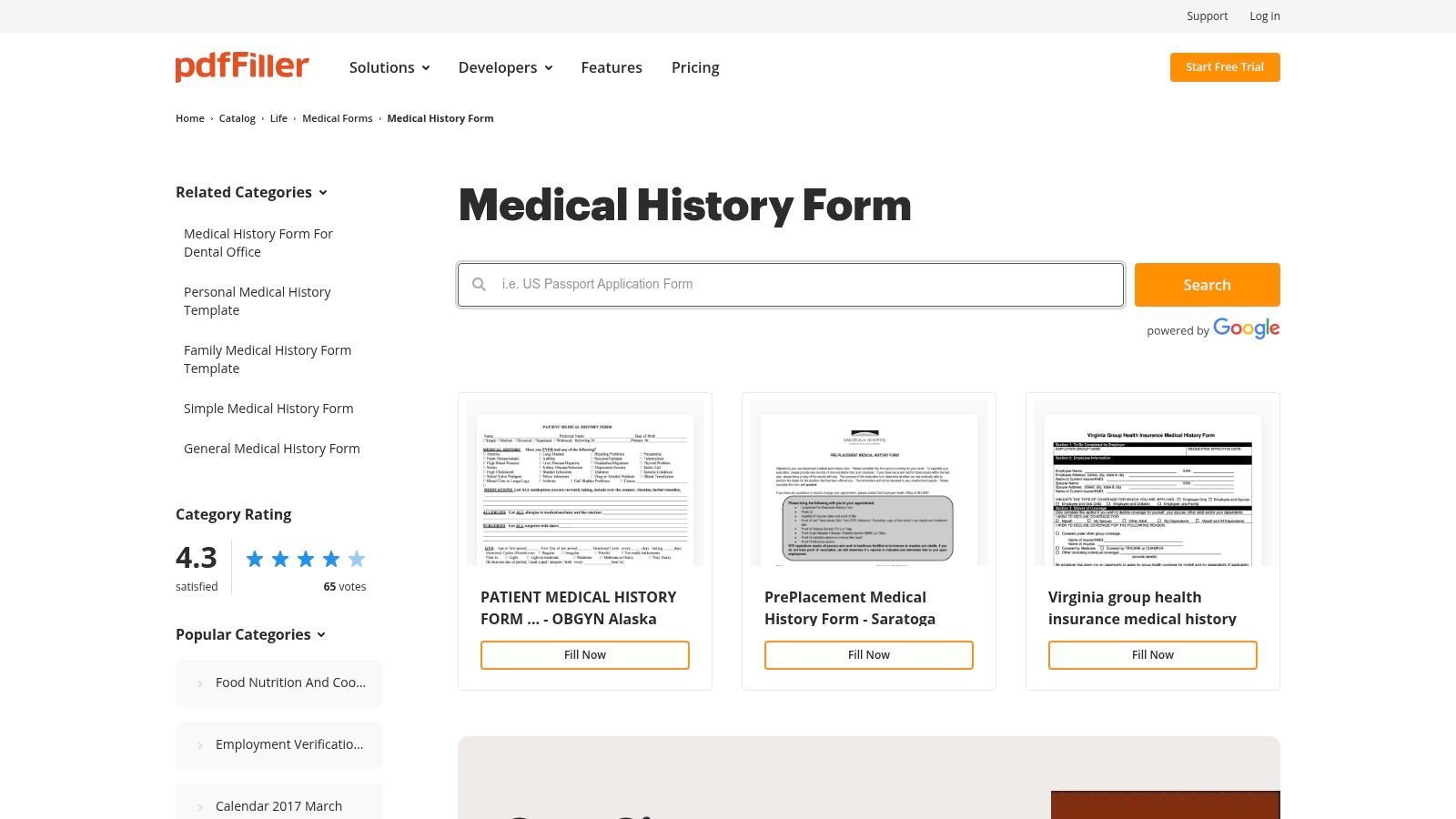
The platform streamlines the entire lifecycle of a PDF form, from editing and signing to secure sharing and cloud storage integration. Once a form is completed, it can be easily exported, printed, or sent via a secure link, making it a fast and efficient tool for practices that need to manage document-centric intake processes without committing to a full-scale EMR overhaul. The interface is straightforward, requiring minimal training to get started.
Key Considerations
A key benefit of pdfFiller is its speed and simplicity for handling PDF documents; what used to require printing, scanning, and faxing can now be done in minutes online. However, it's important to recognize that pdfFiller is primarily a document management tool, not a comprehensive electronic health record (EHR) system. While it offers security features, achieving HIPAA compliance for handling protected health information (PHI) requires subscribing to their enterprise-level airSlate Business Cloud plan, which includes features like a Business Associate Agreement (BAA). The platform's focus on individual PDF files means it lacks the integrated data management capabilities found in dedicated medical software.
- Best For: Practices with established PDF-based workflows needing an efficient way to edit, sign, and manage forms digitally.
- Compliance: HIPAA-compliant features are available with the airSlate Business Cloud subscription.
- Website: pdfFiller Medical History Form Catalog
10. Staples — Medical Arts Press
For practices that still rely on traditional paper-based intake or need a reliable backup, Staples offers pre-printed medical history forms templates from Medical Arts Press. This solution is ideal for clinics that prefer the simplicity of clipboard intake and are not yet fully digital. The forms often combine patient registration and medical history sections into a single, comprehensive sheet, streamlining the initial data collection process. Bulk purchasing options make it cost-effective to stock up on essential paperwork.
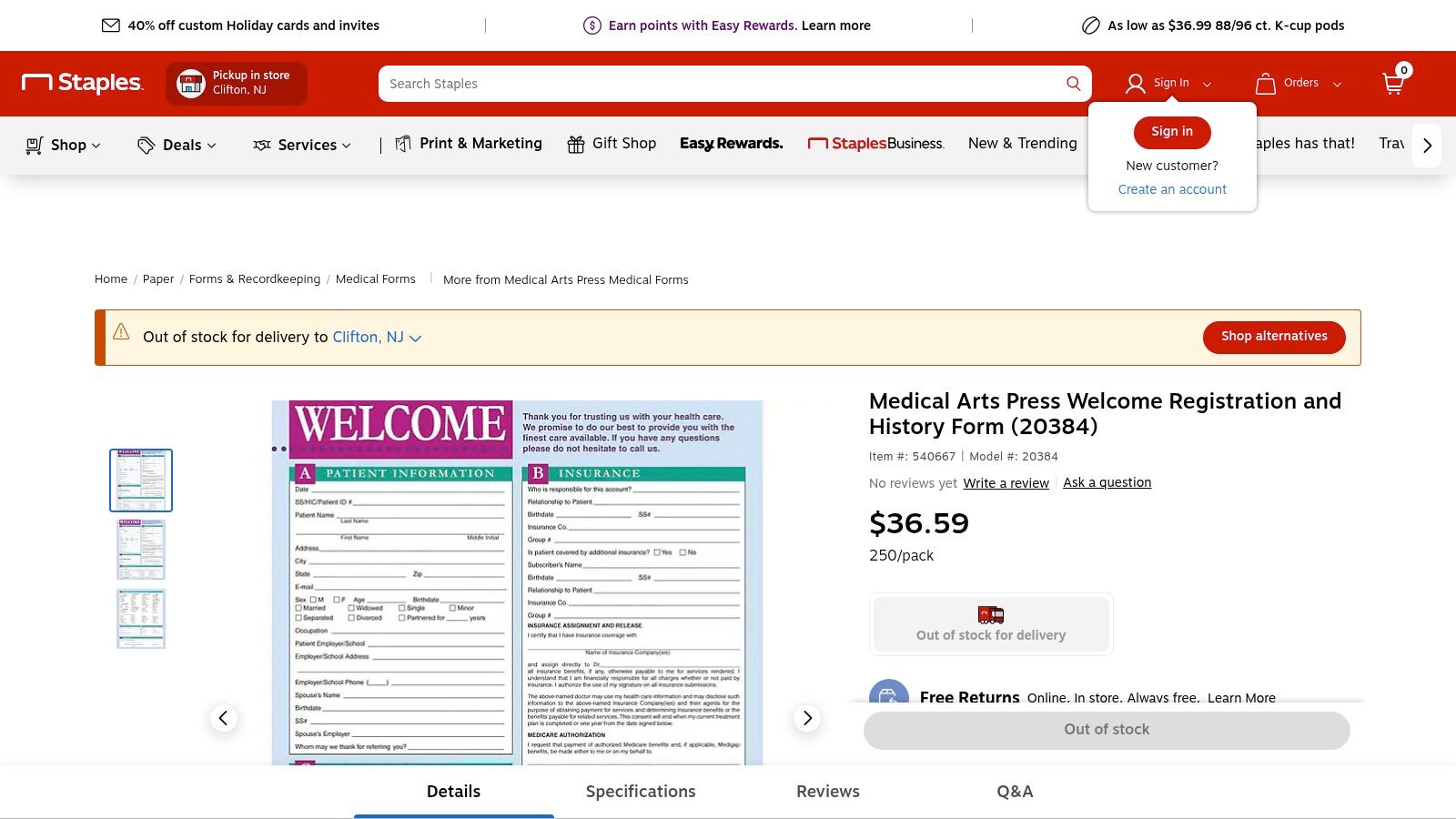
The primary advantage is the convenience of ordering standardized, professionally formatted forms from a well-known retailer with fast shipping or in-store pickup. These forms are designed to be compatible with standard filing systems and often include versions in Spanish, which is a key feature for serving diverse patient populations. While digital solutions offer automation, these paper forms provide a tangible, straightforward method that requires no software training or technical setup, ensuring accessibility for all staff and patients.
Key Considerations
A major drawback is the necessity of manual data entry; information collected on paper must be transcribed into an EMR or practice management system, which is time-consuming and can introduce errors. Unlike digital templates, these forms are not customizable, so you cannot easily add or remove fields to suit specific practice needs. Inventory management is also a factor, as running out of forms can disrupt patient intake. While they offer a practical solution for paper-based workflows, practices aiming for efficiency and reduced administrative burden may find digital alternatives more suitable in the long run.
- Best For: Practices preferring traditional paper intake or needing a reliable backup for their digital systems.
- Compliance: Paper forms require secure physical storage and handling procedures to maintain HIPAA compliance.
- Website: Staples – Medical Arts Press Registration & History Form
11. Quill — Medical Arts Press
Quill, a well-known office supplier, carries the extensive Medical Arts Press line of medical history forms templates, making it a one-stop shop for practices that prefer traditional, paper-based documentation. Instead of digital downloads, Quill provides professionally printed forms in bulk, typically in packs of 250. This is ideal for clinics that are not yet fully digital or require physical copies for specific workflows. Their selection covers general patient history, consent forms, and progress notes, with specific variants for specialties like dentistry and podiatry.
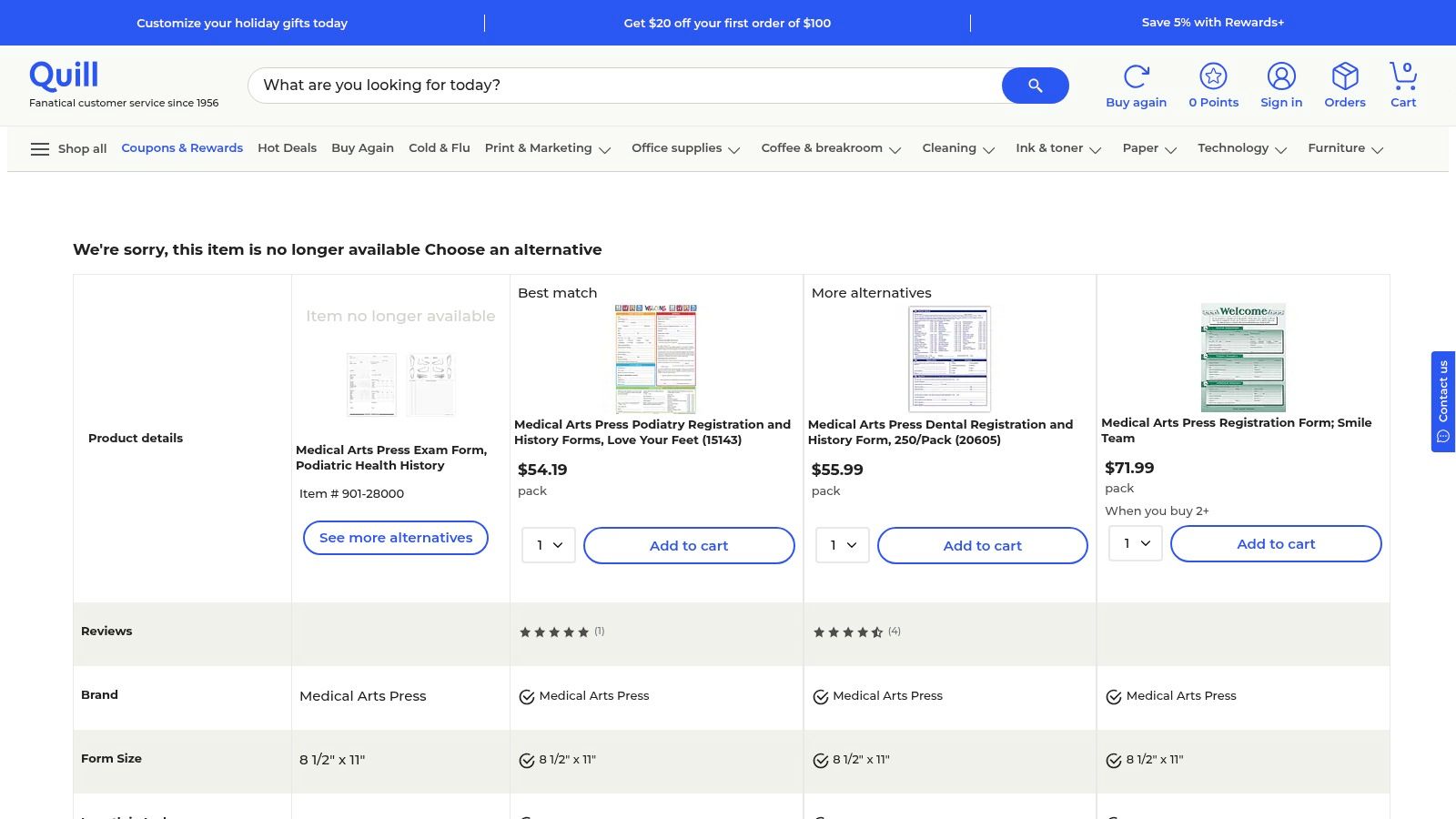
The platform is designed for business-to-business transactions, offering benefits like business accounts, frequent discounts, and free shipping thresholds. This simplifies the process for practice managers needing to place recurring orders for various office and medical supplies alongside their forms. This integrated supply chain approach is a key differentiator from other template providers.
Key Considerations
A significant benefit of ordering from Quill is the convenience of consolidating purchases and leveraging their business-friendly ordering system. The forms are standardized and ready to use, eliminating the need for any design or printing efforts. However, the primary drawback is that these are paper forms, which necessitates manual data entry into an EMR, a time-consuming and error-prone process. Stock can also vary, and the website's focus on general office supplies sometimes makes finding specific medical forms less direct.
- Best For: Practices needing a reliable supplier for standardized, pre-printed paper medical forms.
- Compliance: The forms themselves do not ensure HIPAA compliance; handling and storage of the completed paper records must adhere to HIPAA regulations.
- Website: Quill Medical Arts Press Forms
12. Etsy
Etsy offers a surprisingly vast marketplace for downloadable and editable medical history forms templates, catering to individuals or small practices looking for visually appealing, low-cost options. Unlike integrated software solutions, Etsy provides instant access to templates created by independent designers, often available in PDF, Microsoft Word, or Canva formats. This is ideal for those who need a printable form for personal record-keeping, such as tracking a family's health history, or for a small wellness practice that handles intake on paper.
The platform excels in providing a wide variety of designs, from minimalist layouts to more detailed, colorful organizers. You can find everything from general medical intake forms to specialized trackers for symptoms or medications. Because these are sold by individual creators, you can often find unique layouts that are not available from major software providers. The immediate digital delivery means you can purchase, download, and print a form within minutes.
Key Considerations
A major advantage of Etsy is its affordability and the sheer diversity of design choices. However, these templates come with significant limitations for professional clinical use. They are not integrated with any EMR systems and are not HIPAA-compliant. Practices using these forms must ensure they have separate, secure processes for handling the collected patient information. It is also crucial to carefully review each template to ensure it is comprehensive enough for your needs, as quality and detail can vary widely between sellers.
- Best For: Individuals tracking personal health information or small, non-clinical practices needing simple, printable forms.
- Compliance: Not HIPAA-compliant; templates are for non-sensitive, offline use or require separate security protocols.
- Website: Etsy Medical Forms Templates
Top 12 Medical History Form Templates Comparison
| Solution | Core features | Quality & UX (★) | Value & Pricing (💰) | Target audience (👥) | Key strengths (✨ / 🏆) |
|---|---|---|---|---|---|
| Jotform | Template library, drag‑drop, conditional logic, mobile PDF, optional HIPAA | ★★★★ — easy & fast | 💰 Mid — free tier; HIPAA on paid plans | 👥 Clinics needing branded, mobile intake | ✨ Huge template gallery; 🏆 Fast deployment |
| Formstack | HIPAA plan, encryption, audit logs, portals, eSign | ★★★★ — mature & secure | 💰 Higher — enterprise/HIPAA focus | 👥 Practices needing secure routing/workflows | ✨ Strong compliance controls; 🏆 Workflow tooling |
| Cognito Forms (HIPAA) | BAA/HIPAA plan, conditional logic, repeating sections, doc gen | ★★★★ — friendly editor | 💰 Mid — HIPAA plan required | 👥 Small–mid clinics wanting capable forms | ✨ Repeating sections & doc gen; 🏆 Ease + power balance |
| IntakeQ / PracticeQ | Unlimited templates, client portal, eSign, exports, optional PM | ★★★★ — healthcare-focused | 💰 Competitive — some per‑practitioner fees | 👥 Practices focused on intake & conversion | ✨ Form conversion service; 🏆 Healthcare specialization |
| SimplePractice | All‑in‑one PM: templates, portal, telehealth, billing | ★★★★★ — polished for behavioral health | 💰 Higher — full PM priced | 👥 Behavioral & allied health practices | ✨ Integrated billing + telehealth; 🏆 All‑in‑one platform |
| Practice Better | Intake templates, meds/supplement tracking, client portal | ★★★★ — streamlined for wellness | 💰 Good — affordable for solo/small groups | 👥 Nutrition & functional‑medicine clinicians | ✨ Supplement tracking & auto‑population; 🏆 Wellness focus |
| Formsite | Medical template, device‑friendly forms, exports, branding | ★★★ — simple & reliable | 💰 Low–Mid — basic plans; HIPAA enterprise | 👥 Clinics needing quick web forms/exports | ✨ Reliable exports; 🏆 Easy setup |
| Smartsheet | Downloadable Word/Excel/PDF templates, forms, automation | ★★★ — good for teams | 💰 Low (free downloads) → enterprise for security | 👥 Teams needing hybrid paper/digital workflows | ✨ Printable + centralized tracking; 🏆 Flexible templates |
| pdfFiller (airSlate) | PDF template library, in‑browser editing, eSign, cloud export | ★★★★ — fast PDF workflows | 💰 Mid — plan dependent for security | 👥 Workflows centered on PDFs | ✨ Large PDF catalog & editor; 🏆 Speed for PDF tasks |
| Staples — Medical Arts Press | Pre‑printed medical history & registration pads, multi‑language | ★★★ — traditional paper UX | 💰 Low — bulk paper pricing | 👥 Practices preferring paper intake | ✨ Pre‑printed multi‑language pads; 🏆 Retail convenience |
| Quill — Medical Arts Press | Patient history/exam/consent pads, specialty variants, business ordering | ★★★ — paper supply focused | 💰 Competitive — discounts & business options | 👥 Practices needing recurring paper supplies | ✨ Specialty variants + business accounts; 🏆 Bulk discounts |
| Etsy | Printable/editable templates (PDF/Word/Canva), instant download | ★★★ — varied quality by seller | 💰 Very low — affordable one‑offs | 👥 Small offices or personal record keepers | ✨ Huge variety & instant delivery; 🏆 Low‑cost customization |
Moving Beyond the Form: The Future of Patient Intake
Selecting the right tool for your practice is more than just an administrative decision; it's a strategic choice that directly impacts clinic efficiency, data accuracy, and the patient experience. Throughout this guide, we've explored a wide spectrum of medical history forms templates and platforms, from the powerful, all-purpose digital builders like Jotform and Formstack to the specialized, EMR-integrated solutions such as IntakeQ and SimplePractice. We’ve also acknowledged the enduring value of traditional, printable forms from reliable suppliers like Medical Arts Press. This in-depth analysis provides the foundational knowledge necessary to make an informed choice that aligns with your practice's specific needs and long-term goals.
The common thread is clear: a well-designed form is the foundation of excellent patient care. It ensures you have a comprehensive, accurate, and accessible record of a patient's health, which is critical for diagnosis, treatment, and ongoing management. However, the form itself is only the beginning. The future of patient intake isn't just about better forms; it's about better, more seamless processes. The shift toward digital solutions underscores a broader industry trend: the move away from static documents and toward dynamic, integrated data systems that improve every facet of the patient journey.
Key Takeaways and Your Next Steps
As you move forward, the goal is to transition from simply collecting information to creating a truly integrated and automated intake workflow. Here’s a summary of the most critical considerations to guide your decision-making process:
- Assess Your Current Workflow: Before choosing a template or tool, map out your existing intake process. Identify the bottlenecks. Is it manual data entry? Incomplete patient forms? The time staff spends chasing down information? Your biggest pain points will reveal your most urgent needs. This initial audit is crucial for selecting a solution that solves real problems rather than just digitizing an inefficient process.
- Match the Tool to Your Scale and Specialty: A solo practitioner has vastly different needs than a multi-location clinic. A mental health practice (requiring tools like SimplePractice) needs different forms than a dental office or a physical therapy clinic. Use the specific use cases we discussed to filter your options. Consider scalability as well; will the chosen tool grow with your practice, or will you need to switch systems in a few years?
- Prioritize HIPAA Compliance and Security: This is non-negotiable. Always verify that any digital tool you consider offers a Business Associate Agreement (BAA) and has robust security measures like end-to-end encryption and audit trails. Never compromise on protecting patient health information, as the consequences of a data breach can be catastrophic for both your patients and your practice's reputation.
- Consider the Patient Experience: How easy is it for your patients to complete the forms? A clunky, difficult-to-navigate digital form can be just as frustrating as messy handwriting on a paper one. Look for solutions that are mobile-friendly, accessible, and intuitive for all demographics. A positive intake experience sets the tone for the entire patient encounter and can significantly impact patient satisfaction and retention.
The Evolution from Digital Forms to True Automation
The most forward-thinking practices are already looking beyond the template. The ultimate goal is to eliminate the form entirely as a point of friction for both patients and staff. This is where the next generation of healthcare technology comes into play. Instead of asking patients to type or write, what if they could simply talk?
Solutions like clinically-trained voice AI are leading this charge. They handle the patient history conversation over the phone, asking intelligent, adaptive questions and capturing the information in a structured format ready for your EMR. This leap forward addresses several core challenges simultaneously. It removes the administrative burden of data entry from your staff, makes the intake process more accessible for patients who struggle with technology or have visual impairments, and ensures a more complete and nuanced history is captured. By leveraging conversational AI, practices can transform a tedious task into an efficient and empathetic interaction.
Implementing new technology can be complex, and it's vital to recognize the unique hurdles involved. The inherent challenges of designing digital products for healthcare demand a deep understanding of clinical workflows, stringent privacy regulations, and diverse user needs. As you select and implement your new system, whether it’s a simple fillable PDF or a fully automated AI, keep these factors at the forefront to ensure a successful and compliant rollout. A phased implementation, starting with a pilot program, can help identify and resolve issues before a full-scale deployment.
Your journey toward a more efficient practice begins with choosing the right medical history forms templates, but it doesn't end there. View this decision as a foundational step toward a future where administrative tasks are automated, your staff is free to focus on patient care, and your intake process is a seamless, positive experience for everyone involved. The right investment today will pay dividends in operational efficiency, staff morale, and the quality of care you provide tomorrow.
Ready to move beyond manual data entry and reclaim hours of administrative time? Simbie AI uses a clinically-trained voice AI to conduct patient intakes over the phone, delivering a structured medical history directly to your EMR. See how you can eliminate forms and automate your entire intake workflow by visiting Simbie AI.