

A comprehensive medical history is the cornerstone of accurate diagnosis and effective patient care. However, creating the right form from scratch is a significant challenge for many practices. Inefficient or incomplete forms often lead to administrative headaches, wasted time during appointments, and potential clinical risks if key information is missed. This guide is designed to solve that problem by providing a detailed breakdown of the best medical history form sample resources available today.
We will analyze seven top-tier examples, from customizable digital templates on platforms like Jotform and FormDr to specialized paper options from trusted suppliers. Our goal is to help you select the perfect tool to optimize your practice's intake process, ensure data accuracy, and ultimately, improve patient outcomes. Each review includes a strategic analysis, scannable screenshots, and direct links to help you make a quick and informed decision.
This isn't just a list; it's a practical playbook for enhancing your data collection workflow. You'll discover what makes each medical history form sample effective, how to adapt it for specific needs like pediatrics or telemedicine, and the key fields you must include. We'll also cover critical best practices for maintaining patient privacy and integrating these forms into your existing EMR systems. Given the sensitive nature of patient information, understanding the regulations around its transmission is critical. For practices still utilizing fax for medical history forms, referring to a HIPAA Compliance Faxing Healthcare Guide can provide essential guidance on maintaining security. Let's dive into the samples that can transform your patient intake.
1. Jotform
Jotform stands out as a powerful and versatile online form builder, offering a vast library of pre-made templates perfect for healthcare providers. For any practice looking to quickly create and deploy a comprehensive digital medical history form sample, Jotform provides an excellent starting point. Its drag-and-drop editor allows for deep customization without requiring any coding knowledge, making it accessible for administrative staff and clinicians alike.
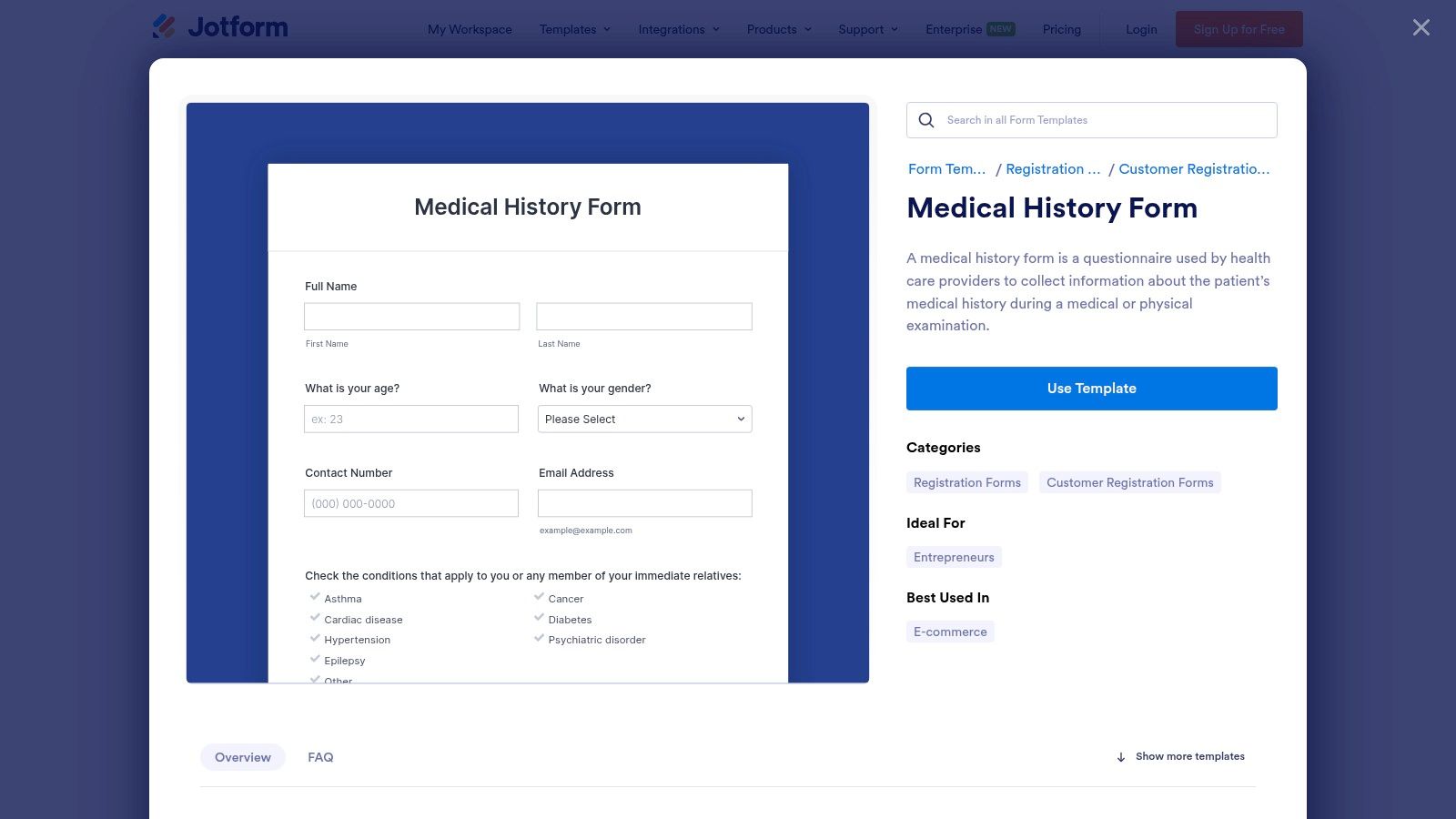
The platform is particularly well-suited for practices transitioning from paper to digital intake. Instead of starting from scratch, you can clone a detailed "Patient Medical History Form" and modify it to fit your specialty’s specific needs, whether it's pediatrics, geriatrics, or mental health. This significantly reduces the time and effort required to go live with a new intake process.
Strategic Analysis & Key Features
Jotform’s primary advantage is its balance between ease of use and advanced functionality. The platform's commitment to healthcare compliance is a major differentiator.
- HIPAA Compliance: Jotform offers HIPAA-compliant features on its Gold and Enterprise plans. This includes providing a Business Associate Agreement (BAA), which is a legal requirement for any third-party service handling Protected Health Information (PHI). This makes it a viable choice for practices that need to ensure patient data is secure and private.
- Conditional Logic: You can create "smart forms" that show or hide questions based on a patient's previous answers. For example, if a patient indicates they have allergies, a new field can automatically appear asking them to list those allergies. This keeps forms concise and improves the patient experience.
- E-Signatures and Integrations: The platform supports legally binding e-signatures, which is essential for consent forms. It also integrates with other tools like Google Drive, Dropbox, and various EMR/EHR systems, helping to streamline data management workflows.
Actionable Takeaways
To get the most out of Jotform, start by exploring their extensive template library for a medical history form that closely matches your needs. Before collecting any patient data, ensure you are on a HIPAA-eligible plan (Gold or higher) and have signed the BAA with Jotform. Use the conditional logic feature to simplify the form for patients, and test it thoroughly on mobile devices to ensure a smooth user experience. For a deeper dive into different template options, you can explore more about the variety of patient intake form templates available.
| Feature | Details |
|---|---|
| Best For | Small to mid-sized practices needing a fast, customizable digital solution. |
| HIPAA Compliance | Available on Gold and Enterprise plans (BAA provided). |
| Pricing | Free plan available; HIPAA features require paid Gold or Enterprise plans. |
| Unique Selling Point | Massive template library combined with a user-friendly, powerful editor. |
Website: Jotform Medical Form Templates
2. FormDr
FormDr is a specialized, HIPAA-compliant online form builder designed from the ground up for healthcare environments. It excels at creating secure patient intake packets, which makes it an ideal choice for practices needing a robust medical history form sample as part of a larger, streamlined workflow. The platform is purpose-built for the unique demands of handling Protected Health Information (PHI), offering features that go beyond generic form tools.
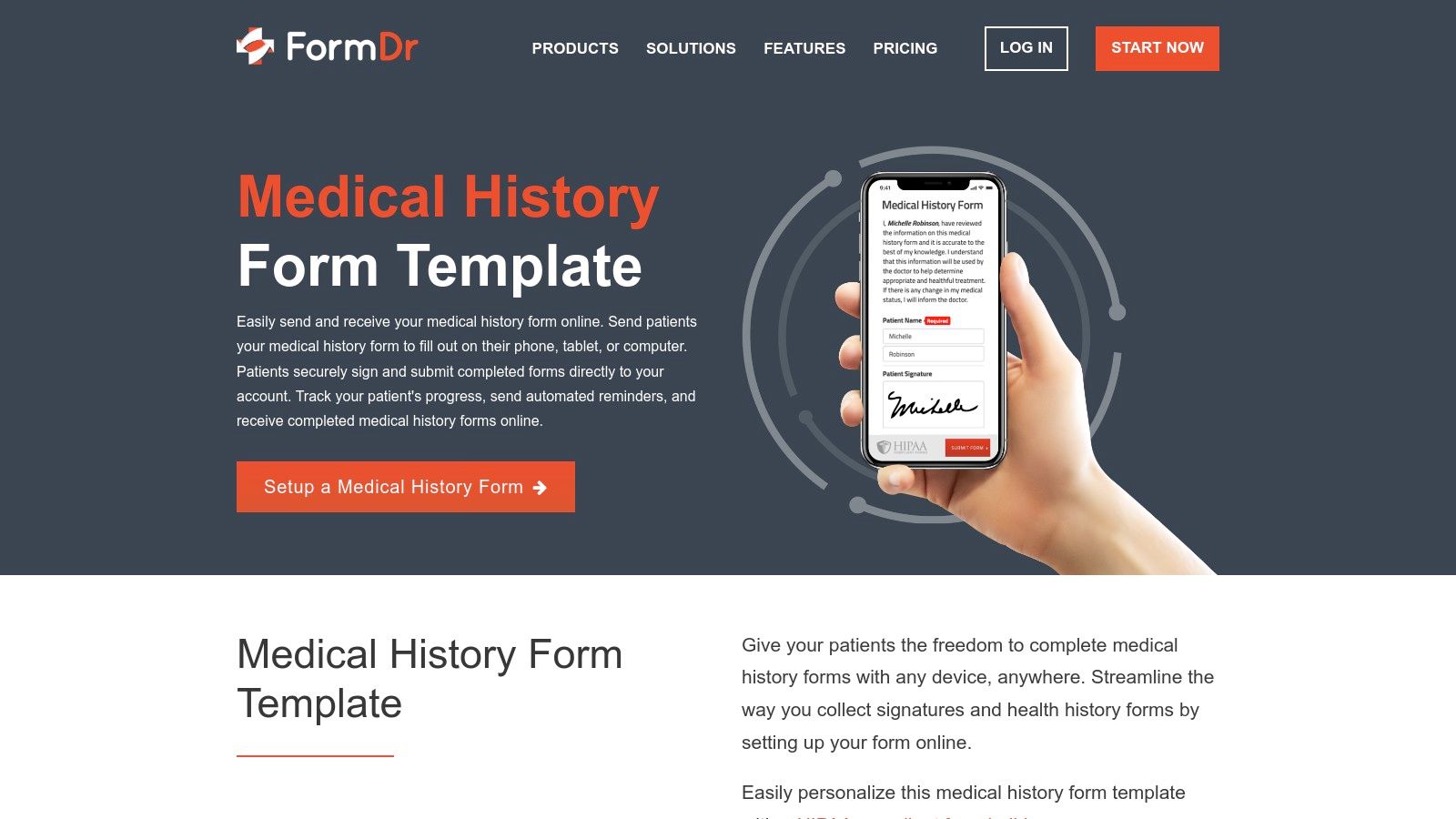
Unlike multi-purpose form builders, FormDr focuses entirely on the patient intake process. This allows practices to create and send "form packets" that can include a medical history form, consent forms, and insurance information all in one go. Patients can track their progress, and staff can send automated SMS or email reminders, significantly reducing no-shows and incomplete paperwork before an appointment.
Strategic Analysis & Key Features
FormDr’s core strength is its dedicated focus on healthcare-specific workflows and compliance. It is not just a form builder but a complete patient intake management system.
- Healthcare-Centric Design: Every feature is built with a clinical setting in mind. This includes end-to-end encryption for data at rest and in transit, detailed audit logs to track access to PHI, and a Business Associate Agreement (BAA) included with all paid plans.
- Intake Packets and Progress Tracking: You can bundle multiple forms into a single, easy-to-manage packet. Patients receive one link and can complete all necessary paperwork at once, while the practice can see their completion status in real-time. This is highly efficient for new patient onboarding.
- Advanced Integrations: FormDr supports robust integrations with EMR/EHR systems and offers API and HL7 support on its higher-tier plans. This enables seamless data transfer from the intake form directly into the patient's chart, eliminating manual data entry and reducing clerical errors.
Actionable Takeaways
To maximize FormDr's value, begin by mapping out your entire patient intake process. Use the "Packets" feature to combine your medical history form with consent, privacy policy, and insurance forms into one seamless experience. Leverage the SMS and email reminder system to ensure patients complete their paperwork before their visit. For practices with an EMR, investing in a plan with integration capabilities can provide a significant return by automating data entry and freeing up administrative staff time.
| Feature | Details |
|---|---|
| Best For | Practices of any size seeking a dedicated, secure patient intake management system. |
| HIPAA Compliance | Core to the platform; BAA is included with all paid plans. |
| Pricing | No free plan, but offers a 30-day free trial. Paid plans are subscription-based. |
| Unique Selling Point | A complete, healthcare-focused intake solution with form packets and workflow automation. |
Website: FormDr Medical History Form Templates
3. MediScripts MediForm Pads
While the healthcare industry rapidly moves toward digital solutions, many practices still rely on or prefer traditional paper-based systems for patient intake. MediScripts MediForm Pads caters specifically to this need, offering professionally printed, customizable medical form pads that are shipped directly to clinics. For any practice that requires a physical medical history form sample, MediScripts provides a tangible, reliable, and high-quality solution.
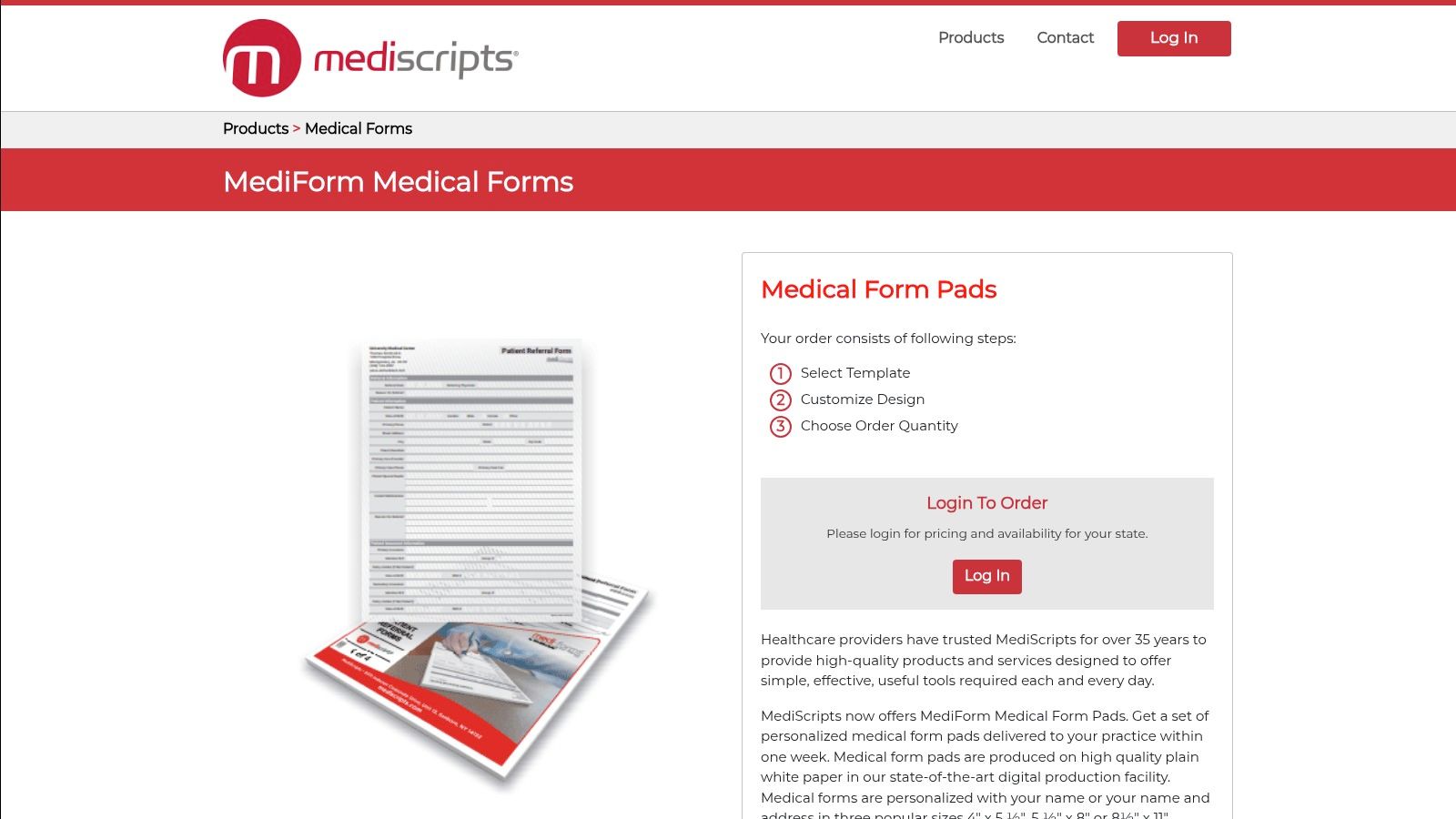
The platform is ideal for clinics that have established, efficient paper-based workflows or for situations where digital access is unreliable. Instead of designing and printing forms in-house, which can be costly and inconsistent, practices can order professionally produced pads. Their templates cover everything from patient history and intake to referrals and records release, ensuring consistency and a professional look for all patient-facing documents.
Strategic Analysis & Key Features
MediScripts' core advantage lies in its specialization in high-quality, physical medical forms, streamlining a traditionally cumbersome aspect of practice management. This focus makes them a go-to for clinics prioritizing paper workflows.
- Practice Personalization: A key feature is the ability to add your practice's name, address, phone number, and provider names to the forms. This level of customization reinforces branding and adds a layer of professionalism to the patient intake process.
- Streamlined Ordering and Replenishment: The service is designed for simplicity. Practices can easily order and reorder pads, which is crucial for high-volume clinics that need a predictable supply of intake forms. This eliminates the administrative burden of managing in-house printing.
- Template Variety: While physical, their templates are comprehensive. They offer various layouts for Patient History, Intake, and other essential forms, providing a solid foundation that can be personalized to meet a clinic’s specific data collection needs.
Actionable Takeaways
To use MediScripts effectively, first create an account to view the full range of templates and customization options available for your state. Before placing a large order, consider requesting a sample if possible to verify the paper quality and print clarity. When customizing your medical history form sample, ensure all practice details are accurate and the layout is easy for patients to navigate. Plan your inventory to avoid running out of forms, establishing a reorder schedule based on your patient volume.
| Feature | Details |
|---|---|
| Best For | Clinics and practices that prefer or require a reliable paper-based intake system. |
| HIPAA Compliance | Not applicable (physical product); the practice is responsible for securing paper PHI. |
| Pricing | Varies by product; includes standard ground shipping in the continental U.S. |
| Unique Selling Point | High-quality, customizable, and professionally printed medical form pads. |
Website: MediScripts Medi-Medical Form Pads
4. Staples (Medical Arts Press forms)
For healthcare practices that still rely on or prefer a paper-based intake process, Staples offers a reliable and accessible solution through its distribution of Medical Arts Press (MAP) forms. These pre-printed forms are a time-tested standard in many clinics, providing a comprehensive medical history form sample combined with patient registration details. This makes them an excellent off-the-shelf option for front-desk operations that need standardized, physical paperwork without the hassle of designing and printing in-house.
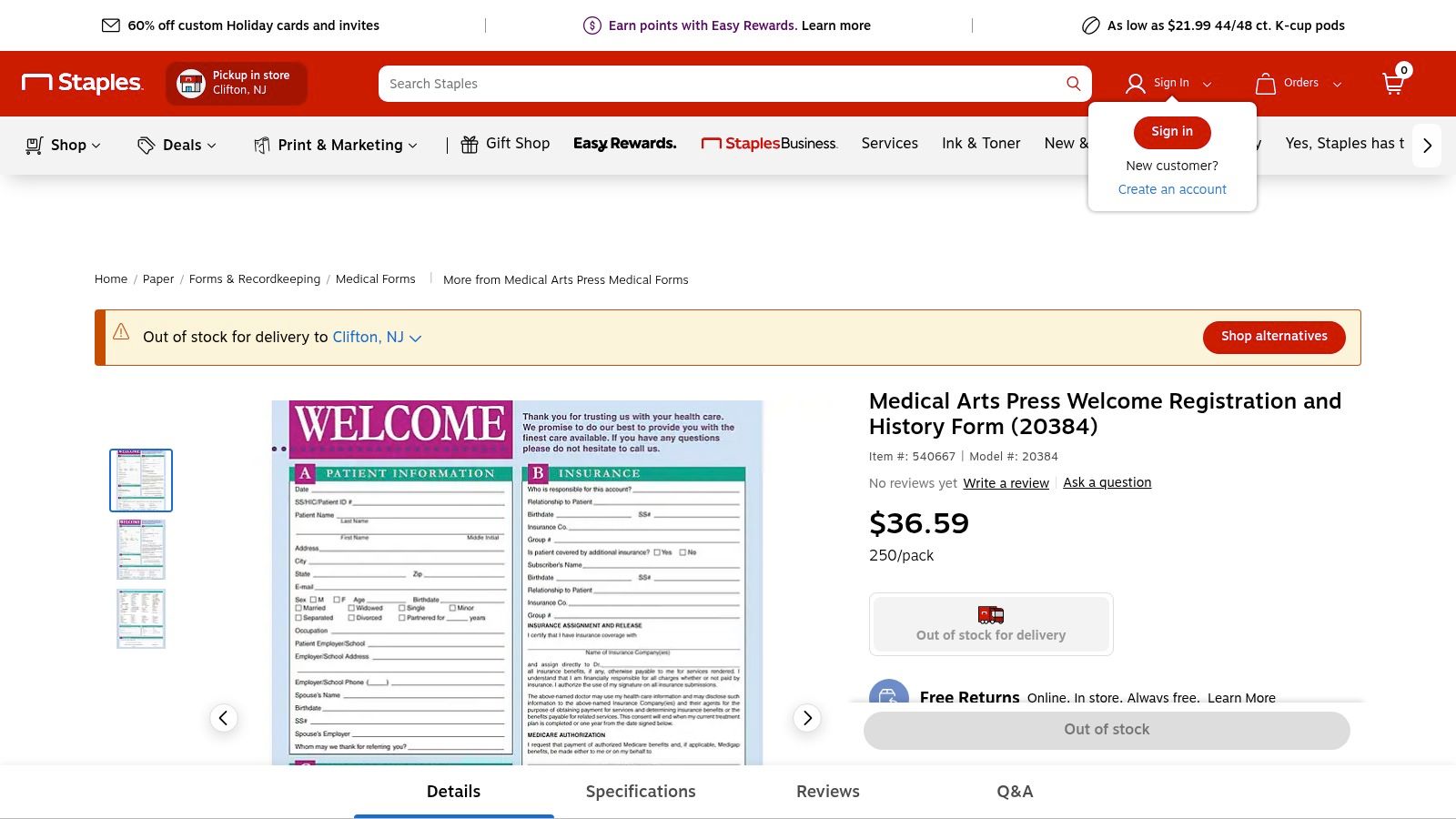
The primary product is a two-sided 8.5" x 11" form that efficiently gathers all essential information in one place. One side typically covers patient demographics and insurance details, while the reverse side is dedicated to a thorough medical history, including family history, past surgeries, allergies, and current medications. This consolidated approach simplifies the intake workflow for both the administrative staff and the patient.
Strategic Analysis & Key Features
Staples' value proposition is convenience and reliability for traditional, non-digital workflows. By leveraging a major retail supplier, clinics can easily procure professional-grade forms alongside their other office supplies.
- Standardized and Comprehensive: The Medical Arts Press forms are designed to be thorough, covering the critical areas needed for an initial patient assessment. Their standardized layout ensures consistency across all patient files, which is crucial for efficient record-keeping.
- Cost-Effective Bulk Purchasing: These forms are sold in packs, typically starting at 250 sheets, making them a cost-effective choice for practices with a steady flow of new patients. Purchasing in bulk from a supplier like Staples often provides better pricing than custom print jobs.
- No Digital Setup Required: The most significant feature is its simplicity. There is no software to learn, no platform to manage, and no need for technical expertise. It is a plug-and-play solution for clinics committed to a paper-based system.
Actionable Takeaways
To effectively use Staples for your intake forms, first verify that the specific MAP form layout meets your practice’s unique requirements. While comprehensive, it may lack specialty-specific fields. Consider ordering a single pack initially to test its utility in your clinical setting before committing to a larger purchase. To streamline procurement, add the form's SKU to your regular office supply order list to avoid running out. You can learn more about the transition from paper to a streamlined medical intake form process when you are ready to modernize your workflow.
| Feature | Details |
|---|---|
| Best For | Clinics and solo practices that prefer a traditional, paper-based intake. |
| HIPAA Compliance | Not applicable (paper forms; compliance depends on physical storage). |
| Pricing | Varies by quantity; typically sold in packs of 250 or more. |
| Unique Selling Point | Easy access to professional, pre-printed medical forms via a major retailer. |
Website: Staples Medical Arts Press Forms
5. Quill (Medical Arts Press at Quill)
Quill, a well-known office supply retailer, also serves as a key distributor for Medical Arts Press, offering specialized, pre-printed paper forms. For practices that still rely on paper-based workflows or need discipline-specific templates, Quill provides a reliable source for a physical medical history form sample. It’s the go-to option for clinics that need professionally printed, specialty-specific forms without the hassle of designing and printing them in-house.
The platform is particularly useful for niche specialties like podiatry, optometry, or chiropractic care, which often require unique questions not found on general medical history forms. Instead of creating a custom document from scratch, practices can order packs of industry-standard forms that are ready for immediate use, ensuring all critical information is captured consistently.
Strategic Analysis & Key Features
Quill's main advantage is its role as a one-stop shop for tangible medical office supplies, including highly specific patient forms. It bridges the gap for practices not yet ready or able to go fully digital.
- Specialty-Specific Templates: Quill offers Medical Arts Press forms designed for various disciplines. For example, a podiatry form includes prompts about foot pain, gait issues, and nail conditions, which are absent from a general intake form. This specificity ensures thorough and relevant data collection.
- Bulk Ordering and Logistics: Forms are sold in packs, typically of 100 to 250, making it easy to stock up. Quill often provides business discounts and free shipping on qualifying orders, which simplifies procurement for practice managers.
- Physical and Compact Formats: Many forms are designed as double-sided cards or compact sheets. This is ideal for efficient physical filing and storage, a critical consideration for practices managing paper records.
Actionable Takeaways
To effectively use Quill, start by searching for your specific medical specialty (e.g., "podiatry history form") to find targeted templates. Before placing a large order, check the form dimensions and paper weight to ensure they fit your existing filing systems. Take advantage of business account pricing and shipping deals by consolidating orders for forms with other office supplies. Remember that these forms will require manual data entry into your EMR/EHR, so plan for the administrative time needed to digitize patient information.
| Feature | Details |
|---|---|
| Best For | Specialty clinics needing pre-printed, paper-based forms for intake. |
| HIPAA Compliance | N/A (Physical forms; compliance depends on office handling procedures). |
| Pricing | Varies by form type and pack size; business discounts are often available. |
| Unique Selling Point | Wide selection of discipline-specific, professionally printed paper forms. |
Website: Quill Medical Arts Press Forms
6. American Medical Association (AMA) — Private Practice Playbook sample forms
For practices seeking an authoritative and foundational resource, the American Medical Association (AMA) offers a valuable starting point with its Private Practice Playbook. This playbook includes a downloadable bundle of sample forms, featuring a comprehensive medical history form sample as part of a new-patient packet. These templates are designed to help new or transitioning practices standardize their clinical and administrative operations from day one.
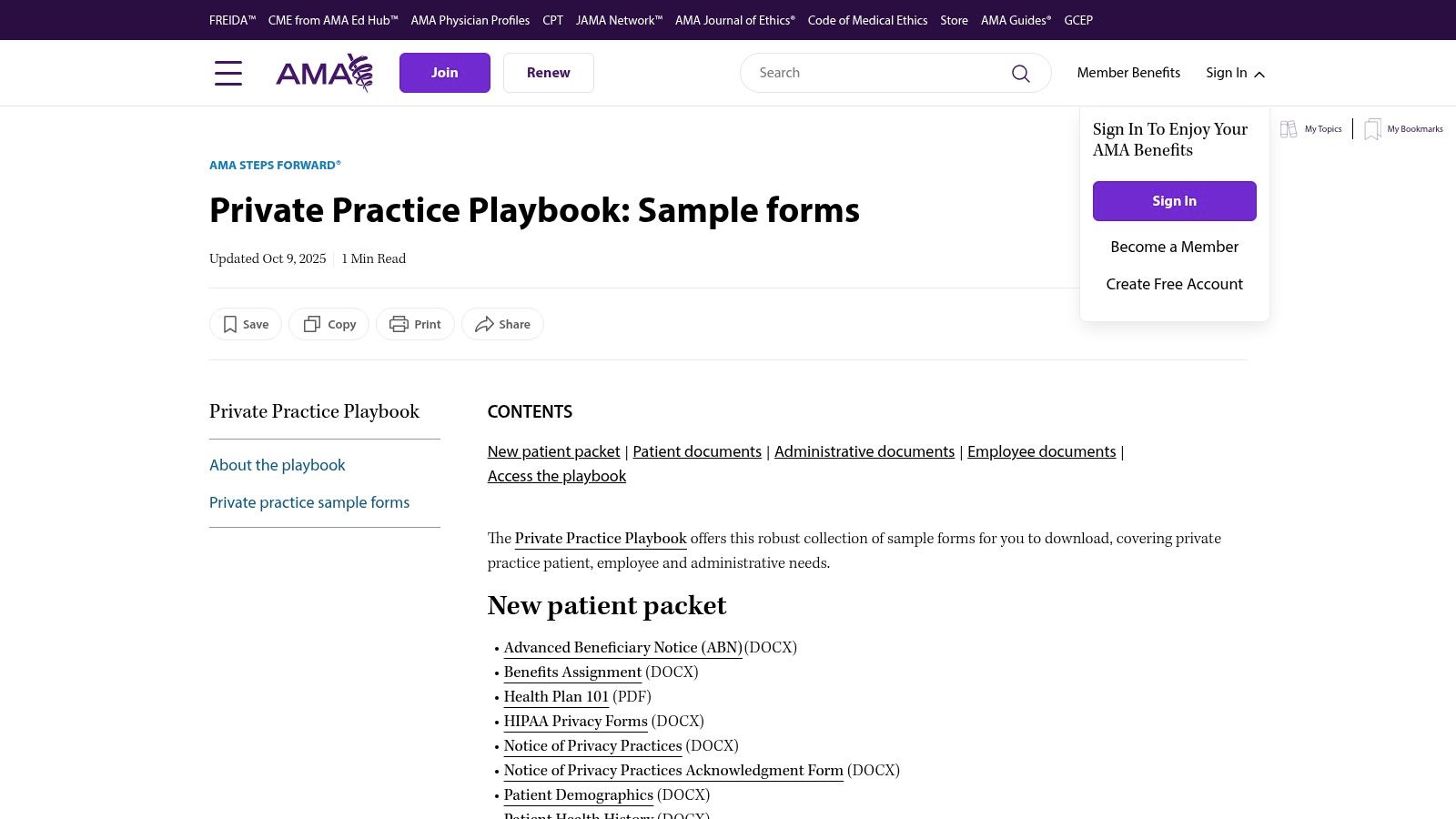
Unlike digital form builders, the AMA provides static documents in formats like DOCX and PDF. The primary purpose of these resources is not to offer a ready-made digital solution but to provide a trusted, well-structured framework. Practices can download these templates and customize them to fit their specific needs, ensuring they cover all essential areas of a patient's health history according to industry standards.
Strategic Analysis & Key Features
The key advantage of using the AMA's resources is the credibility and thoroughness baked into their structure. These forms are created by a leading medical authority in the U.S., giving practices confidence that they are starting with a solid and compliant foundation.
- Authoritative Source: The templates are developed by the AMA, a trusted name in the medical field. This ensures the forms are comprehensive and align with established clinical best practices, which is particularly useful for new practices defining their intake procedures.
- Editable Formats: Provided as DOCX or PDF files, these forms are fully editable. This allows a practice to add its logo, include specialty-specific questions (e.g., for pediatrics or cardiology), and remove any fields that are not relevant to their operations.
- Comprehensive Packet: The medical history form is part of a larger new-patient packet. This bundle often includes other essential documents like patient registration forms, financial policies, and privacy notices, helping to standardize the entire patient onboarding process.
Actionable Takeaways
To leverage the AMA's resources effectively, start by downloading the sample forms bundle from their Private Practice Playbook. Identify the patient health history form and use it as your base template. Customize it in a word processor to reflect your practice's specialty and branding. Since these are static documents, you will need a separate process for digital collection and storage; consider integrating the customized form into a secure patient portal or using a service to convert it into a fillable, HIPAA-compliant online form. For a deeper understanding of what a robust form should include, you can learn more about the essential components of a medical history form.
| Feature | Details |
|---|---|
| Best For | New or established U.S. practices needing a trusted, foundational template. |
| HIPAA Compliance | Not applicable; these are templates, not a data collection platform. |
| Pricing | Free to access, though some resources may require AMA membership or sign-in. |
| Unique Selling Point | Credibility and comprehensiveness from a leading U.S. medical authority. |
Website: AMA Private Practice Playbook Sample Forms
7. U.S. Surgeon General’s “My Family Health Portrait” (CDC/NCI)
For a unique and highly specialized tool, the U.S. Surgeon General’s “My Family Health Portrait” offers a powerful resource for patients to compile their family health history. While not a complete clinical intake form, it serves as an excellent companion resource that clinics can recommend to patients. This free, privacy-focused web tool guides users in documenting hereditary conditions and health patterns across their family tree.
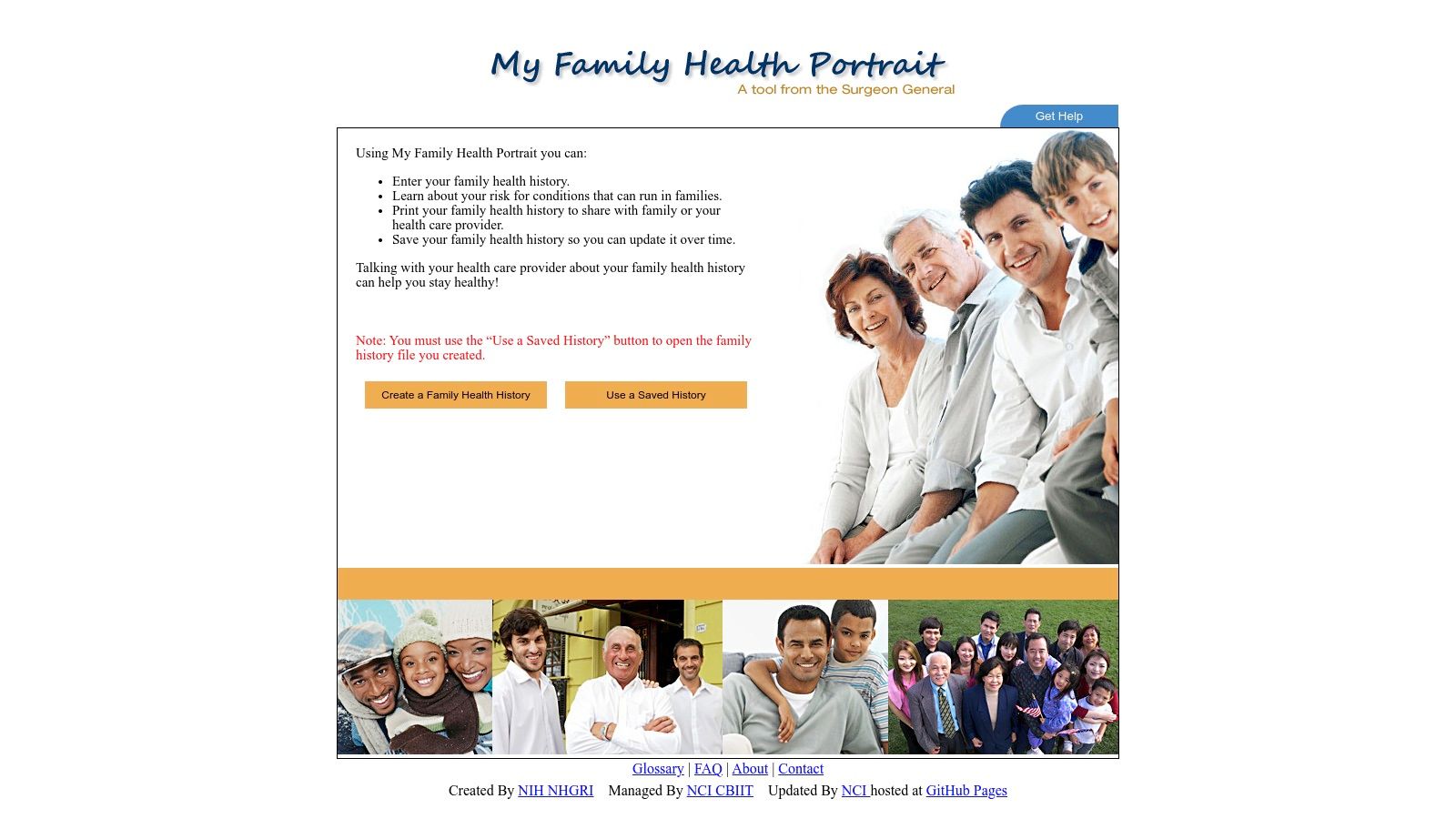
The platform, supported by the Centers for Disease Control and Prevention (CDC) and the National Cancer Institute (NCI), is designed to empower patients. They can use it to gather crucial information before their appointment, and then print the completed history or save it as a file to share with their provider. This pre-visit preparation can significantly improve the quality of the family history information a clinician receives, leading to better risk assessment for conditions like heart disease, diabetes, and certain cancers.
Strategic Analysis & Key Features
This tool’s main strength lies in its authority, patient-centric design, and commitment to privacy. It is not a form builder for practices but rather a public health utility that practices can leverage to improve patient engagement and data collection.
- Public Health Endorsement: Being a product of major U.S. public health agencies gives the tool immense credibility. Practices can confidently recommend it to patients, knowing it is a trustworthy and well-vetted resource.
- Privacy by Design: The tool is engineered for maximum privacy. All data entered by a user is stored locally on their own computer. No information is transmitted to or stored on government servers, which alleviates common patient concerns about sharing sensitive family data online.
- Structured Data Collection: It guides users through creating a detailed pedigree, prompting for information on relatives and specific health conditions. This structured approach ensures a more complete and organized family history than what a patient might recall from memory during an appointment.
Actionable Takeaways
Clinics should integrate this tool into their pre-appointment workflow. Include a link to the "My Family Health Portrait" in appointment confirmation emails or on the patient portal, instructing patients to complete it and bring a printed copy to their visit. This is especially valuable for new patient appointments, annual check-ups, and genetic counseling sessions. Highlighting its CDC/NCI affiliation and its privacy features will encourage patient adoption and result in a more comprehensive medical history form sample for each patient’s chart.
| Feature | Details |
|---|---|
| Best For | Patients preparing for appointments; clinics wanting a supplementary tool for detailed family history. |
| HIPAA Compliance | Not applicable; it's a patient-facing tool that does not transmit or store PHI for providers. |
| Pricing | Completely free to use for everyone. |
| Unique Selling Point | A free, government-endorsed, and privacy-first tool for patient-led family health history collection. |
Website: U.S. Surgeon General’s My Family Health Portrait
Medical History Form Samples — 7-Source Comparison
| Tool | Implementation Complexity (🔄) | Resource Requirements (⚡) | Expected Outcomes (📊) | Ideal Use Cases (💡) | Key Advantages (⭐) |
|---|---|---|---|---|---|
| Jotform | Low–Medium 🔄 — drag-and-drop; HIPAA needs plan setup | Moderate ⚡ — subscription; Gold/Enterprise for BAA; integrations | High 📊 — fast digital intake, e-signatures, conditional logic | Small–medium practices wanting quick digital intake templates | Strong template library; clear HIPAA guidance ⭐ |
| FormDr | Medium 🔄 — healthcare-focused workflows; EHR/HL7 on tiers | Higher ⚡ — HIPAA plans cost more; integration work | High 📊 — encrypted, auditable intake with reminders | Practices needing full HIPAA, audit logs, EHR integration | BAA included; purpose-built for healthcare ⭐ |
| MediScripts MediForm Pads | Low 🔄 — order printed pads, simple deployment | Low–Moderate ⚡ — printing cost, storage, replenishment | Moderate 📊 — reliable paper intake; requires manual EHR entry | Clinics preferring or required to use paper intake | Fast production, transparent pricing for high-volume paper use ⭐ |
| Staples (Medical Arts Press) | Low 🔄 — retail purchase of preprinted forms | Low ⚡ — buy packs; store supplies | Moderate 📊 — consistent paper intake; no digital workflow | Practices needing convenient retail access to paper forms | Easy U.S. retail purchase; consistent MAP quality ⭐ |
| Quill (Medical Arts Press at Quill) | Low 🔄 — retail ordering; specialty SKUs | Low–Moderate ⚡ — SKU/pricing variability; shipping | Moderate 📊 — specialty paper forms for specific disciplines | Clinics needing discipline-specific printed forms (podiatry, eye care) | Large selection and frequent business discounts ⭐ |
| AMA — Private Practice Playbook | Low–Medium 🔄 — downloadable editable templates | Low ⚡ — staff time to customize; possible sign-in | Moderate–High 📊 — authoritative, customizable templates for standardization | Practices seeking association-backed templates to adapt | AMA-produced, editable DOCX/PDF templates ⭐ |
| U.S. Surgeon General’s “My Family Health Portrait” | Low 🔄 — web tool focused on family history | Minimal ⚡ — free, no account; local browser storage | Moderate 📊 — high-quality family history data; narrow scope | Supplementing intake with patient-generated family history | Free, privacy-preserving, NIH/CDC supported ⭐ |
From Forms to Conversations: The Future of Patient Intake
We've explored a wide range of medical history form samples, from the versatile digital templates of Jotform and FormDr to the specialized paper-based options from MediScripts and Staples. We analyzed the strategic value of comprehensive resources like the AMA's Private Practice Playbook and the patient-centric approach of the "My Family Health Portrait" tool. Each of these options offers a distinct pathway to gathering crucial patient information, whether you prioritize digital efficiency, traditional reliability, or specific clinical needs.
The core lesson is that the "perfect" medical history form is not a one-size-fits-all document. It’s a strategic tool that must align with your practice's unique workflow, patient demographics, and technological capabilities. A bustling pediatric clinic has vastly different intake requirements than a focused geriatric practice or a fast-paced telemedicine provider. Your choice is the foundation of the patient journey.
Key Takeaways for Modernizing Your Intake Process
As you move forward, the goal isn't just to find a better form; it's to build a better system. The shift towards more streamlined and efficient patient intake is increasingly supported by advanced technologies, such as cloud-based practice management solutions, which integrate various aspects of patient data handling. This integration is key to unlocking new levels of efficiency.
Here are the essential takeaways to guide your strategy:
- Customization is Non-Negotiable: Generic templates are a starting point, not a final destination. Tailor your questions to your specialty, remove redundant fields, and ensure the language is clear and accessible to your patients. Every field should have a clear clinical purpose.
- Compliance is Paramount: HIPAA is not just a checkbox. Secure data transmission, storage, and access controls are critical. Whether using digital form builders or integrating with an EMR, verify that every component of your intake process is fully compliant to protect your patients and your practice.
- Patient Experience Matters Most: A long, confusing form creates friction and can lead to incomplete or inaccurate information. The best intake processes are intuitive, empathetic, and respectful of the patient's time. This builds trust before the patient even steps into the examination room.
Actionable Next Steps: Choosing Your Path Forward
Selecting the right approach requires a careful assessment of your practice's specific needs. Consider these factors as you decide on your next steps:
- Assess Your Current Workflow: Identify the biggest pain points. Is it manual data entry? Inaccurate patient-provided information? Staff burnout from administrative tasks? Pinpointing the problem will clarify the solution.
- Evaluate Your Technology Stack: How will your chosen form integrate with your existing EMR/EHR and practice management software? Seamless integration is crucial for avoiding data silos and transcription errors.
- Consider the Leap Beyond Forms: While a well-designed medical history form sample is a significant improvement over outdated paper methods, the future lies in automation. The true evolution of patient intake is moving from static documents to dynamic, intelligent conversations.
This evolution is where innovative solutions like voice-based AI come into play. By automating the intake conversation, you don't just collect data; you create a more efficient, accurate, and human-centric experience. This technology handles the repetitive, time-consuming task of data collection with clinical precision, freeing up your valuable staff to focus on what they do best: providing exceptional patient care. By embracing this shift, you are not just optimizing a process; you are setting a new standard for operational excellence and patient engagement.
Ready to transform your patient intake from a tedious task into a seamless, automated conversation? Discover how Simbie AI uses clinically-trained voice AI to handle patient intake calls, capture detailed medical histories, and eliminate manual data entry for your staff. Explore Simbie AI and see how you can save time, reduce errors, and elevate the patient experience.