
Monday at 8:15 a.m., the front desk is answering eligibility questions, a payer portal is flagging a rejected claim, and someone notices the appeal deadline is this week, not next week. That is usually when a practice starts looking for medical billing templates. Not because templates are exciting, but because weak forms and inconsistent handoffs show up fast in rejections, patient complaints, and missed follow-up.
A usable billing template does more than make a document look clean. It needs the fields staff rely on to move work forward correctly. Patient demographics, provider identifiers, diagnosis and procedure codes, insurance details, authorization numbers, charge lines, payment terms, and statement detail all have to be captured in the right format for the job. If any of that is missing or buried, billing and coding drift apart, and the correction work lands on your team later.
I have managed these documents in live workflows, and the trade-off is straightforward. A simple template is easier for staff to adopt, but stripped-down forms create downstream edits, denials, and calls from patients who cannot tell what they were billed for. A more detailed template reduces rework, but only if it matches how the practice submits claims, collects balances, and tracks appeals.
That is the angle of this guide. This is not just a list of links. We grouped each template by use case: claims, patient-facing forms such as superbills and statements, and appeal letters. We also call out where each one helps, where it creates friction, and what to check before you put it into production.
If your office is still piecing together scanned forms, old Word files, and inbox reminders, this should save time. If you are also reviewing systems around those documents, this guide to medical billing software for small practices is a useful companion, and Everglow’s GP billing expertise is worth reading for a broader billing strategy view.
1. National Uniform Claim Committee (NUCC) – CMS-1500 claim form and instructions
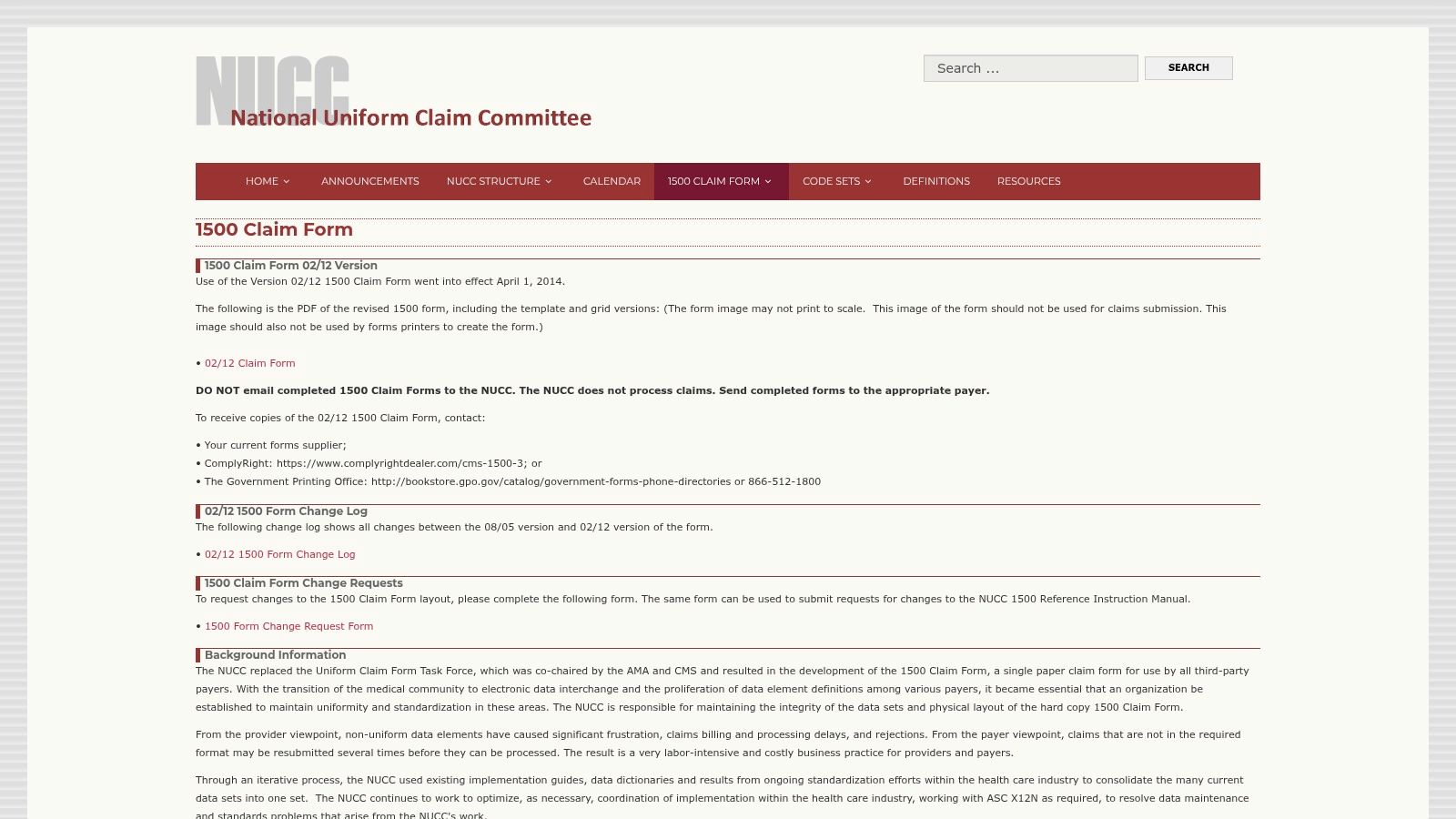
A rejected professional claim usually starts with something small. The wrong qualifier in a payer field. An outdated assumption about what belongs in a box. A staff member following an old printout instead of the current instructions. In those moments, the NUCC CMS-1500 page is the reference I go back to.
For claims use cases, this is the source document. It gives you the official CMS-1500 layout and the field instructions that matter when you are training staff, checking claim setup, or working through a denial tied to form completion. That makes it more useful as an operations control than as a day-to-day template.
Where it works best
I use NUCC for three jobs. First, onboarding new billers who need to understand how the claim is structured. Second, QA reviews when system output does not match what the team expects. Third, cleanup work after a payer or clearinghouse flags a form issue and everyone wants to know whose version of the rule is correct.
That distinction matters. A claim template is not the same thing as a patient invoice or a superbill. It has to support payer-facing claim logic, including coding, qualifiers, identifiers, and field placement, without relying on memory or office folklore.
Practical rule: Keep NUCC as your source of truth for claim layout and instructions. Do not treat it as your live production workflow.
From a practice operations perspective, the trade-offs are straightforward:
- Strong choice for audits and training: Staff can verify what belongs in each field against the current standard.
- Useful for claim troubleshooting: It helps settle disputes about boxes, qualifiers, and formatting before bad habits spread.
- Poor fit for daily submission: The form itself does not give your team validation rules, work queues, or submission controls.
- Poor fit for scale: If staff are manually referring to PDFs to complete claims, the process usually breaks down under volume.
That is why I categorize this one under claims reference, not claim production. It belongs in your billing SOPs, training files, and QA toolkit. If your office is trying to reduce paper-dependent steps, it helps to pair this standard with software built for medical billing workflows in small practices.
2. CMS – CMS-1500 sample form (reference copy)
A new staff member is helping with claim follow-up, points at Box 9, and asks whether the patient’s secondary coverage belongs there or somewhere else. In that moment, the CMS sample CMS-1500 PDF does its job well. It gives the team a clean, familiar reference copy without sending them into a shared drive full of outdated attachments and renamed files.
I keep this one in the training and QA category, not in live claim production. That distinction matters. The CMS version is easy to hand to front-desk staff, referral coordinators, and new billers who need to recognize the form layout quickly, but it does not replace the actual instructions or a working claim workflow.
Compared with the NUCC materials, this copy is lighter on operational detail and better as a visual aid. If I need to explain subscriber fields, insured information, or where rendering and billing data appear on the form, this is usually the faster teaching tool.
Keep this file in your training folder, not your submission folder.
It also helps with internal consistency. Practices that involve multiple teams in registration, coding, and billing often run into avoidable errors because each group is working from a different mental version of the claim form. A single reference copy helps settle basic field-placement questions before they turn into rework.
The trade-off is straightforward. This PDF is a reference copy only. It is not meaningfully fillable, it does not support scannable production use, and it will not catch missing data, invalid qualifiers, or payer-specific issues. If someone downloads it expecting a paper-claim solution, they will still need another tool.
Where it works well:
- Staff training: Good for orienting non-billers and new hires to the claim layout.
- Visual QA: Useful for checking whether a system-generated form looks correct.
- Cross-team alignment: Helps registration, coding, and billing talk about the same fields clearly.
Where it falls short:
- No production workflow: Staff still need software or a fillable tool to complete and submit claims.
- No edit checks: The form will not prevent incomplete or mismatched entries.
- Limited troubleshooting value by itself: It shows the boxes, but not the full operational rules behind them.
From a practice operations perspective, I would classify this under claims reference, not claims processing. It is a good support document for onboarding, SOPs, and quick field checks. It is a poor choice for any office trying to run paper claims efficiently at volume.
3. 1500cms.com – Fillable CMS-1500 template
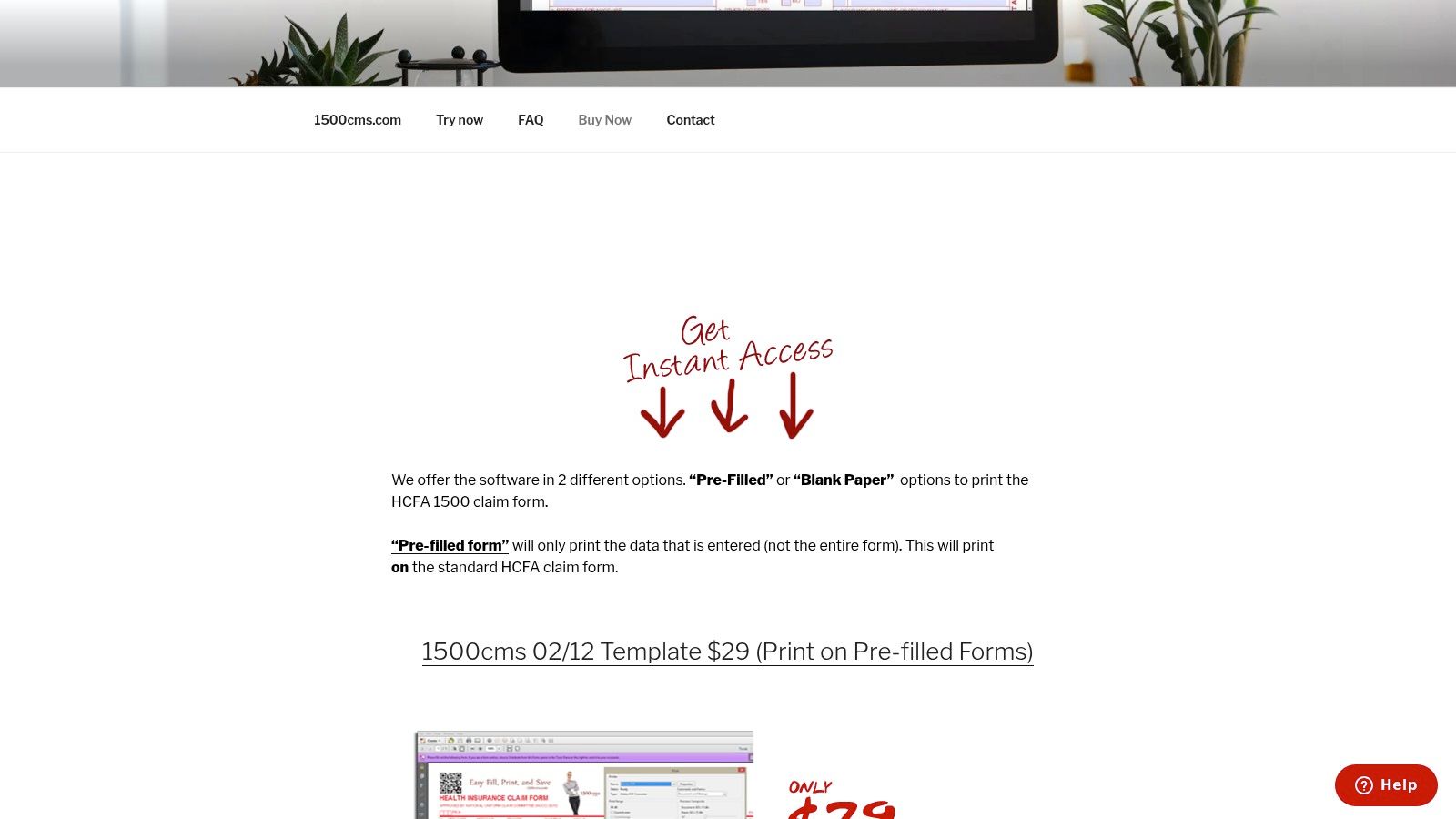
A common small-practice problem looks like this. The claim is ready, the codes are fine, and staff still lose time fighting printer alignment because the office needs a paper CMS-1500 that lands in the right boxes. The 1500cms.com CMS-1500 template is built for that use case.
From an operations standpoint, I would put this in the claims category, but specifically under paper-claim production. It is more usable than a static sample form and much faster than building a homegrown overlay in Word or Acrobat. For a solo provider, a startup practice, or any office that only sends paper claims occasionally, that can be enough.
It is not free, so it sits on this list as a practical exception. I still include tools like this because staff time costs more than many offices admit. If a low-cost template saves repeated alignment checks, wasted claim stock, and reprints, the purchase can make sense.
A key distinction
This tool helps you complete and print the form accurately. It does not handle the rest of the revenue cycle work around the claim. Eligibility, coding review, claim edits, and payer follow-up still need to happen somewhere else.
That limitation matters. Practices sometimes buy a fillable claim form hoping it will solve rejection problems, but rejections usually start earlier with intake errors, missing subscriber details, or coding mismatches. A cleaner paper form helps presentation. It does not replace front-end accuracy or claim scrubbing.
Here is where it fits well:
- Occasional paper claims: Good for offices that rarely submit paper but need a cleaner process when they do.
- Small-team setup: Useful when the alternative is maintaining a homemade template that breaks every time printer settings change.
- Basic administrative efficiency: Cuts down on manual formatting and alignment troubleshooting.
Where I would be cautious:
- No workflow controls: It will not flag missing information or payer-specific edits before submission.
- Limited scalability: Once paper volume grows, the labor cost usually outweighs the convenience.
- Payer variation still applies: Some carriers have their own formatting expectations and submission rules, even when the form itself is correct.
My take is simple. If the practice has a narrow, occasional need for paper CMS-1500s, this is a reasonable operational shortcut. If the office is trying to fix denials, speed up collections, or support higher claim volume, the better investment is a process that connects intake, coding, billing, and edit checks instead of a standalone paper form.
4. Jotform – Superbill and medical invoice PDF templates
A provider finishes the visit, the patient asks for a superbill at checkout, and the front desk needs a clean PDF in minutes. That is the kind of use case where Jotform’s superbill template library can save time.
I’ve used tools like this when a practice needed a branded superbill, a patient invoice tied to intake data, or a PDF that staff could generate without retyping the same demographics and charge details. For patient-facing documents, Jotform gives teams a lot of control over layout and workflow. That makes it more useful than a static download if the office wants forms that reflect its specialty, providers, and payment model.
The trade-off is straightforward. Flexible form builders can produce polished documents fast, but they do not know billing rules unless your team builds those rules in. A form can look ready for use and still leave out rendering provider information, diagnosis pointers, modifier fields, or the details a patient needs to submit an out-of-network claim.
Jotform fits best in the patient-facing category of this list, especially for cash-pay practices, behavioral health groups, concierge models, and smaller offices that issue superbills directly to patients rather than sending claims from the same workflow. It can also work for invoice generation, intake-triggered PDFs, and branded handouts that need to be consistent across providers.
A clean PDF helps the patient. It does not fix missing billing logic.
What I like:
- Fast drafting: Staff can get a usable version in front of operations quickly.
- Layout control: Specialty-specific wording, branding, and provider details are easier to manage than in a fixed PDF.
- PDF generation from form data: Useful when the same intake or visit data needs to populate a finished document.
- Good fit for mixed admin workflows: Helpful for offices already using digital forms outside billing.
What I watch closely:
- HIPAA setup needs review: Account configuration, permissions, storage, and transmission settings need to be checked before any PHI goes through the form.
- Billing fields can be underspecified: Teams need a checklist for CPT, ICD-10, NPI, tax ID, dates of service, charges, and provider identifiers before rollout.
- Easy to overbuild: Some practices spend more time customizing than they save at the desk.
- Limited claims workflow value: It helps create documents, but claim edits, submission, denial handling, and A/R follow-up still live elsewhere.
My take. Jotform is a practical option if the office needs customizable patient-facing billing documents and has someone who understands what a usable superbill must include. If the team wants a template library for claims, appeals, and patient statements with built-in revenue cycle controls, this is only one piece of the process. Use it for document creation. Validate every field before staff rely on it at checkout.
5. Superbilled – Instant superbill generator
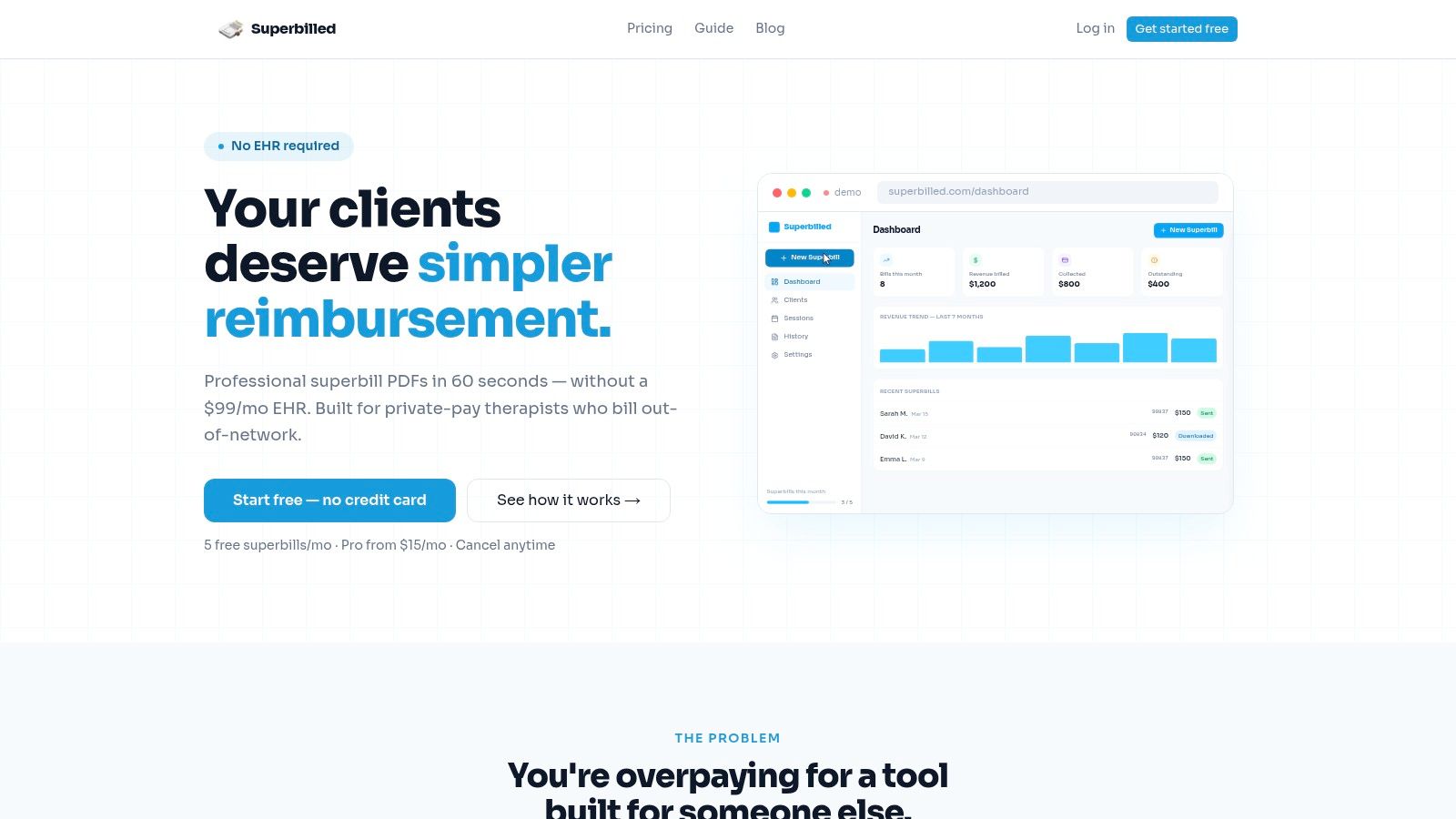
A patient checks out, needs a superbill for out of network reimbursement, and the front desk cannot spend ten minutes fixing formatting or guessing which fields belong on the document. That is the use case Superbilled is built for.
Superbilled stays in its lane, and that is a good thing. It gives clinicians and small offices a faster way to generate superbills without buying a full billing platform or editing generic templates by hand. For practices that mainly need a patient-facing reimbursement document, that narrow focus can save a lot of desk time.
I have seen tools like this work well in therapy, behavioral health, and other cash-pay or mixed-pay practices where providers issue superbills often and need them to look consistent every time. A guided generator reduces skipped fields, messy layouts, and last-minute edits at checkout. Patients notice the difference when they leave with a clean document their insurer can process.
That said, the trade-off is straightforward. Superbilled handles one document category well. It does not replace claim submission, denial work, patient statements, or payment posting. In the context of this article, that matters. We are separating tools by use case, and this one belongs firmly in the patient-facing superbill bucket, not the claims or appeals bucket.
My practical read:
- Best for: Solo clinicians, therapists, and small groups that create superbills regularly
- Useful for: Offices that want speed, consistency, and less manual document prep
- Less useful for: Practices that need payer claim workflows, A/R follow-up, or denial management
- Watch closely: Whether the generated superbill includes the provider, coding, charge, and visit detail your staff needs
The main risk is overestimating what the tool solves. A clean superbill helps the patient. It does not fix weak coding habits, incomplete visit documentation, or broader revenue cycle problems upstream. If your office needs a fast superbill generator, Superbilled is a practical option. If you need templates across claims, patient statements, and appeals, it is only one part of the process.
6. Superdial – Free downloadable superbill templates
A provider finishes a self-pay visit, the front desk needs a usable superbill before the patient walks out, and nobody has time to build one from scratch. That is the kind of day where Superdial’s free superbill template earns its place.
What makes this option practical is format choice. Superdial offers PDF, Google Sheets, and Excel versions, which gives practices a real implementation decision instead of a one-size-fits-all document. In my experience, the spreadsheet versions are usually the better fit for operations teams because they are easier to tailor by specialty, provider, location, and charge structure.
That flexibility is the upside. The risk is that offices treat a customizable template like a finished workflow.
For patient-facing use, this belongs in the superbill bucket. It helps practices produce a clean document quickly, especially for out-of-network reimbursement or cash-pay encounters. It does not handle claim submission, edits, denial follow-up, or any of the controls a billing team relies on once volume increases.
I have seen these templates work well during rollout, especially when a practice is standardizing its first repeatable superbill process. I have also seen the same files turn into a mess once multiple staff members start editing copies, renaming tabs, and saving local versions. At that point, the problem is no longer the template. It is document governance.
One operational point matters more than the template itself. If patient demographics, provider identifiers, or coding details are inconsistent upstream, the final superbill will still create rework. As noted earlier in the article, clean intake and verification processes do more to prevent billing errors than any form layout.
Free spreadsheet templates work best when one person owns the master version and everyone else uses the approved copy.
My practical take:
- Best for: Small practices that need a free starting point for patient-facing superbills
- Useful for: Out-of-network offices, self-pay workflows, and teams that want editable formats
- Less useful for: Practices that need built-in controls, submission tracking, or shared workflow management
- Watch closely: Version control, PHI storage, and whether required provider, diagnosis, CPT, and charge fields are locked into the template your staff uses
Used carefully, Superdial is a good starter resource. Used casually, it creates the same old problems in a nicer-looking file.
7. PDF Reader Pro – Free Superbill PDF template
A patient calls after an out-of-network visit and needs a superbill the same day. In that situation, a plain PDF can do the job fast. PDF Reader Pro’s superbill template fits practices that want a simple document a staff member can open, complete, and send without setting up another billing tool.
I’ve used PDF-based superbills in smaller offices where speed mattered more than workflow design. They work best when the use case is narrow: low volume, limited staff access, and a clear process for who updates the file. If one billing lead owns the template, a PDF is often easier to control than a shared spreadsheet.
The trade-off is standardization. PDF templates are fine for one-off patient-facing documents, but they get harder to manage once several people edit them or providers want different versions. Errors usually show up in the same places: outdated provider details, missing diagnosis codes, inconsistent charge fields, and saved copies with unclear names.
Best for low-volume patient-facing superbills
This template makes the most sense for practices that need a printable or exportable superbill, not a claims workflow. It is a patient-facing document resource, not a denial tool and not a claim submission form. That distinction matters because teams often expect more from a free template than it was built to handle.
My practical take:
- Best for: Small practices issuing occasional superbills for out-of-network reimbursement or self-pay patients
- Useful for: Front-desk or billing staff who need a clean PDF they can complete and send quickly
- Less useful for: Multi-provider offices that need one standardized format across locations or staff roles
- Watch closely: Version control, required data fields, HIPAA-safe storage, and whether staff are editing only the approved master file
Used with clear ownership, this is a solid stopgap. Used casually, it turns into another file that has to be fixed before the patient can use it.
8. PostGrid – Patient statement templates plus print and mail
A common breaking point in the billing office shows up after claims go out. Staff are still printing patient statements at 4:30 p.m., someone is fixing bad addresses by hand, and returned mail starts piling up two weeks later. The PostGrid patient statement template page is useful because it sits in the patient-facing part of the workflow, where statement design, mailing, and delivery operations all affect payment speed.
That use case makes it different from the claim and superbill templates earlier in this list. This is a patient collections tool. If a practice already has stable claim submission but weak statement operations, this type of template can solve a more expensive problem than people expect.
Best for patient statement workflows with real mailing volume
I’d consider PostGrid for practices that have outgrown in-house printing and mailing. Once statement volume rises, the work is no longer just “print a form.” It becomes file prep, address validation, print timing, envelope handling, returned mail follow-up, and documenting what was sent.
The main advantage is operational consistency. Patients receive a cleaner statement format, staff spend less time on repetitive mail tasks, and managers get a more controlled process. Teams working on healthcare revenue cycle optimization usually find that patient balance collection breaks down in small handoffs like these, not only in coding or claims.
What I like:
- Clear patient-facing use case: Better fit for statements than for claims, superbills, or appeals
- Stronger at scale: Makes more sense for multi-provider groups or offices mailing statements regularly
- Less manual handling: Reduces the staff time tied up in printing, folding, stuffing, and tracking mailed statements
What I’d verify before signing:
- How data gets in: Batch file, API, practice-management export, or manual upload
- Exception handling: Returned mail, invalid addresses, duplicate records, and failed jobs need a clear owner
- Compliance and contracting: Any vendor handling PHI should go through the same review you’d apply to a clearinghouse or statement processor
- Total cost: Print, postage, setup, and minimum volume can change whether this saves money
My practical take is simple. PostGrid is not a general medical billing template library. It is a patient-facing statement option for practices that need mailing support and better process control. If your pain point is patient collections operations, it is worth reviewing. If your pain point is claim form completion or denial writing, use one of the other categories in this list instead.
9. Go Medical Billing – Denial-specific appeal letter templates
Denial appeals are where generic templates usually fall apart. The Go Medical Billing appeal template library is useful because it organizes templates around denial reasons, payer context, and specialty examples instead of pretending one letter format works for everything.
That’s much closer to how billing teams work denials. Staff don’t need another blank letter. They need a starting structure that matches the problem in front of them.
Strong starting point for appeal operations
I’d use this library for common denial patterns, staff training, and building a shared appeal playbook. It’s a better operational fit than random sample letters copied from old emails because it nudges people toward denial-specific thinking.
A key area of weakness in most template content lies in appeal workflows. CareRoute’s guidance on medical bill letters stresses collecting bills, denial letters, claim or reference numbers, supporting documents, sending correspondence in a trackable way, and keeping copies of everything, which you can see in CareRoute’s appeal template guidance. That’s not just about wording. It’s about process discipline.
The letter is only one part of the appeal. If staff can’t gather the right attachments and track the deadline, the template won’t save the claim.
A few honest pros and cons:
- Very usable library: Good for reducing the “start from zero” problem.
- Helpful for standardization: Staff can follow a more consistent appeal structure.
- Still needs customization: Clinical support and payer rules always need review.
- Needs deadline control: Pair it with a real denial tracking process or use a platform focused on healthcare revenue cycle optimization.
10. ResolveRCM – Free medical billing appeal letter templates
ResolveRCM’s appeal templates are good scaffolds for practices that want more structure around appeal writing. I especially like them for newer billers who need to understand the anatomy of a strong appeal packet, not just the wording of a letter.
Their value is in how they shape the work. You start thinking in denial types, supporting documentation, and payer context, which is much closer to how successful appeals are built.
Better for training than blind automation
The mention of AI-assisted letter generation is useful, but I’d treat it carefully. AI can help draft administrative language, yet appeal success still depends on complete supporting records, the right claim references, and a timeline someone owns.
That caution lines up with the broader move toward AI-enabled billing workflows. In a 2021 analysis of automated medical billing, one random-forest model reached 87% accuracy compared with a senior billing coder, and the same review notes that Nym Health can decode provider notes from EMRs with 96% accuracy and produce ICD-10/CPT codes within seconds, as reported in the PubMed Central review of AI in medical billing. Useful numbers, but they don’t remove the need for human review in appeals.
What I like here:
- Good teaching tool: New staff can learn what a complete appeal package looks like.
- Practical templates: The structure is stronger than most generic denial letters.
- Useful with oversight: AI-assisted drafting can save time if someone checks completeness.
What I wouldn’t do:
- Don’t submit untouched output: Every appeal still needs case-specific records and payer policy review.
- Don’t separate it from authorization work: Many denials start upstream, so this works best if your team also tightens its prior authorization process.
Top 10 Medical Billing Template Comparison
| Resource | Core features ✨ | Quality / UX ★ | Price / Value 💰 | Target audience 👥 | Best fit / USP 🏆 |
|---|---|---|---|---|---|
| NUCC – CMS‑1500 claim form & instructions | Official CMS‑1500 image + field‑by‑field manual; AMA/CMS aligned | ★★★★☆ authoritative but non‑fillable | 💰 Free | 👥 Billing coders, auditors, paper‑claim staff | 🏆 Definitive nationwide paper‑claim reference |
| CMS – CMS‑1500 sample form (reference) | Sample CMS‑1500 PDF matching NUCC/OMB layout | ★★★★☆ clear visual template | 💰 Free | 👥 Staff training, QA teams | 🏆 Ideal for staff training & visual QA |
| 1500cms.com – Fillable CMS‑1500 template | Printable fillable 02‑12 template calibrated for standard printers | ★★★★☆ practical for paper printing | 💰 Low‑cost one‑time purchase | 👥 Small practices printing claims | 🏆 Print‑aligned fillable CMS‑1500 without preprints |
| Jotform – Superbill & invoice templates | Drag‑drop PDF editor, templates, form→PDF automation; HIPAA on paid plans | ★★★★☆ fast, modern UX (HIPAA on tiers) | 💰 Freemium; HIPAA requires paid plan | 👥 Clinics needing automation & integrations | 🏆 Rapid customizable PDFs + integrations |
| Superbilled – Instant superbill generator | Guided superbill workflow, specialty coding guides, clean PDF output | ★★★★☆ streamlined for clinicians | 💰 Free trial / paid tiers | 👥 Independent clinicians, small practices | 🏆 Quick superbills without an EHR |
| Superdial – Free superbill templates | PDF / Excel / Google Sheets templates; easy branding | ★★★☆☆ simple, lightweight | 💰 Free | 👥 Practices needing editable templates | 🏆 Free, easy‑to‑customize superbill files |
| PDF Reader Pro – Superbill PDF template | Pre‑formatted editable PDF for local editing | ★★★☆☆ document‑centric workflow | 💰 Free | 👥 Teams preferring local PDFs | 🏆 Fast local customization for one‑off use |
| PostGrid – Patient statement + print & mail | Statement templates, automated HIPAA‑aligned print/mail, EHR integration | ★★★★☆ scalable, managed service | 💰 Enterprise / contact sales | 👥 Multi‑location systems, ops teams | 🏆 Scalable HIPAA print & mail with automation |
| Go Medical Billing – Denial appeal templates | 50+ payer/denial/specialty appeal templates & playbooks | ★★★★☆ practical & organized | 💰 Free templates (customization needed) | 👥 Revenue cycle & denials teams | 🏆 Actionable, payer‑specific appeal scaffolds |
| ResolveRCM – Medical billing appeal templates | Denial‑type templates, documentation guidance, AI letter generation | ★★★★☆ structured + AI assistance | 💰 Free templates; AI tools may vary | 👥 RCM teams, staff training | 🏆 AI‑assisted, payer‑tailored appeal generation |
Final Thoughts
The right medical billing templates don't fix a broken revenue cycle by themselves. They do something more basic and more valuable. They give your staff a repeatable starting point, which cuts down on missing fields, inconsistent formatting, and made-up workflows that only live in one employee's head.
If I were setting this up for a small or mid-sized practice today, I wouldn't pick one template and call it done. I'd choose a stack. One reference source for claim layout. One patient-facing superbill or invoice format that staff can produce without improvising. One statement workflow if patient balances matter to your collections. One appeal template set tied to denial follow-up. That's the combination that holds up in daily operations.
I'd also put guardrails around implementation from day one:
- Lock the master version: One owner, one approved file, one naming convention.
- Review field requirements first: Make sure the template captures patient, provider, coding, insurance, authorization, and charge details before anyone starts using it.
- Connect intake to billing: Bad demographics and insurance details at registration will keep showing up downstream.
- Separate initial billing from appeals: Those are different workflows and need different templates.
- Track deadlines outside the document: Appeals, authorizations, and corrections fail when due dates live only inside email threads.
That last point matters more than most template lists admit. Good billing work is not just form completion. It's handoff control. That's also why healthcare admin work is likely to change unevenly as automation spreads. Some tasks will get faster, but the judgment-heavy parts of documentation, exceptions, and patient-specific follow-up still need people, a point that fits the broader discussion around healthcare's resilience to AI.
For practices that have outgrown static files, software starts to matter. Simbie AI is one example to look at if you want billing-related workflows tied more closely to intake, coding support, and administrative automation rather than handled as separate documents. But even with better software, the same rule applies. Start with the template logic. If the structure is wrong, the automation just produces errors faster.
The next step is simple. Pick the one template category causing the most rework in your office right now, replace that first, and train staff on one standard before you touch anything else.
If your team wants fewer manual handoffs around intake, coding support, prior auth, and billing admin, take a look at Simbie AI. It's built for healthcare practices that need tighter operational workflows, not just another disconnected form.