

Medical appointment scheduling guidelines are the official rules your practice follows for booking, changing, and canceling patient visits. Think of them as the operational playbook that keeps everything running smoothly, cutting down patient wait times, reducing no-shows, and letting your staff work without constant stress. A solid set of guidelines is the backbone of a predictable, patient-friendly clinic, ensuring that every patient interaction is handled consistently and efficiently. These rules aren't just about administrative tidiness; they are a critical component of patient care, influencing everything from patient satisfaction to clinical outcomes.
A well-structured framework prevents the daily chaos that can overwhelm front-desk staff and frustrate providers. By standardizing procedures, you create a system that is fair, transparent, and easy for both patients and staff to follow. This predictability allows for better resource allocation, optimized provider schedules, and a calmer, more professional environment for everyone. Ultimately, these guidelines are about respecting the time of your patients and your clinical team, which is the foundation of a successful medical practice.
Core Components Of Effective Scheduling Guidelines
Before we dive into the specifics, this table gives you a quick look at the essential pillars of a modern scheduling policy. These are the key areas we'll help you build and refine to create a robust system that addresses the common challenges faced by healthcare providers today. Each component plays a vital role in the overall efficiency and effectiveness of your practice's scheduling process.
| Guideline Component | Primary Goal | Key Benefit |
|---|---|---|
| Appointment Types & Durations | Standardize booking to match provider and resource needs. | Reduces overbooking and keeps the daily schedule on track. |
| No-Show & Cancellation Policy | Minimize revenue loss from missed appointments. | Protects provider time and opens slots for other patients. |
| Staff Training & Protocols | Ensure every team member handles scheduling consistently. | Creates a uniform patient experience and reduces errors. |
| Patient Communication | Keep patients informed and engaged from booking to follow-up. | Improves patient satisfaction and lowers no-show rates. |
| Technology Integration | Automate routine tasks to free up staff for high-value work. | Boosts efficiency and provides 24/7 scheduling access. |
| Compliance & Privacy (HIPAA) | Protect sensitive patient information at all times. | Builds patient trust and avoids costly legal penalties. |
Each of these components works together to create a system that’s both efficient for your practice and reassuring for your patients. A weakness in one area can undermine the entire structure, which is why a holistic approach is crucial for long-term success.
Why Old Scheduling Methods Are Failing Your Practice

Let's be honest—the old way of scheduling appointments is a huge source of frustration for everyone involved. When you're still clinging to manual phone calls and paper calendars, you’re creating real problems that ripple through every part of your practice. This isn't just about small headaches; it's about a constant operational drag that directly hurts your bottom line and your patients' experience. The front desk becomes a chaotic mess of ringing phones, long hold times, and endless interruptions, which is a fast track to staff burnout and high turnover.
These outdated methods are fundamentally inefficient. They rely on manual processes that are prone to human error, leading to double-bookings, incorrect appointment times, and missed communication. This administrative burden not only slows down the entire practice but also prevents staff from focusing on more critical, patient-facing tasks. The result is a perpetual state of catch-up, where the team is always reacting to problems rather than proactively managing the schedule.
The Rising Tide of Patient Wait Times
One of the most obvious signs of a broken system is the ridiculously long wait times patients face just to get on the calendar. Recent research shows the average wait for a new patient appointment has ballooned to 31 days. That’s a 19% increase since 2022 and a massive 48% jump since 2004.
It gets even worse in certain fields. For specialties like obstetrics-gynecology, the average wait is now 41.8 days, a 79% increase over the same period. These numbers aren’t just statistics; they point to a massive bottleneck made worse by clumsy, outdated scheduling. You can dig into the full research about these scheduling challenges to see the whole picture.
When patients have to wait weeks or months for care, their trust starts to fade. They might look for another provider or, even worse, just put off necessary medical care, leading to poorer health outcomes. A poorly managed calendar sends a clear message: their time and health aren't a priority. This initial negative experience can color the entire patient relationship.
The Financial Drain of No-Shows and Inefficiency
A disorganized scheduling process is also a major financial leak. Every missed appointment and every empty slot is money walking out the door. Without a solid system for reminders and confirmations, no-show rates can easily creep up, leaving your providers with expensive gaps in their day that directly impact revenue and profitability.
Think about these all-too-common scenarios that outdated methods create:
- Front-Desk Overload: A single staff member is trying to answer three phone lines while also checking in a patient, leading to mistakes and rushed, impersonal interactions. This multitasking environment is a recipe for errors and patient dissatisfaction.
- Scheduling Guesswork: Your team is manually estimating how long each appointment will take, which often leads to overbooking and a waiting room full of frustrated patients who feel their time is not being respected.
- Communication Gaps: A patient leaves a voicemail to cancel an appointment, but no one hears it until the next day. By then, it’s too late to offer that slot to someone else on the waitlist, resulting in lost revenue.
The core problem is that old scheduling methods are reactive, not proactive. They force staff to constantly put out fires instead of managing a predictable, organized patient flow. This constant state of chaos is unsustainable and detrimental to both staff morale and patient care.
Building a set of robust medical appointment scheduling guidelines isn't a "nice-to-have" anymore. It's a critical framework for survival and growth in today's healthcare world. Moving beyond these failing systems will set you up for a more efficient, profitable, and patient-focused practice. The rest of this guide will give you the practical steps to build that framework from the ground up, transforming your scheduling from a liability into a strategic asset.
Creating Your Foundational Scheduling Policies

Think of your scheduling guidelines as the playbook for your entire team. Without a clear set of rules, your staff is left guessing, which almost always leads to inconsistent booking, frustrated providers, and a choppy patient experience. This is where you build the operational backbone of your practice, creating a standardized approach that ensures fairness and efficiency.
A one-size-fits-all template just won't cut it. Every clinic has its own rhythm, and every type of appointment has different demands. For instance, you can't book a new patient consultation in the same time slot as a routine follow-up; one requires extensive intake while the other is a quick check-in. Defining these differences is the key to preventing the schedule pile-ups that cause long waits and rushed care. A tailored policy acknowledges the unique needs of your specialty, providers, and patient population.
Defining Your Appointment Categories
First things first, you need to categorize every single type of visit you handle. This isn't just about giving them a label. It's about assigning a specific, realistic duration and set of resources to each one so your schedule actually reflects the work being done. This structured approach, often called "template scheduling," is fundamental to creating a predictable and manageable day for your providers.
Think through the real-world needs of each visit. A telehealth call might be shorter, but it still requires time for pre-visit tech checks and post-visit documentation. An urgent, same-day visit needs a dedicated, flexible slot that won't throw the entire day into chaos. By meticulously planning for each scenario, you eliminate guesswork and reduce stress on your clinical team.
Here are some common categories to get you started:
- New Patient Consultations: These are your longest slots. They need to account for a full history, a thorough exam, and creating an initial care plan. (Recommended Time: 45-60 minutes)
- Routine Follow-Ups: Much shorter visits for progress checks, lab reviews, or minor treatment tweaks. (Recommended Time: 15-20 minutes)
- Telehealth Visits: Great for non-urgent issues, prescription refills, or consultations that don't need a physical exam. These can often be scheduled in shorter, more frequent blocks. (Recommended Time: 10-15 minutes)
- Urgent/Same-Day Slots: Reserved blocks of time for acute issues. This is how you avoid turning sick patients away or sending them straight to urgent care, thereby improving patient loyalty and continuity of care.
- Procedures: Specific time blocks for in-office procedures that require additional setup, staff assistance, or post-procedure observation time.
By matching appointment types to specific time blocks, you build a much more predictable and manageable day. This simple step goes a long way in reducing overbooking and giving providers the time they need for quality care.
Crafting Fair Cancellation and No-Show Policies
No-shows happen. It's a frustrating reality, but a clear, fair policy can dramatically lessen their impact on your practice. The trick is to frame it not as a punishment, but as a matter of mutual respect that helps everyone get the care they need. A well-communicated policy sets clear expectations and empowers patients to be active partners in their care schedule.
Your policy needs to spell out the required notice period for cancellations (is it 24 hours or 48?) and what happens if a patient doesn't provide it. And don't forget that automated reminders are your best friend here—studies show they significantly cut down no-show rates by giving patients an easy way to confirm, cancel, or reschedule.
Your cancellation policy is really about preserving access for all patients. When someone cancels with enough notice, it opens up a slot for another person who needs to be seen. Reframing it this way turns a punitive fee into a community-minded practice that values everyone's time.
A tiered approach often works best. A first-time no-show might just get a gentle, educational reminder of the policy. But repeat offenders? That might warrant a fee or even a requirement to pre-pay for their next visit to ensure commitment. This flexible approach demonstrates understanding while still protecting the practice's resources.
Example No-Show Communication Script:
"Hi [Patient Name], we missed you at your appointment today. We understand things come up. To ensure we can offer timely care to all our patients, we kindly request at least 24 hours' notice for cancellations. Please call us back at your convenience to reschedule."
This strikes the right balance—empathetic, but firm. It reinforces the rules without making the patient feel attacked or alienated.
Standardizing Rescheduling Procedures
Having a clear process for rescheduling is just as crucial as your no-show policy. Your team needs to know exactly how to handle these requests, whether they come in by phone, email, or through the patient portal. Consistency is key to providing a seamless experience and preventing confusion.
Set some ground rules. How many times can a patient reschedule the same appointment? What's the cutoff between a "late reschedule" and a no-show? Giving your team this clarity empowers them to handle any situation with confidence and fairness, reducing the need for constant managerial oversight.
Ultimately, these foundational policies—for appointment types, cancellations, and rescheduling—work together. They create a system that respects everyone’s time while protecting your clinic’s bottom line and ensuring equitable access to care for all patients.
How To Improve Patient Access And Slash No-Shows

Alright, you've got your scheduling policies locked in. Now comes the fun part: putting strategies in place that actually solve your biggest headaches—getting patients in the door on time and keeping no-shows from wrecking your revenue. This section focuses on the practical tools and tactics that transform your policies from paper to practice.
If there's one tool that can do both, it’s an online self-scheduling portal.
Giving patients the power to book their own appointments is a genuine game-changer. It’s what people expect these days, and it finally breaks the endless cycle of phone tag for your staff. Instead of sitting on hold, patients can see your real-time availability and book a slot that works for them, whenever it's convenient—even at 2 AM. This 24/7 access meets modern consumer expectations and significantly improves patient satisfaction from the very first interaction.
This isn’t just about convenience. It has a massive impact on whether patients actually show up. The data is pretty clear: when patients book online, no-show rates plummet. Some studies show a median rate of just 1.8% for online bookings. That same analysis saw unused appointment slots get cut almost in half, from 11.8% to a mere 6.0%. The psychological investment a patient makes by actively choosing their own time slot increases their commitment to keeping it.
Broader trends tell the same story: digital self-scheduling can lower missed visits by 17% and even boost new patient acquisition by over 33%. You can dig into the data behind online scheduling's success to see the full picture for yourself. It’s a clear win for patient access and practice efficiency.
Building An Effective Self-Scheduling System
Just having a portal isn't enough. It has to be designed for your patients and your clinic's workflow. The goal should be to make booking an appointment easier than ordering a pizza. A clunky, difficult-to-navigate system will only frustrate patients and drive them back to the phone lines, defeating the purpose.
Here are the non-negotiable features your system needs to have:
- Real-Time Calendar Views: Patients need to see the exact same availability your front desk does. This is crucial for preventing double-bookings and confusion.
- Appointment Type Logic: The system must be smart enough to offer the right time slot for the right reason. Think 60 minutes for a new patient visit versus 15 minutes for a simple follow-up. This intelligence enforces your scheduling guidelines automatically.
- Automated Reminders: This is an absolute must. Automatically send SMS and email reminders—say, at 72 hours and 24 hours out—with a simple way for patients to confirm or cancel with one click.
- Easy Rescheduling Options: Life happens. A patient who can easily reschedule with a single click is far less likely to just not show up. This convenience reduces friction and helps keep your schedule full.
Think of your online portal as your digital front door. If it’s clunky, confusing, or unreliable, patients will just give up and call—defeating the entire purpose. A smooth, intuitive interface is critical for adoption and success.
A great portal does more than cut no-shows; it makes your entire team more efficient. By automating this repetitive task, you free up your staff to focus on things that require a human touch, like navigating prior authorizations or helping patients in the clinic. Our guide on patient access solutions dives deeper into how this kind of tech can truly transform your front-office operations.
Manual Vs Automated Scheduling Workflow
The table below breaks down the time, effort, and outcomes of old-school phone scheduling versus a modern, automated system. The efficiency gains speak for themselves, illustrating a clear return on investment in both time saved and revenue protected.
| Task | Manual Process (Phone/Email) | Automated Process (Online Portal) | Key Advantage |
|---|---|---|---|
| Initial Booking | Staff spends 5-10 mins on the phone, finding a slot that works for both parties. | Patient spends 2 mins booking online, seeing all available slots instantly. | Frees up staff time, empowers patients. |
| Appointment Reminders | Staff manually calls or texts patients, often playing phone tag and leaving voicemails. | System automatically sends SMS/email reminders 24-72 hours before the visit. | Eliminates human error and saves hours daily. |
| Rescheduling | Patient calls in, staff cancels the old appointment and finds a new one, often requiring multiple back-and-forths. | Patient clicks a link in the reminder to reschedule themselves in under a minute. | Reduces no-shows and incoming call volume. |
| Filling Cancellations | Staff manually calls a waitlist, hoping someone can come in on short notice, which is often inefficient. | A smart waitlist automatically offers the open slot to eligible patients via text or email. | Recovers lost revenue and improves patient access. |
As you can see, the shift isn't just incremental—it's a complete overhaul of the workflow that benefits everyone involved.
Advanced Tactics For A Full Schedule
Once your online scheduling is humming along, you can get even smarter about keeping your providers' schedules full. One of the most powerful tools for this is a smart waitlist. This technology moves beyond a static, manually managed list and automates the process of filling empty slots.
Here's how it works: when a last-minute cancellation happens, the system automatically texts or emails patients on the waitlist who are a good fit for that opening. The first person to claim it gets the spot. Just like that, you've filled what would have been a costly gap in the schedule. It's a true win-win: a patient gets seen sooner, and your practice protects its revenue without any manual effort from your staff.
I saw this work wonders for a mid-sized dermatology clinic. They were struggling with an 18% no-show rate, which left their providers with multiple empty slots every single day.
Case Study In Action:
- The Problem: A high no-show rate for follow-ups and last-minute cancellations were leaving providers idle and costing the practice significant revenue.
- The Solution: They rolled out an online portal with automated reminders and a smart waitlist feature that was integrated with their EHR.
- The Result: Within six months, their no-show rate fell below 10%. Even better, the smart waitlist successfully filled over 80% of their last-minute cancellations, recovering thousands in what would have been lost revenue each month.
These strategies take your scheduling from a reactive, manual chore to a proactive, automated system that keeps your clinic running at its best, maximizing provider time and improving patient satisfaction.
Using Technology For Smarter Scheduling
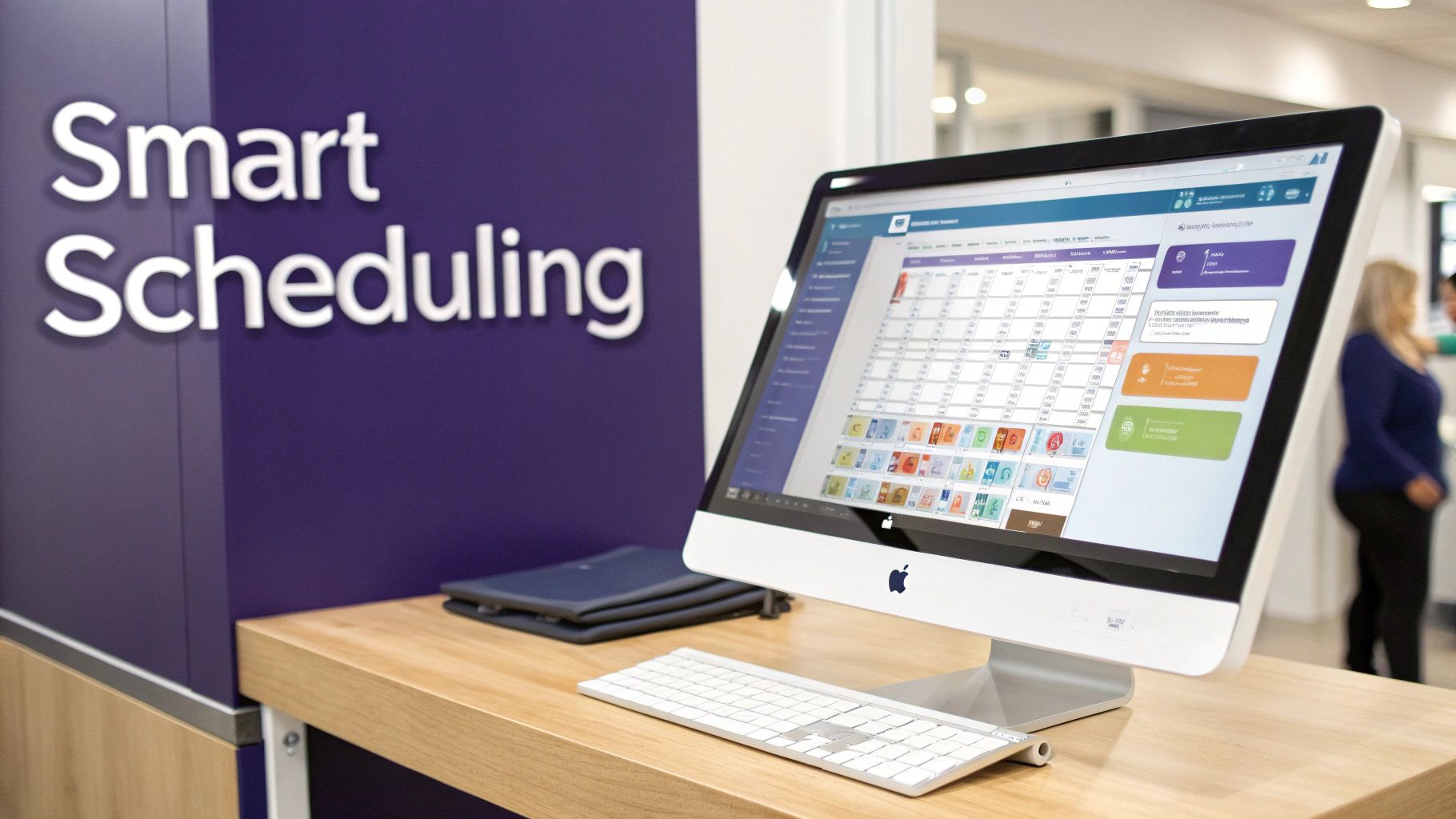
Let's be honest: technology should make your life easier, not add another layer of complexity to your clinic's operations. The right tools can take scheduling from a constant headache to a smooth, almost invisible process. This is all about making smart choices that empower your team and give patients a better experience. The key is to select technology that aligns with your specific needs and integrates seamlessly into your existing workflows.
The absolute bedrock of any modern scheduling system is its ability to talk directly to your Electronic Health Record (EHR) or Electronic Medical Record (EMR) system. If it can't, you're sentencing your staff to double duty, manually plugging patient data into two different platforms. That’s not just a waste of time; it's a recipe for human error, data inconsistencies, and staff frustration.
A seamless data flow is non-negotiable. When your scheduling software and EHR are properly integrated, information entered once shows up everywhere it needs to be. This simple connection eliminates redundant work and keeps your data clean and accurate, ensuring a single source of truth for all patient information.
The Power of EHR and Scheduling Integration
A truly connected system gives you a single source of truth for all patient information. When a new patient books their first appointment online, their details should automatically create a new chart in the EHR. Think of the hours of manual data entry this saves your front-desk staff, allowing them to focus on higher-value tasks. This integration also ensures that clinical staff have immediate access to appointment details and patient history, improving preparation and care delivery.
Here’s what that unified approach really does for you:
- No More Duplicate Entry: Staff aren't copying and pasting information between screens, which drastically cuts down on typos and mistakes that can compromise patient safety and billing accuracy.
- Keeps Data Consistent: Every piece of patient information, from appointment history and demographics to clinical notes, lives in one cohesive system, providing a complete and up-to-date view of the patient.
- Frees Up Your Front Desk: With data entry off their plate, your team can focus on what matters—helping patients in the clinic, handling complex insurance inquiries, and managing more critical administrative issues.
This integration is a cornerstone of effective medical appointment scheduling guidelines. If you're ready to move past outdated methods, look into advanced online appointment scheduling software that makes this connection a priority.
How AI Is Revolutionizing The Front Desk
Beyond just connecting systems, Artificial Intelligence (AI) is genuinely changing the game for medical practices. Imagine an assistant that works 24/7, booking routine appointments, sending out reminders, and even spotting trends in your schedule to help you run a more efficient clinic. AI-powered tools are moving from the realm of possibility to practical, everyday solutions.
This isn't sci-fi anymore; it's a practical tool clinics are using today. Voice AI, for example, can answer patient calls, figure out what they need based on natural language, and book them an appointment right in your calendar without a human ever touching it. That means no more missed calls and no more hold music for your patients, ensuring you capture every appointment opportunity.
The numbers tell the story. A core guideline for modern scheduling is to offer the tools patients actually want, and right now, eight in ten U.S. consumers prefer booking online themselves. Making that switch can grow your new-patient funnel by more than a third and cut down no-shows by 17% with automated reminders. With nearly 70% of bookings happening on mobile devices and 43% being made outside of your office hours, you need a system that's always on.
An AI assistant isn't here to replace your staff. It’s here to take over the repetitive, soul-crushing tasks that lead to burnout, letting your team focus on providing compassionate, high-quality patient care that requires human empathy and critical thinking.
Platforms like Simbie AI are a perfect example of this in action. By handling all the routine scheduling calls, these systems give a huge amount of time back to your staff, allowing them to operate at the top of their skillset. For a closer look at how the tech works, you might find our guide on modern patient scheduling software helpful.
Real-World Example: A Small Practice Reclaims Its Time
A multi-provider primary care clinic was drowning in phone calls. Their two front-desk coordinators spent nearly their entire day on the phone, which meant long hold times for patients and a mountain of administrative work piling up, leading to overtime and stress.
- The Challenge: Constant phone calls were frustrating patients and burning out the staff. Routine bookings, confirmations, and simple queries were eating up over 30 staff hours every single week.
- The Solution: They brought in a voice AI system to field incoming scheduling calls and handle automated outbound reminders. The AI was trained to understand their specific appointment types and provider schedules.
- The Outcome: The AI took over 60% of inbound calls, immediately freeing up 15 hours of staff time each week. This gave the coordinators the breathing room to focus on patients at the check-in desk, manage prior authorizations, and finally get caught up on their backlog. Patient satisfaction improved due to reduced hold times, and staff morale saw a significant boost.
This is the real impact of smarter scheduling. It’s not just about shaving a few minutes off a task; it's about creating a better work environment for your team and a more accessible, responsive experience for your patients.
Training Your Team and Nailing HIPAA Compliance
Your shiny new scheduling guidelines are only as good as the people putting them into practice. Even with the best software and the smartest policies, things will fall apart if your team isn't confident, consistent, and compliant. This is where we shift focus to the people behind the process—making sure they have what they need to turn your new framework into a smooth, everyday reality. A well-executed training program is the bridge between a good policy and great performance.
A well-trained team is your front line for happy patients and a humming office. When everyone on your administrative staff understands the why behind the new rules, they can handle patient calls and questions with a perfect mix of empathy and authority. That consistency builds trust and cuts down on those frustrating scheduling errors that lead to patient complaints and operational hiccups.
Building a Training Program That Actually Works
Great training is about so much more than a quick software demo. It needs to cover everything a staff member does, from the nuts and bolts of the scheduling system to the soft skills required for tricky patient conversations. The goal here is to empower your team, not just give them a list of instructions. An empowered team is more engaged, more effective, and better equipped to solve problems independently.
A solid training checklist should hit these key areas:
- Beyond Basic Booking: Don't just show them how to book an appointment. Make sure they can manage provider templates, block off time for meetings, juggle complex multi-appointment requests, and fix common user errors on the fly. Advanced skills are crucial for managing a dynamic schedule.
- Knowing the Policies Inside and Out: Every team member needs to be an expert on your cancellation, no-show, and rescheduling policies. They have to be able to explain the rules clearly and fairly, without making the patient feel like they're being punished. This includes understanding the rationale behind each rule.
- Scripts for Tricky Situations: Give your team practical, pre-approved language for common (and difficult) scenarios. This takes the guesswork out of tough calls and ensures every patient gets the same professional, consistent response, regardless of who they speak to.
- De-escalation Skills: Sooner or later, a patient will be upset. Train your staff on how to calmly handle frustration, turning a negative moment into a positive one through active listening, empathy, and smart problem-solving techniques.
Practical Scripts for Common Scenarios
Giving your team the right words can make all the difference. Instead of having them wing it, provide simple scripts that match your practice’s tone and policies, allowing for natural conversation while maintaining a consistent message.
Explaining the No-Show Policy:
"Hi [Patient Name], we missed you at your appointment today. Our policy is here to make sure we can offer timely care to everyone, and a missed slot can keep another patient from being seen. We just ask for at least 24 hours' notice for any cancellations. Would you like to reschedule? We're happy to help you find a new time."
Guiding a Patient Through Online Booking:
"I'd be happy to help you get set up with our online portal! It's the fastest way to book appointments anytime, day or night, and you can manage your visits right from your phone. It will only take a minute—can I walk you through the first step right now?"
These scripts give your staff a confident, professional starting point for effective patient communication.
The best training programs I've seen use role-playing to practice these conversations. It helps staff build muscle memory for handling tough questions and makes them feel much more prepared for real-world interactions, boosting their confidence and competence.
Navigating HIPAA in a Digital World
As scheduling moves online and communication gets automated, protecting patient data is more important than ever. The Health Insurance Portability and Accountability Act (HIPAA) isn't just a rulebook; it's a fundamental promise you make to your patients that their private information is safe with you. Every new technology and workflow must be evaluated through a compliance lens.
Violations can lead to eye-watering fines and can permanently damage your practice's reputation. Sticking to HIPAA regulations is non-negotiable. For a deeper dive, this HIPAA compliance checklist is a great resource.
Your team needs to be trained on crucial digital safeguards, including:
- Secure Communication: Staff must know what they can and cannot send via email or text. For instance, sending detailed test results through an unencrypted email is a huge no-go. All communication containing PHI must occur through secure, encrypted channels.
- Controlling Access: Hammer home the importance of using unique, strong passwords and never, ever sharing login credentials for the EHR or scheduling software. Implement role-based access to ensure staff can only view the information necessary for their jobs.
- Verifying Patient Identity: Train staff on the exact steps to verify a caller's identity before discussing any Protected Health Information (PHI). This typically involves confirming multiple patient identifiers, like date of birth and address.
These safeguards aren't optional. Building a culture of security starts with ongoing education and regular reinforcement. When you make compliance a core part of your team's training, protecting patient privacy just becomes second nature, seamlessly integrated into their daily routines.
Measuring Success and Refining Your Guidelines
Creating a set of medical appointment scheduling guidelines isn't a "set it and forget it" task. Think of it as a living document, something that needs to evolve with your practice, patient needs, and technological advancements. The best systems I've seen are built on a constant feedback loop—they use real data to see what’s working, uncover hidden bottlenecks, and make smart adjustments. This process of continuous improvement is what separates good practices from great ones.
This final step is all about moving from just implementing your new rules to truly optimizing them. By tracking the right numbers, you can turn your scheduling process from a daily chore into a powerful engine for a more efficient practice and happier patients. The goal here is to make decisions based on data, not just on gut feelings or anecdotal evidence.
Pinpointing the Key Performance Indicators That Matter
You don't need to get lost in a sea of data. Honestly, focusing on just a handful of Key Performance Indicators (KPIs) will give you a clear, actionable picture of your scheduling health. Your practice management software is likely already collecting this information; you just need to know where to look and what to prioritize.
Here are the essential KPIs every practice should have on their radar:
- No-Show Rate: This one is a classic for a reason. Calculated as (Number of Missed Appointments / Total Scheduled Appointments) x 100, a high rate is a major red flag. It could point to issues with your reminder system, how you're communicating with patients, or even problems with access to care. Tracking this by provider or appointment type can yield even deeper insights.
- Patient Wait Time: This is the time from a patient's scheduled appointment to when they are actually in the exam room with a provider. Long waits are a huge source of patient frustration and a dead giveaway that your schedule is overbooked or running inefficiently. This metric directly correlates with patient satisfaction scores.
- Schedule Utilization Rate: This shows you how well you’re using your available appointment slots. You find it by dividing the (Number of Booked Appointments / Total Available Appointments) x 100. A low rate might mean you have too many open slots, but a rate that's consistently at 100% could mean you don't have enough capacity and are burning out your team and leaving no room for urgent visits.
- Provider Productivity: This simply tracks the number of patients a provider sees per day or week. While you never want to rush care, this metric helps ensure that your providers' time—your most valuable asset—is being used well and that workloads are balanced across the team.
- Third Next Available Appointment: This metric measures the number of days a patient must wait for the third open appointment slot. It's a more accurate indicator of patient access than just the next available slot, as it smooths out single cancellations.
Pulling these numbers into a simple monthly report will start to show you trends you would absolutely miss otherwise.
I always tell practice managers to think of KPIs as the vital signs for their clinic's operational health. A sudden spike in the no-show rate is like a fever—it tells you something is wrong and you need to investigate the cause before it gets worse.
Turning Data Into Actionable Improvements
Once you have the data, it's time to put it to work. Numbers on a spreadsheet are pretty useless until they spark a change in how you do things. This is where you connect the dots between a metric that’s off and a real-world problem in your clinic, then use that insight to refine your guidelines.
Let me walk you through a scenario I see all the time.
Real-World Scenario: The Follow-Up Bottleneck
A mid-sized cardiology practice noticed its Schedule Utilization Rate had dropped by 15% over three months. This was confusing because patient demand seemed as high as ever. At the same time, providers were complaining that their days felt chaotic, with last-minute bookings throwing off their entire schedule.
- The Data: When they dug into their reports, they saw something interesting. New patient slots were always full, but follow-up appointments had a really high cancellation rate. Patients were often rescheduling just a day or two before their visit.
- The Investigation: The practice manager talked to the front desk and realized their guideline was simply to tell patients to "call back" to schedule their six-month follow-ups. Unsurprisingly, many people were forgetting or calling at the last minute, creating scheduling chaos and uncertainty.
- The Refinement: They made a simple but powerful change to their medical appointment scheduling guidelines. The new rule: front-desk staff must book the next follow-up appointment before the patient leaves their current visit. No exceptions. They implemented this as a standard part of the checkout process.
- The Result: It was a game-changer. Within two months, their utilization rate climbed right back up. The no-show rate for follow-ups dropped significantly because the appointment was on the patient's calendar immediately. The providers’ schedules became predictable and much less stressful.
This is exactly what continuous improvement looks like in a real practice. You measure, you analyze what you're seeing, you tweak the process, and then you measure again. By regularly reviewing your KPIs and engaging your team in problem-solving, you give your practice the power to adapt and thrive, ensuring your scheduling system always supports your main goal: providing excellent patient care.
Ready to eliminate phone tag, reduce staff burnout, and create a seamless scheduling experience for your patients? Simbie AI automates your routine administrative tasks with a clinically-trained voice AI that works 24/7. Discover how practices are cutting administrative costs by up to 60% and giving their teams back the time to focus on what matters most. Learn more about Simbie AI's solutions.