
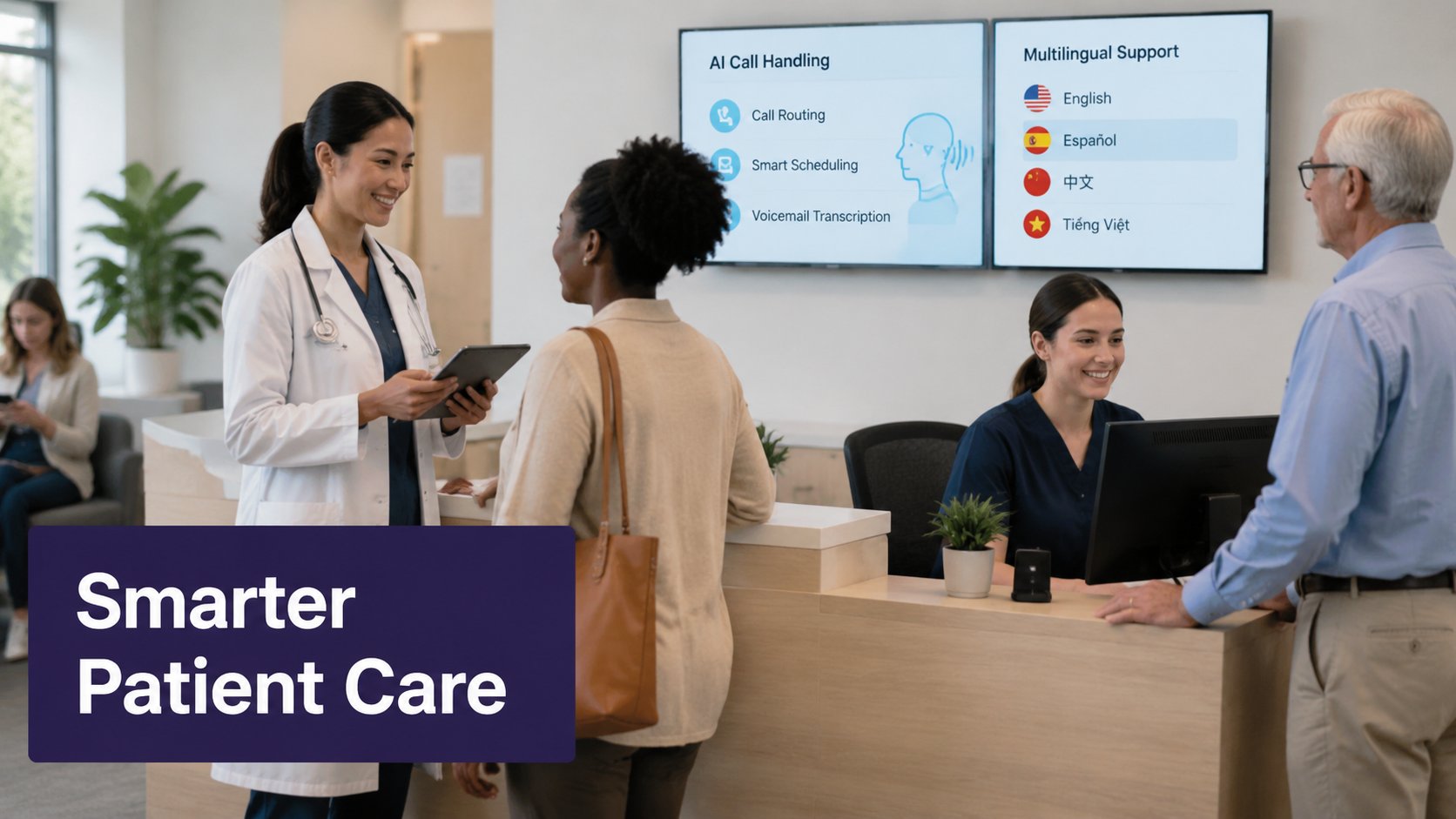
Missed calls cost medical practices more than a scheduling slot. They create friction for patients, overwhelm front-desk teams, and leave after-hours needs unresolved until the next business day. For practice managers, clinic administrators, and physicians, the communication gap affects patient access, staff workload, retention, and revenue.
That is why the modern medical answering service has evolved far beyond basic message taking. Today, the best options combine 24/7 responsiveness, clinical workflows, automation, and secure integrations to help practices answer every call without adding headcount. For organizations comparing traditional call centers with newer AI-driven models, the key question is which approach can deliver speed, consistency, privacy, and scale.
Simbie.ai represents this next step. As an ai medical answering service, it is designed for healthcare teams that need around-the-clock call handling, HIPAA-aligned workflows, multilingual support, and integration with major EHR systems. Instead of sending callers into long hold queues or routing every request back to an overwhelmed team, Simbie helps practices respond immediately and route requests accurately.
What Is a Medical Answering Service?
A medical answering service is a healthcare-specific communication solution that handles inbound patient calls for practices, clinics, and health systems. Unlike a general answering service, it is built for healthcare workflows such as scheduling requests, after-hours calls, urgent symptom escalation, prescription refill questions, insurance intake, and language access.
A well-designed service does more than record messages. It helps patients reach the right next step, whether that means booking an appointment, receiving after-hours guidance, being routed according to emergency protocols, or having information documented for the practice team. In many settings, this support becomes part of a broader patient access strategy.
For that reason, many practices expect a hipaa compliant medical answering service to align with federal privacy and security standards. The U.S. Department of Health and Human Services provides the core framework for protecting patient information under HIPAA, including privacy and security requirements for covered entities and business associates: HHS.gov HIPAA Overview. Practices also benefit from solutions that support efficient health IT workflows, especially when patient information needs to move into clinical systems. For background on EHR adoption and interoperability, see HealthIT.gov EHR Basics.
In practical terms, the service should help a practice do five things well:
-
Answer calls consistently, including nights, weekends, and holidays.
-
Route urgent matters based on defined escalation protocols.
-
Support appointment scheduling and common administrative workflows.
-
Protect patient information with secure processes.
-
Reduce the burden on in-house staff.
The biggest shift in the market is how these goals are achieved. Traditional human-only answering services still exist, but many practices are moving toward an automated medical answering service model that combines AI with healthcare-specific logic, structured workflows, and system integrations.
Traditional vs. AI-Powered
When practices compare vendors, they often start with a familiar question: should we use a traditional live answering service or an AI-powered platform? The answer depends on what the practice needs most, but the gap between the two models has widened.
Traditional services usually rely on human agents following scripts, taking messages, and passing information to the office. That can work for basic overflow coverage, but it often creates delays, inconsistent documentation, and limited scalability during call spikes. AI-powered systems handle routine requests instantly, maintain structured workflows, and operate continuously without the staffing limits of a conventional call center.
The strongest option for many organizations is not generic automation. It is healthcare-trained AI that manages patient communication safely within practice-defined rules.
| Capability | Traditional Call Center | AI-Powered Service | AI Advantage |
|---|---|---|---|
| Call availability | Often 24/7, but capacity can vary by staffing | 24/7 continuous coverage | Handles volume without staffing bottlenecks |
| Response speed | May involve hold times or queue delays | Immediate pickup in most workflows | Faster access for patients |
| Message accuracy | Depends on agent training and note quality | Structured capture with standardized workflows | More consistent documentation |
| Scheduling support | Often limited or manual | Can automate scheduling and confirmations | Reduces front-desk workload |
| Escalation workflows | Script-based, sometimes slow | Rules-based routing for urgent scenarios | Faster triage and handoff |
| Language support | Varies by vendor and staffing | Multilingual support can be built into workflows | Better accessibility at scale |
| EHR integration | Sometimes partial or manual | Designed for direct workflow integration | Less duplicate entry |
| Reporting | Basic call logs | Detailed analytics and workflow tracking | Better visibility into performance |
| Scalability | Requires more agents as volume rises | Expands more easily with demand | Lower operational friction |
| Cost efficiency | Can rise with labor-intensive coverage | Often more efficient for routine, high-volume interactions | Better long-term leverage |
For practice leaders, the difference comes down to more than convenience. A modern answering solution should improve patient access while reducing administrative drag. If the system still relies on voicemails, callback chains, and fragmented handoffs, it may be solving only part of the problem.
An AI-powered model also fits telehealth and hybrid care more naturally. Telehealth workflows work best when incoming calls can be triaged, scheduled, and routed into the right care pathway without delay. AI-supported workflows help patients connect to virtual or in-person care faster, while giving staff clearer documentation and fewer manual follow-ups.
Key Features to Look For
Not every answering solution is built to support clinical operations. If your team is evaluating vendors, focus on the features that most affect patient safety, privacy, workflow efficiency, and patient experience.
HIPAA-aligned privacy and security
A healthcare answering solution must protect patient information at every step. That includes secure data handling, role-based access controls, appropriate staff training, documented safeguards, and business associate readiness. HHS guidance on the HIPAA Security Rule is a useful benchmark when evaluating vendors: HHS.gov HIPAA Security Rule.
EHR integration
A strong solution should not force staff to re-enter basic call information manually. Integration with major EHR platforms helps move scheduling details, patient notes, and call outcomes into existing workflows. That reduces duplicate work, shortens response time, and improves continuity across teams.
After-hours coverage
Patients do not stop calling when the office closes. An after-hours medical answering service helps practices maintain access during evenings, weekends, holidays, and peak overflow periods. For many specialties, this is where patient trust is won or lost. Reliable after-hours support also reduces the burden on clinicians and office staff who would otherwise be pulled into avoidable callback loops.
Multilingual support
Language access is part of patient access. Practices serving diverse communities need a solution that can communicate clearly with patients in multiple languages. Multilingual support improves understanding, reduces abandoned calls, and helps patients take action with more confidence.
Emergency protocols and escalation rules
No answering workflow should treat every call the same. Practices need the ability to define what qualifies as urgent, how those calls are escalated, and when patients should be directed to emergency care. Structured escalation workflows support safer communication and more consistent handling.
Automation for routine requests
Routine calls consume a large share of front-desk time. Scheduling, rescheduling, appointment reminders, intake questions, and common follow-ups can often be automated safely within practice-defined rules. This is where an automated medical answering service can create immediate operational value, especially for high-volume clinics.
Call analytics and reporting
Leadership teams need visibility into what is happening across patient communications. Reporting should show call volume, peak times, common intents, after-hours demand, missed opportunities, and workflow outcomes. Better data helps practices improve staffing decisions, access strategies, and patient experience.
Benefits by Practice Type
The value of a healthcare answering solution depends partly on the type of practice using it. Small clinics may care most about freeing up front-desk capacity. Multi-location groups may prioritize standardization and centralized routing. Specialty practices may need stronger after-hours protocols and clinically informed handling.
| Practice Type | Key Benefits | ROI Indicators | Implementation Complexity | AI Advantage |
|---|---|---|---|---|
| Small Practices | Better call coverage, reduced front-desk burden, improved patient access | Fewer missed calls, more booked appointments, less staff overtime | Low | Delivers enterprise-level responsiveness without adding headcount |
| Large Practices | Better management of high volume, more consistent workflows, fewer call bottlenecks | Higher staff efficiency, stronger patient satisfaction, improved throughput | Medium | Handles scale more predictably across departments and time periods |
| Specialized Practices | Better after-hours support, structured triage, tailored communication | Faster response to urgent needs, better continuity, fewer delays | Medium | Supports specialty-specific rules and patient scenarios |
| Multi-location Practices | Centralized communications, consistent service levels, stronger routing logic | Improved operational efficiency, brand consistency, fewer handoff errors | High | Standardizes access workflows across sites from one platform |
For independent practices, the operational lift is often immediate. A single missed call can mean a missed new patient opportunity, an unresolved medication question, or a frustrated existing patient. AI support helps smaller organizations answer every call without needing a larger reception team.
For larger groups and health systems, consistency becomes the bigger challenge. Different locations, staffing patterns, and specialties can create fragmented patient experiences. A centrally managed communications platform helps standardize patient access while still following each clinic’s protocols.
Cost & ROI
Every practice evaluating vendors eventually asks about medical answering service pricing. The right cost analysis goes beyond monthly fees and looks at what the practice gains in return: fewer missed calls, fewer voicemail bottlenecks, better use of staff time, more completed appointments, and stronger patient retention.
Pricing models vary. Some vendors charge per call or per minute. Others use monthly packages, volume tiers, or custom enterprise pricing. Traditional services often look simple on paper, but costs can rise when call volume increases, after-hours coverage expands, or manual workflows create more back-office labor. AI-powered models may offer better economics when a practice has frequent routine calls that can be handled consistently without adding staff.
The market growth supports the idea that practices see value here. The global medical answering services market was valued at USD 1.8 billion in 2022 and is projected to reach USD 3.6 billion by 2030, at a 9.1% CAGR. You can learn more from this report on growth trends in medical answering services.
When calculating ROI, consider these questions:
-
How many inbound calls go unanswered today?
-
How many staff hours are spent on routine scheduling and callback work?
-
How often do after-hours calls create next-day backlog?
-
How much revenue is lost when new patients cannot reach the practice?
-
How much burnout is tied to constant phone interruption?
A modern answering platform can improve each of those areas. The financial return often comes from reclaiming staff capacity and reducing leakage in the patient access process. The operational return is just as meaningful: a calmer front desk, faster response times, and fewer gaps after hours.
Implementation Roadmap
Adopting a new answering platform does not have to be disruptive. In fact, AI-powered models often reduce implementation complexity because workflows can be standardized early, documented clearly, and adjusted without retraining a large external agent pool.
1. Audit current call patterns
Start with volume, peak times, common call reasons, after-hours demand, and pain points. Identify where calls are being missed, where hold times are longest, and which requests consume the most staff time.
2. Define call workflows
Map the most common scenarios: new patient scheduling, established patient scheduling, refill questions, billing questions, urgent symptoms, provider on-call requests, and telehealth requests. Set escalation rules for each.
3. Align on compliance and security
Review HIPAA expectations, business associate requirements, user access, data retention, and documentation standards. This is where HHS and EHR workflow guidance should inform vendor review, including resources from HHS.gov HIPAA Overview and HealthIT.gov EHR Basics. For additional context on how virtual care demand continues to shape access workflows, see Fortune Business Insights – Telemedicine Market.
4. Connect the EHR and scheduling workflows
The more tightly the service connects with practice systems, the more value it creates. Scheduling, documentation, and routing should happen with as little manual re-entry as possible.
5. Train and test
Even with AI, success depends on clear workflows. Review scripts, escalation logic, exception handling, and multilingual use cases. Run test scenarios before launch.
6. Launch in phases if needed
Some practices start with after-hours only. Others begin with overflow calls, then expand into scheduling and routine triage. A phased launch can reduce risk while building confidence.
7. Monitor and refine
Post-launch, review analytics regularly. Look for trends in call intent, transfer rates, after-hours demand, and patient outcomes. AI systems can usually be refined faster than traditional call-center processes, which is one reason they reduce operational complexity over time.
Conclusion
A healthcare answering solution should do more than make sure calls are picked up. It should protect patient access, support staff, reduce friction, and fit the way modern practices operate. For clinics still relying on voicemail, limited front-desk coverage, or traditional message-taking services, the biggest risks are often hidden in plain sight: missed new patient opportunities, delayed follow-up, overloaded staff, and uneven after-hours coverage.
AI changes that equation when it is built for healthcare. Instead of adding another disconnected vendor, practices can use clinically aware workflows, automation, and EHR integration to create a faster, more consistent patient experience. That matters whether your goal is reducing administrative burden, improving scheduling performance, handling multilingual demand, or building a more dependable after-hours process.
Simbie.ai is designed to solve the exact problems covered in this guide. It answers 100% of calls 24/7, with no hold times. It is HIPAA-compliant and clinically trained, integrates with major EHRs, supports multilingual patient communication, and handles after-hours calls, scheduling, and triage in one system. If your practice is comparing a traditional call center with a smarter, scalable alternative, Simbie offers a practical path forward.
To see how it works in your environment, request a free demo at simbie.ai.
FAQ
What is a medical answering service?
A medical answering service is a healthcare-focused call handling solution that helps practices manage patient communications, including scheduling, after-hours support, message capture, and urgent call routing. More advanced options also integrate with EHR systems and automate routine workflows.
How much does it cost?
Costs vary based on call volume, hours of coverage, workflow complexity, and whether the service includes scheduling, triage support, and integrations. When evaluating medical answering service pricing, compare not just the vendor fee but also the impact on staffing, missed calls, and patient access.
Is it HIPAA compliant?
It should be. Any healthcare communication vendor handling protected health information needs appropriate privacy and security safeguards. Practices should verify HIPAA-related processes, documentation, and business associate readiness when selecting a provider. HHS guidance is a useful reference point: HHS.gov HIPAA Overview.
Traditional vs. AI, what’s the difference?
Traditional services usually depend on human agents to answer calls, follow scripts, and relay messages. AI-powered services can handle routine requests instantly, apply structured escalation logic, integrate with practice systems, and scale more efficiently. For many clinics, that means faster response times, fewer manual handoffs, and less strain on staff.