
Most practices don't decide to buy healthcare compliance software because they love compliance. They buy it because the current system is already breaking.
We see the same pattern over and over. HIPAA training lives in one spreadsheet. Policy acknowledgments sit in a shared drive. Business associate agreements are buried in email. Someone has a calendar reminder for annual reviews, but no one can say with confidence what was completed, what expired, or what still needs follow-up. That setup works right up until an employee leaves, an incident happens, or an auditor asks for documentation on short notice.
For small and mid-sized practices, the actual issue isn't abstract governance. It's admin drag. Every manual handoff adds work, and every missing record turns into a scramble.
The end of the compliance spreadsheet
A lot of compliance work in smaller clinics still runs on habit. The office manager remembers who finished training. A binder holds signed policies. A spreadsheet tracks vendor agreements. Another spreadsheet tracks incidents. It feels manageable until normal turnover or growth hits, then the whole thing depends on memory and cleanup work.
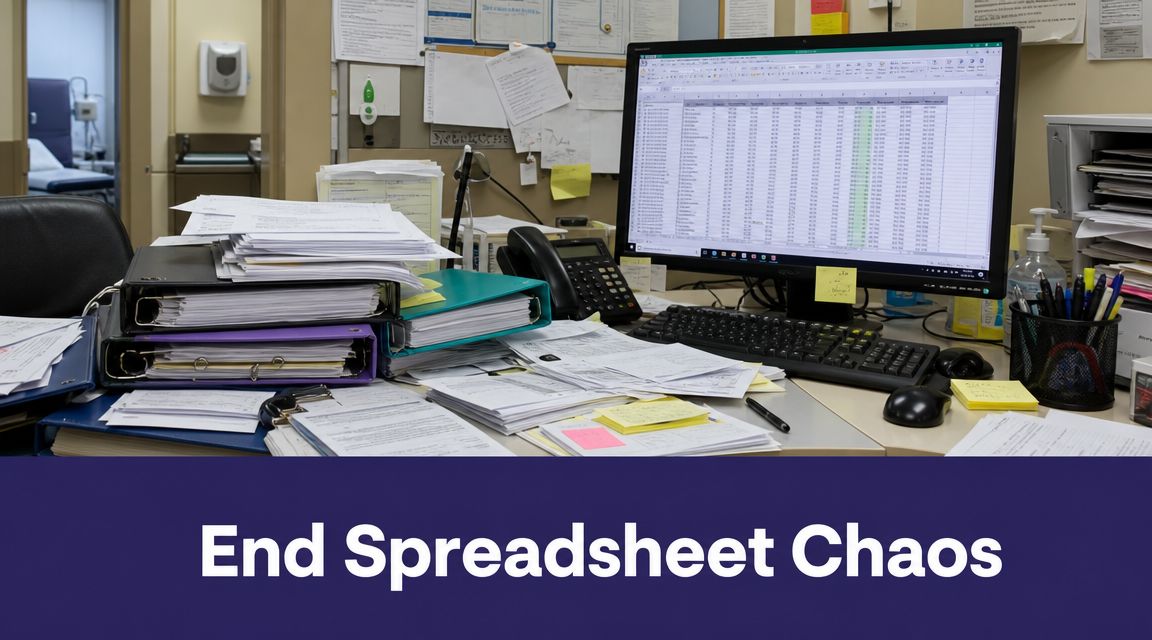
We've walked into practices where nobody was doing anything reckless. They were just busy. Training had happened, but the proof was scattered. Policies existed, but staff were looking at old versions. A vendor had signed paperwork at some point, but no one wanted to bet on where it was stored. That's the failure mode with manual compliance. It doesn't fail loudly. It fails subtly, then all at once.
Why software became normal
This is why dedicated platforms stopped being an enterprise-only purchase. One industry estimate put the global healthcare compliance software market at USD 2,778.2 million in 2022 and projected it to reach USD 6,503.3 million by 2030, with North America accounting for 48.9% of the market in 2022 according to Grand View Research's healthcare compliance software market report.
That market shift matches what operators already know. Practices moved from spreadsheets and folders to software because compliance is ongoing work. Risk assessment, policy updates, billing oversight, training logs, and audit prep don't belong in separate systems that nobody fully trusts.
Practical rule: If your compliance process depends on one person “knowing where everything is,” you don't have a process. You have a temporary workaround.
What changes in day-to-day operations
Good healthcare compliance software doesn't just store files. It gives the practice one place to assign work, document completion, track exceptions, and pull evidence later without a fire drill.
For smaller groups, that change matters more than any flashy dashboard. The win is simple. Less hunting. Less rework. Fewer missed renewals. Better proof.
What regulations are driving the need for software
The pressure to get this right starts with the rules, but the operational burden shows up in daily work. HIPAA doesn't care that your practice is busy. If you handle protected health information, you need a repeatable way to manage risk, control access, document actions, and recover from disruption.
That's where manual systems usually break. A spreadsheet can list tasks. It can't enforce process. It can't prove that reviews happened on time, that documentation stayed current, or that exceptions were tracked to closure.
What HIPAA expects in practice
Under HIPAA's Security Rule, practices must implement a formal risk analysis and risk management program, plus contingency plans for data backup and disaster recovery. In operational terms, that means your compliance system can't just hold policies in a folder. It has to support evidence collection, control testing, and follow-up on gaps.
If you want a plain-English legal overview before mapping software requirements, Kons Law's comprehensive compliance guide is a useful primer because it frames compliance as an operating discipline, not just a legal obligation.
A practical checklist helps too. We often tell teams to compare their current process against a working HIPAA compliance checklist before they even start vendor demos. That exercise exposes the difference between “we have a policy” and “we can prove this control is active.”
Why spreadsheets fail under review
The problem with manual tracking isn't only disorganization. It's stale evidence. Somebody updates a training log late. A backup review gets skipped and nobody records the exception. An access review happens verbally but never gets documented. By the time someone checks the file, the record no longer tells a clean story.
That's why stronger automation matters. It reduces reliance on manual spreadsheets, which are a common failure point during regulatory exams. Software gives each task an owner, a due date, a history, and a place for remediation notes.
Compliance software should answer four questions fast: What was required, who owned it, what evidence exists, and what happened when something went wrong?
HITECH and audit readiness
Practices often talk about HIPAA and forget the broader reality. Electronic records, vendor access, remote work, texting, intake tools, and patient communication systems all widen the surface area that compliance teams have to watch.
That's why a formal risk program matters so much. Auditors don't just look for a written policy. They look for signs that the practice can detect problems, respond to them, and keep records that hold up over time.
The core features of compliance software
Once a practice moves past binders and spreadsheets, the next mistake is buying on marketing language. The question isn't whether a platform has “all-in-one” features. The question is whether it replaces the specific manual work your team is doing now.
The features that actually matter
Here's the short list we use during evaluations.
| Feature | What It Replaces |
|---|---|
| Policy management with version control | Shared folders, printed binders, emailed PDFs |
| Employee training tracking | Separate LMS records, spreadsheets, manual reminders |
| Incident tracking and remediation workflows | Email chains, handwritten notes, ad hoc follow-up |
| Audit trails and activity logs | Incomplete system histories, memory-based reconstruction |
| Business associate agreement tracking | Contract folders, inbox search, manual renewal lists |
| Risk assessments and control testing | Static checklists, annual spreadsheet reviews |
| Task assignment and review cadences | Calendar reminders, sticky notes, verbal follow-up |
| Evidence repository | Network drives, screenshots saved to desktops |
That list looks basic, but buying mistakes usually happen here. Practices choose a platform with lots of reporting and weak workflow control, or strong document storage and poor incident handling. The result is predictable. The team still uses side spreadsheets because the software doesn't fit how work gets done.
Auditability is not optional
Modern compliance platforms must support event-level logging and role-based access control because a single missed log event can break an incident investigation. OCR enforcement actions often cite insufficient access controls and incomplete auditability as major factors in violations.
That technical point gets missed in many demos. A vendor shows a nice dashboard, but no one asks how the platform records user actions, permissions, logoff behavior, or document access tied to PHI workflows. If your compliance process touches EHR data, messaging, call notes, or shared documents, those records need a trustworthy chain of activity.
A polished interface won't save you if the logs are weak. During a real investigation, audit integrity matters more than dashboard design.
What good platforms do behind the scenes
The strongest systems don't just collect records. They connect each control to an owner, an asset, a review schedule, and a remediation path. That structure matters because it keeps the platform alive after implementation.
Look for signs that the product can handle everyday realities:
- Access control by role: Your compliance lead shouldn't have the same permissions as a front-desk user, and clinical staff shouldn't see more than they need.
- Version history that's easy to prove: If a policy changes, you need to show what changed and who acknowledged it.
- Exception tracking: Real practices miss deadlines sometimes. Good software records the exception and the follow-up instead of pretending everything was on time.
- Evidence tied to work: Screenshots, attestations, reports, and review notes should live with the task, not in a separate folder.
- Search that works under stress: If someone asks for a training record or incident file, you should be able to produce it quickly.
Features that sound good but often disappoint
We've also seen teams overpay for modules they barely use. Broad framework libraries, highly custom dashboards, and endless template packs can look attractive in a demo. In a lean practice, they often add setup work without solving the immediate pain.
The better path is usually narrower. Start with the workflows that break most often, then expand after the staff trusts the system.
How to evaluate and implement a compliance platform
Small practices don't need a giant transformation plan. They need a sane rollout that removes manual work fast.
The biggest mistake is trying to automate every compliance process at once. For smaller practices, the main benefit is reducing manual work. The best starting points are often centralizing policy management, tracking employee training, and managing incident reports, as noted in V-Comply's overview of healthcare compliance software.

Start with a short requirements list
Before booking demos, write down what the practice needs. Keep it blunt.
- List the workflows that fail now. Missing training records, outdated policies, untracked incidents, and vendor paperwork are common starting points.
- Name the system owners. If nobody owns policy review or incident follow-up, software won't fix that by itself.
- Define what evidence must be easy to pull. Think training completion, acknowledgments, incident histories, and review logs.
- Mark the systems that need to connect. Usually that means the EHR, HR records, shared document storage, and communication tools.
This doesn't need to be fancy. A one-page requirements sheet is enough to expose weak vendors quickly.
Fit compliance into existing workflows
Compliance software works best when it sits inside normal operations instead of outside them. If staff are burdened with remembering a second system, adoption drops. That's why integration matters so much.
For many practices, the baseline is EHR or EMR coordination. You may not need deep clinical integration on day one, but you do need a clear map of where PHI enters, where documents are created, who approves access, and how exceptions get recorded.
That conversation now includes voice tools too. If your practice uses AI for patient calls, intake, refill requests, or documentation support, the compliance team needs to know how data is handled, where records flow, and what contractual terms govern usage. A plain-language data usage agreement overview is useful here because it forces teams to look at ownership, permitted use, retention, and vendor obligations before rollout.
We also see practices connect compliance planning with tools like Simbie AI where voice workflows touch scheduling, intake, or chart-adjacent admin work. The key issue isn't novelty. It's whether the workflow leaves a clear record, respects access controls, and fits the practice's existing privacy process.
Roll out in phases
A lean rollout usually works better than a full migration.
- Phase one: Import current policies, assign owners, and require acknowledgments.
- Phase two: Move staff training logs and recurring reminders into the platform.
- Phase three: Start incident tracking and remediation with a simple workflow.
- Phase four: Add vendor or BAA tracking, then expand into risk assessments and control reviews.
This order works because staff can see immediate gains without learning the entire platform at once.
If your first rollout requires everyone to change everything they do on day one, it's too big.
How to think about ROI
In smaller practices, ROI usually shows up as regained staff time and fewer cleanup projects. The office manager stops chasing signatures through email. Training records stop living in three systems. Incident follow-up becomes visible instead of informal. Audit prep becomes retrieval work, not reconstruction work.
That's the right lens. Don't judge the platform only by license cost. Judge it by how much manual coordination it removes each month.
Choosing the right vendor and avoiding pitfalls
Vendor selection is where practices either buy a working system or buy a second job for the team.
A lot of products can help you document compliance after the fact. Fewer can help you manage risk across connected systems, vendor access, and newer digital workflows. That matters because a major driver for adoption is the rising number of data breaches and cyber attacks in healthcare, and the harder question for vendors is how their product helps monitor risk across integrations and third-party tools in real time, as discussed in this digital health governance research article.

Questions worth asking in every demo
Ask vendors things that reveal how the product behaves under pressure.
- How do you handle access controls and audit logs? Ask for specifics on user roles, logging depth, and what happens if activity spans multiple connected systems.
- What does implementation require from our staff? You want a real answer about setup, migration, ownership, and maintenance.
- How does your platform handle third-party risk? That includes integrations, outside vendors, and AI-enabled tools that touch patient data.
- What breaks if we don't fully configure every module at launch? Some products degrade badly if you only implement half the suite.
- How do you support policy changes and workflow edits later? A platform that needs vendor intervention for every small change creates delay and cost.
If you want a good example of how buyers compare software in another regulated field, this guide to compare legal tech for legal professionals is useful because it shows the kind of diligence questions that matter more than feature count.
Red flags we see often
Some warning signs show up early.
- Too much complexity for the team: If the product needs a full-time administrator and you don't have one, adoption will slide.
- Weak integration story: If the vendor can't explain how the platform fits with your existing systems, expect duplicate work.
- Generic HIPAA answers: “We're HIPAA compliant” isn't enough. Ask how they handle logging, access review, data flows, and incident support.
- No realistic maintenance plan: Compliance software still needs owners, reviews, and periodic cleanup after launch.
- Clinical staff weren't consulted: If only administrators evaluate the system, workflows often fail once real users touch them.
A vendor's AI position matters too. If a product includes automation or AI, ask how PHI is handled and what controls are in place. We recommend reviewing the vendor's HIPAA-compliant AI approach because that usually reveals whether they've thought through real healthcare use or just added compliance language to a sales page.
What usually works
The best vendor for a smaller practice is rarely the one with the longest feature sheet. It's the one your staff will use, your manager can maintain, and your compliance lead can trust when records need to be produced fast.
Your first step to automated compliance
Block one hour this week and do a spot check on a single category of compliance records.
Pick one area that should be easy to verify. Last year's security training. Current business associate agreements. Policy acknowledgments for one department. Incident reports from the last quarter. Then ask four questions: where is it stored, who owns it, is it current, and could you hand it over today without cleanup?
That exercise usually tells the truth faster than any vendor demo.
If the answer is “sort of,” “mostly,” or “I think so,” you've found the gap that healthcare compliance software should fix first. Start there. Don't automate everything. Remove one recurring scramble, prove the value, then build from that base.
Frequently asked questions about compliance software
How much does healthcare compliance software usually cost
Pricing varies a lot by vendor, modules, support level, and implementation scope. Some products bundle policy, training, incidents, and risk work into one package. Others price each piece separately. For smaller practices, the better buying question isn't “What's the cheapest option?” It's “What manual work will this replace in the first six months?”
How much staff time is still required after implementation
More than vendors sometimes admit. Software reduces manual tracking, but it doesn't remove ownership. Someone still needs to review policies, close incidents, monitor due dates, and keep the system current. In smaller practices, that usually means assigning a clear owner and keeping the first rollout narrow enough that maintenance stays realistic.
Can compliance software stop fines or guarantee audit success
No. Software helps you document, assign, track, and retrieve evidence. It can reduce failure points and make the practice easier to manage, but it can't make bad process safe or replace real oversight. If your controls are weak, the platform will expose that. That's still useful, because seeing the gap early is far better than finding it during an audit or after an incident.
If your practice is trying to reduce admin burden without creating new compliance headaches, Simbie AI is one option to review alongside your broader workflow stack. It handles voice-based healthcare admin tasks such as intake, scheduling, refills, and related patient communications, and practices should evaluate it the same way they evaluate any connected tool: data handling terms, access controls, auditability, and how well it fits existing compliance processes.