

When you hear the term "health care automation," what comes to mind? For many, it's a fuzzy concept, often associated with futuristic robots or complex, impersonal systems. Let's clear that up.
Simply put, health care automation is about using smart technology to handle the repetitive, administrative grunt work that takes up so much of your staff's day. Think of it as giving your team a digital assistant that works around the clock, never gets tired, and doesn't make typos. It's the engine that powers a more efficient, patient-focused, and financially stable practice in an increasingly demanding landscape.
What Health Care Automation Actually Means For Your Practice

Let's cut through the buzzwords. At its heart, health care automation isn’t about replacing your amazing staff. It's about empowering them. It’s about strategically deploying software to manage the predictable, time-sucking tasks—from scheduling appointments and sending reminders to chasing down insurance paperwork and processing claims—that get in the way of actual patient care.
Here’s an analogy: think of an automated sprinkler system. It waters the lawn at the perfect time with the right amount of water, every single day, without manual intervention. Automation does the same for your practice's administrative tasks. It sends appointment reminders, collects intake forms, and verifies insurance with perfect consistency, so your team doesn't have to.
This strategic offloading frees up your staff to focus their valuable skills where they're needed most: with your patients, handling complex issues, and providing the human touch that technology can't replicate.
Why Practices Are Adopting Automation Now
This isn't just another trend. The move toward automation is a direct answer to the real-world pressures clinics are facing every day. Rising operational costs, crippling staff burnout, and patients who expect the instant convenience of online everything—these challenges are pushing practices to find a better, more sustainable way to work. The manual processes that used to be "good enough" are now creating serious operational bottlenecks and financial drains.
The numbers tell the same story. The global healthcare automation market is expected to explode, jumping from USD 46.85 billion in 2025 to USD 119.19 billion by 2035. This incredible growth is fueled by the urgent need to handle the demands of an aging population and a rise in chronic diseases, both of which are straining the old way of doing things. You can find a deeper dive into these market trends over at Precedence Research.
Health care automation is fundamentally about giving time back to your clinical team. Every minute saved on administrative work is a minute that can be reinvested into patient interaction, diagnosis, treatment planning, and revenue-generating activities.
To really see the difference, let's compare the old way with the new, automated approach across common practice workflows.
Manual Tasks vs Automated Workflows at a Glance
The table below paints a clear picture of how automation fundamentally changes daily operations for the better, shifting tasks from manual drudgery to efficient, automated processes that run in the background.
| Administrative Task | Manual Process (The Old Way) | Automated Process (The New Way) |
|---|---|---|
| Appointment Scheduling | Staff answers phone calls, checks calendars, and plays phone tag to find a suitable time. | Patients self-schedule online 24/7 based on real-time availability, directly from your website or a patient portal. |
| Patient Intake | Patients fill out paper forms on a clipboard in the waiting room; staff manually enters data. | Patients complete digital forms from home; data is automatically and accurately synced to the EMR. |
| Insurance Verification | Staff calls insurance companies, spending hours on hold to confirm eligibility and benefits. | An automated system instantly verifies coverage in seconds before the appointment, flagging any issues immediately. |
| Appointment Reminders | A staff member manually calls or texts each patient the day before their visit. | Automated text, email, or voice reminders are sent out based on patient preferences without any staff involvement. |
As you can see, the "new way" isn't just a minor improvement; it's a complete operational upgrade that saves countless hours, reduces errors, and eliminates frustrating headaches for both your staff and your patients.
The Tangible Benefits For Your Clinic
Bringing automation into your practice creates a positive ripple effect that you'll feel almost immediately across every department. When you hand off the repetitive work to a reliable digital system, you start seeing real, measurable improvements that impact your bottom line and your team's morale.
Here are a few key advantages:
- Reduced Administrative Errors: Automation drastically cuts down on human error in data entry, scheduling, and billing. That means cleaner records, fewer denied claims, and a more reliable revenue cycle.
- Smoother Operational Workflows: Tasks like prior authorizations, medication reconciliation, and referral management are handled automatically, so patients move through their care journey with fewer frustrating delays and administrative hurdles.
- Enhanced Patient Experience: Patients love the convenience and control. They can book appointments at midnight, fill out forms on their couch, and get instant answers to basic questions without waiting on hold, leading to higher satisfaction and retention.
- Increased Staff Satisfaction: When you free your team from monotonous, soul-crushing paperwork, you reduce burnout, improve morale, and give them the space to focus on the meaningful, patient-facing work they were hired to do.
The Core Technologies Driving Your Automated Clinic

To really get a handle on health care automation, you need to peek under the hood at the technologies making it all work. These aren't just abstract concepts; they're real tools, each designed for a specific job. Think of them as different specialists on your digital team, all working together to make your clinic run smoother, smarter, and more efficiently.
We'll start with the most straightforward tool, the one that acts like a tireless set of digital hands. It's designed to perfectly mimic the repetitive, click-by-click tasks your staff does every single day, and it's often the first step practices take into the world of automation.
Robotic Process Automation: The Digital Assistant
Robotic Process Automation (RPA) is probably the easiest piece of this puzzle to understand. Just picture a highly detail-oriented digital assistant who can log into your practice management system, copy information from a spreadsheet, and paste it into a patient’s EMR file—all without ever making a typo or needing a coffee break. That’s RPA.
This technology is all about following a strict set of pre-programmed rules. It doesn't "think" for itself or learn from experience; it just plows through predictable, high-volume tasks with incredible speed and accuracy. It's especially good at bridging the gap between legacy systems that don't naturally communicate with each other, acting as a digital data courier.
You'll often see RPA handling tasks like:
- Data Migration: Moving mountains of patient information from an old system to a new one during an EMR upgrade.
- Form Filling: Automatically populating fields in tedious insurance, billing, or referral forms.
- Simple Reporting: Pulling specific data points from multiple sources to build daily reports on appointments, revenue, or patient volume.
RPA is a workhorse for the predictable stuff. But what happens when a task requires a bit of judgment, understanding, or interpretation? For that, we need a technology with a brain.
Artificial Intelligence and Machine Learning: The Brains of the Operation
If RPA gives you the hands, then Artificial Intelligence (AI) and its key component, Machine Learning (ML), provide the brains. Unlike RPA, which just follows orders, AI can analyze vast amounts of data, spot patterns, make predictions, and make decisions. It actually learns over time, getting smarter and more effective with every piece of information it processes.
A good way to think about it is this: RPA is like a calculator. You put in the numbers, and it always gives you the correct answer. AI is more like a seasoned clinician who can look at a patient's chart, recognize subtle risk factors, and suggest a course of action based on learning from thousands of similar cases.
This ability to grasp context and nuance is what makes AI so powerful in a clinical setting. It can figure out the real meaning behind a patient's message, identify trends in clinical notes that a person might easily miss, or even predict which patients are at high risk of missing an appointment. For instance, some AI tools can slash documentation time by 70% or more simply by listening to a patient-provider conversation and generating an accurate, structured progress note.
This is where you start to see the true potential of automation come alive. When you combine the rule-following precision of RPA with the cognitive horsepower of AI, you can create some seriously sophisticated tools that handle complex, multi-step workflows.
AI-Powered Voice Agents: The New Front Desk
This blend of technologies has given rise to tools like AI-powered Voice Agents. Forget the clunky, robotic phone menus of the past that frustrate callers. Today's voice agents can understand natural, conversational language, figure out what a patient needs, and hold a genuinely helpful conversation that feels almost human.
These AI agents can step in to:
- Schedule Appointments: A patient can call and say, "I need to see Dr. Smith for a follow-up next Tuesday afternoon," and the AI understands the request, checks the real-time schedule, and books the right slot.
- Handle Prescription Refills: The agent can verify the patient's identity, confirm the medication details, and send the refill request straight to the pharmacy queue without human intervention.
- Answer Common Questions: Patients get instant answers to frequently asked questions about office hours, directions, insurance accepted, or appointment prep, any time of day or night.
By mixing RPA’s skill at executing tasks in your systems with AI’s ability to understand human conversation, these voice agents create a seamless, 24/7 front-desk experience. They handle all the routine calls flawlessly, making sure every patient gets immediate help while freeing up your staff to focus on the people standing right in front of them and handle more complex patient inquiries.
How Automation Solves Everyday Practice Challenges
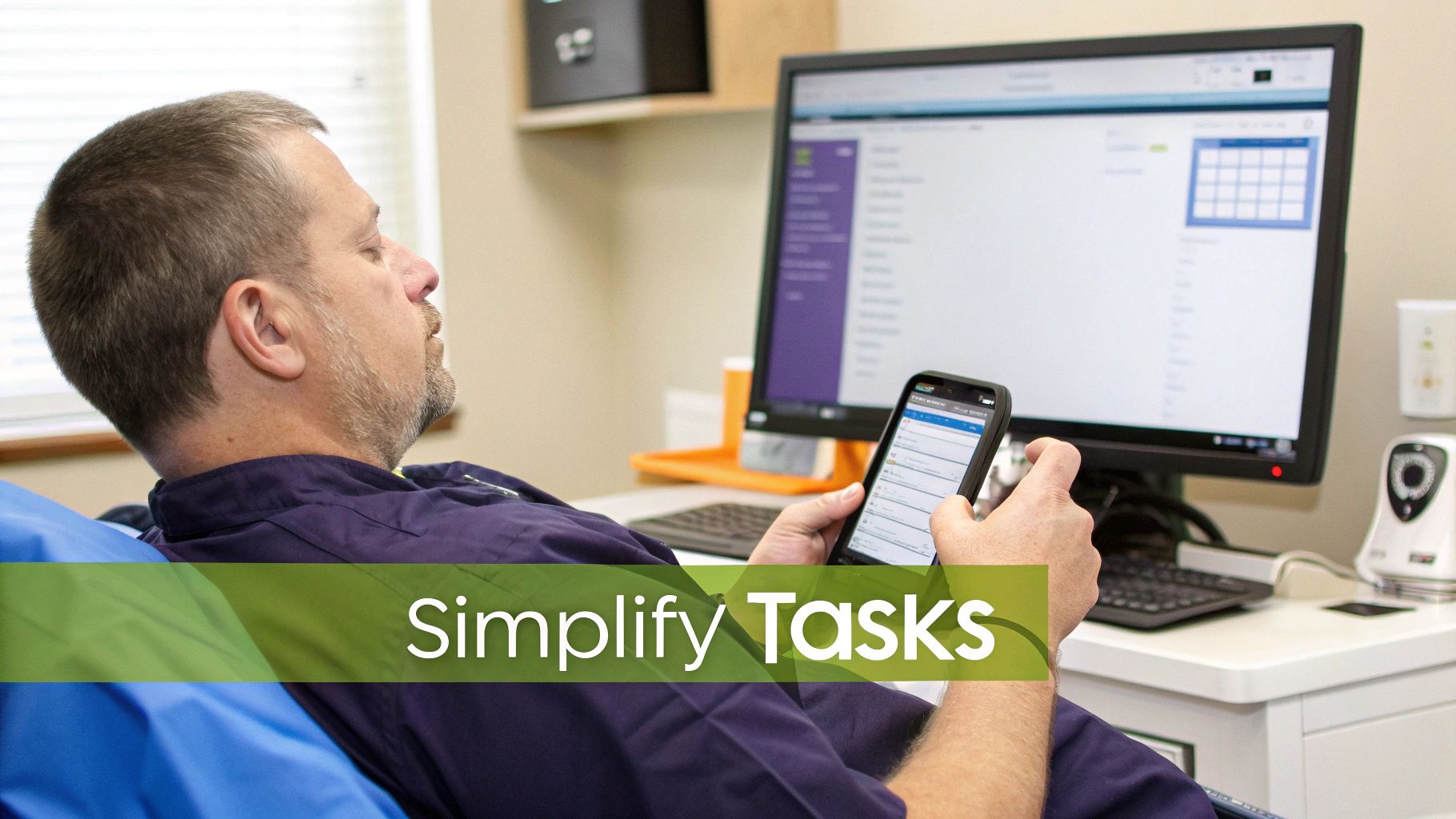
It’s one thing to understand the technology behind health care automation, but it's another to see it fix the frustrating, real-world problems your practice deals with every single day. These tools aren't just abstract ideas; they're practical solutions that target the exact bottlenecks that slow your team down, drain your revenue, and get in the way of excellent patient care.
Let's ground this in reality. We'll walk through some of the most common headaches your practice faces and see exactly how automation can step in to make things better.
Taming the Chaos of Appointment Scheduling
Let's be honest: the old way of booking appointments is broken. It’s a never-ending cycle of phone calls, voicemails, and missed connections that eats up your front desk's time and frustrates patients. A single appointment can turn into a long game of phone tag, pulling your staff away from the patients standing right in front of them who need help.
Now, picture this instead. It’s 10 PM on a Tuesday, and a patient visits your website. They see your real-time calendar, pick an open slot that works for them, and book it on the spot. An automated system instantly texts them a confirmation, sends them a calendar invite, and drops the appointment right into your EMR. No phone tag, no manual data entry, no risk of double-booking—just a schedule that fills itself efficiently.
Streamlining the Patient Intake Process
The patient intake process is often a messy, inefficient start to any visit. Clipboards and paper forms mean you’re dealing with sloppy handwriting, missing information, and a staff member who has to manually and painstakingly type everything into the EMR. It's slow and, worse, a huge source of data entry mistakes that can mess up billing, delay care, and compromise clinical safety later on.
Automation completely changes this experience. After booking, a patient gets a secure link to a digital intake form. They can fill it out at home, on their own time, using their phone or computer, when they have all their insurance cards and medication lists handy.
The real magic happens when they hit "submit." All that information—from insurance details and medical history to allergies and pharmacy preferences—flows directly into the right fields in their EMR chart. It's accurate, complete, and waiting for the clinical team before the patient even arrives.
This frees up your staff to actually greet patients warmly and focus on their needs instead of trying to read messy handwriting and scan insurance cards. You can dig deeper into improving these tasks in our guide on healthcare workflow automation.
Conquering the Prior Authorization Bottleneck
Prior authorization is a headache everyone in healthcare knows and loathes. It’s a manual, soul-crushing process of phone calls, faxes, and endless portal logins that often puts patient care on hold for days or weeks. A single prior auth request can take up 20 minutes of staff time, and a denial due to a simple clerical error can stop a patient's treatment plan in its tracks.
This is where automation makes a huge difference. An RPA bot can:
- Automatically kick off requests by pulling the necessary clinical data straight from the EMR the moment a procedure or medication is ordered.
- Submit all the documents to the payer's portal without anyone having to click a thing, navigating complex web forms flawlessly.
- Keep checking the status of the request in the background and ping your team the second a decision is made, providing a clear audit trail.
By taking this administrative nightmare off your team’s plate, you don't just get faster approvals—you also cut down on denials caused by simple human error and free up highly skilled staff for more valuable clinical support roles.
Improving Patient Safety with Medication Reconciliation
Medication reconciliation is a critical patient safety step, but doing it by hand is a recipe for dangerous mistakes. Trying to match a patient's home medications with what you're prescribing is tough, especially with fuzzy patient memories, incomplete records from other providers, or look-alike/sound-alike drug names. One slip-up can have serious, even fatal, consequences.
Automation acts as a crucial safety net here. Smart tools can pull a patient's medication history from multiple sources, like pharmacies, health information exchanges, and other providers, to build a single, unified, and accurate list.
The system then flags potential problems for a clinician to review, like dosage conflicts, drug-drug interactions, or duplicate prescriptions. It doesn’t replace a doctor's judgment—it sharpens it by giving them a much cleaner, more accurate, and more complete picture to work from. The result is safer prescribing, fewer adverse drug events, and better outcomes for your patients.
The push for this kind of safety and efficiency is clear on a global scale. North America accounted for a massive 42.3% of the global healthcare automation market in 2023. This growth is fueled by tools that improve everything from diagnostics to dispensing, with therapeutic automation alone making up 56.2% of the market last year. You can read more about these trends in the global healthcare automation market on Market.us.
A Practical Roadmap to Implementing Automation

Jumping into health care automation doesn’t mean you have to rip and replace everything your practice does. In fact, the most successful clinics take a much more measured, strategic approach. Think of it less like flipping a giant switch and more like laying a foundation, one solid, well-placed brick at a time.
The real secret is to start by figuring out where automation can give you the most relief, right now. This deliberate process makes the transition smoother, gets your team on board by demonstrating value quickly, and delivers quick wins you can actually see and measure.
Step 1: Identify Your Biggest Bottlenecks
Before you can fix a problem, you have to know what it is. The first step is to put a name to the administrative headaches that are creating the most friction in your day-to-day operations. Where is your team getting bogged down? Which processes are causing the most errors, patient complaints, or payment delays?
The best way to find out is to ask. Get your team together—front desk, clinical staff, billers—and have an honest conversation. Map out a key workflow, like the patient journey from first call to final payment. You’ll probably find the front desk is drowning in phone calls just to book appointments, or the billing department is stuck in a constant loop of chasing down prior authorizations and appealing denied claims.
These pain points are your starting line. They represent the "low-hanging fruit" where a little bit of automation can make a huge difference fast, proving its worth from day one.
Step 2: Start Small with a Pilot Project
Once you’ve got a bottleneck in your sights, fight the urge to automate everything at once. Instead, pick one specific, high-impact task and run a pilot project. This focused approach lets you test out the technology, train a small group of staff, and measure the results without turning your entire workflow upside down.
A fantastic first project is often automated appointment reminders. It’s a simple, low-risk task that delivers immediate and obvious benefits.
- Reduces No-Shows: Sending reminders automatically via text or email is proven to slash your no-show rate, which directly protects your revenue.
- Frees Up Staff: It cuts out the mind-numbing task of manually calling every single patient, freeing up hours of staff time each day for more complex tasks.
- Builds Momentum: When your team sees how well this one simple thing works, and how much time it saves them, they’ll be much more open and excited to automate other tasks down the road.
A successful pilot project creates internal champions for the new technology and builds the business case for further investment. For a deeper look at tackling these kinds of tasks, check out our guide to healthcare business process automation.
Step 3: Choose the Right Technology Partner
This might be the single most important decision you make in your automation journey. The vendor you choose should feel less like a software salesperson and more like a true partner who understands your practice's unique needs, challenges, and goals. When you’re evaluating your options, there are a few non-negotiable things to look for.
Your technology partner must understand the unique demands of a clinical environment. A generic business tool just won't cut it—you need a solution built from the ground up for the complexities and compliance rules of healthcare.
Make sure any potential partner offers:
- Seamless EMR Integration: The tool has to talk to your existing Electronic Medical Record system without a hitch, using modern APIs. If it doesn’t, you’re just creating more manual data entry for your team and defeating the purpose of automation.
- Rock-Solid HIPAA Compliance: This is an absolute deal-breaker. Confirm the vendor will sign a Business Associate Agreement (BAA) and has robust security measures like end-to-end encryption and secure, audited data centers.
- Proven Scalability: Your needs are going to change. Pick a platform that can start small with reminders but is powerful enough to handle more complex workflows, like prior authorizations, clinical documentation, or revenue cycle management, as you grow.
Step 4: Train Your Team and Manage the Transition
At the end of the day, technology is only as good as the people who use it. Automation isn't here to replace your staff—it’s here to give them a powerful tool that makes their jobs easier, more strategic, and lets them focus more on patients.
Frame this change as an upgrade that gets rid of their most tedious, frustrating tasks. Involve them in the selection and implementation process. Provide clear, hands-on training, and create an open environment where they feel comfortable asking questions and providing feedback. Getting your team genuinely on board is the final, crucial piece of the puzzle for successful adoption.
Measuring the True Impact of Your Automation Investment
So, you've decided to invest in automation. That's a huge step, but the real question is: how do you know if it's actually paying off? To move beyond just a "feeling" that things are better, you need to track specific, quantifiable metrics that prove your return on investment (ROI). This data doesn't just justify the expense; it gives you a clear map of where to automate next for the biggest impact.
Success isn't about a single magic number. It’s about seeing the positive ripple effects across your operations, your budget, your staff's well-being, and most importantly, your patients' experience.
Seeing the Change in Your Daily Operations
The first place you'll see a difference is in your team's day-to-day grind. These operational metrics show how automation is cutting down on busywork and giving your staff more time to focus on what matters—caring for patients.
Here's what to start tracking:
- Fewer No-Shows: Automated appointment reminders work wonders. Watching your no-show rate drop from 15% down to 5% isn't just a win for your schedule; it's thousands of dollars in revenue you're no longer losing each month.
- Quicker Insurance Verifications: Time how long it takes your staff to manually verify a patient's insurance, including hold times. Now, compare that to an automated check. You’re likely looking at a process that went from minutes (or even hours) down to just seconds.
- Less Time on Admin Drudgery: This one is simple but powerful. Just ask your team. Survey them before and after you roll out a new tool to see how many hours they’re saving on tasks like scheduling, intake forms, and prior authorizations. Quantify this time and assign a dollar value to it.
The Financial Payoff and Calculating ROI
At the end of the day, any investment has to make financial sense. By tracking the right numbers, you can calculate a clear Return on Investment (ROI) and show everyone—from stakeholders to staff—exactly how automation is boosting the bottom line.
Zoom in on these financial data points:
- Lower Admin Costs: Add up the savings from reduced overtime, less need for temporary staff during busy seasons, and even the money saved on paper, ink, and toner from digitizing forms.
- More Productive Staff: Think about the value of the time your team gets back. If automation saves a nurse five hours a week on administrative tasks, that’s five more hours they can spend on patient education, care coordination, or other high-value clinical work that improves outcomes.
- Better Claim Accuracy: Keep an eye on your first-pass claim acceptance rate. Automation catches typos, validates codes, and ensures completeness before a claim is even submitted, which means fewer denials and faster payments from insurers.
For a quick and easy ROI calculation, use this formula: (Financial Gain – Cost of Investment) / Cost of Investment. A positive number means the technology is officially paying for itself and then some.
The Most Important Metric: A Better Patient Experience
Maybe the most crucial measure of success is how all this affects the patient journey. When patients have a smooth, convenient, and modern experience, they’re more likely to stick with your practice, pay their bills without a fuss, and tell their friends and family about you.
Keep a close watch on these patient-focused signs:
- Higher Satisfaction Scores: After a visit, send a simple automated survey asking about the experience. Did they find it easy to book an appointment online? Were the digital forms straightforward? Track your Net Promoter Score (NPS) or CSAT scores over time.
- Glowing Online Reviews: Check platforms like Google and Healthgrades. An increase in positive reviews that specifically mention "easy," "fast," or "convenient" is a great sign your automation is hitting the mark.
- Shorter Phone Hold Times: When automation can handle routine questions and appointment requests 24/7, it frees up the phone lines for more complex patient needs. Patients who get their answers instantly or have their calls answered quickly have a much better impression of your practice.
This drive to improve efficiency and patient care is exactly why the market is exploding. The global AI in health care market is expected to skyrocket from USD 39 billion in 2025 to USD 504 billion by 2032. This isn't just about cool tech; it's a direct response to the immense administrative weight on clinicians. Intelligent tools are stepping in to help with everything from patient access to revenue cycle management. You can find more insights on this trend and the future of AI in health care on Deloitte.com.
To help you get started, here’s a breakdown of the key metrics you should be tracking to measure the real-world value of your automation tools.
Key Metrics to Track for Automation ROI
| Metric Category | Key Performance Indicator (KPI) | How to Measure It |
|---|---|---|
| Operational Efficiency | Staff Time on Administrative Tasks | Conduct "before and after" time studies or staff surveys to quantify hours saved per week. |
| Operational Efficiency | Patient No-Show Rate | Track the percentage of missed appointments per month and compare it to pre-automation levels. |
| Operational Efficiency | Patient Intake/Registration Time | Measure the average time from patient arrival to being ready for their appointment. |
| Financial Performance | Administrative Cost Reduction | Calculate savings from reduced overtime, temporary staff hiring, and supplies (e.g., paper, ink). |
| Financial Performance | First-Pass Claim Acceptance Rate | Monitor the percentage of claims accepted by payers on the first submission. |
| Financial Performance | Days in Accounts Receivable (A/R) | Track the average number of days it takes to collect payments due to the practice. |
| Patient Experience | Patient Satisfaction (CSAT) Scores | Use post-visit surveys to ask patients to rate their experience with scheduling, intake, and communication. |
| Patient Experience | Call Hold/Wait Times | Measure the average time a patient spends on hold before speaking to a staff member. |
| Patient Experience | Online Review Ratings | Monitor average star ratings and review sentiment on platforms like Google, Yelp, and Healthgrades. |
Tracking these KPIs will give you a 360-degree view of your automation's impact. This isn't just about numbers on a spreadsheet—it's about building a more efficient, profitable, and patient-friendly practice for the long term.
Ensuring Security and HIPAA Compliance with Automation
In healthcare, nothing is more important than patient privacy. So, whenever we talk about bringing in new technology like healthcare automation, the first question on everyone's mind is, "Is it secure?" The good news is that today's leading automation platforms are built from the ground up with the strict rules of the Health Insurance Portability and Accountability Act (HIPAA) baked right in.
In fact, a well-implemented automation system can actually make your practice more secure, not less. Think about it: automation takes human error out of the equation for a lot of sensitive tasks. A system handling protected health information (PHI) follows the exact same secure protocol every single time, which dramatically cuts down the risk of an accidental data breach from a misdirected email or an unlocked computer screen.
Core Security Features to Look For
Not all automation tools are built the same, and when it comes to security, you can't afford to cut corners. A rock-solid security framework isn't just a nice-to-have feature; it's an absolute must for any practice handling patient data.
Here are the essential security pillars you need to look for:
- End-to-End Data Encryption: This is like putting your data in a digital armored truck. It scrambles all patient information, both in transit and at rest, making it unreadable to anyone without authorization from the moment it leaves your system until it safely arrives at its destination.
- Role-Based Access Controls (RBAC): This is all about the principle of least privilege—controlling who sees what. You can grant access to specific patient information only to the staff members who truly need it to do their jobs, and no one else.
- Secure Data Centers: Your vendor must store data in facilities that meet the highest security and privacy standards. Look for certifications like HIPAA, SOC 2, and ISO 27001, which prove they have been independently audited for security controls.
The Business Associate Agreement Is Non-Negotiable
Any vendor that touches your patients' PHI is what HIPAA calls a "Business Associate." This means you are legally required to have a signed Business Associate Agreement (BAA) with them. This is a critical legal contract that makes the vendor just as responsible for protecting patient data as you are, and it outlines their obligations in case of a breach.
Never, ever partner with an automation vendor that won't—or can't—sign a BAA. A missing BAA is a massive red flag that puts your practice at serious legal and financial risk.
As you evaluate automation, it's also worth understanding how other technologies fit into a secure workflow. For example, knowing how to implement secure electronic faxing for professionals is another piece of the data protection puzzle. The bottom line is to understand a vendor’s commitment to security inside and out. Looking at a list of established and HIPAA-compliant AI tools can give you a good sense of what a truly secure platform offers. Don't be shy about asking tough questions about their security posture—it’s not just smart, it’s your responsibility.
Answering Your Top Questions About Healthcare Automation
Even when the benefits are clear, bringing in new technology always stirs up a few questions. When it comes to healthcare automation, I’ve noticed that practice managers and providers tend to circle around the same core concerns: cost, the implementation headache, and what it all means for their team.
So, let's tackle these common questions head-on. This isn't about glossing over the challenges; it's about giving you straight, practical answers to clear the fog and build confidence.
How Long Does Implementation Actually Take?
This is one of the biggest worries, but the answer is usually "less time than you think." Modern, cloud-based automation platforms are built for speed and ease of integration. We're not talking about old-school enterprise software that took months of custom coding and on-site installations. Many of these systems can be up and running in a matter of weeks.
A typical timeline breaks down something like this:
- Initial Setup and Integration: This is where the new system gets securely connected to your EMR. It's usually the most technical part, but a good vendor will handle the heavy lifting, and it often takes just one to two weeks.
- Staff Training: Getting your team comfortable with new tools is key. Most vendors offer focused, remote training sessions that can get everyone up to speed in just a few days without disrupting patient schedules.
- Go-Live and Monitoring: After launch, there's a short period of watching things closely to make sure everything is running smoothly and to fine-tune workflows based on real-world use.
The trick is to start small. Kicking off with a focused pilot project, like automating appointment reminders or digital intake, is much faster and less disruptive than trying to overhaul your entire revenue cycle management at once.
What Is the Real Impact on My Staff?
There's a common fear that automation is about replacing people. In reality, it’s about redefining jobs for the better. It takes over the tedious, repetitive, low-value tasks that cause burnout, freeing up your skilled staff to focus on higher-value work that requires critical thinking and a human touch.
Think about it: Instead of spending hours on the phone playing scheduler, your front desk staff can now give a warm, personal welcome to the patients right in front of them, help an elderly patient navigate their paperwork, or de-escalate a difficult situation. Their role shifts from administrative data entry to true patient engagement.
Automation gives your team better tools to do their jobs. It lets nurses spend more time on patient education and less on paperwork. It gives billers the breathing room to investigate complex claims and work on high-dollar accounts instead of just chasing down simple ones. The result is almost always higher job satisfaction, reduced stress, and lower staff turnover.
Will This Be Too Complicated for Our Patients?
Not at all. Patients today don't just want digital convenience—they expect it. They book flights, order groceries, and manage their banking online, and they're looking for that same ease and self-service capability from their doctors.
Offering tools like 24/7 online scheduling or digital intake forms doesn't complicate their experience; it meets them where they already are and respects their time. The best automation platforms are designed with a simple, intuitive user experience in mind, accessible from any smartphone. And for patients who aren't as tech-savvy or prefer the traditional route, the old ways can still work right alongside the new ones. Automation adds a more convenient option; it doesn't have to take anything away.
Ready to see how a clinically-trained AI can handle your administrative tasks and free up your staff? The team at Simbie AI is built by researchers and physicians to automate scheduling, intake, and refills, allowing you to focus on what matters most: patient care. Learn more at https://www.simbie.ai.