
Welcome to your definitive resource for professional, reliable, and free doctors note templates. For healthcare providers and practice administrators, issuing a doctor’s note is a routine yet critical task. It’s a key piece of documentation that validates a patient’s medical condition for employers, schools, and other institutions. However, creating these notes from scratch for every patient is inefficient and can lead to inconsistencies.
A well-designed template not only saves valuable time but also ensures all necessary legal and medical information is included, maintaining professionalism and compliance. This guide cuts through the noise to provide a curated list of the top 12 resources for free, downloadable, and customizable doctor's note templates. We’ve evaluated each platform to help you find the perfect fit, whether you need a simple printable PDF for a small clinic or a dynamic, EMR-compatible template for a large hospital system.
This comprehensive listicle is designed to be a practical tool, not just a collection of links. We go beyond simple descriptions to provide you with:
- In-depth analysis of each template provider, from Jotform to TemplateLab.
- Direct download links and clear screenshots for easy access.
- Practical use cases for different clinical settings, such as return-to-work notes, school absence excuses, or specialized medical clearance forms.
- Honest assessments of limitations and customization capabilities.
Our goal is to help you streamline your administrative workflow and find the best free doctors note templates that uphold the highest standards of patient care documentation. Let's dive into the top options available today.
1. Jotform
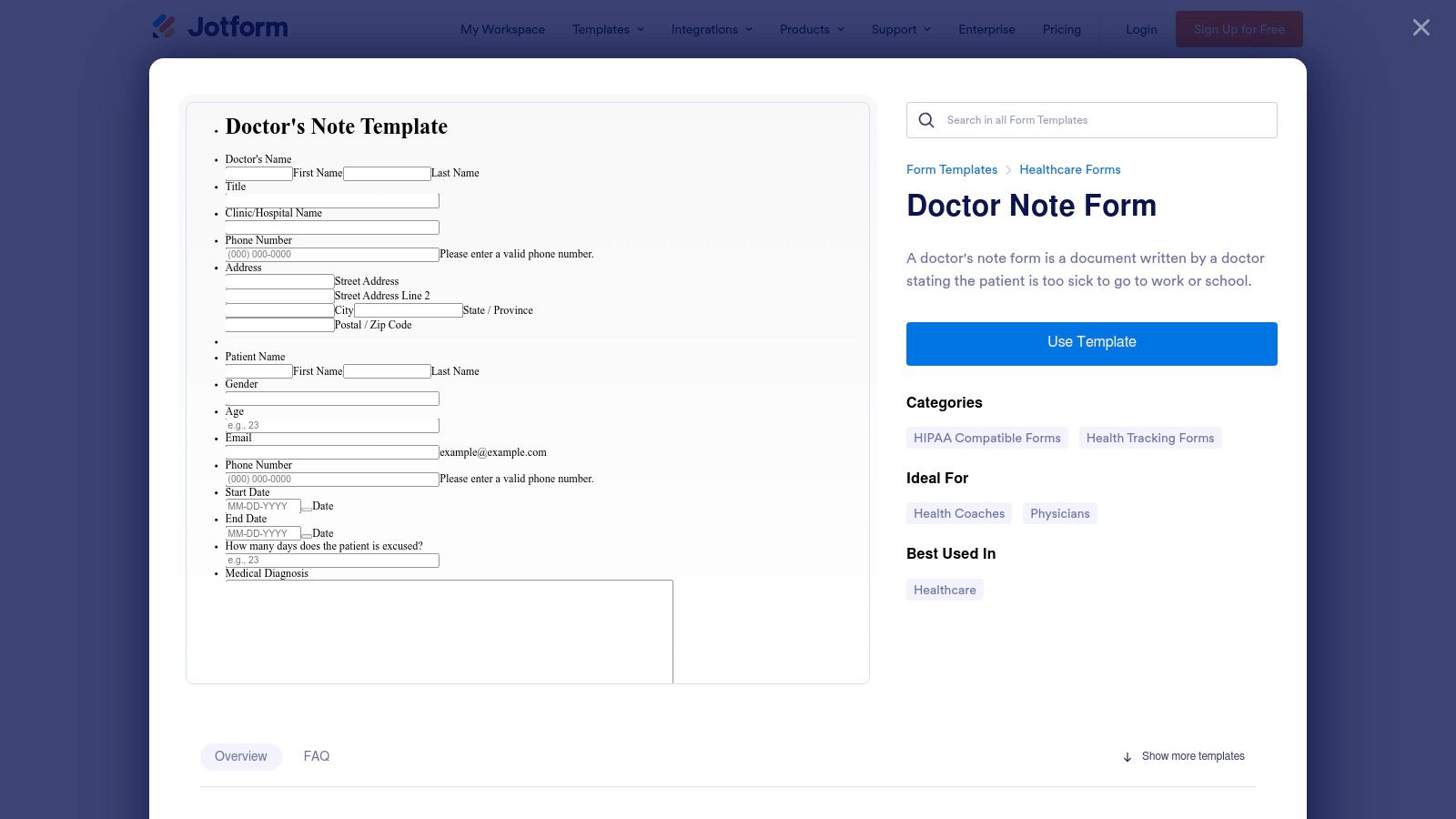
Jotform stands out as a powerful tool for clinics needing more than just a static document. Instead of a simple Word or PDF file, it offers dynamic online forms that can be filled out, signed, and automatically converted into professional-looking PDF doctor’s notes. This platform is ideal for modernizing the patient documentation process, moving away from paper-based systems toward a more streamlined, digital workflow. The drag-and-drop editor makes customizing your free doctors note templates incredibly simple, allowing you to add your clinic’s logo, specific medical fields, and unique disclaimers without any coding knowledge.
Key Features and Usage
Jotform excels in automation and integration. Once a clinician fills out the note, it can be automatically emailed to the patient, sent to an administrator, and saved to a cloud storage service like Google Drive or Dropbox. The e-signature feature is a significant advantage, allowing for legally valid digital signatures directly on the form.
Best Use Case: Practices seeking to digitize their entire doctor's note process, from creation to distribution and storage. It is particularly useful for telemedicine providers who need a secure, remote way to issue and manage patient documentation.
Limitations and Pricing
While the free plan offers access to templates and basic features, it has limitations. For healthcare providers, the most critical feature, HIPAA compliance, is only available on their paid Gold and Enterprise plans. The free version also includes Jotform branding on all forms and PDFs.
- Free Plan: Access to templates, but with Jotform branding and without HIPAA compliance.
- Paid Plans: Start at a monthly fee to remove branding, unlock advanced features, and enable HIPAA-compliant data collection and storage.
This structure makes Jotform a great starting point, but clinics handling sensitive patient information will need to invest in a paid subscription for full compliance.
Website: https://www.jotform.com/form-templates/doctor-note-form
2. Template.net
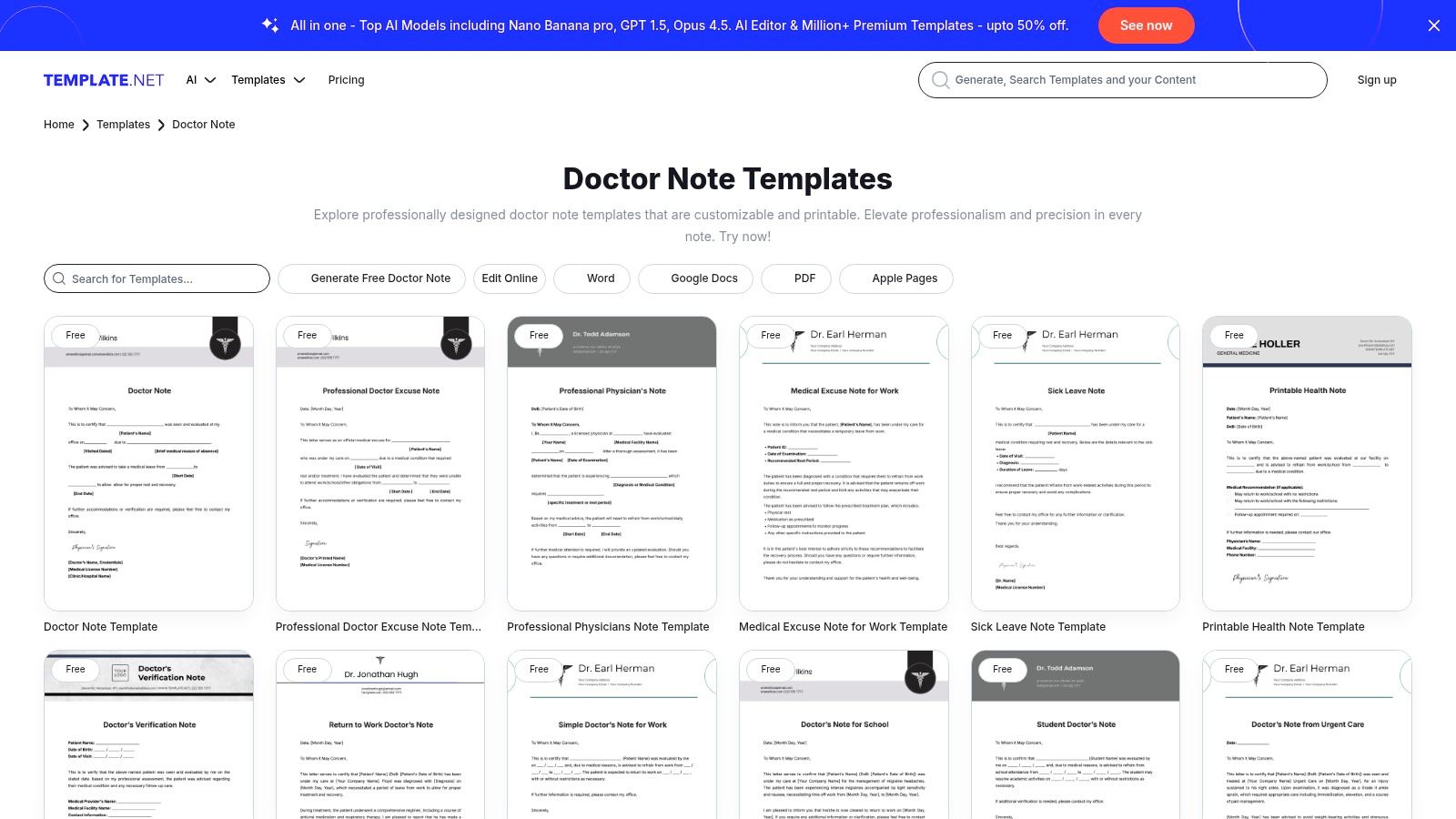
Template.net offers a vast and diverse library for those who need traditional, file-based doctor’s notes. Unlike dynamic form builders, this platform serves as a massive repository of downloadable and editable documents, making it a go-to for quick access to a wide variety of designs. It provides an impressive array of free doctors note templates compatible with multiple software suites, including Microsoft Word, Google Docs, and Apple Pages. This flexibility ensures that nearly any clinic, regardless of its office software, can find a compatible and professional-looking template to use immediately.
Key Features and Usage
The platform's main strength lies in its sheer volume and format versatility. Users can find specific notes tailored for different situations, such as school absences, work leave, or urgent care visits. Many templates are also designed with a clear structure, similar to the documentation found in a free SOAP note template, which helps maintain consistency in patient records. The in-browser editor is a convenient feature, allowing for quick text changes before downloading the final file.
Best Use Case: Clinics and solo practitioners who prefer using standard office software (like Word or Google Docs) and need a large selection of pre-designed templates for various common scenarios. It's perfect for quickly generating a note without committing to a complex digital system.
Limitations and Pricing
While many templates are free, the best-designed and most comprehensive options are often locked behind a premium subscription. The quality and level of detail can vary significantly between templates, so users may need to browse to find one that meets their professional standards. The free downloads may also require signing up for an account.
- Free Plan: Provides access to a good selection of basic templates across multiple file formats, but requires user registration.
- Paid Plans: A subscription unlocks the entire library of premium designs, offering more polished and feature-rich options.
This makes Template.net an excellent resource for variety, but users should be prepared for some limitations on the most professional-looking templates.
Website: https://www.template.net/doctor-note
3. Carepatron
Carepatron offers a collection of free doctor’s note templates specifically designed for clinicians and healthcare administrators. Unlike generic template sites, Carepatron is part of a larger practice management suite, meaning its resources are created with professional standards, validity, and patient privacy in mind. The platform provides clean, downloadable PDFs for common scenarios like urgent care visits and return-to-work clearances, making it a reliable source for clinical settings that need simple, legally-aware documents without complex setup.
Key Features and Usage
Carepatron’s strength lies in its practical, clinician-focused approach. The templates are designed to be printable and contain minimal protected health information (PHI), reducing compliance risks when used as standalone documents. Each template is accompanied by guidance on what makes a doctor's note valid, offering valuable legal and privacy tips directly on the page. You can download the PDFs and use them immediately or integrate them into the Carepatron practice management system. The platform even provides its template pages in multiple languages, though users may need to navigate to find their specific region.
Best Use Case: Small clinics, solo practitioners, or administrative staff looking for professionally crafted, ready-to-use free doctors note templates that come with built-in guidance on best practices for clinical documentation.
Limitations and Pricing
While the templates themselves are free to access and download, they serve as an entry point to Carepatron's comprehensive practice management software. To unlock advanced features like electronic health records (EHR), automated scheduling, or integrated billing, a subscription is required. The template library's organization can sometimes surface non-US pages first, requiring a bit of navigation to find the most relevant resources. You can explore how AI is further enhancing these tools and learn more about AI doctor's notes on Simbie.ai.
- Free Plan: Provides access to the template library with downloadable PDFs and usage guides.
- Paid Plans: Required for using the full suite of practice management and EHR features.
Carepatron is an excellent choice for practices that value professional-grade, compliant-aware templates as a starting point.
Website: https://www.carepatron.com/templates/doctors-note/
4. Adobe Express
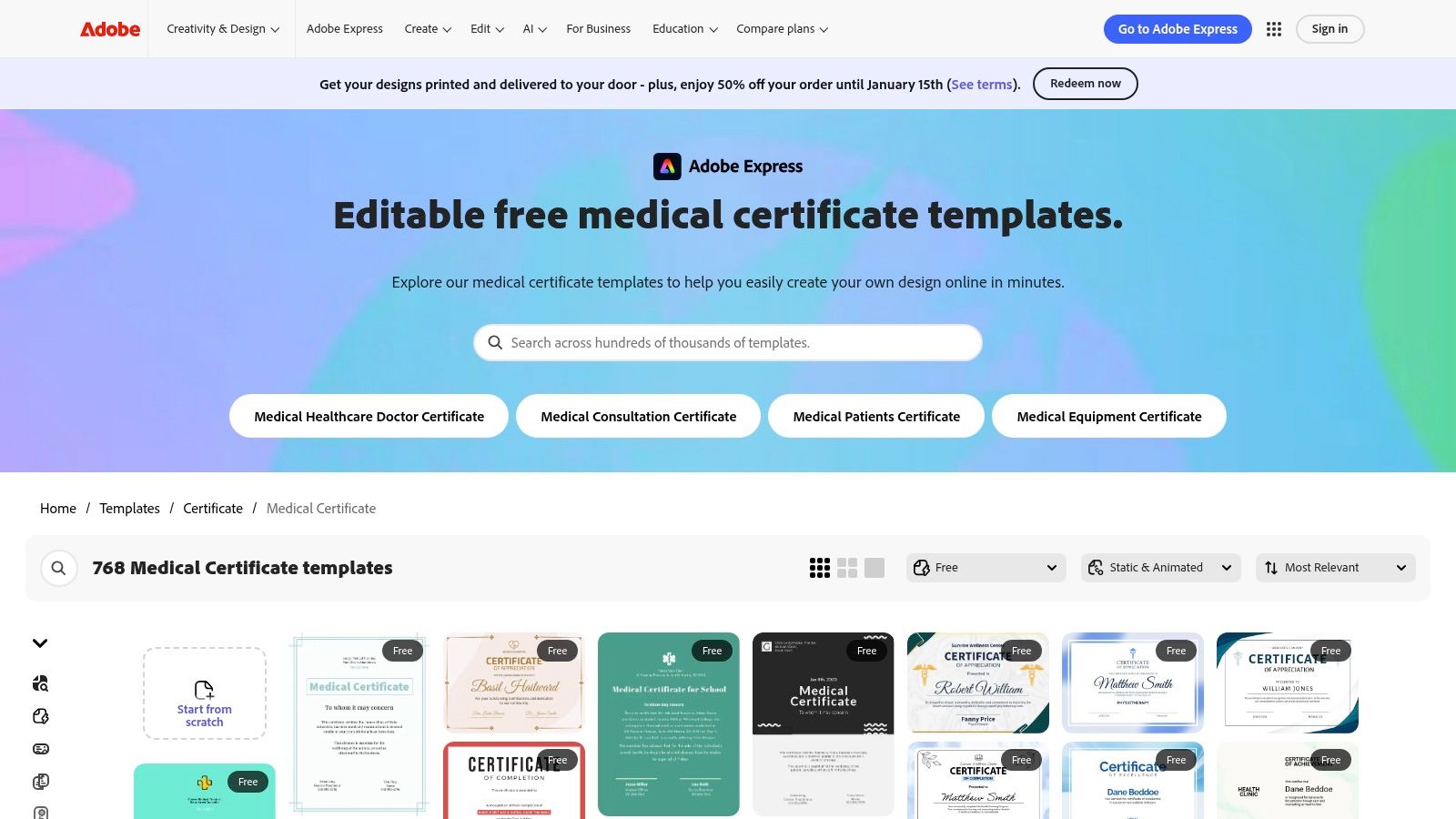
Adobe Express is the ideal choice for clinics prioritizing brand consistency and a polished, professional design in their documentation. Rather than offering pre-built medical forms, it provides a vast library of customizable medical certificate templates that can be easily adapted to serve as doctor’s notes. This browser-based design tool empowers practices to create visually appealing and branded documents, ensuring that every note reflects the clinic’s professional identity without requiring any graphic design skills. Its intuitive interface allows for easy addition of logos, custom fonts, and specific practice details.
Key Features and Usage
The platform’s strength lies in its powerful design capabilities. Users can access a rich library of design assets, including icons, fonts, and professional layouts, to craft a unique doctor’s note. Once a design is finalized, it can be saved as a reusable template for the entire clinic and quickly exported as a high-quality PDF for printing or digital distribution. This makes it an excellent solution for creating a master template that can be used repeatedly.
Best Use Case: Medical practices that want to produce highly professional, custom-branded free doctors note templates. It is perfect for clinics looking to elevate their patient-facing documents and maintain a strong, consistent brand image across all communications.
Limitations and Pricing
The main limitation is that Adobe Express is a design tool, not a dedicated medical form builder. This means templates are not healthcare-specific by default, requiring you to manually add all necessary medical fields. While many templates and assets are free, premium templates and features like the Brand Kit are locked behind a paid subscription.
- Free Plan: Access to thousands of templates and design assets with Adobe branding.
- Paid Plans: Start at a monthly fee for premium features, more assets, and the ability to upload and manage your clinic’s specific brand elements.
Website: https://www.adobe.com/express/templates/certificate/medical
5. TheGoodocs
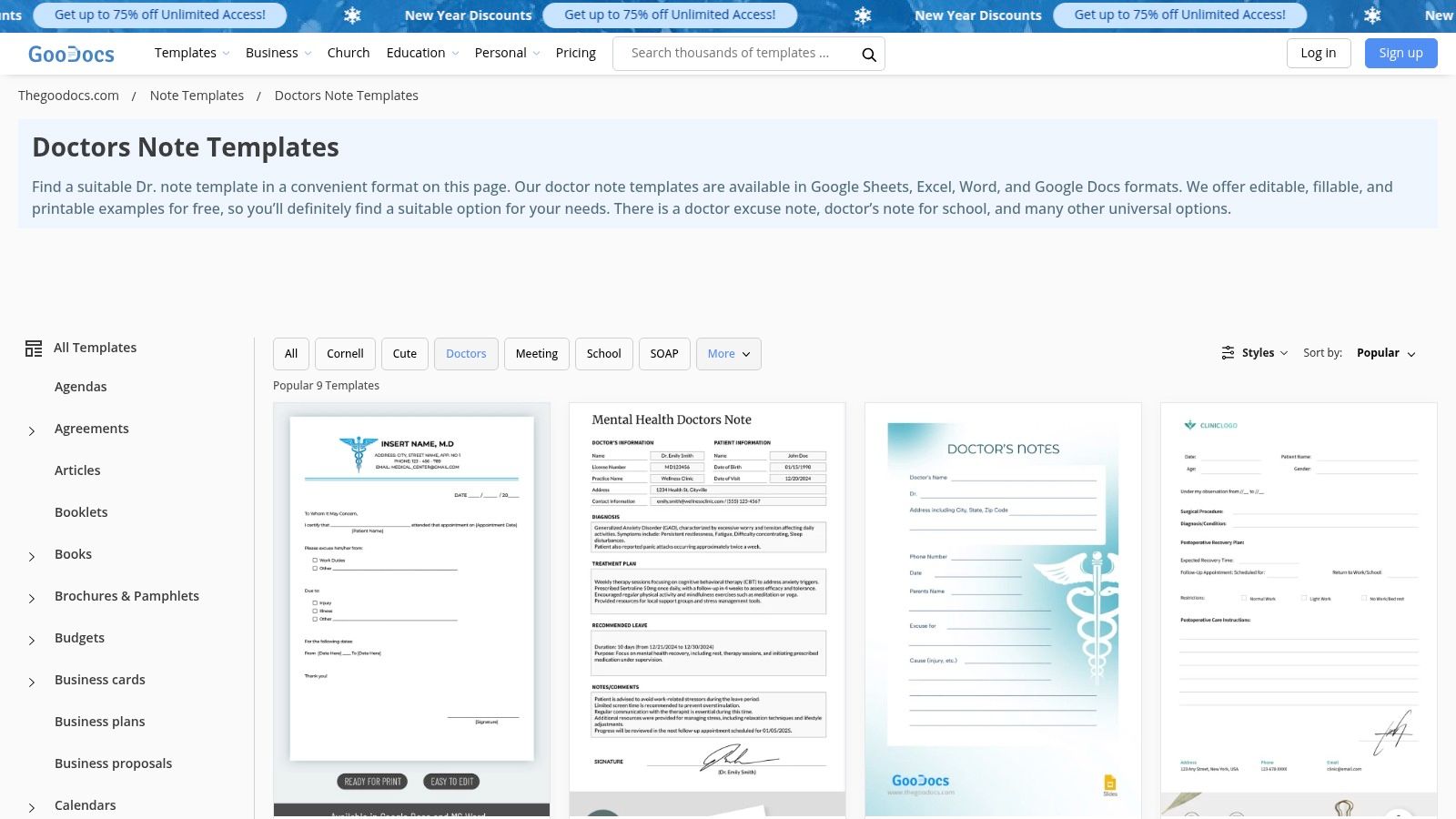
TheGoodocs offers a refreshing, no-frills approach for clinics that prioritize simplicity and cost-effectiveness. Instead of complex forms or software, it provides a curated collection of free doctors note templates designed for Google Docs and Microsoft Word. This makes it an excellent choice for practices already using Google Workspace or Microsoft 365, as the templates integrate seamlessly into their existing workflow. The designs are clean, minimalist, and professional, allowing staff to quickly open, edit, and print a note without any learning curve.
Key Features and Usage
The main advantage of TheGoodocs is its direct compatibility with popular word processors. Users can simply select a template, open it in Google Docs with a single click, and start editing immediately. The collection includes specialty versions for different needs, such as mental health notes and pediatric absence excuses, which is a significant plus for diverse practices. Because the files are standard documents, customization is unlimited; you can change fonts, add logos, and adjust layouts as needed.
Best Use Case: Small clinics, solo practitioners, or administrative staff who need a quick, editable, and printable doctor's note without signing up for a new platform. It is perfect for teams heavily reliant on Google Workspace for their daily operations.
Limitations and Pricing
The platform's strength is also its limitation. It provides static documents and lacks any built-in workflow automation, such as e-signatures, automatic distribution, or secure cloud storage. The catalog of templates is also smaller compared to larger template marketplaces. However, every template on the site is completely free to download and use without any hidden costs or required subscriptions.
- Free Plan: 100% free access to all templates for Google Docs and Word.
- Paid Plans: None. The platform is supported by ads and premium template bundles for other categories, but the doctor's notes are free.
TheGoodocs is an ideal resource for those who value simplicity and want a straightforward, cost-free solution for generating professional-looking notes.
Website: https://thegoodocs.com/freebies/doctors-notes/
6. DocHub
DocHub operates as a versatile in-browser PDF editor, making it an excellent choice for clinicians who need to quickly modify, sign, and share a doctor's note on the fly. Unlike platforms focused on form creation, DocHub’s strength lies in its ability to handle existing PDF templates. You can upload a document or find a user-submitted template, fill it out directly in your browser, add a legally binding e-signature, and share it instantly via email, a secure link, or even by fax. This makes it perfect for one-off situations or for practices that prefer a simple, direct approach to document editing without the overhead of a complex form-building system.
Key Features and Usage
DocHub’s primary advantage is its seamless integration with cloud workflows, especially for Google Workspace users. As a Google add-on, it allows you to edit and sign documents directly from Gmail or Google Drive. Its features are centered on PDF manipulation, letting you add text, checkmarks, and signatures to any free doctors note templates you find or upload. Once a note is complete, the platform provides robust sharing controls and maintains a clear version history, which is useful for tracking edits and ensuring document integrity.
Best Use Case: Solo practitioners or small clinics needing a quick, no-fuss tool for editing and signing individual PDF doctor’s notes. It is also ideal for professionals who frequently work within the Google ecosystem and require a fast way to handle documents.
Limitations and Pricing
While basic editing is free, many of DocHub’s more advanced features, including unlimited signatures and premium tools, are locked behind a Pro subscription. The quality and formatting of the available templates can also be inconsistent, as many are user-submitted. A free account is required to use most of its functionality, which may be a hurdle for some users.
- Free Plan: Allows for basic document editing and a limited number of e-signatures per month. Requires user sign-up.
- Paid Plans: A monthly Pro plan unlocks unlimited document signing, premium editing tools, and enhanced collaboration features.
This makes DocHub a powerful free tool for occasional use, but practices that process a high volume of notes will likely need to upgrade.
Website: https://www.dochub.com/fillable-form/20449-free-doctors-note-template-free-doctors-note-template
7. pdfFiller
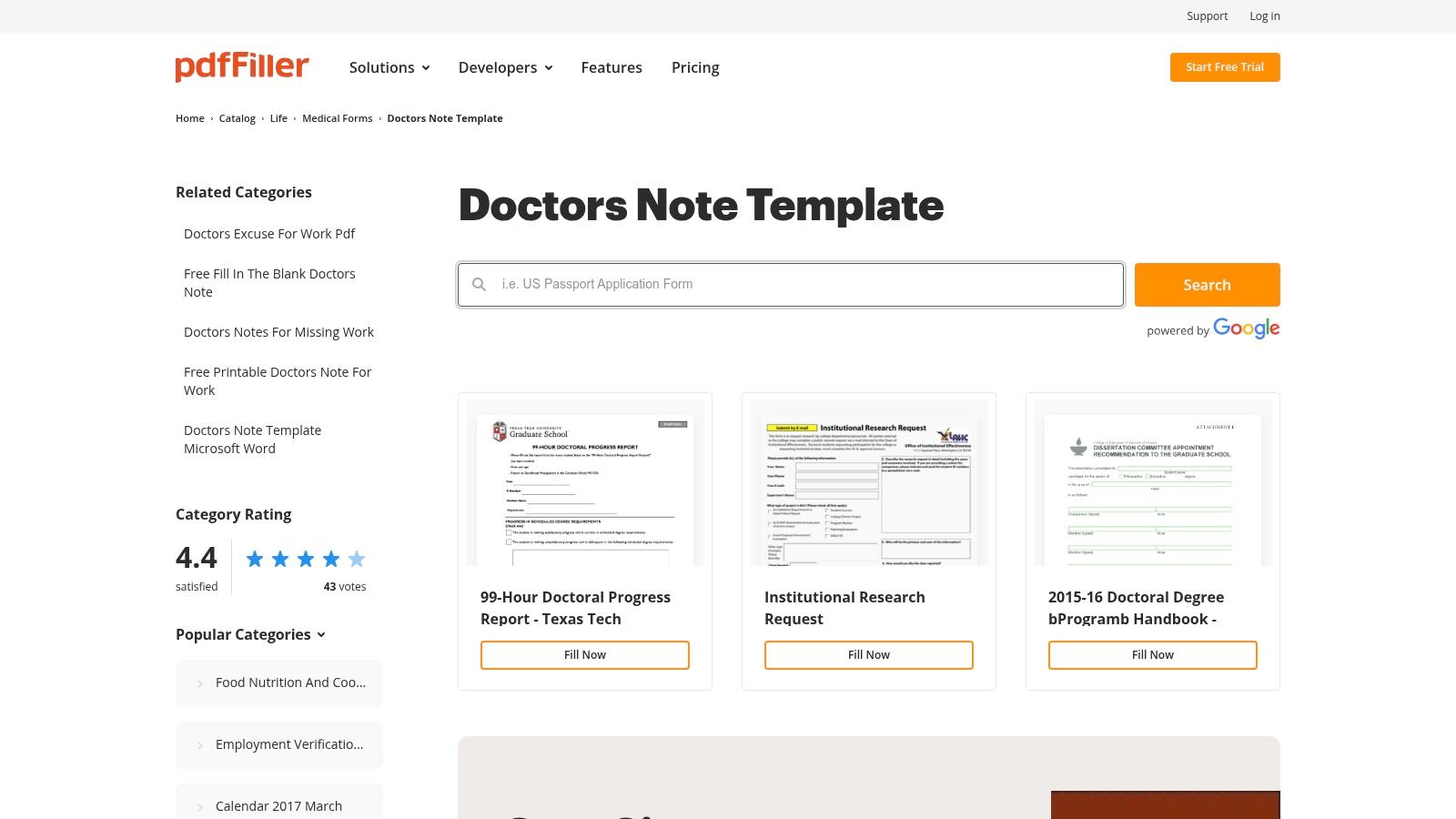
pdfFiller offers more than just downloadable files; it is a comprehensive, browser-based PDF editing suite. This platform is perfect for practices that need to do more than just fill in a template. It allows users to find, modify, redact, and securely sign documents directly online. With a large catalog of free doctors note templates and related medical forms, it serves as a powerful resource for clinics aiming to manage their entire document lifecycle within a single toolset, eliminating the need for separate, expensive PDF software.
Key Features and Usage
pdfFiller’s strength lies in its robust editing capabilities. Clinicians can upload an existing note, create one from a template, or build one from scratch. Features like e-signatures, shareable links, and cloud storage with detailed audit trails provide a secure and transparent documentation process. The platform is designed for offices that need to create and manage a high volume of PDF documents without investing in a dedicated desktop application like Adobe Acrobat.
Best Use Case: Medical offices that require a full suite of PDF editing tools for creating, managing, and archiving doctor’s notes. It is especially useful for practices that frequently need to redact sensitive information or track document versions and access history.
Limitations and Pricing
The platform heavily promotes its subscription model. While you can access a large index of templates, full functionality for editing, saving without watermarks, and using advanced security features is locked behind a paywall after the trial period. The user interface can also feel cluttered with promotional content, which may be distracting for some users.
- Free Plan: Limited to a trial period with access to the template library and basic editing.
- Paid Plans: Subscription-based, unlocking unlimited document editing, e-signatures, cloud storage, and advanced features.
pdfFiller is an excellent choice for its powerful tools, but practices should view it as a premium service rather than a completely free resource.
Website: https://www.pdffiller.com/en/catalog/doctors-note-template.htm
8. TemplateLab
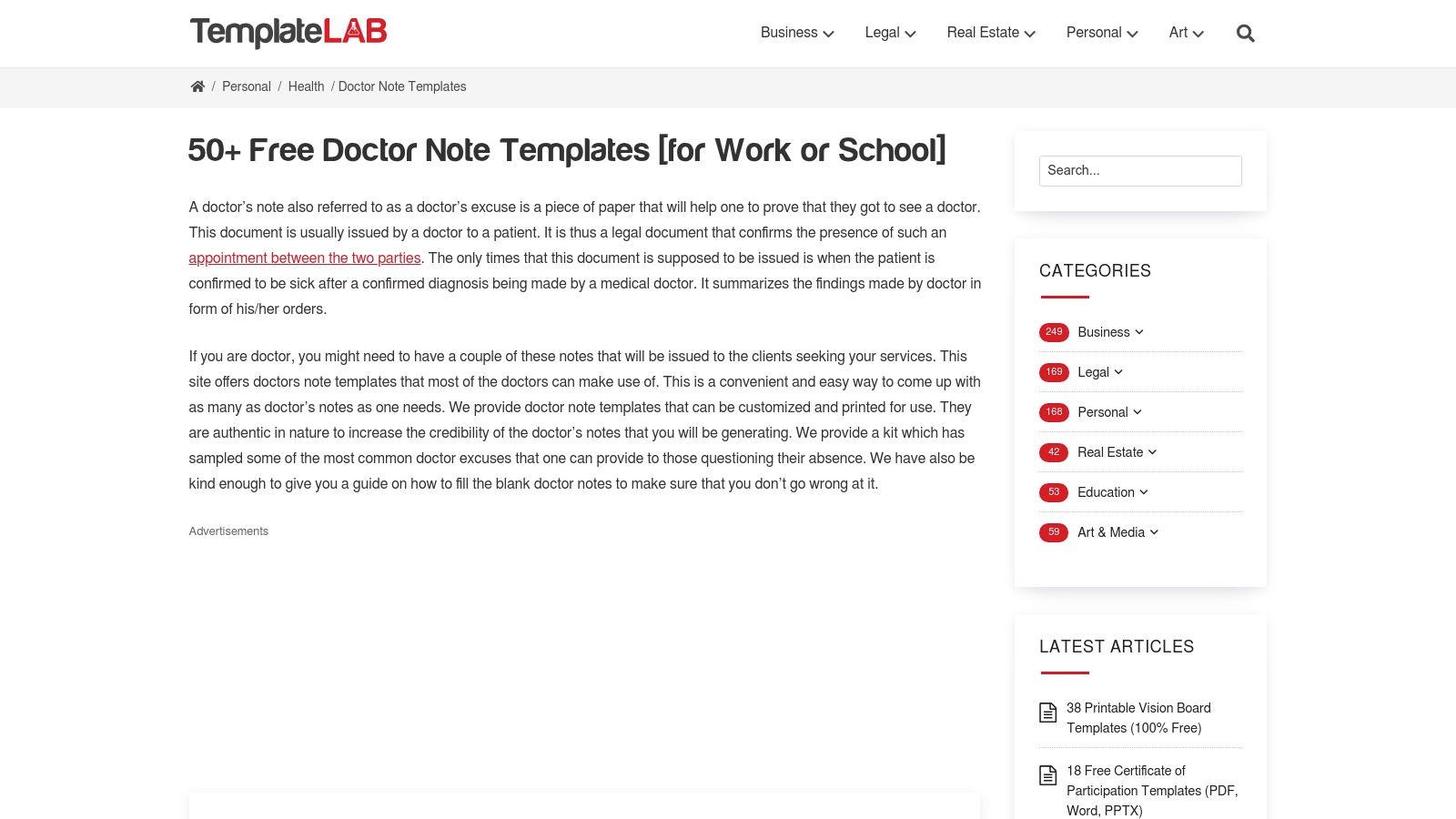
TemplateLab serves as a massive repository of document templates, offering an impressive collection of over 50 free doctors note templates. Unlike platforms that provide a single customizable form, TemplateLab gives users dozens of distinct layouts in Word, Excel, and PDF formats. This variety makes it an excellent resource for brainstorming different formats or finding a specific layout for unique situations, such as notes for school, work, or specialized medical excuses. The site also provides helpful guidance on the essential fields to include, ensuring no critical information is missed.
Key Features and Usage
The main strength of TemplateLab lies in its sheer volume and diversity. Practices can download multiple versions to see which best fits their workflow or patient needs. Each template acts as a solid foundation, providing the necessary structure and headings. Administrators can then modify the Word or Excel files to add their clinic's branding and specific procedural details. The included checklists are also a practical tool for training new staff on the required components of a valid doctor's note, which helps maintain consistency with other documentation like what you might find in a patient medical chart example.
Best Use Case: Clinics or administrative staff looking for a wide range of static, printable templates to use as-is or to inspire the creation of a custom in-house document.
Limitations and Pricing
All templates on the site are completely free to download and use. However, the platform comes with significant limitations for professional medical use. It offers no digital functionality, such as e-signatures, automated distribution, or EMR integration. Furthermore, some of the site's content and messaging around "fake" notes could present ethical and liability concerns for a professional practice, so users should exercise caution and use the templates purely as a structural guide.
- Free Plan: Full access to download all 50+ templates in various formats.
- Paid Plans: None. The platform is entirely free.
This makes TemplateLab a useful starting point for ideas but not a comprehensive solution for modern, compliant documentation.
Website: https://templatelab.com/doctors-note-template/
9. Etsy
While not a source for strictly free doctors note templates, Etsy offers an expansive marketplace of highly affordable, professionally designed options. For a minimal cost, often just a few dollars, practices can access a wide variety of editable templates created by independent designers. These templates come in multiple formats, including Word, PDF, Google Docs, and Canva, providing a high degree of flexibility and aesthetic choice that free repositories often lack. This makes Etsy an excellent resource for clinics wanting a unique or branded look without the expense of a custom design.
Key Features and Usage
The primary advantage of Etsy is the sheer variety and instant access. After a small purchase, you receive an immediate digital download link, allowing you to edit and use the template right away. The platform’s review system helps you gauge the quality of a template and the reliability of a seller before buying. You can find everything from minimalist notes to comprehensive forms with detailed sections for specific medical fields.
Best Use Case: Small practices, solo practitioners, or specialty clinics looking for an inexpensive, visually appealing, and easily customizable template that reflects their brand identity. It's perfect for those who want a professional design without significant investment.
Limitations and Pricing
The biggest limitation is the lack of standardization. Quality and functionality can vary significantly from one seller to another, and these templates do not come with any guarantee of medical or legal compliance. Users must ensure the template meets their practice's specific documentation requirements. The risk of misuse by individuals creating fake notes is also a consideration.
- Free Plan: Not available, but templates are extremely low-cost.
- Paid Plans: One-time purchase per template, typically ranging from $1 to $6.
Etsy provides a nearly free way to acquire stylish templates, but the responsibility for ensuring their professional adequacy rests entirely on the user.
Website: https://www.etsy.com/market/doctor_note_template
10. Lark Templates (Lark Suite)
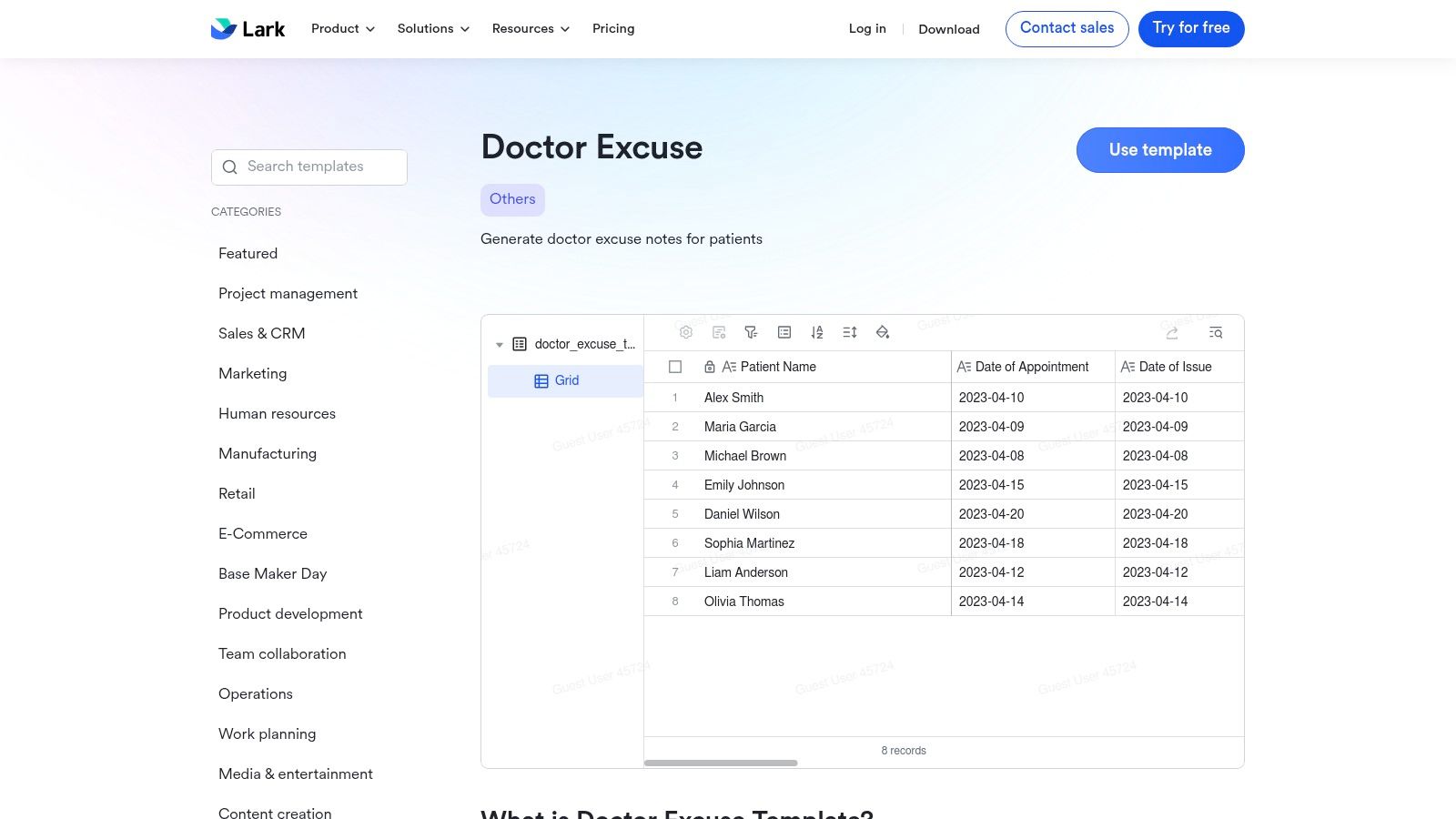
Lark Templates offers a unique approach by integrating free doctors note templates directly into its collaborative workspace platform, Lark Suite. Rather than providing a simple downloadable file, Lark offers structured, database-like templates within its "Lark Base" feature. This is designed for medical teams and clinics that already use or are willing to adopt the Lark ecosystem for internal operations. The primary advantage is creating a single source of truth for patient documentation, ensuring every team member uses the exact same format and fields for consistency.
Key Features and Usage
The platform's strength lies in its collaborative nature. Clinicians can work from a shared template, track changes with version control, and easily share the final note with other staff members within the Lark workspace. Pre-built fields for patient details, dates of absence, and medical restrictions can be customized to fit a practice’s specific needs. This system is great for maintaining internal standards and simplifying administrative workflows.
Best Use Case: Medical teams and administrative staff already using Lark Suite for internal communication and project management. It is perfect for organizations aiming to standardize their documentation process across all practitioners.
Limitations and Pricing
The biggest limitation is that these templates are locked within the Lark ecosystem, requiring a Lark account to access and utilize them. This makes it impractical for one-off use. Furthermore, Lark is a general collaboration tool and does not offer native HIPAA compliance or other healthcare-specific security features, making it unsuitable for storing or transmitting sensitive patient health information without additional safeguards.
- Free Plan: Access to templates and core Lark Suite features is available for free.
- Paid Plans: Pro and Enterprise plans offer more storage, advanced administrative controls, and enhanced support but do not add healthcare-specific compliance.
Website: https://www.larksuite.com/en_us/templates/doctor-excuse-template
11. WordLayouts
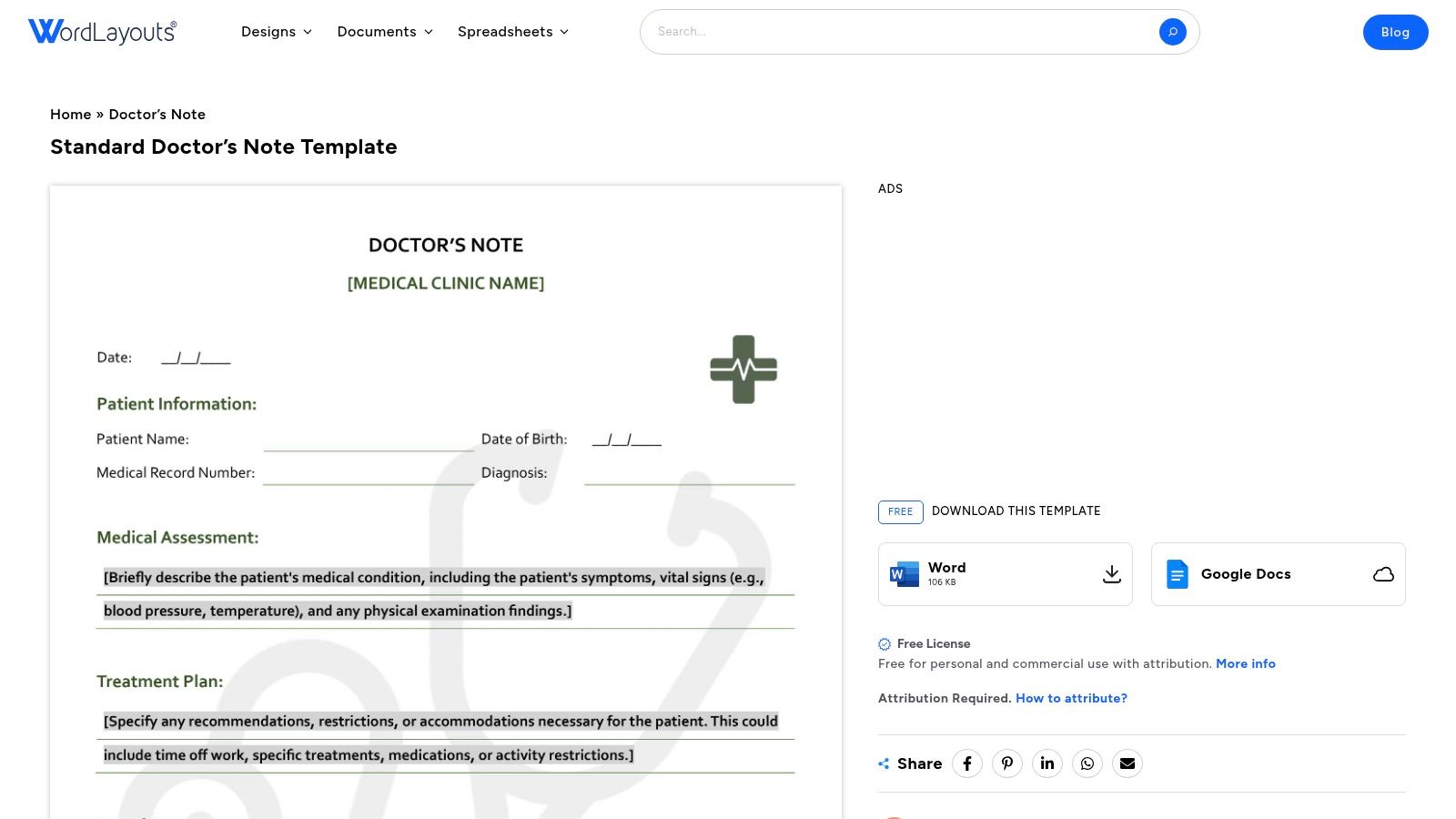
WordLayouts provides a classic, no-frills approach to medical documentation with its 'Standard Doctor’s Note' template. This resource is designed for simplicity and functionality, offering clean, well-organized layouts compatible with both Microsoft Word and Google Docs. It’s an excellent choice for clinics that prefer to use their existing word processing software and simply want a professional, ready-to-use foundation. The template can be easily adapted to a practice’s official letterhead, ensuring brand consistency without requiring any design skills.
Key Features and Usage
The main appeal of WordLayouts is its straightforwardness. The template includes clearly defined sections for patient information, diagnosis, recommended restrictions, and the effective dates for the medical leave or accommodation. Since it is a standard document file, customization is as simple as typing directly into the fields, adding a clinic logo in the header, or adjusting the text to fit specific needs.
Best Use Case: Small practices or solo practitioners who need a simple, printable doctor’s note that can be quickly filled out and printed on established company letterhead. It is ideal for those who want to avoid complex software or online form builders.
Limitations and Pricing
The template is entirely free to download and use, which is a major benefit. However, this comes with a condition: its free license requires attribution. This means you must credit WordLayouts when using the template, a detail that might not be suitable for all professional settings. The platform also offers a very limited selection, focusing on this one standard note rather than a large library of variants.
- Free Plan: The template is completely free but requires attribution as per its license terms.
- Paid Plans: There are no paid plans or premium versions for this specific template.
This makes WordLayouts a great resource for basic needs, provided the attribution requirement is acceptable to the practice.
Website: https://www.wordlayouts.com/document/standard-doctors-note-template/
12. Highfile
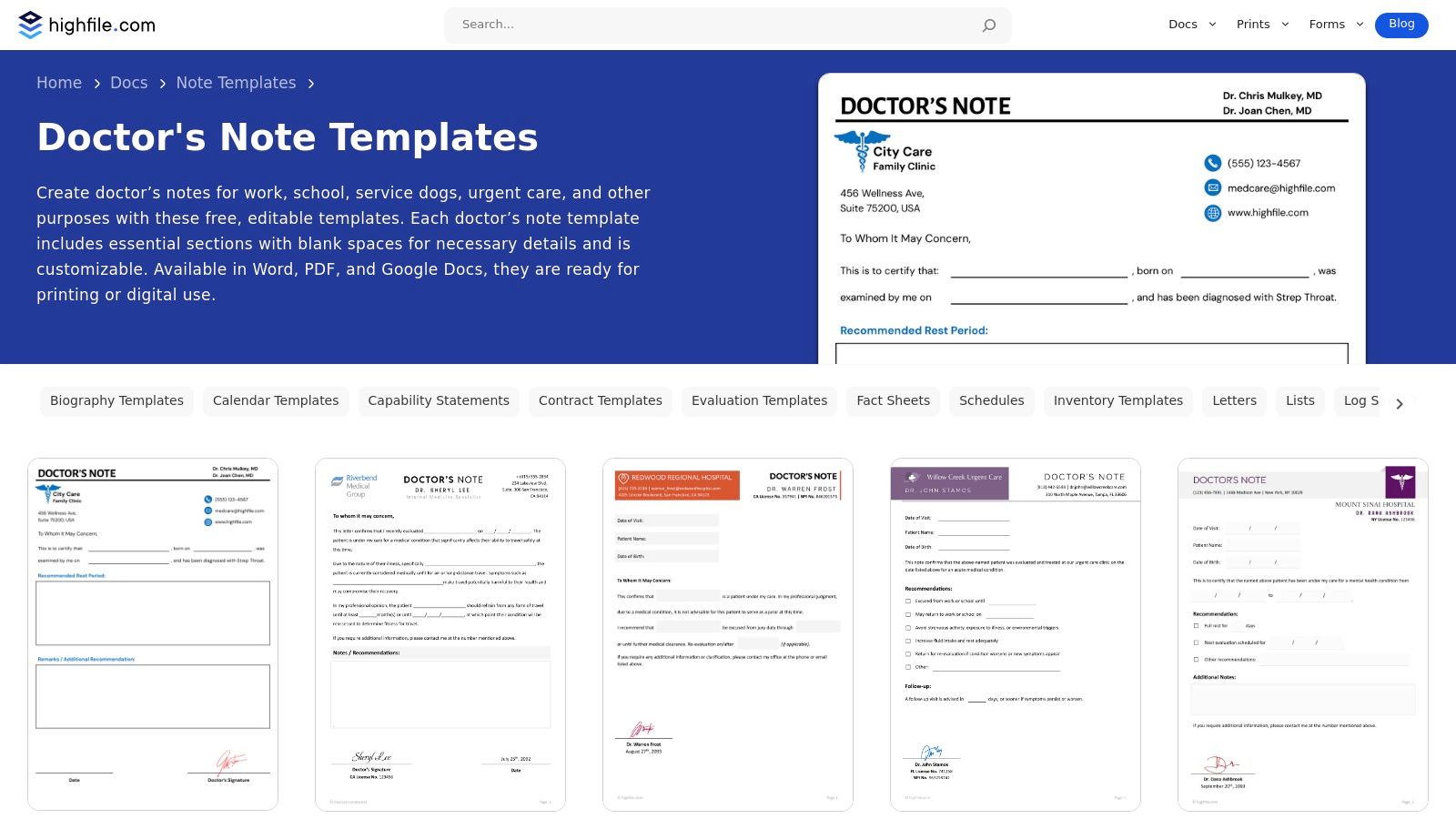
Highfile offers a straightforward, no-frills approach for practices needing quick access to traditional document-based templates. Unlike complex form builders, this platform provides a library of free doctors note templates designed for specific scenarios like urgent care, pediatrics, and return-to-work authorizations. The templates are available in Word, Google Docs, and PDF formats, making them highly accessible for any office environment. It's an ideal resource for clinics that prioritize simple, printable documents over integrated digital workflows.
Key Features and Usage
Highfile's primary strength is its simplicity and variety. Users can quickly find a template that fits their immediate need, download it in their preferred format, and fill it out digitally or by hand. The clean, professional designs require minimal customization, allowing a practice to simply add its letterhead and start using them. The direct download model means there is no software to install or account to create, offering immediate access.
Best Use Case: Small practices or solo practitioners who need a variety of printable templates for different situations without committing to a digital platform. It is also excellent for offices needing a quick, one-off note for a specific circumstance.
Limitations and Pricing
The platform is entirely free, but this comes with trade-offs. The user experience can be hampered by advertisements and occasional content gating that requires sharing before a download is available. More importantly, Highfile offers no workflow automation, e-signature capabilities, or HIPAA-compliant features. All downloaded documents must be managed and secured manually according to your practice's own compliance protocols.
- Free Plan: Full access to all templates in Word, Google Docs, and PDF formats.
- Paid Plans: There are no paid plans; the service is ad-supported.
Highfile is a practical resource for basic documentation needs, but it places the full responsibility for security and compliance on the user.
Website: https://www.highfile.com/simple-doctors-note/
Top 12 Free Doctors Note Template Comparison
| Product | Core features | UX / Quality | Unique selling points | Target audience | Pricing / Value |
|---|---|---|---|---|---|
| Jotform | Drag-and-drop forms, PDFs, e-signature, 100+ integrations | ★★★★☆ | ✨ Ready templates + HIPAA-friendly options 🏆 | 👥 Small-medium practices needing branded digital forms | 💰 Free tier; HIPAA/advanced features on paid plans |
| Template.net | Templates in Word/Google/PDF/Pages, in-browser editor | ★★★☆☆ | ✨ Wide format choice & many variants | 👥 Users needing many format options & variants | 💰 Mix of free + subscription-gated premium |
| Carepatron | Printable clinician templates, legal/privacy guidance | ★★★★☆ | ✨ Clinician-focused with validity/privacy tips 🏆 | 👥 Clinical staff seeking legally-aware templates | 💰 Free templates; practice-management features paid |
| Adobe Express | Designer templates, brand kit, PDF export, collaboration | ★★★★☆ | ✨ Professional branding & polished layouts | 👥 Practices wanting high-quality branded notes | 💰 Free tier; premium assets/collab on paid plan |
| TheGoodocs | Google Docs / Word-ready templates, specialty versions | ★★★★☆ | ✨ 100% free, Google Workspace–friendly | 👥 Teams using Google Workspace needing simple templates | 💰 Free |
| DocHub | In-browser PDF editor, e-sign, sharing & templates | ★★★★☆ | ✨ Quick e-sign + easy collaboration/versioning | 👥 Offices needing one-off signed notes | 💰 Free basic; paid for advanced features |
| pdfFiller | Edit/redact/sign PDFs, cloud storage, audit trails | ★★★★☆ | ✨ Full PDF toolset + audit trails 🏆 | 👥 Offices needing robust document management | 💰 Subscription-based for full features |
| TemplateLab | 50+ downloadable variants, guidance on fields | ★★★☆☆ | ✨ Large free collection + checklists | 👥 Users brainstorming formats or needing examples | 💰 Free |
| Etsy | Instant downloads (Word/PDF/Canva), seller reviews | ★★★☆☆ | ✨ Very low-cost, varied styles & niche options | 👥 Buyers wanting inexpensive, unique templates | 💰 Low-cost purchases (~$1–$6) |
| Lark Templates (Lark Suite) | Prebuilt fields, collaborative editing, export | ★★★★☆ | ✨ Version control & team collaboration | 👥 Teams already using Lark workspace | 💰 Free inside Lark (requires account) |
| WordLayouts | Word/Google Docs formats, clear sections, printable | ★★★☆☆ | ✨ Simple, print-ready for letterhead use | 👥 Practices adapting templates to letterhead | 💰 Free (requires attribution) |
| Highfile | Multiple scenario templates, Word/Google/PDF downloads | ★★★☆☆ | ✨ Quick access to clean, fillable designs | 👥 Practices needing printable, scenario-specific notes | 💰 Free (site may show ads/gating) |
Choosing the Right Template and Automating Your Documentation Workflow
Navigating administrative tasks is a challenge for any healthcare practice, and managing patient documentation is a significant part of that puzzle. We've explored a comprehensive collection of free doctors note templates from platforms like Jotform, Template.net, and Carepatron. These resources can provide a solid foundation for standardizing communication, ensuring clarity, and maintaining professionalism. The key is that a one-size-fits-all approach rarely works. The ideal template for a busy pediatric clinic differs from one used by a telemedicine provider. Your selection should balance ease of use with compliance and documentation needs, prioritizing templates that are professional, customizable, and compatible with your EMR system.
From Static Templates to Dynamic Workflows
While selecting a template is a crucial first step, true efficiency lies in automation. A static template saves design time but doesn't solve the administrative burden of filling it out, getting it signed, and logging it. This is where automation becomes a game-changer. The goal is to build a seamless workflow around the entire lifecycle of a patient request: intake, information gathering, drafting, delivery, and filing. Each step is an opportunity for delay and human error. By integrating your chosen template into an automated system, you can transform this manual process into an efficient operation. For those looking to streamline their practice, exploring best workflow automation tools can be beneficial.
Final Considerations for Implementation
As you move forward, focus on a holistic strategy. A good template is a tool, but a great workflow is a system. Start by standardizing templates for common scenarios like school absences and work accommodations. Then, look for opportunities to automate the repetitive tasks. By pairing reliable free doctors note templates with intelligent automation, you empower your teams to reclaim valuable time. This shift allows them to move from tedious paperwork to focusing on what truly matters: delivering exceptional patient care.
Ready to eliminate the administrative burden of patient documentation for good? While templates provide the structure, Simbie AI provides the automation. Discover how our AI-powered voice assistant can handle patient calls for doctor's notes, automatically create tasks in your EMR, and free up your staff to focus on patients, not paperwork. Learn more about Simbie AI and transform your practice's workflow today.