

Choosing the right Electronic Medical Record (EMR) system is one of the most significant strategic decisions you'll make for your small practice. It's a choice that directly impacts your operational efficiency, the quality of patient care you provide, and, ultimately, your bottom line. The best EMR systems for small practices are those that seamlessly integrate into your daily work, simplifying tasks rather than complicating them. This comprehensive guide is designed to help you navigate the complex market, cut through the sales pitches and dense tech jargon, and make a choice you can feel confident about for years to come.
Why Finding The Right EMR Is A Game Changer
Picking an EMR isn't just a software purchase; it’s a foundational decision that fundamentally redefines how your practice operates. Think of it as hiring a new, incredibly efficient administrative partner who works around the clock without ever needing a break. The right system automates tedious tasks, organizes vast amounts of patient data so it's instantly accessible and actionable, and smooths out communication channels between your team, laboratories, and pharmacies.
This choice creates a ripple effect that touches every aspect of your practice, from staff morale and burnout rates to patient satisfaction and clinical outcomes. A clunky, unintuitive system creates daily headaches, frustrates your clinicians, and can even lead to costly billing errors or clinical mistakes. On the flip side, a well-chosen EMR becomes the central nervous system of your practice, a digital backbone that supports and enhances every single thing you do.
The Small Practice Disadvantage
EMR adoption has become the industry norm, but small, independent practices often get the short end of the stick. By 2021, data showed that about 88% of office-based physicians were using an EHR, but this statistic masks a significant disparity between large hospital systems and independent clinics. Small, rural, and non-teaching practices have historically struggled to keep up, often held back by constrained budgets, limited technical expertise, and a lack of dedicated IT staff.
This reality makes getting the EMR choice right even more crucial. Your EMR needs to deliver a tangible and significant return on investment without requiring a full-time tech expert just to keep it running. The entire point is to find a powerful tool that empowers your team and streamlines your operations, not one that becomes another administrative burden to manage.
An EMR should be a powerful tool that helps you provide better care—not a constant obstacle that leads to frustration and burnout. It needs to work seamlessly with your billing and scheduling, creating a single, smooth workflow that saves time and cuts down on errors.
Looking Beyond Healthcare Specifics
It can be incredibly helpful to step back and analyze this decision from a pure business perspective. The core challenge of selecting an EMR—balancing cost, features, interoperability, and ease of use—is a challenge that businesses in every industry face when choosing mission-critical software. For instance, a small manufacturing firm selecting an enterprise resource planning system weighs very similar variables.
For a different angle, you can see how other small businesses tackle similar problems by checking out this guide on ERP software for small businesses. Framing your EMR choice as a strategic business investment, not just a clinical tool, can bring a tremendous amount of clarity to the decision-making process. By focusing on what truly matters for efficiency and growth, you can find an EMR that not only modernizes your records but also actively improves patient care and secures your practice’s long-term financial future.
To help you get started, here's a quick look at the most important factors to keep in mind.
Quick Overview Of EMR Evaluation Criteria For Small Practices
| Evaluation Criteria | Why It Matters For Your Practice |
|---|---|
| Usability & Workflow | Your team will use this all day, every day. It must be intuitive and match how you actually work, not force you into a new, awkward process. |
| Cost & Pricing Model | Hidden fees can cripple a small practice budget. Look for transparent, predictable pricing that fits your financial reality without surprises. |
| Interoperability | Can it talk to labs, pharmacies, hospitals, and other systems? Seamless, secure data exchange is non-negotiable for coordinated care. |
| Scalability | Your practice will grow. The EMR should be able to grow with you, accommodating new providers or locations without a massive overhaul. |
| Billing & Practice Management | An integrated system that handles scheduling, billing, and clinical notes in one place saves huge amounts of time and reduces costly errors. |
| HIPAA & Security | Patient data security is paramount. The system must have robust, built-in compliance and security features to protect you and your patients. |
Ultimately, this guide will walk you through all the essential features, the real costs involved, and the key questions to ask so you can find that perfect fit for your practice and avoid common pitfalls.
Focusing on the EMR Features You Will Actually Use
When you start looking at EMR systems for small practices, it’s incredibly easy to get lost in a sea of features. Vendors love to showcase dozens of complicated, often niche tools, but for a small clinic, simplicity, practicality, and efficiency are what really matter. One of the biggest and most expensive mistakes you can make is paying for a bloated, overly complex system packed with features you'll never touch.
The trick is to ignore the flashy, non-essential add-ons and focus intensely on the core functions that will make a real, immediate difference in your day-to-day work. By concentrating on what actually improves clinical efficiency, streamlines your revenue cycle, and enhances patient care, you'll invest in a tool that solves existing problems, not one that creates new ones.
Usability: An Intuitive Interface Is Non-Negotiable
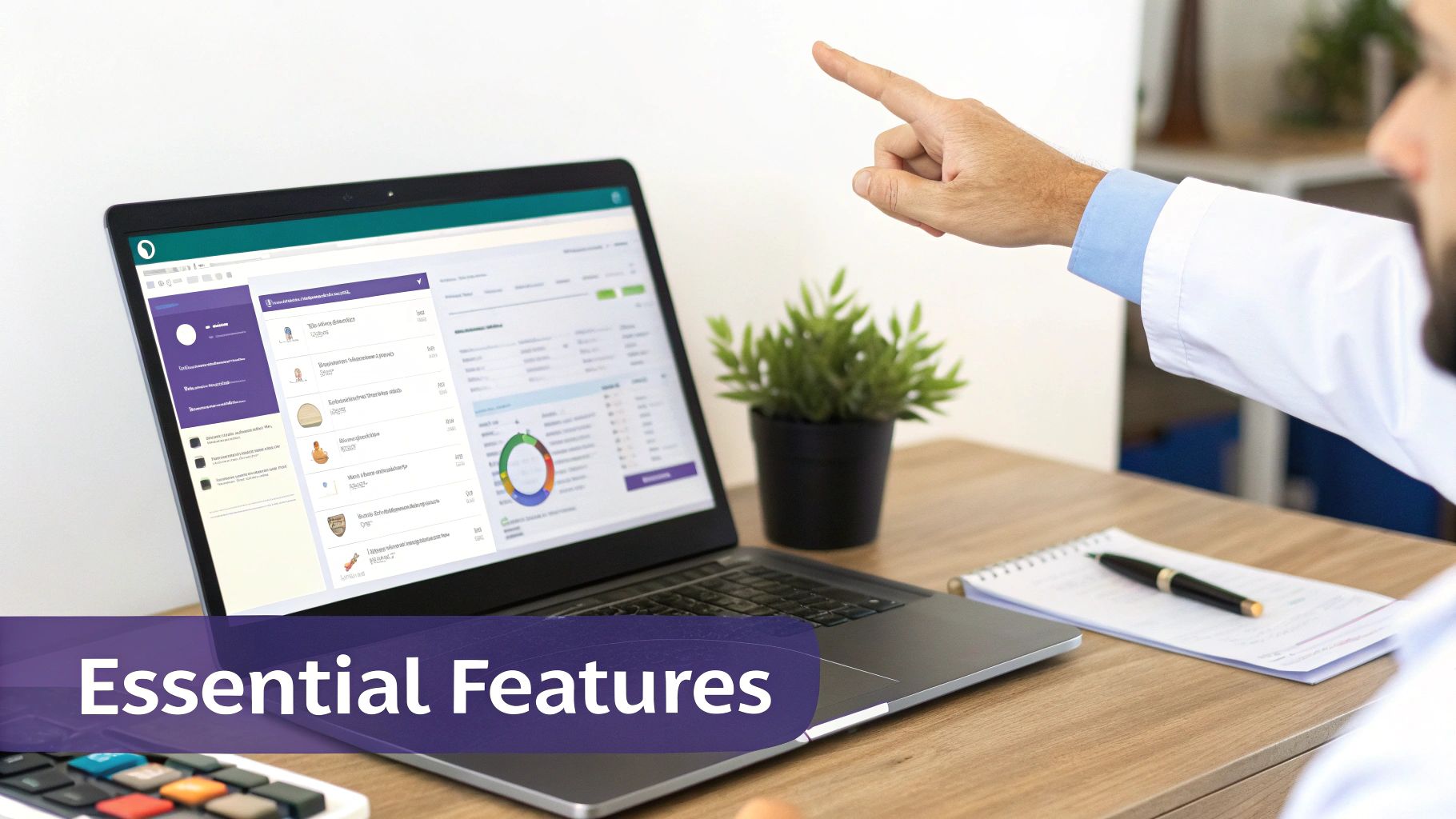
If your EMR feels like you’re trying to navigate a tax document from the 1990s, your team simply won't use it effectively, if at all. The single most important feature is a clean, modern, and intuitive interface that’s easy to learn and navigate. In a small practice, you don’t have an IT department on standby or weeks to dedicate to cumbersome training sessions.
Your staff, from the front desk administrator to the physicians and nurses, needs to be able to pick up the basics quickly and feel confident using the system. A steep learning curve just leads to widespread frustration, slow workflows, data entry errors, and ultimately, burnout. During any demo, pay close attention to the user experience. How many clicks does it take to write a common note, order a lab test, or send a prescription? Is the layout cluttered or clean?
A truly great EMR for a small practice feels less like complex software and more like a well-organized digital assistant. It should anticipate your needs and make the next logical step obvious, reducing the mental load and cognitive friction for your busy team.
Integrated Practice Management and Billing
For a small practice, managing your revenue cycle isn’t just important—it’s a matter of survival. That’s why an EMR with tightly integrated practice management and billing capabilities is so critical. Juggling separate, disconnected systems for clinical notes, patient scheduling, and medical billing is a recipe for manual data entry errors, missed charges, claim denials, and delayed payments.
When these core functions are all housed in one unified platform, the workflow becomes seamless and far more efficient. An appointment booked at the front desk automatically creates a shell for a clinical note. The services you document during the visit flow directly into a claim for billing, often with suggested coding. This level of integration is a genuine game-changer:
- Less Admin Work: It eliminates the redundant task of re-entering patient demographics or service codes into different programs.
- Better Billing Accuracy: You dramatically reduce the risk of transcription errors or lost superbills, which means you get paid correctly and on time, improving your clean claim rate.
- A Real-Time Financial Snapshot: You can get a clear, up-to-the-minute view of your practice's financial health without the headache of trying to reconcile data from multiple, disparate sources.
Having these tools under one roof is a massive efficiency boost that directly impacts your bottom line. For a deeper look, check out our guide to essential practice management software features.
Essential Connectivity: Mobile Access and Telehealth
Modern healthcare happens everywhere, not just inside the four walls of your clinic. You and your providers need the flexibility to check patient charts, respond to urgent messages, and manage prescriptions while on call or away from the office. Robust mobile access through a dedicated smartphone or tablet app isn’t a luxury anymore; it's a basic requirement for providing timely, continuous care in today's world.
In the same vein, telehealth has moved from a niche service to something patients now expect as a standard option. A secure, easy-to-use video platform built right into your EMR makes the entire process simpler for both patients and providers. It gets rid of clunky third-party applications and ensures that all documentation from virtual visits lands directly and correctly in the patient's chart where it belongs, maintaining a single source of truth.
Interoperability and Scalability
Your EMR cannot exist on an island. Interoperability is simply a technical term for its ability to securely "talk" to and exchange data with other systems—labs, pharmacies, hospitals, and other specialists. This is absolutely crucial for effective care coordination. When evaluating systems, look for an EMR that can easily receive lab results electronically, send e-prescriptions (including for controlled substances), and exchange patient summaries (like CCDAs) with other doctors.
Finally, think about the future. Your practice might be small now, but you have plans to grow. A scalable EMR can grow with you without forcing you to undergo a painful and expensive migration to a new system in a few years. Ask vendors specific questions about how their system handles adding new providers, more support staff, or even opening another location. The right EMR system for a small practice should be a long-term partner, ready to support your vision for years to come.
Understanding The Real Cost Of An EMR System
The price tag you see on an EMR vendor’s website or in a sales proposal is rarely the full story. More often than not, it’s just the tip of the iceberg. For small practices, where every dollar counts, getting a handle on the total cost of ownership (TCO) is the only way to make a smart, sustainable investment.
Think of it like buying a car. You have the sticker price, sure, but the real cost over the years includes insurance, fuel, regular maintenance, new tires, and the occasional unexpected repair. The same logic applies directly to an EMR system for small practices. The true expense goes way beyond the initial software fee. To make a decision you won't regret down the line, you need to look at the complete financial picture—from the upfront cash outlay to all the recurring operational costs that will hit your budget month after month, year after year. This approach keeps nasty budget surprises at bay and helps you accurately assess the system's true long-term value.
Decoding EMR Pricing Models
As you start your search, you'll quickly discover that vendors price their systems in a couple of fundamentally different ways. There's no single industry standard, so getting a firm grip on the two main approaches is your first critical step.
- Subscription Model (SaaS – Software as a Service): This is, by far, the most common model for modern, cloud-based EMRs. You pay a predictable fee per provider, per month or per year. This fee usually covers the software license itself, along with routine support, ongoing maintenance, and all future updates and security patches. It's predictable, easier on cash flow, and doesn't require a huge upfront capital investment.
- One-Time License Fee: This is the more traditional, old-school model typically associated with on-premise, server-based systems. You pay a large, one-time fee to "own" the software license in perpetuity. The major catch? You'll still have to pay for ongoing annual maintenance contracts, support plans, and any significant version upgrades down the road, and those costs can add up fast, often unexpectedly.
For the vast majority of small practices, the subscription model just makes more financial and operational sense. It offers better flexibility and budgetary predictability. Still, you absolutely have to read the fine print of any contract to see what's actually included in that monthly fee and what isn't.
Uncovering The Common Hidden Costs
This is where a lot of well-intentioned practices get tripped up. The initial quote might look perfectly reasonable and within budget, but there are almost always other significant expenses that aren't mentioned upfront. Knowing what to look for and what questions to ask is the key to creating a realistic, comprehensive budget.
Watch out for these common "hidden" fees that can quickly inflate your total cost:
- Implementation and Setup: This is the one-time cost for the vendor's team to install the system, configure it, and tailor it to your practice's specific workflows and templates.
- Data Migration: Getting all your patient records out of your old system (or worse, from paper charts) and cleanly into the new EMR is a complex and delicate process. It almost always costs extra and is often priced based on the volume of records.
- Staff Training: Your team needs to learn how to use the new software proficiently. Vendors might charge by the person, by the hour, or offer a flat-fee training package. Don't underestimate this cost.
- Hardware Upgrades: A new, modern EMR might require you to buy new computers, servers, tablets, or document scanners that meet the system’s minimum technical requirements.
- Ongoing Support: Basic 9-to-5 support might be part of your subscription, but if you need premium, 24/7, or after-hours help, that will likely cost you more.
- Interface Fees: Need to connect to a specific lab or imaging center? The vendor may charge a one-time or recurring fee to build and maintain that connection.
These extra expenses can inflate the total investment dramatically. In fact, research consistently points to high initial and ongoing costs as one of the biggest roadblocks for EMR adoption in small practices. These clinics often face upfront costs in the tens of thousands of dollars per provider on top of their recurring subscription fees, which makes a crystal-clear understanding of every single expense vital. You can find more data on these financial barriers in recent implementation studies from JMIR.
Calculating Your Return On Investment
An EMR isn't just another line item in your budget; it's a strategic investment in your practice's future efficiency, profitability, and financial stability. Figuring out the potential Return on Investment (ROI) is how you build a compelling business case for the purchase, both for yourself and any other stakeholders. The ROI comes from a combination of direct, hard cost savings and indirect boosts to your revenue and quality of care.
The goal isn't just to find the cheapest EMR. The goal is to find the EMR that delivers the most value by improving your workflows, boosting your revenue, reducing administrative waste, and allowing you to provide better, safer patient care.
Think about the real, tangible financial wins. A good EMR leads to more accurate and complete billing and coding, which means fewer claim denials and less lost revenue. It also automates a ton of administrative work—like appointment reminders and eligibility checks—which can reduce your need for additional staff or simply free up your current team for more important, patient-facing tasks. To see how technology can directly impact your practice's finances, take a look at these practical healthcare cost containment strategies.
But don't forget the intangible benefits, because they're just as important and have real financial implications. A user-friendly EMR can slash staff burnout and turnover—two very expensive problems to have. It also improves the quality and coordination of patient care, which leads to better health outcomes and happier, more loyal patients. When you weigh the full cost against these powerful benefits, it becomes clear how the right EMR really does pay for itself over time.
Your Blueprint For A Smooth EMR Implementation
You’ve done the research and picked the right EMR—that’s a huge win and a major milestone. But even the best software on the market can turn into an operational nightmare if the rollout is a mess. A rushed or poorly planned implementation leads to frustrated staff, disrupted patient care, scheduling chaos, and can easily sink your investment before you see a single benefit. The antidote? A smart, deliberate, and well-communicated plan.
Think of this transition not as flipping a switch, but as a carefully managed project with distinct, logical phases. It starts long before your official "go-live" day and continues for weeks after, until your team finds its groove and the new system feels like second nature. This blueprint will walk you through the process, helping you build confidence and competence instead of confusion and chaos.

Stage 1: The Crucial Planning Phase
Before you transfer a single patient file, you need a map. This initial phase is all about getting a crystal-clear picture of where you are now and where you want to be with the new system. Don't be tempted to skip or rush this step; this is the foundation upon which everything that comes next is built.
Start by meticulously documenting your current workflows. Seriously, walk through a patient's entire journey in your practice, from the first call to schedule an appointment, through check-in, the clinical encounter, check-out, and finally, paying the bill. Mapping this out in detail helps you configure the new EMR to support—and ideally improve—how you actually work, rather than forcing your team to cram their established processes into a rigid, awkward new system.
This is also the time to assemble your implementation team. In a small practice, this might just be your office manager, a lead nurse or medical assistant, and yourself. A great strategic move is to designate one or two "super users"—tech-savvy and enthusiastic team members who will get extra training and become the go-to experts in the office. Most importantly, get buy-in from everyone on the team by clearly communicating the vision and showing them exactly how the new system will make their specific jobs easier, not harder.
Stage 2: Data Migration And System Setup
Moving patient data from paper charts or a legacy EMR system is one of the most nerve-wracking and technically challenging parts of the whole process. A good vendor partner really proves their worth here. They should have a well-defined, structured, and battle-tested process to ensure that no data gets lost, garbled, or corrupted in the transfer.
Before the big move, you’ll need to do some "data cleaning." This means archiving the files of long-inactive patients and meticulously checking that the data you are moving is accurate and complete. Think of it like packing for a move to a new house—you don’t want to bring a bunch of junk, outdated furniture, and broken items to your brand-new, clean space.
With your data prepped and cleaned, your vendor can handle the technical side of the migration. Concurrently, they'll start configuring the system based on those detailed workflows you mapped out earlier. Key setup tasks during this phase include:
- User Accounts & Permissions: Creating secure logins for each staff member with the correct permission levels, ensuring people only see the information they need to do their jobs.
- Custom Templates: Building out charting templates, order sets, and macros for your most common visit types to make documentation faster and more consistent.
- Billing Rules & Payer Info: Making sure all your billing codes, fee schedules, and insurance payer details are loaded correctly from day one to ensure a smooth revenue cycle transition.
Stage 3: Training And Go-Live Preparation
Good training is the bridge that turns a piece of complex software into a tool your team can actually use with confidence and efficiency. One-size-fits-all, generic training sessions just don't work. You need to insist on role-based training—your front desk team learns the intricacies of scheduling and billing, while your clinical staff focuses intensely on charting, e-prescribing, and order management.
The goal of training isn’t just to teach clicks and buttons. It’s to build the confidence your team needs to feel in control of the new system, turning their natural anxiety about change into a feeling of empowerment and ownership.
This is also a great time to start thinking ahead about optimizing your new tool. Once you understand what your new EMR can do, you can plan for future upgrades or integrations, like connecting AI tools to help with patient intake, automated appointment reminders, or even medical coding. To get a better idea of what's possible, you can learn about modern EMR system integration and see how these different technologies can work together to create an even more powerful platform.
Finally, get ready for "go-live" day. Strategically schedule a lighter patient load for the first week to give your team breathing room. Have your vendor's premium support number on speed dial. And don’t forget to celebrate this significant milestone with your team! Acknowledge that there will be a learning curve, encourage questions, and create a supportive environment. With a solid plan and a positive attitude, you’ll navigate the change smoothly and start enjoying the benefits of your new system much faster.
How The Right EMR Transforms Your Daily Workflow
Think of a modern EMR less like a digital filing cabinet and more like a smart, proactive assistant for your entire practice. It's no longer just about storing records; it’s about fundamentally changing how you and your team work for the better. The right system automates the tedious, repetitive tasks, smooths out communication, and puts the right clinical and administrative information in front of you the moment you need it.
This transformative shift gives you—and your team—back your most valuable and finite resources: time and mental energy. Instead of chasing down paper charts, deciphering handwriting, or typing the same patient information into three different screens, your staff can focus on what actually matters: providing excellent patient care. It’s about creating a practice that’s smarter, more responsive, more efficient, and truly centered on the patient.

Slashing Documentation Time
One of the first and most profound impacts you'll notice is how much faster charting gets. We all know that clinician burnout is a massive problem in healthcare, and the ever-growing mountain of administrative work is a huge reason why. A well-designed EMR attacks this problem directly with features specifically built for speed and efficiency.
Imagine starting a new patient note with a pre-built, customizable template for a routine wellness check instead of staring at a blinking cursor on a blank page. These templates can guide you through the encounter, ensuring you capture all necessary information for both clinical care and billing, but without the mind-numbing repetition of typing the same phrases over and over. Features like voice-to-text dictation and intelligent macros can further accelerate the process.
This isn't just a "nice-to-have" feature; it has a real, measurable impact on your day. Some studies have shown that practices implementing efficient EMRs can save around 75 minutes per provider, per day on documentation alone. That's time that can be reinvested into seeing more patients, spending more quality time with existing patients, or simply leaving the office on time. If you're curious about the data behind this, it's worth exploring some of the published EMR implementation studies.
Empowering Patients And Improving Engagement
A great EMR doesn't just help you; it completely changes and improves the patient experience. The patient portal is no longer a clunky afterthought—it’s now a crucial, central tool for keeping patients actively involved and engaged in their own care.
An engaged patient is a healthier patient. When people have easy, on-demand access to their own health information and can communicate directly and securely with their care team, they are more likely to adhere to treatment plans, follow up as needed, and achieve better health outcomes.
This direct line of communication builds trust, enhances transparency, and makes care coordination so much easier. Through a modern patient portal, your patients can perform a host of self-service actions that improve their experience and reduce your staff's workload:
- Schedule their own appointments online, 24/7, without playing phone tag.
- Request prescription refills with a few clicks, generating a task for your team.
- View their lab and imaging results the minute they’re finalized and reviewed.
- Send secure messages to your clinical team with quick, non-urgent questions.
- Pay their bills online, improving your collections and cash flow.
This self-service approach is a clear win-win. It empowers your patients by giving them more control and convenience, and it takes a huge administrative weight off your front desk staff, letting them focus on the people standing right in front of them.
Making Smarter Clinical Decisions On The Spot
Finally, a well-designed EMR is like having a clinical co-pilot at your side during every encounter, helping you make better-informed decisions in the exam room. These clinical decision support (CDS) tools are woven right into your natural workflow, offering subtle but powerful guidance when it's most needed.
For instance, the system might automatically flag a potential drug-to-drug interaction when you prescribe a new medication for a patient with a complex medication list. Or it could pop up a timely alert that your patient is overdue for a key screening, like a mammogram or colonoscopy, based on their age and medical history. It’s not about the software making decisions for you. It’s about having an intelligent safety net that highlights critical details you might otherwise miss on a hectic day, helping you deliver safer, more consistent, and evidence-based care to every patient.
Your EMR Vendor Vetting Checklist
Choosing the right EMR software is a huge step, but the work isn't over yet. The vendor you choose to partner with is just as critical to your long-term success as the software itself. Think of this decision less like a one-time purchase and more like entering into a long-term business relationship. You need a company that's reliable, responsive, financially stable, and genuinely invested in your small practice's well-being—not just one looking to make a quick sale and move on.
This final checklist is designed to help you cut through the sales pitch and perform your due diligence. Use these questions and steps to dig deep, evaluate potential vendors thoroughly, and make a final decision you can feel good about for years to come.
Security and Compliance Questions
Nothing is more important than protecting your patients' sensitive health information, and your vendor is your frontline defense in the digital world. Don't just accept their security claims at face value; you need to ask direct, specific, and tough questions to be sure they’re up to the task.
Start by asking for a copy of their standard Business Associate Agreement (BAA) right away. This is a non-negotiable legal requirement under HIPAA. If a vendor hesitates or can't provide one, walk away. Then, it's time to get into the weeds of their security protocols.
- Data Encryption: How do you protect our data, both when it's stored on your servers (at rest) and when it's moving between our computers and your systems (in transit)? You should be looking for robust, end-to-end encryption.
- Access Controls: What specific measures do you have in place to ensure only our authorized staff can access patient information? Can you demonstrate your role-based access controls?
- Security Audits: Do you undergo regular, independent third-party security audits and penetration testing? Are you able to share the results, a summary, or an attestation letter with us?
- Data Backup Plan: How often is our data backed up? Where are the backups stored? Even more importantly, what is your exact process and guaranteed timeframe for restoring our data if we have a disaster or system failure?
Support and Training Promises
A vendor's customer support can absolutely make or break your entire experience, especially during those first chaotic months after going live. A slick sales demo is worthless if you’re stuck with a critical billing issue and can't get a real, knowledgeable person on the phone on a busy Tuesday morning. You need to understand what "support" actually means in practice, not just in their marketing materials.
A vendor’s true colors don’t show up in the sales demo. They show up in how they respond when you have a problem. Don't be shy about probing their support promises and getting specifics in writing.
When you’re building your vetting list, it helps to apply the same broad principles used for finding and vetting top IT companies—you want a truly reliable, responsive, and expert partner. Ask pointed questions like, "What are your guaranteed service level agreement (SLA) response times for a critical, system-down issue?" and "When I call your support line for help, will I get a live person based in my country or an automated phone tree and a ticket number?"
Verifying References
Last but not least, never, ever skip the reference check. This is your only chance to get an honest, unfiltered review from a practice just like yours that has been through the entire process.
Ask the vendor for at least three references from other small practices, preferably in your specialty and geographic region. When you get them on the phone, be respectful of their time and have your questions ready. Ask about their real-world experience. How did the implementation really go? Were there any nasty financial or technical surprises? How responsive and effective is the support team when things go wrong? How was the training?
And then, ask the most important question of all: "If you could do it all over again today, would you still choose this vendor and this EMR?" Their answer, and any hesitation behind it, will tell you everything you need to know.
Frequently Asked Questions About EMRs
Let's be honest, diving into the world of EMRs can bring up a lot of questions and uncertainties. It’s a big decision with significant financial and operational implications. Here are some straightforward answers to the questions we hear most often from small practices just like yours.
How Long Does It Really Take to Get a New EMR Running?
You should plan for a realistic window of about 6 to 12 weeks from contract signing to being fully operational. That's a typical timeline for a small practice with one to three providers to get fully up and running without cutting corners.
This isn't just about flipping a switch. This period covers everything from the initial project kickoff and mapping out your current workflows to configuring the software and, most importantly, migrating all your existing patient data from your old system. It also includes dedicated time for comprehensive staff training and navigating that critical first "go-live" week, which should always have a reduced patient schedule. A heads-up: cloud-based EMRs are generally quicker to roll out, while systems that need a lot of custom development or new on-site hardware will naturally take a bit longer.
How Do I Know My Patient Data Is Actually Secure?
Security is non-negotiable, and the responsibility ultimately lies with you, the provider. Your first step should always be to obtain and review a signed Business Associate Agreement (BAA) from any vendor you're seriously considering. Don't move forward without it. This is your legal assurance under HIPAA that they are just as responsible for protecting patient data as you are.
But don't stop there. Get specific and ask them directly about their security infrastructure and protocols.
- Data Encryption: Is patient data encrypted both when it’s stored on their servers ("at rest") and when it’s being transmitted over the internet ("in transit")? The answer to both must be "yes," using current industry standards.
- User Access Controls: How do they ensure only authorized staff can see sensitive information? Look for granular, role-based permissions that you can customize.
- Security Audits: Do they hire independent, third-party security experts to try and break into their own systems (penetration testing)? Regular audits are a great sign of a vendor who takes security seriously.
The good news is that a reputable, modern EMR provider usually has security protocols and infrastructure (like firewalls, intrusion detection, and disaster recovery) that are far more advanced than what a small practice could ever afford or manage on its own.
What If I Pick the Wrong EMR? Can I Switch Later?
Yes, you can switch EMR systems down the road, but it's not something you ever want to do if you can possibly avoid it. It’s a major operational headache, disruptive to patient care, and can get expensive, fast.
The single biggest hurdle is data migration—the painstaking and technically complex process of extracting every last bit of patient information out of your old system and mapping it correctly into the new one's database structure. It's delicate, time-consuming work that can easily go wrong.
Before you sign any contract, be crystal clear about their data extraction policies. This is a critical exit strategy question. Ask them point-blank: "If we decide to terminate our contract, how do we get a complete copy of our data out, in what format will it be provided, and what, if anything, will you charge us for it?" Choosing an EMR system for small practices built with modern data-sharing standards (like FHIR APIs) in mind can make a potential future switch far less painful and costly.
Ready to see how you can make your EMR work even smarter? Simbie AI plugs right into your existing system to handle the administrative grind—from patient intake and scheduling to handling phone calls. This frees up your staff to focus on patients, not paperwork. See how our voice AI can help you cut costs and improve care at https://www.simbie.ai.