
Most practices start ehr software training when the damage is already visible. Charts are backing up, refill messages sit too long, front-desk staff are creating workarounds on sticky notes, and physicians are staying late to finish documentation they thought the new system would make easier.
I've seen this pattern enough times to be blunt about it. Training fails when leaders treat the EHR like a software rollout instead of an operating model change. Staff don't need a tour of every tab. They need a workable way to move through intake, documentation, orders, scheduling, follow-up, and patient communication without adding friction to the day.
That shift matters more than is often realized. The quality of training is strongly tied to whether clinicians feel the system helps them care for patients, which means training is not a side task. It's one of the few parts of implementation you can still fix after go-live if the first pass was weak.
Your training goal is not software proficiency
A team can pass every vendor module and still struggle in live care. That's because ehr software training goes wrong when the end goal is “learn the system” instead of “run the visit cleanly.”

The strongest evidence on this point is hard to ignore. The single greatest predictor of EHR user experience is how clinicians rate the quality of the training they received, and physicians who rated their training as poor were over 3.5 times more likely to say their EHR does not enable them to deliver quality care, according to the Arch Collaborative data summarized by Healthcare IT News.
That finding changes the conversation. It says the problem usually isn't just the vendor, and it isn't fixed by buying more features. The core issue is whether staff were taught how to do their actual jobs inside the system.
What good training actually looks like
Good training starts with patient flow, not screen flow. I want to know what happens from the first patient contact to chart closure, where handoffs break, where staff double-enter data, and where physicians leave the visit only to spend another hour cleaning up orders and notes.
If you design training around those moments, the curriculum gets sharper fast:
- Front desk staff need to handle registration, insurance updates, portal activation, and message routing without creating downstream chart messes.
- Medical assistants and nurses need clean rooming workflows, med reconciliation habits, refill triage rules, and message handling that doesn't bury clinicians later.
- Physicians and APPs need charting shortcuts, order workflows, inbox discipline, and documentation habits that match the way they practice.
- Managers need visibility into where the process stalls so they can fix workflow, not just tell staff to “use the system better.”
Practical rule: If a training module can't be tied to less rework, fewer errors, or less after-hours charting, it's probably filler.
Measure outcomes that staff can feel
Completion rates are easy to report and almost useless by themselves. A better test is whether the team feels less dragged down by routine work two weeks and two months after go-live.
That's why I push practices to connect training to operating outcomes. Not vanity metrics. Real ones tied to work. If chart closure is still slow, if refill turnaround is chaotic, or if intake takes too many clicks, your training wasn't finished. It was only delivered.
For teams trying to repair an underused system, this is also where electronic health record optimization becomes more useful than another broad retraining day. Optimization starts with friction points. Training should too.
Design training curricula based on roles, not features
One-size-fits-all sessions waste time and make people tune out. A physician doesn't need a long walkthrough on scheduling queues. A scheduler doesn't need deep instruction on order entry logic. Once everyone is in the same room hearing half-relevant material, attention drops and retention goes with it.
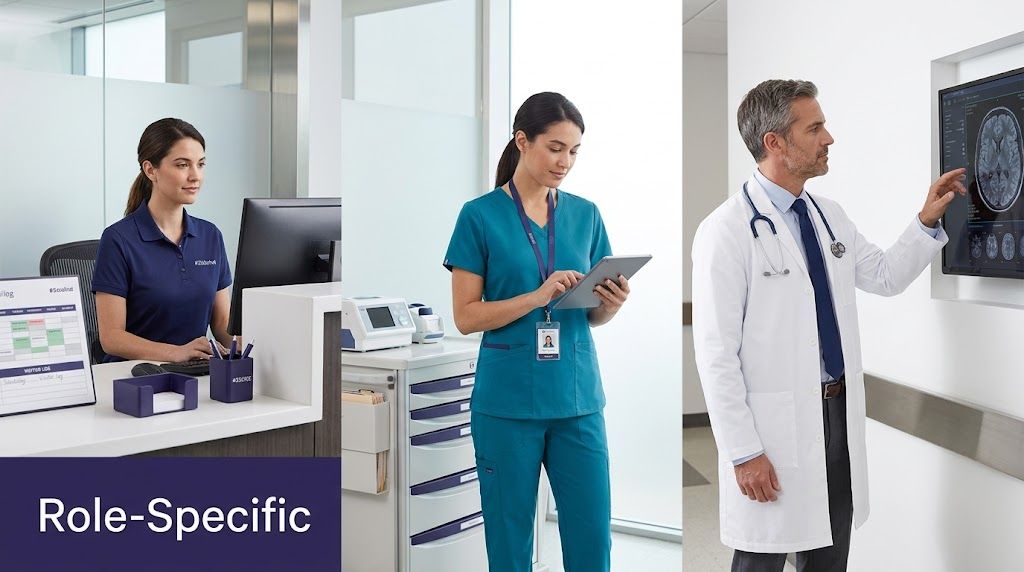
That's why the most practical approach is role-based and phased. EHR in Practice notes that effective training should be customized by function, such as physicians learning clinical documentation and order entry while administrative staff focus on scheduling and practice management.
Start with a workflow map, not a training calendar
Before building the curriculum, map each role's daily sequence. Not the ideal future state on a slide deck. The actual work as it happens now.
I usually build around these questions:
| Role | What they must do well in the EHR | Common training mistake |
|---|---|---|
| Physician | Document visits, enter orders, review results, manage inbox work | Teaching broad navigation instead of fast-path workflows |
| Nurse or MA | Room patients, reconcile meds, manage calls, prep orders, route messages | Ignoring live patient communication and message triage |
| Front desk | Register patients, schedule visits, verify demographics, collect forms | Treating registration like clerical work instead of the start of clinical workflow |
| Billing or admin | Claims-related tasks, scheduling, work queues, follow-up | Training too late, after bad data habits are already in the chart |
This table isn't complicated, and that's the point. Role-based training works because it respects the fact that each job touches the record differently.
Build separate learning paths
Once the map is clear, create learning paths that match the job.
For physicians, I like a short sequence built around the patient encounter. Open the chart. Review key history. Use templates without over-documenting. Enter orders. Send prescriptions. Close the note without leaving junk in the inbox. If the physician can do that reliably, you've trained the core of the role.
Administrative staff need something completely different. Their curriculum should focus on scheduling rules, registration quality, insurance fields, message routing, and what details must be captured correctly the first time so the clinical team doesn't inherit avoidable cleanup.
Here's a practical way to split it up:
- Physician path includes note writing, diagnosis selection, order entry, medication workflows, and inbox handling.
- Nurse and MA path centers on intake, rooming, refill support, triage messages, and standing-order workflows.
- Front-desk path covers registration, eligibility steps, scheduling logic, consent capture, and call documentation.
- Manager and supervisor path focuses on exception handling, queue monitoring, template governance, and user feedback.
The biggest waste in EHR training is teaching people features they'll never touch while skipping the bottlenecks they hit every hour.
Phase the training so it sticks
Role-based also means time-based. Don't dump everything into one week.
A practical sequence looks like this:
- Foundation training gives each role the minimum navigation and terminology they need.
- Workflow training puts staff through real scenarios from their day.
- Go-live support catches problems that only show up under patient volume.
- Post-live refreshers fix the bad habits that always appear once people get busy.
That last phase matters more than many leaders expect. People don't forget because they're careless. They forget because they're under pressure, interrupted all day, and forced to improvise.
Choose a blended approach for training delivery
Monday at 8:15 a.m., the lobby is filling, one physician is already behind, and a medical assistant is trying to remember how to route a refill request while rooming the next patient. That is the actual test of training. The question is not whether staff sat through a class. The question is whether they can carry the new workflow under normal clinic pressure.
A blended training model works because EHR adoption is part knowledge transfer, part habit change, and part workflow redesign. Short modules handle basic orientation well. Live sessions help teams work through judgment calls and policy exceptions. Practice environments give people repetition before mistakes hit real patients. Floor support during go-live catches the shortcuts and workarounds that no webinar will expose.
Match the format to the task
Different training methods solve different problems.
- Self-paced modules fit basic navigation, login steps, common terms, and simple repeatable tasks. They are useful when staff need to review material between patient sessions. Their weakness is obvious. Completion does not prove readiness.
- Live virtual or in-person sessions work better for scenario-based training. Staff can ask, “What do we do when the referral is incomplete?” or “Who owns this message after 4 p.m.?” Those are workflow questions, not software questions.
- Sandbox simulations give staff safe repetition. They are especially helpful for check-in, rooming, order entry, and end-of-day closeout, where small mistakes create downstream rework.
- At-the-elbow support matters most during go-live. The American Medical Association's EHR implementation guidance points to super-user and go-live support as practical ways to reinforce training in the clinical setting, where people are trying to document, move patients, and keep the day on track at the same time in the AMA's EHR implementation playbook.
A practical mix for busy clinics
I usually recommend a mix like this:
| Training method | Best use | Weak spot |
|---|---|---|
| Self-paced learning | Basic system orientation and repeatable tasks | Easy to complete without retaining much |
| Live sessions | Workflow practice, exceptions, and Q&A | Loses value if mixed roles sit through irrelevant content |
| Sandbox practice | Repetition without patient risk | Falls flat if scenarios do not match the clinic's actual day |
| At-the-elbow support | Real-time coaching during go-live | Requires staffing and schedule protection |
The trade-off is time. Leaders often cut live practice first because it is hard to schedule. That usually creates more cleanup later through message errors, broken handoffs, and documentation gaps. A four-hour class that saves one hour on the calendar is not efficient if it adds three weeks of confusion after launch.
Another mistake is treating training delivery as a software decision. It is an operations decision. Front-desk staff may need short sessions before or after clinic. Physicians often do better with brief, high-yield sessions tied to their templates, ordering habits, and inbox rules. New hires need on-demand refreshers because post-launch gaps do not disappear after the first month.
Train for real workload, not the demo version of work
People look competent in a quiet training room. Problems show up when the phones ring, a patient arrives late, and someone has to document while answering a clinical question.
That is why I push teams to rehearse the messy parts. Run late-arrival check-ins. Practice refill denials, duplicate messages, unsigned orders, and incomplete intake. Make staff work through the exceptions that slow down the day. If the training only covers the happy path, the clinic will invent its own process by week two.
This is also where documentation burden needs honest attention. If clinicians are already overloaded, they will resist any workflow that adds clicks or typing. Some organizations reduce that pressure during rollout with outside documentation support, including medical scribing services for overloaded clinical teams, while they tighten templates, message routing, and note expectations inside the EHR.
Good delivery does more than teach screens. It gives each role enough practice, support, and repetition to do the work correctly when the clinic is busy.
Get your team on board with change management
Most EHR problems that look technical are really social. People resist systems for reasons that make sense to them. They worry they'll look slow. They assume leadership doesn't understand their day. They've been through bad rollouts before, so they protect themselves with workarounds and skepticism.
You don't fix that with another memo.
A super-user program that actually helps
The best super-users aren't always the people who know the most clicks. They're the people others trust. I've had stronger results with a respected MA or charge nurse who understands the pace of the clinic than with a technically gifted trainer who can't relate to floor reality.
A useful super-user group does four jobs:
- Translates training into daily work so staff hear practical advice from peers.
- Flags broken workflows early before everyone normalizes them.
- Provides floor support during go-live when people are too embarrassed to ask basic questions in public.
- Feeds patterns back to leadership so retraining and workflow fixes are based on what's really happening.
Staff usually accept change faster when a peer says, “Here's how I'm doing this in a busy clinic,” than when a project team says, “Please follow the new process.”
Build buy-in before frustration hardens
One of the better turnarounds I've seen came from a practice where the loudest skeptics were invited into workflow review sessions before final training. Not a ceremonial meeting. Real review. They pointed out where message routing would fail, where rooming steps were too long, and where chart closure would drift into the evening.
Two things changed after that. First, leadership fixed some of the process, which mattered. Second, the skeptics stopped feeling like change was being done to them.
That's the piece many groups miss. Buy-in is built when people can see their input changing the build, the workflow, or the training plan.
What leaders should say clearly
Teams handle change better when leaders are direct. Not cheerful. Direct.
Tell them what will be harder at first. Tell them where support will be available. Tell them what won't be tolerated, like private workarounds that break data quality. Then tell them what feedback channel is real, who reads it, and how quickly issues will be addressed.
If you leave those points vague, staff will fill the gap with hallway stories. Those stories spread faster than any project update.
Bridge the gap with voice and AI agents
Even strong ehr software training won't solve a workload that is structurally overloaded. If nurses and front-desk teams spend the day buried in intake calls, refill requests, scheduling changes, and repetitive message handling, the clean workflows from training start to collapse. People cut corners because they're trying to survive the queue.
That's why one of the most overlooked training gaps is live patient communication. Research discussed in this PMC review on EHR implementation and training notes that a frequently missed area is how frontline staff use the system during intake, refill requests, and similar real-time interactions. The same body of evidence links insufficient training in this area with higher stress and cognitive failures among nurses.
Training breaks when the phone never stops
This is the pattern I see in clinics after go-live. Staff were trained on the ideal sequence for documenting a call, routing a refill, or capturing history during intake. Then real volume hits. Calls stack up. A patient asks three things at once. Another line rings. Someone is waiting at the desk. The EHR training they received may have been correct, but the work environment doesn't protect that behavior.
So the workflow degrades:
- Messages become vague because staff are rushing.
- Refill details are incomplete so clinicians have to chase context later.
- Intake data lands in the wrong place because there wasn't time to enter it cleanly.
- After-hours cleanup grows because structured work turned back into manual catch-up.
Where AI tools fit, and where they don't
Voice and AI agents can help, not as a replacement for training but as a protection layer around it. If an AI phone agent handles routine intake, scheduling, refill collection, or basic patient education, staff can spend more of their attention on the work that still needs judgment.
That only works if the tool fits the workflow. It should capture structured information, hand off cleanly, and make review easy inside the EHR process the team already uses. If it creates a second inbox or forces staff to re-enter everything, it just moves the burden around.
One example is voice AI agents in healthcare, including platforms such as Simbie AI, which are built to manage routine patient calls and pass information into existing clinical operations. Used well, tools like this reduce pressure on the exact communication workflows that many practices never train thoroughly enough.
Better automation does not remove the need for training. It removes the pileup that makes good training impossible to follow.
Use AI to reduce load, not dodge redesign
I'd be careful here. Automation won't save a bad process. If your refill policy is unclear, your routing rules are messy, or your staff don't know who owns what, AI will expose that problem faster. That's useful, but it's not magic.
The better approach is to redesign the workflow first, then decide which steps can be consistently handed to automation, which need staff review, and which belong with a clinician. That keeps the EHR as the source of truth and prevents the common mistake of layering new tools onto old confusion.
Measure success and drive continuous improvement
Six months after go-live, the warning signs are usually operational, not technical. Charts stay open longer. Message pools get messy. New hires learn shortcuts from whoever is sitting nearby. A template change breaks a handoff that used to work. Then leadership concludes the EHR is failing, when the actual failure is that training never kept pace with the workflow.
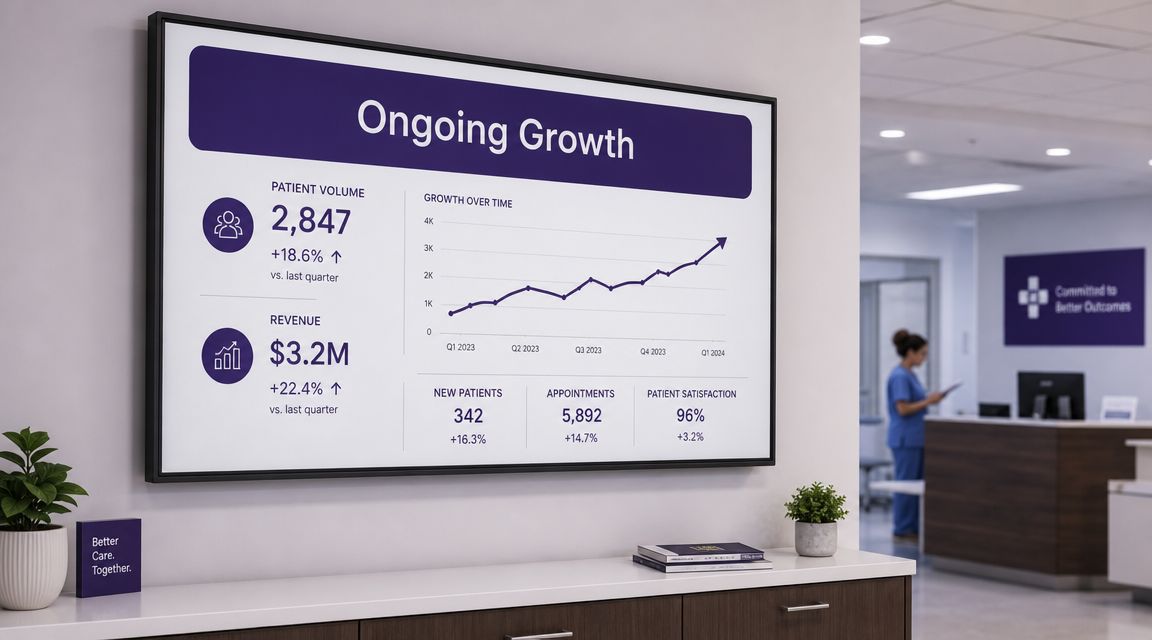
That is why I treat ehr software training as an operating system for the practice, not a project milestone. Post-launch drift is predictable. Staff turnover, policy changes, template edits, payer requirements, and volume swings all change how work ultimately gets done. If training is frozen at go-live, the team starts inventing workarounds, and those workarounds become the dominant workflow.
Measurement has to reflect that reality. CER's review of EHR training pitfalls and KPIs recommends tracking outcomes such as staff proficiency, system usage, error reduction, and patient throughput instead of relying on course completion alone. That is the right direction, but most practices need a tighter operational view than that.
Track the right signals
Start with measures that show whether the workflow works under real clinic conditions.
- Role-based task performance. Can the MA room a patient, pend the right orders, and route follow-up without asking for help?
- Workflow adherence. Are staff using the intended path in the EHR, or are they bypassing fields, free-texting around structure, and creating cleanup work downstream?
- Rework and error patterns. Look for duplicate documentation, wrong queue routing, refill rework, chart correction volume, and messages that bounce between teams.
- Cycle-time measures. Track chart closure lag, refill turnaround, portal message aging, prior auth touchpoints, and patient throughput by clinic session.
Those signals are more useful than a training attendance report.
I also recommend one qualitative input every review cycle. Ask supervisors and frontline staff a plain question: where does the EHR make good work harder than it should? That usually surfaces the gap between the designed workflow and the one people are using.
Use a repeatable review cycle
Big retraining events are expensive and usually too late. A standing review cycle works better because it catches drift while the fix is still small.
- Collect feedback from the floor. Do it after training, after go-live, and again once the workload normalizes. Early feedback is often about confusion. Later feedback is about bottlenecks.
- Review workflow measures on a set cadence. Quarterly is workable for most practices. High-volume groups may need monthly review for message management, refill flow, or chart closure.
- Fix one failure point at a time. If intake is stable but refill routing is weak, retrain refill routing and clean up the build that supports it.
- Update the training artifact, not just the meeting. Revise tip sheets, role play scenarios, EHR screenshots, and new-hire onboarding materials so the fix sticks.
Staff notice when leadership keeps assigning more training while ignoring the broken process that caused the problem. That is how trust erodes.
Decide what to improve next
Use the review cycle to choose the next operational target, not the next class to schedule. In many practices, that target is a high-friction workflow such as refills, inbox coverage, intake documentation, or chart closure. Watch the work happen. Count the handoffs. Find where staff are re-entering information, waiting on unclear ownership, or doing after-hours cleanup. Then change the workflow, retrain the roles involved, and measure again two to four weeks later.
This is also where AI tools need honest evaluation. If an AI scribe, voice agent, or intake assistant reduces documentation time or repetitive call volume, the success measure is not adoption alone. Check whether it shortens chart closure time, reduces message backlog, improves data quality, or lowers after-hours work. If it creates a second review queue or forces manual reconciliation, it is adding labor, not removing it.
If your practice is trying to reduce message backlog, intake burden, and documentation drag after EHR rollout, Simbie AI is one option to evaluate. Its voice-based agents are designed for healthcare workflows like intake, scheduling, and refill handling, which can give staff more room to follow the workflows they were trained to use instead of spending the day buried in repetitive calls.